
What Is Benchmark Testing: what is benchmark testing, a clear guide

Benchmark testing is all about creating a standardized, repeatable way to measure and compare your system’s performance. Think of it as establishing a reliable performance baseline under tightly controlled conditions—a yardstick you can trust for all future evaluations.
Defining Your Performance Yardstick

Imagine you’re training for a marathon. You wouldn’t just go for a random jog and guess if you were faster. Instead, you’d run a specific distance, say one mile, on the same track and under similar conditions every time you tested yourself. That timed mile is your benchmark.
Benchmark testing in software is built on that exact same principle. It’s not about vaguely checking if your application is “fast.” It’s about creating a standardized test that produces a consistent, repeatable performance measurement. That number becomes your system’s official record—its “one-mile time”—that you can use for objective comparisons down the road.
The Power of a Baseline
This baseline is the bedrock of effective performance management. Without it, you’re flying blind. You have no objective way to know if a new code change made things better or worse, or if that pricey new server is actually delivering the speed you paid for.
Establishing a benchmark gives you a single source of truth for your application’s capabilities. It transforms subjective feelings like “the app feels slow today” into hard data like, “API response time increased by 150 milliseconds after the last deployment.”
A benchmark isn’t just a number; it’s a standard. It provides the objective data developers need to validate changes, justify infrastructure decisions, and build high-performance systems with confidence.
Creating a Controlled Environment
The real secret to a meaningful benchmark is control. Just like a runner needs a consistent track, a benchmark test requires a controlled environment. You have to keep all the variables constant so the only thing changing performance is the specific component you’re actually testing.
This level of control allows you to answer critical questions with certainty:
- Code Changes: Did our latest feature release slow down the checkout process?
- Infrastructure Upgrades: Is the new database server configuration truly 20% faster under heavy load?
- Third-Party Services: Is that payment gateway API actually meeting its Service Level Agreement (SLA)?
By isolating variables and running the same test over and over, benchmark testing removes all the guesswork from performance analysis. It gives you a clear, unambiguous answer to whether your system is improving or degrading over time—an absolutely essential practice for building stable, reliable, and fast applications.
To help drive these concepts home, here’s a quick summary of the core principles that make benchmark testing so effective.
Key Principles of Benchmark Testing
| Principle | What It Means | Why It Is Essential |
|---|---|---|
| Repeatability | The test produces consistent results when run multiple times under the same conditions. | Ensures that any performance changes you see are real and not just random fluctuations. |
| Control | All external variables (hardware, network, background processes) are kept constant. | Isolates the component being tested, so you know exactly what caused the performance shift. |
| Standardization | The test methodology and environment are well-documented and followed for every run. | Creates a reliable yardstick that allows for fair comparisons over time and across different versions. |
| Objectivity | Performance is measured with concrete metrics (e.g., latency, throughput), not subjective feelings. | Turns vague performance complaints into actionable data points for your team. |
Following these principles ensures that your benchmarks are not just numbers, but a trustworthy foundation for making informed decisions about your system’s health and future.
Why Modern Development Demands Benchmark Testing
In today’s software world, benchmark testing isn’t just a quality check anymore—it’s a business necessity. We’ve moved far beyond the days of monolithic apps and slow, infrequent updates. Now, we’re juggling complex microservices, CI/CD pipelines, and cloud infrastructure where one weak link can crash the whole system. This interconnectedness means performance is no longer just an IT problem; it’s at the core of the user experience.
Imagine an e-commerce site on Black Friday. A massive, unexpected traffic surge hits, and a tiny, forgotten payment gateway API buckles. The result? Catastrophic. Checkout pages time out, carts get abandoned, and millions in revenue disappear in minutes. This isn’t just a scary story; it’s a real risk for any business that skips performance validation.
Benchmark testing is your strategic early warning system. It lets you find and squash performance bottlenecks long before they ever affect a user, turning potential disasters into routine maintenance.
This proactive mindset is the only way to navigate the complexity of modern systems and keep your service stable and reliable.
Proactive Planning Instead of Reactive Firefighting
Without a clear performance baseline, teams get stuck in a reactive loop. You wait for users to complain about lag, scramble to figure out what’s wrong with barely any data, and push out frantic emergency fixes. This “firefighting” is stressful, inefficient, and toxic to your brand’s reputation. It only takes one major outage to destroy years of user trust.
Benchmark testing completely flips the script. When you establish a clear performance standard, you can:
- Validate Infrastructure Investments: Is that pricier cloud instance actually giving you the performance boost you’re paying for? Benchmarking gives you the hard data to justify costs and make smart decisions about your tech stack.
- Plan for Growth with Confidence: How will your app handle 50,000 concurrent users next year? Benchmarking lets you simulate that future load, find your scaling limits, and upgrade systems before they break.
- Detect Regressions Instantly: By building benchmark tests right into your CI/CD pipeline, you can automatically flag performance drops the moment a new code change is committed. Slowdowns never even make it to production.
Knowing how to tackle common App Performance Challenges is key to keeping users happy on any device. Benchmarking provides the objective data needed to fix these issues head-on.
The Global Push for Performance Validation
This demand for solid performance isn’t a local trend; it’s global. As businesses all fight for the same user attention, a fast and reliable application is no longer a nice-to-have—it’s table stakes. This reality has ignited massive growth in the performance testing market.
In 2024, the global performance testing market was valued at USD 926.6 million, and it’s expected to rocket to USD 1,394.61 million by 2033. This explosion reflects the intense pressure on companies to make sure their systems can handle real-world traffic without stumbling. North America is leading the way, responsible for 42% of all testing in 2023, with the U.S. alone running over 310,000 performance tests. You can dig into more data on the performance testing market growth.
The numbers tell a simple story: businesses everywhere know that consistent, data-driven performance analysis isn’t just good practice—it’s a powerful competitive edge. By embracing what benchmark testing offers, development teams can build faster, more resilient systems that customers will stick with.
Choosing the Right Performance Test for the Job
Stepping into the world of performance validation can feel like walking into a maze. You’re surrounded by a dozen different test types, and they all seem to do the same thing. But here’s the secret: each test is a highly specialized tool, built to answer a very specific question about your system.
Getting a handle on these distinctions is the key. It lets you focus your efforts where they’ll have the most impact and, most importantly, get results you can actually use.
The Athlete Analogy: A Performance Testing Story
Let’s make this tangible. Imagine your application is a professional sprinter training for the Olympics. Their training isn’t random; every drill has a purpose.
-
Benchmark Testing is the Time Trial: This is our sprinter on a perfect track, with ideal weather and no wind. The goal is simple: run the 100-meter dash as fast as humanly possible. This sets their personal best, a baseline to measure all future training against. In software, this is your system under perfect, controlled conditions.
-
Load Testing is Training with Resistance: Now, the sprinter runs the same 100 meters, but this time wearing a weighted vest. They aren’t trying to beat their record. Instead, they want to see how their performance changes under a specific, expected load. How much does an extra 10 kg slow them down? This is like testing your e-commerce site with the anticipated number of Black Friday shoppers.
-
Stress Testing is Finding the Breaking Point: The coach starts adding more and more weight to the vest until the sprinter physically cannot finish the race. The entire point is to find their absolute limit. For your software, this means pushing it way beyond its expected capacity to see what breaks first. Is it the database? The API gateway?
-
Soak Testing is the Endurance Run: Finally, our sprinter runs for hours at a steady, moderate pace. Here, the goal is to spot long-term issues. Does their form get sloppy after an hour? Do they get cramps? This is like running your application under a normal production load for a whole weekend to find memory leaks or other sneaky bugs that only show up over time.
This simple decision flow shows how benchmarking is the foundational first step toward building stable, reliable systems.
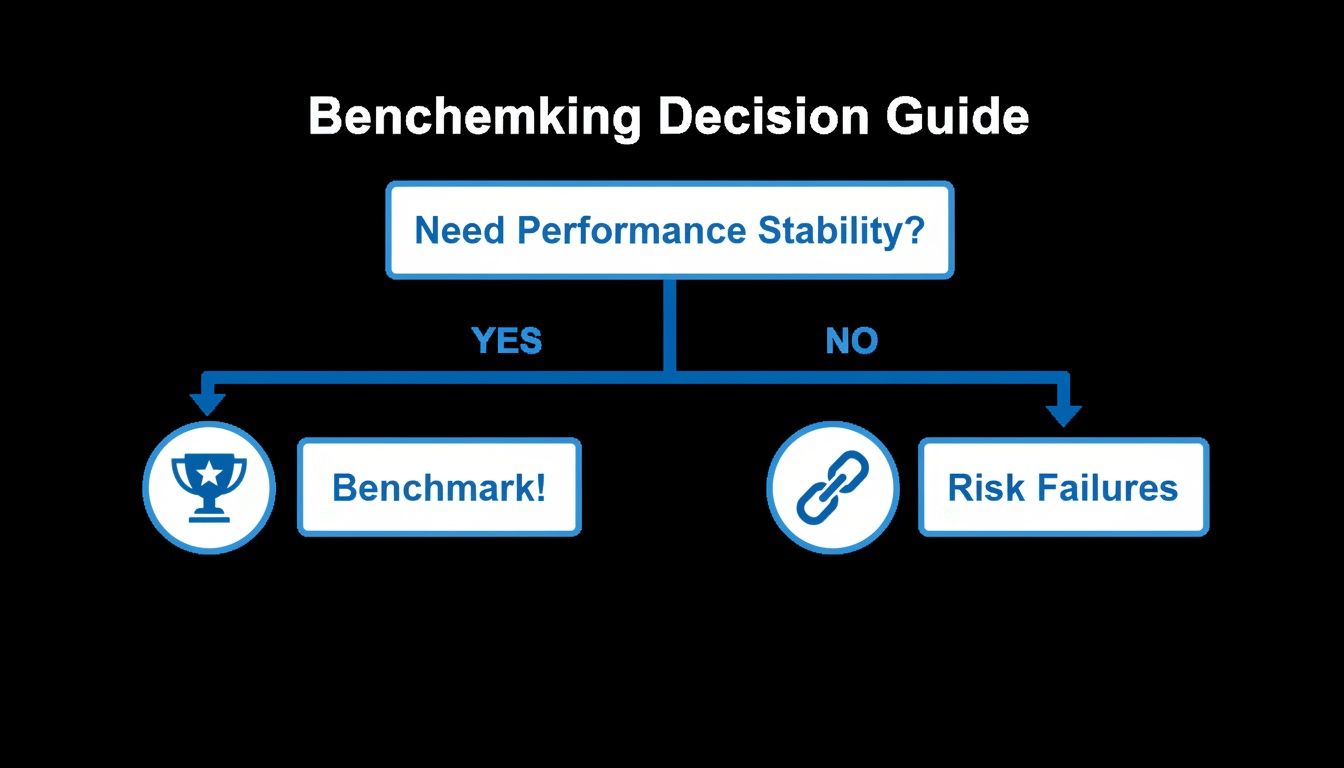
The flowchart drives the point home: you can either proactively chase performance stability with benchmarking or leave it to chance and risk failures down the line.
Benchmark vs Load vs Stress vs Soak Testing
While the sprinter analogy gives you a great mental model, it helps to see the specifics laid out side-by-side. The most important thing is knowing which question you need to answer before you start a test. If you want to explore this further, you can learn about the complete landscape of different performance test types in our detailed guide.
Here’s a direct comparison of what each of the core four tests sets out to accomplish.
| Testing Type | Primary Goal | Typical Scenario | Key Question Answered |
|---|---|---|---|
| Benchmark Testing | Establish a repeatable performance baseline in a controlled environment. | Measuring the raw speed of a specific database query after a schema change. | ”What is the fastest this specific function can run under ideal conditions?” |
| Load Testing | Measure system behavior under expected, realistic user loads. | Simulating 5,000 concurrent users browsing products during a holiday sale. | ”Can our system handle our expected peak traffic without degrading performance?” |
| Stress Testing | Identify the system’s breaking point and how it fails under extreme loads. | Pushing traffic to 200% of expected peak to see what component fails first. | ”At what point does our system break, and what is the bottleneck?” |
| Soak Testing | Uncover performance issues that only emerge over extended periods. | Running a system at normal load for 48 hours straight to check for memory leaks. | ”Does our system remain stable and performant during long periods of sustained use?” |
Ultimately, these tests aren’t mutually exclusive—they’re all part of a complete performance validation toolkit. You start with benchmark testing to create your “gold standard.” From there, you use load, stress, and soak tests to see how your system holds up when the perfect conditions of the lab are replaced with the messy, unpredictable reality of the real world.
Your Step-by-Step Guide to Benchmark Testing
Running a benchmark test isn’t about firing up a script and hoping for the best. It’s a deliberate, almost scientific process designed to give you clear, actionable data. Think of it like a lab experiment—every step matters if you want a trustworthy result.
This guide breaks that process down into simple, manageable steps.

Following a structured approach ensures your benchmarks are accurate, repeatable, and meaningful. It’s how you turn raw numbers into smart engineering decisions.
Step 1: Define Clear Goals and Scope
Before you write a single line of code, you have to answer the most important question: “What are we trying to learn?” Without a clear goal, a benchmark test is just noise.
Your objective needs to be specific and measurable. Are you trying to validate a database upgrade? Measure the impact of a new caching layer? Maybe you need to figure out the max transaction throughput of a payment API.
Whatever it is, narrow your scope. Don’t try to test everything at once. Focus on a single component or user journey.
A well-defined goal makes all the difference:
- Bad Goal: “See if the new code is faster.”
- Good Goal: “Determine if the v2.5 user authentication API processes requests at least 15% faster than v2.4 under a simulated load of 500 requests per second.”
This kind of clarity will guide every other decision you make.
Step 2: Identify Key Performance Metrics
Once you know your goal, you need to pick the right metrics to measure success. These are the specific data points that will prove or disprove your hypothesis. While the exact metrics will depend on your goal, most performance tests boil down to a few core indicators.
Common benchmark testing metrics include:
- Latency (Response Time): How long it takes for a single request to get a response, usually measured in milliseconds (ms). This is what your users feel as “speed.”
- Throughput: How many requests or transactions your system can handle in a specific period, like requests per second (RPS) or transactions per minute (TPM).
- Error Rate: The percentage of requests that fail. If this number spikes under load, you’ve likely found a serious bottleneck.
- Resource Utilization: How much CPU, memory, disk I/O, or network bandwidth the system is using. This tells you if you’re hitting hardware limits.
Choosing the right mix of these metrics gives you the full story of your system’s behavior.
Step 3: Prepare a Controlled Test Environment
This is arguably the most critical—and most often overlooked—step. A benchmark is only as good as its environment. The whole point is to eliminate as many variables as possible so the only thing affecting the results is the change you’re testing.
The biggest mistake in benchmarking is testing in an environment that doesn’t mirror production. Using mismatched hardware, different network configurations, or unrealistic test data will generate misleading results and create a false sense of security.
To keep things consistent, your test environment should:
- Match Production Hardware: Use servers with the same CPU, RAM, and storage as your live setup.
- Isolate the System: Make sure no other apps or background jobs are running on the test machines, stealing resources and skewing your numbers.
- Use Realistic Data: Your test database needs a volume and complexity of data that mirrors what you see in the real world.
This meticulous setup is the foundation of any trustworthy benchmark. It’s no surprise that validating system performance is a massive driver in the software testing industry’s growth. The global software testing market hit USD 55.8 billion in 2024 and is on track to more than double to USD 112.5 billion by 2034, largely because companies need scalable, reliable benchmarking environments. You can learn more about the software testing market’s expansion.
Step 4: Execute the Test and Analyze Results
With everything prepped, it’s finally time to run the test. It’s crucial to run it multiple times to make sure your results are consistent and not just a fluke. A common practice is to do a “warm-up” run first to get caches populated, then follow up with several official runs.
Once you have the data, the real work begins. Don’t just glance at the averages. Dig into the distribution, paying close attention to outliers and percentile data (like p95 or p99 response times), which often reveal the worst-case user experience.
Compare the results to your baseline. Did performance get better, worse, or stay the same? Did resource use spike unexpectedly? Answering these questions tells you if your changes were a success and what to do next. This cycle—test, analyze, improve—is the heartbeat of building high-performance systems.
Achieving Realistic Benchmarks with GoReplay
Following a structured process is the heart of any good benchmark test, but its true value boils down to one thing: realism. So much of traditional benchmarking leans on synthetic scripts—carefully crafted simulations of what we think our users are doing. The problem is, this approach is fundamentally flawed because it almost never captures the chaotic, unpredictable nature of real-world behavior.
Synthetic tests might ace the perfect “happy path,” but they completely miss the strange edge cases, the unexpected API calls, and the messy, stateful interactions that define production traffic. It’s in that gap between the clean simulation and the messy reality where performance issues love to hide.

This is where you need a totally different approach—one that stops guessing and starts benchmarking your system against reality itself.
Moving Beyond Synthetic Scripts
If you want benchmark results you can actually trust, you need tests that mirror the real load your servers handle every single day. This is the exact challenge GoReplay was built to solve. Instead of writing scripts that guess at user behavior, GoReplay is an open-source tool that lets you capture and replay actual production traffic.
Think about it. You can take a slice of your busiest hour of the day and replay every single one of those user requests against your testing environment. You’re no longer simulating traffic; you’re using the genuine article. This gives you the highest possible fidelity for your benchmark tests, uncovering bottlenecks that synthetic scripts would never even get close to finding.
By replaying real user sessions, you shift from benchmarking against an idealized model to validating performance against proven, historical demand. This eliminates guesswork and provides a true measure of your system’s readiness.
This replay-based approach completely changes what benchmark testing can do, giving you a level of accuracy that was previously out of reach.
How GoReplay Creates Authentic Benchmarks
GoReplay runs on a simple but incredibly powerful idea: record real HTTP traffic from your production environment, then redirect it to a testing or staging system. This lets teams run incredibly realistic performance tests safely and without a massive time investment.
It pulls this off with a few key features:
- Traffic Shadowing: This lets you “shadow” live traffic to a test environment in real-time, all without affecting your production users. Your live servers handle the request as usual, while a copy is silently sent to the system you’re benchmarking.
- Session-Aware Replay: GoReplay understands user sessions, making sure that stateful interactions are replayed correctly. This is absolutely critical for accurately testing complex user journeys, like a multi-step checkout process.
- Rate Limiting and Amplification: You can replay traffic at its original speed, slow it down to analyze specific interactions, or crank it up (10x, 50x, or even 100x) to simulate future growth or run a full-blown stress test.
For teams ready to get started, our guide on a GoReplay setup for testing environments gives you a detailed walkthrough.
Practical Applications for High-Fidelity Testing
Armed with these capabilities, you can start answering tough performance questions with total confidence. Let’s look at a few common scenarios where replay-based benchmarking blows synthetic testing out of the water.
- Validating a New Feature: Before you ship a big code change, you can shadow a percentage of live traffic to a server running the new version. This shows you exactly how it performs under a real-world load, letting you catch regressions before a single customer is affected.
- Testing Infrastructure Upgrades: Thinking about migrating to a new cloud provider or upgrading your database? Replay a peak traffic period against the new setup to get a direct, apples-to-apples comparison of performance and prove the investment is worth it.
- Debugging Elusive Bugs: We’ve all had those bugs that only show up under specific, hard-to-replicate conditions in production. Now, you can capture the traffic that triggered it. From there, you can replay that exact sequence of requests in a controlled dev environment until you’ve squashed the bug for good.
Ultimately, GoReplay empowers development teams to finally close the gap between their testing environments and production reality. It transforms benchmark testing from a periodic, scripted chore into a continuous, data-driven process for building seriously resilient systems.
Benchmarking for the Future of AI Applications
As we wade deeper into an AI-powered world, the old rules of benchmark testing still apply—but they’ve become far more critical. Artificial intelligence and machine learning systems don’t just add new features; they introduce entirely new kinds of performance hurdles that go way beyond traditional application metrics.
We’re not just timing simple request-response cycles anymore. Now, teams need to benchmark incredibly complex operations like AI model inference latency—the raw speed at which a model can make a prediction. On top of that, we have to measure the throughput of massive data pipelines that feed these hungry models. These systems aren’t simple, stateless APIs. They are stateful, computationally brutal, and deeply tied to the hardware they run on.
The Hardware and Software Connection
This hardware dependency is a game-changer for software teams. Suddenly, the performance of your AI application is welded to the specific silicon it runs on. A model that flies on one GPU might crawl on another, which makes hardware validation a non-negotiable step in the development lifecycle.
This shift has sparked a specialized and booming market. AI-driven hardware validation is becoming a massive focus, with the AI inference hardware benchmarking test market projected to leap from USD 0.6 billion in 2026 to USD 1.7 billion by 2036. As software teams benchmark their models against the latest chips, this industry provides the standards that keep comparisons honest. You can dig into the full AI hardware benchmarking market trends to see where things are headed.
In the world of AI, benchmarking is the bridge between software potential and hardware reality. It’s what ensures the brilliant algorithms we dream up can actually deliver in a real-world production environment.
Replaying Reality for AI Systems
Given all this complexity, it’s no surprise that old-school synthetic test scripts just don’t cut it. They completely fail to capture the nuanced, stateful user interactions that define how AI applications actually work. Think about a user’s journey through an AI recommendation engine—it’s a whole sequence of dependent requests, each one building on the last.
This is exactly where replay-based testing becomes essential. To get a true picture of how an AI system will hold up, you have to hit it with the same complex sequences of user interactions it will face in the wild.
Tools like GoReplay are built for this new frontier. By capturing and replaying real, messy user sessions, you can benchmark AI systems against the genuine chaos of production traffic. This gives you the power to accurately measure what truly matters:
- Model Performance: How does inference latency change when hit with real-world query patterns instead of clean, predictable ones?
- Pipeline Efficiency: Can your data pipelines actually keep up when user activity spikes?
- System Resilience: What happens to the entire application when it’s hammered by thousands of stateful user journeys all at once?
This is the only approach that provides the realistic data needed to build and scale the next generation of intelligent applications with confidence.
Got Questions About Benchmark Testing?
As teams start digging into benchmark testing, the same questions tend to pop up. Getting straight answers from the get-go helps build confidence and makes sure you’re on the right track from day one.
Think of this as the quick-and-dirty FAQ you wish you had before diving into any new technical process. It’s here to nail down the core ideas we’ve talked about and help you sidestep common traps.
How Often Should We Run Benchmark Tests?
The right frequency really depends on your development cycle, but here’s the bottom line: you should automate it.
The gold standard is integrating benchmark tests directly into your CI/CD pipeline. This way, they run automatically whenever there’s a significant code change, catching performance regressions right when they happen. No surprises.
At a bare minimum, your team should run benchmarks at these key moments:
- Before every major release to ensure new features haven’t slowed things down.
- After any infrastructure change, like a server migration or a database upgrade.
- When you’re making a critical architectural decision to back up your choice with hard data.
What’s the Biggest Mistake to Avoid in Benchmarking?
The single most damaging mistake you can make is testing in an environment that doesn’t truly mirror production. It’s the cardinal sin of benchmarking because it generates results that are, at best, misleading and, at worst, dangerously wrong.
When you use mismatched hardware, different network settings, or overly simple synthetic data, you’re just giving yourself a false sense of security. You might think your app is ready for the real world, only to watch it fall apart under actual user load.
This is exactly why replaying real production traffic is such a game-changer. It gets rid of the guesswork and the risk of an unrealistic test environment, ensuring your benchmarks are grounded in reality.
Can I Benchmark the Third-Party APIs We Use?
Yes, and you absolutely should. Your application’s performance is often only as strong as its weakest link, and that link is frequently a third-party service you have no control over.
Benchmarking the external APIs your system depends on is a critical defensive move. It helps you:
- Set a Performance Baseline: Figure out their typical response times and error rates under normal conditions.
- Hold Vendors Accountable: Use real data to see if they’re actually meeting the Service Level Agreements (SLAs) they promised.
- Spot External Bottlenecks: Quickly pinpoint if a performance problem is coming from an external service instead of your own code.
Doing this helps you make smarter decisions about the services you integrate with and prevents you from getting blindsided when a dependency has a bad day.
Ready to stop guessing and start benchmarking against reality? With GoReplay, you can capture and replay real production traffic to get the most accurate performance insights possible. Eliminate synthetic scripts and test with confidence. Learn more at https://goreplay.org.