
Why Performance Testing Matters
Slow applications cost money and frustrate users. This listicle details eight key performance test types to help you build performant and reliable software. Understanding these tests—load testing, stress testing, endurance testing, spike testing, volume testing, scalability testing, capacity testing, and configuration testing—is crucial for developers, testers, and business leaders alike. Learn how each type helps identify bottlenecks and ensures a smooth user experience, ultimately saving time and resources down the line.
1. Load Testing
Load testing is a crucial type of performance test that assesses how a system behaves under anticipated real-world load conditions, both normal and peak. It focuses on simulating multiple concurrent users or transactions interacting with the system to identify performance bottlenecks and determine if the system can maintain acceptable response times under pressure. This involves gradually increasing the load until predefined thresholds are reached, such as a maximum response time or a specific error rate. By uncovering these limitations in a controlled environment, load testing helps prevent performance issues from impacting real users.
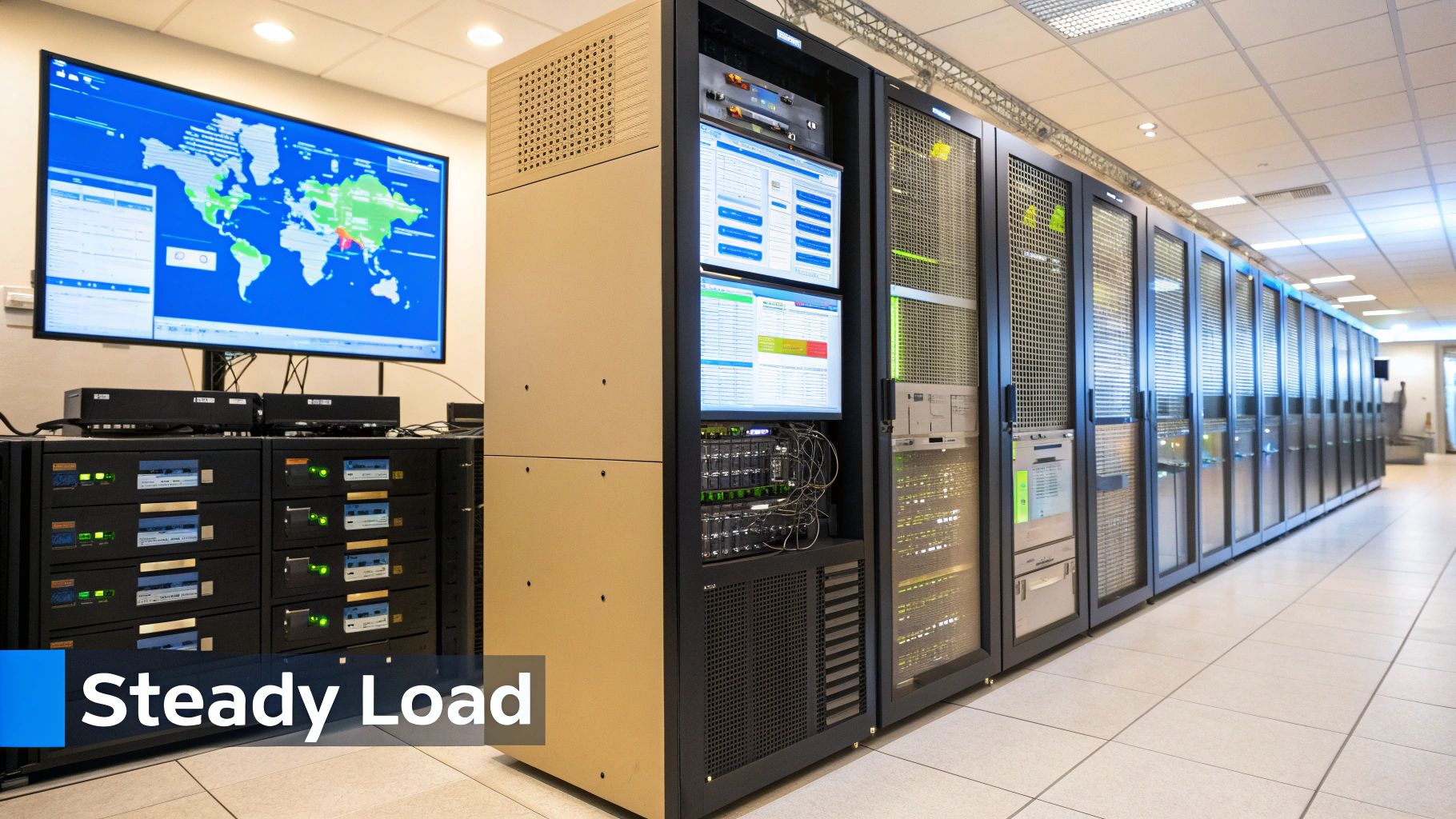
Load testing is essential within the broader category of performance test types because it directly addresses the critical question of capacity. It helps determine if the system can handle the expected volume of users and transactions without compromising performance. This information is vital for capacity planning, infrastructure sizing, and ensuring a positive user experience.
Features of Load Testing:
- Simulates multiple concurrent users or transactions: Accurately mimics real-world usage patterns with varying numbers of virtual users.
- Tests system performance under varying loads: Provides insight into performance at different levels of user activity.
- Measures response times, throughput, and resource utilization: Collects key metrics to pinpoint areas for optimization.
- Identifies breaking points and performance bottlenecks: Reveals the system’s limitations and where improvements are needed.
- Can be conducted at component level or system-wide: Allows for targeted testing of specific components or the entire system.
Pros of Load Testing:
- Provides clear metrics on system capacity limits.
- Helps in capacity planning and infrastructure sizing.
- Identifies bottlenecks before they impact real users.
- Validates that the application meets performance Service Level Agreements (SLAs).
- Can simulate both gradual and sudden increases in traffic.
Cons of Load Testing:
- Can be resource-intensive to execute, requiring significant computing power and network bandwidth.
- Requires specialized tools and expertise to design, execute, and interpret the results.
- May need dedicated test environments to ensure accurate results, adding to the overall cost.
- Difficult to perfectly simulate real-world user behavior patterns, potentially leading to discrepancies between test results and actual performance.
- Creating realistic test scenarios can be complex and time-consuming.
Examples of Successful Load Testing Implementations:
- Amazon: Prepares for Black Friday sales by simulating millions of concurrent shoppers interacting with their website and backend systems.
- Banking Systems: Regularly test daily transaction processing capacity to ensure they can handle peak loads during business hours.
- Netflix: Tests streaming capacity during anticipated high-demand periods, such as new season releases or live events, to prevent service disruptions.
Actionable Tips for Effective Load Testing:
- Define clear performance goals and thresholds: Establish specific, measurable, achievable, relevant, and time-bound (SMART) objectives.
- Start with baseline tests and gradually increase load: Establish a baseline performance level and incrementally increase the load to observe performance changes.
- Include think time between actions to simulate real user behavior: Avoid unrealistically high load by incorporating pauses between user actions.
- Monitor system resources (CPU, memory, disk, network) during tests: Identify resource bottlenecks and potential areas for optimization.
- Test regular and peak load scenarios separately: Gain insights into system performance under different load conditions.
- Run tests long enough to identify memory leaks and resource exhaustion issues: Prolonged testing can reveal issues that might not surface during short tests.
Popular Load Testing Tools:
- Apache JMeter
- LoadRunner by Micro Focus
- Gatling
- k6 by Grafana Labs
- Microsoft Azure Load Testing
When and Why to Use Load Testing:
Load testing is particularly valuable when:
- Launching a new application or feature: Verify that the system can handle the expected load before going live.
- Making significant infrastructure changes: Ensure that the changes don’t negatively impact system performance.
- Planning for anticipated peak events: Prepare for high-traffic periods, such as sales events or marketing campaigns.
- Troubleshooting performance issues: Identify the root cause of performance bottlenecks and develop solutions.
- Validating performance SLAs: Confirm that the system meets agreed-upon performance requirements.
By incorporating load testing into your performance testing strategy, you can proactively identify and address performance bottlenecks, ensuring a positive user experience and avoiding costly downtime.
2. Stress Testing
Stress testing is a crucial type of performance test designed to evaluate a system’s behavior under extreme conditions, pushing it beyond its normal operational capacity. Unlike other performance test types that focus on normal or peak load, stress testing deliberately overloads the system to identify its breaking point. This helps determine the system’s robustness, stability, and how effectively its error handling mechanisms perform under duress. The primary goal is not just to break the system, but to understand how it fails, whether it can recover gracefully, and what its absolute limits are. This information is invaluable for optimizing performance, ensuring reliability, and planning for disaster recovery.

Stress testing involves simulating extreme scenarios, such as a sudden surge in user traffic, resource depletion (like running out of memory or disk space), or the failure of critical components. By observing the system’s response to these scenarios, testers can identify weaknesses and potential bottlenecks that might not be apparent under normal operating conditions. This includes evaluating factors such as response times, error rates, and the system’s ability to recover after the stress is removed.
Features of Stress Testing:
- Tests system beyond normal operating capacity
- Identifies breaking points and failure modes
- Evaluates system recovery after failure
- Tests error handling mechanisms
- Often involves extreme resource constraints
Pros:
- Reveals hidden defects that only appear under extreme conditions
- Helps establish the absolute limits of system capacity
- Validates system stability and error handling
- Provides insights for disaster recovery planning
- Tests failover mechanisms and resilience
Cons:
- Can cause system crashes or data corruption if not carefully controlled
- Requires significant resources and specialized environments
- Results can be difficult to reproduce exactly
- May be costly due to potential system downtime
- Extreme scenarios may not represent realistic use cases
Examples of Successful Implementation:
- Netflix’s Chaos Monkey: This tool deliberately introduces failures in production systems to test their resilience and ability to self-heal. This continuous stress testing approach helps ensure Netflix’s services remain available even when faced with unexpected issues.
- Banking Systems: Banks frequently perform stress tests to simulate high-volume transaction periods, such as end-of-quarter or holiday shopping rushes. This ensures their systems can handle the increased load without impacting customer experience.
- E-commerce Platforms: Before major sales events like Black Friday or Cyber Monday, e-commerce sites use stress testing to ensure their infrastructure can handle the anticipated traffic spike and prevent website crashes or slowdowns.
- Cloud Providers: Cloud providers like AWS and Google Cloud regularly conduct stress tests on their infrastructure to ensure resilience against regional outages or other disruptions. This helps guarantee service availability for their customers.
Actionable Tips for Stress Testing:
- Isolated Environments: Always conduct stress tests in isolated environments to prevent impacting production systems or user data.
- Comprehensive Monitoring: Monitor all system components (CPU, memory, disk I/O, network) during testing to pinpoint bottlenecks.
- Recovery Procedures: Define clear recovery procedures before starting the tests to minimize downtime in case of system crashes.
- Component-Level Testing: Test individual components under stress before conducting full-system stress tests to isolate potential issues.
- Resource Management: Include testing of database connection pools and thread management within the scope of your stress tests.
- Documentation: Document all observed failure modes and recovery times for analysis and future improvement.
When and Why to Use Stress Testing:
Stress testing is particularly valuable when:
- High Availability is Critical: For systems where downtime is unacceptable (e.g., financial institutions, healthcare systems).
- Scalability is a Concern: For applications expected to handle large and unpredictable loads.
- Disaster Recovery Planning: To identify weaknesses and validate recovery procedures.
- Validating System Resilience: To ensure the system can withstand unexpected failures or attacks.
Stress testing deserves its place in any comprehensive performance testing strategy because it provides unique insights into system behavior under extreme pressure. By proactively identifying breaking points and failure modes, organizations can improve system reliability, prevent costly outages, and build more resilient applications. Popularized by industry leaders like Netflix and Google, stress testing is a vital tool for ensuring the robustness and stability of modern software systems.
3. Endurance Testing
Endurance testing, also known as soak testing, is a crucial type of performance test that evaluates a system’s stability and performance under sustained load over an extended period. Unlike load tests that focus on peak performance, endurance testing aims to uncover hidden issues that only surface during prolonged operation. These issues can include memory leaks, resource depletion, data corruption, performance degradation, and subtle timing bugs. By simulating real-world usage over hours, days, or even weeks, endurance testing provides critical insights into the long-term reliability and robustness of a software application or system. It helps ensure that the system can withstand continuous operation without failing or experiencing significant performance degradation. This makes endurance testing an essential component of a comprehensive performance testing strategy and a key factor in determining the overall health and viability of a system.

Endurance tests operate by applying a consistent, moderate load to the system over a long duration. This load is typically lower than the peak load used in stress testing, as the goal is to simulate realistic usage patterns rather than push the system to its breaking point. Throughout the test, various system resources are continuously monitored, including CPU usage, memory consumption, disk I/O, network traffic, and database performance. This constant monitoring helps identify gradual performance degradation, slow resource leaks, and other issues that might not be detectable in shorter tests.
Features of Endurance Testing:
- Extended Test Duration: Runs for extended periods (hours, days, or even weeks).
- Consistent Moderate Load: Maintains a realistic load level throughout the test.
- Continuous Resource Monitoring: Tracks key performance indicators (KPIs) over time.
- Leak Detection: Identifies memory leaks and resource depletion.
- Stability Evaluation: Assesses system stability under prolonged operation.
Pros of Endurance Testing:
- Identifies Slow Leaks: Uncovers gradual resource leaks and performance degradation.
- Verifies Long-Term Stability: Confirms system stability and reliability over extended periods.
- Tests Background Processes: Evaluates the effectiveness of garbage collection and other background tasks.
- Uncovers Timing Issues: Identifies timing issues, race conditions, and other subtle defects.
- Validates Transaction Cycles: Assures system behavior after numerous transaction cycles.
Cons of Endurance Testing:
- Time-Consuming: Requires significant time investment.
- Resource-Intensive: Needs dedicated test environments for extended periods.
- Debugging Challenges: Can be difficult to debug issues that arise after many hours.
- Specialized Tooling: May require specialized monitoring and analysis tools.
- Data Consistency: Maintaining test data consistency across long runs can be challenging.
Examples of Successful Implementation:
- Banking Systems: Validating 24/7 availability over multiple days under moderate transaction load.
- Healthcare Systems: Running continuous operations simulations to ensure system stability during prolonged use.
- E-commerce Platforms: Testing stability during peak seasons like holidays to handle sustained high traffic.
- Cloud Service Providers: Validating infrastructure for continuous operation and resilience against resource exhaustion.
Tips for Effective Endurance Testing:
- Gradual Ramp-Up: Start with shorter duration tests and gradually increase the duration.
- Comprehensive Monitoring: Implement detailed monitoring across all system tiers (application, database, network).
- Baseline Metrics: Establish baseline performance metrics before starting endurance tests for comparison.
- Resource Tracking: Closely monitor memory usage, connection pools, and thread activity over time.
- Data Management: Consider database growth and log file management during extended tests.
- Automated Health Checks: Implement automated checks for system health and stability throughout the test.
Popular Tools for Endurance Testing:
- JMeter: Open-source tool widely used for load and endurance testing.
- AppDynamics: Provides real-time application performance monitoring, ideal for tracking system behavior during endurance tests.
- Dynatrace: Offers comprehensive performance analysis and monitoring capabilities for long-duration tests.
- New Relic: Application performance monitoring platform with strong support for analyzing system performance over extended periods.
- IBM Rational Performance Tester: Enterprise-grade performance testing tool suitable for complex endurance testing scenarios.
Endurance testing deserves a prominent place in any performance testing strategy because it addresses the critical aspect of long-term system stability and reliability. By identifying hidden performance bottlenecks and resource leaks, endurance testing helps prevent costly downtime and ensures a positive user experience even under sustained usage. It provides invaluable information that complements other performance test types, leading to more robust and resilient systems.
4. Spike Testing
Spike testing is a crucial type of performance test that helps determine how a system behaves under sudden, drastic increases in load. It’s a vital part of ensuring your application remains stable and responsive during unexpected traffic surges or planned high-demand events. This testing methodology earns its place among essential performance test types due to its focus on system resilience and elasticity.
How Spike Testing Works:
Spike testing simulates a rapid and significant increase in the number of users or transactions hitting a system over a short period. This “spike” in load tests the system’s ability to handle the surge and its subsequent recovery time once the load normalizes. The test reveals potential bottlenecks, performance degradation under pressure, and the effectiveness of auto-scaling mechanisms.
Features and Benefits:
- Simulates real-world scenarios: Spike testing mimics real-world traffic spikes, offering valuable insights into system behavior under pressure.
- Tests elasticity and scaling: It validates the effectiveness of auto-scaling and resource allocation strategies.
- Evaluates response to unexpected surges: Helps identify vulnerabilities and weaknesses in handling unexpected traffic spikes.
- Measures recovery time: Determines how quickly the system returns to normal performance after the surge subsides.
- Identifies bottlenecks: Pinpoints performance bottlenecks and resource contention points under rapid load changes.
- Validates circuit breakers and throttling: Tests the effectiveness of mechanisms designed to prevent cascading failures during high load.
Pros:
- Reveals system behavior under pressure: Clearly demonstrates how the system handles unexpected traffic surges.
- Tests auto-scaling and resource allocation: Validates the effectiveness of dynamic scaling mechanisms.
- Identifies resource contention: Highlights bottlenecks and resource contention points under sudden pressure.
- Validates circuit breakers and throttling: Confirms the correct functioning of these crucial protective mechanisms.
- Helps plan for predictable traffic spikes: Enables proactive planning for anticipated load increases, such as marketing campaigns or product launches.
Cons:
- Risk of outages: If not carefully controlled, spike testing can potentially overwhelm the system and cause outages.
- Complex scripting: Generating realistic spike patterns may require advanced scripting and load testing tools.
- Difficult to simulate in pre-production: Accurately replicating production-like environments for spike testing can be challenging.
- Result variability: Test results can vary based on the initial system state, making consistent analysis important.
- Challenging root cause analysis: Identifying the root cause of performance issues during a spike can be complex.
Examples of Successful Spike Testing:
- Ticket booking systems: Handling massive traffic spikes during high-demand event ticket sales.
- News websites: Maintaining responsiveness during breaking news events that attract a surge of visitors.
- Social media platforms: Dealing with viral content surges that generate a rapid increase in user activity.
- E-commerce sites: Managing flash sales or limited-time offers that attract a sudden influx of buyers.
- Election result websites: Remaining operational on election night when traffic peaks dramatically.
Actionable Tips for Effective Spike Testing:
- Start small, scale up: Begin with smaller spikes and gradually increase the magnitude to avoid overwhelming the system.
- Test various patterns: Simulate both predictable and random spike patterns to cover a range of scenarios.
- High-granularity monitoring: Ensure your monitoring system captures metrics at a very high granularity during the spikes.
- Test auto-scaling: Thoroughly test your auto-scaling mechanisms if your system utilizes them.
- Include backend components: Include the database and caching layers in your spike test analysis.
- Analyze degradation: Don’t just measure system survival, but also analyze how performance degrades under pressure.
Tools and Technologies:
Several tools and platforms are widely used for implementing spike testing and managing spike loads, including:
- Artillery.io: Specifically designed for spike testing and load generation.
- AWS Auto Scaling: For automatically adjusting resources to handle spike loads in the cloud.
- Google Cloud Load Balancing: Distributes traffic across multiple instances to manage spikes.
- Gatling: An open-source load testing tool capable of simulating various traffic patterns, including spikes.
- Azure Load Testing: Microsoft’s cloud-based load testing service.
By incorporating spike testing as a key component of your performance testing strategy, you can gain valuable insights into your system’s resilience and identify potential issues before they impact your users in a real-world scenario. This proactive approach ensures a more robust and reliable application, especially in today’s dynamic and unpredictable online environments.
5. Volume Testing
Volume testing, often referred to as flood testing, is a crucial type of performance test that assesses a system’s behavior under significant data loads. It goes beyond simply checking if the system works under stress; it delves into how the system manages its resources – databases, files, and memory – when processing, storing, and retrieving large datasets. The core objective of volume testing is to pinpoint bottlenecks related to data handling, ensuring that the system remains performant and stable even when inundated with information. This helps prevent unexpected crashes, slowdowns, or data corruption that could occur in real-world scenarios with high data volumes. This type of performance test is essential for systems that deal with significant data inflows, helping to ensure they can handle peak loads and maintain data integrity.

Volume testing focuses on key aspects like database query performance, file system operations with large files, and efficient memory management under high data volume conditions. This includes evaluating data integrity to ensure that no data is lost or corrupted during these operations. It also provides valuable insights into how the system scales with increasing data volumes, helping to predict future performance needs and plan capacity upgrades.
Features of Volume Testing:
- Tests system performance with large datasets
- Evaluates database query performance and optimization
- Assesses file system operations with large files
- Checks memory management with high data volumes
- Verifies data integrity under volume pressure
Pros:
- Identifies database-related bottlenecks
- Helps optimize query performance and indexing strategies
- Reveals scaling issues with data storage components
- Tests backup and recovery with realistic data volumes
- Validates data processing pipelines
Cons:
- Requires significant storage resources
- Test data generation can be complex and time-consuming
- May need dedicated large-scale test environments
- Database setup and teardown can be lengthy
- Results may vary based on data distribution and patterns
When and Why to Use Volume Testing:
Volume testing is particularly relevant for systems that regularly handle substantial amounts of data, such as:
- Banking systems: Processing end-of-month transaction reconciliation
- E-commerce platforms: Handling product catalog updates or large order influxes during peak seasons
- Healthcare systems: Managing extensive patient record databases
- Log analysis systems: Processing terabytes of log data
- Data warehousing solutions: Performing Extract, Transform, Load (ETL) operations
Examples of Successful Implementation:
A large e-commerce platform successfully used volume testing to identify a bottleneck in their database indexing strategy during peak sales periods. By optimizing their indexing, they were able to significantly improve query performance and handle a much higher transaction volume without impacting user experience. Similarly, a financial institution utilized volume testing to verify the resilience of their backup and recovery procedures with realistic data volumes, ensuring business continuity in disaster recovery scenarios.
Actionable Tips for Effective Volume Testing:
- Realistic Data Distribution: Use data distributions that mirror real-world production patterns for accurate results.
- Varied Access Patterns: Test with various data access patterns (sequential and random) to uncover potential bottlenecks.
- Database Monitoring: Monitor key database metrics, including query execution plans and lock contention, to identify performance issues.
- Read/Write Operations: Evaluate both read and write intensive operations to understand system behavior under different workloads.
- Data Archiving/Purging: Test data archiving and purging mechanisms to ensure smooth data lifecycle management.
- Index Maintenance: Check index fragmentation and implement regular maintenance routines to optimize database performance.
Popularized By:
Volume testing has been popularized by various database and big data processing tools, including:
- Oracle Database testing tools
- Microsoft SQL Server Management Studio
- MongoDB performance testing framework
- PostgreSQL benchmarking tools
- Hadoop ecosystem testing
Volume testing deserves a prominent place in the list of performance test types because it addresses a critical aspect of system stability and reliability: the ability to handle realistic data loads. By proactively identifying and mitigating data-related bottlenecks, volume testing ensures optimal system performance and prevents costly disruptions in production environments.
6. Scalability Testing
Scalability testing is a crucial type of performance test that evaluates a system’s ability to handle a growing amount of work, or its potential to be enlarged to accommodate that growth. It determines how effectively the application performs when subjected to increasing workloads. This testing focuses on understanding how the system responds to changes in load, whether by adding more resources to a single instance (vertical scaling or “scaling up”) or by distributing the load across multiple instances (horizontal scaling or “scaling out”). The primary goal of scalability testing is to identify the most efficient scaling approach for your application, pinpoint any bottlenecks that could hinder scalability, and ultimately ensure a smooth user experience even under heavy load.
This type of performance test is essential because it helps determine not only if your application can scale but also the most efficient and cost-effective way to achieve that scalability. Understanding the limits of your system’s architecture is key for informed capacity planning and resource allocation. Without proper scalability testing, you risk encountering unexpected performance degradation, crashes, or costly over-provisioning of resources.
How Scalability Testing Works:
Scalability testing involves systematically increasing the workload on the system while monitoring key performance indicators (KPIs) such as response time, throughput, and resource utilization. The tests are conducted with incrementally increasing resources or instances, mimicking real-world growth scenarios. This process allows you to:
- Test performance with incrementally increasing resources: Observe system behavior under controlled load increases.
- Evaluate both vertical and horizontal scaling approaches: Determine which strategy is more suitable for your application.
- Measure scaling efficiency and cost-effectiveness: Identify the point of diminishing returns for added resources.
- Identify components with linear vs. non-linear scaling: Pinpoint architectural bottlenecks.
- Determine optimal resource allocation strategies: Optimize resource usage for peak performance and cost efficiency.
Examples of Successful Scalability Testing:
Several high-traffic platforms rely heavily on effective scalability testing:
- Netflix: Horizontally scales its services across thousands of AWS instances to handle millions of concurrent users streaming video content.
- Salesforce: Leverages a multi-tenant architecture to efficiently scale its CRM platform for millions of users across various organizations.
- Instagram: Handles billions of photo uploads and interactions through sophisticated scaling strategies across its infrastructure.
- Financial trading platforms: Must scale rapidly to accommodate bursts of activity during periods of market volatility.
- Online multiplayer games: Require dynamic scaling to handle fluctuations in player counts, especially during peak hours or special events.
Actionable Tips for Scalability Testing:
- Test each component individually before testing the whole system: Isolate potential bottlenecks early.
- Measure scaling efficiency (ideally linear relationship to resources): Identify diminishing returns on added resources.
- Monitor distributed system coordination overhead: Understand the impact of communication between distributed components.
- Test database scaling separately (often the bottleneck): Databases are frequently a limiting factor in overall system scalability.
- Consider data partitioning and sharding strategies: Improve database performance and scalability.
- Evaluate cost-per-transaction at different scales: Optimize resource allocation for cost-effectiveness.
Pros of Scalability Testing:
- Helps determine cost-effective infrastructure planning
- Identifies architectural limitations to scaling
- Validates elasticity in cloud environments
- Supports capacity planning decisions
- Reveals scaling bottlenecks before they impact users
Cons of Scalability Testing:
- Requires access to varied hardware or cloud resources
- Complex to simulate in on-premises environments
- Results may vary across different cloud providers
- Difficult to isolate variables affecting scalability
- Can be expensive to test at very large scales
Popularized By:
The increasing prevalence of cloud computing and containerization technologies has made scalability testing more accessible and crucial than ever. Platforms like Amazon Web Services Auto Scaling, Google Kubernetes Engine, Microsoft Azure Autoscale, Docker Swarm, and Heroku Platform have popularized and simplified various scaling strategies.
Learn more about Scalability Testing in Kubernetes environments and how service virtualization can play a role.
Scalability testing deserves its place in the pantheon of performance test types because it directly addresses the critical need for applications to handle growth and changing demands. By understanding how your system scales, you can ensure its resilience, performance, and cost-effectiveness in the face of increasing workloads, which is a cornerstone of success in today’s dynamic digital landscape.
7. Capacity Testing
Capacity testing is a critical type of performance test that helps organizations understand the limits of their systems. It focuses on determining the maximum operating capacity of an application or system while maintaining acceptable performance levels. This type of performance test is essential for ensuring your systems can handle expected and unexpected load increases, preventing costly downtime and performance degradation.
How it Works:
Capacity testing involves simulating realistic user loads, often pushing the system to its breaking point, to identify bottlenecks and determine the maximum number of users or transactions the system can handle before performance becomes unacceptable. This process involves:
- Defining Performance Goals: Establishing clear acceptance criteria, such as maximum response times, acceptable error rates, and desired throughput.
- Creating Realistic Workloads: Developing test scenarios that mimic real-world user behavior and anticipated peak loads. This might include a mix of read/write operations, different transaction types, and varied data volumes.
- Executing Tests and Monitoring Performance: Running the capacity tests and closely monitoring key performance indicators (KPIs) like CPU utilization, memory usage, network latency, and database response times.
- Analyzing Results and Identifying Bottlenecks: Examining the collected data to pinpoint performance bottlenecks and areas for improvement.
- Optimization and Retesting: Implementing necessary changes to address the identified issues and retesting to validate the effectiveness of the optimizations.
Examples of Successful Implementation:
- E-commerce platforms: Determining the maximum number of concurrent users that can browse products and complete purchases during peak shopping seasons like Black Friday.
- Online gaming servers: Establishing the maximum number of players a game server can support without experiencing lag or disconnections.
- Financial institutions: Ensuring their systems can handle high transaction volumes during periods of market volatility. Our examples above illustrate real-world applications like payment processors handling holiday transactions, cloud providers optimizing server density, and streaming platforms managing concurrent viewers.
Actionable Tips:
- Define clear performance acceptance criteria before starting the testing process. What constitutes acceptable performance?
- Include buffer capacity in planning. Don’t aim to run your systems at 100% of their theoretical capacity. Leave room for unexpected spikes.
- Test with various workload types (CPU-intensive, memory-intensive, I/O-intensive) to uncover different bottlenecks.
- Consider future growth rates in capacity planning. Don’t just plan for today’s needs.
- Identify early warning indicators for capacity issues, such as increasing response times or error rates.
- Document capacity per component (database, server, network) to identify weak links in the system.
Why Capacity Testing Deserves Its Place:
Capacity testing provides valuable insights into system behavior under stress, allowing organizations to proactively address potential performance issues before they impact users. This type of performance test is essential for ensuring business continuity, optimizing resource utilization, and supporting informed scaling decisions.
Features and Benefits:
- Determines maximum user load under performance constraints: Finds the sweet spot between user load and acceptable performance.
- Establishes infrastructure capacity thresholds: Sets clear limits for different components.
- Measures system behavior at or near capacity limits: Provides crucial data on how the system reacts under pressure.
- Helps in capacity planning and growth forecasting: Enables informed decisions about future resource needs.
Pros:
- Provides concrete capacity metrics for planning.
- Establishes clear thresholds for scaling decisions.
- Helps optimize resource utilization.
- Supports proactive capacity management.
- Reduces risks of unexpected capacity issues.
Cons:
- Requires extensive resources to simulate maximum capacity.
- Results depend heavily on test environment configuration.
- May be difficult to extrapolate to future growth.
- Cannot always account for all real-world variables.
- Needs regular updates as applications evolve.
Popularized By: Tools like TeamQuest, VMware Capacity Planner, IBM Performance Analysis Workbench, Microsoft System Center Capacity Planner, and BMC Capacity Optimization have made capacity planning more accessible and sophisticated.
This information empowers software developers, QA engineers, IT operations teams, DevOps professionals, and business leaders to make data-driven decisions about infrastructure and application scalability, ensuring optimal performance and user experience even under peak loads. Understanding the different performance test types, including capacity testing, is crucial for building robust and reliable systems.
8. Configuration Testing
Configuration testing is a crucial type of performance test that evaluates how a system performs under different hardware and software configurations. It’s about understanding how variations in operating systems, network setups, database parameters, browser versions, and even hardware specifications like CPU, RAM, and storage can impact overall system performance. This testing method helps identify optimal configurations, ensures compatibility across various deployment scenarios, and ultimately leads to a more robust and efficient system. It deserves a place in this list of performance test types because it addresses the critical aspect of performance variability across different environments, a factor often overlooked in other performance testing methodologies.
How it Works:
Configuration testing systematically varies system settings and measures the resulting performance metrics. This could involve testing different database connection pool sizes, adjusting JVM heap memory allocations, changing web server configurations, or exploring different cloud instance types. The goal is to pinpoint bottlenecks and identify the configuration settings that deliver the desired performance levels while minimizing resource consumption. Learn more about Configuration Testing to delve deeper into this topic.
Features and Benefits:
- Tests across diverse configurations: Evaluates performance across a range of hardware and software combinations, including operating systems, network settings, and database parameters.
- Impact analysis: Measures the specific impact of configuration changes on performance metrics such as response time, throughput, and resource utilization.
- Optimal setting identification: Identifies the ideal settings for specific deployment scenarios, helping balance performance needs with cost considerations.
- Compatibility checks: Ensures the system functions correctly and performs adequately across all supported platforms and environments.
- Minimum requirement determination: Helps define the minimum hardware and software configurations required to achieve acceptable performance levels.
Pros:
- Optimal cost/performance balance: Helps identify configurations that deliver the best performance at the lowest cost.
- Configuration-specific issue detection: Uncovers performance problems that are tied to specific configuration settings.
- Cross-platform performance assurance: Ensures consistent performance across all supported platforms and environments.
- Accurate system requirements: Supports the creation of accurate and comprehensive system requirements documentation.
- Informed infrastructure investment: Provides data-driven insights for making informed decisions about infrastructure investments.
Cons:
- Resource intensive: Requires access to a variety of hardware and software combinations, which can be expensive and logistically challenging.
- Time-consuming: Testing all possible configuration permutations can be time-consuming, especially for complex systems.
- Maintenance overhead: Maintaining test environments for all configurations can be difficult and resource-intensive.
- Result obsolescence: Test results can become outdated as new hardware and software versions are released.
- Isolation challenges: Isolating the impact of individual configuration variables can be difficult, especially in complex environments.
Examples of Successful Implementation:
- Microsoft’s Windows Hardware Compatibility Program: Microsoft rigorously tests Windows performance across thousands of different hardware configurations to ensure compatibility and optimal performance.
- Database benchmarking: Database vendors perform extensive configuration testing with different storage configurations, memory settings, and indexing strategies to optimize performance.
- Cloud application optimization: Cloud providers and developers use configuration testing to optimize container configuration settings, auto-scaling policies, and load balancing parameters.
- Gaming platform optimization: Gaming platforms use configuration testing to optimize performance across different GPU configurations, screen resolutions, and graphical settings.
Actionable Tips:
- Prioritize common configurations: Focus testing efforts on the most common configuration combinations used by your target audience.
- Leverage virtualization: Use virtualization technologies to efficiently create and manage multiple test environments.
- Document performance differences: Clearly document the performance differences observed between different configurations.
- Focus on high-impact parameters: Prioritize testing configuration parameters that have the greatest impact on performance.
- Test minimum and recommended configurations: Test both the minimum and recommended hardware/software configurations to ensure adequate performance across a range of user scenarios.
- Create performance matrices: Develop configuration performance matrices to document the performance characteristics of various configuration combinations.
By implementing configuration testing as part of your performance testing strategy, you can ensure that your system performs optimally across a range of deployment scenarios, delivering a consistent and reliable user experience. This proactive approach can help avoid costly performance issues down the line and ensure the long-term success of your application.
8-Point Performance Testing Comparison
| Methodology | Implementation Complexity 🔄 | Resource Requirements ⚡ | Expected Outcomes 📊 | Ideal Use Cases 💡 | Key Advantages ⭐ |
|---|---|---|---|---|---|
| Load Testing | Moderate – simulates gradual load increases with controlled scenarios | Resource-intensive; needs specialized tools and dedicated environments | Identifies performance bottlenecks, capacity limits, and SLA adherence | Web applications, e-commerce sites during normal & peak traffic | Clear metrics for capacity planning and early bottleneck detection |
| Stress Testing | High – pushes systems beyond normal limits to expose failure modes | Requires isolated environments and significant resources | Reveals failure points, recovery metrics, and system stability under extreme load | Disaster recovery, resilience testing, and identifying system breakpoints | Uncovers hidden defects and establishes absolute capacity limits |
| Endurance Testing | Moderate-High – involves long-duration, continuous operation tests | Long-term resource commitment; dedicated environment needed | Uncovers memory leaks, resource depletion, and performance degradation over time | 24/7 operational systems and applications requiring continuous stability | Validates long-term system stability and identifies gradual performance issues |
| Spike Testing | Medium – simulates rapid, sudden load surges | Requires tools to simulate high peak loads quickly | Measures response during surges and evaluates recovery time | Event-driven systems, flash sales, or platforms facing viral traffic spikes | Tests auto-scaling and resilience under unexpected load surges |
| Volume Testing | Moderate – focuses on handling large volumes of data | Significant storage, data generation, and processing resources | Identifies data processing bottlenecks, database query performance, and I/O limits | Data warehousing, ETL processes, and systems handling extensive log or transaction data | Optimizes data pipelines and highlights issues with data-intensive operations |
| Scalability Testing | High – simulates scaling scenarios (vertical/horizontal expansion) | Requires varied hardware or cloud resources to test incremental resource addition | Determines scaling efficiency, cost-effectiveness, and identifies non-linear bottlenecks | Cloud applications, multi-tenant systems, and rapidly growing platforms | Reveals architectural limits and informs resource allocation strategies |
| Capacity Testing | Moderate – simulates maximum user/system load | Extensive simulation of infrastructure load and substantial system resources | Establishes maximum operational thresholds and identifies degradation patterns | Infrastructure planning and systems needing peak load forecasting | Provides concrete capacity metrics to support proactive capacity management |
| Configuration Testing | High – tests performance across multiple hardware/software configurations | Necessitates access to diverse setups and continuous configuration variation | Highlights performance variations and compatibility issues across different setups | Multi-platform deployments and systems optimizing varied configuration settings | Identifies optimal configurations for cost-effective performance improvements |
Choosing the Right Performance Test Types
Selecting the right performance test types is crucial for ensuring the reliability, scalability, and optimal performance of your software. From load testing to configuration testing, each approach covered in this article offers unique insights into different aspects of your application’s behavior under various conditions. Understanding the nuances of each test type—load testing for anticipated traffic, stress testing for breaking points, endurance testing for long-term stability, spike testing for sudden bursts of activity, volume testing for large datasets, scalability testing for growth planning, capacity testing for resource limits, and configuration testing for optimization—allows you to create a comprehensive performance testing strategy tailored to your specific needs. Mastering these performance test types empowers you to proactively identify and address bottlenecks, prevent costly downtime, and ultimately deliver a seamless user experience. This translates to improved customer satisfaction, increased revenue, and a stronger competitive edge in today’s demanding digital landscape.
By strategically implementing the correct performance test types, you can build robust and resilient applications capable of handling real-world demands. Ready to elevate your performance testing strategy? Leverage real user traffic and enhance your load and stress tests with GoReplay. Visit GoReplay to learn more and start optimizing your application performance today.