
Spark History Server Setup and Security Guide

Your Spark job finished, the driver disappeared, and someone wants to know why the last stage took so long. The cluster says the application succeeded. The History Server either shows nothing, opens an incomplete page, or refuses access to the person investigating.
That’s where a laptop setup stops being useful. Treat Spark History Server as a reconstruction pipeline, not just a web page: applications write evidence, storage preserves it, the server replays it, and access controls determine who can inspect it. A release isn’t operationally ready until that entire path works.
History Server Defaults Worth Keeping
The History Server’s defaults are a reasonable starting point. The polling, cleaner, replay, and hybrid-store settings below are documented in Apache Spark’s monitoring guide, which specifies a 10-second scan interval, a 7-day cleaner age, and a replay pool sized at 25% of available CPU cores.
Spark History Server defaults to change only with a reason
| Setting | Config key | Default | Change when |
|---|---|---|---|
| Web UI port | spark.history.ui.port | 18080 | A port conflict or reverse proxy requires another port |
| Event log directory | spark.history.fs.logDirectory | file:/tmp/spark-events | The deployment needs durable or shared storage |
| Update interval | spark.history.fs.update.interval | 10s | Measured scan cost is low and applications must appear sooner |
| Cleaner retention | spark.history.fs.cleaner.maxAge | 7d when the cleaner is enabled | Storage policy requires a different retention period |
| Replay threads | spark.history.fs.numReplayThreads | 25% of available CPU cores | A replay backlog persists and the host has spare capacity |
| Hybrid store | spark.history.store.hybridStore.diskBackend | LEVELDB | Index memory pressure justifies enabling and testing hybrid storage |
Hybrid storage stays off until spark.history.store.hybridStore.enabled is set to true. Setting spark.history.store.hybridStore.diskBackend to LEVELDB selects the backend; it does not enable the hybrid store.
The UI port rarely needs tuning. Network exposure matters more than the port number. The default event-log directory is suitable for a laptop, but a production deployment needs storage that survives machine replacement and is accessible to the History Server.
Keep the update interval until you can distinguish discovery delay from replay delay. A shorter interval can surface new logs sooner, but increases scanning activity. Set cleaner retention to match the incident-investigation window, and remember that a retention age does not enable the cleaner.
Replay threads use CPU to reconstruct application state. Increasing the pool can help process a backlog, but it can also make simultaneous application opens compete for memory and disk.
Understand what the hybrid store changes
A hybrid store can reduce pressure from keeping reconstructed application state entirely in memory. It still needs to read event logs, use local working storage, and handle cold starts.
Practical rule: Keep a configuration change only when you can name the symptom it addresses and the measurement that improved. The History Server reconstructs application views from persisted logs, so operational readiness depends on both the settings and the event-log path.
Event Logs on Local Disk HDFS or S3
Where to store Spark event logs
| Store | Example URI | Best fit | Main catch |
|---|---|---|---|
| Local disk | file:/tmp/spark-events | Single-node demo | Temporary cleanup or node replacement can remove evidence; other nodes can’t see it |
| HDFS | hdfs://nameservice/spark-history | On-premises multi-node clusters | Ownership, group access, and sticky-directory permissions need deliberate setup |
| S3 or S3A | s3a://bucket/spark-events | Cloud and Kubernetes workloads | Listing overhead, connector configuration, and credentials affect discovery |
Apache Spark’s monitoring documentation describes a filesystem-backed History Server that reads persisted application events from local or Hadoop-compatible storage. That separation lets you investigate execution after the original driver is gone.
The operational difference is where the evidence survives:
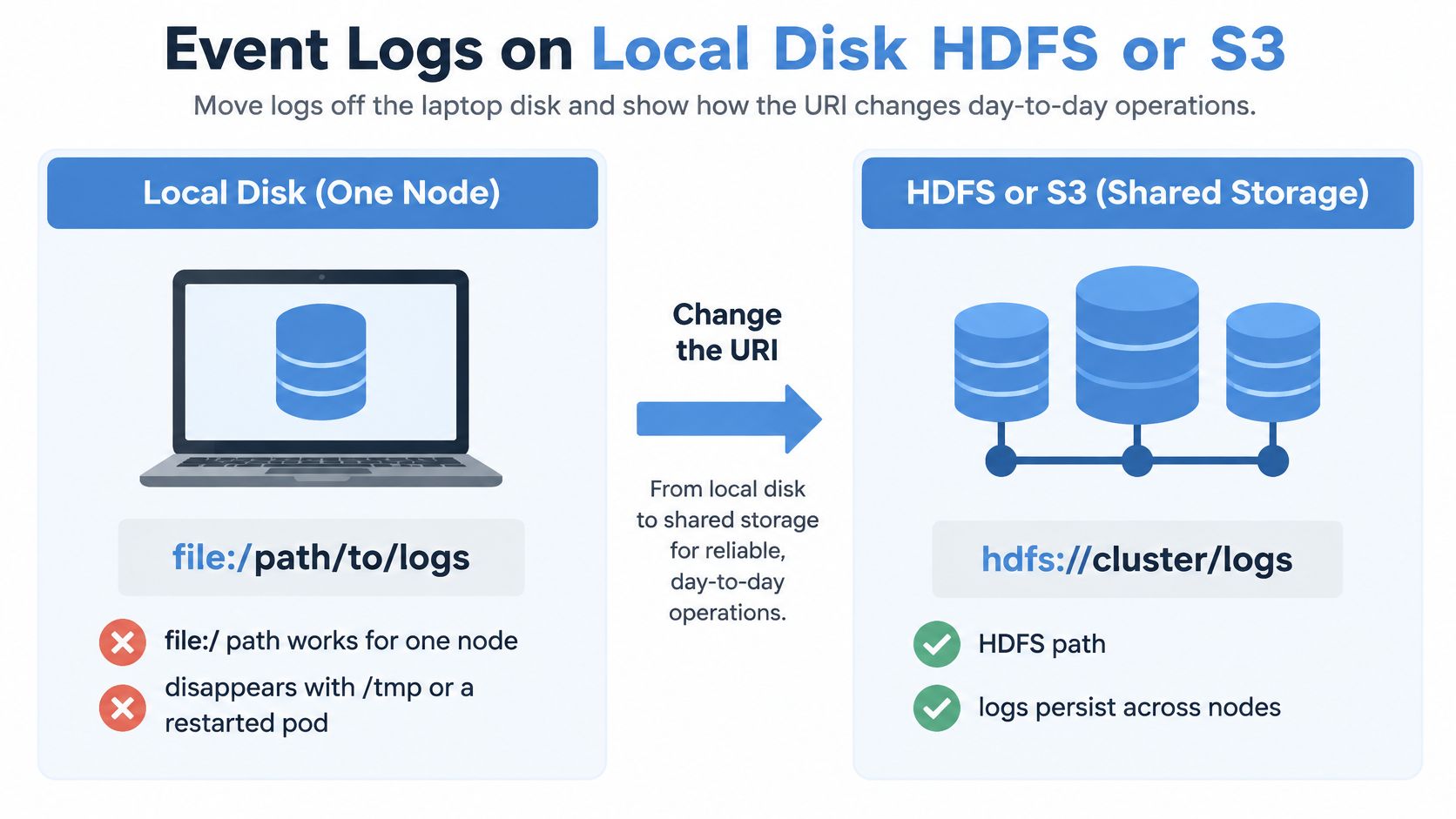
A file:/ URI identifies storage local to the process using it. Giving a driver pod and a History Server pod the same path string doesn’t make their filesystems shared. A persistent mount can change that arrangement, but then you own its availability and access semantics.
HDFS is a natural choice where the cluster already provides shared storage and identity management. For teams evaluating that foundation, this explanation of big-data analytics with Hadoop gives useful context for the storage and processing roles.
Match the writer and reader
Every application needs spark.eventLog.enabled true. Its spark.eventLog.dir must resolve to storage the History Server can discover and read, using the server’s own identity and connector configuration.
For S3A, prefer instance or workload identity over long-lived credentials in spark-defaults.conf. Verify connector dependencies in both environments; a driver successfully writing an object doesn’t prove the server can list or open it.
Treat object listing as a capacity concern. A prefix containing an ever-growing archive can increase both discovery work and request cost, even when individual application logs are small.
Where your deployed provider supports multiple configured directories, validate migration behavior before reading old and new locations together. Don’t assume a comma-separated URI list is portable across Spark releases or distribution-specific providers.
For long-running workloads, test spark.eventLog.rolling.enabled with the deployed reader before adopting it broadly. Rolling changes how logs are organized, so test reconstruction as well as successful writes.
Use matching lines in the application and server configurations respectively:
spark.eventLog.dir hdfs://nameservice/spark-history
spark.history.fs.logDirectory hdfs://nameservice/spark-history
How to Install and Start the Server
Install the reader as an operational service, with its own identity, environment, and restart behavior. A daemon started from an engineer’s shell is useful for validation, but it’s a poor production dependency.
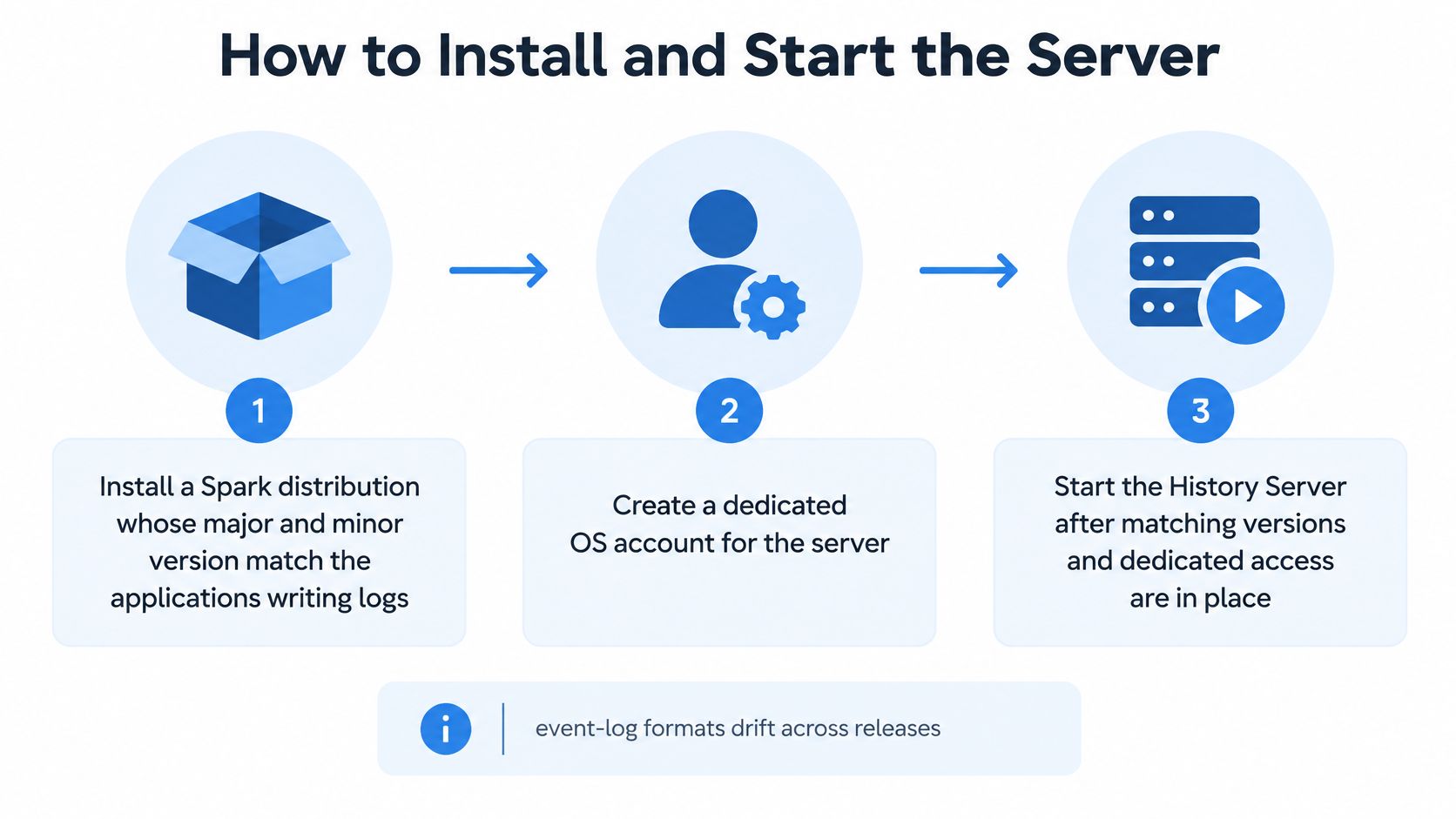
The installation sequence starts with compatible software and explicit access:
-
Install a compatible Spark distribution. Match the applications’ major and minor Spark version as a conservative starting point, then test actual event-log compatibility. Don’t assume a newer reader understands every distribution-specific extension.
-
Create a dedicated service account. Give it access to the chosen log location and a writable working directory. Test storage access while running as that account, not as an administrator whose credentials conceal permission failures.
-
Write the server configuration. Set
spark.history.fs.logDirectoryin the server’sconf/spark-defaults.conf. Setspark.history.ui.portdeliberately, and make sure the process loads that configuration directory rather than another Spark installation’s files. -
Start the daemon. Run
sbin/start-history-server.shfrom the intended installation. For a supervised service, preserve the sameJAVA_HOME, Spark configuration, Hadoop configuration, and credential environment; avoid having both a wrapper script and a supervisor independently manage competing processes. -
Submit a small smoke-test application. Run a word count with event logging enabled and the shared application log URI configured. Open the configured History Server endpoint, wait for discovery, and inspect the completed application rather than its live driver page.
-
Stop cleanly before changing service bindings. Run
sbin/stop-history-server.sh, confirm the process has exited, and inspect startup logs after restarting. An old process still holding the port can make a corrected configuration look ineffective.
Choose a placement you can operate
A standalone daemon beside a small cluster is simple, but someone still needs to own restart recovery and disk monitoring. A systemd service on a utility node is often easier to support because boot behavior, identity, and service logs are explicit.
A Kubernetes Deployment should read HDFS or object storage, not an ephemeral application pod’s disk. Mount configuration and secrets separately, and distinguish disposable reconstructed state from the durable event-log source.
A managed Spark interface on Amazon EMR or Microsoft Fabric may remove the need to operate this daemon yourself. You still need to validate application visibility, permissions, and retention rather than assuming the hosted interface satisfies your release requirements.
This video provides a visual companion to the setup workflow:
YARN schedules applications; it doesn’t replace historical reconstruction. Finish installation only when the completed test application is listed and its stages render after the driver has stopped.
Lock Down the UI and the Event Logs
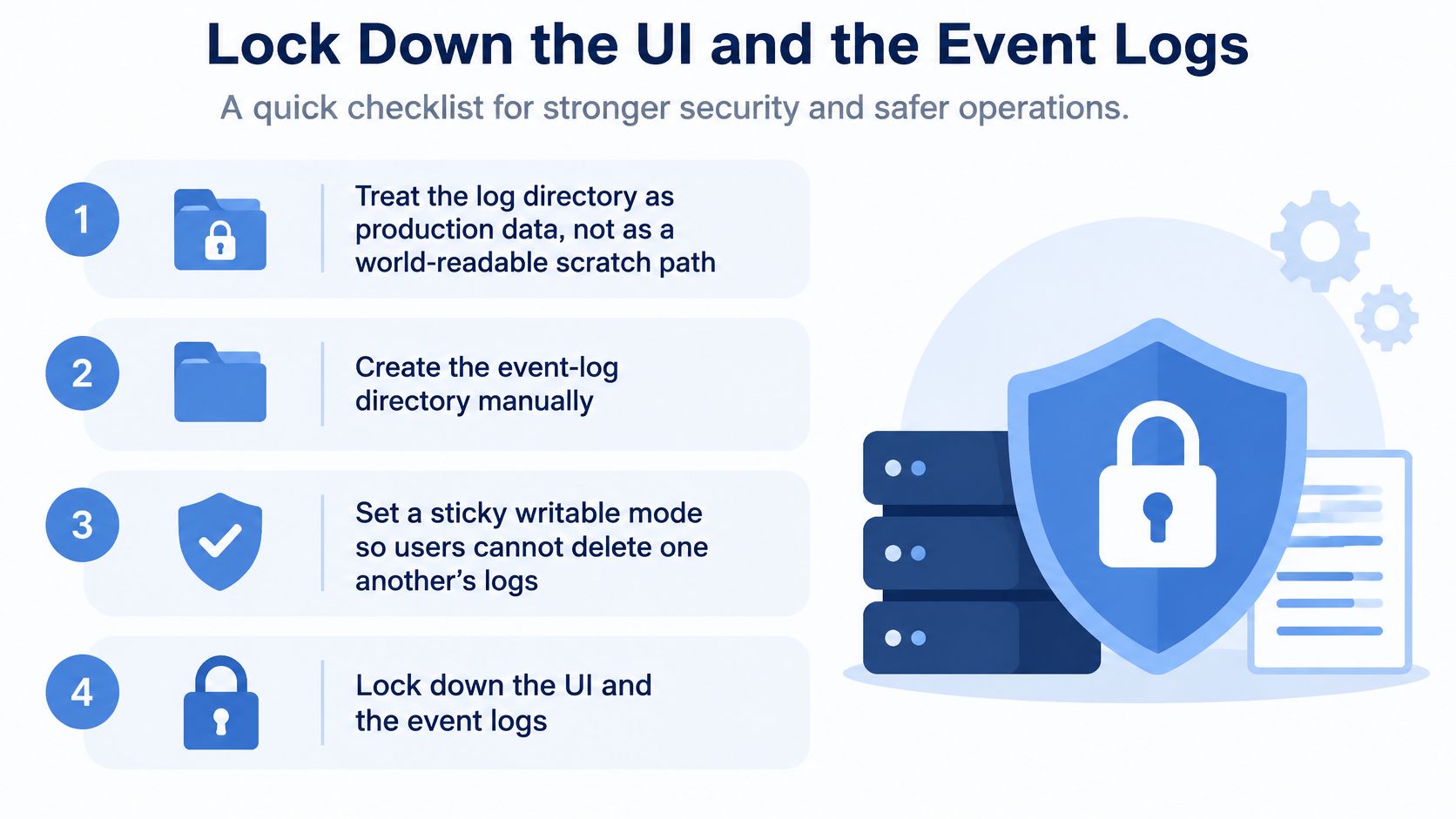
Apache Spark’s security documentation recommends manually creating the event-log directory, using sticky writable permissions, and aligning its owner and group with the History Server account. Spark restricts event-log read/write permissions to the user and group, but that shared-cluster model isn’t automatically a tenant-isolation policy.
A sticky bit prevents users from deleting one another’s directory entries. It doesn’t prevent authorized readers from learning application names, SQL text, file paths, or executor hostnames.
Use this checklist to separate the storage boundary from the browser boundary:
Apply controls from storage outward
- Filesystem or bucket policy: Give application principals the write permissions their logging workflow requires. Give the server list/read access, and grant deletion separately if it operates the cleaner. Deny unrelated tenants direct access.
- UI authorization: Enable
spark.history.ui.acls.enableand configure administrator access intentionally. Application-owner visibility also depends on the application’s recorded view ACLs and on a trustworthy authenticated identity. - Transport encryption: Enable History Server TLS with a mounted keystore and protected credentials. Don’t bake the private key or keystore password into a container image.
- Proxy boundary: Require authentication, restrict source networks, and terminate or re-encrypt TLS according to your trust boundary. Prevent users from bypassing the proxy through a directly exposed backend listener.
ACLs are not authentication. A proxy must establish the user identity securely, and the server must receive that identity through a trusted integration. Otherwise, an authorization setting can give operators false confidence.
Use these configuration lines as a starting point, replacing the group and mounted path:
spark.history.ui.acls.enable true
spark.history.ui.admin.acls.groups platform
spark.ssl.historyServer.enabled true
spark.ssl.historyServer.keyStore /run/secrets/history-server.p12
The user-oriented spark.history.ui.admin.acls setting accepts administrator users; use the group-oriented key for a platform group. Supply keystore secrets through your secret-management mechanism and configure the remaining TLS properties required by your deployment.
Verify denial and deletion
Keep the backend listener on a private interface or restrict it with host and cluster network policy. Proxy configuration alone doesn’t close a publicly reachable service port.
Apply the same redaction, retention, and access review you use for captured production traffic. Inspect actual event-log contents during testing; changing a display name or hiding a UI tab doesn’t sanitize persisted SQL or paths.
After cleanup, list the storage prefix using an authorized audit identity. For versioned object storage, distinguish hiding the current object from deleting retained versions according to policy.
If an intern can open another team’s SQL in the UI, the server is not done.
Tune Polling Retention and Replay
Measure the reconstruction pipeline before changing it. Use production-shaped event logs, including long applications and the mix of small jobs that arrive during a backlog.
| Measurement | What it tells you |
|---|---|
| Initial-index completion time | How long recovery takes after a cold start |
| Newly completed application time-to-list | Whether discovery meets the operational target |
| History Server resident memory | Whether concurrency and reconstructed state fit the host |
| Object-store request count | What discovery and replay cost at the storage boundary |
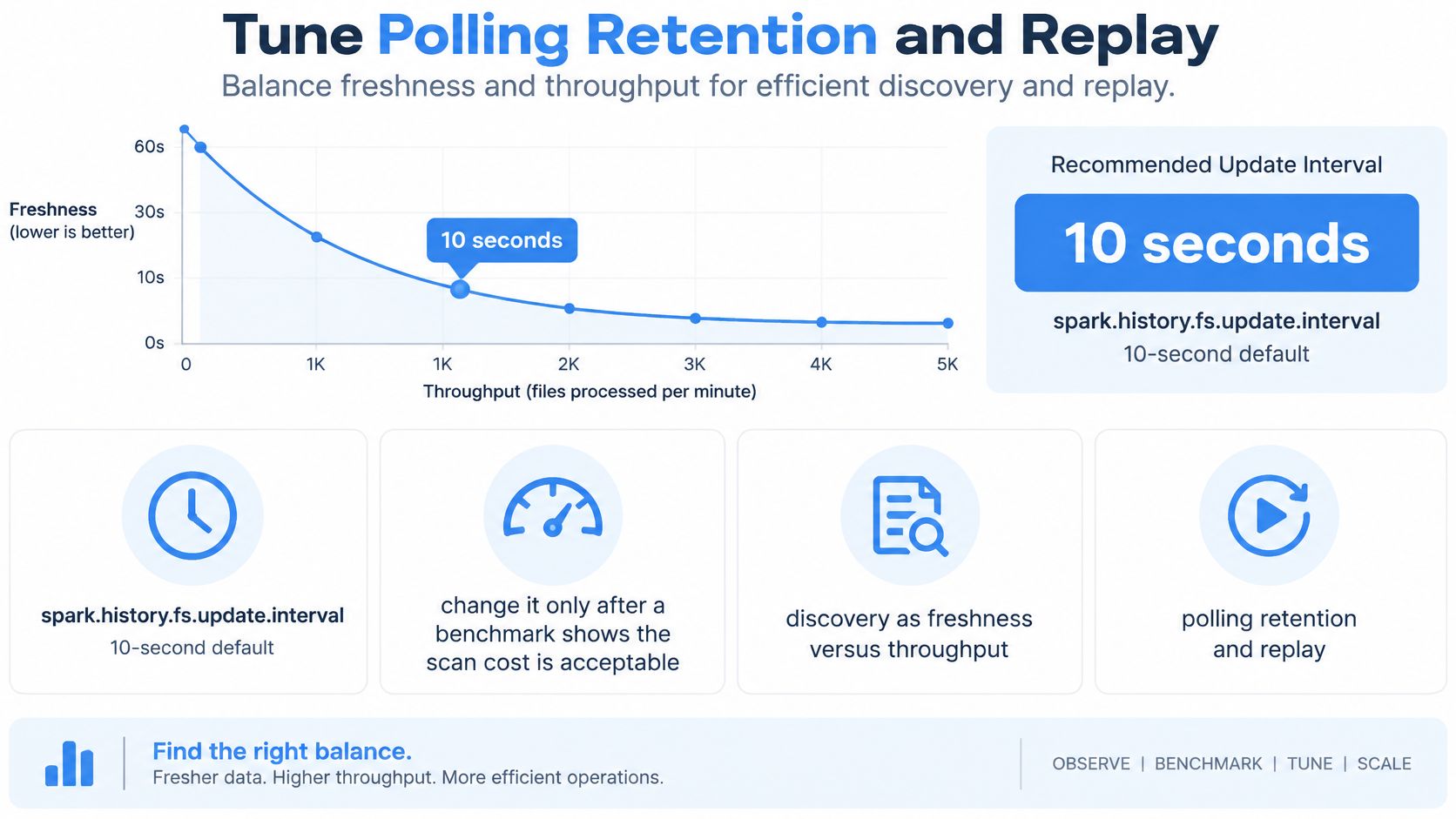
Apache Spark’s monitoring guide documents a 10-second default for spark.history.fs.update.interval and warns that shorter intervals increase work by scanning and rereading updated applications more frequently. A faster poll doesn’t fix an overloaded replay queue.
The tuning decision is freshness versus throughput:
Change one source of work at a time
Use spark.history.fs.update.batchSize, where supported by your deployed release, to prevent a discovery batch from monopolizing processing. Benchmark a fresh application arriving while the server is indexing older logs; an idle-directory test misses that contention.
Increase spark.history.fs.numReplayThreads only after watching CPU, memory, and storage throughput during replay. More threads help when independent replay work has spare resources. They don’t help when the host is already waiting on disk or exhausting memory.
For teams supporting sensitive services, RDE Technologies’ guidance on server traffic planning for healthcare businesses provides broader capacity-planning context. Apply that same discipline here: plan for concurrent diagnosis during an incident, not just an administrator browsing an idle service.
Bound the active history
Enable spark.history.fs.cleaner.enabled with an explicit spark.history.fs.cleaner.maxAge, or implement an owned storage-lifecycle policy. Coordinate deletion mechanisms so nobody mistakes a missing application for an ingestion failure.
Archive historical prefixes outside the active discovery path. Retaining evidence for audit purposes doesn’t require making the interactive server rescan the entire archive.
Capacity check: Benchmark a restart and concurrent application opens before declaring a larger host successful.
For long-running jobs, validate rolling, compression, and any compaction behavior against the exact Spark release and storage connector. Compaction may discard detail, so decide which diagnostic evidence must remain available before enabling it.
Keep the benchmark record with the configuration change. Record the input log set, cold or warm state, concurrent readers, and all measurements, so a later operator can reproduce the decision rather than inherit an unexplained tuning value.
Fix Missing Slow or Forbidden Applications
A completed application that never appears is an ingestion problem until proven otherwise. Check whether the application wrote an event log, then test whether the server identity can discover and read that exact object or file.
Apache Spark’s monitoring documentation establishes the prerequisite: applications must enable event logging and write persisted events to a location available to the History Server. Application success alone doesn’t prove that historical diagnosis works.
History Server symptoms and the first fix
| Symptom | Likely cause | First fix |
|---|---|---|
| Completed app never listed | Event logging off or directories differ | Enable spark.eventLog.enabled and align the writer and reader URIs |
| App appears only after a short wait | Discovery hasn’t completed | Wait for a configured scan cycle before retuning |
| One application takes minutes to open | Large-log replay or storage bottleneck | Inspect replay progress before changing application resources |
| Write fails in the log directory | Ownership, group access, or directory permissions are wrong | Test creation as the application submit identity |
| Host disk fills up | Unbounded local logs or reconstructed-state storage | Identify which directory is growing before enabling cleanup |
| Stages look truncated | Driver exited before events were flushed | Confirm the log is complete before blaming rendering |
| UI returns a forbidden response | Authenticated user lacks application access, or the proxy denies access | Check the resolved identity and authorization decision |
Separate replay failures from workload failures
When an application lists but opens slowly, inspect server logs for parsing, connector, and storage errors. Compare opening that application alone with opening it while other users browse; contention can make an otherwise acceptable replay unsuitable during an incident.
Don’t generalize managed-platform loading behavior to every self-hosted server. Snapshot-based or progressive interfaces can display partial results before reconstruction finishes, while another deployment may leave the user waiting for a completed replay.
For permission failures, test each principal separately. The submitter needs to create logs, the server needs to discover and read them, and the browser user needs permission to inspect the reconstructed application.
Preserve evidence while troubleshooting
Avoid deleting the problematic event log just to make the application disappear from the listing. Copy it to a restricted diagnostic location, preserve the original application identity, and reproduce the loading failure with the same reader version.
A practical logging and monitoring workflow helps correlate the server’s behavior with application metrics and infrastructure events. Match timestamps and application IDs rather than assuming two slow interfaces indicate the same bottleneck.
If Spark execution metrics look healthy and only historical inspection stalls, fix the observability pipeline before resizing the application cluster. Archive inactive history, validate segmented logs, or address reader capacity according to the measured bottleneck.
Check a Release Against the History Server
Use this as a release gate. Record the application ID, build identifier, storage prefix, test identities, and observed results; stop at the first failure rather than accepting an unexplained exception.
- Discovery passes. The finished application appears within your configured discovery budget, including measured storage and processing delay.
- Reconstruction passes. Stages, executors, and applicable SQL or jobs views render from durable logs after the driver has stopped.
- Isolation passes. An unrelated user can neither open the application nor list its event-log prefix.
- Retention passes. The cleaner or lifecycle policy has an explicit age, and an expired test artifact is absent according to the storage system’s deletion semantics.
- Long-job inspection passes. A representative rolled or segmented log opens within your team’s diagnostic target without exhausting server resources.
Make the staging run the decision
Run the candidate against a realistic request mix using a replay or load-testing tool. Keep the candidate on test data, sanitize captured inputs, and prevent outbound actions from reaching production dependencies.
Correlate slow stages, skewed tasks, and executor behavior with the requests that arrived. Go only when reconstruction, isolation, retention, and diagnostic responsiveness all pass; otherwise, hold the release and assign the failed check to an owner.
GoReplay captures and replays HTTP traffic into testing environments, helping you exercise a release with realistic request patterns. Visit GoReplay to build a sanitized staging replay, then use the resulting Spark event logs to run this release gate before shipping.