
Patch Testing with Real Traffic: A Step-by-Step Guide
The patch is ready, the ticket is still open, and the exploit notes on the advisory are getting worse by the hour. You can soak the change against synthetic scripts and ship with your fingers crossed, or you can run real requests through the patched build and still miss the session that only shows up at lunchtime peak. Patch testing with captured traffic is the middle path, but a clean replay is only the start. Depth has to match the risk, the replay has to be comparable to a baseline, and the ship decision has to include a rollback trigger you agreed before anyone clicked deploy.
Choose Test Depth by Patch Risk
The right depth is a risk call, not a tooling preference. Exhaustive patch testing on every change loses to a live exploit. Skipping it on a quiet library change loses to a broken checkout. Score the patch on six questions before you touch a capture file: is it known to be exploited, how exposed is the asset, how critical is the business flow, how confident is the existing suite in this change, which compensating controls are already on, and is rollback ready?
NIST SP 800-40 frames the trade-off as operational risk of an untested patch against the security risk of delay, and notes that reliable snapshots and rollback can make shipping without full pretesting the better call. That pressure is concrete. CISA added 238 high-risk vulnerabilities to its Known Exploited Vulnerabilities catalog in FY2025, and it recommends immediate remediation for internet-exposed KEVs.
Say the edge gateway has a known exploit and is reachable from the internet. A full-day replay burns hours you don’t have. I would run a smoke test, a short replay sample of the hot paths, a canary, and a snapshot you can restore in minutes. A session-handling library with no known exploit is the opposite. Synthetic tests miss cookie reuse and half-finished logins, so that change gets a full replay of login, refresh, and logout before it leaves staging. A risk-based testing pass keeps that choice written down instead of argued in chat.
| Patch risk | Exposure and exploit status | Test depth | Rollback requirement |
|---|---|---|---|
| Actively exploited, internet-facing | Known exploited, reachable from outside | Smoke test plus short replay sample | Snapshot or canary ready before rollout |
| High severity, internal only | Not known exploited, limited reach | Full replay of key flows | Tested rollback path |
| Routine fix, low-risk component | No known exploit, narrow change | Standard regression suite plus replay sample | Standard rollback procedure |
| Changes touching sessions, auth or payments | Any exposure level | Full replay with session and data checks | Tested rollback and named go/no-go owner |
Minimum safeguards that stay even when you shorten the test
Shortening the run is allowed. Dropping the safety net is not.
- Exposed assets: a snapshot or a canary is in place before the first production request hits the new build.
- Session, auth, and payment changes: the rollback path has been executed once, not just documented.
- Every tier: a named owner can stop the rollout without waiting for a meeting.
- Compensating controls: WAF rules, feature flags, or access restrictions that are already active get listed on the ticket so nobody treats them as optional later.
Practical rule: write the tier, the owner, and the go/no-go evidence into the change ticket before testing starts. If those three lines are blank, you don’t have a test plan. You have a hope.
How to Capture Realistic Traffic Safely
A replay is only as honest as the file you feed it. The first step of the workflow is to choose a suitable plaintext capture point, record the requests you need, and measure capture overhead before you widen the net.
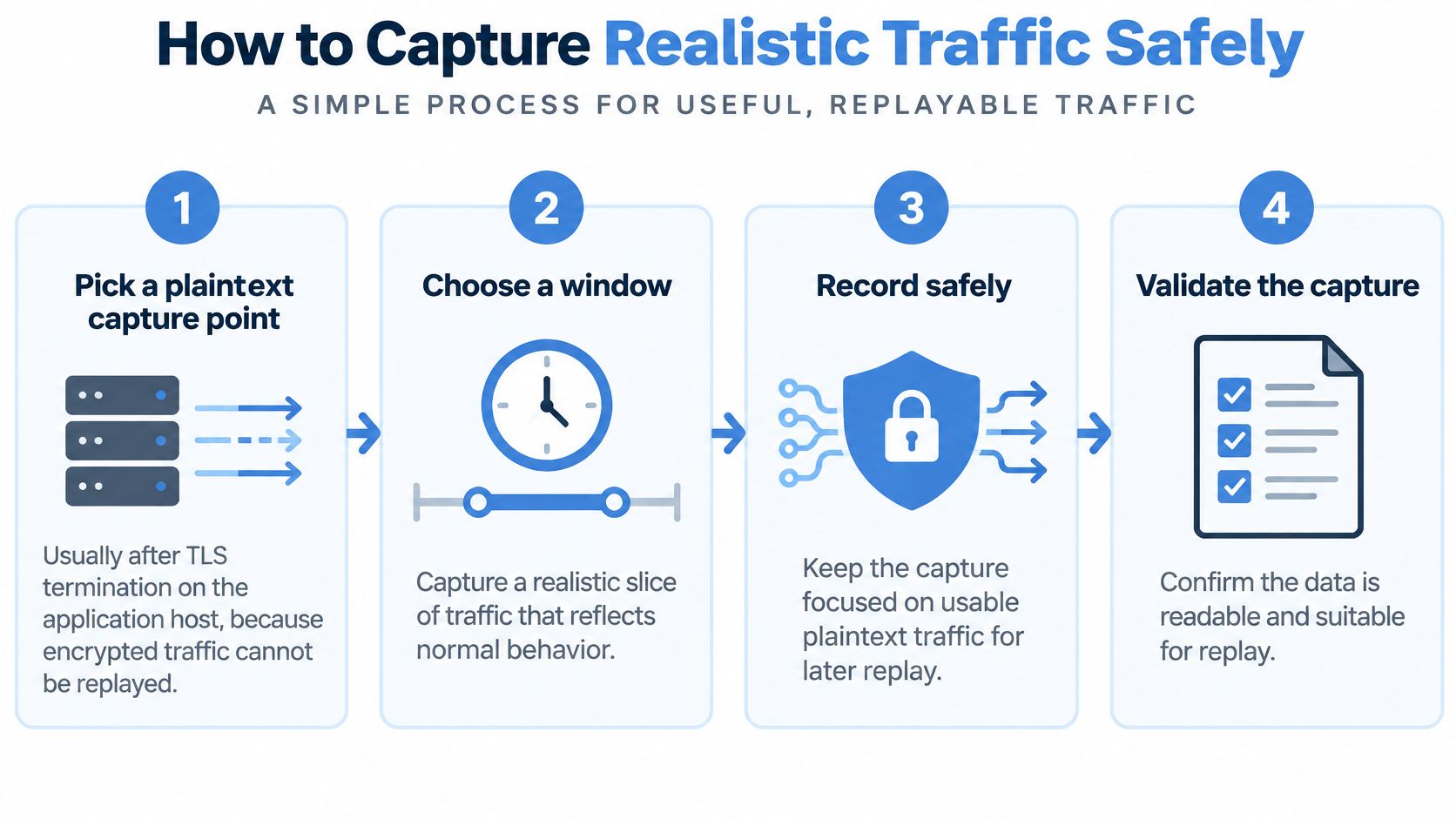
- Pick a plaintext capture point. Record after TLS termination on the application host. Encrypted bytes can’t be replayed, and a capture on the wrong interface gives you a file full of noise.
- Choose a window that includes a normal stretch and one peak. Off-peak traffic hides lock contention and connection reuse. A quiet morning is not a stand-in for the hour your checkout queue fills.
- Measure overhead on one host first. Watch added CPU and latency, and stop if you cross the limit you wrote down. Turning capture on everywhere at once is how a test becomes an incident.
- Filter health checks, static assets, and monitoring pings. Keep business requests in their original order. A file that is mostly probes will “pass” a patch that breaks search.
- Stamp each capture with a timestamp, the build it came from, and the time window. Later diffs are useless if you can’t tell which release produced the file.
- Confirm logins and state-changing calls are in the file, not only GET requests. A read-only sample never exercises the code path the patch changed.
Point the recorder at the plaintext listener and let it run for the full window:
gor --input-raw :8080 --output-file traffic.gor
Open the file before you archive it. You want requests from both the peak and the quieter period, authenticated flows present, and overhead still inside the limit you set.
The common slip is capturing a quiet Tuesday morning and then calling the patch safe under load. If the file never saw concurrency, the replay can’t invent it.
How to Replay Traffic Into a Patched Environment
Replay fails in predictable ways, and each control below exists to block one of them. Set them up in order: isolate the target, give the patched build a fair race against a baseline, and collect the evidence you agreed on before the run started.
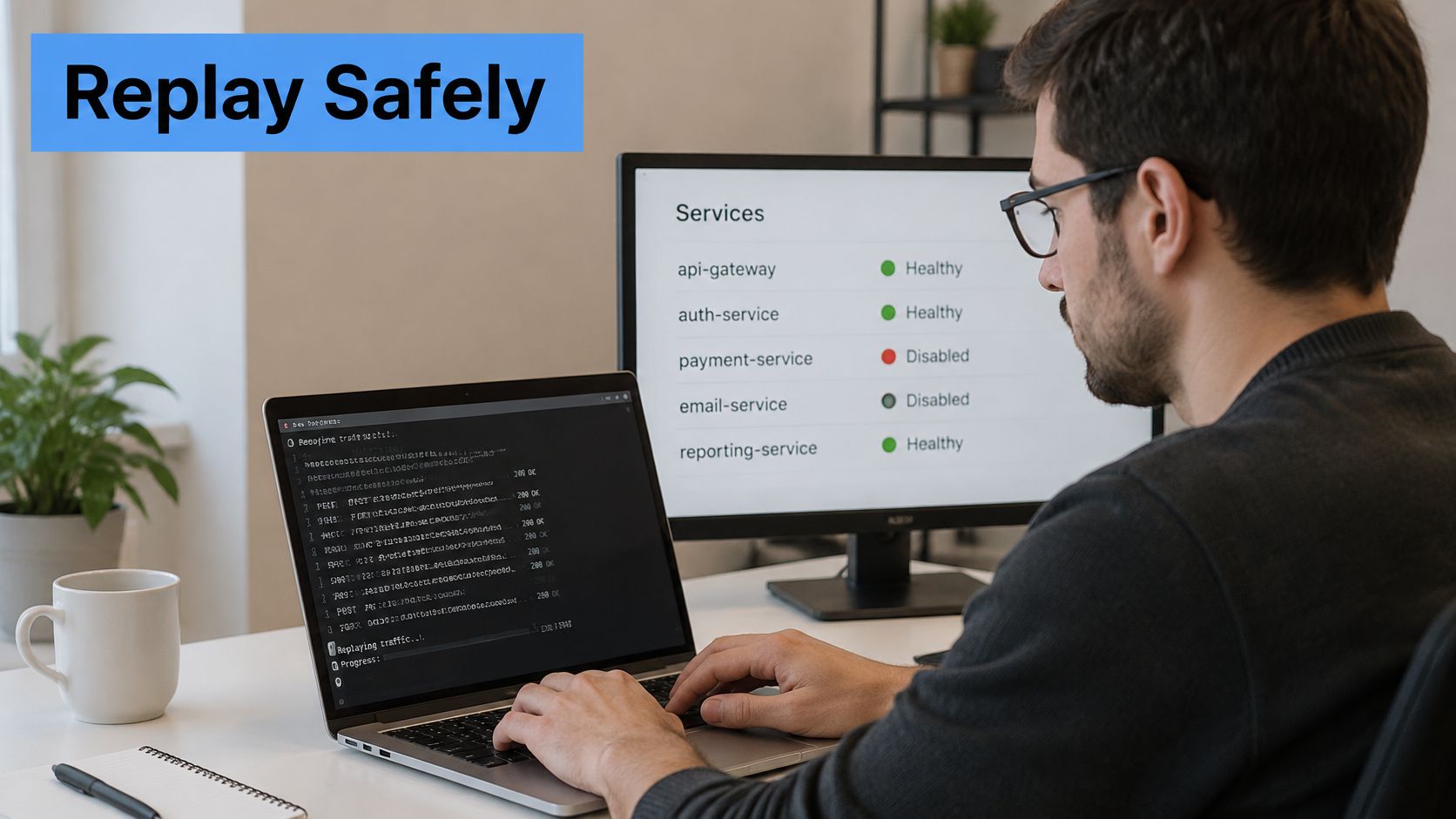
Isolate the target before you send a single request
Point the patched service at an isolated host. Payment providers, email, SMS, and third-party webhooks go to sandboxes or get switched off, so external side effects stay under your control. Remove the requests that don’t fit the run: admin deletes, one-off migrations, anything that mutates shared state outside the patch’s scope. Leaving them in is how a “harmless” replay wipes a shared staging database.
Sessions break next. Cookies, bearer tokens, and IDs minted by earlier responses are dead in staging, so a middleware step has to refresh or map them. Skip that and every authenticated call returns 401, which tells you nothing about the patch. The same pattern fits any app where the interesting bugs live inside a logged-in flow. If you are also exercising code changes from automated agents, keep that work in sandboxed environments for coding agents so a bad rewrite can’t reach the replay target.
Run patched and baseline on the same input
Send the identical capture to the patched build and to a baseline build. Any difference then comes from the patch, because the input is the same. Start at 1x, then raise the rate in steps toward the peak you expect. Log the achieved request rate on every run: the flag you set is the rate you asked for, and the target decides what it delivered. That stepped ramp is also how teams validate capacity before a platform move. ResDiary used GoReplay to validate infrastructure requirements for its migration from RackSpace to Azure and went on to migrate its UK and Australia regions.
gor --input-file traffic.gor --output-http http://<patched-host>:8080
Point a second output at the baseline host with the same file and the same speed. If one side saturates earlier, stop and record which side and at what rate. A slower patched build is a result worth keeping. Dropping concurrency to “finish the file” hides it.
Watch the status board while the rate climbs. Connection reuse, keep-alive behavior, and session stickiness only appear once many requests share the same clients, and a unit suite never builds that shape.
A clean run earns the patch deployment-candidate status. The ship call still belongs to the metrics and the rollback trigger you wrote down before the run.
A short recording-and-replay walkthrough is worth watching before you wire this into a pipeline, especially if the team is new to middleware rewrites:
If the patched host still calls a live provider, stop. At that point you’re running a second production.
Test Cases and Metrics That Decide Pass or Fail
Start from the flows that hurt if they break, not from a wall of charts. Login, search, checkout, and booking are the usual set. For each one, write the expected status code, the data it needs, and the state it should leave behind. Agree pass and fail before the run. A replay that finishes without a crash says the process didn’t die. It doesn’t say the patch is correct.
The third step measures performance and compares responses and application state, and a successful replay alone does not establish correctness. Run the same capture twice against the baseline first. That second baseline run is your noise floor. If status codes already jitter between those two runs, you can’t blame the patch for the same jitter later.
| Metric | How to measure | Fail trigger |
|---|---|---|
| Error rate (5xx) | Errors per endpoint, patched vs baseline | Sustained increase beyond the agreed margin, set from your baseline |
| Latency p95 and p99 | Percentiles per endpoint over the same replay window | Regression above the agreed margin, for example 10% over baseline |
| Status code mismatch | Diff status codes for each replayed request | Any mismatch on critical endpoints |
| Response payload diff | Compare normalized bodies, ignoring timestamps and generated IDs | Changes in fields that drive business logic |
| Authentication outcomes | Count success, denial, and challenge per auth flow against the baseline | Any unexpected denial in a flow that succeeded on baseline |
| Database and queue behavior | Lock waits, queue depth and backlog after replay | Backlog that does not drain within the observation window |
| CPU and memory | Resource use under replayed load | Sustained growth or saturation at the expected peak rate |
Why the same margin isn’t fair on every endpoint
A latency regression that would page you on a payments API can be noise on an internal report. Set the margin from the baseline of that endpoint, and write it next to the flow. Payload diffs need the same judgment. Ignore timestamps and generated IDs, then look hard at totals, prices, entitlements, and error bodies. A field that drives a business decision is a fail even when the status code stayed 200.
Tie each failed case to a named owner and a next action: roll back, fix the defect, or accept the diff with a written reason. An unexplained diff with no owner is how a known regression ships on a Friday.
A green replay with no baseline comparison is a demo, not a gate.
Mask Sensitive Data and Automate Replays
Captured traffic is production data. Treat it that way before the file ever lands on shared storage.
- Mask before you store. Tokens, emails, card numbers, national IDs, and free-text fields get replaced on the way in, not in a cleanup job someone might skip.
- Hash identifiers consistently. The same user ID must hash to the same value so a login and the checkout that follows still join up. Random replacement breaks session flows and hides the bugs you came to find.
- Version the masking rules. If a masked field breaks a test, fail the pipeline. Silent masking errors are why a replay looks clean while the defect never ran.
- Limit readers, set a retention window, and delete the capture when the cycle closes. A sensitive data protection review belongs in the same change as the recorder config, not in a follow-up ticket.
A five-stage pipeline that blocks promotion
Automation should repeat the last good run, not invent a new one each night. Pull the versioned capture. Deploy the patched build to the isolated environment. Replay with the same speed, filters, and middleware as the previous run. Evaluate the thresholds you already agreed. Publish a short report and block promotion on any fail trigger.
Schedule a nightly replay of the latest capture against the main branch so a regression shows up before the patch window, not during it. Keep the report to three things a human can act on: pass or fail, the flows tested, and the diffs that need a decision. A 40-page log that nobody opens is not a gate.
If masking and the pipeline disagree, trust the mask. A perfect diff on raw card numbers is a worse outcome than a failed job.
Decide to Ship or Roll Back the Patch
A successful replay is only the start. The patch ships when production risk is measurably lower, and NIST’s patch management guidance frames the job the same way: identify, prioritize, acquire, install, and verify, with testing before deployment and a rollback path that works. Plenty of runbooks stop at a successful install. That leaves the interesting failures for your users.
After deploy, compare the same signals you measured in replay against the production baseline, inside a window you agreed in advance. The first hour of a canary is enough for a narrow, low-risk fix; a high-risk change stays under watch for a full business day. Replay still misses connection reuse under real concurrency, session sequences that only production customers take, and queue backlogs that grow slowly. Those are production-only failure points, so the observation window is part of the test. Skipping it means the riskiest behavior goes unmeasured.
Write the rollback triggers before the rollout, not during the incident. A sustained error increase, an authorization anomaly, a latency breach at the percentile you agreed, or a backlog that does not drain is each enough on its own. Name the person who can pull the release and how long the reversal takes. Then run that rollback once in a lower environment so the first real use is not a discovery exercise. Teams automating plugin updates across client sites work to the same rule: a clean apply is not proof the sites still behave.
A patch can close the vulnerability and still leave the service less safe. Put the exposure check in the same review as latency and errors. If the hole is closed but authorization denials jumped, the change is not done.
Ship when every metric stays inside its margin for the full window. Hold and investigate when one metric drifts. Roll back when any trigger fires.
GoReplay records HTTP requests and replays them against an isolated test service, so you can compare a patched build with a baseline before users see the change. Request filtering and rewriting shape the captured sample for the target environment, and the response comparison shows whether the patch changed behavior or passed the replay. If your next patch deserves real traffic instead of a synthetic guess, start with GoReplay.