
Unlocking Quality with Open Source: A Powerful Approach to Testing
Delivering high-quality software requires robust testing. This listicle presents nine top open-source testing tools to elevate your QA process. Discover how tools like Selenium, Cypress, Jest, and more can boost test coverage and improve software quality. Learn about the strengths and weaknesses of each tool, including GoReplay, Playwright, Appium, TestNG, Robot Framework, and JUnit, to determine the best fit for your needs. This curated list of open-source testing tools addresses common testing challenges and empowers you to release software with confidence.
1. GoReplay
GoReplay is a leading open-source testing tool that allows you to capture and replay live HTTP traffic, providing a powerful way to test your applications under real-world conditions. This makes it an invaluable asset for software developers, QA engineers, DevOps professionals, and anyone involved in ensuring the reliability and performance of web applications. By mirroring actual user behavior, GoReplay facilitates highly realistic load testing, integration testing, and even real-time monitoring, enabling teams to proactively identify and address performance bottlenecks and vulnerabilities before they impact end-users. This capability significantly reduces the risk of production issues and increases overall application stability. Its inclusion in a list of top open-source testing tools is well-deserved due to its unique approach, robust feature set, and proven track record in enhancing software quality and deployment confidence.
One of GoReplay’s core strengths lies in its ability to capture and replay traffic with session awareness, connection pooling, and optimized TLS handling. This means tests accurately reflect the complexities of real user interactions, ensuring that performance evaluations are based on genuine usage patterns rather than synthetic simulations. This level of realism is particularly crucial for load testing, where accurately predicting system behavior under stress is paramount. Imagine you’re preparing to launch a new feature on your e-commerce website. With GoReplay, you can capture the live traffic from your existing site and replay it against your staging environment, effectively simulating the expected load of the new feature launch. This allows you to identify potential bottlenecks and optimize performance before deploying to production, minimizing the risk of downtime or degraded user experience.
GoReplay’s simple three-step process – capture, shape, and measure – makes it surprisingly easy to implement, even for complex testing scenarios. You start by capturing live HTTP traffic directly from your production environment. Then, you can shape this traffic to modify requests, filter specific data, and adjust the load intensity to create various testing scenarios. Finally, you measure the results by observing application performance under the replayed traffic, allowing you to pinpoint areas for improvement. This streamlined workflow eliminates the need for extensive scripting or specialized expertise, enabling teams to quickly integrate GoReplay into their existing testing pipelines.
GoReplay’s open-source core provides a rich set of functionalities ideal for many testing needs. For organizations requiring advanced capabilities, the Pro version offers features like advanced traffic storage for extended testing periods, data masking to ensure compliance with privacy regulations, WebSocket support for real-time applications, an advanced analytics dashboard for in-depth performance analysis, and priority expert support. While the open-source version is free to use, the Pro version requires a subscription, making it potentially less accessible for smaller teams with budget constraints. Pricing for the Pro version is available upon request from the GoReplay team. Technical requirements for running GoReplay are minimal, primarily requiring a system capable of running the Go binary and network access to the target environment.
Compared to other open-source testing tools like JMeter or Gatling, which often rely on pre-scripted scenarios, GoReplay’s use of real traffic provides a significant advantage in terms of accuracy and realism. While these other tools are valuable for specific testing scenarios, they may not capture the nuances and complexities of real user behavior as effectively as GoReplay.
Implementing GoReplay is straightforward. Download the appropriate binary for your operating system from the official website (https://goreplay.org), and then use the command-line interface to initiate traffic capture and replay. The documentation provides clear instructions and examples to guide you through the process. One tip for optimal usage is to start with a smaller subset of traffic and gradually increase the load to identify potential bottlenecks. Also, consider using the shaping capabilities to modify requests and tailor the replay to specific test scenarios.
For software teams seeking a powerful and realistic way to test their web applications, GoReplay stands out as a compelling open-source testing tool. Its ability to leverage live traffic, coupled with its intuitive workflow and scalable architecture, makes it an ideal choice for optimizing performance, ensuring reliability, and increasing deployment confidence. While the Pro version’s cost might be a factor for some, the free and feature-rich open-source version offers significant value for a wide range of testing needs.
2. Selenium
Selenium, a cornerstone in the world of open-source testing tools, stands as a powerful and widely-adopted framework for automating web application testing. Its comprehensive suite of tools, including WebDriver, Grid, and IDE, empower Quality Assurance engineers and developers to create robust and reliable test suites, ensuring the quality and functionality of web applications across various browsers and platforms. Selenium’s versatility stems from its support for multiple programming languages, including Java, Python, C#, Ruby, and JavaScript, catering to diverse development teams and skill sets. This flexibility makes it a top choice for organizations seeking a comprehensive and adaptable solution for their web testing needs. Its open-source nature, combined with a vibrant community and extensive documentation, further solidifies its position as a leading tool in the open-source testing landscape.
Selenium’s strength lies in its ability to automate browser interactions, simulating real user behavior to thoroughly test web applications. With Selenium WebDriver, developers can write scripts to interact with web elements, navigate through pages, and validate application functionality. This enables the automation of repetitive testing tasks, freeing up valuable time for QA teams to focus on more complex testing scenarios and exploratory testing. Selenium Grid extends this capability by enabling parallel test execution across multiple machines and browsers, significantly reducing test execution time and accelerating the feedback loop in continuous integration and continuous delivery (CI/CD) pipelines.
For beginners, Selenium IDE offers a record-and-playback feature, simplifying the creation of basic test cases without requiring extensive programming knowledge. This provides an accessible entry point for individuals new to test automation. However, for more complex testing scenarios, leveraging the full potential of Selenium requires programming proficiency.
One of the key benefits of using Selenium is its cross-browser compatibility. Supporting major browsers like Chrome, Firefox, Safari, and Edge ensures that web applications can be tested across different environments, verifying consistent functionality and user experience. This cross-browser support is crucial in today’s diverse browsing landscape, where users access web applications from a multitude of browsers and devices.
Selenium integrates seamlessly into CI/CD pipelines, facilitating automated testing as part of the development workflow. By integrating Selenium tests into CI/CD tools like Jenkins or GitLab CI, teams can ensure that code changes are thoroughly tested before deployment, preventing regressions and maintaining application quality.
While Selenium offers a powerful and versatile testing framework, it does have certain limitations. One notable drawback is the steeper learning curve for beginners, particularly when moving beyond the basic functionalities of Selenium IDE. Proficiency in a supported programming language is essential for developing and maintaining robust Selenium test suites. Furthermore, Selenium lacks built-in reporting capabilities. Users often rely on third-party libraries or frameworks for generating comprehensive test reports. Finally, while Selenium Grid facilitates parallel execution, large test suites can still be slow to execute, especially when dealing with complex web applications.
Pros:
- Large Community and Extensive Documentation: A vast and active community provides ample support and resources, making troubleshooting and learning easier. Extensive documentation provides detailed information on Selenium’s features and usage.
- Highly Flexible and Customizable: Supports multiple programming languages and browsers, allowing developers to tailor their testing approach to their specific needs.
- Supports Multiple Browsers and Operating Systems: Ensures cross-browser and cross-platform compatibility testing.
- Free and Open-Source: Eliminates licensing costs, making it a cost-effective solution for organizations of all sizes.
Cons:
- Steep Learning Curve: Requires programming knowledge and can be challenging for beginners.
- No Built-in Reporting Capabilities: Relies on third-party libraries for generating test reports.
- Can Be Slow for Large Test Suites: Execution time can be significant for complex applications and large test suites.
- Requires Programming Knowledge: Leveraging the full potential of Selenium necessitates programming skills.
Website: https://selenium.dev
Selenium remains a prominent choice among open source testing tools due to its flexibility, cross-browser support, and integration capabilities. While the learning curve can be challenging initially, the benefits of automated web testing with Selenium, especially in a CI/CD environment, are undeniable. For organizations seeking a robust and comprehensive solution for web application testing, Selenium provides a powerful and cost-effective option.
3. Cypress
Cypress is a powerful open-source testing tool specifically designed for modern web applications. Unlike other end-to-end testing frameworks, Cypress runs directly in the browser, providing a unique and developer-friendly experience. This architecture allows for real-time interaction with the application under test, enabling features like time-travel debugging and automatic waiting, which significantly streamline the testing process. Its focus on JavaScript/TypeScript makes it a particularly appealing choice for developers working within those ecosystems, offering seamless integration into existing workflows. As an open-source testing tool, Cypress brings significant value to teams by offering robust features without licensing costs, contributing to efficient and cost-effective quality assurance processes.
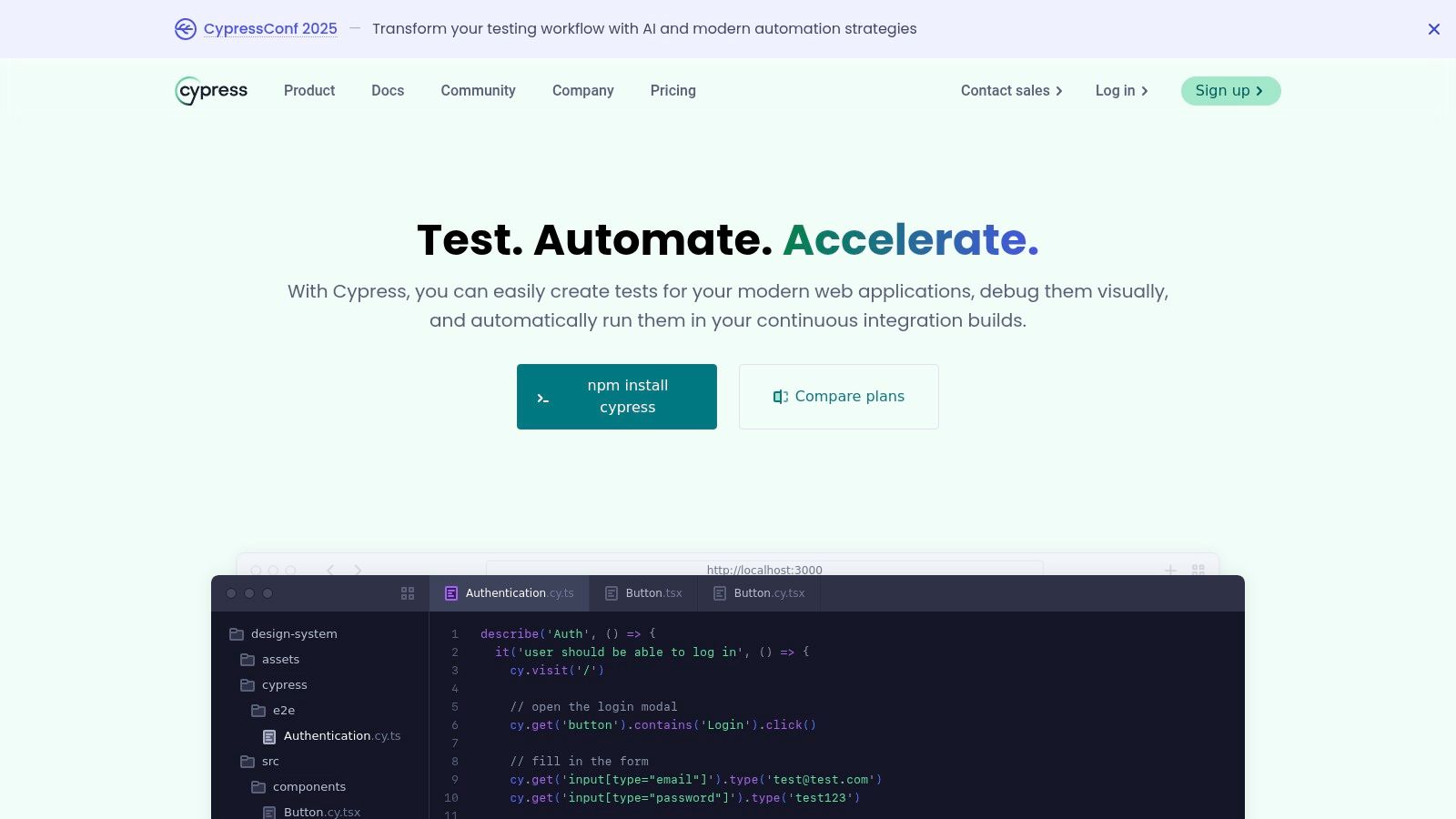
Cypress stands out among open source testing tools because of its unique approach to testing. Its architecture allows for fine-grained control over the application and its dependencies, enabling developers to stub network requests, manipulate the DOM, and even control the system clock. This level of control provides a more precise and predictable testing environment, reducing flakiness and improving the reliability of test results. Furthermore, the tight integration with the browser enables Cypress to offer real-time reloading during test development, which greatly accelerates the feedback loop and boosts developer productivity.
One of the most significant advantages of Cypress is its intuitive debugging experience. The time-travel debugging feature allows developers to step through each test step, inspect the application state at any point, and pinpoint the exact moment where an error occurs. This greatly simplifies the process of identifying and resolving issues, significantly reducing debugging time. The visual testing capabilities further enhance the debugging process by allowing developers to compare screenshots and videos of test runs, making it easier to detect visual regressions.
While Cypress offers a compelling set of features, it’s important to be aware of its limitations. Being primarily focused on JavaScript/TypeScript, it might not be the ideal choice for teams working with other programming languages. Additionally, it currently doesn’t support multi-tab testing, which can be a limitation for certain testing scenarios involving complex user workflows across multiple browser tabs. While Cypress has made progress in cross-browser support, Selenium still provides broader coverage. Finally, native mobile application testing isn’t directly supported.
Features and Benefits in Detail:
- Real-time browser preview and time-travel debugging: See tests execute in a real browser and step back in time to understand failures.
- Automatic waiting: Eliminate the need for explicit waits and asynchronous commands, simplifying test code.
- Network traffic control and stubbing: Mock server responses and control network behavior for reliable and predictable tests.
- Screenshot and video recording on failures: Automatically capture visual evidence of test failures for faster diagnosis.
- Built-in assertion library and test runner: A complete testing framework out-of-the-box with powerful assertions.
- Open-source and free to use: Reduces the cost barrier for implementing robust testing.
Setting up Cypress is straightforward:
- Install using npm or yarn:
npm install cypressoryarn add cypress - Open Cypress:
npx cypress open - Write your first test: Cypress provides example tests and a clear structure to get started quickly.
Comparison with Selenium:
Cypress often gets compared to Selenium, another popular open-source testing tool. While both aim to automate web testing, their approaches differ. Selenium operates by driving the browser from outside, while Cypress runs directly within the browser. This difference leads to significant variations in performance, debugging capabilities, and overall developer experience. Cypress generally offers faster test execution and a more streamlined debugging process compared to Selenium. However, Selenium boasts broader cross-browser support and multi-tab testing capabilities.
Cypress’s open-source nature, coupled with its rich feature set and developer-friendly experience, makes it a valuable asset for any team striving to build high-quality web applications. Its focus on speed, ease of use, and powerful debugging tools sets it apart in the landscape of open-source testing tools and justifies its inclusion in this list. For teams working primarily with JavaScript and seeking a modern and efficient end-to-end testing solution, Cypress is definitely worth considering. You can explore more about Cypress on their official website: https://www.cypress.io
4. Jest
Jest is a powerful and widely adopted open source testing tool specifically designed for JavaScript projects. Developed by Facebook (now Meta), Jest prioritizes simplicity and a smooth developer experience, often requiring zero configuration for most JavaScript and TypeScript projects. Its comprehensive feature set, including snapshot testing, mocking capabilities, and built-in code coverage, makes it a favorite among developers, particularly those working with React applications. However, Jest’s versatility extends beyond React and can be effectively used with other JavaScript frameworks like Angular, Vue.js, and Node.js. Its ease of use and rich features contribute significantly to its popularity in the open source testing tools landscape.
One of Jest’s standout features is snapshot testing, particularly useful for testing UI components. Snapshot testing captures a rendered component’s output and compares it to a previously saved “snapshot.” Any discrepancies between the current and saved snapshots will trigger a test failure, alerting developers to unintended UI changes. This helps ensure UI consistency and catch regressions early in the development process. Jest’s built-in mocking and stubbing capabilities allow developers to isolate units of code and test them in controlled environments. This simplifies testing complex interactions and dependencies by simulating external services or modules. Furthermore, Jest provides code coverage reports without requiring any additional setup, giving developers immediate insights into the effectiveness of their tests.
Jest’s parallel test execution leverages multiple processes to run tests concurrently, significantly reducing overall testing time. This feature is particularly beneficial for large projects with extensive test suites. The watch mode feature enhances the development workflow by automatically re-running tests whenever changes are saved, providing continuous feedback. These features contribute to Jest’s excellent performance and make it a highly efficient open source testing tool. You can learn more about Jest and how it can be integrated into broader API testing strategies.
As an open-source tool, Jest is free to use and distribute. Its technical requirements are minimal; primarily requiring Node.js and npm (Node Package Manager) to be installed on the system. Setting up Jest is typically straightforward. For many projects, simply installing the Jest package via npm (npm install --save-dev jest) is sufficient to get started. Jest automatically detects and runs tests within a dedicated __tests__ folder or files with a .test.js or .spec.js extension.
Compared to other JavaScript testing frameworks like Mocha and Jasmine, Jest offers a more all-in-one solution. While Mocha and Jasmine require additional libraries for features like assertions and mocking, Jest provides these out of the box. This simplifies the setup and configuration process, making Jest particularly attractive for developers seeking a streamlined testing experience.
While Jest excels in many areas, it’s important to be aware of its limitations. One notable constraint is its primary focus on JavaScript/TypeScript projects. While some community-driven solutions attempt to bridge this gap, Jest’s core functionality is geared towards the JavaScript ecosystem. For projects in other programming languages, alternative open source testing tools might be more suitable. Another potential drawback is that Jest can become memory-intensive for extremely large test suites. Optimizations and strategic testing practices can mitigate this issue, but it’s something to consider for very large-scale projects. Finally, while snapshot testing is a powerful feature, snapshot files can become large and difficult to manage over time. Developers need to be diligent in reviewing and updating snapshots to avoid them becoming brittle and hindering the development process.
Despite these limitations, Jest remains a highly valuable open source testing tool. Its ease of use, rich features, and performance benefits make it an excellent choice for many JavaScript projects. The ability to quickly set up and run tests, coupled with features like snapshot testing and parallel execution, allows developers to focus on writing effective tests and ensuring code quality. For teams primarily working with JavaScript or TypeScript, Jest is undoubtedly a strong contender and deserves serious consideration as a primary testing framework. Its prominent place within the open-source testing tools ecosystem is well-earned and its continued development promises further improvements and benefits for the development community.
5. Playwright
Playwright is a powerful open-source testing tool developed by Microsoft, designed for reliable end-to-end testing of modern web applications. It stands out among other open source testing tools for its cross-browser compatibility, speed, and robust features specifically tailored for dynamic web environments. Its architecture allows for automating Chromium, Firefox, and WebKit, covering a vast majority of browser usage, which makes it a valuable asset in any quality assurance process. Playwright excels at handling the complexities of single-page applications (SPAs) and progressive web apps (PWAs), offering a modern approach to web testing that sets it apart from older tools.
One of Playwright’s most compelling features is its auto-waiting mechanism. This eliminates the need for explicit waits and sleeps in test code, a common source of flakiness and maintenance overhead in other automation frameworks like Selenium. Playwright intelligently waits for elements to be actionable before interacting with them, significantly improving the reliability of tests. This feature alone justifies its inclusion among the top open source testing tools available.
Furthermore, Playwright’s network interception and modification capabilities provide granular control over network requests. This allows developers and testers to simulate various network conditions, test API integrations, and mock responses, giving them a comprehensive toolkit for testing the resilience of their web applications. For instance, you can simulate a slow network connection to analyze how your application performs under stress or modify API responses to test specific error handling scenarios. This level of control is invaluable for ensuring a robust user experience across different network environments.
Playwright also shines in its mobile device emulation capabilities. Without requiring physical devices, Playwright can emulate various mobile environments, allowing you to test your web application’s responsiveness and functionality across different screen sizes, resolutions, and touch input scenarios. This is crucial in today’s mobile-first world, where ensuring cross-device compatibility is paramount for success.
For teams embracing DevOps, Playwright’s parallel test execution across browsers significantly speeds up the testing process. Running tests concurrently across multiple browsers reduces feedback cycles, facilitating quicker releases and faster iterations. This efficiency is essential for maintaining a competitive edge in today’s rapid development environment.
Compared to a more established open source testing tool like Selenium, Playwright offers significant advantages in terms of speed and reliability, particularly for modern web applications. While Selenium boasts wider language support and a larger community, Playwright is quickly catching up, with a rapidly growing community and increasing language options.
Implementation and Setup Tips:
Setting up Playwright is straightforward. You can install it using your preferred package manager (npm, yarn, pip) and choose from various language bindings, including TypeScript, JavaScript, Python, Java, and .NET. Playwright also includes a built-in code generation tool that records user interactions in the browser and generates corresponding test code. This feature significantly simplifies the process of creating tests, especially for users new to the framework. Debugging is made easier with built-in debugging tools allowing you to step through the code, inspect variables, and diagnose issues efficiently.
Pros:
- Excellent cross-browser compatibility, including WebKit for Safari testing
- Fast and reliable test execution due to auto-waiting and efficient architecture
- Strong mobile testing capabilities with device emulation
- Built-in test generator and debugging tools simplify test creation and maintenance
Cons:
- Relatively newer with a smaller community compared to Selenium, although it’s growing rapidly
- Limited language support compared to Selenium, but more languages are being added
- Can have a steeper learning curve for complex scenarios
- Larger resource footprint compared to some other tools
Pricing: Playwright is open-source and free to use.
Website: https://playwright.dev
In conclusion, Playwright has earned its place amongst the leading open source testing tools by offering a robust, modern, and efficient solution for end-to-end web application testing. Its focus on speed, reliability, and cross-browser compatibility, especially its strength in handling SPAs and PWAs, makes it a highly valuable tool for any development team aiming to deliver high-quality web experiences. While Selenium remains a strong contender in the open source testing tools landscape, Playwright provides a compelling alternative that addresses the challenges posed by modern web development, and its rapid growth and community expansion point towards a bright future.
6. Appium: Cross-Platform Mobile Test Automation Made Easy
Appium stands out among open-source testing tools for its powerful capabilities in mobile test automation. It provides a robust and flexible framework for testing native, hybrid, and mobile web applications across both Android and iOS platforms. By leveraging the WebDriver protocol, Appium allows testers to write automated tests using a variety of programming languages like Java, Python, Ruby, and JavaScript, making it a highly adaptable solution for diverse development teams. This cross-platform compatibility significantly reduces the need for separate testing frameworks and streamlines the mobile testing process, making it a valuable asset for any organization developing mobile applications. Its open-source nature ensures no licensing costs, further enhancing its appeal for budget-conscious teams. For those seeking an efficient and versatile solution for mobile test automation, Appium is definitely worth considering.
One of Appium’s key strengths is its ability to test different types of mobile applications. Whether you are developing native apps built specifically for Android or iOS, hybrid apps that combine native and web components, or mobile web apps accessed through a browser, Appium provides a unified framework for automating your testing efforts. This eliminates the need for specialized tools for each app type, saving valuable time and resources. For instance, a QA team can utilize the same Appium scripts to test the functionality of a native e-commerce app and its corresponding mobile web version, ensuring consistent user experience across platforms.
Furthermore, Appium shines in its “write once, run anywhere” approach. Since it doesn’t require modifying the app’s code or integrating an SDK, the same test scripts can be executed on both Android and iOS devices, drastically reducing testing time and effort. This is particularly advantageous in agile development environments where rapid releases are the norm. Imagine testing a new feature on multiple devices and operating systems simultaneously; Appium makes this a reality, accelerating the feedback loop and ensuring faster delivery of high-quality mobile applications.
Among open-source testing tools, Appium’s integration with cloud testing platforms like Sauce Labs, BrowserStack, and AWS Device Farm offers additional flexibility and scalability. By leveraging these platforms, developers can execute their Appium tests on a vast range of real devices and emulators, covering a wider spectrum of user configurations and network conditions. This approach eliminates the need for investing in and maintaining a large in-house device lab, making comprehensive mobile testing more accessible, especially for smaller development teams.
While Appium offers numerous advantages, it’s crucial to be aware of its limitations. Compared to platform-specific testing tools like Espresso for Android and XCUITest for iOS, Appium can be slower due to its reliance on the WebDriver protocol. Also, the initial setup and configuration can be complex, requiring some technical expertise and familiarity with the underlying mobile platforms. Finally, while the large and active community provides extensive documentation and support, keeping up with the latest mobile platform features and updates can sometimes be challenging.
Implementation and Setup Tips:
- Install the necessary dependencies: This includes Node.js, Appium Server, and the relevant platform-specific SDKs (Android SDK or Xcode).
- Choose the correct Appium drivers: Select the appropriate drivers for the targeted mobile platforms and application types.
- Configure desired capabilities: Define the device, operating system, and app details in the Appium capabilities configuration file.
- Write test scripts using your preferred programming language: Leverage the WebDriver API to interact with the mobile app elements and perform actions.
Appium, as a free and open-source tool, naturally has no licensing fees. However, integrating it with cloud testing platforms often involves subscription costs depending on usage and required features.
Appium’s cross-platform capabilities, flexibility, and strong community support make it a powerful tool for mobile test automation. Despite some limitations, it remains a popular choice among open-source testing tools and a valuable asset for development teams striving to deliver high-quality mobile applications. You can explore more about Appium and its features on the official website: https://appium.io.
7. TestNG
TestNG is a robust open source testing framework specifically designed for Java, offering a comprehensive suite of features that cater to complex testing needs. While inspired by JUnit, TestNG goes beyond its predecessor by providing advanced functionalities such as parallel execution, data-driven testing, and a highly flexible test configuration mechanism. This makes it a popular choice amongst developers and QA professionals working on enterprise-level Java applications. Its seamless integration with widely used build tools like Maven and Gradle further solidifies its position as a valuable asset in the open source testing tools landscape. TestNG empowers teams to create structured and maintainable test suites, promoting better code quality and faster release cycles. This positions it as a powerful tool for those seeking a more comprehensive and structured approach to testing their Java applications.
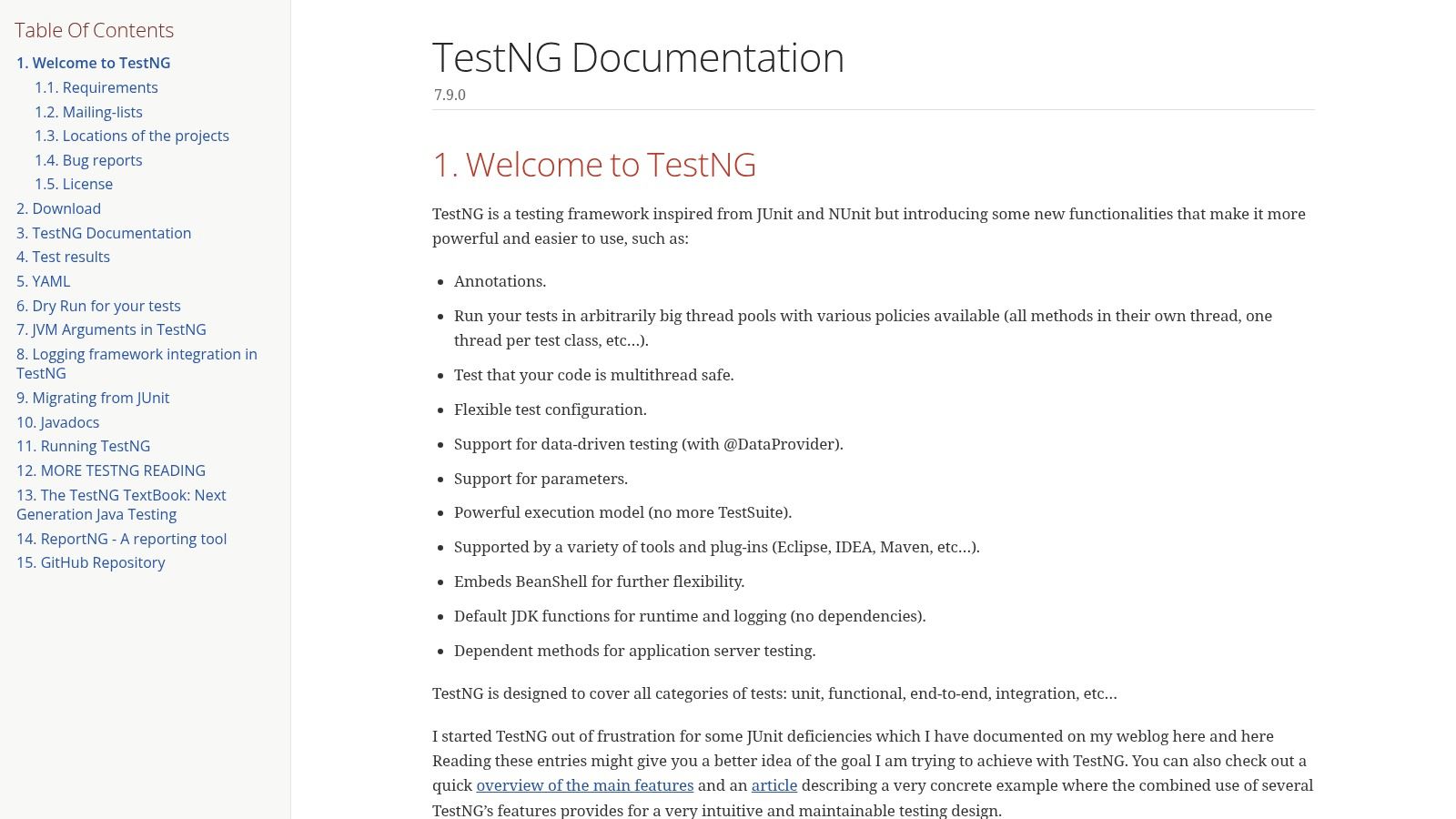
One of TestNG’s standout features is its support for annotation-based test configuration. This allows developers to define test methods, setup and teardown procedures, and test dependencies directly within the code using annotations like @Test, @BeforeMethod, @AfterMethod, and @DataProvider. This approach not only simplifies test creation but also enhances code readability and maintainability. For instance, using @Test(groups = {"regression"}) allows you to easily categorize and execute specific tests belonging to the “regression” group.
Parallel execution is another key strength of TestNG. With the ability to run tests concurrently across multiple threads, TestNG drastically reduces the overall test execution time, especially beneficial for large test suites. This feature is invaluable in Continuous Integration/Continuous Deployment (CI/CD) pipelines where rapid feedback is crucial. Developers can easily configure parallel execution at the suite, test, or method level, offering granular control over how tests are run.
Data-driven testing, facilitated by the @DataProvider annotation, allows developers to execute the same test logic against multiple sets of input data. This is particularly useful for testing boundary conditions, validating different input scenarios, and ensuring comprehensive coverage without code duplication. The @DataProvider can fetch data from various sources, like CSV files, Excel spreadsheets, or databases, providing flexibility in data management.
TestNG’s built-in reporting capabilities provide detailed HTML and XML reports, offering insights into test execution results, including passed/failed tests, execution time, and any exceptions encountered. This comprehensive reporting helps in quickly identifying issues and tracking the overall quality of the software. Moreover, TestNG integrates seamlessly with other reporting libraries like ReportNG for even more customizable and visually appealing reports.
While TestNG offers significant advantages, it’s important to acknowledge its limitations. Being Java-specific, TestNG is not suitable for projects using other programming languages. Its extensive feature set also introduces a steeper learning curve compared to simpler frameworks like JUnit, and it can be overkill for projects with minimal testing requirements. Effective utilization of TestNG necessitates a good understanding of Java annotations.
Compared to JUnit, TestNG offers more advanced features like parallel execution and data-driven testing. While JUnit is simpler to learn and sufficient for many projects, TestNG provides the extra power and flexibility needed for larger, more complex Java applications. Learn more about TestNG and how it can be leveraged for effective application stress testing.
TestNG is freely available as an open-source tool, eliminating licensing costs. The technical requirements primarily involve having a Java Development Kit (JDK) installed on the system. Setting up TestNG is typically straightforward, involving adding the necessary dependencies to the project’s build configuration (e.g., Maven or Gradle) and then configuring the test suites using XML or annotations.
For developers and QA engineers working on complex Java projects, TestNG offers a powerful and versatile testing framework. Its rich feature set, coupled with its open-source nature and strong integration within the Java ecosystem, makes it a valuable tool for ensuring high-quality software development. Though it might have a slightly steeper learning curve, the advantages it offers in terms of structure, flexibility, and performance make it a worthwhile investment for teams committed to comprehensive testing practices.
8. Robot Framework
Robot Framework earns its place among the top open source testing tools due to its unique keyword-driven approach, making test automation accessible to a broader audience, including non-programmers. This generic test automation framework excels at simplifying test creation and maintenance, particularly for acceptance testing and acceptance test-driven development (ATDD). It empowers business stakeholders, testers, and developers to collaborate effectively on test design and execution, ultimately fostering a shared understanding of quality requirements. Its strength lies in its clear, human-readable syntax that bridges the communication gap between technical and non-technical team members.
Robot Framework, built on Python, uses a tabular syntax for defining test cases. This approach allows tests to be written in a plain, keyword-driven style, making them easy to understand and maintain. It also supports a rich ecosystem of libraries catering to diverse testing needs, including web testing using SeleniumLibrary, API testing with RequestsLibrary, and database testing with DatabaseLibrary. These pre-built libraries extend Robot Framework’s capabilities, allowing you to quickly assemble complex test scenarios without delving into low-level coding. Furthermore, you can create custom libraries using Python or Java to tailor the framework to your specific requirements.
This open source testing tool shines when used for acceptance testing, ensuring the software meets business requirements from the user’s perspective. Its human-readable syntax allows business analysts and domain experts to directly participate in the testing process, reviewing and even writing test cases. This collaborative approach significantly reduces the risk of miscommunication and ensures that the software aligns with stakeholder expectations. Robot Framework’s detailed HTML reports, including logs and screenshots, further enhance transparency and facilitate quicker issue resolution.
Robot Framework is free to use under the Apache License 2.0. As it’s built on Python, the primary technical requirement is having Python installed on your system. Libraries may have additional dependencies depending on the type of testing being performed, such as a web browser driver for web testing.
Features and Benefits:
- Keyword-driven testing: Simplifies test creation and maintenance, making it accessible to non-programmers.
- Extensive library ecosystem: Offers pre-built libraries for various testing types, including web, API, and database testing.
- HTML reporting: Provides detailed reports with logs and screenshots for easy analysis and debugging.
- Support for variables, loops, and conditional execution: Enables the creation of dynamic and reusable test cases.
- Integration with other tools: Seamlessly integrates with CI/CD tools like Jenkins and version control systems like Git.
Pros:
- Easy to learn: The tabular syntax and keyword-driven approach reduce the learning curve for new users.
- Excellent reporting: Comprehensive HTML reports provide valuable insights into test execution.
- Highly extensible: Custom libraries can be created to extend functionality and address specific testing needs.
- Strong community support: Active community and comprehensive documentation make troubleshooting and learning easier.
Cons:
- Verbosity: Complex test scenarios can lead to verbose test cases.
- Performance: Large test suites might encounter performance limitations.
- Debugging: While logs and reports aid debugging, the process can sometimes be challenging for complex issues.
- Python dependency: Reliance on the Python ecosystem can be a constraint for organizations not using Python.
Comparison with similar tools: Compared to tools like Selenium and Appium, which are primarily focused on UI testing, Robot Framework offers a broader scope, encompassing various testing types within a single framework. While Cucumber also uses a keyword-driven approach, Robot Framework offers a wider range of built-in libraries and tighter integration with the Python ecosystem.
Implementation tips:
- Start with a small, manageable test suite and gradually expand it.
- Leverage the existing libraries to avoid reinventing the wheel.
- Create custom keywords for frequently used actions to improve test readability.
- Integrate Robot Framework with your CI/CD pipeline for automated test execution.
For more information and documentation, visit the official Robot Framework website: https://robotframework.org
Robot Framework stands out among open source testing tools for its ability to democratize test automation, enabling broader participation in quality assurance. Its readable syntax, extensive library ecosystem, and comprehensive reporting capabilities make it a valuable asset for any organization looking to improve software quality and streamline their testing process.
9. JUnit
JUnit is arguably the most popular open source testing framework for Java, holding a prominent position in the Java ecosystem and having become the de facto standard for unit testing. Its widespread adoption stems from its simplicity, robustness, and tight integration with the Java development lifecycle. For any team working with Java, JUnit is an indispensable tool in the arsenal of open source testing tools available, empowering developers to write reliable and maintainable code. JUnit allows developers to create small, focused tests that verify the individual units (methods or classes) of their code function as expected in isolation. This approach helps to catch bugs early in the development process, leading to reduced debugging time and higher quality software.
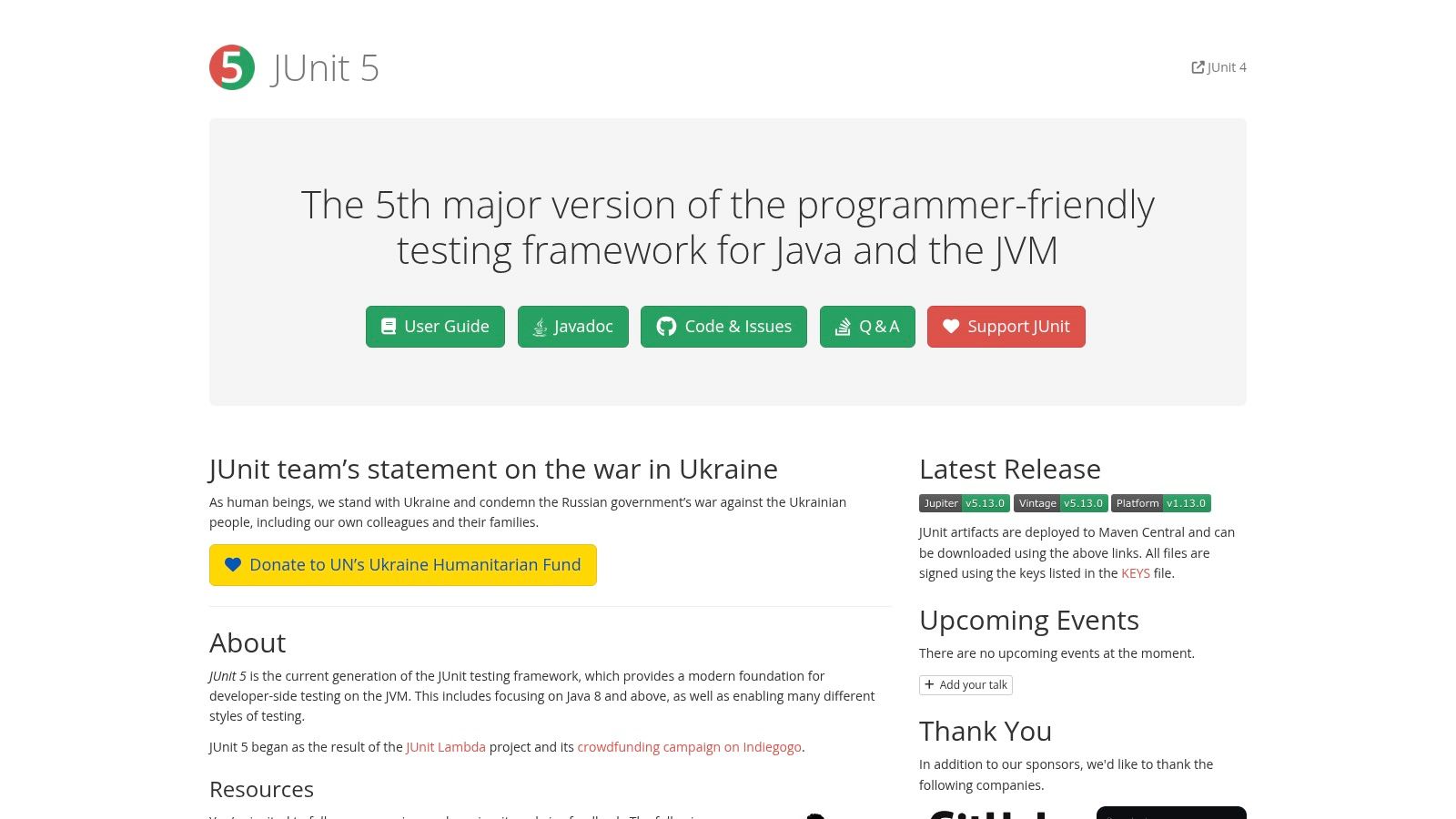
The latest version, JUnit 5 (Jupiter), offers a modernized foundation for developer-side testing, featuring new programming and extension models. Key improvements include support for parameterized tests, which allow developers to run the same test with different input values; dynamic tests, which generate tests at runtime; and enhanced IDE integration for a smoother development experience. These features contribute to a more flexible and efficient testing workflow.
JUnit’s feature set makes it a powerful tool for ensuring code quality. Its annotation-based system, utilizing annotations like @Test, @BeforeEach, and @AfterEach, clearly defines test methods and their lifecycle. This makes tests easily identifiable and understandable. Furthermore, features like nested test classes enable better organization of test suites, particularly beneficial for larger projects. The ability to create custom extensions and plugins allows teams to tailor JUnit to their specific needs and integrate it seamlessly with other tools in their development pipeline.
One of JUnit’s most significant advantages is its seamless integration with popular IDEs like IntelliJ IDEA and Eclipse. This integration allows developers to run tests directly within their development environment, providing instant feedback on code changes. Moreover, JUnit integrates well with build tools like Maven and Gradle and continuous integration/continuous delivery (CI/CD) pipelines. This allows test execution to be automated as part of the build process, ensuring that tests are run regularly and consistently. Because JUnit is open-source, there are no licensing costs involved. The only technical requirement is a Java Development Kit (JDK) installed on the system.
Compared to other Java testing frameworks like TestNG, JUnit emphasizes simplicity and ease of use. While TestNG offers features like parallel test execution and advanced reporting capabilities out of the box, JUnit’s core strength lies in its clean API and focus on unit testing, making it easier to learn and adopt, especially for beginners. Features like parallel execution in JUnit often require additional configuration. JUnit’s reporting capabilities, while basic, are generally sufficient for most unit testing scenarios. More comprehensive reporting can be achieved through integration with other tools.
Implementing JUnit is straightforward. Simply add the JUnit dependency to your project’s build file (e.g., pom.xml for Maven, build.gradle for Gradle). Then, annotate your test methods with @Test and use assertion methods (e.g., assertEquals(), assertTrue()) to verify the expected behavior of your code. For more complex scenarios, explore JUnit 5’s parameterized and dynamic tests. Leverage nested test classes to organize your tests effectively, and consider creating custom extensions to enhance JUnit’s functionality based on your project’s specific requirements.
In conclusion, JUnit’s status as an industry standard, its excellent tooling and IDE support, its simple API, and its strong integration with build tools and CI/CD pipelines makes it an essential open source testing tool for any Java developer. While its focus primarily remains on unit testing and it may require additional configuration for advanced features, its core strengths make it an invaluable asset for building robust and reliable Java applications. Its website, https://junit.org, provides comprehensive documentation and resources for further exploration.
Open Source Testing Tools Comparison
| Tool | Core Features & Capabilities | User Experience & Quality ★ | Value & Pricing 💰 | Target Audience 👥 | Unique Selling Points ✨ |
|---|---|---|---|---|---|
| GoReplay 🏆 | Capture & replay live HTTP traffic, session-aware, TLS optimized | ★★★★☆ Open-source + Pro version | Free core, Pro costly for enterprises | DevOps, QA engineers, Enterprises | Realistic load testing, advanced analytics, data masking |
| Selenium | Cross-browser, multi-language, Selenium Grid | ★★★☆☆ Flexible but complex | 💰 Free open-source | Developers, QA, multi-platform | Widest browser & language support, large community |
| Cypress | Real-time browser preview, auto-waiting | ★★★★☆ Fast, great debugging | 💰 Free with paid dashboard | JavaScript devs, frontend QA | Time-travel debugging, network control |
| Jest | Snapshot testing, mocking, coverage reports | ★★★★☆ Zero-config, fast | 💰 Free open-source | JS/React developers | Out-of-the-box for JS, excellent React integration |
| Playwright | Multi-browser incl. WebKit, mobile emulation | ★★★★☆ Reliable, cross-browser | 💰 Free open-source | Web devs, enterprises | Safari and mobile testing support |
| Appium | Cross-platform mobile testing (iOS/Android) | ★★★☆☆ Versatile but slower | 💰 Free open-source | Mobile testers, Dev teams | Single framework for native/hybrid mobile apps |
| TestNG | Java, annotation-based, parallel execution | ★★★★☆ Powerful, configurable | 💰 Free open-source | Java developers, enterprises | Advanced Java testing, detailed reporting |
| Robot Framework | Keyword-driven, Python-based, extensive libraries | ★★★☆☆ Easy for non-programmers | 💰 Free open-source | QA, non-coders, business users | Keyword-driven for non-technical testers |
| JUnit | Java unit testing standard, parameterized tests | ★★★★☆ Simple, widely adopted | 💰 Free open-source | Java devs | Industry standard for Java unit testing |
Empowering Quality Through Open-Source Innovation
Open-source testing tools offer a powerful and cost-effective approach to ensuring software quality. From unit testing with tools like JUnit and Jest, to UI testing with Selenium, Cypress, and Playwright, and mobile testing with Appium, the options discussed provide comprehensive coverage for diverse testing needs. This article explored a range of tools including GoReplay, TestNG, and Robot Framework, highlighting their key features and advantages. The right choice depends on your specific project requirements, such as the type of application, target platform, and team expertise.
Key takeaways include the importance of considering factors like community support, documentation, integration capabilities, and ease of use when selecting open-source testing tools. Implementing these tools successfully requires proper training, establishing clear testing processes, and integrating them seamlessly into your existing development workflow. By leveraging the strengths of these tools and actively participating in the open-source community, you can continuously improve your testing strategies and deliver high-quality software.
The open-source landscape is constantly evolving, with new tools and features emerging regularly. Embrace these advancements to stay ahead of the curve and drive innovation in your software development lifecycle. By choosing the right open source testing tools and implementing them effectively, you can significantly enhance the quality, reliability, and overall success of your software projects.
For a powerful way to capture and replay real-world traffic for testing and development, check out GoReplay, an open-source testing tool that simplifies the process of creating realistic test environments. Learn more and download GoReplay at GoReplay.