
Ad Hoc Testing: Types, Examples, and Best Practices

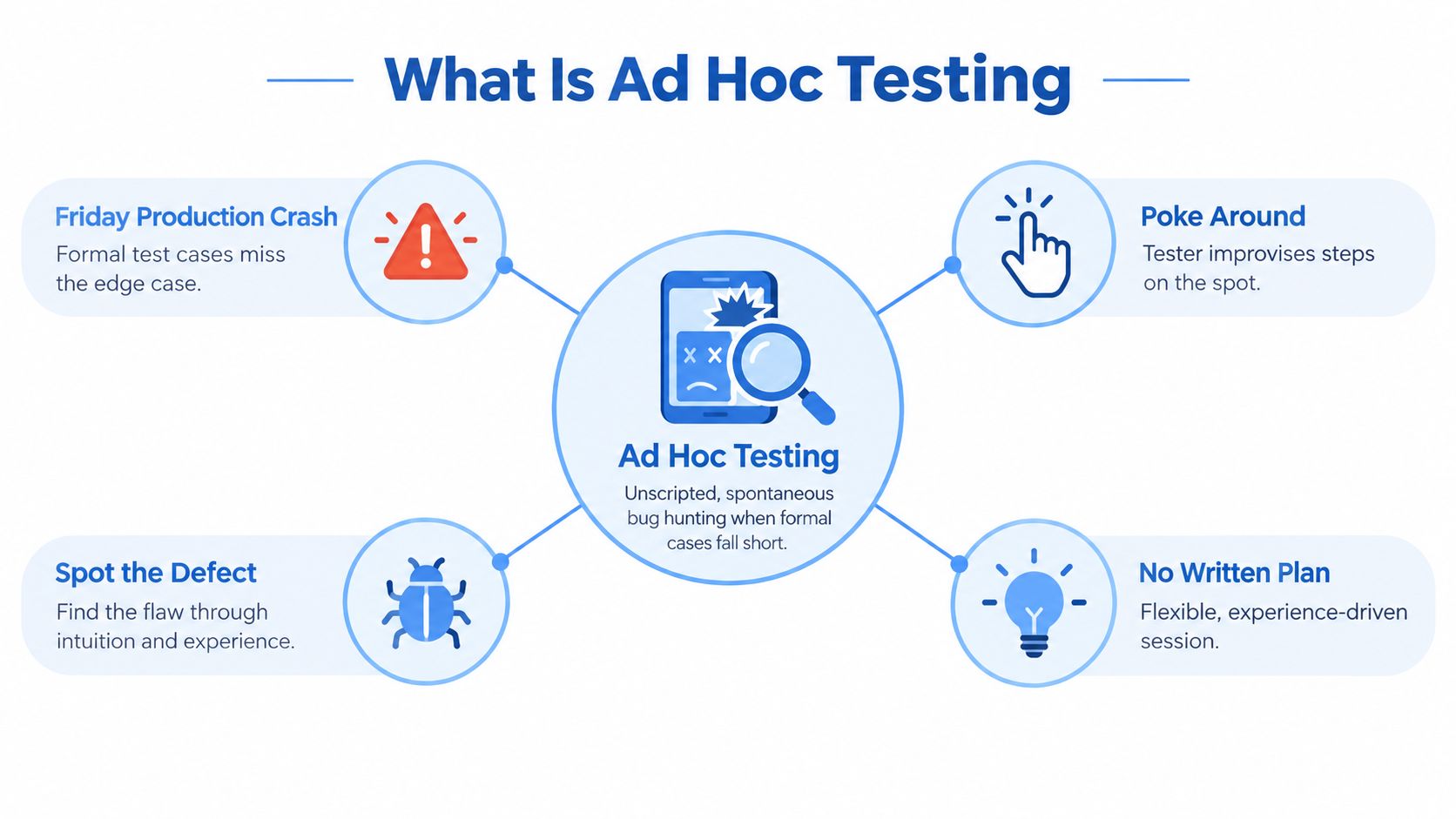
It’s 4 PM on a Friday. A production workflow has just crashed, but the formal test suite doesn’t cover the exact sequence that triggered it. The team needs an answer now, so a tester starts changing inputs, refreshing pages, interrupting requests, and following whatever clue looks suspicious.
That activity may look unplanned from the outside, but effective ad hoc testing isn’t random clicking. It’s a focused use of tester intuition, product knowledge, and realistic behavior to expose defects that predefined checks can miss. The trade-off is clear: ad hoc sessions move quickly, but their results are difficult to reproduce unless the team captures useful notes and converts important findings into durable tests.
What Is Ad Hoc Testing
Ad hoc testing is an informal software testing approach performed without predefined test cases or a detailed test plan. The tester explores the application, tries unusual inputs, changes the order of actions, and follows anomalies as they appear. It can reveal edge conditions and unexpected sequences that scripted regression may not anticipate, as described in this practical comparison of ad hoc and exploratory testing.
The Friday production crash is a useful example. A checkout test may cover a successful payment, a declined card, and a timeout. It may not cover a user refreshing the page while the payment provider is responding, switching browser tabs during a redirect, or submitting the same action after a stale session has expired. An experienced tester probes those seams because they understand where state, timing, and user behavior tend to collide.
Why experienced testers use it
The distinction between ad hoc and exploratory testing has been discussed in software testing literature associated with James Bach. Both approaches let testers adapt as they learn, but ad hoc work generally begins without the session structure or ongoing notes that characterize more organized exploratory testing.
The method isn’t unprofessional because it lacks a script. It becomes weak when the tester has no risk focus, doesn’t record what happened, or treats every click as equally valuable. A strong session starts with a reason, such as a recent code change, a defect-prone workflow, unusual input, or a production behavior the team can’t yet explain.
Practical rule: Use intuition to choose the next probe, but use evidence to decide whether the result matters.
Ad hoc probes may be one-off, but their findings shouldn’t be. If the tester finds a failure but can’t explain the state, inputs, and sequence that produced it, the team may lose the value of the discovery.
Characteristics of Ad Hoc Testing
These characteristics explain both the appeal and the limits of the approach:
- Unscripted: There are no predefined step-by-step cases to follow; the next action depends on what the tester observes.
- Adaptive: A suspicious response can redirect the session immediately, without waiting for a test plan update.
- Experience-driven: Product knowledge, error guessing, and familiarity with likely failure points help prioritize probes.
- Quick to start: A tester can investigate a changed feature or reported failure as soon as a suitable build is available.
- Limited inherent coverage and repeatability: Without a planned test set or captured evidence, it is difficult to show which behaviors were checked or reproduce a failure later.
Practitioner guides to ad hoc testing similarly describe its flexibility alongside the challenges of inconsistent coverage and reproducibility. Informal execution does not mean a team must avoid notes; recording a meaningful finding is what makes it actionable.
Types of Ad Hoc Testing
The three commonly described types differ mainly in who is testing and how the next action is chosen. Common classifications distinguish collaborative buddy and pair testing from randomized monkey testing.
Buddy testing
A tester and developer investigate the same feature together. The tester challenges the behavior while the developer supplies implementation context and can examine failures immediately. For example, after a change to coupon handling, the tester applies a coupon, removes an item, and refreshes checkout while the developer checks whether the discount was recalculated.
Pair testing
Two people test together, commonly two testers, sharing observations and suggesting the next probe. Team conventions sometimes overlap with buddy testing; here, buddy means a tester-developer pairing, while pair means two testers. For example, one tester submits an upload while the other watches network responses and suggests retrying after changing file permissions.
Monkey testing
Monkey testing tries unpredictable actions or inputs, with randomness playing a larger role than in a risk-led ad hoc session. For example, a tester rapidly switches tabs, submits malformed values, and clicks controls out of order to see whether a web app crashes or loses data. A random failure still needs enough logging to reproduce it. Monkey testing is one type of ad hoc testing, not a synonym for the whole approach.
Ad Hoc vs Exploratory vs Scripted Testing
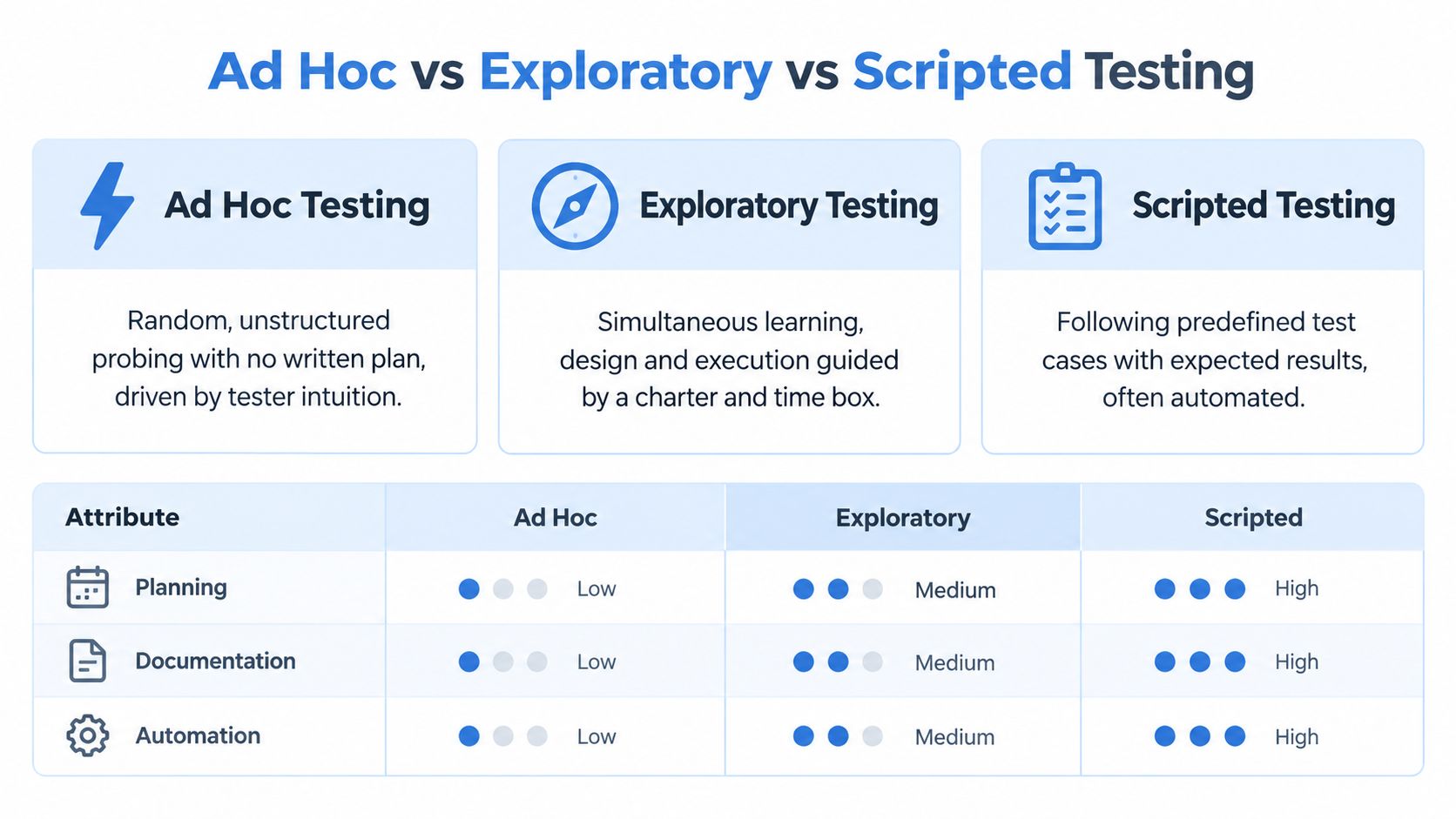
These approaches can all involve manual work outside an automated pipeline, but they answer different questions. Scripted testing asks whether a known scenario still produces its expected result. Exploratory testing combines learning, test design, and execution in a more organized session. Ad hoc testing uses fast, intuitive probing to challenge assumptions and expose surprises.
| Approach | Primary intent | Repeatability | Documentation | Best fit |
|---|---|---|---|---|
| Ad hoc | Find unexpected defects through spontaneous probing | Often low unless steps are captured | Usually minimal or recorded after a finding | Rapid checks, edge cases, unexplained behavior |
| Exploratory | Learn the product while designing and executing tests | Improved by a charter and session notes | Lightweight notes during the session | Feature investigation and risk-based discovery |
| Scripted | Verify predefined behavior against expected results | High | Detailed test cases and results | Regression, release gates, and auditability |
Choosing the right method
Reach for scripted testing when the behavior is stable, important, and likely to regress. A payment authorization check, permission rule, or API contract benefits from a repeatable test because another engineer must be able to run it later and trust the result. Automation is especially useful when the same verification belongs in continuous integration.
Exploratory testing is a better choice when the team needs to understand a feature, identify risks, and preserve enough context for others to continue the investigation. A lightweight charter might define the area to examine and the risks to challenge, while leaving the specific test design to the tester.
Ad hoc testing earns its place when speed and surprise matter more than formal coverage. A developer has changed session handling, a production error has no obvious reproduction path, or a tester suspects that two valid actions interact badly. The session can begin immediately, but the output should still be actionable.
Ad hoc testing is disposable as a test activity, not disposable as a source of engineering knowledge.
A useful workflow combines the three rather than ranking them. Use ad hoc probing to expose an unfamiliar failure, exploratory testing to investigate and understand it, then scripted testing to protect the fix from regression. That progression preserves speed without allowing important discoveries to disappear.
When to Use Ad Hoc Testing
Ad hoc testing fits a specific, time-sensitive question better than a general request to test everything. Use it when:
- A recent change touches a bug-prone area, such as authentication, checkout, or session state.
- A reported defect has unclear reproduction steps and the team needs to try nearby sequences.
- Scripted checks pass, but unusual input, timing, or navigation still looks risky.
- A new feature needs a quick first pass before more structured exploratory work.
For example, after a fix to order retries, a tester might submit an order, interrupt the response, and try again to check for duplicate writes. This is a focused probe, not a claim that the entire checkout flow has been verified.
When NOT to Use Ad Hoc Testing
Do not use ad hoc testing as the sole test strategy when coverage, evidence, or traceability is required. That includes high-risk or regulated systems, release-critical payment or safety behavior, contractual acceptance criteria, and situations where formal documentation is required for an audit. The problem is the mismatch between informal checks and the documented, repeatable verification those contexts require.
It is also a poor replacement for a known regression test: if the expected inputs and outputs are already clear, write a repeatable check. Ad hoc probing can still supplement formal testing in high-risk areas, but it cannot establish comprehensive coverage or provide an audit trail on its own.
Advantages and Disadvantages of Ad Hoc Testing
| Advantages | Disadvantages |
|---|---|
| Starts quickly without preparing detailed test cases. | Coverage is hard to define or demonstrate. |
| Follows surprising behavior as soon as it appears. | Findings may be difficult to reproduce without notes and logs. |
| Challenges assumptions and can expose gaps in scripted checks. | Results depend heavily on tester knowledge and judgment. |
| Works well for targeted checks around recent changes and edge cases. | Informal results alone do not satisfy documentation or audit needs. |
The trade-off is not a reason to avoid ad hoc testing. It is a reason to use it alongside structured approaches and capture evidence when a probe matters.
Practical Ad Hoc Testing Techniques
Unscripted testing becomes productive when the tester carries a mental model of common failure points. Two techniques are particularly useful: error guessing, which applies experience to predict likely failures, and boundary value analysis, which challenges the edges of accepted input. Boundary probes can be part of an ad hoc session even if the findings later become formal test cases.
Error guessing
Error guessing starts with a question: “Where would a hurried, confused, malicious, or unusual user push this workflow?” For a quantity field, try a negative value, an empty value, a decimal, a very large value, pasted whitespace, and rapid repeated submissions. For authentication, test expired sessions, special characters, back-button navigation, and actions performed in multiple tabs.
The technique also applies to APIs and state transitions. A tester can probe behavior after a partial failure rather than only during a clean request sequence:
await addItem(productId);
await page.reload();
await submitOrder();
The important observation isn’t whether this exact sequence is valid for every application. It’s that the tester deliberately interrupts the expected flow and checks whether the application recovers safely. Try the same idea around retries, redirects, uploads, permissions, and network interruptions.
Boundary value analysis
Boundary testing targets the edges of an input contract. If a field accepts a range, test just below the lower boundary, at the lower boundary, a normal value, at the upper boundary, and just above the upper boundary. If the requirements are unclear, that uncertainty itself is a useful finding.
For a password field with an allowed length range, the probe might look like this:
const values = [
  "",
  "a",
  "valid-password",
  "a".repeat(MAX_LENGTH),
  "a".repeat(MAX_LENGTH + 1)
];

for (const password of values) {
  await enterPassword(password);
  await submitForm();
  await recordVisibleResult();
}
The code isn’t a substitute for judgment. It helps make the probe deliberate, while the tester checks validation messages, server responses, layout behavior, logging, and data persistence.

A practical mental checklist includes state changes, retries, empty and malformed input, permission changes, time-dependent behavior, rapid repetition, and interrupted workflows. Don’t probe everything indiscriminately. Start with the changed feature and the paths where a failure would affect users or corrupt data.
Concrete ad hoc testing examples for a web app or API
Each of these is a short probe, not a complete test case. Note the account state and environment before trying one:
- Checkout retry: Submit an order, interrupt the response, then retry. Check whether the app shows one order rather than creating duplicates. Use a sandbox payment provider and test data.
- Expired session in two tabs: Open an account page in two tabs, sign out in one, then submit a profile change in the other. Check that the stale tab does not silently save the change.
- API boundary and malformed payload: Send a quantity of
0, an unexpectedly large value, and a string to an endpoint expecting an integer. Check for controlled validation responses and unchanged data after rejection. - Upload interruption: Start a file upload, disconnect or cancel midway, then retry. Check whether the app exposes a clear status and avoids leaving a partial file as a completed upload.
Integrating GoReplay for Realistic Scenarios
A local test session can be technically careful and still miss the conditions that matter in production. Real users arrive with different headers, session histories, request order, payload shapes, and timing. A captured traffic pattern gives the tester a more credible starting point than manually reconstructing a simplified journey.
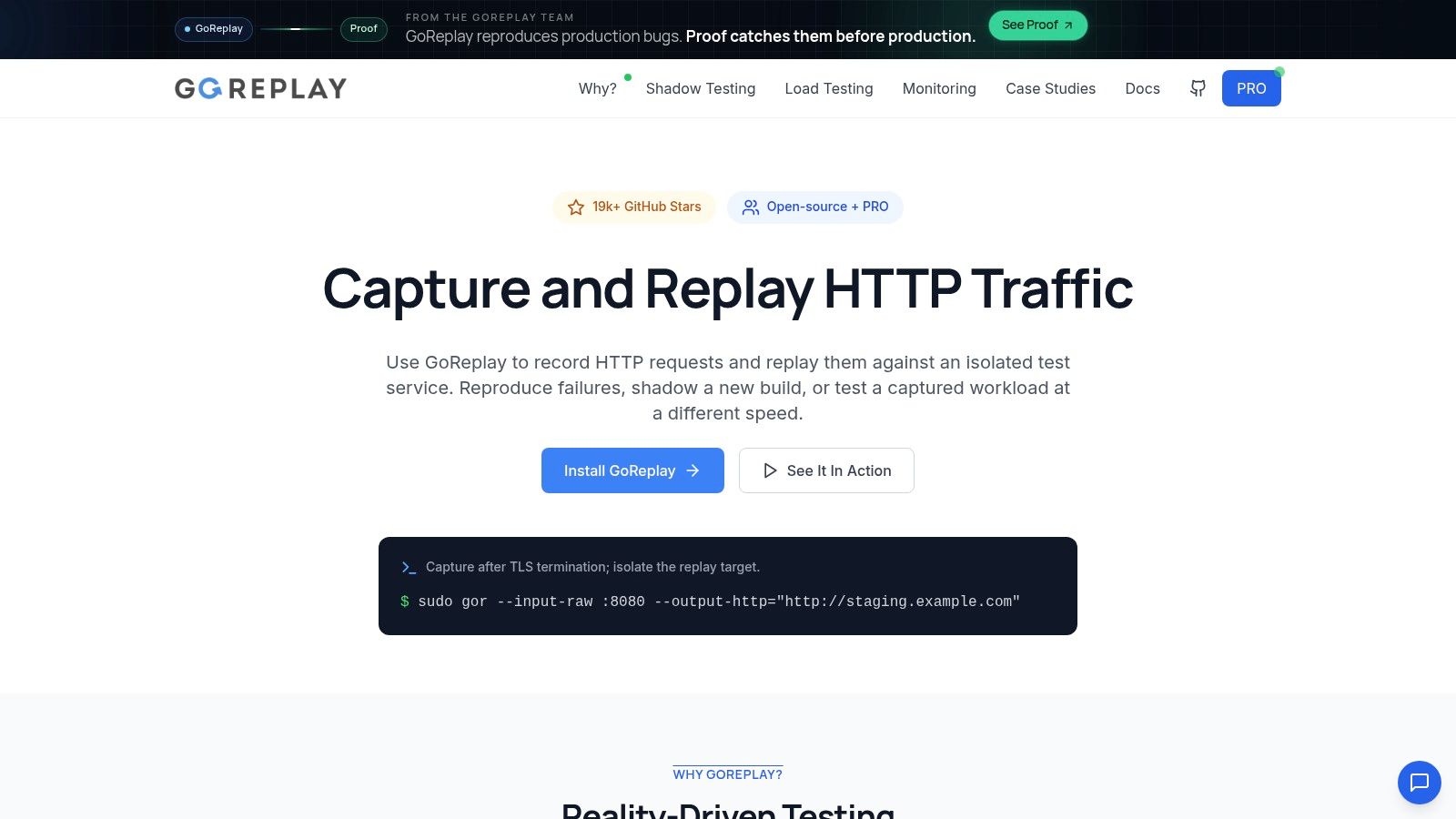
GoReplay can capture live HTTP traffic and replay it into an isolated testing environment. That supports ad hoc analysis of real request sequences while keeping the target build separate from production. Before replaying anything, remove sensitive data, define the target service clearly, and confirm that the environment can safely accept the requests.
A safe capture and replay workflow
Start by capturing traffic at an approved point in the request path, then store the capture where the QA team can inspect and sanitize it. The replay target should be a staging or isolated service, never an environment that can send real emails, charge real payment methods, mutate production records, or call external systems without controls.
A representative command-line pattern is:
sudo gor --input-raw :8080 --output-file=requests.gor
gor --input-file=requests.gor --output-http="https://staging.example.test"
The first command records HTTP traffic from the listening interface into a capture file. The second reads that file and sends requests to the test target. Adapt the listening point, target URL, filtering, and data-handling controls to your deployment rather than copying the example unchanged. The GoReplay setup guidance for testing environments provides the product-specific configuration context.
After replay begins, ad hoc testing still requires human investigation. Watch for state mismatches, rejected requests, unexpected authorization results, duplicate writes, and failures that appear only when requests arrive in a realistic order. A replay can reveal that the new build handles individual requests correctly but fails when a user’s earlier actions establish a particular session state.
Realistic traffic doesn’t replace tester judgment. It gives that judgment better evidence.
Use replay selectively. A captured request may contain credentials, personal information, tokens, or identifiers, so sanitize or mask sensitive values before sharing or storing it. Also check whether replayed requests are safe to repeat. Read operations are easier to isolate than writes, and destructive endpoints need explicit safeguards.
For teams that need more than a single replay, traffic can be filtered, redirected, or exercised at controlled speeds against a test service. The point is not to turn every ad hoc session into a load test. It’s to give a tester realistic inputs and sequences, then let experience guide the unusual probes that follow.
Documentation and Metrics for Ad Hoc
Documentation doesn’t have to precede the session. It does need to follow the discovery. The fastest useful record is often a short trail of what changed, what the tester expected, what happened, and what evidence another person needs to reproduce it.
A lightweight note might contain:
- Context: Build, feature area, environment, and relevant recent change.
- Probe: Input, sequence, interruption, or traffic pattern that was tried.
- Result: Observable behavior, error message, response, or data change.
- Evidence: Screenshot, request identifier, sanitized payload, log reference, or recording.
- Next action: Bug report, exploratory follow-up, or new regression test.
This record protects the team from the most expensive ad hoc failure, a valid defect that nobody can reproduce. It also gives developers a starting point for diagnosis instead of forcing them to interpret “it broke after I clicked around.”
Measuring useful outcomes
Traditional coverage is hard to calculate for an unstructured session because the tester hasn’t defined a complete set of cases in advance. That doesn’t make the work unmeasurable. Track the defects found, the severity and risk of the affected area, the time from the start of the session to detection, and whether each important finding becomes a repeatable test.
Avoid turning one metric into a target that encourages shallow behavior. A tester who reports many trivial UI inconsistencies may appear productive while missing a single data-loss defect. Review the quality of findings, the clarity of reproduction steps, and the areas that remain weak after the session.
The GoReplay guidance on reporting and metrics is relevant when captured traffic becomes part of a broader testing and observability workflow. Keep the measurement close to a decision: should the team fix the issue, add a regression check, improve monitoring, or revisit the risk assessment?
Best Practices for Ad Hoc Testing
A little discipline makes unscripted work more useful without turning it into a scripted suite:
- Target bug-prone areas. Start with recent changes, previously failing workflows, and user paths where incorrect state or data loss would matter most.
- Use error guessing. Try stale sessions, malformed inputs, interrupted requests, and awkward action sequences rather than clicking without a hypothesis.
- Time-box the session. Set a short window and a focus area, then decide whether a promising lead deserves deeper exploratory testing.
- Record findings as you go. Capture the build, inputs, action order, expected and actual behavior, and relevant logs or request IDs.
- Turn important findings into regression tests. Once a defect is understood and fixed, add a repeatable check where it can protect the behavior in future builds.
If a probe generates unsafe writes or handles sensitive data, stop and move it into an isolated, controlled environment before continuing.
Conclusion and the Balanced Testing Strategy
Ad hoc testing belongs in a mature QA strategy because software fails in combinations that no team can fully script in advance. Its strength is rapid, experience-driven investigation. Its weakness is limited repeatability, uncertain coverage, and the risk that a useful discovery remains trapped in the tester’s memory.
Scripted testing should protect known behavior and release-critical regression paths. Exploratory testing should give testers enough structure to learn a feature, record observations, and revisit important questions. Ad hoc testing should challenge assumptions quickly, especially around recent changes, defect-prone workflows, unusual inputs, and strange state transitions.
The strongest teams let findings move between these modes. An ad hoc probe reveals a failure, an exploratory session isolates the conditions, and a scripted test preserves the fix. Realistic HTTP traffic can make the first stage more representative, while lightweight notes make the result useful to the rest of the team.
The balanced approach: Keep the test activity flexible, but make the knowledge reusable.
Don’t schedule ad hoc testing as a substitute for CI checks or a thorough regression suite. Give it a clear purpose and a safe environment, then let skilled testers follow evidence instead of forcing every investigation into a predefined path. When a defect matters, capture it, report it, and convert it into protection the team can run again.
Ad Hoc Testing FAQ
What is ad hoc testing?
Ad hoc testing is unscripted testing without predefined test cases. A tester chooses probes based on product knowledge and observed behavior, then records important failures so the team can investigate them.
What is the difference between ad hoc testing and exploratory testing?
Both adapt to what the tester learns. Exploratory testing typically uses a clearer mission or charter and notes during the session; ad hoc testing is usually less structured and quicker to start.
Is ad hoc testing the same as monkey testing?
No. Monkey testing is a type of ad hoc testing that emphasizes random inputs or actions. Other ad hoc approaches, including buddy and pair testing, can be collaborative and risk-led.
GoReplay captures HTTP traffic and replays it into an isolated testing environment, giving your ad hoc sessions realistic request sequences to investigate safely. Visit GoReplay to explore a practical way to bring production-shaped behavior into staging and strengthen the gap between scripted checks and real-world failures.