
What Is Stress Testing in Software Testing Explained
Stress testing is all about finding out just how tough your application is. It’s a specific type of non-functional testing where you intentionally push your system past its normal limits to see what happens under extreme workloads.
The whole point is to find the breaking point. This process shows you exactly how the system fails and, maybe even more importantly, how it recovers—or if it recovers at all.
What Stress Testing Really Means
Imagine a bridge built for everyday traffic. Normal testing confirms it can handle a typical rush hour. But stress testing? That’s like seeing exactly how many fully-loaded trucks you can park on that bridge before it finally gives way.
You’re not just trying to see it fail. You want to understand how it fails and where the weak points are. Does it start to sag gracefully, or does it just collapse without warning?

This mission to find failures before your users do is critical for application reliability. It helps you avoid those catastrophic outages during a sudden traffic spike, like on Black Friday or when a marketing campaign goes viral. By overloading the system on your own terms, you can patch up vulnerabilities before they ever impact a real customer.
The Purpose Behind the Pressure
The main goals of a stress test go way beyond just crashing your application. The real gold is in the data you collect while pushing the system to its limits.
Here’s a quick look at the core objectives that drive any good stress testing strategy.
Core Goals of Stress Testing
| Objective | Description |
|---|---|
| Identify Breaking Points | Find the exact user load or data volume that causes the system to fail. |
| Observe Failure Behavior | See how the application behaves under duress. Does it slow down, throw errors, or shut down completely? |
| Verify Recovery Mechanisms | Ensure the system can return to normal after the stress is removed. A system that stays down is a huge liability. |
Ultimately, stress testing gives you a clear, data-backed picture of your system’s absolute limits.
It’s about swapping out assumptions for hard data. This gives you the confidence that your application can actually handle the chaos of the real world and keep your business running, no matter what.
The growing importance of this is reflected in the market itself. The global stress test software market is expected to jump from $2.5 billion in 2025 and grow at a 15% Compound Annual Growth Rate through 2033. You can learn more about these market trends and what they mean for quality assurance. This isn’t a niche practice anymore; it’s becoming a fundamental part of building reliable software.
Why Finding Your Breaking Point Is a Business Imperative
We’ve all seen it happen. A major retailer’s website crashes on Black Friday. A ticketing platform crumbles right when tickets for a huge concert go on sale. These aren’t just technical glitches; they’re massive business failures that cost real money, infuriate customers, and tarnish a brand’s reputation overnight.
Stress testing is your best defense against this kind of disaster. It’s about being proactive. You’re deliberately pushing your system to its limits in a safe, controlled environment before your users do it for you during a live, high-stakes event. It’s how you turn potential chaos into a predictable, manageable process.
From Tech Specs to Business Strategy
When you know the absolute limits of your application, you can stop guessing and start making smart, data-driven decisions that actually protect your bottom line. Understanding precisely how and when your system breaks is a strategic advantage.
This insight feeds directly into critical business areas:
- Smarter Infrastructure Spending: You can justify that new server or cloud resource budget by showing exactly what traffic levels your current setup can handle—and where it will fail.
- Focused Engineering Efforts: Instead of playing whack-a-mole with potential issues, your engineering teams can zero in on strengthening the weakest links you’ve already identified.
- Real-World Disaster Recovery: Finding the breaking point is only half the battle. A proper stress test also validates that your system can actually recover quickly after a failure, which is just as important.
The core idea is simple but powerful: finding your breaking point isn’t about celebrating failure. It’s about preventing it from happening when it matters most, safeguarding customer trust and ensuring business continuity.
This isn’t just a niche practice anymore; it’s becoming standard. The global software testing market is expected to hit $97.3 billion by 2032, and 40% of large companies already dedicate more than a quarter of their IT budget to testing. You can dig into more current software testing statistics to see the trend.
At the end of the day, an application that performs under pressure is the foundation for achieving core goals like customer retention and sustainable growth.
Understanding the Different Types of Stress Tests
Not all stress tests are created equal. Thinking of a stress test as one single, monolithic process is a common mistake. It’s more like a doctor’s toolkit—you wouldn’t use a stethoscope to check reflexes.
Software testing is the same. We use different types of stress tests to target specific vulnerabilities in an application’s architecture. Picking the right one is the key to diagnosing the real problems before they impact users.
Core Methodologies for Stress Testing
To really get what stress testing is all about, it helps to break it down into its most common forms. Each one is designed to simulate a unique kind of extreme pressure on your system.
- Application Stress Testing: This approach zeroes in on a single application to see how it performs under duress. It’s like testing one specific engine component to its failure point without running the entire car. This is perfect for finding bottlenecks in your code, slow database queries, or individual features that can’t handle the heat.
- Transactional Stress Testing: Here, the focus gets even tighter, honing in on one or more critical transactions. Imagine an e-commerce site testing only its payment processing workflow. The goal is to see if that vital function holds up even when the rest of the system is getting hammered with traffic.
- Systemic Stress Testing: This is the big one. It’s a comprehensive test where multiple applications running on the same server are stressed at the same time. This is designed to uncover nasty issues where one app’s resource hogging negatively impacts another, revealing those tricky inter-application conflicts.
- Exploratory Stress Testing: Think of this as controlled chaos. It involves throwing unusual or unscripted scenarios at the system to find unexpected bugs. You might trigger a database backup while the system is at peak load or restart network ports during a massive data import, just to see how the software reacts to real-world mayhem.
The infographic below really drives home the business risks—lost revenue, trust, and reputation—that system failures can cause. These are exactly the kinds of problems that good stress testing helps you avoid.
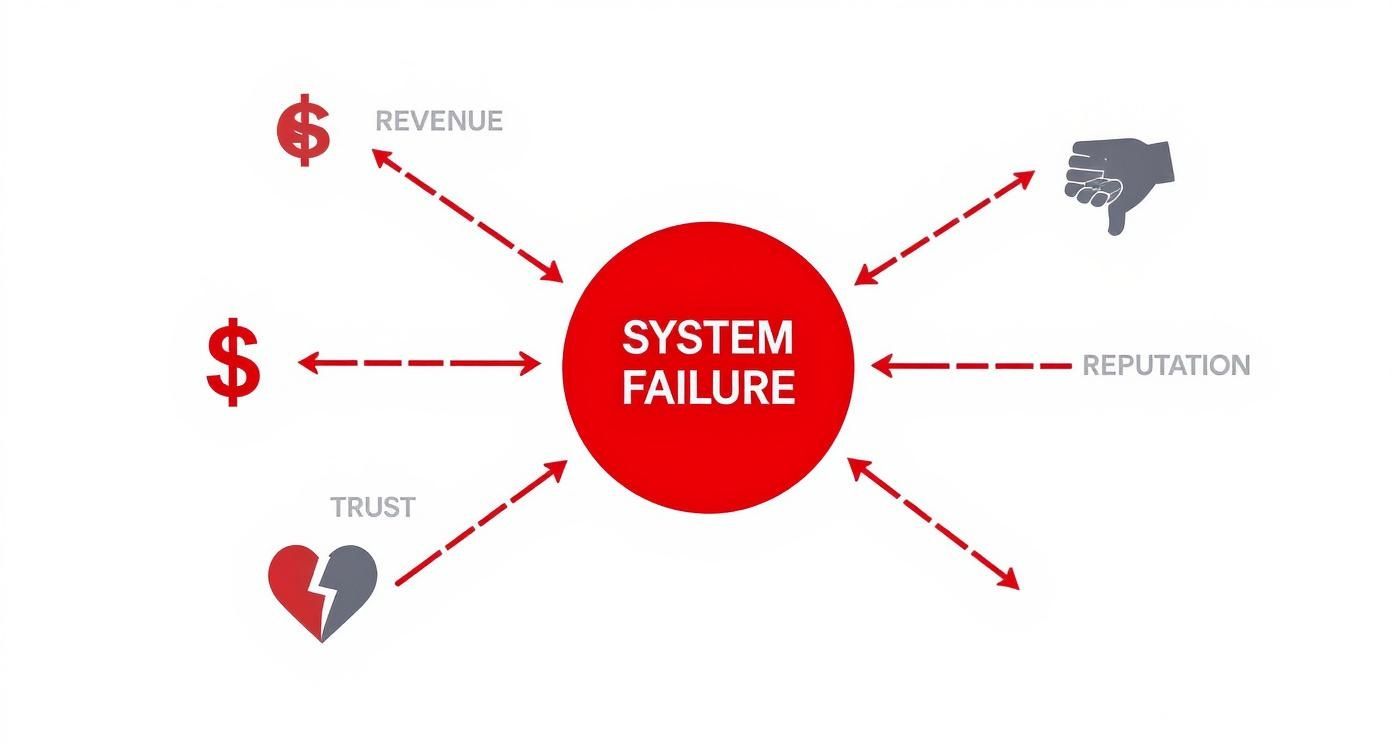
This visual shows how a single system failure can ripple out and affect every part of the business, making proactive testing a critical part of managing risk.
To help you choose the right approach, here’s a quick breakdown of these common methods.
Comparing Common Stress Testing Methods
| Testing Type | Primary Focus | Best Used For |
|---|---|---|
| Application | A single application’s performance and stability. | Identifying code bottlenecks, memory leaks, and resource issues within one service. |
| Transactional | Specific, critical user workflows or transactions. | Ensuring vital functions like payments or logins remain stable under pressure. |
| Systemic | The interaction between multiple applications on shared hardware. | Finding conflicts where one app’s high load degrades another’s performance. |
| Exploratory | Unpredictable, chaotic, and edge-case scenarios. | Uncovering rare bugs that only appear under strange, real-world conditions. |
Ultimately, choosing the right test depends on what you’re trying to protect.
While all these methods push systems to their limits, it’s also important to understand the key differences between a load test vs. a stress test to get a complete picture of the performance testing landscape.
How to Run an Effective Stress Test

Running a good stress test isn’t about just throwing a tidal wave of traffic at your system and seeing what breaks. It’s a structured investigation. A well-planned test gives you a clear roadmap to make your system more resilient, not just a list of failures.
The very first step is to define your goals. What are you actually trying to prove? For an e-commerce platform, a goal might be to handle 5x the typical traffic during a flash sale without the checkout process falling over.
This planning phase is absolutely essential. Without clear goals, you’re just making noise. You won’t know how to interpret the results or what “good” even looks like.
Establish Your Testing Framework
With your objectives set, it’s time to get practical. This is where you prepare the environment and build out realistic test scenarios that turn your goals into an actual test plan.
-
Set Up the Test Environment: Your testing environment needs to be a close-to-perfect mirror of your production setup. That means similar hardware, network settings, and database sizes. Testing in a mismatched environment will give you misleading results that simply don’t apply to the real world.
-
Create Test Scenarios and Scripts: Your scripts have to mimic what real users do. Don’t just hit random endpoints. Focus on critical journeys, like a user adding items to a cart, navigating to checkout, and successfully processing a payment. The scripts should then ramp up the load gradually, so you can pinpoint the exact moment things start to slow down.
-
Define Success Metrics: Before you even think about hitting “start,” you need to know what success looks like. This means setting hard thresholds for your key performance indicators (KPIs).
- Maximum acceptable response time: How many seconds is too long for a page to load before a user gets frustrated?
- Acceptable error rate: What percentage of errors can you tolerate before the user experience is genuinely broken?
- Resource utilization limits: At what point is the CPU or memory usage just not sustainable?
The goal isn’t just to break the system. It’s to understand how it behaves as it approaches its breaking point. That’s where you find the real bottlenecks and architectural weaknesses. This data transforms a simple failure into a powerful learning opportunity.
Following this kind of structured process ensures that every stress test you run delivers the insights you need to build a tougher, more reliable application.
Simulating Realistic Load with GoReplay
Let’s be honest, most traditional stress tests are based on a best guess. We write scripts to generate load, but these clean, predictable requests rarely capture the chaotic, messy reality of how people actually use our software.
Those neat scripts often miss the weird edge cases and complex user journeys that lead to the most stubborn production failures. There’s a much better way: traffic shadowing.
The idea is simple but powerful. You capture actual user traffic from your live production environment and replay it against a test or staging server. This gives you an almost perfect simulation of a real-world load event, warts and all.
The open-source tool GoReplay was built from the ground up to do exactly this. It listens to your production traffic, records it, and safely replays it against another environment—all without ever impacting your live users.
Achieving True Realism in Testing
The biggest advantage of using real traffic is authenticity. Your test is no longer based on an engineer’s assumptions; it’s a direct copy of real-world behavior. This is how you uncover the problems that scripted tests just can’t see.
This screenshot shows the GoReplay interface in action, capturing and forwarding live traffic so you can see exactly what’s happening.
By mirroring production requests, you can see precisely how new code will behave under the exact conditions it will face once it’s deployed. It removes the guesswork.
Traffic shadowing moves beyond simulation to true replication. It gives you genuine confidence that your system is resilient because you’re testing it against the messy, unpredictable reality of how it’s used every single day.
This approach is a game-changer when you’re preparing for a high-stakes event. You can replay production traffic for realistic load testing to make sure your infrastructure can handle the pressure before a big product launch or marketing campaign kicks off.
It’s the closest you can get to a real stress test without putting your production environment at risk.
Common Questions About Stress Testing
Even with a solid plan, a few questions always pop up when you start stress testing for real. Getting the details right—like understanding the nuances between different performance tests and knowing exactly when to run them—can make all the difference.
Let’s break down some of the most common questions teams have.
Stress Testing vs. Load Testing
This is easily the most frequent point of confusion. While both are types of performance testing, they have completely different goals.
Think of it like testing a new sports stadium.
- Load testing is your dress rehearsal for a sold-out game. You simulate the expected number of fans entering, finding their seats, and buying food to make sure everything runs smoothly under a normal, anticipated peak load. It validates performance.
- Stress testing, on the other hand, is about finding out what happens when an extra 50,000 fans without tickets try to storm the gates. The goal isn’t to see if the system can handle it—you know it can’t. The goal is to see how it breaks and if it recovers gracefully. It tests resilience.
In short, load testing validates performance under expected conditions. Stress testing discovers the system’s absolute breaking point and observes its failure behavior under extreme, unexpected pressure. It’s all about finding out what happens when you push way past the limits.
When Should We Perform Stress Testing?
Timing is everything. Run a stress test at the right moment, and you prevent a production disaster. Run it at the wrong time, and it’s just noise.
While you can automate some light performance checks in a CI/CD pipeline, the big, deep-dive stress tests are most valuable at specific, high-stakes moments.
Here’s when you should absolutely be stress testing:
- Before a major product launch to ensure your new system can handle the initial rush of excited users.
- Ahead of high-traffic events like Black Friday, a viral marketing campaign, or a big holiday sale.
- After significant architectural changes, like migrating to a new cloud provider or rolling out a new microservice.
Think of these tests as your final quality gate, giving you the confidence you need before unleashing your application into real-world chaos.
How Do I Choose the Right Stress Testing Tool?
The right tool really depends on your team’s technical skills, your application architecture, and your overall testing philosophy. There are a ton of options out there, each with its own pros and cons.
If your team is comfortable with scripting, open-source tools like Apache JMeter offer a ton of flexibility and have great community support. They’re powerful, but it often takes a lot of work to create user scenarios that feel truly realistic.
But if you’re after the highest level of accuracy, nothing beats traffic shadowing.
A tool like GoReplay works differently. It captures real user traffic from your production environment and replays it against a test instance. This isn’t a simulation; it’s a replication. This approach is far more authentic because it includes all the messy, unpredictable, and chaotic behavior of actual users—uncovering the hidden edge cases that scripted tests almost always miss.
Ready to stop simulating and start replicating real-world pressure? With GoReplay, you can use actual production traffic to stress test your applications safely and accurately. Discover how GoReplay can bulletproof your system before your next big launch.