
Performance Testing: Beyond the Basics
This listicle clarifies eight key performance testing types, focusing on the distinctions between load tests and stress tests. Understanding these differences is crucial for building resilient and scalable applications. By knowing when to employ each method, you can optimize performance, prevent costly downtime, and ensure a positive user experience. This list covers load, stress, endurance, spike, scalability, volume, breakpoint, and configuration testing, providing actionable insights for improved testing strategies.
1. Load Testing
Load testing is a crucial type of performance testing designed to assess how a system performs under anticipated real-world load conditions, both normal and peak. It aims to determine if the application can handle the expected concurrent users or transactions without compromising performance. By simulating realistic user loads and traffic patterns, load testing helps identify bottlenecks and ensures the system meets performance requirements before it goes live. The primary goal is not to break the system, but to understand its behavior within expected operational parameters and ensure a smooth user experience. This proactive approach allows teams to address performance issues early in the development cycle, preventing costly downtime and user dissatisfaction after release.
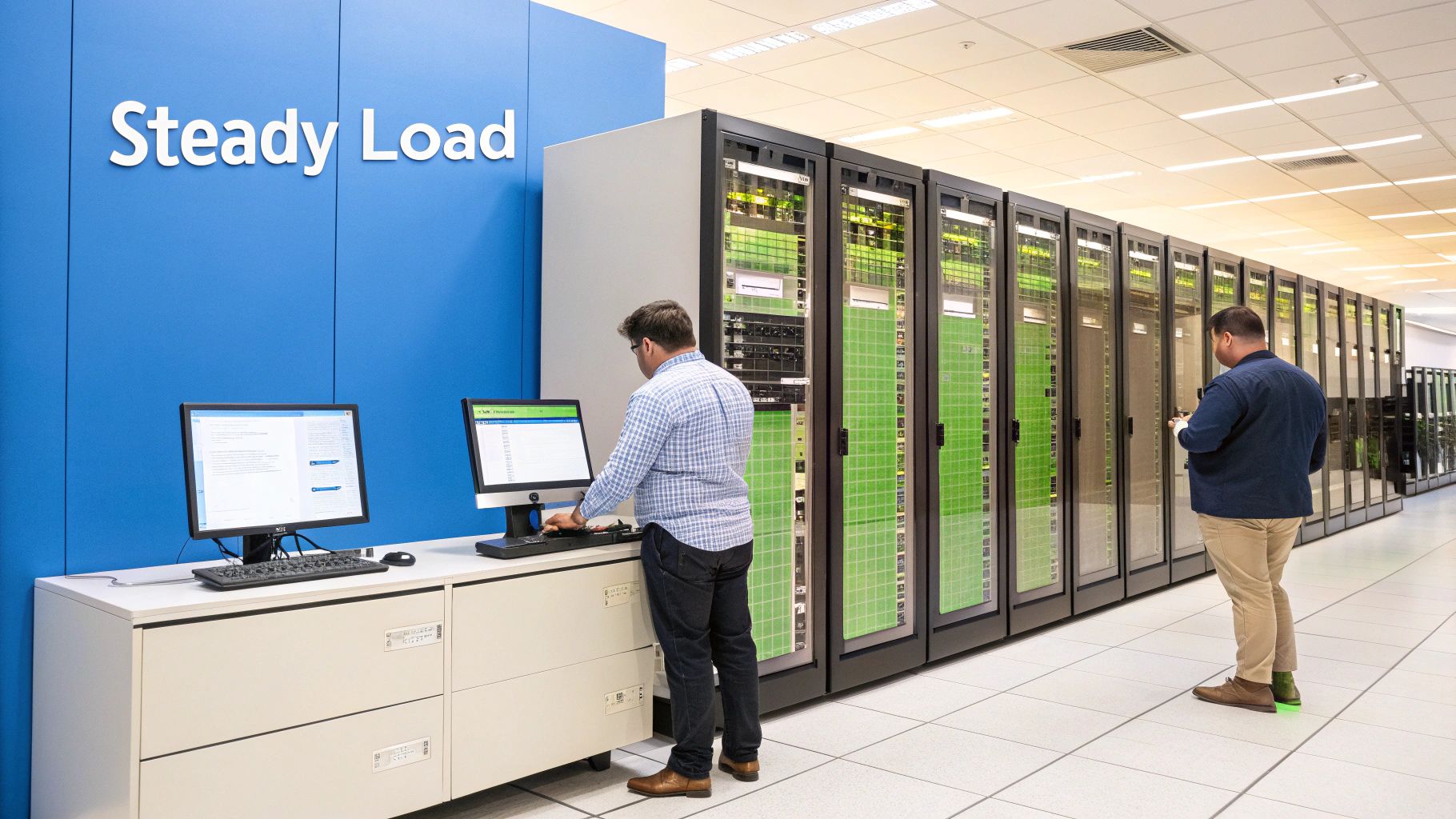
Load testing provides a realistic simulation of user behavior, measuring key performance indicators like response times, throughput (transactions per second), and resource utilization (CPU, memory, disk I/O, and network) under various load levels. These tests typically run until a steady state is achieved, where performance metrics stabilize, providing a clear picture of the system’s capacity. For a deeper understanding of effective load testing strategies and best practices, you can learn more about Load Testing. This resource provides valuable insights for developers and testers alike.
Load testing deserves a prominent place in any performance testing strategy because it bridges the gap between development and real-world usage. It provides critical insights into how the system will handle expected user traffic, enabling proactive optimization and preventing performance degradation. Features of effective load testing include:
- Realistic User Simulation: Mimicking actual user behavior, including think times and navigation patterns, for accurate performance assessment.
- Scalable Load Generation: The ability to simulate thousands of concurrent users to test the system’s limits within expected parameters.
- Comprehensive Metrics: Tracking key performance indicators like response times, throughput, and resource utilization to pinpoint bottlenecks.
Pros of Load Testing:
- Early Bottleneck Identification: Uncovers performance issues before they impact end-users, saving time and resources.
- SLA Validation: Confirms the system meets Service Level Agreements (SLAs) for performance and availability.
- Capacity Planning: Provides data-driven insights for capacity planning and infrastructure sizing.
- Performance Optimization: Helps identify areas for optimization, leading to improved application performance.
- Reduced Risk of System Failures: Minimizes the likelihood of system crashes or slowdowns under anticipated load.
Cons of Load Testing:
- Limited Scope: May not uncover issues that only arise under extreme or unexpected load conditions.
- Resource Intensive: Requires substantial resources to simulate realistic user loads.
- Complex Test Setup: Can be challenging to configure representative test scenarios.
- Environment Dependencies: Results may vary depending on the test environment configuration.
- Time Investment: Proper setup and execution can be time-consuming.
Examples of Successful Load Testing:
- E-commerce: Companies like Amazon perform rigorous load testing before major sales events like Prime Day to ensure their systems can handle the surge in traffic.
- Finance: Banking applications are load tested to handle end-of-month transaction volumes and ensure smooth operation during peak periods.
- Entertainment: Streaming services like Netflix use load testing to guarantee seamless streaming capabilities, especially during new releases.
- Ticketing: Ticketing platforms rigorously test their systems before high-demand ticket sales for concerts and events.
Tips for Effective Load Testing:
- Establish a Baseline: Start with baseline performance metrics to measure improvements accurately.
- Realistic User Behavior: Design tests that accurately reflect real-world user behavior patterns.
- Production-like Data: Include data volumes comparable to the production environment.
- Resource Monitoring: Closely monitor server resources (CPU, memory, disk I/O, network) throughout the tests.
- Gradual Load Increase: Incrementally increase the load to pinpoint the threshold at which performance begins to degrade.
By following these guidelines and incorporating load testing into the software development lifecycle, organizations can significantly improve application performance, reliability, and user satisfaction. This proactive approach is essential for ensuring systems are robust and resilient enough to handle the demands of real-world usage.
2. Stress Testing
Stress testing is a crucial type of performance testing designed to evaluate how a system behaves when pushed beyond its normal or peak operating capacity. Unlike load testing, which assesses performance under expected conditions, stress testing deliberately subjects the system to extreme loads and resource constraints. This helps determine the system’s breaking point, understand its failure modes, and verify its ability to recover gracefully. The ultimate goal is to identify the upper limits of the system’s capacity, ensure data integrity is maintained, and prevent cascading failures under duress. This knowledge is vital for building robust and resilient systems that can withstand unexpected spikes in traffic or resource limitations.

Stress testing focuses on aspects like stability, error handling, and recovery mechanisms. It involves simulating various extreme scenarios, such as sudden spikes in user load, the depletion of system resources like memory or disk space, or the failure of network components. By observing how the system responds to these scenarios, testers can pinpoint vulnerabilities and weaknesses that might not surface under normal operating conditions. For a deeper understanding of stress testing methodologies, you can learn more about Stress Testing.
Stress testing earns its place on this list because it offers invaluable insights into a system’s resilience. Its specific features include pushing systems beyond their normal operational capacity, focusing on stability and recovery, and evaluating behavior during and after failure. This approach provides several key benefits:
Pros:
- Identifies Breaking Points: Determines the maximum load a system can handle before failing.
- Validates Recovery Procedures: Verifies the effectiveness of disaster recovery plans and ensures the system can return to a functional state after a failure.
- Establishes Capacity Limits: Helps define the upper limits of system capacity for planning and resource allocation.
- Exposes Security Vulnerabilities: Extreme stress can reveal security flaws that might not be apparent under normal conditions.
- Builds Confidence in System Stability: Provides assurance that the system can withstand extreme events and maintain functionality.
Cons:
- Potential for Disruption: Stress tests can temporarily disrupt services if not conducted in a controlled environment.
- Requires Dedicated Environments: Often necessitates dedicated test environments to avoid impacting production systems.
- Challenging to Simulate All Scenarios: Difficult to anticipate and simulate every possible real-world stress scenario.
- Resource Intensive: Can be resource-intensive, requiring specialized tools and expertise.
- Risk of Damage: Improperly executed stress tests can potentially damage systems if not carefully monitored.
Examples of Successful Implementation:
- Netflix’s Chaos Monkey: This tool deliberately introduces failures in production systems to test resilience and ensure automated recovery.
- Financial Trading Platforms: These platforms are stress-tested to ensure they can handle extreme market volatility and high transaction volumes without crashing.
- Google’s DiRT (Disaster Recovery Testing) Program: Tests the resilience of Google’s infrastructure to large-scale disasters.
- Microsoft Azure Stress Testing: Microsoft routinely stress tests its cloud services to validate auto-scaling capabilities and ensure high availability.
Tips for Effective Stress Testing:
- Start Gradually: Begin with controlled stress tests and progressively increase the intensity.
- Comprehensive Monitoring: Monitor not only performance metrics (response times, throughput) but also error logs and system resource utilization.
- Diverse Stressors: Test different types of stressors, such as user load, data volume, and network constraints.
- Include Recovery Testing: Always incorporate recovery testing after the stress conditions are removed to validate the system’s ability to return to normal operation.
- Document and Analyze: Thoroughly document all failure patterns observed during testing and analyze the results to identify areas for improvement.
By carefully planning and executing stress tests, organizations can gain valuable insights into their systems’ robustness, ensuring they can handle extreme conditions and maintain business continuity in the face of unexpected challenges. This makes stress testing an essential component of a comprehensive performance testing strategy.
3. Endurance Testing (Soak Testing)
Endurance testing, also known as soak testing, is a type of performance testing that evaluates a system’s behavior under sustained load over an extended period. It goes beyond simply determining if a system can handle a specific load; it aims to uncover issues that manifest only after prolonged operation. These issues can include subtle problems like memory leaks, gradual performance degradation, resource depletion, and connection instability, which might not be detected during shorter load or stress tests. Endurance testing ensures that your system can maintain its performance and stability over time, even under continuous usage. This makes it crucial for systems expected to run for extended periods without restarts or interruptions.
Endurance testing works by simulating real-world usage scenarios with a consistent, expected load applied over a long duration, often ranging from hours to days or even weeks. This sustained operation allows testers to observe the system’s behavior under continuous stress and identify any latent issues that may emerge gradually. These tests track key performance indicators (KPIs) like response time, throughput, and resource utilization, looking for trends and anomalies that indicate potential problems.
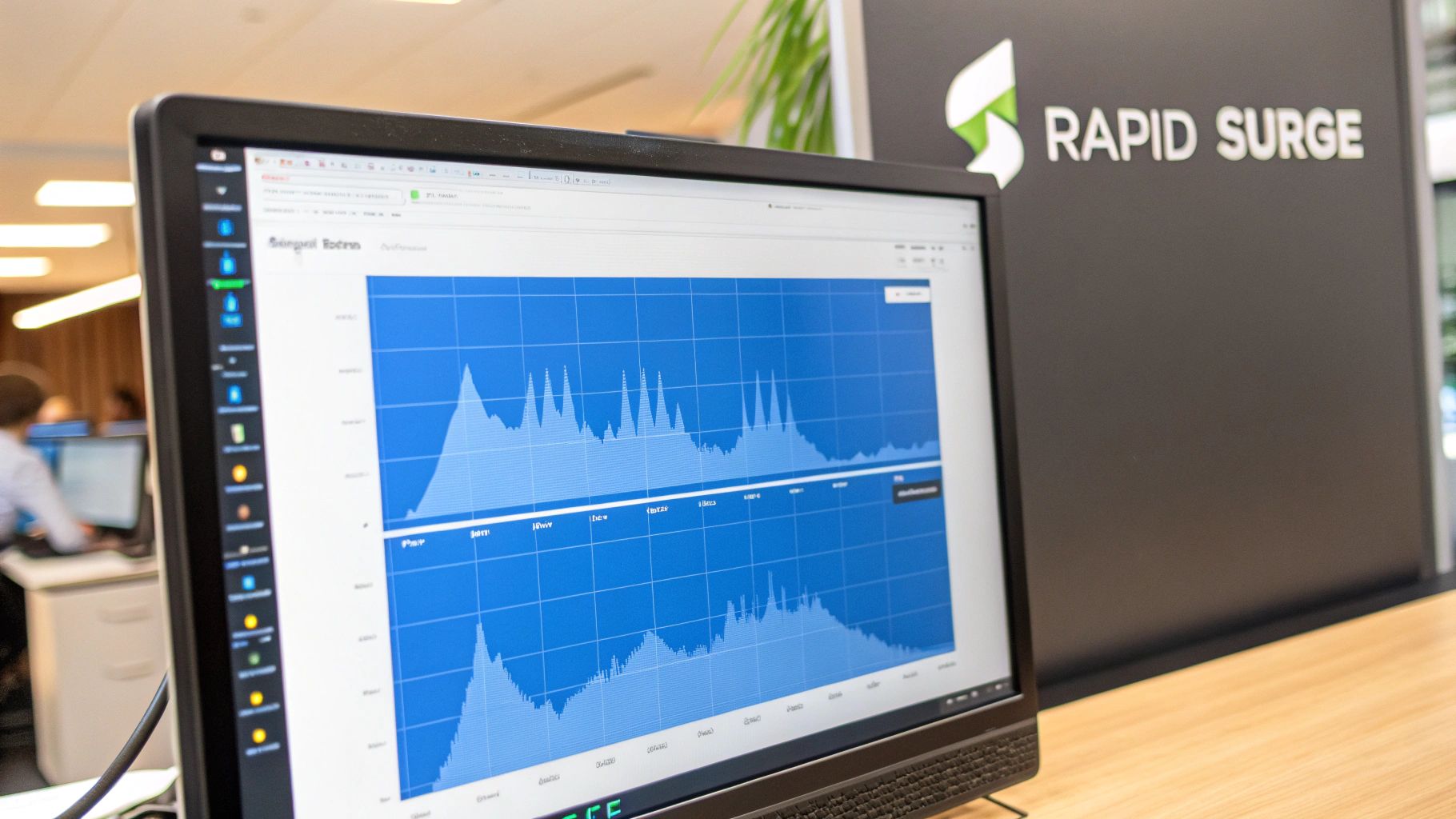
Features of Endurance Testing:
- Extended test duration: Tests run for hours, days, or even weeks.
- Consistent load levels: A realistic, expected load is applied throughout the test.
- Monitoring for degradation: Continuous monitoring of KPIs to detect gradual performance decline.
- Resource utilization trends: Tracking resource usage (CPU, memory, disk I/O) over time.
- Leak detection: Identifying memory leaks and other resource exhaustion issues.
Pros:
- Uncovers hidden issues: Identifies problems that only surface after extended use.
- Validates long-term stability: Confirms system stability for continuous operation.
- Detects resource issues: Pinpoints memory leaks and resource management problems.
- Ensures consistent performance: Verifies sustained performance under continuous load.
- Informs capacity planning: Provides valuable data for long-term capacity planning.
Cons:
- Time-consuming: Requires significant time investment to execute.
- Resource intensive: Ties up testing environments and resources for extended periods.
- Complex analysis: Analyzing data across long durations can be challenging.
- Costly maintenance: Maintaining test environments for long durations can be expensive.
- Difficult replication: Replicating certain time-dependent scenarios can be complex.
Examples of Successful Implementation:
- A banking system undergoing end-of-month processing simulations for several days.
- Cloud providers performing week-long endurance tests on their infrastructure components.
- A healthcare system evaluating Electronic Medical Record (EMR) performance across multiple shift changes.
- Telecommunications systems verifying stability across peak and off-peak usage cycles.
Tips for Effective Endurance Testing:
- Monitor Memory: Continuously monitor memory usage patterns for leaks or excessive growth.
- Automated Alerts: Set up automated alerts to notify you of any performance degradation.
- Periodic Data Collection: Implement regular data collection points for trend analysis.
- Realistic Data Growth: Test with realistic data growth scenarios to simulate long-term usage.
- Garbage Collection Analysis: Analyze garbage collection logs before and after tests to identify potential memory management issues.
Endurance testing deserves its place in the performance testing suite because it addresses the unique challenges of long-running systems. By simulating extended usage, it exposes vulnerabilities related to resource depletion, performance degradation, and stability, ultimately ensuring a more robust and reliable system for end-users. This makes it particularly valuable for mission-critical applications and services where continuous operation is essential.
4. Spike Testing
Spike testing is a crucial type of performance testing designed to evaluate a system’s resilience and responsiveness to sudden, dramatic increases in load. Unlike load tests that gradually increase user traffic, spike testing simulates abrupt surges, mirroring real-world scenarios like unexpected traffic spikes on e-commerce platforms during flash sales or news websites during breaking news events. It focuses on how effectively the system scales up to handle the immediate influx of requests and how quickly it recovers after the surge subsides. This helps identify potential bottlenecks and weaknesses in the system’s architecture, resource allocation, and auto-scaling mechanisms.
Spike tests don’t just measure the system’s ability to survive the surge; they also assess its recovery time and ensure critical functionalities remain operational throughout the spike and its aftermath. This includes evaluating queue management, request prioritization, and the overall stability of the system under duress. This is critical for maintaining user satisfaction and preventing revenue loss during peak periods.
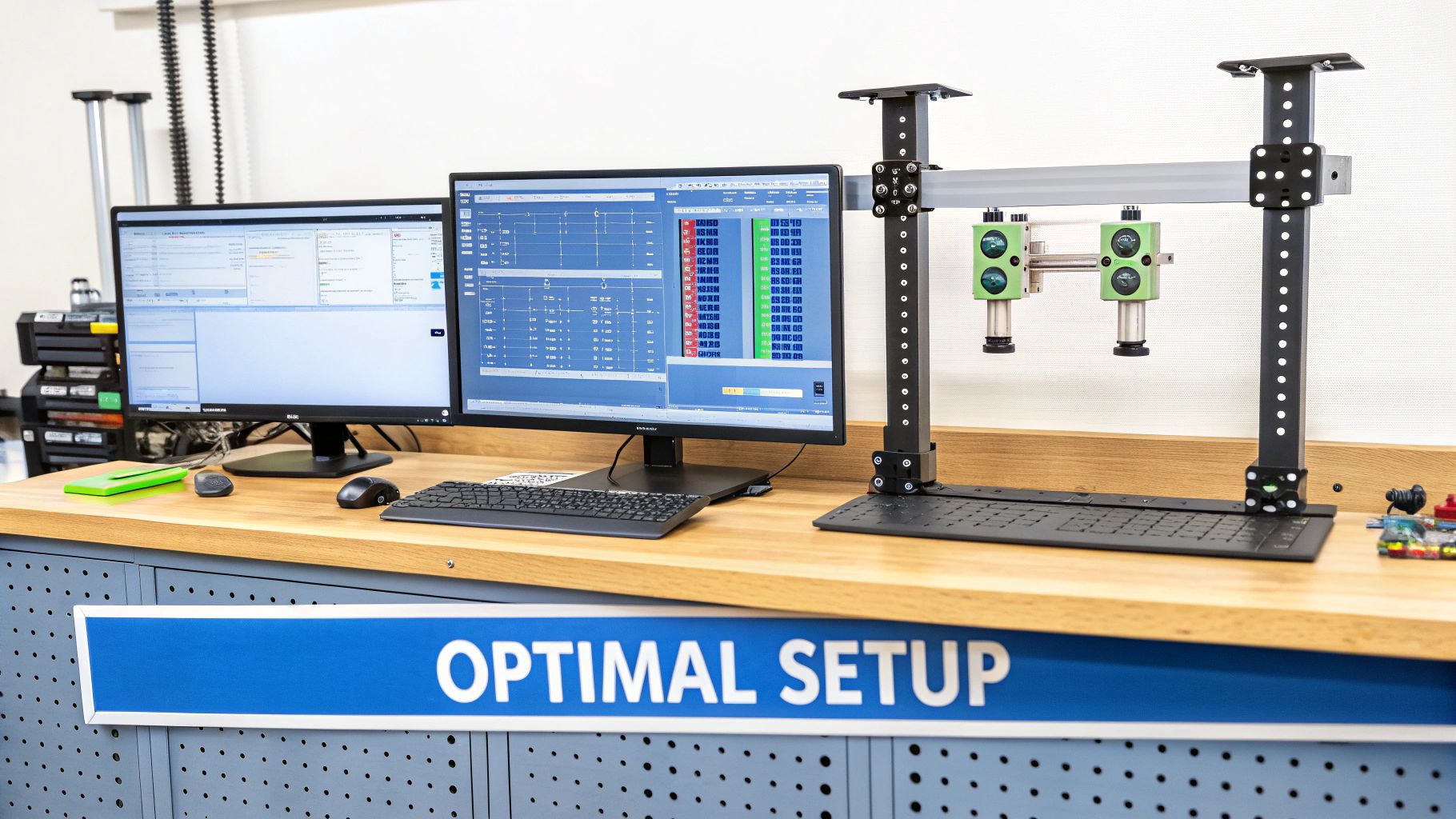
Spike testing deserves its place in any comprehensive performance testing strategy because it uncovers vulnerabilities that traditional load testing might miss. Features of a successful spike test include a sudden and dramatic increase in user load, a relatively short duration of extreme load conditions, a focus on immediate scaling and resource allocation, and a thorough evaluation of system recovery post-spike. This helps pinpoint weaknesses in auto-scaling configurations, database connection pools, and caching mechanisms that could lead to performance degradation or complete system failure under extreme load.
Pros of Spike Testing:
- Identifies issues with rapid scaling mechanisms: Reveals bottlenecks in auto-scaling configurations and resource provisioning.
- Tests system elasticity and resource allocation speed: Determines how quickly the system can acquire and allocate resources under stress.
- Validates queue management and request prioritization: Ensures critical requests are processed even during peak loads.
- Ensures system can handle unexpected traffic surges: Prepares the system for real-world scenarios like flash sales or viral content.
- Evaluates recovery time after extreme conditions: Measures how quickly the system returns to normal operation after the spike.
Cons of Spike Testing:
- May cause temporary system outages during testing: Requires careful planning and isolation of the test environment.
- Difficult to determine realistic spike magnitudes: Requires accurate traffic modeling and forecasting.
- Can produce false positives if spikes are unrealistically severe: Tests should simulate realistic, albeit extreme, scenarios.
- Complex to analyze root causes of failures during spikes: Requires detailed monitoring and log analysis.
- Requires careful test environment isolation: Prevents impacting production systems during testing.
Examples of Spike Testing Implementations:
- E-commerce platforms simulating Black Friday or Cyber Monday traffic spikes.
- News websites preparing for sudden traffic surges due to breaking news events.
- Streaming services testing their infrastructure for major live events or new content releases.
- Online gaming platforms ensuring server stability during peak player activity.
- Payment processors testing for end-of-day transaction surges.
Tips for Effective Spike Testing:
- Start with moderate spikes and gradually increase intensity: This allows for identification of bottlenecks at different load levels.
- Test both vertical and horizontal scaling responses: Evaluate the effectiveness of both scaling strategies.
- Monitor queue depths and request timeouts during spikes: Identify potential bottlenecks in request processing.
- Include database connection pools in monitoring: Ensure database performance under extreme load.
- Test recovery times with different spike durations: Evaluate the system’s ability to recover from spikes of varying lengths.
Spike testing, popularized by companies like Amazon Web Services and Netflix, is an indispensable tool for ensuring the resilience and scalability of modern applications, especially in dynamic and unpredictable online environments. By simulating real-world traffic surges, spike testing allows organizations to proactively identify and address performance bottlenecks, ultimately leading to a more robust and reliable user experience.
5. Scalability Testing
Scalability testing is a crucial aspect of performance testing that focuses on evaluating a system’s ability to handle growth, ensuring it can adapt to increasing workloads without compromising performance. Unlike load testing, which assesses performance under a specific load, scalability testing examines how effectively the system scales up or down in response to changing demands. This provides valuable insights into the architecture’s capacity for growth and its efficiency in resource utilization.
How It Works:
Scalability testing involves systematically increasing the load on the system, either by adding more resources to existing instances (vertical scaling) or by adding more instances to the system (horizontal scaling). Performance metrics like response time, throughput, and resource utilization are meticulously monitored at each stage of the increasing load. This process helps identify bottlenecks, resource limitations, and the optimal scaling strategy for the application.
Features:
- Incremental addition of resources/components: Allows for controlled testing of scaling behavior.
- Performance measurement relative to resource increases: Helps determine scaling efficiency.
- Identification of scaling limitations and bottlenecks: Pinpoints areas needing optimization.
- Testing of auto-scaling policies and thresholds: Ensures automated scaling works as expected.
- Evaluation of cost-efficiency in scaling strategies: Helps choose the most cost-effective approach.
Pros:
- Optimal Resource Allocation: Helps determine the most effective way to utilize resources for different load levels.
- Predictive Capacity Planning: Allows for proactive planning of future resource needs based on anticipated growth.
- Cost Optimization: Supports informed decisions about cloud resource budgeting and cost-effective scaling strategies.
- Improved Architectural Resilience: Identifies and addresses architectural weaknesses that could hinder future scaling efforts.
- Business Growth Readiness: Ensures the system can handle increasing user demands and business expansion.
Cons:
- Complex Setup: Setting up multiple test environments with different scales can be time-consuming and resource-intensive.
- Environment-Specific Results: Results from testing environments may not perfectly reflect production behavior.
- Costly Production-Scale Tests: Testing with production-level resources can be expensive, particularly in cloud environments.
- Simulation Challenges: Accurately simulating distributed system behaviors in a test environment can be difficult.
- Specialized Expertise: May require specialized knowledge in cloud testing and scaling methodologies.
Examples of Successful Implementation:
- Netflix: Employs extensive scalability testing to ensure their microservices architecture on AWS can handle fluctuating global demand.
- Salesforce: Utilizes scalability testing to optimize the efficiency of their multi-tenant infrastructure and guarantee performance for all users.
- Instagram: Scales its image processing pipelines to accommodate the ever-growing number of users and photos uploaded daily.
- Shopify: Leverages scalability testing to determine the optimal container scaling strategy for handling traffic spikes on merchant storefronts.
Actionable Tips:
- Test both vertical and horizontal scaling: Understand the benefits and limitations of each approach for your specific application.
- Measure scaling efficiency with performance-to-cost ratios: Find the sweet spot between performance gains and resource costs.
- Include database scaling in tests: Databases are often the bottleneck in scaling, so thorough testing is crucial.
- Test scaling both up and down: Ensure proper resource release when the load decreases to avoid unnecessary costs.
- Validate auto-scaling triggers: Verify that automated scaling mechanisms are working correctly at the defined thresholds.
When and Why to Use Scalability Testing:
Scalability testing is essential for any application expecting significant growth in users, data, or transaction volume. It is particularly crucial for:
- Cloud-based applications: Ensuring they can efficiently utilize cloud resources and scale on demand.
- E-commerce platforms: Handling traffic spikes during peak seasons and promotional events.
- SaaS applications: Maintaining consistent performance for a growing user base.
- Microservices architectures: Ensuring individual services can scale independently to meet demand.
Popularized By:
The rise of cloud computing has significantly popularized scalability testing, with major cloud providers like Amazon Web Services (Elastic Compute Cloud), Google Cloud (Kubernetes Engine), and Microsoft Azure (App Service scaling) offering tools and services to facilitate this type of testing.
Scalability testing earns its place on this list due to its focus on future-proofing applications for growth. By understanding how a system scales, organizations can proactively plan for increased demand, optimize resource utilization, and avoid costly performance issues down the line. It bridges the gap between theoretical capacity and real-world performance under varying loads, providing critical insights for sustainable growth and optimal user experience.
6. Volume Testing
Volume testing, a critical aspect of non-functional testing, assesses a system’s performance when dealing with massive amounts of data. Unlike load testing, which focuses on concurrent user activity, volume testing specifically targets the system’s capacity to handle, process, and store large datasets efficiently. This makes it essential for applications heavily reliant on data processing and storage, such as databases, data warehouses, and big data platforms. It deserves a place on this list because it addresses a distinct performance risk – the impact of data volume, independent of user load. Ignoring volume testing can lead to significant performance bottlenecks and functional issues in production, especially during peak data periods or as the application scales.
How Volume Testing Works:
Volume testing involves subjecting the system to extremely large datasets, often exceeding anticipated production volumes, and measuring its performance characteristics. The focus is on evaluating how the database and storage components handle the influx of data, ensuring they can maintain acceptable response times, throughput, and resource utilization.
Key Features of Volume Testing:
- Testing with Extremely Large Datasets: This is the core of volume testing, pushing the system to its data limits.
- Focus on Database Performance and Storage Systems: The primary objective is to assess the efficiency of data storage, retrieval, and processing.
- Measurement of Data Processing Speeds and Throughput: Key metrics include transaction processing times, query execution speeds, and data ingestion rates.
- Evaluation of Indexing, Partitioning, and Data Retrieval Strategies: Volume testing helps identify optimal data management techniques for large datasets.
- Testing of Backup and Restore Capabilities with Large Volumes: Ensuring data recoverability is crucial when dealing with significant data volumes.
Pros of Volume Testing:
- Identifies Database Design Flaws: Reveals potential bottlenecks and inefficiencies in database schema and queries before they impact production.
- Validates Data Archiving and Purging Strategies: Ensures data lifecycle management processes can handle expected data growth.
- Ensures Reporting and Analytics Functions Scale with Data Growth: Confirms that data analysis capabilities remain performant even with increasing data volumes.
- Helps Optimize Query Performance for Large Datasets: Identifies opportunities to improve query efficiency and reduce processing time.
- Validates Storage Infrastructure Sizing: Confirms that the storage infrastructure can accommodate projected data growth and maintain performance.
Cons of Volume Testing:
- Requires Significant Storage Resources for Test Environments: Generating and storing large datasets can be resource-intensive.
- Time-Consuming to Generate and Manage Large Test Datasets: Creating realistic and representative test data can take significant time and effort.
- Complex to Simulate Realistic Data Distributions and Relationships: Ensuring test data accurately reflects real-world data patterns can be challenging.
- May Require Specialized Database Expertise to Analyze Results: Interpreting performance metrics and identifying root causes of issues may require specialized knowledge.
- Difficult to Maintain Test Data Consistency Across Test Cycles: Managing and refreshing large datasets can be complex, particularly for maintaining consistency.
Examples of Successful Implementation:
- Banking Systems: Testing end-of-year transaction processing with historical data from multiple years.
- Healthcare Systems: Validating patient record management systems with simulated patient data at scale.
- E-commerce Platforms: Testing product catalog management with millions of product entries and associated attributes.
- IoT Platforms: Testing sensor data ingestion and analytics with simulated data streams from thousands of devices.
Actionable Tips for Volume Testing:
- Use Data Generation Tools: Leverage data generation tools to create large, realistic datasets efficiently, rather than copying production data.
- Test Both Bulk Operations and Interactive Queries: Evaluate performance for both batch processing and real-time data access scenarios.
- Include Database Maintenance Operations in Tests: Test the impact of backup, restore, and index rebuild operations on performance.
- Monitor Storage Growth Patterns: Track storage utilization over time to identify potential capacity issues and optimize data storage strategies.
- Test Data Migration and Archiving Procedures: Validate data migration and archiving processes with full data volumes to ensure they can handle the load.
Popularized By:
Volume testing methodologies have been significantly influenced by industry leaders such as Oracle (with their TPC benchmark implementations), Microsoft SQL Server performance testing methodologies, and MongoDB performance testing frameworks. These resources offer valuable guidance and best practices for conducting effective volume testing.
7. Breakpoint Testing
Breakpoint testing is a specialized form of stress testing designed to pinpoint the exact capacity limit of a system. Unlike general stress tests, which aim to assess system stability under extreme conditions, breakpoint testing focuses on progressively increasing the load in a controlled manner until the system fails or breaks down. This precise approach allows teams to identify the “breaking point” – the threshold at which performance degrades or the system becomes unresponsive – and understand how the system behaves under increasing pressure. This information is crucial for capacity planning, resource allocation, and performance optimization.
How it Works:
Breakpoint testing involves systematically increasing the load on the system in small, incremental steps. At each step, system performance metrics are closely monitored – including CPU usage, memory consumption, network latency, and error rates. This gradual increase continues until the system reaches its breaking point, which could manifest as increased error rates, significant performance degradation, or complete system failure. The exact symptoms of degradation and the failing component are meticulously documented.
Examples of Breakpoint Testing:
- Cloud Providers: Determining the maximum number of virtual machines (VMs) that can run efficiently on a single physical host without impacting performance.
- Database Vendors: Identifying the upper limits of query throughput before performance starts to degrade or latency becomes unacceptable.
- Payment Processors: Establishing the maximum transaction processing capacity before transactions start to fail or experience significant delays.
- Content Delivery Networks (CDNs): Mapping the capacity limits of regional servers to ensure optimal content delivery during peak traffic periods.
When and Why to Use Breakpoint Testing:
Breakpoint testing is particularly useful in the following scenarios:
- Capacity Planning: Accurately determine the system’s capacity limits to plan for future growth and resource allocation.
- Performance Optimization: Identify bottlenecks and weaknesses in the system architecture that contribute to performance degradation under pressure.
- Establishing Safety Margins: Define appropriate safety margins for production operation to ensure system stability and prevent failures during peak loads.
- Resource Scaling: Develop effective resource scaling strategies based on precise capacity data.
Features and Benefits:
- Precise Identification of System Breaking Points: Pinpoints the exact threshold where performance degrades or failure occurs.
- Detailed Monitoring of All System Components: Provides insights into the behavior of individual components under stress.
- Analysis of Failure Cascades and Dependencies: Reveals how failures in one component can impact other parts of the system.
- Targeted Optimization of Bottlenecks: Enables focused optimization efforts on the weakest links in the system.
Pros:
- Provides exact capacity limits for planning purposes.
- Identifies which component fails first under pressure.
- Helps establish appropriate safety margins for operation.
- Supports precise resource allocation and scaling strategies.
- Enables targeted optimization of bottlenecks.
Cons:
- Can cause complete system failure during testing, requiring careful isolation from production environments.
- Time-consuming due to the gradual, incremental approach.
- May need multiple test runs to pinpoint exact thresholds.
- Results can vary based on test environment configuration.
Tips for Effective Breakpoint Testing:
- Incremental Load Increase: Increase the load in small, consistent increments to pinpoint the exact breaking point.
- Comprehensive Monitoring: Monitor all relevant system metrics simultaneously to identify correlations and dependencies.
- Dependency Mapping: Create detailed component dependency maps before testing to understand how failures can cascade through the system.
- Detailed Documentation: Document the exact symptoms of system degradation at each threshold for accurate analysis.
- Multiple Iterations: Run multiple iterations of the test to account for variability and ensure accurate results.
Breakpoint testing earns its place on this list due to its unique focus on precise capacity determination. While other load and stress tests offer valuable insights into system stability and performance, breakpoint testing provides the granular data necessary for accurate capacity planning, efficient resource allocation, and targeted performance optimization. By identifying the exact breaking point and understanding the system’s behavior under pressure, teams can proactively address potential weaknesses and ensure optimal performance and reliability in production.
8. Configuration Testing
Configuration testing plays a crucial role in performance testing by determining the optimal system setup for peak performance, reliability, and cost-effectiveness. This method systematically evaluates how different hardware settings, software parameters, and network configurations impact a system’s behavior under various workloads. It’s particularly relevant for systems with flexible deployment options (e.g., cloud-based systems) or those operating in diverse environments. By exploring a range of configurations, teams can identify bottlenecks, optimize resource allocation, and ensure the system meets performance requirements while minimizing infrastructure costs.
How it Works:
Configuration testing involves systematically varying different system parameters and measuring their impact on performance metrics. This process often starts with a baseline configuration and then incrementally adjusts individual variables (e.g., database memory, web server thread count) while monitoring key performance indicators (KPIs) like response time, throughput, and resource utilization. This iterative approach helps pinpoint the optimal settings for specific workloads and identify potential performance bottlenecks.
Examples of Successful Implementation:
- Database Configuration Optimization: A team might test different database memory settings, cache sizes, and indexing strategies to minimize query latency and improve overall database performance.
- Web Server Tuning: Adjusting web server parameters like thread counts, connection pools, and timeouts can significantly impact the server’s ability to handle concurrent users and maintain responsiveness under heavy load.
- Containerization Configuration Testing: Testing different resource limits (CPU, memory) and networking modes for containerized applications ensures efficient resource utilization and prevents performance degradation due to resource contention.
- Cloud Service Configuration Evaluation: Comparing different cloud instance types, networking options, and storage configurations allows organizations to select the most cost-effective cloud infrastructure that meets their performance needs.
Actionable Tips:
- Parametric Approach: Test one variable at a time to isolate its impact on performance. This avoids confounding effects and makes it easier to pinpoint optimal settings.
- Baseline Configuration: Establish a baseline configuration as a reference point for comparing the performance of different configurations.
- Automation: Automate environment provisioning and configuration changes to test multiple configurations efficiently and reduce manual effort.
- Documentation: Meticulously document performance metrics for each configuration change to track progress and facilitate analysis.
- Focus on High-Impact Configurations: Prioritize testing configurations known to have a significant impact on performance to maximize efficiency.
When and Why to Use Configuration Testing:
Configuration testing is essential in several scenarios:
- Pre-Deployment Optimization: Before deploying a system, configuration testing helps identify the optimal setup for expected workloads and prevents performance issues in production.
- Performance Troubleshooting: When a system experiences performance problems, configuration testing can help pinpoint bottlenecks and identify necessary adjustments.
- Capacity Planning: Configuration testing provides data for capacity planning by revealing how the system performs under different load conditions and resource constraints.
- Cloud Migration: When migrating to the cloud, configuration testing helps select the appropriate cloud services and configurations to ensure a smooth transition and optimal performance.
- Cost Optimization: By identifying the most cost-effective configuration that meets performance requirements, organizations can minimize infrastructure expenses.
Pros:
- Identifies the optimal configuration for specific workloads.
- Helps balance performance requirements with cost constraints.
- Reduces the risk of performance issues after configuration changes.
- Provides data for infrastructure rightsizing.
- Supports cloud migration planning.
Cons:
- Exponential growth in test combinations with more variables.
- Requires multiple test environments or complex reconfiguration.
- Difficult to isolate the impact of specific configuration changes in complex systems.
- Time-consuming to test all relevant combinations exhaustively.
- Results may not transfer perfectly between different environments.
Popularized By:
Red Hat’s performance tuning methodologies, Microsoft’s SQL Server configuration guidance, and AWS’s Well-Architected Framework highlight the importance and provide guidance for configuration testing.
This method deserves its place on this list because it addresses a critical aspect of performance optimization that is often overlooked. While load and stress tests provide valuable insights into system behavior under pressure, configuration testing ensures that the system is fundamentally configured for optimal performance and resource utilization from the ground up. This proactive approach minimizes the risk of performance problems and helps organizations achieve the desired balance between performance, reliability, and cost.
8 Testing Techniques: Head-to-Head Comparison
| Technique | Implementation Complexity 🔄 | Resource Requirements ⚡ | Expected Outcomes 📊 | Ideal Use Cases 💡 | Key Advantages ⭐ |
|---|---|---|---|---|---|
| Load Testing | Medium; requires realistic load scenario design | High; needs robust simulation tools and environments | Identifies bottlenecks and verifies performance SLAs | Pre-release testing for anticipated user loads | Proactive performance optimization |
| Stress Testing | Moderately high; simulating extreme overload | High; demands dedicated environments with controlled overload | Exposes system breaking points and validates recovery | Systems requiring graceful degradation under heavy stress | Enhances resilience and stability confidence |
| Endurance Testing (Soak Testing) | Moderate; extended duration planning necessary | High; significant time and resource commitment | Uncovers memory leaks and gradual performance degradation | Long-running processes and continuous operations | Ensures sustained system stability |
| Spike Testing | High; challenging sudden surge simulation | Moderate to high; dynamic load generation required | Assesses rapid scaling and system recovery after surges | E-commerce or event-driven sites facing unexpected traffic spikes | Verifies auto-scaling and elasticity |
| Scalability Testing | High; involves iterative resource scaling | High; often requires distributed or cloud-based setups | Identifies optimal scaling strategies and performance thresholds | Systems planning for business growth and capacity expansion | Informs cost-effective capacity planning |
| Volume Testing | Medium to high; complex dataset generation | Very high; extensive data and storage resources needed | Evaluates database and storage performance under massive data loads | Data-intensive applications like banking systems or IoT platforms | Optimizes data handling and storage design |
| Breakpoint Testing | High; gradual load increase until failure | High; requires fine-grained monitoring tools | Pinpoints exact capacity thresholds and failure cascades | Critical systems where knowing the limit is essential | Provides precise failure threshold identification |
| Configuration Testing | High; multiple hardware/software combinations | Variable; needs multiple environments or configuration setups | Determines optimal configuration for performance and reliability | Applications deployed across diverse environments and platforms | Optimizes performance while balancing cost |
Choosing the Right Performance Test
Understanding the nuances between different performance tests is crucial for building robust and reliable software. We’ve explored the key differences between load testing, which assesses system performance under anticipated load, and stress testing, which pushes the system beyond its limits to identify breaking points. Remember that other performance tests like endurance, spike, scalability, volume, breakpoint and configuration testing each offer unique insights into your system’s behavior under specific conditions. The most important takeaway is that selecting the right test depends entirely on your objectives and the stage of software development. For example, are you trying to determine how many concurrent users your application can handle (load testing)? Or are you trying to uncover hidden vulnerabilities and bottlenecks under extreme pressure (stress testing)?
Mastering these concepts empowers you to proactively address performance bottlenecks, improve user experience, and minimize the risk of costly downtime. These benefits extend beyond just technical improvements. They contribute to a more positive brand perception, increased customer satisfaction, and ultimately, a stronger bottom line. In today’s digital landscape, where performance can make or break a business, leveraging the right performance testing strategy is not just a best practice – it’s a necessity. For those interested in leveraging AI for enhanced QA in related areas, exploring resources like this article on how to automate contact center quality monitoring can provide valuable insights into using LLMs for similar purposes.
Ready to take your performance testing to the next level? GoReplay allows you to capture and replay real production traffic for realistic load testing and stress testing scenarios, enabling you to identify and resolve performance issues before they impact your users. Explore GoReplay today and ensure your systems are ready for anything.