
What Is Session Replay? How It Works and Its Uses
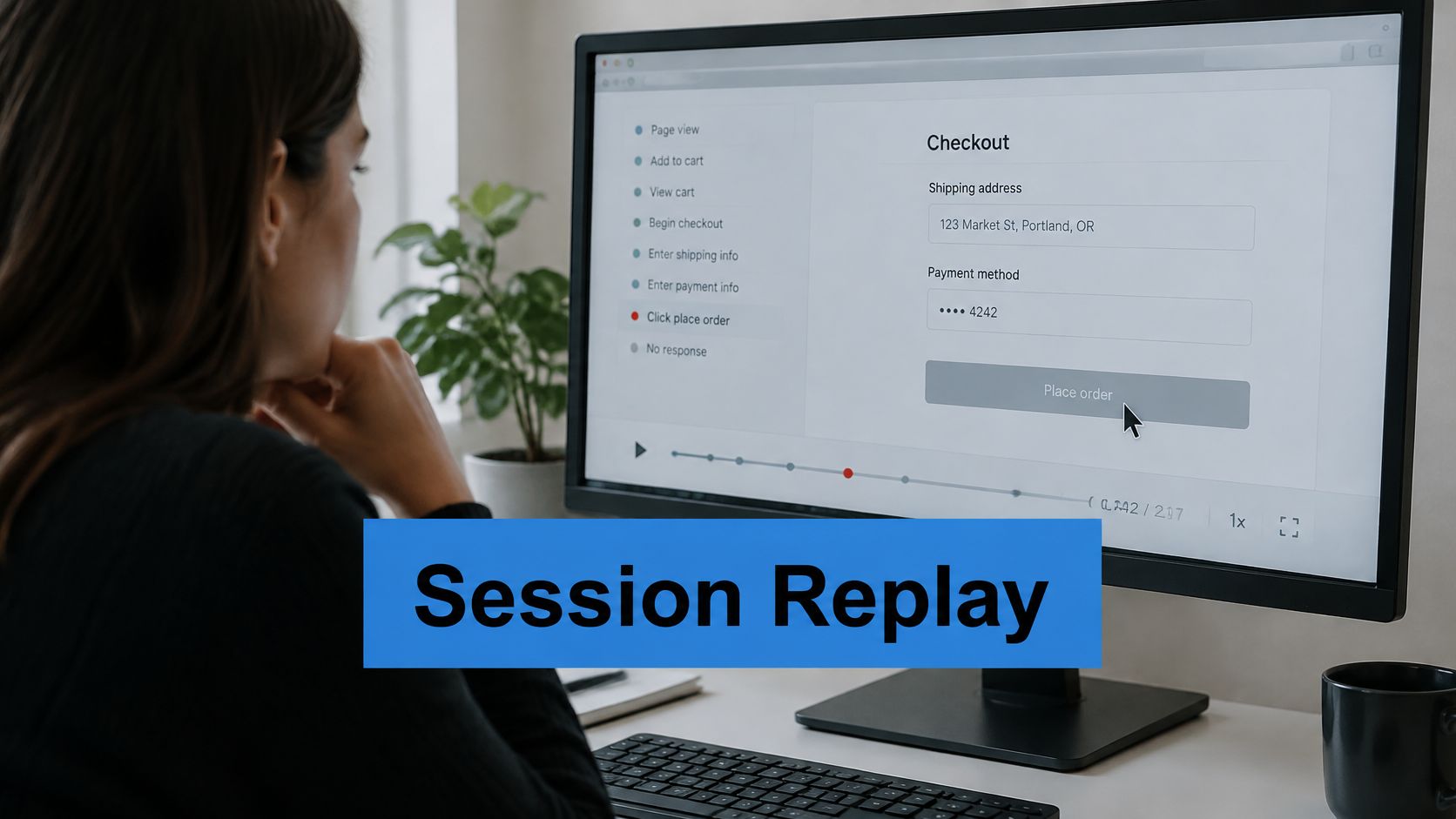
Session replay reconstructs a single visitor’s session from recorded DOM changes and interaction events so the sequence of what happened can be watched again.
A customer reports that checkout stopped working, but your logs show no exception. You can see the abandoned cart, yet you can’t tell whether the customer encountered a frozen button, missed a validation message, or changed their mind. Session replay helps you investigate that missing context without assuming that watching a failure is the same as reproducing it.
Session Replay in Plain Terms
Say the customer selected a delivery option, clicked Continue, and stayed on the same page. A replay might reveal that an error message appeared above the visible area while the customer kept clicking below it. That’s a much more useful starting point than an abandonment event alone.
Session replay is behavioral analytics at the individual-session level. Think of it as a flight data recorder for a visitor’s journey rather than a headcount of everyone who entered the site. Aggregate analytics tells you how often visitors reached checkout; replay lets you inspect the sequence within a particular visit.
A technical paper on session replay describes reconstructing sessions from the initial Document Object Model, subsequent changes, interactions, and timing information, rather than making a conventional video.
What a recording can contain
- Interaction events: Clicks, mouse movements, scrolling, and typing activity, subject to capture and masking rules.
- Page transitions: Navigation between pages or routes within an application.
- Interface structure: The page elements and content needed to reconstruct the display.
A browser script usually performs this capture. Its configuration determines what becomes observable, what stays private, and which interactions never enter the recording.
Practical rule: Treat a replay as evidence of the recorded interface sequence, not a complete explanation of the customer’s intentions.
The distinction matters immediately: repeated clicking could indicate confusion, a delayed response, or an element that looks interactive but isn’t. You still need to investigate which explanation fits.
How Session Replay Records and Rebuilds a Session
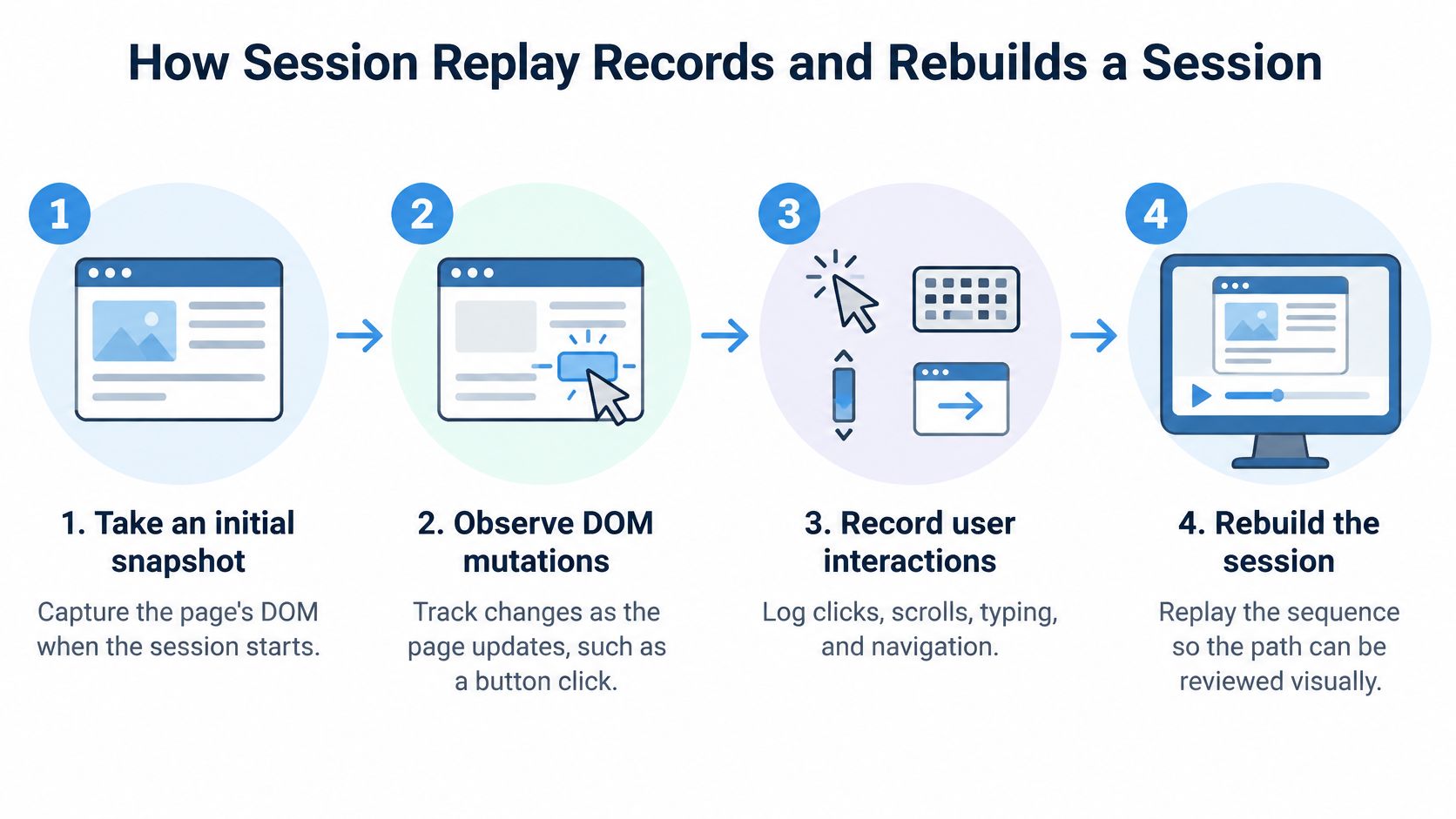
Nothing in a replay was ever filmed. What the player shows you works more like a document with tracked changes: a base snapshot plus an ordered log of everything that changed afterward. The Document Object Model, or DOM, gives the recorder that base. Because the DOM already describes every element on the page, the recorder only needs to store what happened next.
From capture to playback
-
Take an initial snapshot. The recorder saves the starting DOM, minus any elements your privacy rules exclude. Later events will modify this structure, so completeness matters more than appearance here.
-
Observe DOM mutations. From then on, the recorder watches for structural changes: a price updating, a validation message appearing, a button turning disabled. Clicking Apply might insert a spinner that never hands control back to the button. The mutation log preserves that failure sequence exactly as it happened.
-
Record user interactions. Clicks, scrolling, navigation, and permitted typing activity get logged alongside the mutations. Input masking belongs in this step, before collection, so playback can show that a visitor typed without storing what they typed.
-
Add timing and selected telemetry. Timestamps preserve the order and spacing of events, which is what separates “clicked twice because nothing responded” from “clicked twice quickly”. Depending on configuration, console errors and network-request metadata add further context.
-
Batch and transmit events. The recorder packages and compresses the event stream for upload. Masking and exclusion rules must have already run at this point, since anything still in the payload is about to leave the browser.
-
Rebuild the session. At playback, the viewer loads the snapshot and applies each recorded change in order. What you watch resembles a video, although every frame is reconstructed from data.
The diagram groups the same activities into the main capture and reconstruction phases.
Check the reconstruction, not just the installation
An installed recorder is not automatically a useful recorder. Exercise the asynchronous states deliberately: an address lookup, a delayed price update, an expanded menu, a spinner that never resolves. Then watch the playback and confirm the transitions survived. A replay that smooths over a stalled spinner hides the very failure you installed it to find.
Load the recorder asynchronously, and use sampling to limit how much traffic you record. Set retention to match what your team reviews. Measure the overhead on representative devices, since clean playback in your own test session says nothing about what the script costs a visitor on an older phone.
Keep business measurement separate from visual evidence. Reporting on ecommerce revenue attribution metrics can size the cost of a broken checkout step; the replay then shows what visitors encountered inside that step. Observing a failed interaction in one session does not, by itself, prove that the defect caused the lost revenue. Replay supplies the evidence, and the investigation still has to do the reasoning.
How Session Replay Differs from Analytics, Logs and Video
| Tool | What It Records | Question It Answers | Granularity |
|---|---|---|---|
| Session replay | DOM changes, clicks, scrolling and navigation, with inputs masked | How one visitor experienced a problem | Single session |
| Web analytics | Page views, events and conversion counts | How many users did something | Aggregate, population level |
| Error monitoring and logs | Exceptions, server events and stack traces | Which code path failed | Event level, little visual context |
| Screen video recording | Pixels of the screen | What appeared on the screen | Continuous video, larger storage |
Read this comparison as a division of labor, not a ranking. Analytics measures the extent of a problem; replay supplies visual context; logs and error monitoring expose execution details. Screen video records visible pixels rather than reconstructing an interface.
New Relic’s session replay documentation explains that its recorder sends compressed DOM-mutation payloads instead of screenshots or video, with payload size increasing alongside DOM complexity. Consequently, a visually simple animation and a rapidly changing element tree aren’t necessarily equivalent recording workloads.
Follow the question to the tool
Suppose analytics shows a checkout conversion decline. You inspect a session from a particular phone model and notice that the delivery dropdown never opens. That gives you a concrete behavior to investigate, not proof that the same defect explains the entire decline.
Join the recording to error IDs, timestamps, route changes, and deployment versions. Those identifiers let you match the observed interaction to the relevant exception or request without guessing which release the visitor used.
If your broader goal is improving communication with visitors rather than diagnosing defects, Captiwate’s comparison of website visitor engagement options provides an adjacent evaluation context. Keep that purchasing question separate from whether you need diagnostic playback.
Open analytics first for questions about frequency or funnel loss. Open error monitoring for a known exception, logs for a server-side execution question, and replay when you need the visitor’s interaction context. Use screen video when the pixels themselves are the evidence you need.
Using Replays to Debug Failures and Test Flows
| Use Case | What the Replay Shows | Check Alongside |
|---|---|---|
| Error follow-up | The click or navigation that came before a JavaScript error | Error ID, console log and stack trace |
| Abandoned checkout | The field, validation message or dead button where the user stopped | Step-level funnel data |
| Slow interaction | DOM updates and the waiting state the user saw | Network timing and server response time |
| Release regression | How the new interface behaves compared with the previous build | Deployment version tag on the session |
Replay makes an isolated symptom easier to investigate by placing it within a time-ordered interaction trace. Sentry’s session replay documentation describes timelines that combine clicks, navigation, network requests, console output, and errors.
Work outward from the error
Start with an error ID and locate an associated session. Watch the lead-up rather than jumping directly to the exception: the triggering condition may be an earlier selection or navigation.
Suppose a customer changes their delivery country and then submits the address form. The replay shows the region field disappearing; the console shows a validation exception; the matching request identifies the submitted payload shape. Check the deployment tag before comparing the behavior with your local build.
Now write a specific reproduction hypothesis: changing country removes a field that the submit handler still expects. QA can recreate that path in staging, confirm the original failure, and check the proposed fix against the same interaction sequence. The recording supplies the test case, not the test result.
Don’t close an incident because the replay looks understandable. Close it after the suspected cause and the fix have been tested.
Keep diagnostic capture proportionate
Frequently changing DOM trees mean more mutation work and upload data. Test capture overhead on realistic pages, defer nonessential assets, and define which events are worth collecting rather than enabling every available telemetry option.
Sampling and retention limits should reflect the investigation you’re trying to support. Preserve enough context to connect the gesture, rendered state, request, and exception, while avoiding unrelated content.
The final incident note should distinguish what the visitor saw from what the application did. That separation prevents an apparently frozen interface from being misclassified as a backend outage when the actual defect sits in client-side state handling.
Reading Replays for User Experience Problems
Suppose a product manager opens a batch of sign-up recordings. Watching them from beginning to end without a question produces impressions, but not necessarily a useful decision. Start with a specific step, such as account creation after email verification.
Review the interaction and the surrounding interface together.

Look for patterns, not presumed emotions
- Repeated clicks: Several clicks on the same spot, often called rage clicks, warrant checking responsiveness and affordance.
- Dead clicks: An element receives a click without an observable response.
- Pauses near fields: Hesitation may suggest uncertainty, but it could also mean the person stepped away.
- Incomplete scrolling: A visitor leaves before reaching the call to action.
- Back-and-forth navigation: The person revisits pages while trying to complete a task.
No fixed recording count turns observation into proof. Look for recurring behavior at the same step, check how sessions were selected, and use funnel analytics to assess whether the affected group is meaningful. Error-triggered recordings, for example, aren’t a neutral sample of every visitor.
Suppose a shipping estimate updates after a noticeable delay. Several recordings show customers clicking Calculate again before the result appears, then leaving. A testable hypothesis is that showing a clear pending state and presenting the cost earlier will reduce uncertainty.
Use an A/B test to evaluate the proposed change against a defined outcome. Pair the observation with real user monitoring metrics so you can distinguish usability friction from slow application behavior.
For a visual companion to the workflow, use the video below.
Keep a compact review sheet with the step, observed pattern, sessions reviewed, selection criteria, and proposed change. Record what you saw, such as repeated clicks while the estimate was pending, rather than asserting that customers were angry.
Privacy, Masking and Consent Before You Record
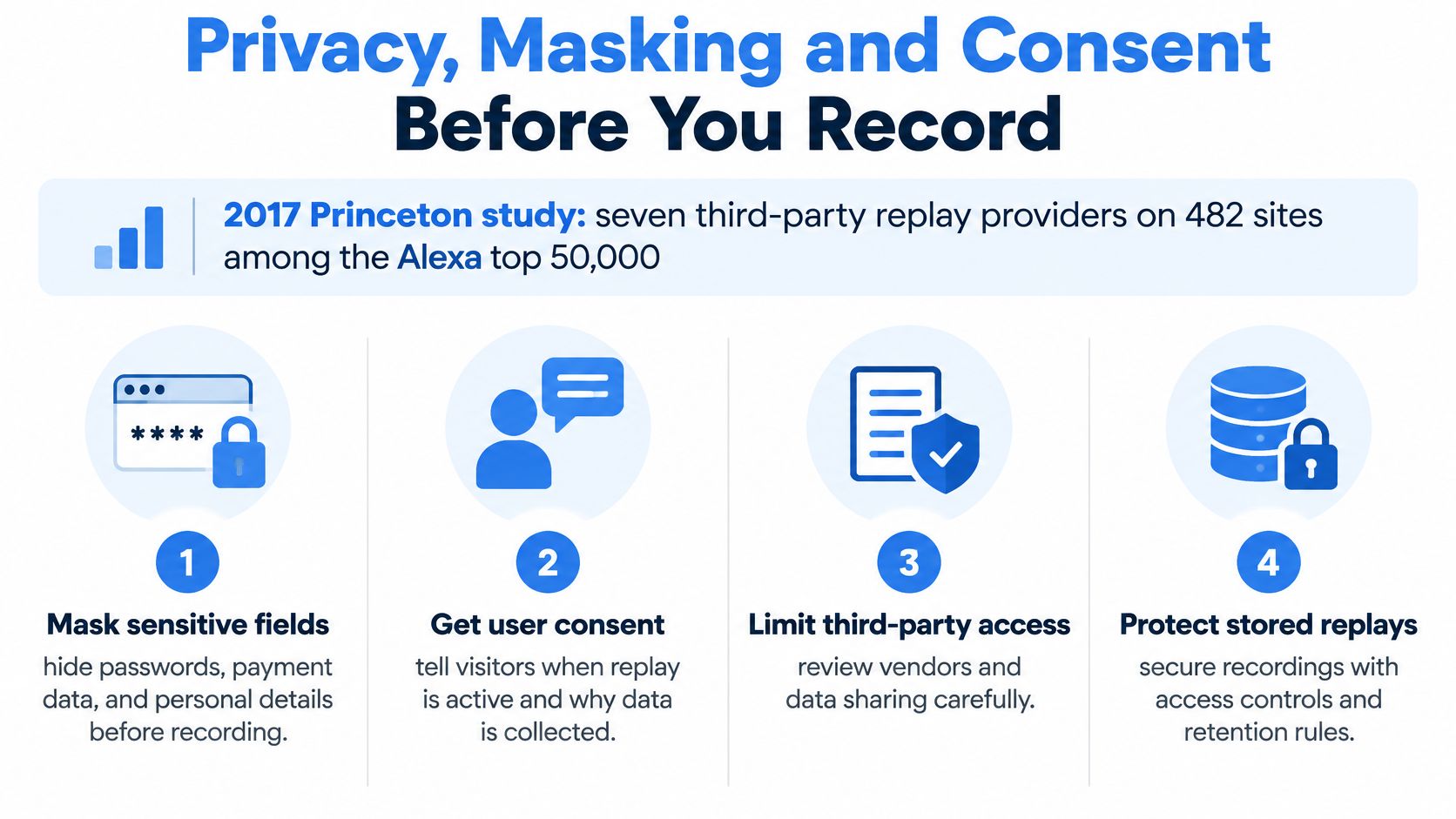
The 2017 Princeton study found seven third-party replay providers operating on 482 websites among the Alexa top 50,000, and warned that poorly protected recordings could expose medical details, payment-card data, and other personal information.
That historical finding isn’t a current adoption estimate. Its engineering lesson remains concrete: page content and keystrokes can create exposure even when nobody calls the result a video.
Use these controls as deployment requirements.
Set the boundary before collection
- Mask by default: Hide text inputs, block passwords and payment fields, and mask sensitive rendered text.
- Exclude unsuitable pages: Keep authentication flows and checkout confirmations out unless a documented purpose justifies narrowly scoped capture.
- Limit storage and access: Set a retention period in days, enforce deletion, and restrict viewing by role.
- Document purpose: Specify why each captured event or page region is necessary.
- Verify consent behavior: Confirm regional requirements with counsel and test that recording remains blocked when required consent is absent.
The CNIL draft recommendation proposes prior consent for session replay under the French ePrivacy framework. Treat that document as a proposal, not a universal statement of settled law.
A checkout can mask card fields yet still reveal names, addresses, or purchase details in the confirmation summary. An order total may also be unnecessary for the diagnostic purpose. Inspect transmitted payloads, not just the replay viewer, to verify those gaps are closed.
Use the sensitive data protection guide to frame the broader data-flow review. Before collecting anything, choose the narrowest useful page and validate its masking.
Where Session Replay Stops and Other Tools Begin
A replay shows what happened without proving it would happen again. The same visible action can produce a different result when backend records, authentication, timing, or third-party responses change.
| Method | Strength | Blind spot |
|---|---|---|
| Visual session replay | Shows interface friction and what the user saw | Does not show backend state |
| Browser automation scripts | Repeatable runs of a known flow | Follows only the paths someone scripted |
| HTTP traffic replay | Exercises APIs under realistic request patterns | Can trigger non-idempotent writes; fails on expired tokens |
| Load testing with synthetic scenarios | Measures capacity under load | Does not reproduce the sequence real users follow |
Browser automation lets QA turn an observed interaction into an executable test. HTTP traffic replay works at a different boundary: it submits captured requests to a test service rather than reconstructing the browser display. Synthetic load testing lets engineers specify workload conditions deliberately.
Clifford Chance’s analysis of the CNIL consultation discusses purpose-driven, selective collection. Apply that discipline to reproduction too: preserve correlation identifiers, timing, dependency outcomes, and sanitized request context only where they support the investigation.
Verify outcomes and contain side effects
Use a workflow of capture, isolated execution, and validation. The third step measures performance and compares responses and application state; successful execution alone doesn’t establish correctness.
A request that returns successfully can still create the wrong record, duplicate a payment, or leave application state inconsistent.
Before replaying traffic, check expired tokens, personalized responses, missing third-party state, and environment drift. Disable outbound payments, messages, and other irreversible actions in the target environment.
Keep availability checks separate as well. SiteAlive’s uptime monitoring guidance for DevOps teams addresses whether a service is reachable, a different question from whether a particular user flow or API outcome is correct.
Decide Whether Session Replay Fits Your Team
Use session replay when you need to understand how someone experienced an interface, and pair it with error monitoring. Use HTTP traffic replay when you need to test service behavior under captured request patterns.
Before enabling capture, answer these questions:
- Is the problem visual or interaction-driven? Identify the gesture, state, or navigation you need to inspect.
- Are collection controls ready? Verify masking, retention, access, and consent before recording.
- Does the investigation require backend reproduction? Decide whether you also need controlled requests, test fixtures, and dependency behavior.
If you need visual evidence but haven’t established collection controls, stop there. Don’t gather production recordings while planning to fix privacy settings afterward.
Once capture is approved, choose a recurring error and review a small, relevant set of associated sessions. Write down the observed sequence, suspected cause, and change to test, keeping hypotheses separate from confirmed findings.
For the service-side investigation, GoReplay captures HTTP traffic after TLS termination and replays recorded requests against an isolated test service. That’s separate from browser playback and requires its own payload-sanitization and target-safety checks.
Your first action is narrower: enable masking on a high-value page and verify what leaves the browser before recording anywhere else.
GoReplay offers HTTP traffic capture and replay for testing service behavior beyond what a visual session replay can show. Visit GoReplay to explore capturing a filtered workload, replaying it in an isolated environment, and comparing the results with expected application behavior.