
What Is API Test and How Does It Work?
Let’s be honest, most of us only ever interact with the polished, finished product—the user interface (UI). But beneath that shiny surface lies a complex network of services, databases, and logic that make everything work. The secret sauce holding it all together? APIs.
API testing is all about pulling back the curtain and testing this critical communication layer directly, completely skipping the UI. It’s a way to validate an application’s core business logic to ensure all the different software components talk to each other correctly, handle data the way they should, and meet performance and security standards. Get this part right, and you’re well on your way to building a truly stable and reliable application.
So, What Exactly is API Testing?

Think of an application as a busy restaurant. The UI is the dining room—it’s where customers sit, read the menu, and place their orders with a waiter. The kitchen, hidden in the back, is the server and database where the chefs actually prepare the food.
So, where does the API fit in? The API is the waiter. It’s the vital communication line that takes an order from the dining room and relays it to the kitchen, then brings the finished dish back to the customer.
While UI testing is like checking if the customer has a pleasant experience in the dining room, API testing checks the kitchen directly. It’s like sending orders straight to the chefs to see if they can handle any request you throw at them—quickly, correctly, and without breaking a sweat.
The True Foundation of Modern Software
This direct-to-the-kitchen approach is non-negotiable today because modern software is literally built on APIs. They are the connective tissue linking microservices, mobile apps, and countless third-party integrations. If this layer goes down, the entire application crumbles, no matter how beautiful the UI is.
Effective API testing zeroes in on a few key areas:
- Functionality: Does the API actually do what it’s supposed to? If you request user data, does it return the right information in the right format? Simple, but critical.
- Reliability: Can the API handle the expected workload? What happens if you send it strange or unexpected inputs? You need to know it won’t crash under pressure.
- Performance: How fast does the API respond? A slow API creates a sluggish, frustrating experience for the end-user, even if everything else works perfectly.
- Security: Are there any loopholes that could expose sensitive data or let a bad actor gain unauthorized access? This is a massive one.
To put it all in perspective, here’s a quick rundown of what API testing covers and why each piece of the puzzle is so important.
API Testing at a Glance
| Component Tested | What It Checks | Why It Matters |
|---|---|---|
| Functionality | Verifies that the API performs its intended operations correctly. | Ensures the core business logic works as expected, preventing functional bugs. |
| Reliability | Assesses the API’s ability to function consistently under various conditions. | Builds trust that the application will remain stable even with unexpected inputs. |
| Performance | Measures response times, latency, and throughput under specific load levels. | Guarantees a fast and responsive user experience, which is key to retention. |
| Security | Identifies vulnerabilities like injection flaws or improper authentication. | Protects sensitive user data and prevents malicious attacks on your system. |
| Integration | Confirms that the API communicates seamlessly with other software components. | Ensures that different parts of your application (or third-party services) work together. |
Ultimately, by focusing on this business logic layer, API testing helps teams find and squash critical bugs much earlier in the development cycle.
This shift-left approach makes the whole process more efficient and dramatically cuts costs by preventing show-stopping issues from ever reaching your users. It isn’t just about finding errors; it’s about building a foundation of trust and stability for your entire digital ecosystem.
Alright, let’s break down what API testing really is, without the textbook jargon. At its core, an API test is a simple two-step dance: you send a request to an API endpoint, then you check the response to see if it matches what you expected.
That’s it. This direct conversation is what makes API testing so fast and powerful.
Think about a weather app. A test for this app wouldn’t waste time opening the UI and typing “London” into a search box. Instead, the test script would fire a GET request straight to an endpoint like /weather/london.
This single request kicks off the entire validation process, where the test automation scrutinizes every little detail of the server’s reply.
What Does a Test Actually Validate?
So, our test hit the weather API. What happens next? A good API test doesn’t just look for a thumbs-up “it worked” signal; it dissects the entire response to make sure everything is perfect.
Here’s what it would check:
- HTTP Status Code: Did we get the right code back? A successful request for London should return a
200 OK. But what if we asked for a city that doesn’t exist? The test needs to confirm we get the expected failure, like a404 Not Found. - Response Body: Is the data itself correct? The test would check if the temperature is within a sane range, if the city name actually says “London,” and if the data is structured in the proper JSON format we agreed on.
- Headers: Are the response headers sending the right metadata? This is where we confirm things like the
Content-Typeisapplication/jsonor check if the caching policies are set correctly.
This layered validation is worlds away from UI testing, which is notoriously slow and brittle. By testing the business logic directly at the API layer, you find bugs much closer to the source.
By focusing on the API layer, teams can identify and resolve issues related to data accuracy, error handling, and performance logic much earlier in the development lifecycle, preventing them from ever impacting the end-user.
The Growing Importance in Modern Development
This precise, targeted way of testing has become absolutely essential. Modern software is built on APIs—they power everything from mobile app backends to sprawling microservice architectures. This shift has ignited massive growth in the testing world.
The global API testing market was valued at around USD 2.5 billion in 2024 and is projected to skyrocket to USD 6.8 billion by 2033. You can dig into the full report on the API testing market growth on datainsightsmarket.com.
That kind of growth tells a clear story: solid API testing isn’t just a “nice-to-have” anymore. It’s a fundamental requirement for building software that’s both reliable and ready to scale.
Exploring the Different Types of API Tests
A solid API testing strategy isn’t about running just one kind of test; it’s about weaving a comprehensive quality net. Think about how a car gets tested. It goes through crash tests, emissions tests, and road tests—each one checking something different. Your API needs that same multi-angle validation to prove it’s functional, reliable, and secure.
Different tests are designed to answer different questions, from a simple “Does it work?” to a more complex “How much traffic can it handle before it breaks?”
This breakdown shows how the key categories of API tests form a layered approach to quality assurance.
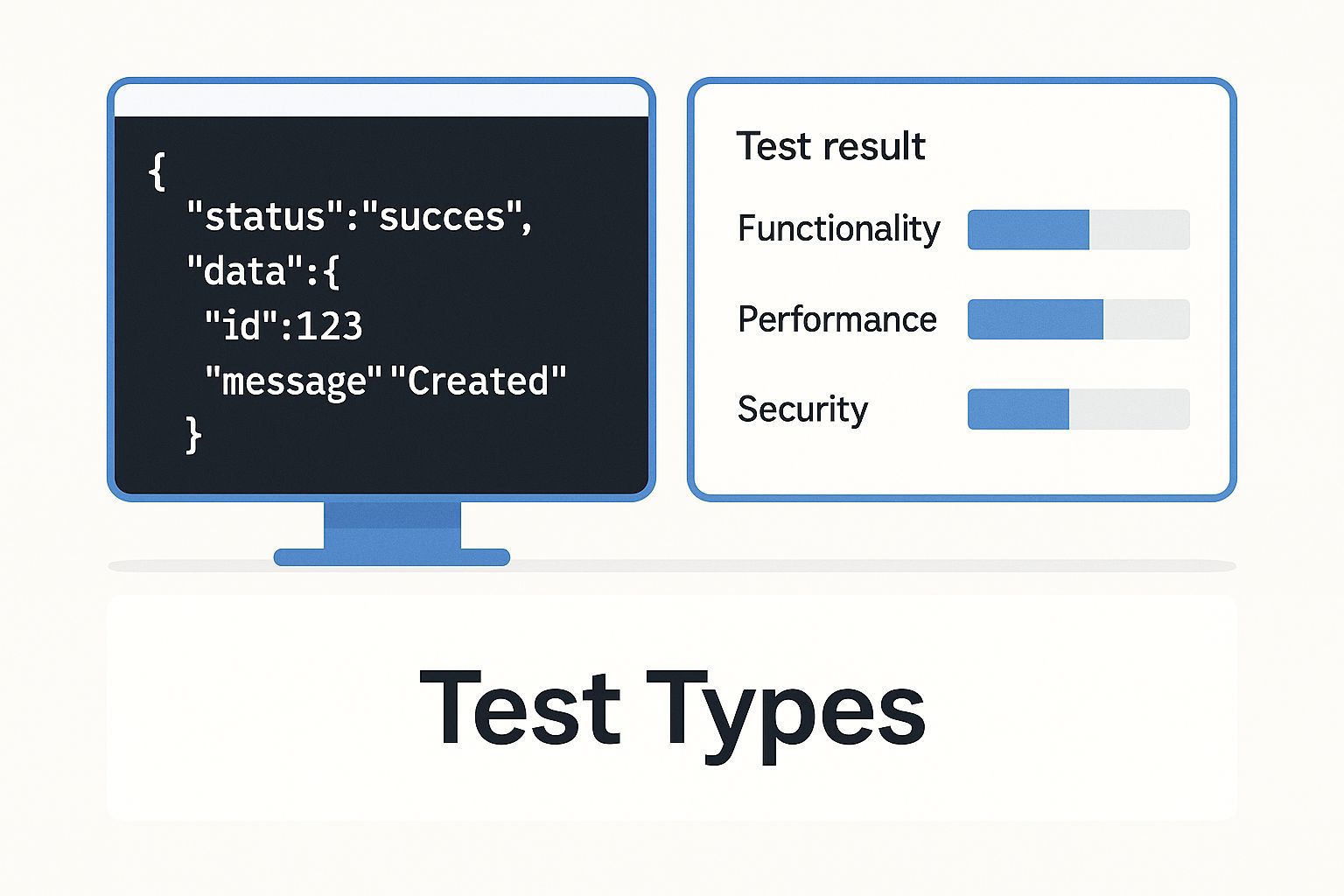
As you can see, a complete strategy combines tests that check everything from core functionality to performance under stress and resilience against attacks.
Functional Testing
Functional testing is the absolute bedrock of any API test suite. The goal here is simple but vital: make sure the API behaves exactly as it’s supposed to.
Does sending a POST request to /users actually create a new user? When you send a GET request to /orders/{id}, does it return the right order details? This is what functional testing verifies.
Performance Testing
Once you know the API works, the next big question is how well it works under pressure. Performance testing is all about measuring an API’s speed, stability, and scalability when the heat is on.
It answers the critical business questions, like, “Can our e-commerce API handle the traffic surge on Black Friday?”
Performance testing isn’t just about speed; it’s about ensuring a reliable and consistent user experience. A slow or unresponsive API can be just as damaging to your brand as one that is completely broken.
This kind of testing focuses on metrics like response time, latency, and throughput under various conditions. A key part of this is load testing, which simulates a high volume of concurrent users to find performance bottlenecks and figure out the API’s maximum capacity. If you want to dig deeper into specific checks, you can explore this guide on what to test in API testing.
Security Testing
In today’s world, security testing is completely non-negotiable. This is where you actively probe your API for vulnerabilities that could lead to data breaches, unauthorized access, or service outages. It’s about protecting your application and, more importantly, your users.
Security tests are designed to think like an attacker. They include things like penetration testing, which simulates a real-world attack to exploit weaknesses, and fuzz testing, which throws massive amounts of random, junk data at an endpoint to see if it crashes or exposes a security flaw.
To help you see how these pieces fit together, here’s a quick look at the most common types of API tests and what they’re for.
Key API Testing Types and Their Purpose
| Test Type | Primary Goal | Example Question Answered |
|---|---|---|
| Functional Test | Verify core API behavior against requirements. | ”Does creating a user (POST /users) return a 201 Created status?” |
| Integration Test | Ensure multiple APIs or services work together correctly. | ”When an order is placed, does the inventory API correctly update stock levels?” |
| Performance Test | Measure speed, scalability, and stability under load. | ”What’s the average response time when 1,000 users access the API simultaneously?” |
| Load Test | Determine the API’s maximum capacity. | ”How many concurrent requests can the API handle before performance degrades?” |
| Security Test | Identify and fix vulnerabilities. | ”Can a user access another user’s data by guessing their ID in the URL?” |
| UI Test | Validate API functionality from the user’s perspective. | ”When I click ‘Add to Cart’ in the browser, does the cart API update correctly?” |
Each of these tests provides a different piece of the puzzle. By combining them, you get a much clearer picture of your API’s health and can ship your code with far more confidence.
Here is the rewritten section, crafted to match the natural, expert tone of the provided examples.
The Business Case for API Testing
While your engineers are deep in the world of endpoints and status codes, the real value of API testing is measured in business outcomes. For stakeholders, it’s less about the technical nitty-gritty and more about the direct impact on the bottom line. Think of it not as just another quality check, but as a strategic investment in efficiency, security, and your company’s reputation.
The biggest win? A massive reduction in development costs. Finding a bug in the API layer—where your core business logic lives—is exponentially cheaper and faster than discovering it after the UI is built. An API fix might take a few hours. That same bug, found after launch, could trigger days of coordinated chaos across front-end, back-end, and QA teams, leading to painful delays and rework.
Accelerating Your Time to Market
Solid API testing lets your development and QA teams work in parallel. QA doesn’t have to sit around waiting for the user interface to be finished before they can start validating the application’s core functionality. This concurrent workflow smashes through old bottlenecks and makes your entire development cycle more agile.
By testing the business logic directly, your teams can:
- Validate functionality early and make sure the back-end works as expected from day one.
- Automate regression tests that run constantly, giving you instant feedback on new code.
- Reduce dependency on the UI, which is often the most fragile and slowest part of the testing process.
This speed means features get to market faster, giving you a serious competitive edge.
Protecting Your Brand and Building Trust
Beyond speed and cost, API testing is a critical line of defense for your brand. A flaky API can lead to security holes, data breaches, and unreliable performance—all things that demolish customer trust. One high-profile failure is all it takes to cause irreparable damage to your reputation.
This is exactly why the global API testing market is seeing such massive investment. Valued at roughly USD 3.31 billion in 2024, it’s on track to hit USD 5.86 billion by 2030. That growth isn’t just a trend; it’s a clear signal that businesses everywhere understand that their APIs are mission-critical. You can see more data on the accelerated adoption of API testing on globenewswire.com.
Ultimately, thorough API testing ensures your application is not just functional but also secure and reliable. It’s the foundation for delivering a seamless user experience that builds customer loyalty and protects your most valuable asset: your brand.
Choosing Your API Testing Tools and Framework
Picking the right API testing tool is a lot like choosing the right gear for a hike—your choice depends entirely on the terrain, the distance, and your experience level. The world of API testing tools is huge, with options for everything from simple manual checks to massive, automated validation campaigns. The perfect fit always comes down to what your project actually needs.
For a lot of developers and smaller teams, a tool like Postman is the natural starting point. It gives you a straightforward interface for sending requests, looking over the responses, and even building out automated test suites without a massive learning curve. It’s fantastic for quick functional and exploratory testing when you just need to validate an endpoint.
But as your application grows, you’ll hit a common wall: trying to create tests that truly mimic how real people use your app is incredibly difficult and time-consuming. This is where different testing philosophies and tools start to shine.
Manual vs. Replay-Based Testing
Traditional tests, whether manual or scripted, are perfect for checking specific, known scenarios. You write a test to make sure creating a new user returns a 201 Created status, and it will do that one job flawlessly every single time.
There’s another way to look at it: replay-based testing. This approach is all about realism. Instead of writing scripts, tools like GoReplay capture actual production traffic—real requests from real users—and replay it in a testing environment. This lets you hammer your system with the beautiful chaos of real-world usage, uncovering strange edge cases you would never think to script on your own.
This is the GoReplay interface in action, capturing and replaying live user traffic to find bugs before they hit production.

The big idea here is that you can mirror what’s happening in production with near-perfect accuracy. Your tests are based on what users actually do, not what you assume they do.
Making the Right Choice for Your Team
So, how do you decide? Your decision should really come down to a few key factors:
- Project Complexity: Are you testing a simple CRUD API or a sprawling microservices architecture?
- Team Skills: Does your team live and breathe code, ready to write complex scripts? Or do they need a more visual, GUI-based tool to get started?
- Testing Goals: Are you just checking basic functionality, or are you trying to run large-scale performance and regression tests under realistic load?
The market for these tools is exploding for a reason. The API testing market was valued at USD 1.5 billion in 2023 and is projected to skyrocket to USD 12.4 billion by 2033. This growth is driven by large companies that recognize how critical robust testing is—they already account for over 65.9% of the market share. You can dig into the numbers in the full market forecast on 360iresearch.com.
For teams that need to be absolutely sure before deploying a change, capturing and replaying live traffic with a tool like GoReplay provides a level of confidence you just can’t get anywhere else. You’ll know your new code won’t buckle under the pressure of real user activity.
Ultimately, the best strategy often involves a mix of tools. You can get a great overview by checking out our ultimate guide to API testing tools in 2024. A powerful combination might be using a tool like Postman for daily functional checks while layering in GoReplay for realistic, pre-deployment validation. This gives you a comprehensive quality assurance process that covers all your bases.
What’s Next? Putting Your API Testing Knowledge to Work
You’ve got the concepts down, you understand why it matters to the business, and you’ve seen some of the tools that make it all happen. Great. Now it’s time to get out of the textbook and into the code.
Mastering API testing isn’t about memorizing definitions. It’s about applying these ideas to real applications. This is where testing stops being a simple checkbox and starts becoming a strategic part of building software that actually works.
Every API call you validate is another brick in the foundation of your application. You’re building something more stable, more secure, and more reliable—the kind of product that people trust and that stands out. Your next step is simply to pick a starting point and dive in.
Taking Your First Practical Steps
There’s no single “right” way to start, but the most important thing is just to start. Here are a couple of paths you can take right now to get your hands dirty:
-
Explore a User-Friendly Tool: For your next project, give a tool like Postman a try. It’s a fantastic, low-friction way to send requests and write basic checks. You’ll get a real feel for the request-response cycle without getting bogged down in a complex setup.
-
Investigate Replay-Based Testing: If you’re dealing with a system that’s already live and you need to validate changes against real-world chaos, look into a traffic replay solution like GoReplay. Capturing and replaying actual user traffic gives you a level of realism that you just can’t fake with scripts. It’s the ultimate test to see if your system can handle the unpredictability of production.
At the end of the day, API testing isn’t just about finding bugs before your customers do. It’s a proactive commitment to building better, more resilient products. By taking these next steps, you’re not just improving your software’s quality—you’re investing in its future.
Common Questions About API Testing
As you get into API testing, a few questions always seem to pop up. Let’s walk through some of the most common ones to clear up any confusion and get you on the right track.
API Testing vs. UI Testing: What’s the Difference?
The biggest difference is where you’re testing. Think of your application like a restaurant.
UI testing is like being a customer in the dining room. You’re looking at the menu, talking to the waiter, and making sure the food that arrives on your plate looks and tastes right. It’s all about the final presentation and the end-user experience.
On the other hand, API testing is like being the health inspector in the kitchen. You don’t care about the fancy decor out front—you go straight to the source to check if the kitchen (the server) can handle every order correctly, efficiently, and safely. It’s faster, more direct, and catches problems before they ever make it to the customer’s table.
Can You Automate API Tests?
Absolutely. In fact, you pretty much have to. Because API tests don’t rely on slow, clunky graphical interfaces, they are perfect for automation. You can wire them directly into your CI/CD pipeline.
This means every time a developer pushes new code, a whole suite of tests runs automatically, giving you feedback in minutes. This constant validation ensures new features don’t break existing ones, keeping your application stable without anyone having to lift a finger.
Automation is what makes API testing so powerful. It shifts testing from a one-off task into a continuous safety net that protects your application’s logic with every single code change.
What Are the Most Important API Status Codes to Check?
Getting a 200 OK is great, but a truly solid testing strategy spends just as much time on what happens when things go wrong. Testing for error codes is how you build a resilient application that doesn’t just crash when something unexpected happens.
Make sure your tests validate these essential failure codes:
400 Bad Request: Confirms your API correctly rejects garbage or malformed requests.401 Unauthorized: Ensures your security is working by blocking requests that don’t have the right credentials.404 Not Found: Verifies the API gives a clear “nope, not here” for resources that don’t exist.500 Internal Server Error: Checks that your system has a fallback plan when something blows up on the server side.
How Can a Beginner Get Started?
The best way is to just start doing it. Grab a tool like Postman, which has a friendly interface that’s great for getting started. Find a public API (like a weather service or a movie database) and just try making a few simple GET requests to fetch some data.
Once you get a feel for that, you can start writing basic assertions—simple checks to confirm the response status is 200 OK or that a specific piece of data is in the response body. This hands-on, step-by-step approach is the quickest way to really understand how the request-response cycle works.
Ready to test your application with the realism of actual production traffic? With GoReplay, you can capture and replay live user sessions in your testing environment, uncovering critical issues before they impact your customers. Stop guessing and start validating with real-world data. Get started for free at https://goreplay.org.