
what are test plans in software testing: A practical guide

Think of a test plan as the master blueprint for your software quality. It’s the strategic document that lays out the scope, objectives, resources, and schedule for every testing activity. It’s what separates a disciplined, predictable quality assurance process from a chaotic, reactive one.
Just like you wouldn’t build a skyscraper without a detailed architectural plan, you shouldn’t build software without a test plan. It’s the single source of truth that gets everyone on the same page.
Your Blueprint for Predictable Software Quality

Without a plan, software testing often devolves into a series of disjointed, last-minute efforts. A solid test plan transforms this into a proactive and organized strategy that everyone—from developers and testers to project managers and stakeholders—can understand and follow.
This document clearly communicates what will be tested, how it will be tested, when testing happens, and who is responsible. That kind of alignment is invaluable for managing expectations and preventing critical misunderstandings down the road.
The Strategic Value of a Test Plan
It’s easy to mistake a test plan for a simple checklist, but its real value runs much deeper. A well-crafted test plan is fundamentally a risk management tool. By mapping out the application and defining the testing scope, teams can pinpoint high-risk areas and channel their resources where they matter most. This ensures the most critical functionalities get the attention they deserve.
A great test plan doesn’t just list tests; it tells a story. It explains the “why” behind your testing strategy, connecting QA efforts directly to business goals and user satisfaction.
The impact of this structured approach is huge. The software testing market was valued at over $40 billion in 2020 and is projected to skyrocket, showing just how critical formal quality processes have become. You can learn more about the growth of the software testing market and the trends driving it.
To put it simply, a test plan turns the abstract goal of “quality” into a concrete, actionable roadmap.
Before we dive deeper, let’s quickly summarize the essential roles a test plan plays.
A Test Plan’s Core Functions at a Glance
This table breaks down the main jobs of a test plan, making it clear why this document is so much more than just paperwork.
| Core Function | Why It Matters for Quality |
|---|---|
| Defines Scope | Clearly outlines what will and will not be tested, preventing scope creep. |
| Identifies Objectives | Aligns testing efforts with specific business and user requirements. |
| Allocates Resources | Ensures the right people, tools, and environments are available. |
| Sets the Schedule | Integrates testing into the project timeline, avoiding last-minute rushes. |
| Manages Risks | Proactively identifies potential issues and plans how to address them. |
| Guides the Team | Serves as a central reference for everyone involved in the QA process. |
Ultimately, a test plan provides the clarity and direction needed to launch with confidence, not just hope. It’s about making sure you’ve covered your bases so there are no surprises on release day.
What Goes Into a Proper Test Plan?
A solid test plan is so much more than a simple checklist. Think of it as the blueprint for your entire quality assurance strategy. Each section is a critical chapter in a manual that guides your whole team, making sure nothing important gets left on the cutting room floor.
Every component has its own job to do, but they all work together to create a single source of truth. Let’s break down the anatomy of a truly effective test plan, not just looking at what goes into it, but why each part is so critical for success.
Introduction and Test Items
Every plan kicks off with a Test Plan Identifier (just a unique ID to keep things straight) and a good Introduction. This intro sets the stage, quickly summarizing the project’s goals, scope, and the main purpose of the testing effort. It’s the high-level summary that gets stakeholders up to speed in 60 seconds.
Right after that, the Test Items section gets specific about what’s actually being tested. This could mean listing out software version numbers, specific builds, or even the required hardware and operating systems. Getting this crystal clear from the start prevents a world of confusion down the road.
Defining the Scope: What’s In and What’s Out
This is arguably one of the most important parts of the entire document. It’s all about drawing a clear line in the sand.
-
Features to be Tested: This is where you explicitly list every function, user story, or requirement that’s on the docket for this test cycle. For a new e-commerce checkout flow, you might list things like “Add to Cart,” “Payment Processing,” and “Order Confirmation.”
-
Features Not to be Tested: Just as crucial is spelling out what you won’t be testing. Stating that “User Profile Management” is out of scope for this cycle manages everyone’s expectations and stops the team from wasting time on features that aren’t ready or relevant yet.
Approach and Pass/Fail Criteria
The Testing Approach section lays out your game plan. It answers the “how”: Are we doing this manually, with automation, or a hybrid of both? What kinds of testing are we running—functional, performance, security? This is where you define your methodology.
A well-defined test plan doesn’t just list what to test; it establishes the rules of the game. The Pass/Fail Criteria are those rules, removing ambiguity and making it clear when a feature is truly “done.”
Finally, the Item Pass/Fail Criteria sets the objective standards for what “good enough” looks like. This section defines exactly what it takes for a test case to pass or fail. For instance, an exit criterion might be that “95% of all critical test cases must pass” or “There can be no open high-severity defects.” These concrete metrics make sure decisions are based on data, not gut feelings, and give everyone a clear finish line to aim for.
To make this even clearer, let’s lay out the key components in a table. Think of this as the core anatomy of any standard test plan you’ll encounter or create.
Anatomy of a Standard Test Plan
| Component Name | Purpose and Role | Example Information |
|---|---|---|
| Test Plan Identifier | Provides a unique ID for tracking and version control. | TP-PROJ-V1.2 |
| Introduction | A high-level overview of the project, scope, and test objectives. | ”This plan covers the testing of the new user dashboard feature for Q3 release.” |
| Test Items | Specifies the exact software, hardware, or system under test. | ”WebApp v2.5.1, running on Chrome 108 on Windows 11.” |
| Features to be Tested | A clear list of functionalities that are in scope. | ”User login, password reset, two-factor authentication.” |
| Features Not to be Tested | Explicitly lists what is out of scope to manage expectations. | ”Admin panel reporting features, API integrations with third parties.” |
| Testing Approach | Outlines the overall strategy, methodologies, and types of testing. | ”A hybrid approach using manual exploratory testing and automated regression suites.” |
| Pass/Fail Criteria | Defines the objective conditions for a test’s success or failure. | ”A test case passes if all steps execute without error and the actual result matches the expected result.” |
| Suspension/Resumption | Criteria for pausing and restarting testing activities. | ”Suspend if a showstopper bug is found in the login module; resume once a fix is verified.” |
| Test Deliverables | Lists all documents and artifacts produced during testing. | ”Test cases, bug reports, daily status reports, final test summary report.” |
| Schedule | A timeline for all major testing activities and milestones. | ”Test Case Design: Oct 1-5; Test Execution: Oct 8-19; Regression: Oct 22-24.” |
| Staffing & Training | Identifies the team members involved and any required training. | ”2 QA Engineers, 1 Automation Specialist. Training on GoReplay for performance testing.” |
| Risks & Contingencies | Potential risks to the testing process and plans to mitigate them. | ”Risk: Test environment instability. Contingency: Have a backup server on standby.” |
Each of these sections builds on the last, creating a comprehensive document that leaves no room for guesswork. With a plan this thorough, your team is set up for a much smoother and more effective testing cycle.
How to Create a Test Plan Step by Step
Knowing what goes into a test plan is one thing, but actually piecing it all together into a document that people can use? That’s another challenge entirely. Creating a solid test plan isn’t a solo mission you can knock out in a silo. It takes real collaboration between QA, developers, product managers, and business analysts to make sure the final plan actually lines up with the project goals and technical reality.
This whole process is about turning abstract ideas into a concrete roadmap for quality. It all starts with digging into the product to understand its core functions and, more importantly, its potential weak spots. This initial deep dive is what helps you define a scope that’s both thorough and realistic.
Analyze Requirements and Define Scope
The very first step is to get your hands dirty and analyze all the project requirements. What new features are coming down the pipe? Are we making major changes to how things already work? This analysis helps you figure out what absolutely needs to be tested and—just as crucial—what you can safely ignore for this cycle.
This is where you draw a clear line in the sand, listing out features in scope and features out of scope. Let’s say you’re working on a mobile app update. Adding a new payment option would be in scope, but a complete redesign of the user profile page is explicitly out. Nailing this down prevents wasted time and gets everyone on the same page from day one.
Develop a Test Strategy and Define Objectives
With a clear scope, you can start building your test strategy. This means deciding which types of testing are needed—functional, performance, security, usability, you name it. You’ll also figure out the right mix of manual and automated testing. For example, those repetitive regression tests are perfect candidates for automation, while brand new, complex features might need some hands-on exploratory testing first.
Your objectives need to be specific and measurable. Don’t just say “improve quality.” Instead, aim for something like, “achieve 95% code coverage for critical modules” or “ensure application response time stays under two seconds with 100 concurrent users.” These are real targets that give you a clear definition of success.
Of course, this is more than just a checklist; you have to create detailed instructions for each test. If you want to go deeper on that part of the process, check out our guide on how to create a test case.
Allocate Resources and Set the Schedule
Once your strategy is in place, you can start lining up the resources. This means assigning roles to team members, figuring out what tools you’ll need (like GoReplay for simulating real user traffic), and getting the test environment ready. Sorting out these logistics early on prevents a lot of headaches down the road.
The final piece of the puzzle is a realistic schedule. This should have clear milestones for every phase of testing, from designing and running tests to fixing bugs and running regression. This schedule needs to fit into the overall project timeline so that testing is a natural part of the development lifecycle, not an afterthought. This kind of planning is why companies are investing so heavily in QA—by 2025, about 40% of large enterprises are expected to dedicate over 25% of their IT budget to testing. You can find more insights about software testing budget allocations at testgrid.io.
This flow shows how the core pillars of a test plan—scope, strategy, and criteria—all fit together.
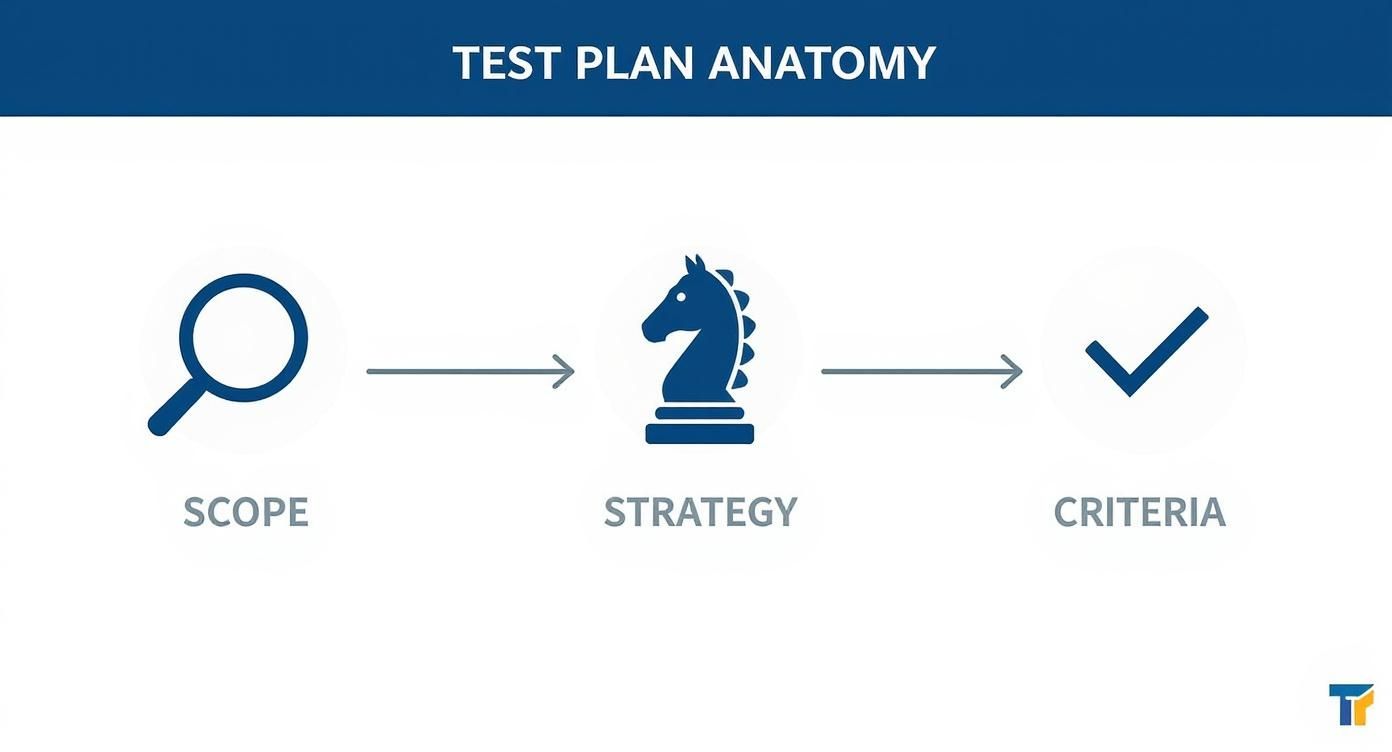
You can see how each stage builds on the last, turning broad project goals into a structured, measurable plan for delivering a high-quality product.
Choosing the Right Type of Test Plan
Think of a major construction project. You have the main architectural blueprint for the entire building, but you also have separate, detailed schematics for the plumbing, electrical, and HVAC systems. Software testing works the same way. A single, one-size-fits-all test plan just doesn’t cut it for complex projects.
Choosing the right type of test plan is all about applying the right level of detail and focus exactly where it’s needed. This simple step keeps your teams from drowning in irrelevant information. A performance engineer, for instance, shouldn’t have to wade through functional UI test cases, and a UI tester doesn’t need to get lost in the weeds of API integration tests. Each plan serves a specific purpose and audience, making the whole process far more efficient.
The Hierarchy of Test Plans
At the very top of the pyramid sits the Master Test Plan. This is your strategic, high-level guide for the entire project. It acts as the single source of truth, coordinating all testing activities across every team and phase. It lays out the big-picture goals, resources, and timelines without getting bogged down in the specifics of individual test cases.
Flowing down from the master plan are more focused, tactical documents that guide the day-to-day work.
-
Integration Test Plan: This plan zooms in on the connections between different software modules. Its whole purpose is to verify that all the individually developed pieces of the application play nicely together and function as a cohesive unit.
-
System Test Plan: Once everything is integrated, this plan takes center stage. It details how you’ll test the complete, assembled software from end to end to ensure it meets every single specified requirement.
-
Acceptance Test Plan: This is the final checkpoint, often involving the client or actual end-users. This document outlines the criteria that must be met to confirm the software is truly ready for release and solves the business problems it was designed for.
Specialized Plans for Specific Goals
But what about things that aren’t strictly about features working? Specialized plans are designed to tackle the crucial non-functional requirements that ultimately determine user experience and system reliability.
A smart testing strategy knows that functionality is only half the battle. Non-functional requirements like performance and security are often what make or break a product in the real world.
A Performance Test Plan, for example, is laser-focused on validating the software’s speed, scalability, and stability under load. It will define clear objectives for things like response times and CPU usage.
Likewise, a Security Test Plan outlines the strategy for hunting down vulnerabilities and making sure the application is hardened against potential attacks. Each of these specialized plans provides the targeted approach needed to nail these critical quality attributes.
Best Practices for Effective Test Planning
 Knowing what goes into a test plan is one thing. Crafting one that actually steers a project to success is something else entirely.
A great test plan isn’t just a document; it’s a communication tool that gets the entire team on the same page. Following a few best practices can transform your plan from a simple checklist into a dynamic guide for delivering quality software.
The most effective plans are clear, concise, and written for everyone—not just the QA team. Ditch the dense technical jargon. The goal is for project managers, developers, and business stakeholders to understand the objectives, scope, and risks at a single glance.
Treat Your Plan as a Living Document
One of the biggest mistakes teams make is treating a test plan as a static artifact. They write it, file it away, and never look at it again. But projects evolve, requirements change, and new risks always pop up. Your test plan has to keep up.
Think of it as a living document that mirrors the current state of the project. Get in the habit of reviewing and updating it regularly to account for scope changes, shifting priorities, or unexpected roadblocks. This agility keeps your testing efforts sharp and focused on what truly matters.
Involve the Entire Team in Creation
Test planning should never happen in a silo. When you bring developers, product owners, and business analysts into the process, you gain invaluable perspectives that a QA team might miss on its own.
This collaborative approach builds a shared sense of ownership over quality. It helps you spot potential risks much earlier, clarifies assumptions, and ensures the plan is grounded in both technical reality and business goals. When everyone helps build the plan, everyone is invested in its success.
A test plan created in isolation is a recipe for misalignment. True effectiveness comes from a shared understanding of quality goals, which can only be achieved through collaboration.
This collaborative spirit is at the heart of modern development. Today, around 75% of technology teams use DevOps principles with continuous testing, where test plans guide quality at every single stage. It’s an approach that can lead to 40% faster release cycles simply by ensuring everyone is aligned. You can dive deeper into software testing market trends at Mordor Intelligence.
Define Crystal-Clear Criteria
Ambiguity is the enemy of good testing. Vague pass/fail criteria like “the feature should work well” are completely useless. You need to define explicit, measurable conditions for what “done” looks like.
- Specify Pass/Fail Conditions: Get specific. For instance, “A test passes only when the user can successfully complete a purchase and receives an email confirmation within 30 seconds.”
- Establish Clear Exit Criteria: Define the exact conditions that signal the end of a test cycle, such as “98% of critical test cases passed” or “No outstanding high-severity defects.”
- Plan Your Test Environment: A stable, well-documented setup is non-negotiable for getting reliable results. For more guidance, check out our article on test environment best practices.
Let’s be honest, test plans get a bad rap. A few stubborn myths have stuck around for years, making teams think of them as dusty, old-fashioned artifacts that slow everything down.
This is especially true in fast-moving teams, where the idea of a “plan” feels like a relic from a bygone era. But these outdated ideas are holding teams back. It’s time to clear the air.
The biggest misconception? That a test plan is some massive, rigid document only good for old-school waterfall projects. Nothing could be further from the truth. In a modern Agile or DevOps world, a test plan isn’t a 100-page binder. It’s a lean, living guide that can be perfectly tailored to a two-week sprint or a CI/CD pipeline. The goal is the same—get everyone aligned on what we’re testing and why—but the format is completely flexible.
Myth 1: Test Plans Are a One-Time Document
Another idea that just won’t go away is that once a test plan is written and approved, it’s set in stone. This completely misses the point. Software projects are messy and unpredictable. Requirements shift, priorities get shuffled, and new risks pop up out of nowhere.
A test plan that can’t adapt is useless almost as soon as it’s written. The best teams treat their test plans as living documents. They revisit and tweak them constantly to reflect what’s actually happening in the project, making sure their testing effort is always aimed at what matters most right now.
A test plan isn’t a contract; it’s a compass. Its value isn’t in its initial perfection but in its ability to guide the team through the inevitable changes and challenges of software development.
Myth 2: Test Plans Are Only for Testers
Finally, there’s the dangerous idea that the test plan is just for the QA team. When a plan is created in a silo, you’re practically guaranteeing that things will fall through the cracks. It’s not a secret document for testers; it’s a communication tool for the entire team.
- For Developers: It shows them exactly what’s going to be tested. This helps them anticipate edge cases and build more solid code from the get-go.
- For Project Managers: It gives them a clear picture of the testing timeline, what resources are needed, and where the risks are. It’s a huge help for keeping the whole project on track.
- For Stakeholders: It offers a simple summary of the quality strategy, giving them confidence that the project is being built to last.
When everyone understands the plan, everyone takes ownership of quality. Once you get past these myths, you can see what are test plans in software testing: they’re flexible, collaborative tools that are essential for any team that’s serious about quality.
Got Questions About Test Plans?
Even with a good grasp of the basics, a few specific questions always pop up when teams start building out their test plans. Let’s clear up some of the most common points of confusion to help you move from good test planning to great test planning.
What’s the Difference Between a Test Plan and a Test Strategy?
It’s incredibly common to mix these two up, but they operate on completely different levels.
A test strategy is the high-level, guiding philosophy for your entire organization or a massive program. Think of it as your constitution for quality—it’s fairly static and sets the overarching standards, tools, and principles you’ll follow.
A test plan, on the other hand, is the boots-on-the-ground, tactical document for a specific project or release. It gets into the nitty-gritty: who’s testing what, when they’re doing it, and how they’ll measure success. In short, the plan executes the vision laid out in the strategy.
The strategy is your “why we test this way,” while the plan is your “what we’re testing right now.”
How Detailed Does My Test Plan Need to Be?
There’s no magic formula here—the right level of detail comes down to your project’s complexity, your team’s workflow, and any industry rules you have to follow.
If you’re working in a heavily regulated space like finance or healthcare, you’ll need a meticulously detailed plan to satisfy auditors and ensure compliance. Every little thing needs to be documented.
The goal is to provide enough detail to get everyone on the same page and eliminate guesswork, without creating a bureaucratic monster that slows you down. Clarity, not page count, is what matters.
But for a team running fast in an Agile environment, the plan might be much leaner. It could just outline the sprint’s scope and goals, with the finer details living directly inside user stories and their acceptance criteria.
Can a Test Plan Change After It’s Been Approved?
Yes, and it absolutely should. A test plan isn’t a sacred text you carve in stone and lock away. It’s a living, breathing document that should evolve with your project.
Requirements change. Unexpected risks pop up. Priorities get shuffled. When any of that happens, the test plan needs to be updated to reflect the new reality.
The trick is to have a simple change management process. That way, when the plan does change, all the key stakeholders are in the loop and agree on the new direction. This kind of flexibility is what makes a test plan a genuinely useful tool instead of just another piece of paperwork.
Ready to test your application with realistic, production-level traffic? GoReplay allows you to capture and replay real user sessions, ensuring your system can handle real-world scenarios before they impact your customers. Discover how GoReplay can bulletproof your releases.