
A Complete Guide to Web Services Testing
At its core, web services testing is a quality check for the invisible messengers that power modern apps. It’s the process of making sure that different applications can talk to each other correctly, efficiently, and securely over a network.
Why Web Services Testing Is Crucial

Think of a bustling restaurant. Customers (your client apps) give their orders to waiters (the web services), who then shuttle those orders to the kitchen (the server). Web services testing is how you make sure the waiters are not just taking orders correctly but are also fast, reliable, and secure. It ensures they don’t mix up orders, drop plates, or accidentally hand out a customer’s details to the wrong table.
Today’s applications almost never work alone. They’re constantly talking to each other through APIs and web services. When you use a ride-sharing app, it’s talking to a mapping service, a payment service, and a user authentication service all at once. Solid testing is what guarantees this complex digital conversation happens without a single hiccup.
The Rise of Interconnected Systems
This has become even more critical with the shift to microservices architecture, where large applications are broken into smaller, independent services. Each microservice is its own specialized station in the kitchen. If one waiter—or one service—fails, the entire restaurant can grind to a halt. This reality has made web services testing a non-negotiable part of modern software development.
The numbers back this up. The global software testing market is on track to hit USD 93.94 billion by 2030, and a massive part of that growth is driven by web services and API validation. With North America alone making up 37.50% of the market revenue in 2024, the demand for rock-solid, interconnected systems is undeniable. You can dig deeper into these trends on Mordor Intelligence’s software testing market report.
Without rigorous web services testing, you’re just hoping every message between your applications is delivered perfectly. It’s a high-stakes gamble that can easily lead to corrupted data, security holes, and a terrible user experience.
This guide will walk you through what it takes to build a solid testing strategy. We’ll get into:
- The fundamental types of web services testing.
- How to design effective tests and set up a proper environment.
- Practical workflows using GoReplay to test with real user traffic.
- Best practices for embedding testing right into your development lifecycle.
By the end, you’ll be ready to ensure your digital “waiters” provide flawless service, every single time.
Exploring the Core Types of Web Services Testing

Think of testing a new car. You wouldn’t just check if the engine starts. You’d test the brakes, the airbags, and how it handles on the highway. Web services are no different—they demand a multi-faceted testing strategy to be truly reliable.
A single type of test just won’t cut it. To get a complete picture of your service’s health, you need to combine several distinct testing methods. Each one scrutinizes a different aspect of its behavior, from its core logic to its ability to handle a sudden flood of users. Let’s break down the pillars of a rock-solid web services testing plan.
Functional Testing
This is the ground floor. Functional testing answers one simple, crucial question: “Does this thing actually do what I built it to do?” We’re not worried about speed or security here—just pure, simple correctness.
Imagine you have a weather API. A functional test would verify that asking for “New York” returns weather data for New York. Not Los Angeles. Not an error code. It’s all about making sure the business logic works exactly as designed under normal conditions.
Key checks here usually include:
- Validating API Responses: Does the data returned match the expected format and content?
- Error Handling Verification: If you send bad data, does the service return a clear, appropriate error message?
- Business Logic Checks: Does the service correctly calculate a shipping cost or properly update a user’s profile?
Integration Testing
Modern apps are rarely monolithic. They’re complex ecosystems of interconnected services. Integration testing is what ensures all these separate parts can talk to each other without getting their wires crossed.
It’s like an orchestra. Each musician (a single service) might be a virtuoso in solo practice (functional testing). But the real show is the full rehearsal (integration testing), where you find out if the strings, brass, and percussion can actually play together in harmony. If one service sends data in a format another doesn’t understand, the whole symphony falls apart.
Integration testing is where you find the “lost in translation” bugs. It verifies that the contracts between services are honored and that data flows correctly across the entire system.
Performance and Load Testing
Okay, so your service works correctly and plays well with others. But can it handle the pressure of the real world? Performance and load testing is like stress-testing a bridge before you open it to traffic. You absolutely have to know its limits.
This is where you answer the tough questions:
- How fast does the service respond with one user? What about with a thousand?
- At what point does it start to slow down or buckle under heavy traffic?
- Can the system recover gracefully after a massive spike in requests?
By simulating high user loads, you can find bottlenecks, optimize your resources, and make sure your service stays snappy and stable, even during its busiest moments. Skipping this step is just asking for a crash right when you’re getting popular.
Security Testing
Finally, security testing is the bouncer at the door, protecting your service from malicious actors and vulnerabilities. In today’s world, this is non-negotiable. It involves actively trying to “break in” to your own service to find and patch weaknesses before someone else does.
Common security checks include probing for:
- SQL Injection: Preventing attackers from messing with your database via API inputs.
- Cross-Site Scripting (XSS): Making sure malicious scripts can’t be injected into responses.
- Authentication and Authorization Flaws: Verifying that only legitimate, authorized users can access protected data and functions.
The automation testing market is exploding, projected to hit USD 68 billion by 2025, because manually keeping up is impossible. This is especially true in finance, where the banking and insurance sectors make up 28.5% of the European software testing market. These numbers show just how critical web services testing is for securing sensitive data. For a deeper dive, you can explore some key software testing statistics.
To put it all together, here’s a quick overview of how these four essential testing types compare.
Key Web Services Testing Types Explained
| Testing Type | Primary Goal | Key Question It Answers | Example Tools |
|---|---|---|---|
| Functional | Verify correctness and business logic | ”Does the service do what it’s supposed to do?” | Postman, SoapUI |
| Integration | Ensure services communicate effectively | ”Do all the different parts of the system work together?” | GoReplay, Rest-assured |
| Performance/Load | Measure speed, scalability, and stability | ”Can the service handle real-world traffic?” | JMeter, Gatling, GoReplay |
| Security | Identify and fix vulnerabilities | ”Is the service safe from common attacks?” | OWASP ZAP, Burp Suite |
Each of these testing types provides a unique lens through which to view your application’s readiness. By combining them, you build a comprehensive strategy that ensures your web service is not only functional but also reliable, fast, and secure.
Designing Tests and Setting Up Your Environment
Before you can even think about running a test, you need a safe place to do it. A proper test environment is like a rehearsal stage for your web service—it’s where you find all the flaws before the live audience (your users) shows up. Poking around directly in production is just asking for a disaster.
The whole point is to build a dedicated space that mimics your live setup as closely as possible. That means identical server configurations, databases, and network rules. When your test environment mirrors production, a test that passes gives you real confidence it’ll work in the wild. If you cut corners here, you’re flying blind—bugs that only show up under specific conditions will slip right through.
Isolate Your Test Environment
One of the cardinal rules for a solid test setup is isolation. Your testing chaos should never, ever spill over into live user data or services. This means creating a completely separate, sandboxed environment where you can break things without consequence.
This isolation extends to dependencies, too. If your web service talks to other services, you have to figure out how to handle them. You’ve got a couple of options:
- Staging Versions: If you’re lucky, the teams you depend on have their own staging versions you can connect to.
- Service Virtualization: You can use tools to create “stunt doubles” of those external services. These mock services give you predictable, reliable responses without having to rely on a live dependency that might be flaky.
By managing these connections carefully, you make sure your test results are about your service, not the instability of someone else’s. It makes tracking down bugs a whole lot easier.
A great test environment is an accurate, isolated replica of production. It lets you test aggressively because you know that real users and live systems are completely shielded from the fallout.
Designing Effective Test Cases
Once your environment is ready, it’s time to map out the tests. A well-designed test case isn’t just a random API call; it’s a proper experiment with clear inputs, a specific action, and an outcome you can measure. Flinging random requests at an endpoint won’t tell you much.
A good test plan covers all the bases. The two most important paths you need to explore are the “happy path” and the “unhappy path.”
1. The Happy Path: This is the ideal, textbook scenario. You’re testing the exact sequence you expect a user to follow. Think: log in, add an item to the cart, check out successfully. These tests are your baseline—they prove the core functionality works.
2. The Unhappy Path: Now for the fun part. This is where you see how your service holds up when things go sideways. Unhappy path tests are all about checking your error handling and making sure your service doesn’t just fall over.
For an e-commerce API, you’d want to ask questions like:
- What happens if a user tries to buy something that just went out of stock?
- How does the API handle a credit card number with a typo?
- What error does a user get if they forget to fill in their shipping address?
These tests are what separate a robust service from a frustrating one.
Using Boundary Value Analysis
When your service deals with numbers—quantities, prices, age verification—boundary value analysis is your best friend. Instead of testing every possible number (which is impossible), you zero in on the edges where bugs love to hide.
Let’s say a shopping cart has a maximum limit of 50 items. You don’t need to test 2, 3, 4, and so on. Instead, you’d test these specific values:
- Minimum: 1 item
- Just below minimum: 0 items
- Maximum: 50 items
- Just above maximum: 51 items
This simple technique is incredibly efficient and fantastic at catching those pesky off-by-one errors. When you combine happy paths, unhappy paths, and boundary analysis, you end up with a powerful test suite that gives you a complete picture of how reliable your service really is.
Using GoReplay for Testing That Mirrors Reality
Scripted tests and checks for unhappy paths are a solid start, but they have a built-in limitation: they can only test for the scenarios you can think of. What about the chaotic, unpredictable, and sometimes downright strange ways real users interact with your services?
This is where you need a more powerful form of web services testing—one grounded in reality, not just prediction. The technique is called traffic shadowing.
At its core, traffic shadowing (or traffic mirroring) means capturing real user traffic from your production environment and replaying it against a staging or test system. Instead of guessing user behavior, you use actual user behavior. This is how you uncover the gnarly edge cases, performance bottlenecks, and weird errors that scripted tests almost always miss.
Think of it like this: you wouldn’t test a new car design just on a closed track. You’d want to put it through a real city’s rush hour to see how it really handles.
The GoReplay Workflow: From Capture to Analysis
GoReplay is an open-source tool built specifically for this job. It sits on your production server, silently capturing live HTTP traffic without getting in the way or slowing things down. It then sends a copy of that traffic over to your test environment, letting you see exactly how your new code handles real-world loads and request patterns before it ever sees the light of day.
The basic workflow is simple but incredibly effective. It’s a three-step process to get your replay tests up and running.
This infographic lays out the core flow for setting up a solid, isolated testing environment before you start replaying traffic.
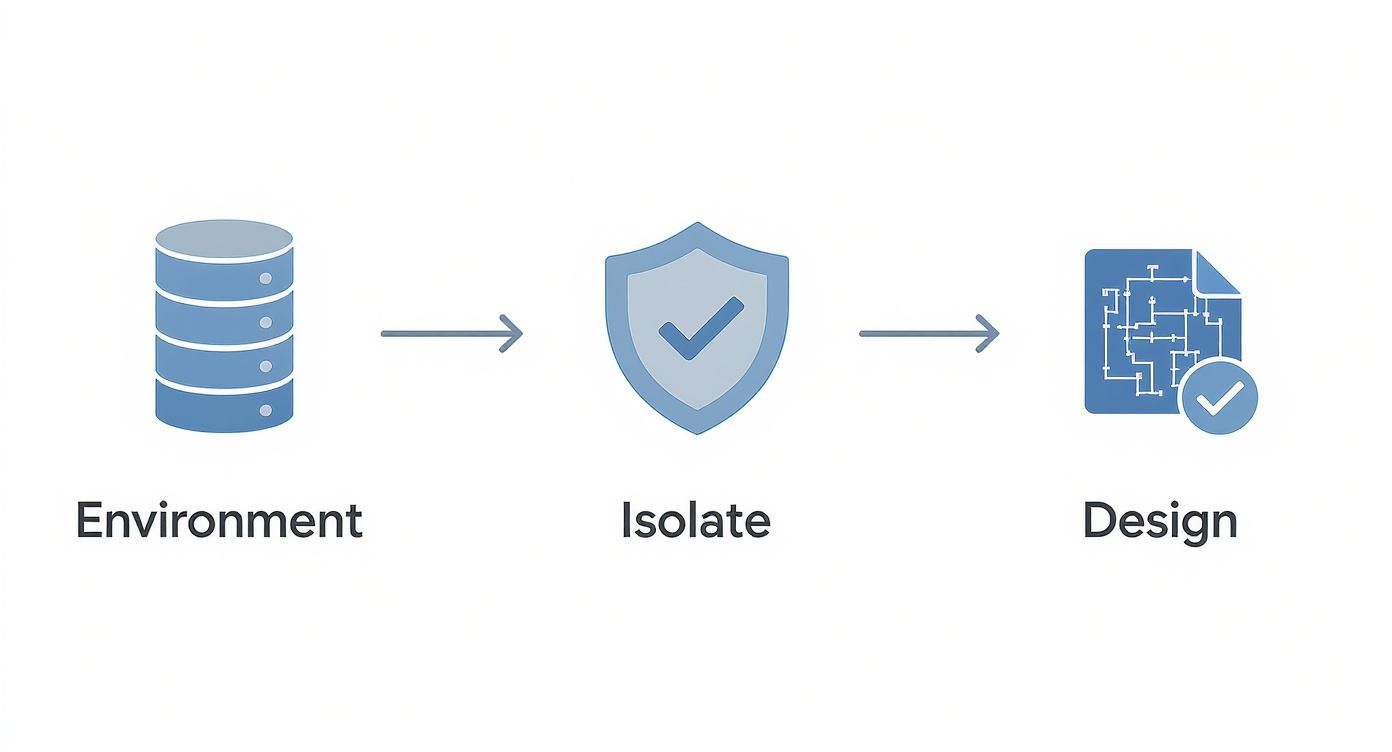
As the diagram shows, a great test starts with a properly configured environment, followed by strict isolation and smart test design.
Here’s what that looks like in practice:
- Capture Traffic: You run the GoReplay listener on your production server. It listens to a network interface and saves all the incoming HTTP requests to a file.
- Replay Traffic: Over on your staging or test machine, you fire up GoReplay again. This time, you point it at the file of captured traffic and tell it where your test application lives.
- Analyze Differences: GoReplay gets to work comparing the responses from the original production traffic with the new responses from your test environment. It flags any differences in status codes, response times, or even the content of the response body.
The tool is designed to make this powerful testing method easy to access, turning your production traffic into a safe, reusable asset for QA.
Advanced Features for Deeper Insights
While just replaying raw traffic is powerful, GoReplay has advanced features that tackle more complex testing challenges. These let you create highly realistic and secure test scenarios that go way beyond a basic load test.
By using real traffic, you move from testing theoretical possibilities to validating against proven user actions. It’s the closest you can get to predicting the future performance of your application because you’re testing it with its own past.
Three of the most valuable advanced features are session-aware replays, data masking, and request modification.
- Session-Aware Replays: Modern apps are stateful. A user’s journey—logging in, adding to a cart, checking out—is a sequence of related requests. GoReplay can recognize and keep these user sessions intact, making sure the replayed traffic follows a logical user flow. This is absolutely critical for testing complex business logic that spans multiple API calls.
- Data Masking and Filtering: Replaying production traffic brings up an obvious security question: what about sensitive user data? GoReplay has powerful data masking features that let you find and replace things like passwords, API keys, or personal details with dummy data before it goes anywhere. You can protect PII while keeping the request’s structure perfectly intact.
- Modifying Requests with Middlewares: Sometimes you need to mess with the replayed traffic a bit. Maybe you need to add a specific authentication header or test a new API version. GoReplay’s middleware support lets you modify requests on the fly, giving you the flexibility to adapt real traffic for specific test cases without having to alter the original captured data. You can see more on how this works in our guide to simplifying REST API testing with GoReplay.
By pulling these features together, you can build a web services testing strategy that is both comprehensive and deeply realistic. You’ll catch bugs earlier, validate performance under real-world conditions, and gain the confidence to deploy changes without worrying about what might break in production.
Integrating Web Services Testing into Your CI CD Pipeline
Running web services tests manually is a decent start, but the real magic happens when it becomes an invisible, automated part of your daily development flow. That’s where integrating it directly into your Continuous Integration/Continuous Deployment (CI/CD) pipeline comes in.
When you do this, testing stops being a separate, often-delayed chore and transforms into a seamless quality gate. Every single code change gets automatically validated against your suite of functional, performance, and security checks. The goal? Make sure no new bug ever makes it out the door to your users.
This isn’t just about automation; it’s a fundamental shift. You start catching bugs almost the moment they’re written. That dramatically cuts down the cost and headache of fixing them because the code is still fresh in the developer’s mind. It’s how you avoid that dreaded pre-release scramble to fix a critical issue nobody saw coming.
Where Testing Fits into the Workflow
In a well-oiled CI/CD pipeline, your automated web services tests kick off right after a new build is successfully deployed to a staging or testing environment. This is crucial—it means you’re always testing a fully operational, integrated version of your service, not just a component in isolation.
Here’s what that looks like in practice:
- Code Commit: A developer pushes a new feature or a bug fix to the code repository. Simple enough.
- Automated Build: The CI server—think Jenkins, GitLab CI, or GitHub Actions—spots the change and immediately builds the application.
- Deploy to Staging: The fresh build is automatically pushed to a dedicated, production-like staging environment.
- Execute Automated Tests: Now the CI server triggers your test suite. This is where your functional tests, integration checks, and even GoReplay traffic shadowing tests run against the newly deployed code.
- Quality Gate: The pipeline looks at the results. If every test passes, the build is marked as stable and is clear to move to the next stage, whether that’s a manual approval or a direct deployment to production.
- Handle Failures: But if any test fails, the pipeline slams on the brakes. It blocks the deployment and shoots an alert to the team, guaranteeing that broken code never sees the light of day.
Choosing Your Triggers and Automation Strategy
You don’t have to run every test on every commit. A smart strategy is to configure different triggers for different test suites.
You might run a core set of fast, critical API tests on every single code commit for immediate feedback. Then, you can schedule the more intense, time-consuming tests—like a full load test replaying hours of real traffic—to run nightly or just before a planned production release.
This kind of integrated, automated approach is fueling the massive growth in the Testing-as-a-Service (TaaS) market. The global software testing services market is on track to jump from USD 50.67 billion in 2025 to a whopping USD 107.25 billion by 2032. This boom is driven by the sheer efficiency that automated testing brings to modern Agile and DevOps pipelines. You can dig deeper into these trends in this software testing and QA services report.
By baking web services testing right into your CI/CD, you create a powerful, fast feedback loop. Developers get instant, actionable insights on their changes, and the entire team gains confidence that the application stays solid and reliable, update after update.
Analyzing Test Results and Adopting Best Practices
Running your test suite is just the first step. The real magic happens when you dig into the results and figure out what they’re trying to tell you. Without that critical analysis, all your testing effort is just generating noise.
Think of a test report as a health check for your service. You’re looking for anything that deviates from the expected baseline. Did the service do what you thought it would? Every unexpected result, no matter how small, is a breadcrumb leading you to a potential problem. This is how you catch symptoms before they escalate into full-blown system failures.
Interpreting Your Test Reports
When a report lands on your desk, your first pass should be a hunt for the big, obvious signs of trouble. These are the vital signs of your web service, and they give you a clear place to start digging.
Here’s what to zero in on first:
- Error Rates: A sudden jump in
5xxserver errors or4xxclient errors is a massive red flag. It could be anything from a bug in the new code to a misconfigured environment or an overloaded dependency. - Response Time Deviations: Is the average response time creeping up? Slowdowns often point to sluggish database queries, resource bottlenecks, or other performance issues that will absolutely frustrate your users.
- Unexpected Status Codes: If a request that always returns a
200 OKsuddenly starts throwing a404 Not Found, you might have accidentally deleted or changed a critical endpoint. It happens more than you’d think.
This is where a tool like GoReplay really shines. It doesn’t just run scripted checks; it directly compares the responses from your test environment against the original production responses. This side-by-side comparison uncovers subtle differences in response bodies or headers that a traditional test would completely miss, giving you confidence that your new code behaves exactly like the old.
The point of analyzing test results isn’t just to find bugs—it’s to understand the real-world impact of your changes. A clean test run confirms stability. A failed one gives you a precise roadmap for what to fix.
Adopting Key Best Practices
To avoid turning testing into a last-minute fire drill, you need to build your strategy around a few core principles. Getting these right makes your testing efficient, relevant, and something that consistently adds value instead of just slowing you down.
When you embrace these habits, testing stops being a stressful gatekeeper and becomes a natural part of how you build software. This proactive mindset is essential for creating systems that are both reliable and resilient. You can dive deeper into these strategies in our comprehensive guide on API testing best practices.
Here are five best practices to build your testing strategy around:
- Start Testing Early and Often: Don’t save it all for the end. Small, frequent tests catch issues when they’re still small, cheap, and easy to fix.
- Automate Repetitive Tests: Manual testing is slow, tedious, and prone to human error. Automate your core functional and regression tests and make them a non-negotiable part of your CI/CD pipeline.
- Focus on High-Risk Areas: Not all code is created equal. Pour your testing energy into the most critical and complex parts of your service—think payment gateways, user authentication, or core business logic.
- Use Realistic Data and Scenarios: Test with data that actually looks and acts like your production data. Using real traffic or production-like data is the only way to find the weird edge cases and performance gremlins that sanitized test data hides.
- Maintain Clear Documentation: Keep your test cases and environment setups well-documented. It helps new team members get up to speed quickly and ensures your tests don’t become outdated as the application evolves.
Common Questions About Web Services Testing
Jumping into web services testing can bring up a few questions, especially when trying to nail down the differences between similar concepts or picking the right approach. Let’s clear up some of the most common ones.
Think of this as a quick reference to solidify your understanding and help you build a smarter, more realistic testing strategy.
What Is the Difference Between API Testing and Web Services Testing?
You’ll often hear people use these terms interchangeably, and for the most part, that’s fine. But there is a subtle difference worth knowing. The easiest way to think about it is that all web services have an API, but not all APIs are part of a web service.
Web services testing is zeroed in on services that talk over a network, typically using standards like REST or the older SOAP protocol. On the other hand, API testing is a much broader field. It could involve testing a local software library or a component that never even touches a network. In today’s world, though, the lines have blurred because the vast majority of APIs we build and use are, in fact, web-based.
Can I Perform Web Services Testing Without Coding?
Absolutely. You don’t need to be a developer to get started. Many powerful tools offer user-friendly graphical interfaces that let you build and fire off requests without writing a single line of code.
These tools are fantastic for:
- Manual functional testing to quickly see if an endpoint is working.
- Exploratory testing to just poke around and see how the service behaves.
- Validating simple scenarios with straightforward logic.
But—and it’s a big but—when you’re ready to build automated, scalable test suites that can run in a CI/CD pipeline, you’ll almost certainly need some scripting or coding skills. This is how you define complex logic, manage dynamic data, and really unlock the power of automation.
No-code tools are a great entry point, but scripting is what turns testing into a repeatable, efficient, and deeply integrated part of your development cycle.
Why Use Real Traffic Instead of Mock Data?
Mock data is clean. It’s predictable. It’s perfect for checking the “happy path” and making sure your service handles the errors you expect it to. You’re running a controlled experiment where you know every variable.
Real user traffic, however, is messy. It’s chaotic and completely unpredictable. It’s what exposes the bizarre edge cases, strange user inputs, and performance cliffs you would never dream of creating with mock data. Using real traffic with a tool like GoReplay puts your service under the kind of stress it will actually face. It proves your application can handle the chaos of the real world, not just the sanitized scenarios you cooked up.
Ready to see how your applications hold up against real user traffic? GoReplay makes it easy to capture and replay live requests, giving you the confidence that your updates are rock-solid before they ship. Discover a more reliable way to test.