
A Practical Guide to Web Services in Testing

Web services testing is how we make sure the different parts of our software can actually talk to each other reliably and securely. It’s all about sending requests to an application’s APIs and checking that the responses are exactly what they should be. This is a fundamental step in building stable, modern applications that don’t fall over when you need them most.
Why Web Services in Testing Are Mission-Critical
Think of a busy restaurant. The waiters are your web services, shuttling orders (requests) from customers to the kitchen and bringing back food (responses). If a waiter gets an order wrong, is too slow, or drops a plate, the whole experience is ruined. In the digital world, web services are those waiters, and testing is how you train them to be flawless.
Every time you check your balance on a mobile banking app, a web service is fetching that data. When an e-commerce site processes your payment, a web service is communicating with the payment gateway. These invisible interactions are the nervous system of modern software, connecting all the pieces that make an application work.
The High Cost of Failure
A single faulty web service can set off a domino effect. A slow response can cause frustrated users to abandon their shopping carts. A security flaw could expose sensitive customer data. For any business, this translates directly into lost revenue, a damaged reputation, and a serious blow to user trust.
This is why web services testing isn’t just a box to check in your QA process; it’s a critical business function that protects your entire operation.
A well-tested web service is the bedrock of a reliable user experience. It ensures that the digital promises an application makes to its users are consistently kept, from the simplest data request to the most complex transaction.
To really get why testing is so vital, it helps to understand the two main communication styles web services use: SOAP and REST. They both get the job done, but their structures and rules are completely different, which changes how we need to test them.
For a deeper look into how a solid QA strategy protects revenue and manages risk, especially in high-stakes fields, check out this strategic guide to QA and testing in fintech.
Understanding SOAP and REST
SOAP (Simple Object Access Protocol) is a highly structured, protocol-based method that relies on XML. Think of it like sending a formal, certified letter. It has very strict rules about the envelope (the message structure) and its contents. This makes it incredibly reliable and secure, which is why it’s often a favorite in enterprise environments like banking.
REST (Representational State Transfer), on the other hand, is a much more flexible architectural style that usually uses JSON. This is more like sending a quick, clear text message. It’s lightweight, easier to work with, and has become the go-to standard for most modern web and mobile apps because it’s fast and simple.
The table below breaks down their key differences and sets the stage for why you can’t use the same testing strategies for both.
Comparing SOAP and REST API Architectures
Here’s a quick reference guide to the fundamental differences between SOAP and REST. This context is key to understanding why they demand different testing approaches.
| Characteristic | SOAP (Simple Object Access Protocol) | REST (Representational State Transfer) |
|---|---|---|
| Data Format | Exclusively XML. Messages are verbose and highly structured. | Primarily JSON, but can use XML, text, or other formats. Messages are lightweight. |
| Transport | Can use various protocols like HTTP, SMTP, TCP. | Almost always uses HTTP/HTTPS. |
| Structure | Rigid, with a standardized WSDL file defining the contract. | Flexible, with no strict contract. Relies on standard HTTP methods (GET, POST, PUT, DELETE). |
| Use Case | Ideal for enterprise applications requiring high security and transactional reliability. | Perfect for public-facing APIs, mobile apps, and microservices where performance is key. |
Understanding these distinctions is the first step. Next, we’ll explore the specific types of tests you’ll run to make sure both SOAP and REST services are robust, secure, and ready for your users.
Alright, let’s dive into the different ways you can test web services. It’s not about picking just one method; a solid testing strategy layers several different types of validation on top of each other. Think of it like a chef tasting individual ingredients before checking the final dish. Each test has a unique job, and together, they ensure your entire application is reliable, fast, and secure—from the tiniest function all the way up to the complete system.
This multi-layered approach is your best defense against catastrophic failures. Why? Because you catch issues at different stages. A small functional bug found early on is a simple fix. But if that same bug makes it to production, it can cause system-wide outages and destroy user trust.
And this isn’t a niche concern anymore. The market for testing services is booming, projected to hit USD 63.77 billion by 2034. The U.S. alone is expected to reach about USD 13.06 billion by 2026, a trend driven by agile development and the absolute necessity for dependable web services. You can dig into more of the numbers over at Fortune Business Insights.
This diagram gives a simple overview of how different web services, like REST and SOAP, typically connect back to a core application.
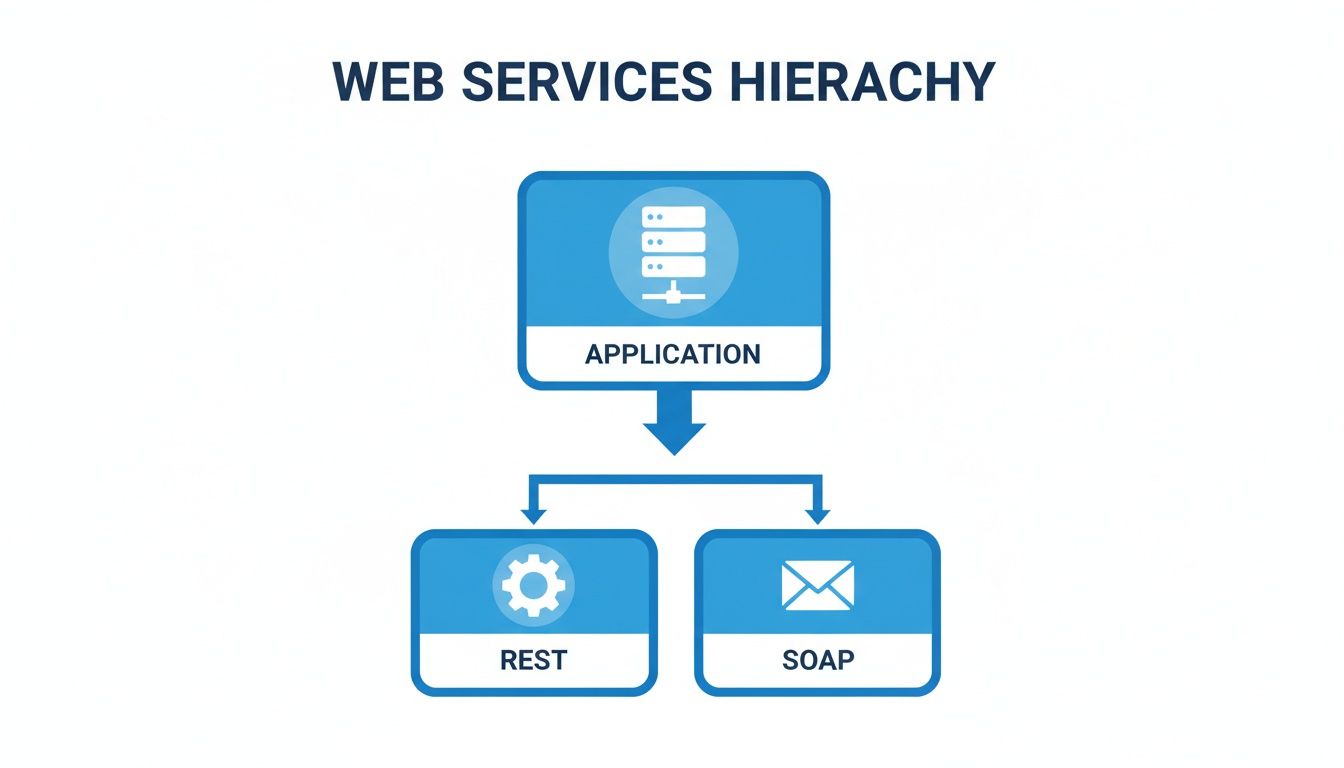
While REST and SOAP use different methods, they are both fundamental communication channels that need their own dedicated testing strategies to work properly.
Foundational Functional Testing
At the ground level, functional testing is all about making sure each piece of the web service does what it’s supposed to do. This is the bedrock of any quality assurance plan, and it’s broken down into a few key types.
- Unit Testing: This is your first line of defense. Developers write these tests to check that individual functions or methods in the code behave correctly on their own, completely isolated from everything else. It’s like tasting a single ingredient—the salt, the sugar—to make sure it’s right before you mix it into the recipe.
- Integration Testing: Once the individual units are confirmed to work, integration tests check how they play together. This is where you make sure different services, or components inside a service, can communicate without tripping over each other. For instance, does the user authentication service correctly hand off a valid token to the order processing service?
- Contract Testing: In the world of microservices, where dozens of small services are all talking to each other, contract testing is non-negotiable. It verifies that the “contract”—the agreed-upon format for requests and responses—between a service provider and its consumer is still valid. This is what stops a change in one service from accidentally breaking ten others.
Contract testing is basically a digital handshake between services. It ensures that even when different teams are developing independently, their services can still communicate perfectly, preventing the integration chaos that can bring a complex application to its knees.
Critical Non-Functional Testing
Beyond just making sure things work, non-functional testing ensures the service meets crucial operational standards. We’re talking about performance, security, and stability—the things that make or break the user experience.
Performance and Reliability Tests
These tests measure how the service holds up under pressure and confirm it stays responsive and available for users.
- Load Testing: This simulates the amount of traffic you expect to see, helping you understand how the service performs under a normal workload. It’s fantastic for finding performance bottlenecks before your real users do.
- Stress Testing: Here, you push the service way beyond its expected capacity to find its breaking point. This isn’t just about seeing what fails; it’s about understanding how the system fails and ensuring it can recover gracefully from sudden, massive spikes in traffic.
- Reliability Testing: This test evaluates if the service can run without any failures for a specific amount of time in a controlled environment. It’s the ultimate confirmation that your system is stable and dependable over the long haul.
Security and Compliance Checks
Security should never be an afterthought. It has to be baked into the testing process from the very beginning.
- Security Testing: This involves actively poking and prodding the web service for vulnerabilities. You’re checking for all the common culprits: SQL injection, cross-site scripting (XSS), and shoddy authentication handling.
- Penetration Testing: This is essentially a simulated cyberattack on your own system to find holes that can be exploited. It’s like hiring a “white-hat” hacker to find your security gaps before a real attacker does.
How to Master Your Web Service Testing Workflow
Just running random tests against your web service is like trying to build a house without blueprints. You might end up with something, but you certainly wouldn’t trust it to stand up to a storm. A disciplined, repeatable workflow is what separates robust services from unreliable ones, ensuring you get solid coverage, consistent results, and a much faster feedback loop.

It all starts with a clear plan. Before a single line of test code is written, your team has to nail down the objectives. What exact functions are you validating? What are the performance targets you need to hit? Answering these questions upfront prevents a ton of wasted effort and keeps everyone pulling in the same direction.
Next up is prepping the test environment. This is a crucial fork in the road where you decide whether to use a dedicated staging environment—a clone of production—or mock services to isolate specific components for more focused, surgical testing.
Designing Robust Test Cases
With the environment ready, it’s time to design the actual tests. The most common mistake here is only focusing on the “happy path,” where everything works perfectly. Real resilience is built by intentionally trying to break things with negative scenarios and weird edge cases.
Your test cases absolutely must include:
- Positive Scenarios: Verifying the service works as expected with valid inputs and normal user behavior.
- Negative Scenarios: Seeing how the service reacts to invalid inputs, garbage data formats, or missing credentials.
- Edge Cases: Pushing the limits with extreme values, like unusually massive payloads or zero-value inputs.
Think of a well-designed test suite as your system’s immune response. It actively hunts for weaknesses and potential failures before they ever reach a real user, keeping the application healthy and resilient no matter what gets thrown at it.
Executing and Automating the Workflow
Once your test cases are defined, it’s time for execution. Manual testing is still useful for exploratory checks, but automation is where the real magic happens. It’s the key to both efficiency and consistency.
Automated tests can run continuously inside a CI/CD pipeline, giving you immediate feedback on every single code change. This rapid feedback is the lifeblood of agile development, letting teams catch and squash bugs almost instantly.
The move to cloud-based solutions has made this even easier. The Testing as a Service (TaaS) market is projected to hit an incredible USD 11,376.8 million by 2030, growing at a blistering CAGR of 14.0%. This boom is all about the need for scalable, on-demand test environments that can handle complex load simulations without needing a mountain of in-house servers.
Analyzing Results and Iterating
The final piece of the puzzle is analysis. Test results are so much more than a simple pass/fail grade; they’re a health report for your application. Digging into failures helps you find the root cause, while performance metrics can shine a light on bottlenecks that are silently killing your performance.
This analysis then feeds right back into the planning phase, creating a cycle of continuous improvement. If you really want to get this right, you should be looking at broader strategies to reduce software development costs—because smarter testing is one of the biggest levers you can pull to save money by catching problems early.
Choosing the Right Tools for Test Automation
Picking the right tools for web service testing is a lot like a chef choosing their knives. The right set makes the work precise and efficient, but the wrong one just leads to frustration. Your testing tools are the bedrock of your automation strategy, directly influencing your team’s speed, coverage, and ultimate confidence in the software you ship.
There’s a reason the automation testing market is exploding. Valued at USD 35.52 billion, it’s projected to hit an incredible USD 169.33 billion by 2034, growing at a rate of 16.90% each year. This boom is fueled by modern DevOps practices and the API-first world we now build in. You can dig deeper into these numbers at Precedence Research.
This growth has given us a rich ecosystem of tools, each with its own niche. Making the right call means understanding exactly what each one brings to the table.
Feature Comparison of Popular Web Service Testing Tools
An overview of leading web service testing tools, comparing their core features, primary use cases, and integration capabilities to help teams choose the right solution.
Several tools have become go-to standards because of their powerful features and great communities. Postman, SoapUI, and Katalon Studio are three of the biggest names, but they each solve slightly different problems.
- Postman is king when it comes to exploring REST APIs and running functional tests. Its clean interface makes it a favorite for developers and QA engineers who need to fire off requests, check responses, and build simple test suites without a lot of fuss.
- SoapUI is the heavyweight champion, famous for its deep support for both SOAP and REST services. It’s packed with features for data-driven testing, security scans, and performance checks, making it a solid pick for enterprises with complex needs.
- Katalon Studio offers an all-in-one platform for API, web, and mobile testing. Its low-code approach makes it accessible for teams of all skill levels, nicely bridging the gap between manual and fully automated testing.
This table breaks down how they stack up.
| Tool | Primary Use Case | API Support | CI/CD Integration | Unique Feature |
|---|---|---|---|---|
| Postman | API exploration & functional testing | Strong for REST, supports GraphQL & SOAP | Good, integrates with Newman CLI | Collaborative workspaces for team-based API development. |
| SoapUI | Comprehensive SOAP & REST testing | Excellent for both SOAP & REST | Excellent, with plugins for major CI tools | Advanced security and load testing capabilities built-in. |
| Katalon Studio | All-in-one API, Web, & Mobile testing | Good for REST & SOAP | Strong, integrates seamlessly | Low-code interface and record-and-playback features. |
For a more detailed breakdown, check out our guide on the ultimate API testing tools in 2024.
Beyond Synthetic Tests with Traffic Replay
While tools like Postman are great for writing scripted tests, they share a fundamental weakness: they only test for scenarios you can think of. They often miss the chaotic, unpredictable nature of real users that tends to surface the nastiest bugs. This is where traffic replay completely changes the game.
Traffic replay shifts the testing paradigm from “simulating” user behavior to “replicating” it. Instead of guessing what users might do, you use what they actually did, providing the highest-fidelity test data possible.
Tools like GoReplay are built on this idea. GoReplay captures your live production traffic—every single request, header, and payload—and lets you replay it against a test environment. This gives you a level of realism for load and regression testing that you just can’t get otherwise.
Forget writing scripts to fake 1,000 concurrent users. Instead, you can replay the actual 1,000-user traffic spike from your last product launch. This method uncovers performance bottlenecks, concurrency issues, and subtle bugs that synthetic tests almost always miss, giving you real confidence that your system can handle the pressure of the real world.
A Practical Guide to Traffic Replay with GoReplay
Theory is great, but putting it into practice is how you really see the power of traffic replay in web services testing. Let’s walk through a scenario I’ve seen play out many times: an e-commerce company is about to ship a critical update to its checkout API right before a massive sales event. A bug here isn’t just a glitch; it’s a direct hit to the bottom line.

This is precisely where a tool like GoReplay becomes your best friend. Instead of spending days writing synthetic tests that only guess at user behavior, the team can capture real, live traffic from their production environment. This gives them a perfect mirror of how actual customers use the checkout, including all the weird edge cases and unexpected inputs that scripted tests always seem to miss.
Capturing and Filtering Real User Traffic
First things first, you have to listen to the live traffic. The team sets up GoReplay to capture all incoming requests hitting their production checkout service. But replaying everything would be overkill and inefficient. For this test, they only care about the checkout flow.
Using GoReplay’s powerful filtering, they can easily zero in on the exact requests they need.
- Filter by URL Path: They can set up a rule to only grab requests that contain
/api/checkout/or/api/payment/. Simple. - Filter by HTTP Method: The team might decide to focus only on
POSTrequests, since those are the ones that actually complete a purchase and are most critical.
This filtered traffic is then saved to a file, creating a high-fidelity recording of real checkout sessions. You’ve captured the exact sequence, timing, and payload of user actions—a level of realism that’s impossible to get from manual test scripts. You can find a great deep-dive in this guide on the GoReplay setup for testing environments.
Replaying Traffic Against a Staging Server
Now for the fun part. With a file full of authentic user traffic, the team can replay it against a safe, isolated staging environment. This is where the real validation happens. They can throw real-world chaos at the new code without any risk to the live production system.
GoReplay gives you precise control over the replay, so the team can simulate different conditions to hunt down those hidden bugs.
By replaying actual user traffic, you move from simulating a plausible scenario to validating against a proven one. This uncovers bugs that only appear under the specific, sometimes chaotic, conditions of real-world use.
They can use key features to really put the updated API through its paces:
- Rate Limiting: To start, the team can replay the traffic at its original speed. This is perfect for baseline regression testing to make sure nothing broke.
- Traffic Amplification: Then, they can crank up the speed by 10x or even 50x to simulate a massive sales rush. Suddenly, that regression test becomes a brutally realistic load test.
This approach immediately shows how the new code behaves under real pressure. Maybe it uncovers a database query that grinds to a halt under heavy load, or a nasty concurrency bug that only appears when hundreds of users try to check out at the exact same time. These are the kinds of show-stopping issues that, if missed, could take down the whole site during its busiest hours.
Common Mistakes in Web Service Testing to Avoid
Even the most experienced teams can fall into common traps when testing web services. A truly resilient system isn’t just about what you test; it’s about the mistakes you consciously sidestep. Avoiding these pitfalls is what separates a fragile service from one that can take a punch.
One of the biggest mistakes is relying only on “happy path” testing. This is where you just confirm the service works perfectly with valid inputs, like checking a login endpoint with a correct username and password. Sure, that’s essential, but it leaves massive blind spots.
A service’s true strength is revealed not when things go right, but when they go wrong. Comprehensive testing must explore how the system behaves under stress, with bad data, and during unexpected failures.
Overlooking Negative Scenarios and Edge Cases
Failing to test for negative outcomes is a critical oversight. A solid service needs to handle invalid inputs gracefully instead of just falling over. Your test suite should be designed to intentionally try and break things just to see what happens.
So, instead of only testing a successful login, you have to validate what happens with:
- Invalid Credentials: Does the API return a clear
401 Unauthorizedstatus code? - Malformed Payloads: What happens if the JSON is missing a required field or has the wrong data type?
- Expired Tokens: Does the system properly reject requests with an old authentication token?
These “unhappy path” tests ensure your API provides clear, predictable error responses. That’s crucial for both security and the sanity of the developers who have to use your service.
Using Unrealistic Test Data
Here’s another classic mistake: using test data that looks nothing like the real world. Testing an inventory management service with a dozen generic products won’t tell you how it will perform with 50,000 real-world SKUs, special characters in product names, or null values where you didn’t expect them.
Your test data should be as close to production as you can possibly get. This means using anonymized production data or generating large, varied datasets that mirror what your users actually create. This is how you uncover bugs related to data formatting, database indexing, and pagination that simple test data would never find. Without it, your performance and functional tests are based on a fantasy, not reality.
Common Questions About Web Services Testing
Diving into web services testing can bring up a lot of questions, especially when you’re trying to tell similar concepts apart or figure out the best tools for the job. Here are some straightforward answers to the questions we hear most often.
What’s the Difference Between API Testing and Web Service Testing?
People often use these terms as if they mean the same thing, but there’s a key distinction. Web service testing is actually a subset of API testing.
Think of it like this: an API is any set of rules that lets two pieces of software communicate. A web service is a specific type of API that does this over a network, usually with standard protocols like HTTP. So, while all web service testing is a form of API testing, you can test other kinds of APIs—like a local code library—that aren’t web services.
How Can I Start Automating Tests on a Tight Budget?
You don’t need a huge budget to get started with automation. There are some incredibly powerful open-source tools out there that give you everything you need without the hefty price tag.
- For Functional Testing: Postman has a very generous free tier that’s perfect for getting your feet wet with both manual and automated testing for REST APIs.
- For Performance Testing: The open-source version of GoReplay is a game-changer. It lets you capture and replay real user traffic, giving you the kind of deep, realistic insights that you’d typically only get from expensive enterprise platforms.
In a microservices architecture, where dozens of small services rely on one another, contract testing is your safety net. It confirms that the “contract”—the agreed-upon structure of requests and responses—hasn’t been broken by a recent update, stopping cascading failures before they ever start.
Why Is Contract Testing So Important for Microservices?
In any distributed system, contract testing is your first line of defense against instability. It works by making sure the format of requests and responses between a service consumer (like a front-end app) and a provider (a backend service) still matches their agreed-upon “contract.”
This simple check catches breaking changes early on, long before they can cause a chain reaction of failures in your live environment. It’s what keeps your interconnected services from falling apart every time someone pushes an update.
Ready to test your web services with traffic that’s actually real? With GoReplay, you can capture live user sessions and replay them against your test environments to uncover the bugs that scripted tests always miss. Make sure your updates are rock-solid before they go live. Learn more and get started at https://goreplay.org.