
Use Case in Software Testing: What It Is and How to Use It
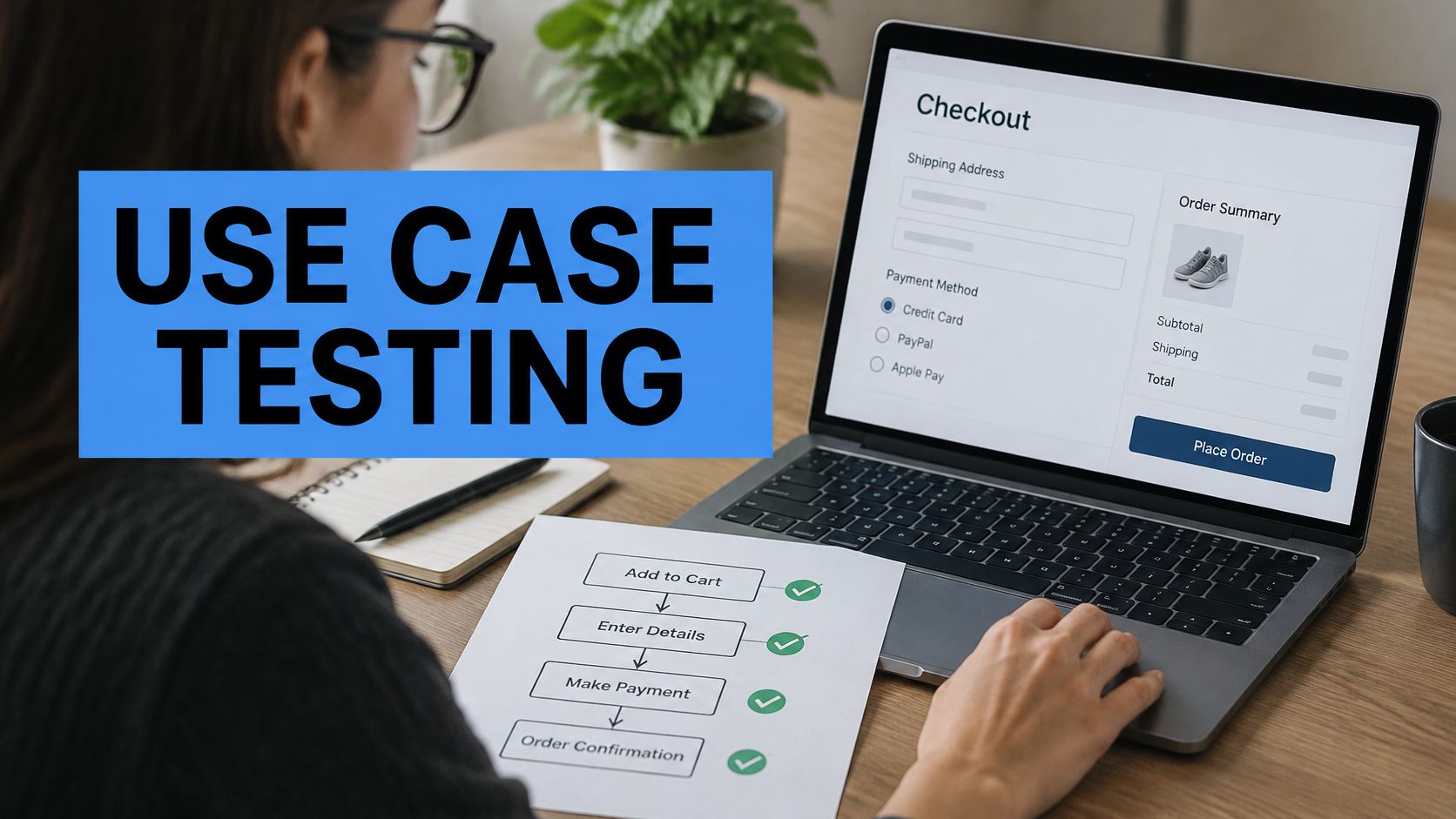
You’re testing checkout before a release. A shopper clicks Place Order, and the confirmation page appears. That looks promising, but did the store charge the card once, save the right order, and handle a declined payment without losing the cart? Before you can decide whether checkout works, you need an agreed description of what working means.
What a Use Case Means in Software Testing
The shopper’s goal isn’t to click a button. It’s to buy the items in their cart and know the purchase went through. A useful description follows that goal from the shopper’s action through the system’s response, including the points where the purchase might stop.
Think of a restaurant order ticket. The menu lists what the restaurant offers, but the ticket records who ordered, what they requested, and what the kitchen needs to deliver. If an ingredient is unavailable, the staff need an agreed response rather than serving something else without telling the customer.
A use case in software testing serves a similar purpose. It describes how a person or another system interacts with an application to achieve a goal, including the expected behavior when the normal route isn’t possible.

Describe the promise, not the plumbing
The person or system starting the interaction is the actor. For checkout, that’s the shopper. The goal is a completed purchase, while the interaction includes reviewing the delivery details, submitting payment, and receiving confirmation.
The use case becomes the tester’s source of expected behavior. It lets the team agree on what should happen before anyone executes a test or interprets a result.
It describes behavior rather than implementation. Write that the system validates the delivery address, not that a particular service queries a particular database table. Developers can change the implementation while preserving the behavior the shopper needs.
A test can show what the application did. The use case establishes whether that behavior was acceptable.
Include the unsuccessful ending
A declined payment doesn’t achieve the shopper’s goal, but it still needs a defined outcome. The application should explain the problem and leave the shopper in an agreed, safe state.
That distinction matters: an unsuccessful purchase can still be correctly handled. A tester needs to check both the message the shopper sees and what the application leaves behind.
Every use case must answer two questions:
- User goal: What does the actor need to accomplish?
- System response: How should the application respond at each step, including when progress stops?
For checkout, the goal fits into a sentence: a registered shopper can purchase the items in their cart and receive confirmation of the completed order.
Fields and Template
Use case template fields and example entries
| Field | What to Write | Example Entry |
|---|---|---|
| Name | Short verb-based title | Customer pays for an order |
| Primary actor | The user or system that starts the flow | Registered shopper |
| Preconditions | State that must hold before the flow starts | Cart holds at least one item and the shopper is signed in |
| Trigger | The event that starts the flow | Shopper clicks Place Order |
| Main success flow | Numbered steps from trigger to goal | 1. Shopper confirms address. 2. Shopper enters card details. 3. System processes payment and displays order confirmation. |
| Alternative flows | Valid deviations, each with its own steps | Card declined; address outside delivery zone; session expires |
| Postconditions | State after success and after failure | Order saved and stock reduced on success; no order and no charge on failure |
| Use case ID | Identifier that test cases reference | UC-CHECKOUT-PAY |
Start with a short, verb-based name and a stable identifier. A title such as Customer pays for an order communicates intent more clearly than Checkout functionality, while the ID gives testers a reference that won’t change whenever someone edits the wording.
Make the starting state explicit
Write the preconditions before drafting the journey. A tester needs to know whether the shopper must be registered, whether the cart already contains an item, and whether a delivery address exists.
Don’t hide setup inside the first action. If signing in is required before checkout begins, record it as a precondition. If signing in is part of the interaction being tested, include it in the flow instead.
The main success flow is the sequence from trigger to completed goal. Number the steps and give each one a clear owner: the shopper submits details, or the system validates them. Avoid instructions such as process checkout, which conceal several behaviors inside an untestable phrase.
Give every branch an ending
An alternative flow starts at a specific point in the main sequence. For a declined card, identify the payment step, describe the rejection message, and state whether the shopper can enter another card or must restart.
Each branch needs its own steps and an explicit destination. It either rejoins a named step or ends the interaction.
Postconditions describe what remains true afterward. Separate success postconditions from failure postconditions, because a useful error message doesn’t prove that the system avoided an unwanted charge.
Practical rule: If you can’t fill a field with a specific, testable statement, record a question for the product owner before testing starts.
Pay particular attention to uncertain payment outcomes. A provider timeout isn’t automatically a declined payment. If the team hasn’t defined how checkout handles an unknown result, flag that gap rather than assuming the same failure rule applies.
How to Turn a Use Case into Test Cases
A use case describes the behavior across a journey. A test case selects a particular path, supplies concrete inputs, and checks a defined outcome. The distinction is explained further in this guide to what a test case means in software testing.
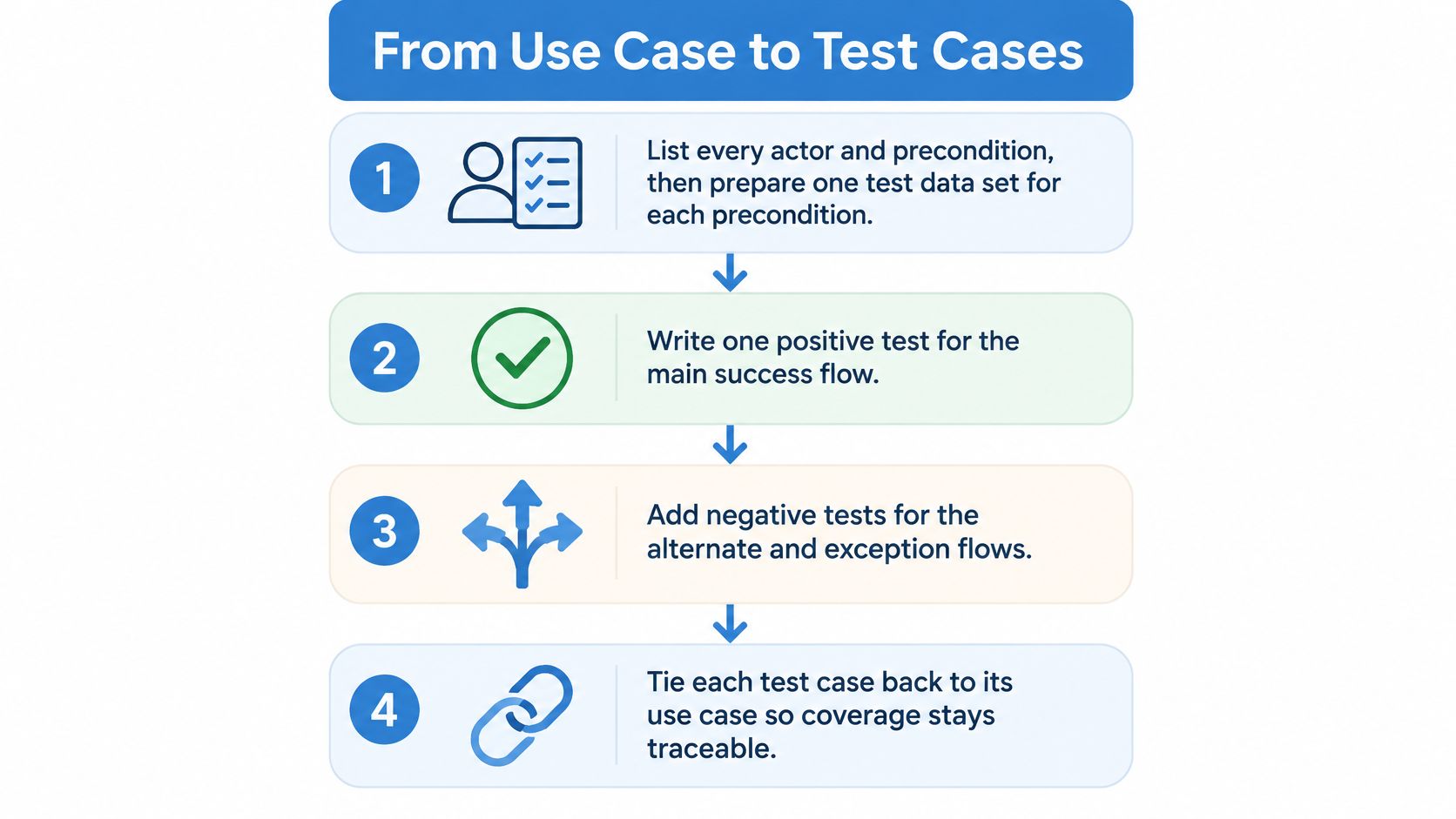
Use this visual overview to keep the conversion focused on behavior and traceability.
Turn each path into an executable check
-
List the actors and preconditions. Select a use case, identify the participating roles, and prepare test data that satisfies each required starting condition. Don’t assume that an existing test account has the right permissions, cart contents, or address.
-
Write a positive test for the main success flow, recording the input and expected system response at each step. This provides a complete check of the intended journey, rather than a collection of disconnected screen checks.
-
Create separate tests for the alternative flows. A declined payment and an expired session need different setup and assertions, even if both prevent completion. Testing only the happy path leaves these distinct behaviors unchecked.
-
Apply boundary and invalid inputs wherever the actor supplies data. For this checkout example, try empty address fields, a quantity of zero, and a quantity equal to available stock; choose the expected acceptance or rejection from the agreed rules, not from the application’s current behavior.
-
Specify observable expected results. Record the approved confirmation text, the required order state, and the expected charge count. Avoid payment works, because another tester could interpret that as anything from a successful response to a fully reconciled transaction.
-
Link each test to UC-CHECKOUT-PAY and label the flow it covers. Traceability helps the reviewer distinguish a missing test from a test that exists but failed, and it identifies which requirement needs discussion when behavior changes.
Review generated cases with the same care
In 2025, 70% of organizations using AI in testing reported using it to develop test cases, while 55% used it to automate test scripts, according to Applause’s State of Digital Quality Report. Generated cases still need a human review of their starting conditions, branch coverage, and expected results.
Don’t let a generated test invent a policy, such as automatically retrying a failed payment. If the use case doesn’t specify that behavior, ask the product owner rather than accepting the generated assertion.
For a complementary explanation of deriving executable checks, use the following walkthrough.
The readiness check is straightforward: another tester should be able to execute each case without asking its author what to enter or what counts as a pass.
Checkout Payment Use Case
Consider a hypothetical online store with an agreed payment contract: an approved payment completes the purchase, while a rejected attempt leaves no order or charge. Unknown provider outcomes require a separate recovery flow.
The shopper has already selected an item and saved a delivery address. They’re ready to finish the purchase.
| Header field | Checkout definition |
|---|---|
| Use case ID | UC-CHECKOUT-PAY |
| Primary actor | Registered shopper |
| Supporting system | Payment provider |
| Preconditions | Signed-in account, cart with at least one item, saved address |
| Trigger | Shopper clicks Place Order |
Follow the shopper through checkout
The system validates the saved address and displays the order summary for review. The shopper confirms the details and submits the payment information through the approved payment integration.
The system sends the payment request to the provider. When approval arrives, it saves the order, reduces stock by the ordered quantity, and displays a confirmation containing the order number. It also sends the confirmation email.
That ending has observable consequences beyond the browser. For this hypothetical store, success means a single saved order and charge, the correct stock reduction, and a confirmation associated with that order.
Follow the branches to their final states
If the provider declines the card, the system displays a decline message and retains the cart. It saves no order, creates no charge, and leaves stock unchanged; the shopper can return to payment entry.
If the address falls outside the delivery zone, the system blocks progress before payment and explains why. The shopper can supply another address and return to address validation.
If the session expires before payment submission, the system redirects the shopper to sign-in and retains the cart. After authentication, the shopper resumes checkout and reviews the details again. Expiration after submission needs its own defined reconciliation behavior, because the payment might already have reached the provider.
Checkout tests derived from the payment use case
| Test | Input | Expected Result |
|---|---|---|
| Positive payment | Valid test card, quantity 1 | One order saved, stock reduced by 1, one charge created; order-number confirmation displayed and confirmation email sent |
| Declined card | Test card declined by provider | Decline message shown, cart kept, no order saved, stock unchanged, no charge created |
| Zero-quantity boundary | Quantity 0 submitted through a request-level test | Input rejected, no order saved, stock unchanged, no charge created |
The zero-quantity test deliberately challenges validation below the interface. Even if the quantity control prevents that entry, a request-level check establishes whether the application rejects an invalid submitted value.
Check the whole transaction: A confirmation page isn’t enough. Inspect the order record, stock movement, and payment-provider test records associated with the attempt.
Keep those checks isolated from unrelated orders. Capture the starting stock state and use the test transaction’s identifier to find its records, so another checkout doesn’t distort the result.
Copy this structure for another feature by replacing the actor, goal, branches, and persistent outcomes. The important part isn’t the shopping terminology. It’s making every ending precise enough to verify.
Use Cases, Test Cases and User Stories Compared
Use case, test case and user story compared
| Artifact | Question It Answers | Level of Detail | Usual Owner |
|---|---|---|---|
| User story | What value does this feature give the user? | One sentence plus acceptance criteria | Product owner |
| Use case | How does the system behave across every scenario? | Actors, preconditions, main and alternative flows, postconditions | Business analyst or QA lead |
| Test case | Does this input produce the expected result? | One input set and one expected result | QA engineer |
These artifacts answer different questions, so they aren’t competing formats. The ownership column describes a practical starting point, not a restriction: developers, testers, and product owners should review the behavior together.
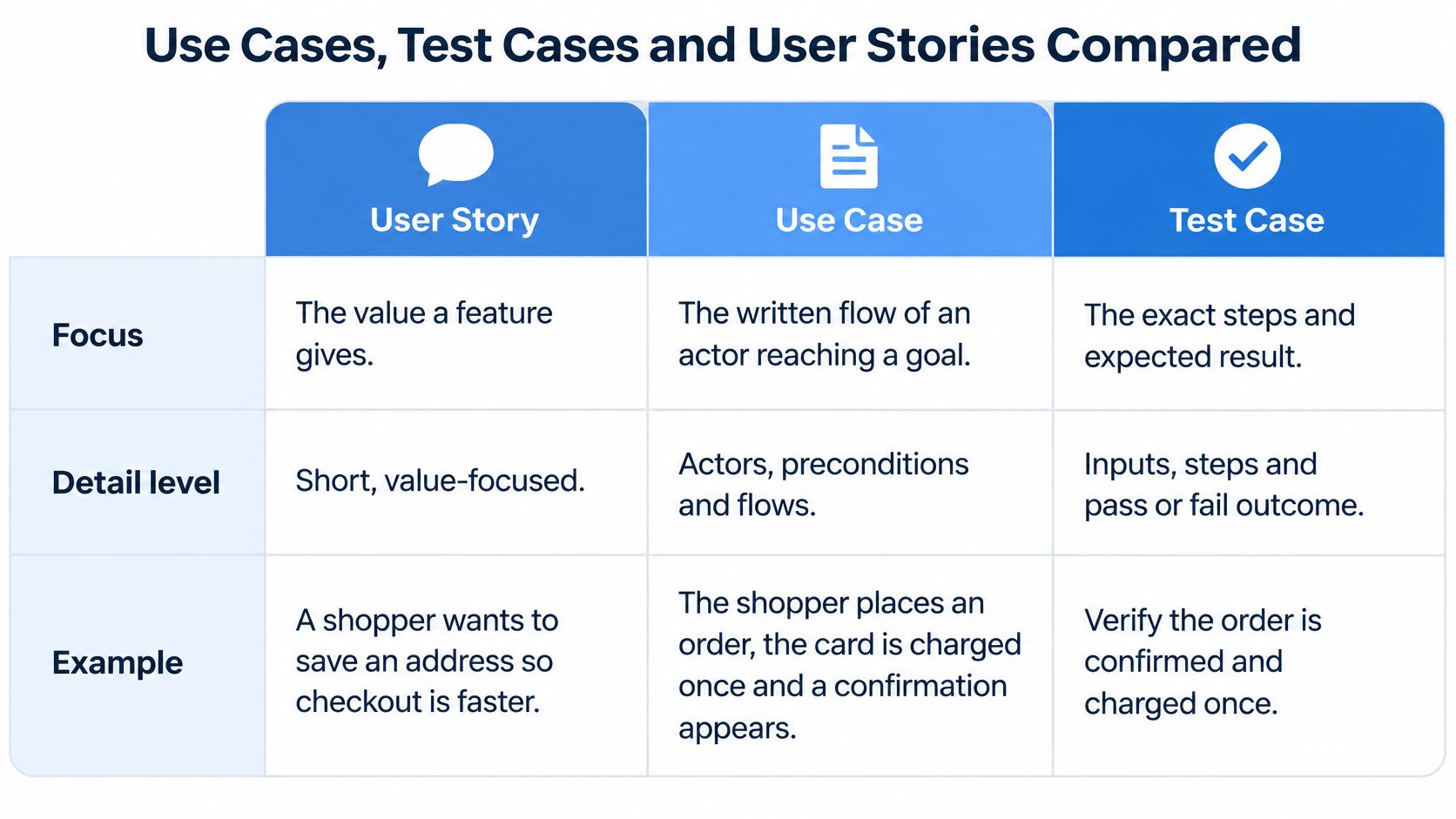
For address saving, a user story expresses the value: a shopper wants to save an address so checkout is faster. Its acceptance criteria define the conditions under which the team accepts that feature.
A use case expands the interaction into actions and responses, including rejected addresses and interrupted sessions. A test case chooses a specific address and account state, performs the actions, and checks the saved result.
The comparison is easier to remember when the artifacts sit side by side.
Match the documentation to the decision
Use a full written use case when a feature involves several actors, branching decisions, or outcomes that require formal review. Payment approval and account recovery deserve explicit paths because a short statement of value won’t settle what happens at each interruption.
For a simple display change, a user story with clear acceptance criteria may be enough. Don’t create a lengthy use case merely to restate that a label should display approved wording.
A test scenario is another useful term: it identifies a situation to investigate without necessarily fixing all execution details. This guide to software testing scenarios helps distinguish that planning level from a runnable test.
Don’t confuse the document with the diagram
A UML use case diagram maps actors and their goals visually. It can clarify scope, but it doesn’t supply the ordered steps, deviations, or postconditions a tester needs.
Keep the written description linked to the tests that depend on it. An unread document that drifts away from the executable checks adds maintenance without resolving decisions.
The practical combination is a story for value, a written use case for complex behavior, and test cases for the checks they execute.
Confirm Your Use Cases Before the Next Release
Treat use-case review as a release decision, not a documentation sign-off. The team needs agreement on intended behavior, evidence that the relevant paths were exercised, and a clear record of unresolved gaps.
Check agreement and coverage
- Review with the people who decide and build. Ask a developer and product owner to confirm the actors, preconditions, and branches against the intended release behavior. Record every disagreement as a question with a named owner.
- Run the linked tests against the current build. List use cases with no tests and branches with no corresponding checks. Prioritize those gaps by the consequences of an incorrect outcome, rather than treating every missing check as equally urgent.
- Agree on acceptable evidence before release. Specify which responses, persistent records, and performance measurements support the decision. A green execution status alone doesn’t settle whether the application met its obligations.
Use realistic requests without surrendering judgment
GoReplay records HTTP requests and replays them against an isolated test service. Before replay, remove unsuitable requests and rewrite the sample for the isolated target with controlled external side effects.
The validation step measures performance and compares responses and application state. A successful replay alone doesn’t establish correctness: the team must evaluate those results against its agreed expectations, including failures that should leave state unchanged.
Set performance thresholds explicitly rather than treating completed requests as sufficient evidence. NIST’s software-testing report describes performance testing through measurable targets such as response time, throughput, and CPU usage.
Choose the feature with the most branches this sprint. Write its use case, resolve the uncertain endings with the product owner, and derive its tests before running anything against it.
GoReplay offers HTTP traffic capture and replay so you can exercise an isolated test service with requests drawn from real application use. Visit GoReplay to explore the tool, then select a filtered request sample for your chosen use case and compare the results with its expected behavior.