
The Strategic Foundation of Testing Environment Setup
A well-configured testing environment is more than just a technical necessity. It’s a strategic advantage that directly affects the success of your software development lifecycle. Think of it as a crucial dress rehearsal before a big performance, allowing you to smooth out any issues and guarantee a flawless opening night. This preparation greatly influences release speed, customer satisfaction, and even team morale.
Imagine releasing a product full of bugs because of insufficient testing. The damage to your brand’s reputation and customer trust could be catastrophic.
Why Environment Fidelity Matters
Successful organizations recognize the crucial balance between environment fidelity (how accurately the testing environment reflects the production environment) and practical limitations like budget and time. They treat their testing environments as valuable assets in their own right, not as mere afterthoughts. This investment results in better quality software, fewer production problems, and, ultimately, happier users.
Conversely, neglecting your testing environment setup can lead to expensive fixes later on and erode customer confidence.
The Diverse Landscape of Testing Environments
Different phases of software development require different types of testing environments. Development environments offer developers a safe space to experiment and iterate rapidly. QA environments are designed for thorough testing to identify and eliminate bugs before they reach the user.
Staging environments serve as a final rehearsal before release, closely mirroring the production environment. Lastly, the pre-production environment acts as one last verification point before launch. Each environment plays a distinct role, streamlining the testing process and minimizing the risk of unexpected production issues.
Setting Up Your Testing Environment
Setting up a testing environment is crucial for confirming that software performs as expected in real-world scenarios. This involves determining the necessary tests, such as unit tests, integration tests, and system tests, and making sure the hardware and network configurations reflect the production environment.
As of 2025, companies are increasingly prioritizing creating highly efficient and cost-effective testing environments. For example, using virtual servers instead of physical servers can significantly reduce expenses. Furthermore, using Jenkins and other Continuous Integration and Continuous Deployment (CI/CD) tools can optimize the testing process, allowing for rapid validation and deployment of changes.
The efficiency of the testing environment setup is paramount because it directly influences the speed and reliability of software releases, which are vital in today’s fast-paced development cycles. Learn more at APWide.
Choosing the Right Environment for the Right Job
Knowing when to use each type of environment is essential for a productive testing strategy. Initial unit tests, for instance, can be performed in the development environment, while the more complex integration tests should be conducted in the QA environment. By strategically using each environment, teams optimize their testing efforts and guarantee thorough coverage. This careful coordination of testing activities contributes to a streamlined development process and faster release cycles.
Building Test Environments That Actually Deliver
A successful testing environment is crucial for reliable software. It’s more than just a testing platform; it’s about simulating real-world conditions to catch problems before they affect users. This section explores essential components for a high-performing testing environment and how to achieve production parity without exceeding budget or time constraints.
Key Requirements for a Robust Setup
The infographic below illustrates the key requirements for a well-prepared testing environment. It showcases a workspace equipped with necessary tools and a helpful checklist.
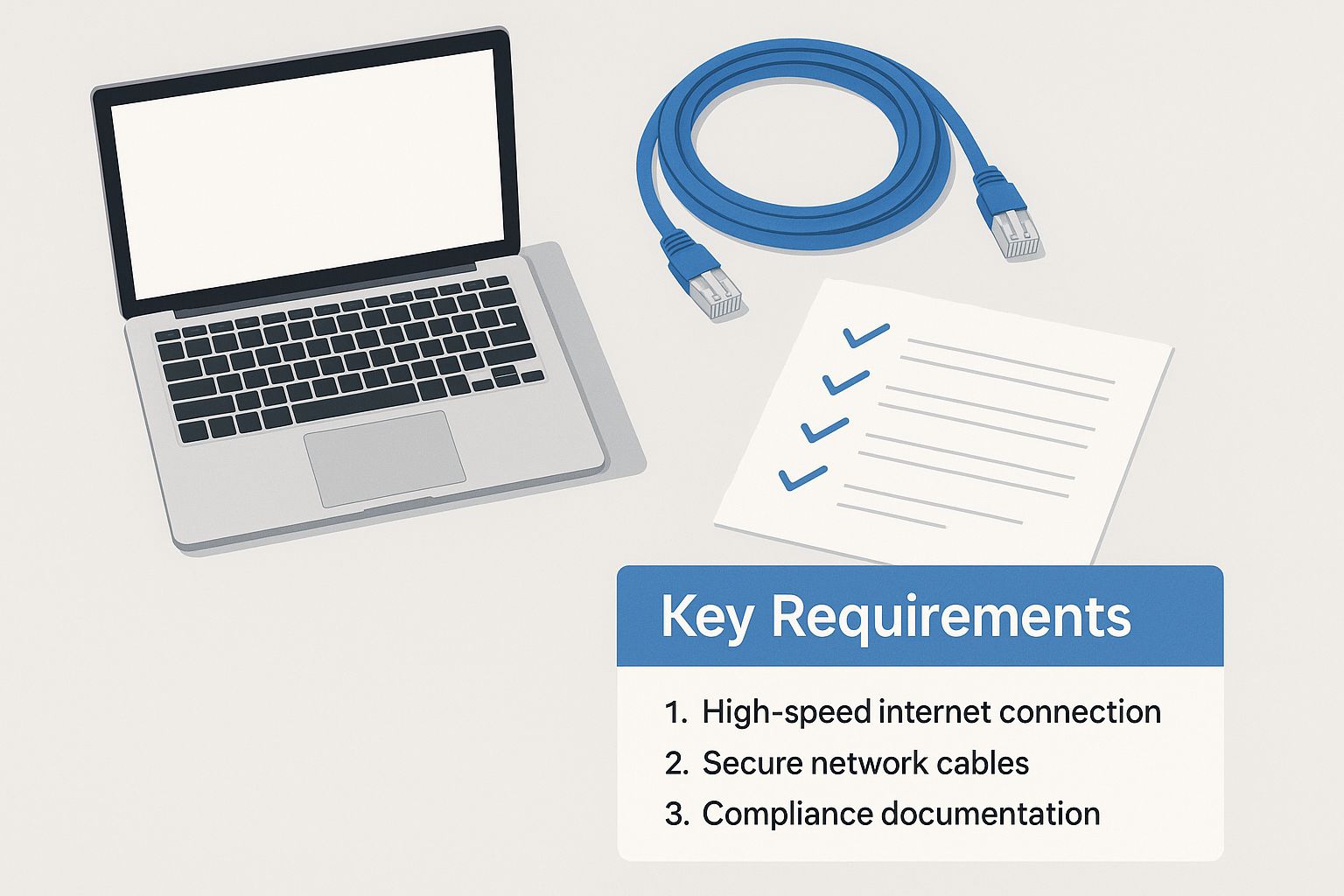
The image emphasizes the importance of planning. The checklist and organized workspace represent the preparation needed for a successful testing environment. A well-structured environment requires more than just hardware and software.
Hardware and Software Considerations
Like a musician needs the right instrument, your testing environment needs appropriate hardware and software that mirrors your production setup. Consider processing power, memory, storage, and operating system versions. If your application uses a specific Linux distribution, your testing environment should match it. This ensures accurate test results, reflecting real-world performance.
The right software tools are also essential. Tools for virtualization, containerization, and automation improve efficiency and ensure consistency and reproducibility.
Network Configuration and Data Requirements
The network setup is also important. Your testing environment’s network should resemble the production environment, including latency and bandwidth. Testing in a simplified network might hide performance issues that could appear under real-world conditions.
Having the right test data is crucial. Use realistic data that mirrors user behavior and data patterns. Insufficient or unrealistic data leads to inaccurate results and missed bugs. Data privacy and security are also important, especially when using production data. Data masking and anonymization protect sensitive information.
To better understand how different environments compare in terms of required components, let’s examine the following table. It outlines key differences and similarities across various testing stages.
Testing Environment Components Comparison
| Component Type | Development Environment | QA Environment | Staging Environment | Production-Like Environment |
|---|---|---|---|---|
| Hardware | May vary, often less powerful | Similar to production but scaled down | Closely matches production | Identical to production |
| Software | Often includes development tools | Focus on testing tools and frameworks | Mirrors production software versions | Exact production software versions |
| Data | Sample data, often synthetic | Mix of synthetic and real data | Sanitized production data | Masked production data |
| Network | Simplified network configuration | Simulated production network | Near-production network setup | Production network or isolated replica |
| Access Control | Open access for developers | Restricted access for testers | Limited access for specific teams | Highly restricted access |
This table highlights the increasing fidelity of testing environments as they progress towards production. While development environments offer flexibility, production-like environments prioritize accuracy and realism.
Overcoming Common Environment Challenges
Challenges can still appear even with careful planning. Configuration drift, where the testing environment differs from production over time, is a common issue. Regularly syncing configurations and using infrastructure-as-code can help. Another challenge is resource constraints. Cloud solutions offer flexibility, allowing teams to scale resources as needed. This helps avoid bottlenecks. Addressing these challenges ensures your testing remains effective.
Automating Your Way to Testing Environment Excellence
Manually setting up testing environments is a slow, tedious process, often riddled with errors. That’s where automation steps in. Progressive teams are adopting Infrastructure-as-Code (IaC) to create consistent, dependable, and quickly deployable testing environments. This approach boosts efficiency and scalability in testing. Automated environments reduce human error and guarantee consistent results, leading to faster and more reliable releases.
Tools of the Trade: Terraform, Ansible, and Docker
Tools like Terraform, Ansible, and Docker are changing how we manage testing environments. Terraform lets you define and manage your entire infrastructure through code. Ansible automates configuration and deployment tasks. Docker, with its containerization features, isolates test environments, allowing numerous tests to run concurrently without conflicts.
This toolset provides a powerful and adaptable approach to managing testing environments. They simplify the process from creation to deployment, allowing teams to quickly adjust to evolving requirements.
Containerization: Isolating for Success
Think of baking several cakes in the same oven at varying temperatures—a recipe for disaster! Running different tests with conflicting dependencies can similarly lead to unreliable outcomes. Containerization, like having separate mini-ovens, isolates each test environment.
Docker lets you package applications and their dependencies into independent units, ensuring predictable and repeatable results. This isolation prevents conflicts and allows for parallel testing, speeding up the entire process.
The move towards test automation is reshaping how we set up testing environments. In 2025, data reveals that automation replaced 50% or more of manual testing for 46% of teams. Another 26% of teams replaced up to 50% of their manual testing, and 20% replaced 75% or more. This shift underscores the increasing importance of automating repetitive work. Find more detailed statistics here.
Automation ROI and Pitfalls to Avoid
While automation offers many advantages, it’s essential to concentrate on areas with the highest return on investment. Automating recurring tasks like environment setup and teardown frees up valuable time for more involved testing activities. You might be interested in: How to master API test automation.
However, switching from manual to automated environment management requires thoughtful planning and execution. Don’t attempt to automate everything immediately. Start with a small, focused approach targeting key problem areas, and gradually increase your automation efforts.
This measured approach helps teams adjust and refine their automation strategies. It also minimizes disruptions and ensures a smooth transition. By recognizing potential problems and concentrating on strategic automation, teams can maximize the advantages of IaC and containerization for setting up their testing environments.
Making CI/CD and Test Environments Work in Harmony
Effective Continuous Integration and Continuous Deployment (CI/CD) pipelines depend on robust testing environments. This close relationship ensures code changes are thoroughly tested before release. Leading organizations know that environment provisioning, test execution, and deployment verification must work together for the best results. This section explores how these elements integrate seamlessly.
Orchestrating CI/CD and Testing: Tools and Strategies
Popular CI/CD tools like Jenkins, GitLab CI, and GitHub Actions offer powerful features for managing testing environments. Jenkins provides a flexible platform for automation. GitLab CI integrates CI/CD directly into the GitLab platform. GitHub Actions offers CI/CD within the GitHub ecosystem. These tools automate workflows, streamlining the process from building code to deploying it. By integrating testing at each stage, these tools identify issues early, reducing the risk of regressions.
For example, a CI/CD pipeline can automatically run unit tests after each code commit. If the tests pass, the pipeline automatically deploys the code to a staging environment for further integration testing.
Let’s take a look at a comparison of some popular CI/CD tools:
To help illustrate the various options available, we’ve compiled a comparison table:
CI/CD Tools for Testing Environment Management
| Tool | Environment Provisioning | Test Automation Integration | Parallel Testing Support | Complexity | Cost |
|---|---|---|---|---|---|
| Jenkins | Excellent, via plugins and scripts | Excellent, supports various testing frameworks | Excellent, configurable via plugins | High | Open Source |
| GitLab CI | Good, built-in support for Docker and Kubernetes | Good, integrates well with GitLab ecosystem | Good, configurable via runners | Medium | Varies based on plan |
| GitHub Actions | Good, integrates with various cloud providers and tools | Good, growing ecosystem of actions for testing | Good, configurable via workflows | Medium | Varies based on plan |
This table highlights the strengths and weaknesses of each tool, allowing you to choose the best fit for your needs. Jenkins offers flexibility but requires more configuration. GitLab CI and GitHub Actions provide tighter integration within their respective platforms.
Resource Allocation for Parallel Testing
Testing environments can become bottlenecks if multiple tests compete for resources. Think of a single-lane highway – traffic jams are inevitable. Successful teams address this through efficient resource allocation. This often involves containerization technologies like Docker to create isolated environments for parallel test execution. Docker helps create these isolated environments.
This lets teams run multiple tests concurrently, significantly reducing testing time. It also boosts confidence in test results by minimizing interference between tests.
Intelligent Cleanup Routines
Testing environments can accumulate outdated data and configurations. This can lead to inconsistent test results. To avoid this, implement intelligent cleanup routines within your CI/CD pipeline. These routines automatically remove obsolete environments and data after testing.
This keeps the environment clean and ensures each test starts fresh. It also controls costs by freeing up unused resources.
Minimizing Environment-Related Pipeline Failures
Environment-related issues are a common cause of CI/CD pipeline failures. These can range from configuration errors to resource conflicts. Automating environment provisioning with Infrastructure as Code (IaC) tools helps minimize human error and ensure consistency.
Robust monitoring and logging enable quick identification and resolution of environment-related issues. This proactive approach ensures a stable CI/CD pipeline. A successful CI/CD pipeline with integrated testing environments results in faster releases, increased reliability, and improved developer productivity.
Cloud-Based Testing Environments That Won’t Break the Bank
The cloud has changed how we set up testing environments, offering more flexibility and scalability. But getting the most out of these benefits requires a smart strategy. This section explores how companies are using cloud providers like AWS, Azure, and Google Cloud to create cost-effective, high-performing testing environments.
Right-Sizing Resources for Optimal Cost-Efficiency
Cloud computing lets you allocate resources on demand. But this flexibility can lead to unwanted costs if not managed well. Right-sizing your resources is key. This means selecting the right instance types, storage, and network settings to meet your testing needs without overspending. Think of it like ordering a meal – you want enough to be satisfied, but not so much that you waste food.
For example, performance tests might need high-CPU instances briefly, while functional tests can use smaller, cheaper instances. This targeted method optimizes spending and avoids wasted resources.
Cost Control Strategies for Cloud Testing
Controlling cloud costs requires ongoing monitoring and optimization. Cloud providers have tools to track spending and find areas for improvement. Setting budget alerts and using cost allocation tags can give you better visibility and control over your expenses. This helps teams manage their cloud testing budget effectively.
Also, consider using spot instances or preemptible VMs for less critical tests. These save a lot of money but can be interrupted by the provider. Weigh the cost savings against the potential for interruption when choosing resources.
Navigating Cloud Service Models: IaaS, PaaS, and SaaS
Cloud providers offer different service models, each with cost implications. Infrastructure as a Service (IaaS) gives the most control and flexibility, letting you manage the underlying infrastructure. Platform as a Service (PaaS) simplifies deployment and management by handling the infrastructure for you. Software as a Service (SaaS) provides ready-to-use applications with minimal management.
The best model depends on your needs and technical skills. IaaS offers more control but requires more management. PaaS balances control and ease of use, while SaaS prioritizes simplicity. You might be interested in: How to master cloud migration testing with an AWS map.
Security and Compliance in Cloud Testing Environments
Security is always important, even in testing. Cloud providers offer robust security like access control, encryption, and network isolation. Use these features to protect sensitive data and maintain compliance. This includes strong passwords, restricted access, and data masking or anonymization. These practices reduce breach risks and ensure your testing environments meet security standards.
Migration Roadmap: Transitioning to Cloud-Based Testing
Moving testing from on-premises to the cloud can be complex. A clear migration roadmap is essential. Begin by evaluating your current testing infrastructure and identifying cloud alternatives. Prioritize applications and services to migrate, starting with those that benefit most from cloud capabilities.
Develop a phased migration plan, thoroughly testing each stage for a smooth transition. This minimizes disruption and lets teams adapt to the cloud gradually.
By taking a strategic approach, organizations can use the cloud to build testing environments that are powerful, flexible, cost-effective, and secure. Balancing performance and budget is vital for successful software development in a competitive market. These efficient, scalable, and secure cloud-based testing environments offer big advantages for streamlining testing and ensuring high-quality software releases.

Building Test Environments for Tomorrow’s Technologies
As technology continues to evolve, our testing strategies must adapt. This section explores building robust testing environments for modern technologies like mobile apps, Internet of Things (IoT) devices, and microservices. These technologies present distinct testing challenges requiring effective solutions.
Mobile App Testing Environments: Addressing Device Fragmentation
Mobile app testing faces the significant challenge of device fragmentation. With a vast array of devices, operating systems, and screen sizes, ensuring app functionality across all combinations is crucial. Teams are adopting strategies like cloud-based device farms and emulators to address this complexity. These tools offer access to a wide range of devices for comprehensive testing. Simulating various network conditions, from 4G to unreliable Wi-Fi, is also essential for understanding real-world performance.
Testing in the World of IoT: Hardware and Sensors
The Internet of Things presents unique testing environment complexities. IoT systems frequently involve physical hardware and sensors, requiring hardware-in-the-loop (HIL) simulations. This involves testing software alongside the physical hardware it controls, ensuring compatibility and identifying integration issues. For example, a smart thermostat’s software could be tested with a simulated temperature sensor to verify its response to varying temperature readings. Furthermore, robust sensor simulation frameworks are crucial for generating realistic sensor data to test a wide range of scenarios.
Microservices Testing: Virtualization and Contracts
Microservices architectures require a different testing approach compared to monolithic applications. Teams must test individual services and their interactions. Service virtualization is critical, enabling teams to simulate dependencies that might be unavailable during testing. This allows testing even if dependent services aren’t fully developed or accessible.
Contract testing ensures services adhere to defined interfaces, preventing integration problems. This involves verifying that each service fulfills its contract, guaranteeing smooth inter-service communication. Effective test data management is also vital in microservices environments. Testing often requires specific data states for each service, demanding efficient management.
The influence of new technologies on testing is significant. As efficiency becomes paramount, the use of AI in testing is expected to grow by 37.3% from 2023 to 2030. The rise of IoT, with over 10% of venture capital funding allocated to it, further emphasizes the need for robust testing environments. Learn more at Global App Testing.
Traditional testing principles remain relevant but must be adapted to the challenges of each technology. By understanding these nuances and using the right tools and strategies, teams can prepare their testing environments for future technologies. GoReplay can capture and replay live HTTP traffic, improving application testing under realistic conditions.