
Setting the Stage for Flawless Software: Mastering Your Test Environment
A robust test environment is crucial for delivering high-quality software. This listicle presents eight test environment best practices to minimize production issues, optimize resources, and boost software quality. Learn how to implement environment parity, leverage automation, manage test data effectively, and more. By applying these practices, you’ll create a reliable testing foundation for faster and more efficient software development.
1. Environment Parity with Production
One of the most crucial test environment best practices is achieving environment parity with production. This means configuring your test environments to mirror your production environment as closely as possible across various factors, including hardware and infrastructure setup, software versions, data volume and characteristics, network configuration, and security settings. The underlying principle is simple: the more your test environment resembles production, the more accurate and reliable your test results will be, ultimately leading to more predictable deployments and fewer surprises in production. This practice is essential for implementing effective test environment best practices and ensuring high-quality software releases.

Environment parity minimizes the risk of encountering the dreaded “works on my machine” scenario, where code functions perfectly in a developer’s local environment but fails in production due to unforeseen environmental differences. It enables more realistic performance testing, helping identify potential bottlenecks and predict how the application will behave under real-world conditions. This, in turn, boosts confidence in deployments and reduces the likelihood of production incidents.
Features of a Production-Parity Test Environment:
- Hardware and Infrastructure Configuration: Using similar hardware specifications (CPU, RAM, storage) and infrastructure setup (load balancers, databases) as production.
- Software Versions and Patches: Employing the same operating systems, libraries, frameworks, and application versions as the production environment, including all security patches.
- Similar Data Volume and Characteristics: Populating the test environment with a representative subset of production data, mimicking its size, structure, and distribution.
- Identical Network Configuration: Replicating network topology, latency, and bandwidth limitations of the production environment.
- Matching Security Settings and Constraints: Enforcing the same security policies, access controls, and firewall rules as in production.
Pros:
- More realistic test outcomes
- Reduces “works on my machine” issues
- Helps identify performance bottlenecks
- Better prediction of production behavior
- Improves confidence in deployments
Cons:
- Can be expensive to maintain full production parity
- May require significant infrastructure resources
- Complex to keep synchronized with production changes
- May not be feasible for all organizations due to cost constraints
Examples of Successful Implementation:
- Netflix’s Chaos Monkey: This tool tests the resilience of Netflix’s infrastructure by randomly terminating instances in production-like environments, ensuring their systems can withstand unexpected failures.
- Google’s Canary Environments: Google utilizes canary environments, which are miniature replicas of their production environment, to gradually roll out new features and monitor their performance before a full release.
- Amazon’s Staged Deployment: Amazon employs a staged deployment process across identical environments, progressively releasing new code to increasingly larger subsets of users before deploying to the entire production infrastructure.
Tips for Achieving Environment Parity:
- Infrastructure as Code (IaC): Utilize tools like Terraform or Ansible to automate the provisioning and management of infrastructure, ensuring consistency across environments.
- Automated Environment Provisioning: Automate the creation and teardown of test environments to reduce manual effort and ensure repeatability.
- Containerization (Docker, Kubernetes): Leverage containers to package applications and their dependencies, promoting consistency across different environments.
- Focus on Critical Components: When full parity isn’t feasible, prioritize parity for the most critical components of your system.
- Document Differences: Maintain clear documentation of any remaining differences between test and production environments to avoid misinterpreting test results.
This best practice is popularized by industry leaders like ThoughtWorks Technology Radar, the DevOps movement, Martin Fowler’s writings on Continuous Delivery, and Jez Humble’s work on continuous deployment practices. While achieving complete parity can be challenging, striving for it significantly improves the reliability of testing and contributes to a more robust and predictable software delivery pipeline. This makes environment parity with production a cornerstone of effective test environment best practices.
2. Isolated and Dedicated Test Environments
One of the most crucial test environment best practices is establishing isolated and dedicated test environments. This means separating your testing environments from each other and, most importantly, from your production systems. This isolation prevents the unintended consequences of test data corrupting live data or different testing activities interfering with one another. Each testing phase, such as development testing, QA testing, performance testing, and security testing, should have its own dedicated environment tailored to its specific needs. This allows teams to operate independently and concurrently without the risk of impacting other teams or the live system.

This approach relies on several key features: separate network segments (VLANs) to prevent network traffic crossover, independent database instances to isolate test data, dedicated compute resources for predictable performance, environment-specific configurations that mirror the intended deployment target, and role-based access controls to manage who can access and modify each environment. For instance, developers might have full access to their development testing environment, while QA testers have restricted access to production.
Examples of Successful Implementation:
- Microsoft: Employs a ring-based deployment strategy using progressively isolated environments, from internal rings to public release rings, minimizing the impact of bugs on end-users.
- Salesforce: Maintains dedicated environments for QA, staging, and User Acceptance Testing (UAT), allowing for thorough testing before changes are rolled out to the production org.
- Financial Institutions: Often maintain strictly separated environments for compliance testing, ensuring adherence to regulatory requirements without risking production data.
Why Isolate and Dedicate?
This practice is essential for several reasons: it prevents test activities from impacting production systems, allows for parallel testing activities without interference, provides clearer attribution of test results by eliminating external variables, enables team-specific configurations for faster iteration cycles, and improves security by limiting access to sensitive data.
Pros:
- Prevents test activities from impacting production
- Allows multiple test activities to run concurrently
- Provides clearer attribution of test results
- Enables team-specific environments for faster iteration
- Improves security by limiting access
Cons:
- Increases infrastructure costs
- Requires more administrative overhead
- Can lead to environment proliferation if not managed effectively
- May require complex networking setup
Actionable Tips:
- Virtualization and Containerization: Leverage these technologies to create and manage isolated environments efficiently, reducing infrastructure costs.
- Naming Conventions: Implement consistent naming conventions for environments (e.g., Dev, QA, Staging, Production) to avoid confusion.
- Automation: Automate environment teardown and recreation to maintain a clean and consistent testing baseline and remove manual overhead.
- Environment-Specific Credentials: Utilize environment-specific credentials and connection strings to prevent accidental data modification in the wrong environment.
- Ephemeral Environments: Consider using ephemeral environments that are spun up on demand for specific tests and destroyed afterwards, optimizing resource utilization and reducing clutter.
This best practice is popularized by frameworks and methodologies such as ITIL, Agile testing, microservice architecture patterns, and the DevSecOps movement, all of which emphasize the importance of reliable and controlled testing environments for delivering high-quality software. By adhering to the principle of isolated and dedicated test environments, organizations can significantly improve the quality, reliability, and security of their software development lifecycle.
3. Automated Environment Provisioning
Among the most crucial test environment best practices is automated environment provisioning. This practice replaces manual, error-prone environment setup with automated, repeatable processes, leading to increased efficiency, consistency, and scalability. Automated provisioning uses Infrastructure as Code (IaC), configuration management tools, and automated deployment pipelines to dynamically create and configure test environments on demand. This means no more tedious manual configurations and drastically reduced setup time.
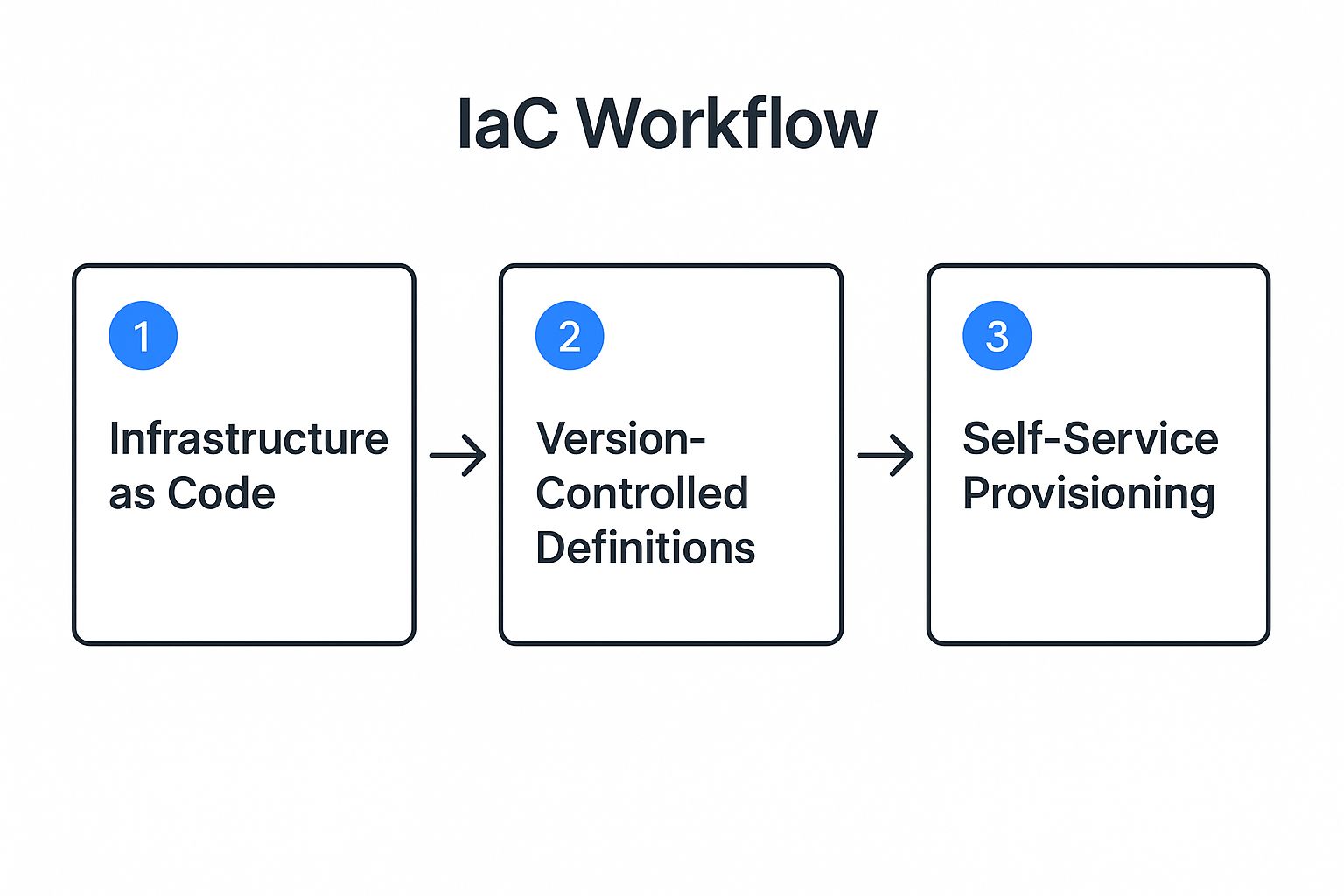
The infographic above visualizes the workflow of automated environment provisioning. It starts with defining the desired environment configuration in code (IaC), proceeds to automated resource provisioning in the cloud or on-premise, followed by configuration management and application deployment. Finally, automated testing is executed on the provisioned environment. The clear, linear progression highlights the streamlined nature of the automated process.
This approach offers features such as version-controlled environment definitions, self-service provisioning capabilities, support for ephemeral environments (temporary environments that are spun up and torn down as needed), and parameterized environment configurations for flexibility. These features empower teams to manage their test environments efficiently and adapt quickly to changing needs.
Why is automated provisioning a best practice? Consider the benefits: reduced manual setup errors, rapid environment creation and recreation, consistent environment configurations across the board, facilitated disaster recovery, and support for scaling your test infrastructure up or down as required. These advantages contribute to a faster, more reliable, and cost-effective software development lifecycle.
However, it’s crucial to acknowledge the potential drawbacks. Automating environment provisioning requires upfront investment in tooling and automation expertise (DevOps, cloud infrastructure). Implementing it for legacy systems can also present complexities. Additionally, organizations might face internal resistance to adopting new automated processes.
When and why should you use this approach? Automated environment provisioning is highly beneficial when dealing with frequent deployments, complex test environments, and a need for rapid scaling. It becomes a critical component for implementing continuous integration and continuous delivery (CI/CD) pipelines.
Examples of Successful Implementation:
- HashiCorp uses Terraform extensively for environment provisioning.
- Netflix leverages Spinnaker for automated environment creation within its complex microservices architecture.
- Spotify utilizes Kubernetes for dynamic and scalable test environments.
Actionable Tips for Implementation:
- Start with user-friendly IaC tools like Terraform, AWS CloudFormation, or Azure Resource Manager.
- Combine IaC with configuration management tools like Ansible, Puppet, or Chef for finer-grained control.
- Maintain your environment definitions in version control for traceability and collaboration.
- Design for idempotent provisioning, ensuring scripts can be run repeatedly without causing unintended side effects.
- Include database setup and seeding within your automation workflows.
Learn more about Automated Environment Provisioning provides further insights into setting up automated test environments.
By embracing automated environment provisioning as a test environment best practice, organizations can significantly improve the speed, reliability, and efficiency of their software testing processes, ultimately leading to higher quality software and faster time to market. Companies like HashiCorp (Terraform), AWS (CloudFormation), Microsoft (Azure Resource Manager), Red Hat (Ansible), and Chef Software (Chef) have been instrumental in popularizing and advancing this vital practice.
4. Realistic Test Data Management
Effective test environment best practices demand meticulous attention to data. Realistic test data management is crucial for ensuring the quality and reliability of software applications. This practice involves populating test environments with data that accurately mirrors production scenarios while safeguarding sensitive information through masking, anonymization, or synthesis. This allows for thorough testing across diverse scenarios without compromising data privacy and security, making it a cornerstone of any robust testing strategy.
A well-structured test data management strategy provides a solid foundation for comprehensive testing. It enables teams to simulate real-world conditions, identify potential vulnerabilities, and ensure the software behaves as expected under various circumstances. Without realistic test data, accurately assessing application performance and identifying potential issues before they impact end-users becomes significantly more challenging.
How it Works:
Realistic test data management involves several key components working in concert:
- Data Masking and Anonymization: Protecting sensitive data by replacing real values with fictional yet plausible substitutes. This ensures compliance with data privacy regulations like GDPR and CCPA.
- Data Subsetting: Creating smaller, representative samples of production data to reduce storage requirements and improve testing efficiency.
- Synthetic Data Generation: Creating entirely artificial data that statistically resembles real data. This is particularly useful when real data is scarce or contains highly sensitive information.
- Version-Controlled Test Data Sets: Managing test data like code, allowing for easy rollback, version comparison, and reproducibility of tests.
- Data Refresh Automation: Regularly updating test data from production environments to ensure relevance and accuracy, ideally automated through scripting or dedicated tools.
- Test Data as Code: Defining and managing test data through scripts and configuration files, further enhancing automation and version control.
Features and Benefits:
The key features described above translate to several benefits:
- Enables Realistic Testing Without Privacy Risks: Thorough testing is possible without jeopardizing sensitive information.
- Supports Compliance with Data Protection Regulations: Adhering to GDPR, CCPA, and other regulations becomes more manageable.
- Allows Testing of Edge Cases and Specific Scenarios: Creating specific datasets for targeted testing allows for more in-depth analysis of particular scenarios.
- Provides Consistent Test Baselines: Version-controlled test data sets provide a stable and consistent foundation for testing, enabling reliable comparison across different builds and releases.
- Reduces Storage Requirements Through Subsetting: Working with smaller subsets reduces storage costs and improves testing speed.
Pros and Cons:
| Pros | Cons |
|---|---|
| Realistic testing without privacy risks | Complex to create realistic yet anonymized data |
| Compliance with data regulations | Requires ongoing maintenance as data schemas evolve |
| Testing of edge cases and specific scenarios | May not fully represent production data volume or distribution |
| Consistent test baselines | Can be time-consuming to generate comprehensive test datasets |
| Reduced storage requirements |
Examples of Successful Implementation:
- HSBC: Leverages data virtualization to create realistic test environments without replicating the entire production database, leading to significant cost and storage savings.
- PayPal: Utilizes synthetic transaction data generation for fraud detection testing, enabling them to simulate a wide range of fraudulent activities without using real customer data.
- Microsoft’s DevTest Labs: Offers sanitized data generation capabilities to facilitate secure and efficient testing within development and testing environments.
Actionable Tips:
- Establish formal test data management processes with clear roles and responsibilities.
- Use specialized tools for data masking and anonymization, such as those offered by IBM (Optim Data Privacy), Delphix (Data Virtualization), Informatica (Test Data Management), and CA Technologies (Test Data Manager).
- Consider data virtualization to reduce storage needs and improve access to test data.
- Create specific datasets for different test scenarios, including edge cases and boundary conditions.
- Automate regular refreshes of test data from production to maintain relevance.
- Design with GDPR, CCPA, and other privacy regulations in mind from the outset.
When and Why to Use This Approach:
Realistic test data management is essential whenever software testing involves data that could potentially expose sensitive information. This is particularly important in industries with stringent regulatory requirements, such as finance, healthcare, and e-commerce. By prioritizing this practice, organizations can significantly improve the quality of their testing efforts, minimize risks, and ensure compliance with data protection regulations. This best practice ultimately contributes to the delivery of robust and reliable software applications that meet user needs and maintain data security.
5. Comprehensive Monitoring and Observability
Comprehensive monitoring and observability are crucial for effective test environment best practices. This involves implementing the same monitoring, logging, and observability tools in your test environments as you do in production. This approach provides critical visibility into application behavior during testing, allowing teams to identify and address performance bottlenecks, unexpected errors, and functional discrepancies before they impact end-users. By replicating the production monitoring setup, you gain valuable insights into how your application will perform under real-world conditions and can proactively mitigate potential issues.

This practice encompasses several key features: end-to-end application performance monitoring (APM), distributed tracing, centralized logging infrastructure, metrics collection and dashboarding, alerting capabilities, and performance benchmark tracking. These tools empower teams to analyze performance data, troubleshoot problems effectively, and validate application behavior against expected outcomes. For example, APM tools provide detailed insights into transaction times, error rates, and resource utilization, while distributed tracing helps pinpoint the source of latency issues in complex microservice architectures. Centralized logging aggregates logs from various components, simplifying debugging and analysis. Learn more about Comprehensive Monitoring and Observability
The benefits of comprehensive monitoring and observability are numerous. It enables early detection of performance issues, provides data-driven test validation, facilitates root cause analysis, allows for comparison of metrics across different environments (e.g., development, staging, production), and helps verify non-functional requirements such as scalability and reliability. This proactive approach significantly reduces the risk of deploying faulty code to production, minimizing downtime and improving overall application quality.
Successful implementations of comprehensive monitoring are seen across industry leaders. Google’s implementation of Dapper-based tracing in its test environments sets a precedent for understanding complex system behavior. Netflix utilizes Atlas for comprehensive metric collection across both test and production environments, ensuring consistency and enabling data-driven decision-making. Uber leverages Jaeger for distributed tracing across all environments, providing deep visibility into the performance of its microservices.
While the advantages are clear, there are also potential drawbacks to consider. Implementing a robust monitoring stack adds complexity to the test environment setup and can increase costs associated with monitoring tool licenses. It requires additional infrastructure to support the monitoring tools themselves and can generate large volumes of data that need to be managed effectively.
To effectively implement comprehensive monitoring and observability in your test environments, consider the following tips:
- Implement the full observability triad: logs, metrics, and traces, provide a holistic view of your application’s behavior.
- Use the same monitoring stack across all environments: This ensures consistency and allows for direct comparisons between test and production data.
- Create specific dashboards for test activities: Focus on key performance indicators (KPIs) relevant to your testing goals.
- Set up automated performance regression testing: Track performance trends over time and identify potential regressions early on.
- Configure different alert thresholds for test vs. production: Avoid unnecessary alerts in the test environment while still catching critical issues.
- Archive test metrics for trend analysis: Gain valuable insights into long-term performance patterns.
Comprehensive monitoring and observability deserve a prominent place in any list of test environment best practices because they are essential for building and maintaining high-quality software. By providing deep insights into application behavior, these practices empower teams to identify and resolve issues early, ultimately leading to improved performance, reduced downtime, and enhanced user experiences.
6. Version Control and Configuration Management
Version control and configuration management are crucial for establishing robust and reliable test environments. This best practice ensures that all aspects of your test environments—from infrastructure definitions and configuration files to test data and application code—are meticulously tracked and managed. By implementing a comprehensive version control system, you gain the power of reproducibility, traceability, and the ability to recreate specific environments on demand, ultimately leading to more consistent testing across time and teams. This is a cornerstone of effective software development and quality assurance, directly impacting the reliability and predictability of your testing processes. Therefore, it deserves a prominent place in any list of test environment best practices.
How it Works:
The core principle is to treat all environment artifacts as code. This means storing everything related to the environment’s setup and configuration within a version control system, typically a Git repository. This includes infrastructure-as-code scripts (e.g., Terraform, CloudFormation), configuration files, database schemas, test data sets, and the application code itself. Using branching strategies, teams can work on different environment configurations in isolation, merging changes back into the main branch when ready. Tagged releases create snapshots of specific environment versions, allowing for easy rollback to previous states. Change history tracking provides a comprehensive audit trail of all modifications, facilitating debugging and root cause analysis.
Features and Benefits:
- Git-based version control: Enables collaborative management and tracking of all environment artifacts.
- Branching strategies: Allows for isolated development and testing of different environment configurations.
- Tagged releases: Creates immutable snapshots of environment versions for reproducibility.
- Change history tracking: Provides an audit trail of all environment modifications.
- Configuration drift detection: Identifies discrepancies between the desired and actual state of an environment.
- Environment-specific configuration management: Tailors configurations to the specific needs of each test environment.
Pros:
- Provides a comprehensive audit trail of environment changes, facilitating compliance and troubleshooting.
- Enables easy rollback to previous stable configurations in case of errors or unexpected behavior.
- Ensures reproducibility of test scenarios, leading to more reliable and consistent results.
- Facilitates collaboration across teams by providing a single source of truth for environment configurations.
- Supports compliance requirements through detailed traceability of changes.
Cons:
- Requires discipline in managing changes and adhering to version control best practices.
- May require custom solutions for versioning certain legacy components that are not easily integrated with Git.
- Can be challenging to version large binary artifacts efficiently due to storage space and performance considerations.
- Requires training teams on version control best practices to ensure effective adoption.
Examples of Successful Implementation:
- Facebook utilizes Buck, a build system, to create deterministic builds across various test environments, ensuring consistency and reproducibility.
- Google leverages Bazel, a similar build system, for building and testing software in reproducible test environments.
- Etsy employs a version-controlled approach to managing feature flags in their test environments, allowing for precise control over feature activation and testing.
Actionable Tips:
- Store all environment configurations, including infrastructure-as-code scripts and application code, in Git repositories.
- Implement pull request workflows for all environment changes to ensure peer review and quality control.
- Use semantic versioning for environment releases to clearly communicate changes and facilitate dependency management.
- Automate configuration validation to prevent errors and ensure consistency across environments.
- Create environment-specific branches for ongoing work, allowing for isolated development without affecting other environments.
- Document dependencies between configuration components to facilitate understanding and troubleshooting.
Popularized By:
Tools like GitHub and GitLab provide platforms for version control, while configuration management solutions like Puppet, Chef, and Ansible automate and manage infrastructure and software configurations, further enabling this test environment best practice.
By embracing version control and configuration management, organizations can establish a robust foundation for their test environments, enabling greater agility, reliability, and confidence in their software development lifecycle. This ultimately contributes to delivering higher quality software and faster time to market.
7. Security Controls and Compliance Testing
Security is no longer an afterthought but an integral part of the software development lifecycle (SDLC). Implementing robust security controls and compliance testing within your test environments is a critical best practice for delivering secure and compliant applications. This approach ensures that security vulnerabilities are identified and addressed before they reach production, saving time, resources, and potentially preventing costly breaches or regulatory penalties. This is why it deserves a prominent place in any list of test environment best practices.
What it is and How it Works:
Security controls and compliance testing in test environments involve integrating various security tools and processes to evaluate applications against predefined security requirements and regulatory standards. This encompasses a range of activities, including:
- Automated Security Scanning Integration: Automatically scanning code for known vulnerabilities using tools like Snyk integrated into your CI/CD pipeline.
- Dynamic Application Security Testing (DAST): Simulating real-world attacks against a running application to uncover vulnerabilities in the application’s exposed interfaces.
- Static Application Security Testing (SAST): Analyzing application source code for security flaws without actually executing the code.
- Compliance Verification Checks: Automating checks to ensure the application adheres to specific compliance frameworks (e.g., PCI DSS, HIPAA, GDPR).
- Penetration Testing Support: Providing a dedicated environment for ethical hackers to simulate real-world attacks and uncover deeper vulnerabilities.
- Security Control Validation: Verifying the effectiveness of existing security controls implemented in the application.
Features and Benefits:
- Identifies security issues before production: Early detection drastically reduces the cost and effort associated with fixing vulnerabilities in production.
- Validates compliance with regulatory requirements: Ensures your application meets industry and government regulations, avoiding potential fines and legal issues.
- Reduces security-related rework: Shifting security left in the SDLC minimizes the need to rework code later due to security vulnerabilities.
- Integrates security into the development lifecycle: Promotes a security-focused culture and makes security everyone’s responsibility.
- Creates a security-focused culture: By making security a core part of the testing process, development teams become more aware of secure coding practices.
Pros and Cons:
Pros:
- Early identification of security vulnerabilities
- Validation of regulatory compliance
- Reduction of security-related rework
- Integration of security into the SDLC
Cons:
- Security tools can slow down testing cycles
- May require specialized security expertise
- Security testing tools often produce false positives
- Compliance testing can be complex for heavily regulated industries
Examples of Successful Implementation:
- JP Morgan Chase: Implements automated compliance testing in pre-production environments to ensure adherence to strict financial regulations.
- Microsoft: Utilizes the Security Development Lifecycle (SDL) in its test environments, embedding security considerations throughout the entire development process.
- U.S. Department of Defense: Employs a DevSecOps Reference Architecture that emphasizes security and compliance testing within test environments.
Actionable Tips:
- Integrate security scanning into CI/CD pipelines: Automate security checks early and often.
- Implement automated compliance checks as part of testing: Ensure compliance from the start.
- Create specific test environments for security assessments: Isolate security testing to prevent interference with other testing activities.
- Use threat modeling to inform security test cases: Design targeted tests based on potential attack vectors.
- Maintain separate credentials for test environments: Prevent unauthorized access to sensitive data.
- Regularly rotate test environment credentials: Enhance security and limit the potential impact of compromised credentials.
Popularized By:
- OWASP: Provides widely recognized security testing standards and guidelines. (https://owasp.org/)
- Snyk: Offers security scanning tools to identify and fix vulnerabilities in code. (https://snyk.io/)
- HackerOne: Provides a security testing platform for vulnerability disclosure and bug bounty programs. (https://www.hackerone.com/)
- Veracode: Offers application security testing solutions for static and dynamic analysis. (https://www.veracode.com/)
- Fortify: Provides security testing solutions for identifying and remediating software vulnerabilities. (https://www.microfocus.com/en-us/portfolio/application-security/overview)
By incorporating these security controls and compliance testing practices into your test environments, you can significantly improve the security posture of your applications, reduce risk, and ensure adherence to regulatory requirements. This ultimately leads to more robust and trustworthy software for your users.
8. Environment Lifecycle Management
Effective test environment management is crucial for delivering high-quality software efficiently. A key component of this is establishing a robust environment lifecycle management process. This best practice ensures that test environments are treated as valuable resources with defined processes for their creation, maintenance, usage, and eventual decommissioning. This approach is essential for organizations looking to optimize resource utilization, control costs, and improve the overall efficiency of their software development lifecycle. Adhering to environment lifecycle management principles is a critical element of any robust set of test environment best practices.
Environment lifecycle management addresses the entire lifespan of a test environment. This includes:
- Creation: Standardized and potentially automated processes for spinning up new environments with the necessary configurations and software.
- Maintenance: Regular updates, patching, and health checks to ensure the environment remains stable and reflects production-like conditions.
- Refresh: Periodically resetting the environment to a known good state, often after major testing cycles or deployments, to eliminate data corruption and configuration drift.
- Decommissioning: A clear process for retiring environments that are no longer needed, freeing up resources and minimizing costs.
Implementing a structured lifecycle approach brings several advantages:
Pros:
- Optimizes resource utilization and costs: By decommissioning unused environments and monitoring resource usage, organizations can significantly reduce cloud spending and hardware costs.
- Prevents environment sprawl: Uncontrolled creation of environments leads to wasted resources and management overhead. A defined lifecycle mitigates this risk.
- Ensures environments are available when needed: A reservation system and scheduling prevents conflicts and ensures that teams have access to the right environments at the right time.
- Maintains environment health over time: Regular maintenance and refresh cycles prevent configuration drift and ensure consistent test results.
- Provides visibility into environment usage patterns: Usage tracking and reporting provide valuable insights into environment demand and resource allocation, enabling data-driven optimization.
Cons:
- Requires organizational discipline to maintain: Successfully implementing and maintaining an environment lifecycle requires commitment and adherence to defined processes.
- May conflict with teams wanting persistent environments: Some teams may prefer dedicated, persistent environments. This needs to be carefully balanced with the need for efficient resource utilization.
- Can be politically challenging to enforce cleanup: Decommissioning environments can sometimes face resistance from teams reluctant to relinquish control. Clear communication and executive sponsorship are key to overcoming this.
- Needs ongoing management attention: Environment lifecycle management is not a one-time setup. It requires continuous monitoring, refinement, and adaptation to evolving needs.
Examples of Successful Implementation:
- Atlassian: Implements expiration dates for non-permanent environments, automatically reclaiming resources after a defined period.
- Capital One: Automates environment cleanup after a period of inactivity, freeing up resources for other teams.
- Adobe: Utilizes an environment reservation system with cost allocation, providing both availability and cost transparency.
Actionable Tips:
- Implement expiration dates for non-permanent environments.
- Create a self-service portal for environment requests. Tools like AWS Service Catalog or ServiceNow can facilitate this.
- Establish clear ownership for each environment. This promotes accountability and ensures proper maintenance.
- Automate regular environment health checks. Use scripting or dedicated tools to monitor performance and identify potential issues.
- Implement showback or chargeback models for resource usage. This increases cost awareness and encourages responsible consumption.
- Schedule regular environment refresh cycles. This helps maintain environment stability and prevents configuration drift.
Popularized By:
Tools like Puppet Enterprise, AWS Service Catalog, VMware vRealize Automation, ServiceNow, and Morpheus Data provide features that facilitate environment lifecycle management, including automation, orchestration, and self-service capabilities.
By implementing a robust environment lifecycle management process, organizations can significantly improve the efficiency and cost-effectiveness of their test environment best practices, leading to faster release cycles and higher quality software.
8 Key Test Environment Best Practices Comparison
| Practice | Implementation Complexity 🔄 | Resource Requirements ⚡ | Expected Outcomes 📊 | Ideal Use Cases 💡 | Key Advantages ⭐ |
|---|---|---|---|---|---|
| Environment Parity with Production | High: matching full production setup; complex synchronization | High: requires significant infra resources | Highly reliable test results reflecting production; fewer deployment issues | Critical applications with strict production likeness needs | Realistic outcomes; performance bottleneck identification; deployment confidence |
| Isolated and Dedicated Test Environments | Medium-High: complex network and admin setup | High: multiple separate environments needed | Prevents interference, clearer results attribution, supports concurrent testing | Multiple teams/projects needing parallel testing; security-conscious contexts | Test isolation; concurrency; enhanced security; faster team iteration |
| Automated Environment Provisioning | Medium-High: upfront automation investment; Requires DevOps skills | Medium: infrastructure scalable with automation | Consistent, reproducible test setups; rapid environment creation and teardown | Dynamic environments; rapid scaling; legacy modernization efforts | Reduced manual errors; fast provisioning; environment consistency |
| Realistic Test Data Management | Medium-High: complex anonymization and maintenance | Medium: storage optimized by subsetting | Privacy-compliant, representative test data enabling thorough testing | Compliance-driven industries; data-sensitive applications | Realistic testing without compromising privacy; regulatory compliance |
| Comprehensive Monitoring and Observability | Medium: requires monitoring stack setup and integration | Medium-High: monitoring tools and infra costs | Early issue detection; data-driven validation; performance insights | Applications where performance and behavior validation are critical | Early detection; root cause analysis; cross-environment metric comparison |
| Version Control and Configuration Management | Medium: requires discipline and tooling | Low-Medium: depends on tooling; mostly process | Reproducible, traceable environments enabling collaboration | Teams practicing Infrastructure as Code and Continuous Delivery | Audit trails; rollback ability; reproducibility; collaborative workflows |
| Security Controls and Compliance Testing | High: specialized security tools and expertise needed | Medium-High: security tooling and scanning costs | Early discovery of vulnerabilities; regulatory compliance verification | Regulated industries; security-critical applications | Identifies security risks early; embeds security into lifecycle; compliance |
| Environment Lifecycle Management | Medium: requires organizational discipline and tooling | Medium: optimized resource usage reduces costs | Efficient resource utilization; controlled sprawl; environment availability | Organizations managing many transient or shared environments | Cost optimization; environment health; usage visibility |
Building a Better Tomorrow: Embracing Test Environment Excellence
Implementing these eight test environment best practices—environment parity with production, isolated and dedicated environments, automated provisioning, realistic test data management, comprehensive monitoring, version control, security controls, and robust lifecycle management—is key to achieving software excellence. Mastering these core concepts transforms your testing process from a potential roadblock into a catalyst for faster delivery, reduced production defects, and ultimately, a more robust and reliable product. By prioritizing these test environment best practices, you not only improve the quality of your software but also empower your teams to work more efficiently and confidently. A well-maintained test environment fosters a culture of quality and allows your organization to adapt quickly to changing market demands and deliver exceptional user experiences.
The journey towards a robust test environment requires ongoing effort and refinement. Prioritizing these best practices ensures you’re well-equipped to tackle the complexities of modern software development. Remember, the investment in a high-quality test environment directly translates to fewer fire drills, faster time to market, and a stronger bottom line.
Want to take your test environment to the next level and ensure your testing mirrors real-world scenarios? Explore GoReplay (https://goreplay.org), a powerful tool that captures and replays live traffic, allowing you to test against realistic user behavior and further refine your testing strategy within a robust and reliable test environment. Start enhancing your test environment realism and resilience today with GoReplay!