
A Practical Guide to Test Case Management Jira

If you’re still managing test cases in spreadsheets while tracking bugs in Jira, you’re creating a massive visibility gap between development and QA. It’s a common story: test plans live in one place, bug reports in another, and requirements are buried in a third. This disjointed workflow leads to information silos, making it nearly impossible to get a clear picture of product quality.
By bringing test case management into Jira, you transform it from a simple bug tracker into a full-fledged command center for your entire quality lifecycle. It’s not just about convenience; it’s about creating a single source of truth.
Why Jira Is Your QA Team’s Secret Weapon
Let’s get real. A failed test in a spreadsheet is just a colored cell. A failed test inside Jira, linked directly to the user story and the resulting bug ticket, is a complete narrative. That’s the strategic shift we’re talking about.

When your testers and developers are working from the same playbook, collaboration skyrockets. A tester finds a bug, links the failed test case, and creates a bug ticket—all within the same system. The developer instantly gets the full context: the requirement, the test steps, and the expected vs. actual results. No more back-and-forth trying to piece the story together.
The Power of a Unified System
The real magic of using Jira for testing is the end-to-end traceability you gain. You can literally trace a feature from the initial idea all the way to its final verification, and every step in between. This isn’t just a “nice-to-have” for auditors; it’s a game-changer for daily operations.
This level of visibility unlocks some serious benefits:
- Real-Time Quality Insights: Stakeholders don’t need to tap you on the shoulder for a status update. They can just look at a Jira dashboard and see test progress, pass/fail rates, and requirement coverage in real-time.
- Improved Accountability: Every test, execution, and bug is linked to a user and stamped with a time. It creates a crystal-clear audit trail that shows who did what, and when.
- Faster Feedback Loops: Developers get immediate, context-rich bug reports. This drastically cuts down the time it takes to diagnose and fix issues because the context is already attached.
By integrating QA directly into the native development environment, you stop treating quality as a separate, final gate. Instead, it becomes a continuous, integral part of how you build software. This is the mindset that fuels modern CI/CD.
The numbers back this up. By 2025, over 10 million testers, developers, and QA managers are expected to rely on Jira-integrated tools, managing a staggering 100 million test cases every month. If you want to dive deeper, you can discover more insights about Jira’s role in testing to see how it’s empowering teams across the globe.
Choosing the Right Jira Test Management App
Picking a test management app from the Atlassian Marketplace is one of those decisions that will echo through your team’s daily life for years. This isn’t just about adding another tool; it’s about defining your entire QA workflow, what you can (and can’t) report on, and how smoothly testing integrates with the rest of your development cycle.
Honestly, it’s less about a feature-for-feature showdown and more about finding a philosophy that clicks with your team’s scale, methodology, and technical comfort level.
The world of test case management in Jira has come a long way. This isn’t a new problem—it’s a space that’s seen a 15-year evolution from basic issue tracking to the sophisticated QA command centers we see today. Jira first launched back in 2002, but it wasn’t until around 2010 that it really started gaining traction for dedicated testing, thanks to plugins like the original Zephyr (now Zephyr Squad). That plugin alone hit over 1 million installs by 2020, which gives you an idea of the demand. You can actually explore the history of Jira test management tools to get the full picture.
Comparing the Heavyweights: Xray vs. Zephyr Scale
For most teams I talk to, the decision quickly narrows down to two dominant players in the Marketplace: Xray and Zephyr Scale. Both are incredibly powerful, but they approach test management from slightly different angles.
Xray is the go-to for teams that want deep, native Jira integration. It treats tests as first-class Jira issues, just like stories or bugs. This is huge because it means you can use JQL to find anything, pull tests into your sprints on an Agile board, and manage them using the same workflows your developers already know and love.
- Best For: Teams deep into Behavior-Driven Development (BDD) with Cucumber or anyone who needs forensic-level control and reporting using JQL.
- Key Strength: Because every test is a native issue, you get incredible traceability from requirement all the way down to a specific defect. It’s all linked together seamlessly.
Zephyr Scale, on the other hand, gives you a more self-contained, dedicated testing module within Jira. This can feel a lot less chaotic for teams just getting started with integrated test management, as it keeps all your test artifacts neatly organized in their own space, separate from the development backlog.
- Best For: Larger enterprise teams who need a highly structured, scalable test repository that feels distinct from day-to-day Jira issue management.
- Key Strength: It has really robust versioning capabilities and allows you to create reusable test steps. This is a massive time-saver for large, complex projects where you’re constantly re-using the same verification steps.
The choice often boils down to one simple question: Do you want your tests to be Jira issues (Xray), or do you want them to live inside a dedicated testing area in Jira (Zephyr Scale)? Figure that out, and you’re halfway to your answer.
A Look at Other Contenders
While Xray and Zephyr Scale get most of the attention, they aren’t the only options. A tool like AIO Tests has carved out a niche by focusing on simplicity and user experience. It’s a fantastic choice for teams who find the enterprise-level features of the bigger tools to be overkill and just want a clean, intuitive way to manage their testing without a steep learning curve.
To help you see how they stack up, here’s a quick comparison.
Comparing Top Jira Test Management Apps
This table gives you a side-by-side look at the key features and ideal scenarios for the top contenders. It’s a starting point to help you match a tool to your team’s specific needs.
| Feature | Xray | Zephyr Scale | AIO Tests |
|---|---|---|---|
| Core Philosophy | Tests are native Jira issues (e.g., “Test,” “Test Set”). | Tests are separate entities managed within a dedicated testing module. | A simplified, user-friendly testing module inside Jira. |
| Best Use Case | BDD-heavy teams, automation-centric workflows, and those needing JQL power. | Enterprise teams needing structured test libraries and version control. | Small to mid-sized teams prioritizing ease of use and quick adoption. |
| Traceability | Excellent, uses standard Jira issue linking for full traceability. | Strong, with dedicated traceability reports and links to Jira issues. | Good, offers straightforward linking between tests, requirements, and defects. |
| Automation & CI/CD | Extensive. Supports Cucumber, JUnit, NUnit, and has a robust REST API. | Very strong. Integrates with CI/CD tools via REST API and BDD frameworks. | Solid. Provides REST APIs for easy integration with CI/CD pipelines. |
| Reporting | Highly customizable via JQL, built-in reports, and dashboard gadgets. | Comprehensive, with built-in cross-project reports and dashboard gadgets. | Clean and simple. Provides essential reports and metrics out of the box. |
| Pricing Model | Tiered pricing based on user count. | Tiered pricing based on user count. | Tiered pricing based on user count, often seen as more cost-effective. |
Ultimately, the “best” tool is the one your team will actually use. Don’t let a massive feature list distract you from the core requirement: making testing more efficient and visible.
Key Factors for Your Decision
Beyond the big names, let your team’s real-world problems guide your decision. It’s easy to get lost in feature checklists, but what matters is what will make a tangible difference in your day-to-day work.
Keep these practical points in mind:
- Team Size and Scalability: How will the app perform when your test repository balloons from a few hundred cases to tens of thousands? Dig into user reviews and forums for honest feedback on enterprise-level stability.
- Automation Integration: How painless is it to connect to your CI/CD pipeline? You’re looking for a robust REST API and, ideally, pre-built integrations with the tools you already use, like Jenkins, GitLab CI, or GitHub Actions.
- Learning Curve: How fast can a new tester (or even a developer) get comfortable and start contributing? A clunky, unintuitive UI is the fastest way to kill adoption, no matter how powerful the tool is.
- Reporting and Dashboards: Can you actually build the reports that your stakeholders care about? The ability to customize dashboards with gadgets showing test execution trends, requirements coverage, and traceability is absolutely non-negotiable for proving the value of your QA efforts.
Alright, with your test management app installed, it’s time to actually build your testing framework inside Jira. This isn’t just an administrative step; it’s the foundation for your entire QA process. Skipping this part is a classic mistake that leads to chaos down the road. Our goal is to create a clean, scalable structure that makes sense from day one and won’t crumble as your project grows.
Most of the heavy-hitting test management apps, like Xray or Zephyr Scale, are built on a simple but powerful idea: they add new Jira issue types specifically for testing. This is the magic. Your tests stop being attachments or comments and become first-class Jira citizens, just like Stories and Bugs.
Defining Your Core Issue Types
Your first real task is to get these new issue types dialed in. The app will give you some defaults, but you’ll want to tweak them to fit how your team actually works and talks.
A solid, typical setup usually boils down to three core types:
- Test Case: This is your ground-level building block. It’s a single Jira issue that holds the step-by-step instructions, preconditions, and what you expect to happen for one specific test.
- Test Plan / Test Set: Think of this as a container. It’s an issue you use to group related tests together. For example, you might create a “Login Functionality Test Plan” for a feature release or a “Sprint 23 Regression Test Set” for a specific cycle.
- Test Execution: This is the record of a run. Every time someone runs a Test Case (or a whole Test Plan), a Test Execution issue is created. It captures the vital info: pass, fail, or blocked. If a test fails, you create the bug right from here, and the link is made automatically.
Treating tests this way unlocks all the power of Jira. You can write JQL queries to find all failed tests, drag Test Plans across your Agile board, and most importantly, link everything together to build that critical traceability chain from requirement to test to bug.
Structuring Your Test Repository
A flat, endless list of test cases is a QA nightmare. Once you have more than a hundred tests, finding anything becomes a massive time sink. This is where the test repository view comes in, and you need to organize it with folders and labels from the get-go.
Don’t get stuck in analysis paralysis trying to create the perfect folder structure. Start simple. A feature-based hierarchy is almost always the best bet. Create top-level folders for your app’s main modules—things like “User Authentication,” “Shopping Cart,” and “Payment Processing.” It’s way more intuitive than trying to organize by sprint or release, which get outdated fast.
Labels are your secret weapon for flexibility. Use them to tag tests that cut across different features or folders. I’ve seen teams have a lot of success with labels like regression, smoke-test, mobile-only, or p1-priority. The beauty is that a single test case can sit in one folder (like “Payment Processing”) but have multiple labels, making it dead simple to pull together custom test runs whenever you need them.
Adding Custom Fields for Deeper Context
This is where you go from just organizing tests to creating a rich, reportable dataset. Jira’s custom fields are your best friend for capturing the metadata your QA team actually needs.
Don’t just stick with the defaults. Consider adding fields that will give you real insight:
- Automation Status: This is a must-have. Create a dropdown with options like
Manual,Automated,Candidate for Automation, andCannot Automate. It immediately clarifies the state of your test suite and helps prioritize automation work. - Test Owner: A user-picker field to assign clear responsibility for keeping a test case up-to-date.
- Component/Module: A multi-select field that mirrors your development components. This makes it incredibly easy to find all tests related to a specific part of your application.
Getting these issue types, repository folders, and custom fields set up right from the start gives you a rock-solid framework. It ensures that as your project scales from ten tests to ten thousand, your test case management in Jira stays organized, searchable, and tightly woven into your entire development workflow.
Creating Tests and Achieving Full Traceability
Okay, your framework is set up. Now we move from configuration to creation. This is where you’ll see the real power of managing test cases in Jira—turning abstract requirements into concrete, verifiable steps. The goal here isn’t just writing tests; it’s about building an unbreakable chain of evidence that connects every feature directly to its validation.
Writing a solid test case is a craft. It demands clarity, precision, and an unwavering focus on repeatability. Every test case should be a self-contained unit with instructions so clear that any team member could pick it up and run with it, no extra context needed. If you’re looking to brush up on the basics, our guide on how to create a test case is a great place to start.
At a minimum, a strong test case in Jira needs these parts:
- Preconditions: What has to be true before the test can even start? (e.g., “User is logged in with an Admin account.”)
- Steps: A numbered list of exact actions the tester needs to perform.
- Expected Results: The precise outcome that should happen after each step or at the test’s conclusion.
Linking Tests to Requirements for Bulletproof Traceability
Traceability is easily the most powerful benefit of keeping your tests inside Jira. It’s the ability to link a user story or requirement directly to the test cases that prove it works. This creates a living connection, ensuring every single requirement gets tested.
Most Jira test management apps make this incredibly straightforward. When you’re looking at a User Story, you can create and link new test cases right there or attach existing ones. That bidirectional link is everything. From a requirement, you can see every test associated with it and its latest status. From a test case, you know exactly which requirement it validates.
This linkage is what fuels those powerful requirement coverage reports. With a single click, you can see which user stories have passing tests, which are failing, and—most importantly—which have no tests at all. It’s an instant gap analysis for your test plan.
This diagram shows how your Jira project, issue types, test repository, and custom fields all tie together to form a cohesive system.
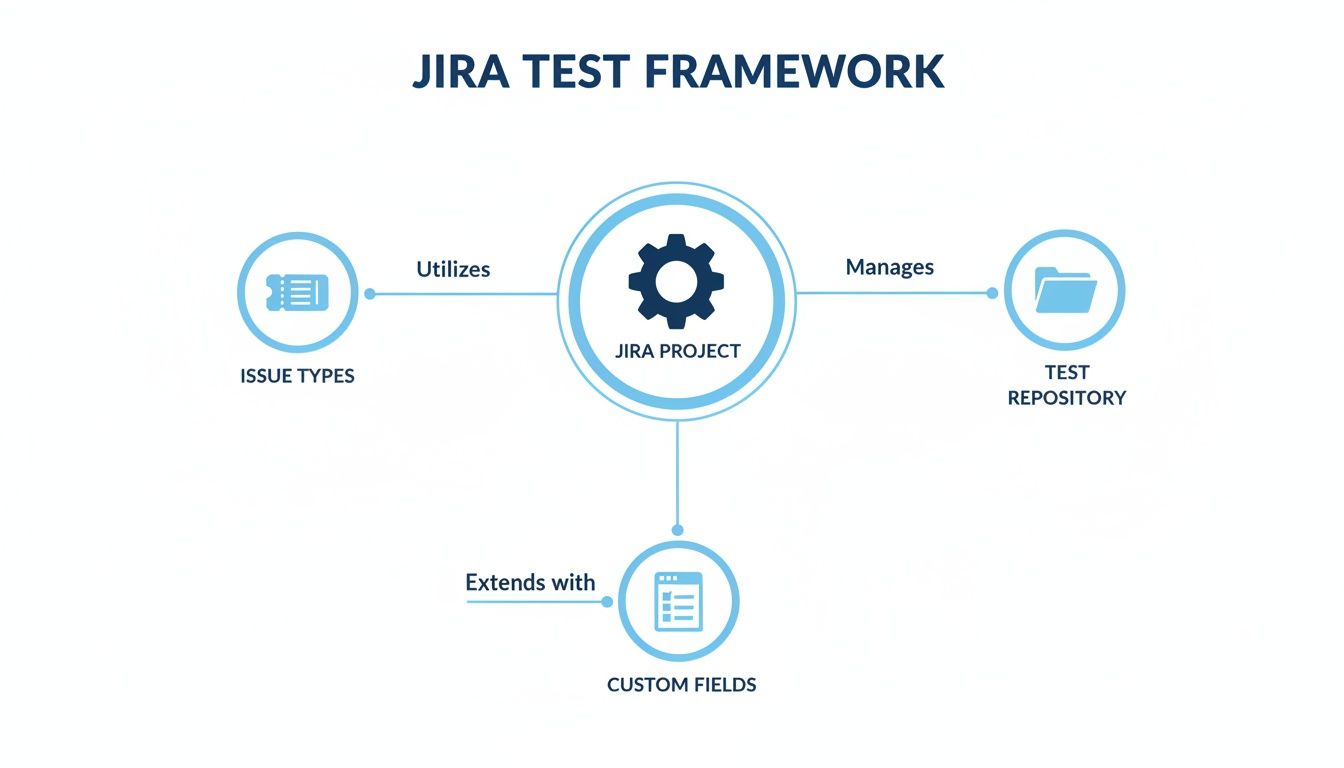
As you can see, the test repository isn’t some silo. It’s deeply woven into Jira’s native structure, using issue types and custom fields to create a complete, integrated framework.
Creating a Closed-Loop System for Bugs
The traceability loop doesn’t stop at requirements. When a test fails during execution, that’s when the real magic happens. Instead of manually creating a bug ticket and tediously copy-pasting all the details, you create the bug directly from the failed test step.
This single action triggers several critical things automatically:
- It creates a new Bug issue in Jira.
- It links that bug back to the failed Test Execution and the original Test Case.
- It pre-fills the bug report with all the crucial context—the test steps, what was supposed to happen, and what actually happened.
What you get is a perfect, closed-loop system. A developer assigned the bug gets the full story instantly. They can see the original requirement, the exact test that failed, and the steps to reproduce it without any guesswork. This cuts down the back-and-forth between QA and dev dramatically, leading to much faster fixes and ensuring every bug has a clear origin.
Running Test Cycles and Reporting on Quality
Okay, you’ve got a solid, well-organized library of traceable tests. Now for the fun part: execution. This is where all that upfront structuring really starts to pay dividends, letting you run focused, repeatable test sessions that give you a clear signal on product quality. The goal here is to move past random, ad-hoc testing and start grouping everything into logical Test Cycles or Test Plans.
Think of a Test Cycle as just a curated collection of tests you’re running for a specific reason. You might spin up a “Sprint 5 Regression Cycle” or a “New Checkout Feature Validation Plan.” This approach gives your testing structure, making it a breeze to assign a whole batch of tests to a QA engineer and track progress toward a concrete goal.
Executing Tests and Getting Results
With a Test Cycle active, the process is pretty straightforward. Testers will go through their assigned cases, marking each step and the overall test with a clear status: Pass, Fail, or Blocked. This isn’t just about ticking boxes; every status change instantly feeds into your real-time reporting dashboards, giving the entire team an immediate look at how things are going.
A huge piece of this puzzle is pulling in results from your automated test suites. Most modern Jira test management apps come with robust REST APIs, which means your CI/CD tools—whether it’s Jenkins, GitLab CI, or GitHub Actions—can push results directly into a Test Cycle.
- Automated Feedback Loop: When your nightly regression suite finishes, every pass or fail is automatically logged against the right test case in Jira. No manual data entry needed.
- Unified View: Suddenly, your dashboards show the complete quality picture, blending manual and automated test results into a single source of truth.
Don’t let your CI/CD pipeline operate in a silo. When you pipe its results directly into your Jira test plan, you transform abstract build statuses into real, actionable quality metrics. Stakeholders get one unified dashboard to see exactly how close you are to release-ready.
Visualizing Quality with Jira Dashboards
The whole point of this meticulous tracking is to generate insights you can actually use. Jira’s native dashboards, supercharged with gadgets from your test management app, are perfect for this. You can build out a dedicated QA dashboard that gives anyone in the company a transparent, at-a-glance view of product health.
Here’s a great example of what a comprehensive test management dashboard can look like, pulling together different metrics and progress charts.
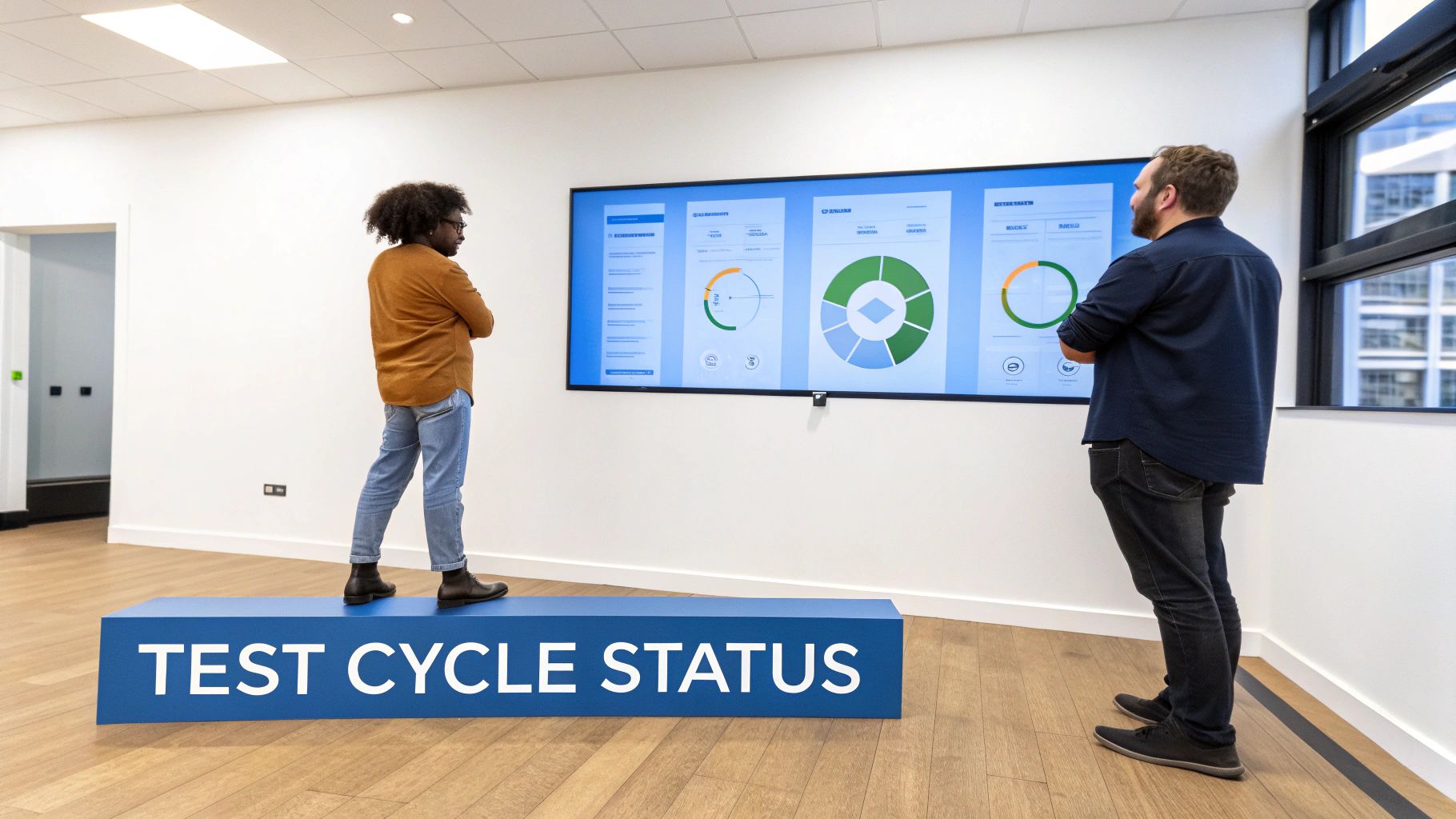
This kind of visualization isn’t just pretty; it consolidates execution progress, pass/fail trends, and requirement coverage, making it incredibly easy to spot bottlenecks or high-risk areas before they become major problems.
Some must-have gadgets for any QA dashboard include:
- Test Execution Progress: A simple pie chart or bar graph showing the live status of tests in the current cycle (Passed, Failed, In Progress, Blocked).
- Requirement Coverage: A report that instantly shows which user stories are fully tested, which are only partially covered, and—most importantly—which have no tests at all.
- Defect Trends: A chart that tracks new bugs over time, which you can often filter by priority or component to see where the hot spots are.
These reports take all that raw testing data and turn it into a clear story about quality, empowering your team to make informed “go/no-go” decisions on shipping a feature.
Advanced Strategies to Elevate Your QA Process
Once your core testing framework is humming along, it’s time to bring in the techniques that really separate a good QA process from a great one. These aren’t just minor tweaks; they’re strategic shifts that build resilience, consistency, and a deep understanding of how your app behaves under real-world pressure.
Moving beyond basic test execution is the key to mastering test case management in Jira.
One of the most critical practices to adopt is test case versioning. Your application is constantly evolving, and your tests have to keep up. Versioning gives you a complete history of every change made to a test case, which is absolutely invaluable for regulated industries or for teams supporting multiple live versions of a product. You can always go back and see exactly how a feature was tested for a specific release. No more guesswork.
Introducing Traffic Replay for Realistic Testing
Scripted tests are the bedrock of QA, but let’s be honest—they rarely capture the chaotic, unpredictable nature of real user behavior. This is where integrating traffic replay tools like GoReplay becomes a total game-changer.
The concept is simple but incredibly powerful: capture live user traffic from your production environment and replay it against your staging or testing setup.
This approach gives you a few massive advantages:
- Hyper-Realistic Load Tests: You can validate performance using the exact traffic patterns, API calls, and data payloads your application sees in the wild.
- Superior Regression Testing: Replaying production traffic after a new deployment is one of the fastest ways to sniff out unexpected regressions that your scripted scenarios would have missed.
- Data-Driven Insights: Analyzing the results helps you understand how users actually interact with your application, which can inform a much more effective overall test automation strategy.
By feeding the results of these replayed sessions back into your Jira test execution cycles, you create a feedback loop based on reality, not just assumptions. This is how you find the edge cases and performance bottlenecks before your customers do.
Enforcing Consistency with Templates
Another powerful technique, especially for larger teams, is the use of test case templates. When you have multiple people writing tests, consistency is everything. Templates ensure every test case follows a standardized format, no matter who writes it.
This simple practice delivers big wins:
- Improve Clarity: Standard fields for preconditions, steps, and expected results make tests far easier to read, understand, and execute.
- Speed Up Creation: Testers aren’t starting from a blank slate. They begin with a pre-defined structure, which saves time and reduces mental overhead.
- Enforce Best Practices: You can build required fields right into your templates, ensuring that critical information is never overlooked.
By combining disciplined practices like versioning and templates with innovative techniques like traffic replay, your Jira test management setup transforms from a simple repository into a dynamic quality engine.
Got Questions About Jira Test Management?
When you’re first getting your sea legs with test case management in Jira, a few common questions always seem to surface. Let’s tackle some of the ones that come up most often as teams make the switch.
Can I Migrate My Old Test Cases from Another Tool Into Jira?
Absolutely. This is a pretty standard and well-supported process. All the major Jira test management apps, like Xray and Zephyr, have built-in importers specifically for migrating from other tools.
Most of the time, you’ll be working with a CSV or XML file export. This lets you pull over entire test suites from platforms like TestRail, Quality Center, or even a really well-organized spreadsheet. The trick is to be meticulous when you map your existing fields—things like steps, expected results, and priority—to the new fields in your Jira app. Get that mapping right before you hit the import button, and you’ll save yourself a lot of cleanup.
How Does Jira Handle Different Versions of a Test Case?
This is a great question. Out of the box, Jira itself doesn’t really have a concept of test case versioning. But this is exactly why the dedicated test management apps are so valuable—they add this crucial functionality right on top.
Tools like Zephyr Scale and Xray, for example, let you create and manage distinct versions of the same test case. This is a game-changer for tracking how a test needs to evolve as your product changes over time.
For any team in a regulated industry, or for anyone supporting multiple live versions of a product at once, this feature is non-negotiable. It gives you a clear, auditable history of exactly how you validated each release.
What’s the Real Difference Between Zephyr Squad and Zephyr Scale?
Even though they’re part of the same family, they’re built for very different teams and needs.
-
Zephyr Squad: Think of this as the lightweight, agile-focused option. It used to be called Zephyr for Jira, and it lives directly inside your Jira projects. It’s perfect for smaller teams that want something simple to get started with and don’t need a ton of enterprise-level bells and whistles.
-
Zephyr Scale: This is the heavyweight champion. It’s a more powerful, almost standalone test management platform that just happens to integrate with Jira. It brings advanced features to the table like reusable test steps, more granular version control, and powerful cross-project reporting. It’s built for larger organizations with complex, scalable testing needs.
At GoReplay, we know the most reliable tests are fueled by real user traffic. By capturing and replaying what your users actually do in production, you can validate your application’s performance with unmatched realism—and find the bugs before your customers do. See how you can take your QA to the next level by visiting GoReplay.