
10 Essential Software Testing Techniques for 2025
In today’s competitive market, releasing flawless software isn’t just an aspiration; it’s a baseline for survival. The foundation of any reliable, high-performing application is a robust testing strategy built on a diverse set of software testing techniques. But with dozens of methodologies available, from high-level system checks to granular code analysis, which ones deliver the most impact? How do you move beyond theory to implement a process that catches bugs before they reach your users and ensures your application can handle real-world stress?
This comprehensive guide cuts through the noise. We will dissect 10 essential software testing techniques that every development, QA, and DevOps team must master. Forget the generic definitions; we’re providing actionable insights, practical implementation details, and real-world scenarios to help you build more resilient, secure, and user-friendly systems. You will learn not just what each technique is, but how and when to apply it effectively for maximum return on your testing efforts.
Furthermore, we’ll demonstrate how modern tools can supercharge these traditional methods. Throughout this article, we’ll feature examples using GoReplay, a powerful open-source tool that captures and replays real user traffic. This approach allows you to validate your application’s performance and stability against actual production scenarios, effectively bridging the gap between isolated test environments and the unpredictable nature of live traffic. Prepare to elevate your quality assurance game, streamline your release cycles, and deliver products that consistently exceed user expectations. This isn’t just another list; it’s a playbook for building better software with confidence.
1. Unit Testing
Unit testing is a fundamental software testing technique where individual components or “units” of code are tested in isolation.As a foundational layer of the testing pyramid, popularized by figures like Martin Fowler and Kent Beck, it involves developers writing automated tests for the smallest testable parts of an application, such as functions or methods. This approach ensures that each building block of the software functions correctly before it’s integrated with others.
By isolating each component, developers can quickly verify that their code meets its design and behaves as intended. This early verification is a cornerstone of modern development practices like Test-Driven Development (TDD). Major tech companies rely heavily on this technique; for example, Netflix uses the JUnit framework extensively to ensure the reliability of its countless Java-based microservices, validating each piece of logic independently.
Key Benefits and Implementation
The primary benefit of unit testing is the rapid feedback loop it provides. Developers can run hundreds of tests in seconds, immediately catching regressions or flaws introduced by new changes. This makes debugging significantly easier, as the scope of the problem is confined to a small, isolated unit. It also serves as living documentation, as the tests themselves describe how a particular piece of code is expected to behave.
To implement unit testing effectively:
- Follow the AAA Pattern: Structure your tests using the Arrange, Act, and Assert pattern. Arrange all necessary preconditions and inputs, Act on the method being tested, and Assert that the outcome is what you expect.
- Keep Tests Focused: Each test should verify a single piece of functionality. This makes tests easier to read, maintain, and debug when they fail.
- Aim for Quality Coverage: While high code coverage is a good goal, prioritize testing critical paths and complex logic over simply achieving a high percentage.
The following graphic summarizes the core metrics that highlight the value of this software testing technique.
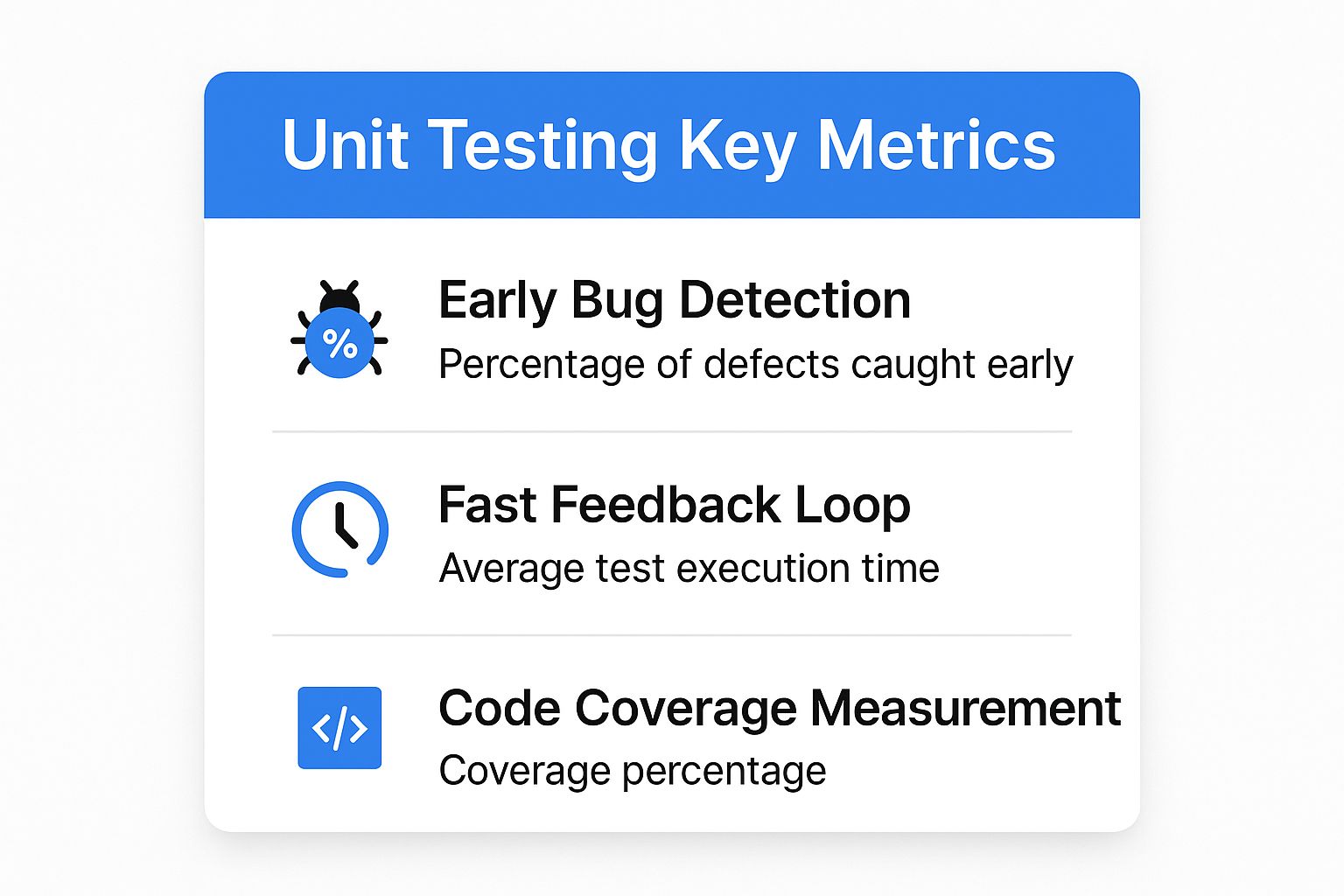
As the data shows, the real power of unit testing lies in its ability to catch defects early, provide near-instant feedback, and offer a clear measure of test quality through code coverage. Integrating unit tests into a continuous integration (CI) pipeline automates this process, ensuring that every code commit is automatically validated, maintaining a high standard of quality throughout the development lifecycle.
2. Integration Testing
Integration testing is a software testing technique where individual software modules are combined and tested as a group. Positioned after unit testing in the testing pyramid, its primary goal is to expose defects in the interactions between integrated components. This technique verifies that data flows correctly between different parts of the system, ensuring that modules developed by different teams or developers work together harmoniously.
This method is crucial for complex systems built from multiple components, such as microservices architectures. For example, Amazon extensively uses integration testing to validate the countless interactions between its AWS services, ensuring that a change in one service does not break another. Similarly, Spotify relies on this technique to test how its various microservices, like user authentication and playlist management, communicate and function together seamlessly.

Key Benefits and Implementation
The main benefit of integration testing is its ability to uncover issues that are not apparent when components are tested in isolation. These include problems with data formatting, incorrect API calls, or broken communication links between modules. Identifying these interface defects early, before the system is tested as a whole, simplifies debugging and reduces the cost of fixing them. This technique is essential for building confidence in the overall system architecture.
To implement integration testing effectively:
- Start with Critical Paths: Prioritize testing the most critical integration points and user workflows first. This ensures that core functionalities are stable before moving on to less crucial interactions.
- Use Test Doubles: Employ stubs and mocks to simulate the behavior of external dependencies or modules that are not yet available. This allows you to test integrations without needing the entire system to be operational.
- Leverage Contract Testing: For API integrations, use contract testing to define and verify the “contract” or expected interactions between a service provider and its consumers. This ensures that both sides adhere to the agreed-upon communication protocol.
By focusing on the seams where software components meet, integration testing acts as a vital bridge between unit tests and full system tests. Integrating these tests into a CI/CD pipeline ensures that as the application evolves, the connections between its parts remain robust and reliable, preventing systemic failures.
3. System Testing
System testing is a comprehensive software testing technique that evaluates the complete and integrated system to verify it meets all specified requirements. As a critical phase following integration testing, it examines the system as a whole, focusing on end-to-end functionality, performance, and reliability in an environment that closely mirrors production. This black-box testing approach, standardized by organizations like the IEEE and ISTQB, validates the entire application’s behavior from a user’s perspective.
This level of testing is crucial for mission-critical applications where failure is not an option. For instance, NASA employs rigorous system testing to ensure the faultless operation of spacecraft software. Similarly, major financial institutions like JPMorgan Chase conduct extensive system tests on their transaction processing platforms to guarantee security, accuracy, and compliance before any new feature goes live.
Key Benefits and Implementation
The primary benefit of system testing is its ability to uncover defects that only emerge when the entire system interacts, such as incorrect data flow, usability issues, and performance bottlenecks. It validates that all combined components function harmoniously and meet business and technical requirements before release. This holistic validation provides confidence that the software is ready for user acceptance testing and deployment.
To implement system testing effectively:
- Create Comprehensive Test Scenarios: Design test cases that simulate real-world user journeys and cover all business-critical workflows from start to finish.
- Use Production-Like Test Data: Populate your test environment with data that reflects the volume, variety, and complexity of what the system will handle in production.
- Focus on End-to-End Workflows: Prioritize testing complete business processes, like an e-commerce platform’s entire purchase flow from product search to payment confirmation.
- Document System Dependencies: Clearly map out and test interactions with external systems, APIs, and databases to ensure seamless integration.
The following graphic summarizes the core metrics that highlight the value of this software testing technique.

As the data shows, system testing’s value lies in its high defect detection rate and its focus on ensuring the system meets end-user expectations. By simulating real-world conditions, it confirms that the application is not just functionally correct but also robust, performant, and secure, ultimately reducing business risk and ensuring a successful launch.
4. Acceptance Testing
Acceptance testing is a formal software testing technique conducted to determine whether a system satisfies business requirements and is ready for delivery. As the final phase of testing before deployment, it involves end-users or key business stakeholders validating the entire system against predefined acceptance criteria. This approach ensures the software delivers the expected value and is fit for its intended purpose from the user’s perspective.
This user-centric validation is crucial in various contexts. For instance, agile teams, influenced by Dan North’s Behavior-Driven Development (BDD), use acceptance tests to confirm that features meet user story requirements. Similarly, large enterprise software implementations, like a new SAP or Salesforce module, undergo rigorous User Acceptance Testing (UAT) to ensure the system aligns with critical business processes before going live.
Key Benefits and Implementation
The primary benefit of acceptance testing is that it validates the software against actual business needs, not just technical specifications. It acts as a final quality gate, preventing the release of a product that functions technically but fails to solve the user’s problem. This process builds confidence among stakeholders and ensures the final product will be adopted successfully by its end-users.
To implement acceptance testing effectively:
- Define Clear Acceptance Criteria Upfront: Collaborate with business stakeholders during the requirements phase to create specific, measurable, and testable acceptance criteria for each feature.
- Involve Actual End-Users: The most valuable feedback comes from the people who will use the software daily. Their involvement is non-negotiable for effective UAT.
- Use Realistic Data and Scenarios: Test with data and workflows that mirror real-world usage. This helps uncover issues that would only appear in a live production environment.
- Document and Track Results: Maintain a formal record of test cases, execution results, and sign-offs. This provides a clear audit trail and ensures all agreed-upon requirements have been met.
By focusing on user validation, this software testing technique bridges the gap between development and business, confirming that the right product was built correctly. It ensures the software not only works but also delivers tangible business value.
5. Black Box Testing
Black box testing is a software testing technique that examines the functionality of an application without any knowledge of its internal code structure, implementation details, or internal paths. Advocated by pioneers like Glenford Myers and Boris Beizer, this method treats the software as an opaque “black box.” Testers focus exclusively on inputs and their expected outputs, verifying that the system behaves correctly according to its requirements and specifications.
This approach simulates a real user’s perspective, as a typical user interacts with a system’s interface without knowing what is happening behind the scenes. For instance, a QA engineer testing a banking application’s login form would verify that valid credentials grant access and invalid ones are rejected, all without ever looking at the source code. Similarly, API testing based solely on documentation is a common form of black box testing, where testers send requests and validate responses based on the specified contract.
Key Benefits and Implementation
The primary advantage of black box testing is its objectivity. Since tests are designed based on requirements specifications, there is no bias introduced by the developers who wrote the code. This separation of roles allows for a more independent and user-centric evaluation of the software. It is also highly effective for validating user workflows and finding usability issues that developers might overlook.
To implement black box testing effectively:
- Design Tests Based on Requirements: Ensure every test case directly maps to a functional requirement. This validates that the system delivers what was promised to the user.
- Use Equivalence Partitioning: Divide input data into partitions of equivalent data from which test cases can be derived. This reduces the number of test cases required while maintaining coverage.
- Apply Boundary Value Analysis: Focus on testing the “boundaries” or “edges” of input domains, as this is where errors often occur (e.g., minimum/maximum values, empty fields).
6. White Box Testing
White box testing is a software testing technique that provides testers with complete visibility into the internal structure, logic, and code of an application. Also known as clear box or glass box testing, it requires testers to examine the source code to design test cases that exercise specific paths, branches, and conditions within the software. This method is analogous to a mechanic inspecting an engine’s inner workings rather than just its performance on the road.
Pioneered by organizations like IBM and refined through the development of static analysis tools at companies like Microsoft, this technique is essential for validating the quality of the code itself. For example, a fintech company would use white box testing to scrutinize its encryption algorithms, ensuring that every logical path is secure and functions as intended, leaving no room for vulnerabilities. It is a foundational practice for building robust and secure software systems.
Key Benefits and Implementation
The primary advantage of white box testing is its thoroughness. By directly inspecting the code, testers can identify hidden errors, dead code, and security flaws that would be nearly impossible to find using black box methods alone. It facilitates the optimization of code and ensures that internal security measures are sound. This deep-dive approach provides a high degree of confidence in the software’s internal quality and stability.
To implement white box testing effectively:
- Focus on Path Coverage: Prioritize designing tests that cover all possible paths through a module’s code, including loops, conditional statements, and branches. This is often measured using metrics like statement, branch, or path coverage.
- Test Error Handling: Explicitly test the application’s error-handling paths. Verify that the system responds correctly and gracefully to invalid inputs or unexpected internal states.
- Combine with Black Box Testing: Use white box testing in conjunction with black box testing to get a comprehensive view of quality. White box validates the internal logic, while black box validates the user-facing functionality.
7. Regression Testing
Regression testing is a critical software testing technique that verifies that recent code changes have not adversely affected existing functionalities. It involves re-executing a subset of tests to ensure that previously developed and tested software continues to perform as expected after modifications, patches, or configuration changes. This safety net is essential in dynamic development environments, particularly those practicing Agile and DevOps, where code is constantly evolving.
This technique prevents “regressions,” where new features inadvertently break old ones. By re-running functional and non-functional tests, teams can confirm that updates integrate cleanly with the existing system. For instance, the Google Chrome development team runs a massive, automated regression test suite with every browser update to ensure new features don’t disrupt rendering, security, or performance. Similarly, Facebook’s continuous deployment model relies heavily on automated regression testing to safely push thousands of changes to production daily.
Key Benefits and Implementation
The primary benefit of regression testing is the confidence it provides. It ensures that application stability and core functionality are maintained as the software grows and changes. This significantly reduces the risk associated with deploying new updates, protecting the end-user experience from unforeseen bugs. It is a cornerstone of any robust Continuous Integration/Continuous Deployment (CI/CD) pipeline, acting as a final quality gate before release.
To implement regression testing effectively:
- Prioritize Critical Functionality: Focus your regression suite on high-traffic user paths, core business logic, and areas of the application with high complexity or recent changes.
- Implement Test Automation: Manually re-running tests is time-consuming and prone to error. Automating your regression suite is crucial for achieving speed and reliability. For more on this, you can learn more about strategies for automating API tests.
- Use Risk-Based Test Selection: Not all tests need to be run every time. Use risk analysis to select the most relevant test cases based on the nature and scope of the recent changes.
- Execute Tests Frequently: Integrate your regression suite into your CI pipeline to run automatically after every build or commit, allowing for immediate feedback on the impact of changes.
8. Performance Testing
Performance testing is a critical software testing technique that evaluates how a system behaves and responds under a specific workload. It focuses on measuring key performance indicators like speed, responsiveness, stability, and scalability to ensure the application meets its service-level agreements (SLAs). Tools like Apache JMeter and Gatling have made this technique essential for verifying that software can handle its expected user load and maintain functionality during traffic spikes.
This technique is not about finding functional bugs but rather identifying performance bottlenecks. It helps answer crucial questions: How many users can the system handle simultaneously? How quickly does the application respond to user requests? Will the system crash under extreme pressure? E-commerce giant Amazon, for instance, uses extensive performance testing to prepare its infrastructure for massive traffic surges during events like Prime Day, ensuring a smooth customer experience and preventing costly downtime.
Key Benefits and Implementation
The main benefit of performance testing is the confidence it provides in a system’s stability and reliability, safeguarding business revenue and user satisfaction. By simulating real-world user traffic, teams can proactively identify and fix bottlenecks, such as slow database queries or inefficient code, before they impact end-users. This prevents performance degradation and ensures the system can scale effectively as user demand grows.
To implement performance testing effectively:
- Define Clear Performance Criteria: Establish specific, measurable goals for response times, throughput, and resource utilization. For example, “95% of API calls must respond in under 200ms with 1,000 concurrent users.”
- Use Realistic Test Environments: Your test environment should mirror the production setup as closely as possible in terms of hardware, software, and network configuration to produce accurate results.
- Test Under Various Load Conditions: Don’t just test for expected loads. Use stress tests (extreme load) and soak tests (sustained load) to understand the system’s breaking points and long-term stability.
- Continuously Monitor System Resources: Keep a close watch on CPU, memory, disk I/O, and network usage during tests to pinpoint the root cause of performance issues.
By integrating this software testing technique into the development lifecycle, organizations can build robust, scalable applications that deliver a consistently high-quality user experience, even under the most demanding conditions.
9. Security Testing
Security testing is a critical software testing technique designed to uncover vulnerabilities, threats, and risks in a software application. As an essential practice championed by organizations like OWASP and NIST, it aims to protect data and resources from malicious attacks. This process involves actively trying to breach the application’s defenses to ensure that it can withstand hostile intrusion attempts and that sensitive data remains confidential and secure.
By intentionally probing for weaknesses, teams can identify and fix security flaws before they are exploited. The banking sector, for instance, mandates rigorous penetration testing to protect financial assets and customer data from sophisticated cyber threats. Similarly, healthcare applications undergo extensive security testing to comply with HIPAA regulations, ensuring patient information is always protected from unauthorized access.
Key Benefits and Implementation
The primary benefit of security testing is the proactive identification and remediation of vulnerabilities, which significantly reduces the risk of data breaches and financial loss. It builds user trust by demonstrating a commitment to protecting their data and ensures compliance with industry and government regulations. Integrating security testing into the development lifecycle helps create a more robust and resilient application from the ground up.
To implement security testing effectively:
- Follow Established Frameworks: Use proven methodologies like the OWASP Top 10 or the SANS Top 25 to guide your testing efforts and focus on the most common and critical vulnerabilities.
- Conduct Regular Penetration Testing: Periodically hire ethical hackers or use internal red teams to simulate real-world attacks on your application, revealing weaknesses that automated tools might miss.
- Test Authentication and Authorization: Vigorously test all access control mechanisms to ensure users can only access the data and functionality they are explicitly permitted to.
- Validate Input Sanitization: Ensure all user-supplied input is properly sanitized to prevent common attacks like SQL injection and cross-site scripting (XSS).
Modern tools and integrated approaches are making security testing more accessible and effective within CI/CD pipelines. For a deeper look into this evolving field, you can learn more about revolutionizing application security testing with integrated approaches. Embracing these advanced software testing techniques is no longer optional; it’s a fundamental requirement for building secure and trustworthy software in today’s threat-filled landscape.
10. Usability Testing
Usability testing is a crucial software testing technique focused on evaluating a product by testing it with representative users. Pioneered by usability experts like Jakob Nielsen and Don Norman, this method assesses how easy and intuitive an application is to use. It’s not about finding functional bugs but rather identifying pain points in the user experience, ensuring the software is not just functional but also user-friendly and efficient.
This technique involves observing real users as they attempt to complete tasks within the application. By analyzing their behavior, feedback, and challenges, teams gain direct insight into the effectiveness of their design. For instance, Airbnb continuously conducts usability tests on its booking flow to identify and remove friction, ensuring users can find and book accommodations seamlessly. Similarly, Google runs countless user tests to refine its search interface, making micro-adjustments that have a massive impact on user satisfaction and task success.
Key Benefits and Implementation
The primary benefit of usability testing is its ability to provide direct, qualitative feedback from the target audience. It uncovers design flaws and user frustrations that automated tests and internal reviews often miss, leading to higher user adoption and satisfaction. This user-centric approach ensures the final product truly meets the needs and expectations of its users, which is a key differentiator in a competitive market.
To implement usability testing effectively:
- Define Clear Usability Goals: Before starting, establish specific, measurable goals. For example, a goal might be “80% of new users should be able to complete the registration process in under two minutes.”
- Test with Representative Users: Recruit participants who match your target user personas. Testing with the wrong audience can yield misleading or irrelevant feedback.
- Use Realistic Tasks and Scenarios: Create tasks that reflect how real users would interact with the software. Observing users in a realistic context provides the most valuable insights.
- Observe and Iterate: Watch users interact with the system without guiding them. Record their actions and verbal feedback, then use these findings to iterate on the design and improve the user experience.
As this technique demonstrates, understanding the user’s perspective is paramount. Integrating usability testing early and often in the development lifecycle allows teams to build products that are not only powerful but also a pleasure to use, directly translating to better engagement and business outcomes.
Software Testing Techniques Comparison
| Testing Type | Implementation Complexity 🔄 | Resource Requirements ⚡ | Expected Outcomes 📊 | Ideal Use Cases 💡 | Key Advantages ⭐ |
|---|---|---|---|---|---|
| Unit Testing | Low to Medium (automated code-level tests) 🔄🔄 | Low to Medium (developer time, automation tools) ⚡⚡ | Early bug detection, high code quality 📊📊 | Component-level validation during development 💡 | Fast feedback, facilitates refactoring, improves code quality ⭐⭐⭐ |
| Integration Testing | Medium to High (complex environment setup) 🔄🔄🔄 | Medium to High (multiple modules, test doubles) ⚡⚡ | Detects interface defects, validates module interactions 📊📊 | Validating communication between modules/services 💡 | Ensures system architecture integrity, catches interface defects ⭐⭐ |
| System Testing | High (requires full system and environment) 🔄🔄🔄🔄 | High (complete system, production-like setup) ⚡ | Validates full system functionality and compliance 📊📊 | End-to-end system validation before release 💡 | Real-world scenario testing, discovers system-wide issues ⭐⭐ |
| Acceptance Testing | Medium (involves business/user stakeholders) 🔄🔄 | Medium (user involvement, real scenarios) ⚡ | Confirms system meets business requirements 📊 | User acceptance and go/no-go decisions 💡 | Ensures business value delivery, builds stakeholder confidence ⭐⭐ |
| Black Box Testing | Low to Medium (requires specification knowledge) 🔄🔄 | Low (no code knowledge needed, testers focus on specs) ⚡⚡ | Validates software behavior against requirements 📊 | Functional validation without code access 💡 | Unbiased, simulates real user behavior, no programming needed ⭐⭐ |
| White Box Testing | High (requires code knowledge, thorough design) 🔄🔄🔄 | Medium to High (technical expertise, analysis tools) ⚡ | Detects internal defects, ensures thorough code coverage 📊 | Security, logic, and structural testing 💡 | Deep code coverage, early defect detection, validates internal logic ⭐⭐⭐ |
| Regression Testing | Medium (test automation needed) 🔄🔄 | Medium to High (automation frameworks, maintenance) ⚡⚡ | Ensures changes don’t break existing functionality 📊 | Continuous testing after updates/modifications 💡 | Prevents regressions, supports CI/CD, maintains software stability ⭐⭐ |
| Performance Testing | High (specialized tools, complex scenarios) 🔄🔄🔄 | High (load environments, monitoring tools, expertise) ⚡ | Identifies bottlenecks, validates scalability and stability 📊 | Load, stress, and scalability testing 💡 | Detects performance issues, optimizes resource use, improves UX ⭐⭐ |
| Security Testing | High (requires security expertise, evolving threats) 🔄🔄🔄 | High (specialized tools, expert knowledge, complex setups) ⚡ | Identifies vulnerabilities, ensures compliance 📊 | Protecting sensitive data and system integrity 💡 | Prevents breaches, protects data, ensures regulatory compliance ⭐⭐⭐ |
| Usability Testing | Medium (user sessions, observation) 🔄🔄 | Medium (user recruitment, labs/tools) ⚡ | Measures user experience and interface effectiveness 📊 | Improving UI/UX and validating user satisfaction 💡 | Improves user satisfaction, identifies UI issues, increases adoption ⭐⭐ |
Putting It All Together: Building a Resilient Testing Strategy
We have explored a comprehensive suite of ten essential software testing techniques, from the granular focus of unit tests to the broad, user-centric perspective of acceptance testing. Each technique serves a unique and critical purpose in the software development lifecycle. However, true mastery is not found in executing these methods in isolation but in weaving them together into a robust, multi-layered quality assurance strategy.
Think of it as building a fortress. Unit tests are the strong, individual bricks forming the foundation. Integration tests are the mortar that ensures these bricks hold together under pressure. System and performance tests act as the comprehensive structural stress tests, guaranteeing the entire fortress can withstand a siege. Finally, acceptance and usability tests ensure the fortress is not just strong, but also a welcoming and functional place for its inhabitants, your end-users.
Key Takeaways for a Modern Testing Approach
The modern software landscape demands more than just finding bugs; it requires building confidence. Confidence that your code is sound, your integrations are stable, and your system can handle real-world chaos. Achieving this level of assurance means moving beyond theoretical test cases and embracing a more holistic and realistic validation process.
The most impactful takeaway is the principle of strategic combination. A resilient testing strategy is never about choosing one technique over another. It is about understanding which combination provides the most effective coverage for your specific application, risk profile, and development velocity.
- Combine Black Box and White Box: Use white box techniques like unit testing for developer-level confidence in code logic, while simultaneously employing black box techniques like system and acceptance testing to validate functionality from the user’s perspective.
- Integrate Early and Often: Shift-left testing isn’t just a buzzword; it’s a necessity. Incorporating security, performance, and usability testing early in the development cycle prevents costly fixes and architectural dead-ends down the line.
- Automate What Matters Most: Regression testing is a prime candidate for automation, as it prevents new features from breaking old ones. This frees up your QA team to focus on more complex, exploratory, and user-centric testing that requires human intuition.
The Power of Realistic, Production-Informed Testing
One of the greatest challenges in software quality is bridging the gap between the controlled test environment and the unpredictable nature of production. This is where tools that leverage real user traffic become transformative. As highlighted in our examples, GoReplay allows teams to capture and replay production traffic against staging or development environments.
This approach supercharges several of the software testing techniques we’ve discussed. It provides an unmatched level of realism for performance testing, uncovers elusive bugs in regression testing, and validates system-level behavior with actual user interaction patterns. By “shadowing” production, you move from simulating user behavior to replicating it, ensuring your application is not just theoretically robust but genuinely production-ready.
Your Next Steps to a Stronger Testing Culture
Building a world-class testing culture is a continuous journey, not a final destination. Start by evaluating your current processes against the techniques outlined in this guide. Identify the gaps. Are you neglecting security scans? Is your performance testing based on assumptions rather than data?
Begin by implementing one or two high-impact changes. Perhaps it’s formalizing your regression testing suite or introducing a dedicated usability testing session before each major release. The goal is incremental, consistent improvement. By thoughtfully selecting and combining these powerful software testing techniques, you empower your team to build a comprehensive quality net that minimizes risk, accelerates delivery, and ultimately creates software that delights users and drives business success.
Ready to elevate your testing with real-world data? GoReplay provides the missing link between your test environment and production reality. See how you can easily capture and replay live traffic to supercharge your regression, performance, and integration testing by visiting GoReplay today.