
A Guide to Software Testing Life Cycles

Think of the Software Testing Life Cycle (STLC) as your quality assurance playbook. It’s the step-by-step process that testers follow to hunt down bugs and iron out issues before your users ever encounter them. This structured approach takes the guesswork out of testing and turns it into a predictable, reliable discipline.
Understanding the Software Testing Life Cycle

The STLC is essentially a pre-flight checklist for your code. Just like a pilot inspects the engines, controls, and landing gear before takeoff, a testing team moves through distinct phases to ensure a smooth, safe software release. This shifts testing from a frantic, last-minute scramble into a well-integrated part of the development journey.
Skipping a phase is like forgetting to check the fuel gauge—you might get away with it, but you’re risking a serious problem down the line. Each checkpoint builds confidence, improves reliability, and ultimately earns user trust.
Here are the core phases of that checklist:
- Requirement Analysis: Figure out what needs to be tested in the first place.
- Test Planning: Map out the strategy, who’s doing what, and when.
- Test Case Development: Write the actual tests that will validate the software works as expected.
- Test Environment Setup: Get the stage ready—the hardware, software, and data needed for testing.
- Test Execution: It’s showtime. Run the tests and log every bug you find.
- Test Cycle Closure: Review the results, generate reports, and officially sign off.
Key Benefits of a Structured Approach
A well-defined STLC brings order to chaos. It gives teams a clear roadmap, cutting down on confusion and costly rework. In fact, 73% of teams report finding more defects when they follow a formal process with clear entry and exit criteria for each phase. Fewer last-minute surprises are always a good thing.
Testing without a cycle is like landing without checking the wheels — risky and unpredictable.
By breaking the process into these six distinct phases—Requirement Analysis, Test Planning, Test Case Development, Test Environment Setup, Test Execution, and Test Cycle Closure—the STLC creates a clear path to catch bugs early and often. For a deeper dive into these stages, check out this great overview of STLC phases.
When testing is woven into the fabric of development from the start, teams save time, money, and ship with far more confidence. The STLC transforms a potentially messy sprint into a smooth flight plan, helping you land every release safely.
How GoReplay Fits Into the STLC
This is where things get interesting. GoReplay supercharges the STLC by injecting a dose of reality—live production traffic—into the process right from the start.
- Requirement Analysis: Instead of just guessing how users behave, you can capture real traffic patterns to define what your test scenarios should cover.
- Test Case Development: You can build tests based on actual user flows by using session-aware replays, ensuring your scenarios match what really happens in the wild.
This integration helps you find bugs that only appear under real-world conditions, accelerating defect discovery long before it impacts your production environment.
The Six Phases of a Modern STLC
The Software Testing Life Cycle isn’t just a list of steps; it’s a structured journey through quality assurance. Think of it as a finely tuned assembly line for software quality. Each station, or phase, adds a specific layer of validation, ensuring nothing falls through the cracks.
Following this process transforms testing from a potentially chaotic scramble into a predictable, rigorous system for building software people can rely on. Let’s walk through each station on this assembly line, from the initial blueprints to the final inspection.
Phase 1: Requirement Analysis
This is where it all begins. Before you can test anything, you have to know what you’re testing and why. In this phase, the QA team rolls up their sleeves and dives deep into the requirements documentation—user stories, functional specs, and design docs—to pinpoint every testable condition.
It’s less about running tests and more about strategic investigation. The goal here is to iron out any ambiguities before a single test case gets written. Testers collaborate with business analysts, developers, and product owners, asking the tough questions: What are the core features? What does success look like for the user? What are the absolute must-haves? The main output is a Requirement Traceability Matrix (RTM), a critical document that maps every single requirement to its corresponding test cases.
Phase 2: Test Planning
Once you understand the requirements, it’s time to draw the map. The Test Planning phase is where the QA lead or manager lays out the entire testing strategy, scope, and objectives. This is where you figure out the “who, what, when, and how” of the entire testing effort.
Key activities here include:
- Estimating Effort and Cost: Nailing down the resources, time, and budget required.
- Defining the Test Strategy: Choosing the right mix of testing types, like functional, performance, or security testing.
- Identifying Tools: Selecting the right software for test management, automation, and execution.
- Assigning Roles: Making sure everyone on the QA team knows their exact responsibilities.
The deliverable from this phase is the Test Plan document, which serves as the comprehensive guide for the rest of the STLC. We’ve put together a guide that goes deeper into the different testing phases in software testing and how they all connect.
This infographic breaks down what goes into a solid Test Plan.
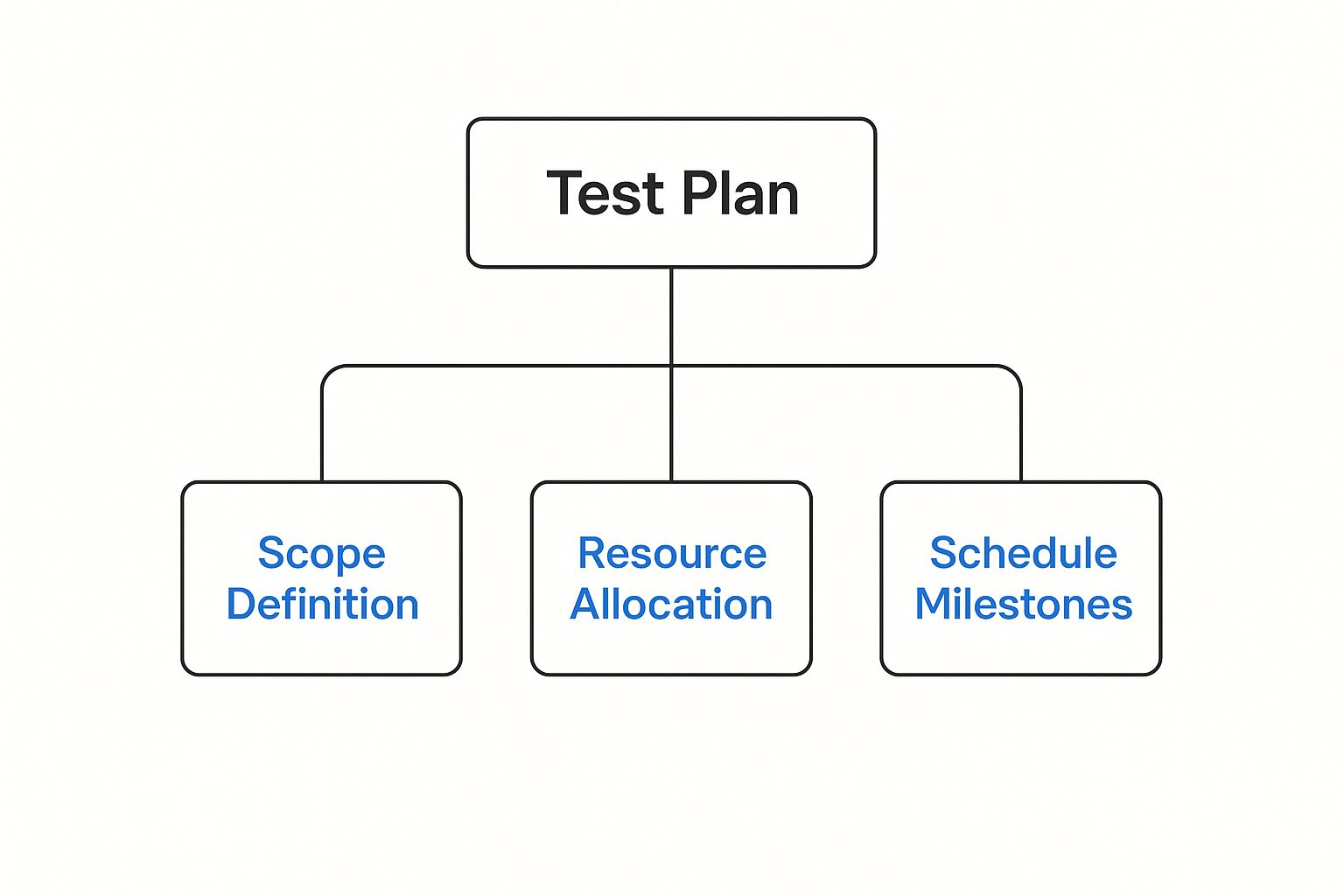
As you can see, a strong plan is built on a foundation of a clearly defined scope, smart resource allocation, and realistic schedule milestones.
Phase 3: Test Case Development
This is where the rubber meets the road. Abstract plans and requirements are now translated into concrete, step-by-step instructions. The testing team gets to work writing detailed test cases and test scripts. Think of each test case as a recipe: it lists the exact steps to follow, the input data to use, and the expected result.
A great test case is crystal clear and easy for anyone to follow. For instance, a login test case would include steps like “Enter valid username,” “Enter valid password,” and “Click Submit,” with an expected outcome of “User is successfully logged into the dashboard.” All these individual recipes are then bundled together into a Test Suite.
A test plan without detailed test cases is like a map without any roads. It tells you where you want to go but gives you no path to get there.
Phase 4: Test Environment Setup
You can’t test software in a vacuum. This phase is all about building the stage where the tests will be performed. It involves configuring the right hardware, software, and network conditions to mimic the live production environment as closely as possible.
This step is critical and often tricky. An unstable or poorly configured test environment can produce misleading results—false positives or negatives—that send everyone on a wild goose chase. The setup needs the right server configurations, databases, operating systems, and any third-party integrations. Often, a dedicated team handles this to ensure the stage is set perfectly before the testing begins.
Phase 5: Test Execution
Showtime! This is where the testing team actually runs the test cases they’ve prepared. Working within the configured test environment, they meticulously follow each script, comparing the actual results to the expected outcomes defined in the test cases.
Every single result is recorded. If what actually happens doesn’t match what was supposed to happen, a defect is logged in a bug-tracking system. This bug report is packed with details—steps to reproduce, severity, priority—giving developers everything they need to find the problem and fix it fast.
Phase 6: Test Cycle Closure
The final act. This phase is about wrapping everything up and analyzing what happened. The team meets to go over the testing process, confirm that all the exit criteria have been met, and prepare the final reports.
It’s a moment for reflection and documentation. The key deliverable is the Test Summary Report, which breaks down the total number of tests executed, how many passed, how many failed, and gives a snapshot of the application’s overall health. The team also documents any lessons learned, which helps make the process even smoother for future projects.
To give you a clearer picture, here’s a quick summary of how these six phases connect, showing what each one aims to achieve and what it produces.
STLC Phases At a Glance: Objectives and Deliverables
| STLC Phase | Primary Objective | Key Deliverable |
|---|---|---|
| 1. Requirement Analysis | Understand and identify all testable requirements. | Requirement Traceability Matrix (RTM) |
| 2. Test Planning | Define the testing strategy, scope, resources, and schedule. | Test Plan & Strategy Document |
| 3. Test Case Development | Create detailed, step-by-step test cases and scripts. | Test Cases & Test Scripts (Test Suite) |
| 4. Test Environment Setup | Configure hardware and software to replicate the production environment. | A stable and ready Test Environment |
| 5. Test Execution | Run the test cases and log any defects found. | Test Execution Results & Defect Reports |
| 6. Test Cycle Closure | Analyze results and document the entire testing process. | Test Summary Report & Closure Metrics |
This table neatly lays out the structured progression of the STLC, highlighting how each phase builds upon the last to ensure a comprehensive and rigorous quality assurance process.
Weaving the STLC into Agile and DevOps
The old, rigid STLC framework might seem out of place in modern development, but it’s surprisingly adaptable. When you integrate its principles into Agile and DevOps, you get a powerful roadmap for building quality into your product from day one.

It’s less about following a strict, linear process and more about borrowing the right concepts at the right time to keep quality and speed in sync.
Making it Work: STLC in Agile Sprints
In an Agile world, testing isn’t a separate phase—it’s an ongoing conversation. Developers and testers work side-by-side, compressing the STLC into bite-sized chunks that fit neatly inside each sprint. Think of every 1-3 week sprint as a mini-STLC in itself.
It all starts in sprint zero, where the team tackles requirement analysis and lays out a high-level test plan. From there, each sprint becomes its own cycle of creating, running, and reviewing tests.
- Requirement Analysis & Planning: This happens during backlog grooming and sprint planning sessions, setting the scope for the upcoming work.
- Test Case Development & Execution: As developers build features, testers create and run tests in parallel, catching bugs almost as soon as they’re written.
- Test Cycle Closure: At the end of the sprint, the team reviews what they’ve learned during the sprint retrospective, generating reports and tweaking their strategy for next time.
This is where a tool like GoReplay can be a game-changer. By capturing and replaying real user traffic, you can feed actual HTTP sessions directly into your sprint backlog. Suddenly, your test cases aren’t just guesses—they’re based on how people actually use your product, which massively boosts test coverage and relevance.
When you embed testing directly into every sprint, you can slash the number of defects that escape to production by 50% and get feedback to your developers faster than ever.
Mapping the STLC to Agile ceremonies is pretty straightforward:
| STLC Phase | Agile Sprint Artifact |
|---|---|
| Requirement Analysis | Backlog Grooming |
| Test Planning | Sprint Planning |
| Test Case Development | Definition of Tasks |
| Test Execution | Daily Regression Runs |
| Test Closure | Sprint Review & Retrospective |
This alignment ensures everyone is on the same page, turning testing metrics into valuable insights that fuel continuous improvement sprint after sprint.
Non-Stop Quality: Continuous Testing in DevOps
In a DevOps culture, the STLC gets baked directly into the CI/CD pipeline, transforming quality from a manual checkpoint into an automated, continuous rhythm.
- Capture live production traffic to constantly refine requirements and update your test cases with real-world scenarios.
- Validate every code change by replaying those captured user sessions against your pre-production environments.
- Automate the test closure process with dashboards that track key metrics and pass/fail rates, giving you instant visibility.
GoReplay excels here by mirroring live traffic into your containerized pipelines. It’s like having a clone of your production environment where you can safely test every commit.
Your teams can instantly spot performance regressions, find security holes, and catch tricky integration bugs long before the code ever gets merged. GoReplay even handles complexities like connection pooling and TLS optimization, so your tests mimic production conditions at scale.
All that valuable data can be fed into monitoring tools like Grafana or CI platforms like Jenkins, creating a centralized hub for quality insights.
Implementing continuous testing in your CI/CD pipeline has been shown to cut code defects by a staggering 70%, paving the way for faster, more reliable releases.
This constant feedback loop, powered by real user traffic, ensures every release is not just fast, but also resilient enough to handle whatever your users throw at it.
Best Practices for a Modern STLC
To make this all click, keep a few key practices in mind:
- Align your test automation with sprint goals. This keeps your CI/CD pipelines lean and focused on what matters most.
- Review metrics like test coverage and pass rates weekly. Don’t wait for the end of a release cycle to find out you have a problem.
- Use GoReplay’s analytics to spot patterns in production traffic. This is your crystal ball for finding unexpected user behaviors.
- Don’t forget exploratory testing. Use session replays to dig into edge cases and uncover the kinds of bugs that automated scripts always miss.
By weaving STLC principles into your Agile and DevOps workflows, you’re not just testing more—you’re testing smarter. Static test plans become living, data-driven processes that make quality a shared goal in every single release.
Continuous quality, delivered continuously.
How Automation Is Reshaping The STLC
Automation feels like a reliable sous-chef in a bustling kitchen. While your QA team focuses on the creative plating—finding edge-case bugs and refining user flows—automation tackles the chopping and prep work: those repetitive, time-sapping checks.
Pointing your scripts at regression tests means thousands of scenarios can run overnight without a second thought. You wake up to clear, actionable reports on every commit, shaving days off the debugging cycle.
The Strategic Value Of Automation
Think of automation as quality’s front-line scout, active from requirements gathering all the way through release. Embedding scripts into early design reviews catches inconsistencies before code ever reaches the build server.
This approach isn’t just a passing fad—it’s how top teams sustain rapid release cadences. By 2025, 46% of software development teams will have offloaded at least half of their manual testing to automation. The automation testing market itself is forecast to top $68 billion that year. For a deeper dive, explore automation trends at Testlio.
Balancing Automation With Human Expertise
Automation excels at predictable, repeatable tasks but can’t replace a tester’s intuition. The real payoff comes from pairing machine consistency with human creativity.
Ideal for Automation:
- Regression Testing: Verifying unchanged features after each update.
- Load Testing: Stressing your application with thousands of concurrent users.
- Data-Driven Testing: Running the same scenario across multiple data sets.
Requires Manual Expertise:
- Exploratory Testing: Wandering through the app to discover hidden bugs.
- Usability Testing: Judging flows and interfaces from a user’s perspective.
- Ad-Hoc Testing: Spontaneous checks that catch the odd quirks machines might miss.
A solid test automation strategy does more than speed up scripts; it frees your testers to tackle the creative, unpredictable challenges that matter most.
When automation handles the routine grind, your team can dive into the gray areas that machines can’t map out. To piece together a robust framework, start by reviewing an effective test automation strategy.
Key Roles and Responsibilities in the STLC

Pulling off a successful software testing life cycle is a team sport, not a solo mission.
Think of it like a pit crew in a race. Every member has a specific job, and their synchronized efforts determine whether you win or lose. Clear roles make sure everyone is accountable, prevent tasks from falling through the cracks, and keep communication flowing.
When everyone knows their position, a group of individuals becomes a cohesive unit, all focused on a single goal: shipping high-quality software. Let’s break down the key players who keep the STLC engine running smoothly.
The Strategic and Tactical Players
At the heart of any solid QA team, you’ll find roles that blend high-level strategy with day-to-day execution. These are the people responsible for planning the “what” and “how” of testing, ensuring the team stays locked in on project goals from start to finish.
Here are the primary roles you’ll find in most testing teams:
- QA Manager: This is the head coach. The QA Manager defines the overall test strategy, lines up the necessary resources, manages budgets, and acts as the main point of contact for stakeholders. They’re focused on the big picture, making sure the entire testing process aligns with business goals.
- Test Lead: If the manager is the coach, the lead is the on-field captain. The Test Lead translates the manager’s grand strategy into actionable plans. They coordinate daily testing activities, assign tasks to engineers, track progress, and are the first person to call when issues pop up during a test cycle.
A well-defined role structure is the backbone of an effective STLC. It cuts through the ambiguity and empowers each team member to own their piece of the quality puzzle, creating a culture of shared responsibility.
The Hands-on Engineers
While managers and leads set the direction, the engineers are the ones in the trenches actually doing the work. These roles are deeply technical and demand a sharp eye for detail to uncover the kinds of bugs that can ruin a user’s day. They are the core of the software testing life cycles.
- Test Engineer (or QA Analyst): These are your primary executors. They dive deep into the requirements, design and write detailed test cases, get the test environments set up, and meticulously run through the tests. When they find a bug, they document it with crystal-clear, reproducible steps so developers can squash it fast.
- Automation Engineer: This is a specialized role focused on building and maintaining the automated testing framework. Instead of clicking through tests manually, they write scripts that handle repetitive checks—like regression tests—which gives the team much faster feedback. They are absolutely essential for making continuous testing a reality in modern Agile and DevOps shops.
Common Questions About the STLC
As teams start to get serious about a structured approach to quality, a few common questions always pop up. It’s one thing to know the theory, but making the Software Testing Life Cycle work in the real world means figuring out how it fits with your development process, how it scales, and what traps to avoid.
Getting these answers right is the key to a smooth rollout. Think of this as your field guide to the practical side of the STLC.
What Is the Difference Between STLC and SDLC?
This is a classic point of confusion, but the relationship between the Software Testing Life Cycle (STLC) and the Software Development Life Cycle (SDLC) is actually pretty simple. The SDLC is the whole shebang—the entire journey of creating software, from the first spark of an idea all the way to deployment and ongoing maintenance.
The STLC isn’t a separate process; it’s a critical component inside the SDLC.
Imagine you’re building a car. The SDLC is the entire assembly line, from designing the chassis to bolting on the wheels and painting the body.
- The SDLC is the A-to-Z process of building the car.
- The STLC is the dedicated quality control station where every car gets a top-to-bottom inspection—engine, brakes, electronics—before it ever leaves the factory.
The STLC doesn’t compete with the SDLC. It runs in parallel, making sure quality is built in, not bolted on as an afterthought.
How Does the STLC Scale for Different Project Sizes?
One of the best things about the STLC is its flexibility. The core principles—plan, design, execute, report—work for any project, whether it’s a tiny startup app or a massive enterprise system. The trick is to dial the formality and documentation up or down to fit the situation.
For a small, fast-moving agile team, the STLC might look pretty lightweight:
- Test Planning: A simple checklist in a tool like Jira or Trello.
- Test Cases: High-level user stories get the job done, no need for exhaustive step-by-step scripts.
- Reporting: A quick summary during the daily stand-up meeting.
Now, flip to a large, heavily regulated project like banking software. The approach becomes far more rigorous. You’ll see detailed documentation, formal sign-offs for each phase, and complex traceability matrices. The phases are the same, but their execution scales to match the project’s risk and complexity.
The goal isn’t to create a mountain of paperwork. It’s to apply just enough process to guarantee quality without killing your momentum. A good STLC fits the project, not the other way around.
What Are the Most Common Mistakes to Avoid?
Even with a great plan, it’s easy to stumble. Knowing the common pitfalls ahead of time is the best way to keep your software testing life cycles on track.
Three mistakes tend to derail an otherwise solid STLC:
- Skipping or Rushing Phases: Cutting corners on Test Planning or Requirement Analysis almost always bites you later. Saving a few hours upfront can easily cost you days or even weeks of rework when you realize the tests were built on misunderstood requirements.
- Poor Communication: Testing in a silo is a recipe for disaster. When QA, developers, and product owners aren’t in constant communication, assumptions fill the void. That leads to testing the wrong features or completely missing critical user scenarios.
- Ignoring the Test Environment: A test environment that doesn’t accurately mimic production is a massive blind spot. If the data, server configurations, or third-party integrations are different, your tests will give you misleading results—and a false sense of security right before a big release.
Ready to build a more resilient testing process with real-world traffic? With GoReplay, you can capture and replay live user sessions, ensuring your tests cover what actually matters. Eliminate guesswork and ship with confidence.