
Master the Testing Phases in Software Testing | Complete Guide
Building great software isn’t about frantically squashing bugs right before a release. It’s about methodically preventing them from the very beginning. The testing phases in software testing are your strategic roadmap—not just a checklist—for weaving quality into your product at every single stage. This structured approach is what ensures complex applications are reliable, functional, and actually ready for your users.
Why Structured Testing Phases Matter
Imagine trying to build a house without a blueprint. You wouldn’t slap the walls up before pouring a solid foundation, or try to install windows before the frame is secure. Software development runs on the same logic. A chaotic, last-minute testing frenzy is like inspecting the entire house only after it’s fully built. Finding a crack in the foundation at that point? That’s a disaster waiting to happen, and an expensive one at that.
The Software Testing Life Cycle (STLC) provides that essential blueprint. It breaks down the massive job of quality assurance into smaller, more manageable stages. Each phase has a clear purpose, from checking the tiniest bits of code to making sure the final product meets its business goals. This layered strategy is far more effective and wallet-friendly than one giant, high-stakes testing effort before launch.
A Journey Through the STLC
The concept of formal testing isn’t exactly new. It grew from simple debugging in the 1950s into a full-fledged discipline, especially after the Waterfall model solidified sequential development back in the 1970s. You can get a great overview of the early days from this history of software testing on GeeksForGeeks.org. Modern methods are built on this foundation, but with a heavy emphasis on testing early and often.
A structured testing process transforms quality assurance from a reactive bug-hunt into a proactive strategy for building confidence, managing risk, and delivering predictable value.
This graphic gives you a bird’s-eye view of the key stages in a typical testing process.
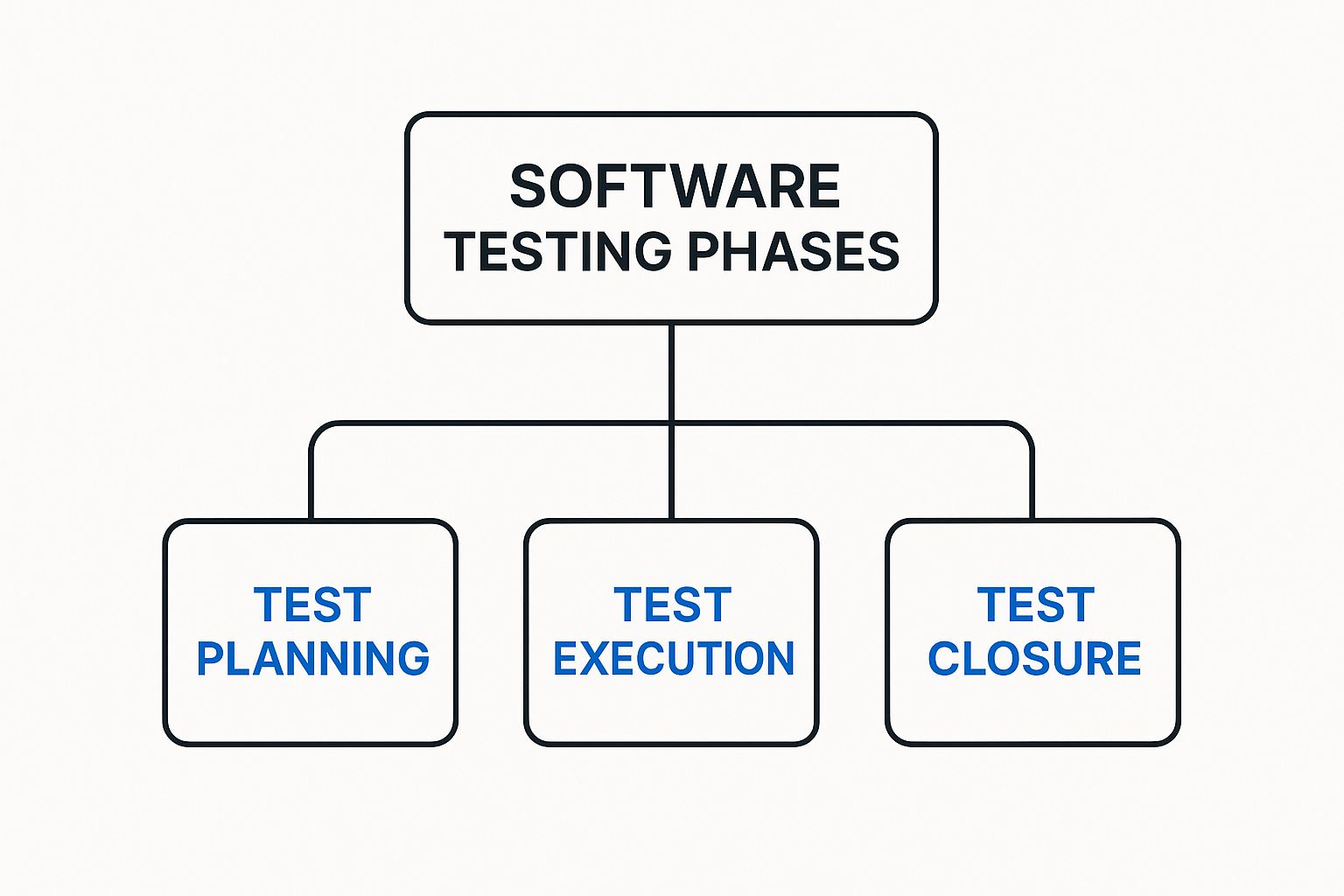
As the diagram shows, proper testing is a comprehensive process with distinct planning, execution, and closure activities that guarantee a methodical approach. For a deeper look, check out our guide on software testing best practices for modern quality assurance.
Quick Guide to the Core Software Testing Phases
To set the stage for our detailed exploration, here’s a quick summary of the main testing phases we’ll be covering. Think of them as building blocks, where each phase stacks on top of the previous one to create a rock-solid, high-quality final product.
| Testing Phase | Primary Objective | Performed By |
|---|---|---|
| Unit Testing | To verify that individual software components or functions work correctly in isolation. | Developers |
| Integration Testing | To ensure that different software modules connect and communicate with each other as expected. | Developers & QA Engineers |
| System Testing | To validate that the complete and integrated software system meets all requirements. | QA Team |
| User Acceptance (UAT) | To confirm that the software is ready and acceptable for real-world use by end-users. | End-Users/Clients |
This table gives you a high-level look, but now it’s time to dive into what each phase really entails. Let’s start at the very foundation of the testing pyramid: Unit Testing.
Unit Testing: The Foundation of Quality Code

Before a master chef creates a signature dish, they taste each ingredient—the salt, the spice, the sauce—to make sure it’s perfect. Unit testing in software development is the exact same idea. It’s the very first of the testing phases in software testing, where we get right down to the nitty-gritty, testing the smallest, most isolated pieces of our code to verify they work exactly as intended.
These “units” can be a single function, a method, or a self-contained component. By testing these fundamental building blocks in isolation, developers can squash bugs at their source, long before they get tangled up in more complex features. It’s our first line of defense and one of the most cost-effective ways to build quality into our code from the ground up.
Core Activities in Unit Testing
The main goal here is simple: prove that each tiny piece of the software does its job correctly. This isn’t a manual, click-around process. It’s highly automated and baked directly into a developer’s daily workflow. We write small, focused tests that feed a unit of code specific inputs and then check if the output is exactly what we expect.
Key activities in this phase look like this:
- Writing Automated Test Cases: Using frameworks like JUnit for Java, NUnit for .NET, or Jest for JavaScript, developers write code that automatically runs their application’s code and asserts that it’s behaving.
- Isolating Components: To truly test a unit on its own, you have to cut it off from its dependencies—databases, APIs, or other modules. We replace them with stand-ins. Stubs provide predictable, canned responses, while drivers are simple bits of code used to call the unit being tested.
- Continuous Integration: Unit tests are almost always plugged into a Continuous Integration/Continuous Delivery (CI/CD) pipeline. This means tests run automatically every single time a developer pushes new code, giving immediate feedback on whether their change broke anything.
This instant feedback loop is what lets development teams move fast without breaking things.
Common Pitfalls to Avoid
While unit testing is powerful, it’s easy to fall into traps that make it less effective. A huge one is writing tests that are too complex or try to check too many things at once. A good unit test is simple, easy to read, and laser-focused on a single behavior.
Another classic mistake is forgetting about edge cases. It’s tempting to only test the “happy path” where everything goes as planned, but robust tests also cover weird inputs, boundary conditions, and error states. What happens if your function gets a null value or an empty string? You need to know.
A well-crafted unit test is a piece of living documentation. It not only proves the code works but also clearly shows how the code is intended to be used, making future maintenance much easier for the entire team.
How Real Traffic Augments Unit Testing
Here’s the thing about traditional unit tests: they rely on manually created, often predictable input data. While that’s a great start, it can easily miss the messy, unpredictable inputs that come from real people using your application. This is where a tool like GoReplay can add a ton of value, even at this early stage.
By capturing and replaying real user traffic, developers can feed their functions a diverse and realistic set of inputs. This helps uncover edge cases you would have never dreamed up on your own. Imagine replaying thousands of real search queries against your search function’s unit test—you might quickly discover bizarre inputs that cause unexpected behavior, hardening your code against real-world conditions long before it ever sees production.
2. Integration Testing: Ensuring Components Work Together
Once we’ve confirmed every little piece works perfectly on its own during unit testing, it’s time for the next big step: making sure they all play nicely together. This is where integration testing comes in. It’s the phase where we start plugging the different parts of our application into each other to ensure they communicate and cooperate just as we designed them to.
Think of it like building a car engine. Unit testing is making sure the pistons, spark plugs, and valves are all perfectly crafted. Integration testing is when you actually assemble them into the engine block. You need to verify they work in harmony—that the pistons pump when the spark plugs fire and the valves open and close at precisely the right moment.
The main goal here is to catch any bugs in the handshakes and conversations between different modules. This could be anything from a botched API call, mismatched data formats, or a flaky database connection. Finding these problems now is infinitely easier than hunting them down when the entire system is fully assembled and running.
Key Strategies for Integration Testing
Not all integration testing is created equal. The right approach for you will really depend on your project’s architecture and how your team works. There are a few tried-and-true strategies, and each comes with its own set of trade-offs.
The rise of Agile methodologies in the late 1990s and early 2000s completely changed the game. Before Agile, the classic Waterfall model meant testing happened in one big phase at the end. Agile broke that up, making integration a continuous activity. This shift has been shown to reduce defects slipping into production by up to 25%. It also fueled a massive push for automation, which can slash regression testing time by as much as 50%. You can learn more about how these modern practices took shape by exploring the evolution of software testing on TestBytes.net.
To get a better handle on the different strategies, let’s compare the main approaches.
Comparing Integration Testing Strategies
Each integration strategy offers a different way to assemble and test your components. The table below breaks down the most common ones, highlighting how they work and where they shine—or fall short.
| Strategy | Approach | Pros | Cons |
|---|---|---|---|
| Big Bang | All modules are developed and then integrated together at once. | Simple to conceptualize and good for very small systems. | Extremely difficult to debug; hard to isolate the source of failures. |
| Top-Down | Testing starts from the top-level modules and moves down. Lower-level modules are replaced with stubs. | Allows for early validation of major system flows and architecture. | Lower-level functionality is tested late in the cycle. |
| Bottom-Up | Testing starts with the lowest-level modules and works its way up. Higher-level modules are replaced with drivers. | Excellent for finding faults in critical low-level modules early on. | The overall system prototype isn’t ready until the very end. |
| Sandwich (Hybrid) | A combination of Top-Down and Bottom-Up approaches, testing top and bottom layers simultaneously and meeting in the middle. | Gets the benefits of both approaches; ideal for large, complex projects. | Higher cost and complexity due to managing three separate integration layers. |
As you can see, choosing the right strategy is a critical decision that directly impacts how efficiently you can find and fix integration bugs.
Common Challenges in This Phase
Integration testing isn’t always a walk in the park. One of the biggest headaches is just getting the test environment set up. It often needs to be a complex cocktail of databases, servers, and third-party services that accurately mimics how the components will interact in the wild.
Another frequent pain point is diagnostics. When a test fails across multiple integrated components, it can feel like a detective novel trying to figure out which component or interface is the real culprit. This is precisely why the “Big Bang” approach has fallen out of favor for more incremental methods that make it easier to isolate faults.
Integration testing is where a collection of individual features starts to become a real, functional system. It’s the critical bridge between unit-level correctness and full system validation.
Using GoReplay for Realistic Integration Tests
This is another area where simulating real-world conditions gives you a massive leg up. Scripted tests are vital for checking specific API contracts and data flows, but they just can’t replicate the sheer variety, unpredictability, and concurrency of production traffic.
With a tool like GoReplay, you can capture what your real users are doing and replay it against your integrated environment. This lets you:
- Validate API Gateways: See how your gateway actually handles thousands of concurrent, real-world requests hitting different microservices all at once.
- Test Service-to-Service Communication: Ensure interconnected services can handle the load and data patterns from production without timing out or throwing errors.
- Uncover Database Issues: Replaying traffic can expose nasty race conditions or deadlocks in the database that only pop up under specific, concurrent access patterns from multiple services.
By replaying real traffic, you move beyond simple “does it connect?” checks. You start asking the much more important question: “does it connect and perform under real-world stress?” This simple shift makes your integration testing phase far more robust and a much better predictor of how your system will behave in production.
System Testing: Verifying The Entire Application

Alright, we’ve confirmed the individual parts work (Unit Testing) and that they talk to each other correctly (Integration Testing). Now it’s time for the full dress rehearsal. Welcome to System Testing, the phase where we treat the complete, integrated application as one single entity.
We’re no longer inspecting the pieces. Instead, we’re testing the entire product from end to end, just like a real user would experience it. The whole point of this stage in the software testing lifecycle is to validate that the entire system actually meets the business and technical requirements we set out to build.
This is our first real opportunity to see the application perform as a whole. A dedicated QA team typically runs these tests in an environment that should be a near-perfect mirror of production. This isn’t just one type of check, either—it’s a broad evaluation designed to answer some very critical questions about whether the software is truly ready.
Functional and Non-Functional Verification
System Testing really splits into two major categories. Each one answers a different but equally crucial question about the application’s quality.
- Functional Testing: This answers, “Does the system do what it’s supposed to do?” Testers use business requirements and user stories to build test cases that confirm every feature works as expected. It’s all about correctness.
- Non-Functional Testing: This asks, “How well does the system do it?” This is where we look at performance, security, usability, and reliability. Is the app fast enough under real load? Is it secure? Is it intuitive to use? This is about the quality of the experience.
Both are non-negotiable. A feature that works but is painfully slow or insecure is just as broken in a user’s eyes as one that gives the wrong answer.
Getting this right has a massive impact on the bottom line. It’s well-documented that the cost to fix a bug explodes the later you find it. A defect caught during requirements gathering can be 10 to 100 times cheaper to fix than one discovered after release. You can dig into more data on how testing impacts software quality on Wikipedia. Effective system testing is the final gatekeeper that stops these expensive mistakes from ever reaching your users.
Key Activities in the System Testing Phase
A solid system testing phase is a highly organized effort, moving from big-picture planning to nitty-gritty execution. The QA team methodically simulates real-world usage as closely as possible.
Typical Activities Include:
- Creating a Comprehensive Test Plan: This document is the blueprint. It outlines the scope, objectives, resources, and schedule, defining what will and won’t be tested.
- Developing Detailed Test Cases: Testers write step-by-step scripts that cover complete user journeys, like registering an account, adding items to a cart, and successfully checking out.
- Preparing the Test Environment: A stable, production-like environment is an absolute must. This QA environment needs the same hardware, software, and network configuration as the live system to produce trustworthy results.
- Executing Test Cases: Testers meticulously run through the test cases, logging every result and documenting any bugs—the differences between what was expected and what actually happened.
- Performing Non-Functional Tests: This is where specialized performance, load, stress, and security tests push the system to its limits to find bottlenecks and vulnerabilities before your customers do.
System Testing is the ultimate validation of all the development work that has come before. It’s the point where you confirm that the sum of the parts truly equals a functional, reliable, and user-ready whole.
Augmenting System Tests with Real Traffic
Manually scripted test cases are essential for checking off requirements, but let’s be honest—they can feel a bit sterile. They rarely capture the chaotic, unpredictable nature of real user behavior. This is where replaying actual production traffic can be a game-changer.
By using a tool like GoReplay, you can capture the exact requests made by your live users and replay them against your QA system. This injects a level of realism that’s almost impossible to script by hand.
Imagine replaying an entire day’s worth of real user activity—with all its concurrent sessions, weird inputs, and diverse workflows—against your system right before a release. It lets you find performance bottlenecks under realistic load, uncover strange bugs triggered by unexpected user journeys, and confirm your system stays stable under the exact pressures it will face in production. This approach transforms system testing from a simple box-checking exercise into a true simulation of a day in the life of your application.
User Acceptance Testing: The Final Go or No-Go
After your app has been built, pieced together, and put through its paces by the tech teams, it reaches the final checkpoint: User Acceptance Testing (UAT). This is the last of the core testing phases in software testing before you ship it.
Think of it like the final walkthrough with a homebuyer. They aren’t checking the plumbing schematics. They’re turning on faucets and flushing toilets to make sure the house is actually livable.
The goal here isn’t to hunt for deep technical bugs—the earlier phases handled that. UAT answers a much simpler, more critical question: “Does this software actually solve the problem we built it to solve?” This is where your customer or end-user gets their hands on it and gives the final ‘Go/No-Go’ for launch.
Distinguishing Alpha and Beta Testing
UAT usually comes in two flavors, each with a different crew of testers and a slightly different mission. Knowing the difference is key to getting the right feedback.
-
Alpha Testing: This is your internal UAT, handled by your own people—QA, product managers, or even employees from other departments. It’s done in a controlled staging environment and is your last chance to catch glaring issues before anyone outside the company sees them.
-
Beta Testing: Now you’re playing with live ammo. You release the app to a limited group of actual end-users. These “beta testers” use the software in their own environments, on their own machines, giving you priceless feedback on how it performs in the wild. This is how you find those weird bugs that only happen on a specific OS or with an unexpected workflow.
Together, these two give you a powerful one-two punch—first validating the product internally, then stress-testing it with a real audience.
The UAT Process and Acceptance Criteria
A good UAT phase is a well-oiled machine, not a free-for-all. It starts with a solid plan, built directly from the business requirements and user stories you defined at the very beginning. This plan lays out the exact real-world scenarios your users will test.
The most critical part? Setting clear and measurable acceptance criteria. These are the simple, pass/fail conditions the software must meet. They aren’t technical jargon; they’re framed from the user’s point of view.
Acceptance criteria turn subjective feelings into an objective checklist. They are the bottom-line conditions that prove the software delivers on its promise and is ready for prime time.
For example, a criterion might be: “A user can add three different items to the cart, apply a discount code, and check out with a credit card in under two minutes.” Without benchmarks like these, UAT becomes a mess of vague opinions, making the final Go/No-Go decision a shot in the dark.
Simulating Real-World Business Workflows
UAT is mostly a manual, hands-on process focused on user experience. But you can make it exponentially more powerful by backing it up with real-world data. While your beta testers are clicking through the front-end, you can use a tool like GoReplay to simulate the back-end chaos their actions would cause in a live environment.
By replaying traffic that mimics a product launch or a Black Friday sales spike, you can run UAT in a truly realistic context. This lets you confirm that business-critical workflows don’t just work, but that they hold up under the pressure of real, concurrent user traffic. It’s an extra layer of confidence, ensuring the system is ready for its users and the production environment.
How Regression Testing Supports Every Phase

While we’ve walked through the main testing phases in software testing as separate stages, one type of testing refuses to be boxed in. Regression testing isn’t a distinct phase; it’s more like a continuous quality check woven into the entire development lifecycle. Think of it as your software’s essential safety net.
It’s like an electrician installing a new smart-home hub. Before they pack up, they don’t just test the new device. They quickly flip every light switch and check the outlets to make sure their work didn’t accidentally mess with the existing wiring. That’s precisely what regression testing does for your app.
It’s the simple practice of re-running old tests to confirm a new code change—whether it’s a feature or a bug fix—hasn’t broken or degraded something that used to work. Without it, every deployment is a roll of the dice.
Managing Your Regression Suite Effectively
As your codebase expands, so does your regression suite. If you’re not careful, it can quickly become a slow, expensive beast to manage. The secret isn’t to test everything all the time. It’s to test smarter. A well-managed regression strategy is vital for keeping development moving without sacrificing quality.
So, how do you keep it effective? A few key practices make all the difference:
- Prioritize Based on Risk: Not all features are created equal. Focus your regression tests on critical business workflows and high-traffic parts of your application—the areas where a failure would cause the most pain.
- Automate Extensively: Manually re-checking hundreds of features after every small change is a non-starter. A solid, automated regression suite that runs in the background with every code commit is non-negotiable in modern software development.
- Select a Strategic Subset: For minor tweaks, running the entire regression suite is often overkill. Instead, you can select a smaller, strategic subset of tests that cover core application paths and anything directly impacted by the change.
Regression testing is what builds trust in your deployment pipeline. It transforms the fear of “what if I break something?” into the confidence to ship changes quickly and reliably.
This constant validation is what enables teams to move fast. It’s a cornerstone of any serious performance testing strategy for modern apps, ensuring that changes don’t just add new value but also preserve the stability and performance you already have.
Applying Regression Across the Testing Phases
Regression testing isn’t just a final check at the end of the line; it adds value at every single stage of the testing lifecycle.
During integration testing, it confirms that plugging in a new service doesn’t break existing API contracts. At the system testing level, it verifies that a new user feature hasn’t crippled the login process or corrupted user data. And right before a major release, a full regression run acts as the final seal of approval, giving you confidence that the entire application is stable.
By catching these regressions early and often, you stop a small code change from spiraling into a major production outage.
Of course. Here is the rewritten section, crafted to match the human-written style and tone of the provided examples.
Answering Your Questions About Testing Phases
Even with a solid plan, the lines between testing phases can get a little blurry. Let’s clear up some of the most common questions people have and make sure you understand how all these critical stages really work together.
What’s the Real Difference Between Verification and Validation?
It’s incredibly common to hear these terms swapped, but they’re chasing two completely different goals. Honestly, getting this right is key.
Verification asks a simple question: “Are we building the product right?” This is all about checking our work against the blueprint. Think code reviews, walkthroughs, and making sure everything aligns with the technical specs and coding standards. It’s an internal-facing check.
Validation, on the other hand, asks: “Are we building the right product?” This is where the rubber meets the road. We’re finding out if the software actually solves the user’s problem and meets the business goals. System testing and UAT are where validation truly shines.
Can We Just Skip a Testing Phase to Go Faster?
Look, skipping a testing phase is a gamble, and it’s one that almost never pays off. Each phase is designed to find specific kinds of bugs that the other phases are built to miss.
For example, trying to save time by skipping unit tests might feel like a win at first. But you’ll almost certainly pay for it later with hideously complex and expensive integration bugs. While you can definitely adjust the intensity of testing based on your project’s risk, skipping a whole phase is just asking for poor quality, surprise costs, and painful delays.
The rule of thumb is brutal but true: The cost to fix a bug explodes the later you find it. Skipping a phase doesn’t make bugs disappear; it just lets them fester until they become a much bigger nightmare to solve.
How Does This Work in Agile vs. Waterfall?
The whole philosophy of testing changes completely depending on which development model you’re using.
- Waterfall: In a classic Waterfall setup, testing is a distinct, walled-off phase. It happens sequentially, after all the development work is supposedly finished. It’s a very rigid, “throw it over the wall” kind of process.
- Agile: In Agile, testing isn’t a phase at all—it’s a continuous activity baked into every single sprint. Developers and QA are in it together, running unit, integration, and even system tests all the time.
This constant, iterative feedback loop in Agile is a game-changer. It means you catch major issues early instead of discovering a mountain of them right before your release date.
Ready to inject real-world stress into your testing phases? With GoReplay, you can capture and replay live production traffic to uncover critical issues before they impact your users. Stop scripting predictable tests and start validating your application against reality. Learn how to fortify your testing process today.