
A Practical Guide to Modern RESTful API Testing
So, what exactly is RESTful API testing? At its core, it’s the process of making sure your APIs work. You’re sending requests to different endpoints and checking that the responses—from status codes to the data in the response body and headers—are exactly what they should be. It’s how you confirm the entire business logic layer of your application is solid.
Why RESTful API Testing Is Your Most Critical Checkpoint

In today’s API-first world, your application is only as strong as its weakest endpoint. Proper RESTful API testing isn’t just a QA checkbox; it’s the bedrock of a reliable user experience and a secure product. A single faulty API can trigger cascading system failures, expose you to data breaches, or just frustrate users until they give up on your service entirely.
This guide isn’t about textbook definitions. We’re diving into why this skill is absolutely non-negotiable for modern dev and QA teams. With the rise of microservices, where apps are collections of small, independent services, robust API validation is more critical than ever. These services talk to each other almost exclusively through APIs, so one hiccup can bring the whole system to a grinding halt.
The Growing Importance of API Validation
The market data tells the same story. The API testing market is on track to hit around $627.3 million by 2025, growing at a compound annual growth rate (CAGR) of 15.9% through 2033. This surge is directly tied to the explosion of microservices and cloud-native applications that depend on APIs to function. If you want the full picture, you can dive deeper into API testing market trends.
This financial growth highlights a simple truth: businesses can’t afford to let their APIs slide. Good testing catches bugs before they hit production, protects sensitive data, and makes sure your application can handle the chaos of real-world user traffic.
A well-tested API is a silent hero. It works so seamlessly in the background that users never have to think about it. A poorly tested one, however, announces its failures loudly and often at the worst possible moment.
Understanding the Tester’s Toolkit
To test a RESTful API effectively, you need to think like a tester. It’s not just about firing off a request and hoping for a 200 OK. It’s about methodically picking apart every piece of the contract between the client and the server.
Here’s what that really involves:
- Endpoints and HTTP Methods: You have to verify that each endpoint (like
/users/{id}) behaves correctly for its intended HTTP methods (GET,POST,PUT,DELETE). Does aPOSTactually create a new resource? DoesDELETEactually remove it? You’d be surprised how often this gets mixed up. - Status Codes: This is fundamental. A successful
GETshould return a200 OK. A successful creation should give you a201 Created. And if you ask for something that doesn’t exist, you should get a404 Not Found. Getting the right code back is the first sign that things are working as expected. - Request and Response Bodies: For methods like
POSTandPUT, you need to validate that the API can correctly handle the JSON or XML payload you send it. On the flip side, you have to inspect the response body to make sure it contains the right data in the correct format.
This structured approach is the foundation for building a hands-on strategy that ensures your APIs are fast, functional, and secure right from the start.
Crafting a Bulletproof API Test Case Strategy

Solid RESTful API testing doesn’t start with code. It starts with a plan. You need to think like a user, a developer, and even a bad actor trying to break things.
The goal is to move beyond simple endpoint checks and design a test suite that truly validates every possible interaction. A weak strategy misses edge cases, leaving your application vulnerable to bugs that only show up after you’ve shipped.
Think in Scenarios, Not Just Endpoints
One of the most common mistakes I see is teams testing endpoints in isolation. A GET request here, a POST request there. This misses the bigger picture. A far more powerful approach is to structure your tests around real user workflows.
Instead of just hitting POST /users, map out the entire user registration journey. This immediately forces you to think about dependencies, state changes, and the handoffs between different API calls.
For example, a complete test scenario for a new user signup could look like this:
- Create the user: Send a
POSTto/userswith valid data. - Verify the creation: Immediately follow up with a
GETto/users/{new_user_id}to make sure they actually exist. - Prevent duplicates: Try another
POSTwith the same email address. The API should reject it. - Check authentication: Use the new credentials to hit a
POSTto/loginand confirm it works.
This workflow-based method gives you a much more realistic picture of how your API behaves in the wild.
Cover Both Happy and Unhappy Paths
A balanced test suite needs a healthy mix of positive and negative test cases. Positive tests confirm the “happy path”—that your API does exactly what it’s supposed to when given valid inputs.
Negative tests, on the other hand, are where the real fun begins. You’re intentionally trying to break things to see how the system reacts.
Positive Test Case Example (Create a User):
- Request:
POST /api/userswith a valid JSON body containing a unique email, strong password, and all required fields. - Expected Outcome: You get a
201 Createdstatus code back, along with the new user’s ID in the response.
Negative Test Case Example (Create a User with Bad Data):
- Request:
POST /api/usersbut this time, the email format is garbage. - Expected Outcome: The API should immediately reject it with a
400 Bad Requeststatus code and a clear error message, like{"error": "Invalid email format"}.
Good negative testing is about being creatively destructive. You’re not just checking for obvious errors; you’re actively looking for the inputs that developers never saw coming. That’s where the nastiest bugs hide.
Building a Practical Test Case Matrix
To keep everything organized and ensure you’re not missing anything important, it’s a good idea to categorize your test cases. A simple matrix or table helps you visualize your plan and spot any gaps before you start writing a single line of code.
Here’s a look at some of the essential categories every API testing plan should cover:
Essential API Test Case Categories
| Test Category | Objective | Example Test Case |
|---|---|---|
| Validation Testing | Ensure the API correctly validates input data. | Send a request with a missing required field (e.g., no password) and verify a 400 error is returned. |
| Authorization & Security | Verify that only authenticated and authorized users can access resources. | Attempt to GET a user’s private data using an invalid or expired auth token; expect a 401 Unauthorized. |
| Boundary Value Testing | Check how the API handles inputs at the edges of allowed ranges. | If a “quantity” field accepts 1-100, test with 0, 1, 100, and 101 to check boundary enforcement. |
| Performance Baseline | Establish a baseline for how quickly the API responds under normal load. | Measure the response time for a common GET request and ensure it stays below a set threshold (e.g., 200ms). |
This kind of structured approach transforms your testing from a series of random checks into a deliberate, repeatable process. When you combine user-centric scenarios with a detailed matrix of positive and negative tests, you build a robust safety net that catches issues early and gives your whole team confidence in every deployment.
Picking the Right Tools for Your API Testing Toolkit
Choosing the right tool for your RESTful API testing can be the difference between a frustrating chore and a smooth, effective workflow. The market is flooded with options, and frankly, it can be overwhelming. But making a smart choice upfront saves countless hours of headache down the line.
The demand for these tools isn’t just a trend; it’s exploding. The global API testing market was valued at USD 1,361 million in 2024 and is on track to hit nearly USD 6,050 million by 2032. That’s a compound annual growth rate of 20.5%. This isn’t surprising when you consider how complex API ecosystems have become, especially in critical sectors like finance where failure isn’t an option. If you’re curious about the details, you can read more about the trends shaping the API testing market.
This massive market means you’ve got options—a lot of them. Let’s break down where to start.
GUI-Based Tools for Exploration and Manual Checks
For most of us, the journey into API testing starts with a graphical user interface (GUI) tool. These apps are perfect for manual testing, running quick checks on an endpoint, or just exploring a new API without having to write a single line of code.
The two heavyweights you’ll hear about constantly are Postman and Insomnia.
-
Postman: It’s pretty much the industry standard for a reason. Postman has evolved from a simple request client into an entire API development platform. You can design, mock, document, and test your APIs all in one place. Its interface makes it dead simple to build HTTP requests, switch between environments (like dev, staging, and prod), and save everything into neat collections.
-
Insomnia: A strong contender that many developers love for its clean, minimalist UI. Insomnia really shines when you’re managing complex workflows. It has powerful features like environment variables, code snippet generation, and a great plugin ecosystem that lets you extend its functionality.
Here’s a look at the Postman interface. You can see how easy it is to put together and send a GET request.
Everything you need is right there: the HTTP method, the endpoint URL, authorization headers, and a nicely formatted response body.
Diving into Automation Frameworks
GUI tools are great for getting your hands dirty, but true efficiency comes from automation. To really level up, you need to integrate your API tests into your CI/CD pipeline, and that means writing code. This is how you turn manual spot-checks into repeatable, reliable scripts that run on every build.
The best framework for you will almost always depend on your team’s existing tech stack.
For Java Shops: REST Assured If your team lives and breathes Java, REST Assured is a fantastic choice. It offers a clean, domain-specific language (DSL) that makes your tests incredibly readable—it almost looks like plain English. You can chain methods together to build a request and validate the response in a very intuitive way.
Here’s a quick example of what a REST Assured test looks like:
import static io.restassured.RestAssured.; import static org.hamcrest.Matchers.;
public class UserAPITests { @Test public void whenGetUserById_thenValidateStatusCodeAndEmail() { given(). pathParam(“userId”, 123). when(). get(“/api/users/{userId}”). then(). statusCode(200). body(“data.email”, equalTo(“[email protected]”)); } }
See how clear that is? You can tell exactly what it’s doing: making a GET request and then asserting that the status code is 200 and a specific email exists in the JSON response.
For Python Teams: Pytest with Requests In the Python world, the go-to combination is the Requests library for making HTTP calls and Pytest for structuring the tests. It’s a powerful and incredibly popular duo. Requests is famous for its elegant simplicity, and Pytest gives you a flexible, scalable testing framework. If you want to explore more options, we’ve put together a comprehensive guide on the ultimate API testing tools in 2024.
The right tool isn’t just about features; it’s about fit. Choose a tool that lowers the barrier to entry for your team and integrates smoothly into the workflows you already have. The goal is to make testing a natural part of development, not a separate, painful step.
Executing Key API Testing Types for Full Coverage
To build a truly resilient application, your testing has to go way beyond just checking if a GET request returns a 200 OK. A solid RESTful API testing strategy needs multiple layers, with each one designed to check a different aspect of your API’s health. Moving from one type to the next builds a complete picture of reliability, performance, and security.
Think of it like inspecting a car. You wouldn’t just see if the engine starts; you’d also test the brakes, check the tire pressure, and make sure the airbags will deploy. Every single test serves a unique, critical purpose.
Validating Service-to-Service Communication with Integration Testing
In modern microservices architectures, your APIs rarely operate in a vacuum. They’re constantly talking to other services, databases, and third-party systems. Integration testing is what verifies that these connections actually work. It’s how you confirm that your Order service can correctly talk to the Payment service, which in turn successfully queries the Inventory service.
A classic scenario is testing a user registration flow that touches multiple services:
- A
POSTrequest to theUserServicecreates a new user record. - This kicks off an asynchronous call to the
EmailServiceto send a welcome email. - At the same time, it might ping an
AnalyticsServiceto log the new signup.
Integration tests make sure this entire chain of events executes without a hitch, preventing the kind of data inconsistencies that are a nightmare to debug in production. They catch things like mismatched data formats, authentication problems between services, and network latency causing timeouts.
Integration testing is where you stop asking, “Does this piece of code work?” and start asking, “Does our system work together as a whole?” It’s the first line of defense against the complex, interconnected failures that are so common in distributed systems.
Simulating Reality with Performance Testing
An API that returns the correct data but takes ten seconds to do so is, for all practical purposes, broken. Performance testing is all about finding these bottlenecks before your users do.
Using tools like Apache JMeter or K6, you can simulate real-world traffic patterns to see how your API holds up under pressure. You aren’t just looking for the breaking point, either. Key metrics to watch include:
- Latency: The time it takes for a request to get a response.
- Throughput: How many requests your API can handle per second.
- Error Rate: The percentage of requests that fail under load.
A practical performance test might simulate 1,000 concurrent users browsing products on an e-commerce site, adding items to their carts, and checking out. By monitoring these metrics, you can pinpoint slow database queries, inefficient code, or infrastructure that needs scaling.
Defending Your Endpoints with Security Testing
APIs are often the front door to your most critical data and business logic, making them a prime target for attackers. This is exactly why API security testing isn’t optional anymore.
The market for these tools reflects this urgency; from USD 1.09 billion in 2024, it’s projected to explode to nearly USD 9.66 billion by 2032. This staggering growth highlights just how sophisticated cyberattacks targeting APIs have become. Learn more about the rapid growth in API security testing tools.
Your security testing checklist absolutely must include verifying:
- Authentication and Authorization: Can an unauthenticated user access protected data? Can a regular user hit admin-only endpoints?
- Input Validation: How does your API handle malicious inputs, like SQL injection or cross-site scripting (XSS) payloads?
- Rate Limiting: Can a single user overwhelm your service with a flood of requests?
Automated tools like OWASP ZAP can scan for common vulnerabilities, but you’ll often need manual penetration testing to uncover more complex security flaws. For a deeper look at what to focus on, check out our guide on what to test in API testing.
Maintaining Stability with Contract Testing
Finally, in a fast-paced CI/CD world where different teams are constantly updating their own microservices, how do you stop one team’s changes from breaking another team’s service? The answer is contract testing.
Tools like Pact help you define a “contract” between an API consumer (like a mobile app) and an API provider (the backend service). The consumer spells out exactly what data and structure it expects from the provider.
The provider can then run tests against this contract with every single build. If a developer on the provider team makes a change that would violate the contract—like renaming a field the mobile app depends on—the build fails instantly. This approach is a game-changer because it lets teams evolve their services independently and deploy with confidence, knowing they haven’t accidentally broken a dependency. It shifts a tricky integration problem into a simple unit-level check, giving you faster, more reliable feedback.
Getting Your Automated API Tests into the CI/CD Pipeline
So, you’ve written a solid suite of API tests. That’s a huge win, but the real magic happens when you make them an automatic, invisible part of your everyday development workflow. Integrating your tests into a Continuous Integration/Continuous Deployment (CI/CD) pipeline is what turns them from a chore into a constant safety net.
The goal is pretty straightforward: make the feedback loop instant. Every time a developer pushes a commit, the pipeline should automatically kick off, build the app, and run your entire API test suite. This immediate validation is how you catch bugs moments after they’re introduced, letting your team move fast without breaking things.
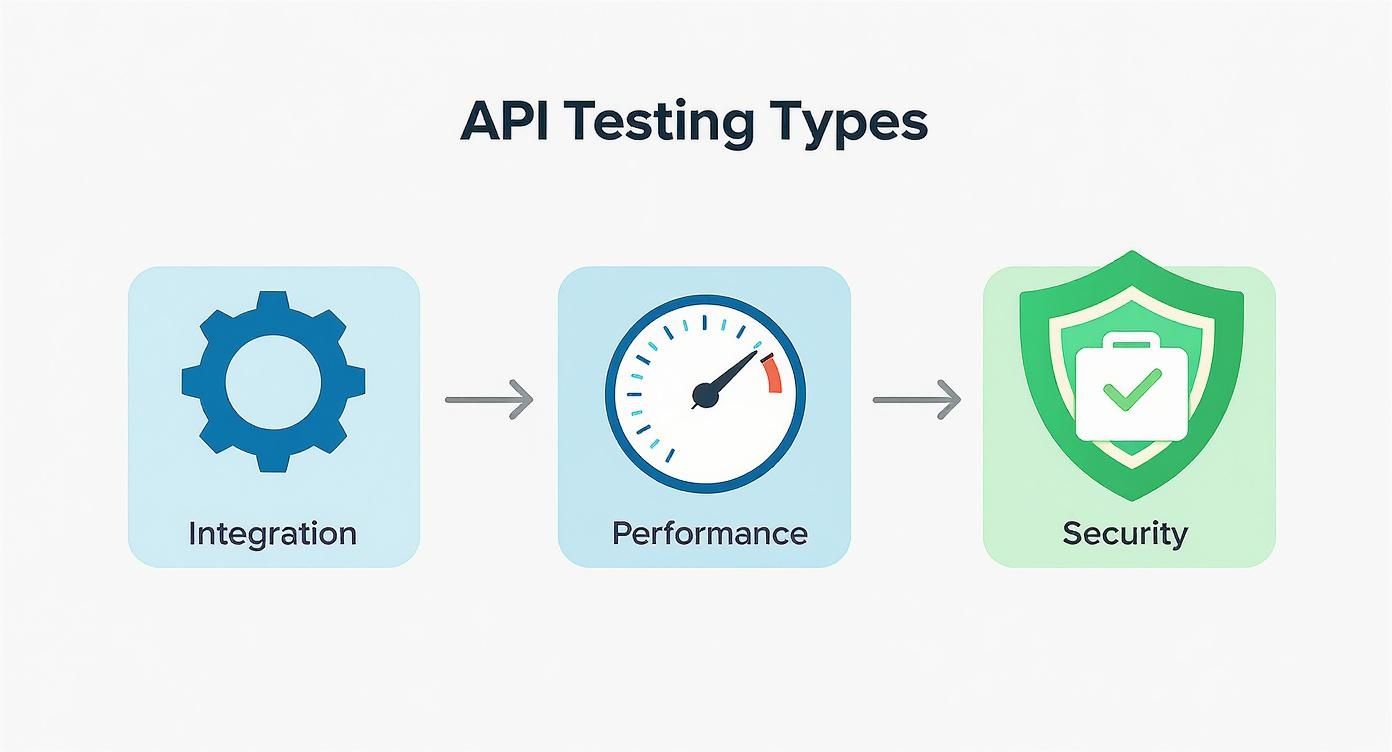
As you can see, different testing types build on each other. Once you have unit and integration tests automated, you can layer in performance and security checks to create a truly robust quality gate right in your pipeline.
Dialing in Your Pipeline Configuration
It doesn’t matter if you’re using GitLab CI, GitHub Actions, Jenkins, or something else—the concepts are the same. You’ll define a series of stages or jobs in a configuration file, which usually lives right in your project’s root. This file is the blueprint that tells your CI runner what to do.
Here’s a practical look at what this might be for a Python project using Pytest, configured with a .gitlab-ci.yml file:
stages:
- build
- test
build_job: stage: build script: - echo “Building the application…” # Add actual build commands here if needed - pip install -r requirements.txt
api_test_job: stage: test script: - echo “Starting RESTful API tests…” - pytest tests/api —junitxml=report.xml artifacts: when: always reports: junit: report.xml
This simple config lays out two stages. The test stage only kicks off after the build stage passes. It runs our API tests and—this is the important part—generates a JUnit XML report. This standard format lets GitLab parse the results and show them right in the merge request UI.
Keeping Secrets and API Keys Out of Sight
One of the first big hurdles you’ll hit when automating API tests is dealing with sensitive data like API keys, auth tokens, or database passwords. You absolutely cannot hardcode these into your test scripts or CI configuration files. It’s a massive security risk.
Never commit secrets directly into your repository. A leaked API key can lead to a catastrophic data breach or someone racking up a huge bill on your services. Your CI/CD platform has built-in features for this—use them.
All modern CI/CD tools have a secure way to handle secrets, usually by injecting them as environment variables at runtime.
- GitLab CI uses “CI/CD Variables” found in your project settings.
- GitHub Actions has encrypted “Secrets” that you can feed into your workflow.
- Jenkins provides a “Credentials” system specifically for this purpose.
You’d define a variable like API_AUTH_TOKEN in these secure settings, and your test scripts can just grab it from the environment. This keeps your secrets out of the codebase but makes them available to your pipeline when it runs.
Closing the Loop with Automated Reports and Alerts
A failing test that nobody sees is completely useless. The final piece of the puzzle is setting up automated reporting and notifications. This is what truly closes the feedback loop, making sure the right people know immediately when a build goes red.
Most CI/CD platforms can be configured to:
- Block Merges on Failure: This is your quality gate. It physically prevents code with failing tests from being merged into your main branch.
- Post to Slack or Teams: Get an instant notification in your team’s channel with a direct link to the failed pipeline. No more hunting for logs.
- Generate Test Summaries: By using artifacts (like that JUnit report), the platform can show a clean summary of which tests passed and failed, right in the UI.
By weaving your RESTful API testing suite into your pipeline this way, you’re not just running tests—you’re building a powerful, automated quality gate. It slashes the time spent on manual testing, gives developers instant feedback, and gives the whole team the confidence to ship new features and fixes without fear.
Analyzing Test Results and Troubleshooting Like a Pro
Running your tests is just the beginning. The real skill is turning a sea of green and red into actionable insights that actually improve your API. When a test in your restful api testing suite inevitably fails, knowing how to diagnose the root cause quickly makes all the difference. This isn’t about guesswork; it’s about having a systematic approach that takes you from the obvious red flag right down to the specific line of code.
Your first clue is always the HTTP status code. It’s the API’s way of telling you what went wrong, but you need to speak its language. A 401 Unauthorized and a 403 Forbidden, for example, both sound like access problems. The difference is critical: a 401 means your client isn’t even authenticated (maybe a missing or busted token), while a 403 means it is authenticated but just doesn’t have permission to be there.
The same goes for server-side issues. A 500 Internal Server Error is the generic “oops, something broke” message. A 503 Service Unavailable, however, points to a more specific problem, like the server being down for maintenance or just completely overwhelmed. Learning to spot these nuances is the first and fastest way to narrow down your investigation.
Diving into Response Bodies and Logs
Once you’ve got the status code, your next stop is the response body. A well-built API doesn’t just crash and burn; it sends back a helpful JSON payload with a clear error message that points you in the right direction.
You’re looking for something like this:
{ “error”: { “code”: “INVALID_PARAMETER”, “message”: “The ‘email’ field must be a valid email address”, “field”: “email” } }
This kind of response is gold. It tells you exactly what went wrong and where to look. But what if the response body is empty or just gives you a generic error? That’s when you turn to the server logs. Good logging lets you trace a request from the moment it hits the server to the exact function where things went sideways. That direct line from a failed test to a server log entry is your most powerful troubleshooting tool, bar none.
Tracking Key Metrics for Continuous Improvement
Fixing individual bugs is reactive. To truly elevate your API’s quality, you need to get proactive by analyzing trends over time. This is where tracking the right metrics creates a powerful feedback loop.
Here are a few metrics you should absolutely be watching:
- API Latency: How long are requests taking to complete? If you see a sudden spike, you’ve likely got a performance bottleneck on your hands.
- Error Rate: What percentage of your API calls are failing? This is your high-level indicator of overall API health.
- Test Pass/Fail Trends: Are certain endpoints or test suites failing over and over? This helps you zero in on flaky or fragile parts of your codebase that need attention.
When you start treating test results not just as pass/fail signals but as rich sources of data, your entire mindset shifts. You move from reactively debugging bugs to proactively engineering quality. This data-driven approach is what separates the good teams from the great ones.
RESTful API Testing FAQs
Even with a solid plan, you’re bound to run into some specific questions. Let’s tackle a few of the most common ones that come up for dev and QA teams.
What’s the Difference Between API Testing and UI Testing?
Think of it this way: API testing goes straight for the application’s brain—the business logic layer. You’re validating its core functions directly, without ever touching a user interface. UI testing, on the other hand, is all about the face—what the user actually sees and clicks on, like buttons, forms, and menus.
The real win with API testing is that it’s incredibly fast and stable. You can find bugs in the core logic way earlier in the development process, sometimes before a single screen is even built. It’s a much more efficient first line of defense.
How Do You Handle Authentication in API Testing?
This really comes down to your API’s security setup. Most of the time, you’ll be dealing with one of a few common methods: passing an API key in the headers, using Basic Auth with a username and password, or navigating an OAuth 2.0 flow to get a temporary access token.
For your automated scripts, the best approach is to build a dedicated setup step that gets these credentials programmatically. Store them as environment variables and reuse them across your test requests—it’s the perfect way to mimic how a real client application would behave.
Can You Load Test a REST API?
Not only can you, but you absolutely should. Load testing is non-negotiable if you want to be sure your API can handle the chaos of real-world traffic without falling over or grinding to a halt. It’s how you spot performance bottlenecks before they start costing you users.
Tools like Apache JMeter, Gatling, or K6 are built for exactly this. You write scripts that hammer your endpoints with thousands of simulated concurrent users, letting you measure crucial metrics like response times, throughput, and error rates under pressure.
Ready to test your APIs with real-world production traffic? GoReplay is an open-source tool that captures and replays live HTTP traffic, allowing you to validate performance and stability with unparalleled realism. Discover how to ship updates with confidence.