
A Modern Guide to Using GoReplay as a RESTful API Tester
Let’s be honest—traditional API testing often feels like a guessing game. We spend hours, sometimes days, meticulously crafting synthetic data that rarely captures the messy, unpredictable nature of real users. The result? Production bugs that slip through the cracks and should have been caught much earlier.
This is where a modern restful api tester like GoReplay completely changes the game. It shifts the entire approach from simulation to reality by replaying actual user traffic.
Why Traditional API Testing Is Falling Behind

Conventional testing methods have a fundamental flaw: they’re built on assumptions. We script test cases based on how we think users will interact with our API, not on how they actually do. This creates a huge gap between our neat-and-tidy test environments and the chaos of production.
It’s this very disconnect that lets bugs sneak past even the most rigorous QA processes. A scripted test might confirm that a POST request to /users successfully creates a user. But it will never replicate the pandemonium of a thousand concurrent, slightly malformed requests hammering your API during a flash sale.
The Limits of Mocked Data
The core problem really boils down to mocked or synthetic data. It has its place, especially for unit tests, but it fails miserably at capturing the complexity of real-world interactions.
Here are just a few of its shortcomings:
- Predictable Patterns: Synthetic data is clean and follows the patterns we expect. Real user input? It’s often messy, incomplete, and full of surprises.
- Edge Case Blindness: It’s practically impossible to manually script every bizarre edge case or user behavior anomaly that you’ll see in production. You just can’t think of everything.
- Inaccurate Load Profiles: Simulated load tests often send uniform, repetitive requests. This does a poor job of mimicking the diverse and spiky traffic patterns of a live application.
The reality is, as the demands on modern applications grow, these old-school API testing methods just can’t keep up. To stay competitive, developers are turning to a variety of advanced solutions. A comprehensive guide to the best API testing tools can offer a broader view of what’s out there.
To illustrate the difference, here’s a quick comparison of the two approaches.
GoReplay vs Traditional API Testers
| Feature | Traditional API Testers | GoReplay as a RESTful API Tester |
|---|---|---|
| Data Source | Mocked, synthetic, or manually created data | Real, live production traffic |
| Test Realism | Low to moderate; based on assumptions | High; reflects actual user behavior |
| Edge Case Discovery | Limited to what can be imagined and scripted | Excellent; uncovers unexpected, real-world scenarios |
| Load Profile | Uniform and predictable request patterns | Diverse, spiky, and authentic traffic patterns |
| Setup Effort | High; requires extensive scripting of test cases | Low; captures existing traffic with minimal setup |
| Maintenance | High; tests must be constantly updated | Low; adapts automatically as user behavior changes |
Ultimately, GoReplay’s traffic replay method provides a far more accurate picture of how your system will perform under real-world stress.
The core idea behind traffic replay is simple yet powerful: your best test data is your production data. By capturing and replaying real user requests, you test your application against its actual workload, not a sanitized imitation.
The market is clearly signaling a need for better testing. The API testing market is projected to surge from $1.75 billion in 2025 to a staggering $4.72 billion by 2030, driven by the relentless demand for greater reliability and faster release cycles. This explosive market growth highlights just how critical this has become.
This is precisely where using GoReplay as a RESTful API tester gives you a clear and immediate advantage.
Setting Up GoReplay to Capture Live Traffic
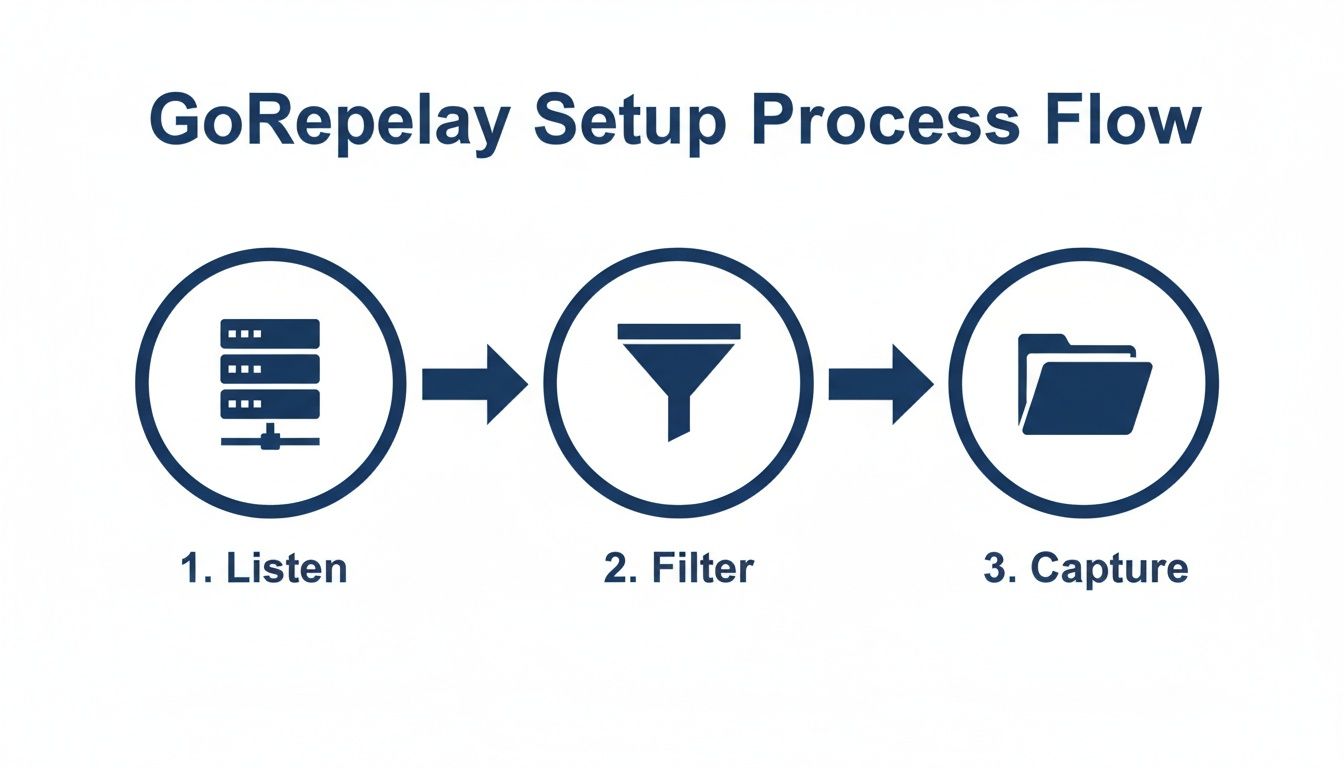
Before you can use GoReplay as a powerful RESTful API tester, you have to get your hands on some real user interactions. This means installing the tool and pointing it at your live network traffic to capture a clean, focused dataset of actual requests. This recording is what you’ll use to build incredibly realistic tests.
Getting GoReplay installed is refreshingly simple. It’s a single binary, which cuts out a ton of setup headaches.
- Linux (Ubuntu/Debian): You can grab the binary directly with
wgetor use a package manager for the latest release. - macOS: Homebrew makes it a one-liner. Just run
brew install goreplayand you’re good to go. - Windows: Simply download the pre-compiled binary and run it from your favorite command line or PowerShell.
With the tool installed, the real fun begins: capturing live traffic.
Configuring the Traffic Listener
The listener is the heart of GoReplay’s capture process. For most RESTful API testing, the --input-raw flag is your go-to command. It tells GoReplay to start sniffing network packets right from a specific network interface and port.
Let’s say your API server is running on port 8080. A basic capture command would look like this:
gor --input-raw :8080 --output-file requests.gor
This simple command does two things:
- It starts listening to all traffic on port 8080 (
--input-raw :8080). - It saves all the captured HTTP requests into a file named
requests.gor(--output-file).
What you get is a raw, unfiltered recording of every request that hits your server. It’s a fantastic starting point. For a deeper dive, check out the official guide on GoReplay setup for testing environments.
Filtering for Precision
Capturing everything is great, but it can be overkill. You probably don’t need to test every health check or static asset request. A much smarter approach is to filter the traffic right at the source, focusing only on the critical API routes you actually care about.
Filtering traffic during the capture stage creates a smaller, more relevant dataset. This doesn’t just save disk space—it makes your replay tests faster and more focused on the business logic that truly matters.
You can get incredibly specific with filtering flags. For instance, if you only want to capture POST requests to your /api/v1/orders endpoint, you can fine-tune your command:
gor --input-raw :8080 --http-allow-method POST --http-allow-url /api/v1/orders --output-file orders.gor
This kind of precision is what separates a good test from a great one. It guarantees that the data you collect is directly tied to your testing goals, giving you a powerful and accurate foundation for the replay phase. With a clean dataset ready, you’re all set to start replaying these requests against your staging environment.
Replaying Your First Test with Confidence
Alright, you’ve got a clean recording of real user traffic. Now for the fun part: seeing how your staging environment holds up under pressure. This is where a RESTful API tester like GoReplay really shows its value, moving beyond simple capture to smart, effective replaying.
The goal isn’t just to blindly throw traffic at a server. It’s about doing it securely, protecting sensitive data while keeping the test as realistic as possible.
The primary tool for this is the --output-http command. This simply tells GoReplay where to send the captured requests, like your staging or development server. For example, if your staging API lives at http://staging-api.example.com, your command would look something like this:
gor --input-file requests.gor --output-http "http://staging-api.example.com"
This command replays every single request from your requests.gor file against the staging environment, mimicking the exact sequence and timing from production. But hold on—running this command as-is on raw production traffic is a massive security risk. You could be blasting real user passwords, API keys, and other personal information straight into a less-secure environment.
Securing Your Test Data with Middleware
This is exactly why GoReplay’s middleware capabilities are so critical. Middleware lets you intercept and modify requests on the fly, before they ever hit your staging server. You can write simple scripts to anonymize, hash, or completely strip sensitive data from request headers and bodies.
- Rewrite Headers: Swap out real
Authorizationheaders for static test tokens. - Mask Request Bodies: Scrub Personally Identifiable Information (PII) like names, emails, and credit card numbers from JSON payloads.
- Filter Out Sensitive Endpoints: Completely drop requests you don’t want to test, like those for password resets or payment processing.
This approach gives you a clean, focused, and safe dataset by the time you’re ready to replay.
The real power of a traffic-based RESTful API tester isn’t just replaying what happened—it’s replaying a safer, smarter version of what happened. Anonymizing data in-flight is a non-negotiable step for responsible testing.
I can’t overstate the importance of this security layer, especially with cyber threats targeting APIs on the rise. In fact, the market for API security testing tools is expected to hit $14.68 billion by 2033, a clear sign of how critical this has become. The risks are so significant that automated security testing is projected to reduce breaches by a staggering 45%. Find out more about the growing API security market.
By using middleware to scrub your data, you’re not just preparing a test; you’re adopting the security-first mindset that’s essential for modern development.
Simulating Real-World Load to Find Bottlenecks
Simple regression tests are great for confirming your API works, but they won’t tell you what happens when it’s under serious pressure. To truly understand your system’s limits, you have to throw realistic, high-traffic scenarios at it. This is where GoReplay transitions from a functional restful api tester to an indispensable performance engineering tool.
By default, GoReplay replays traffic at the exact same speed it was captured. But finding your breaking point means cranking up the intensity. You can easily amplify the traffic by replaying it at an accelerated rate.
For instance, to replay traffic at ten times its original speed, you just use a percentage multiplier:
gor --input-file requests.gor --output-http "http://staging-api.example.com|1000%"
This single command fires off the same requests but jams them into a much shorter time frame, creating an instant high-load situation. It’s a powerful way to see how your database connections, caching layers, and third-party integrations hold up when a sudden surge hits.
Fine-Tuning Concurrency and Connections
It’s not just about speed; concurrency is just as important. Real-world load isn’t just faster requests—it’s many users hitting your system all at once. GoReplay gives you precise control over this with a few key flags.
--output-http-workers: This sets the number of concurrent workers sending requests, effectively simulating more simultaneous users.--output-http-timeout: This defines how long GoReplay will wait for a response before it marks a request as timed out—critical for sniffing out slow endpoints.
A more advanced load test might look something like this:
gor --input-file requests.gor --output-http "http://staging-api.example.com" --output-http-workers 50 --output-http-timeout 5s
Here, we’re using 50 concurrent workers to send requests and flagging any response that takes longer than five seconds. By tweaking these values, you can methodically ramp up the pressure on your system to pinpoint exactly where performance starts to degrade. This is a core technique for anyone looking to replay production traffic for realistic load testing.
Interpreting the Results
The whole point of this aggressive testing is to find bottlenecks before your users do. As you ramp up the load, you’ll start to see clear patterns in the output.
Don’t just look for
5xxserver errors. Pay close attention to rising latency and timeouts. From a user’s perspective, a slow API is often just as bad as a broken one, and these metrics are the earliest warning signs of a system hitting its limit.
The massive growth in RESTful API testers is directly tied to this need for scalable, reliable systems. With over 82% of companies now adopting API-first development, the market for testing tools is exploding. It’s projected to jump from $4.15 billion in 2024 to $8.24 billion by 2030.
Tools like GoReplay are essential to this ecosystem. They empower teams to validate their capacity to handle real-world loads, leading to huge performance wins—we’ve seen teams achieve 53% latency reductions after this kind of optimization.
By systematically dialing up speed and concurrency, you can uncover weak points, optimize your code and infrastructure, and make sure your application stays stable and snappy, no matter what your users throw at it.
Integrating GoReplay into Your CI/CD Pipeline
Manual testing has its place, but the real magic of any restful api tester happens when you bring in automation. Integrating GoReplay into your Continuous Integration and Continuous Deployment (CI/CD) pipeline is what elevates it from a tool you run occasionally to an automated quality gate that stands guard over every single build.
This is exactly how you catch regressions before they ever see the light of day.
The whole idea is to script the entire capture-and-replay process. Instead of kicking off commands by hand, you’ll define jobs in your pipeline—whether it’s Jenkins, GitLab CI, GitHub Actions, or something else—that automatically fire up GoReplay tests against each new deployment to your staging environment.
Automating the Test Workflow
Your CI/CD script needs to do more than just run a single command. It has to orchestrate a few key steps to create a testing sequence that’s both repeatable and reliable.
Here’s a practical flow that we’ve seen work wonders:
- Capture Traffic: First, set up a persistent GoReplay listener on your production server. This process should run continuously, saving captured traffic to a shared spot like an S3 bucket or an artifact repository. This gives you a constantly refreshed well of real user behavior to draw from.
- Deploy to Staging: Your pipeline does its thing, triggering a new deployment to your staging or pre-production environment. Business as usual.
- Fetch and Replay: Once the deployment is successful, a dedicated testing stage in your pipeline grabs the latest traffic recording. It then unleashes GoReplay, directing that real-world traffic against your newly deployed staging app.
- Compare and Analyze: This is the moment of truth. The pipeline compares the responses from staging against the original responses captured from production.
Setting Up Automated Response Comparison
GoReplay can actually handle this comparison for you, which is a huge time-saver. By running it in a differential mode, you can have it replay traffic against both your old (production) and new (staging) environments at the same time. It then intelligently compares everything—status codes, headers, and even response bodies.
You can configure it to spit out a report detailing any discrepancies. A typical command in your CI script might look something like this:
gor --input-file "latest-traffic.gor" --output-http "http://staging-api.com" --output-http-compare "http://production-api.com"
This command flags any request that returns a different response from staging than it did from production. These differences are your potential regressions. Your script can then parse this output to decide if the build passes or fails.
A failed comparison in your pipeline should be treated as a critical build failure. This is your safety net. It means a recent code change altered an API’s behavior in an unexpected way, and it stops that regression from ever being promoted to production.
What you’re essentially doing here is creating a shadow production environment for testing. Because you’re using real traffic, you’re not just checking for 200 OK responses. You’re verifying that complex business logic, data transformations, and weird edge-case behaviors all remain consistent between releases.
By baking this into your CI/CD workflow, you build a powerful, automated regression testing suite that adapts to your users in real time. It’s the best way to ensure every deployment is just as solid as the last one.
Answering Your GoReplay Questions
When you start using a tool as powerful as GoReplay for your restful api tester needs, some practical questions always come up. I’ve seen developers and QA engineers ask the same things time and again. Let’s dig into a few of the most common ones.
How Does GoReplay Handle Stateful Applications?
This is a big one. Can a tool that just replays HTTP requests really test an app with user sessions and other stateful logic?
Yes, and this is where GoReplay truly shines. The Pro version includes session-aware replay, which is designed specifically for this problem. It’s smart enough to recognize and track entire user sessions across many requests, replaying them in the exact order they happened.
Think about what this means for testing real user journeys:
- A user adds multiple items to a cart, then checks out.
- Someone fills out a long, multi-page sign-up form.
- A logged-in user navigates through several protected pages.
Without session awareness, you’re just hitting isolated endpoints. You’d completely miss the critical dependencies that define how people actually use your application.
What About Sensitive Data in Production Traffic?
Using production traffic is a game-changer, but it also comes with a huge responsibility: protecting user data. How can you test with real traffic without putting passwords, API keys, or personal info at risk?
GoReplay has this covered with its middleware and filtering features. You can write simple scripts that modify requests and responses on the fly—before they ever hit your test environment.
This on-the-fly data modification isn’t just a nice-to-have; it’s a non-negotiable part of responsible API testing. You keep the structural integrity of your tests without ever compromising on data security.
You can easily hash, mask, or strip out sensitive fields from a JSON payload. Your staging environment gets a sanitized but structurally identical request, giving you the perfect blend of realism and security.
What Is the Performance Overhead in Production?
Putting any tool on a live production server is going to make you ask about performance. Is this going to slow things down for my real users?
GoReplay was built from the ground up to be incredibly lightweight. It’s written in Go, which is known for high performance and low resource use. The listener that captures traffic just sniffs network packets passively. It never gets in the way of your application’s actual request-response cycle.
In practice, the performance hit on production servers is almost always negligible. Most teams I’ve worked with run the capture process 24/7 without noticing any drop in responsiveness. It’s a safe and reliable way to gather real-world test data.
Can GoReplay Test More Than RESTful APIs?
While GoReplay is fantastic for REST API testing, its abilities go way beyond that. It works at the HTTP/HTTPS level, which makes it incredibly versatile.
This means you can capture and replay traffic for almost any service that talks over HTTP. This includes old-school web apps, SOAP APIs, and even GraphQL endpoints. Its flexibility makes it a universal HTTP testing tool that can fit into all sorts of different architectures and testing scenarios.
Ready to transform your API testing with real production traffic? GoReplay offers the tools you need to build more resilient and reliable applications with confidence. https://goreplay.org