
A Complete Guide to Rest Assured for API Testing

When it comes to testing APIs in Java, Rest Assured is my go-to library. It completely changes the game by simplifying how you write automated tests for RESTful web services, offering a clean, domain-specific language (DSL) that makes your test code remarkably readable and a breeze to maintain. This is exactly why so many teams have it at the core of their API testing strategy.
Why Rest Assured Is a Game Changer for Java API Testing
If you’ve ever wrestled with testing APIs in Java using standard HTTP clients, you know the pain. You end up writing tons of boilerplate code just to fire off a request and parse a response. It makes the tests clunky, hard to read, and even harder to maintain over time. Rest Assured was built to fix this exact problem.

This isn’t just another library; it’s a fundamental shift in how developers can approach API validation. By giving you a fluent, BDD-style syntax, it transforms complex test logic into something that reads almost like plain English.
The Power of Readable Syntax
One of the biggest wins with Rest Assured is its expressive syntax. Forget about manually constructing HTTP requests and parsing JSON. Instead, you can chain together simple methods that clearly describe what the test is trying to do.
Take a look at this simple example: given(). param(“userId”, “123”). when(). get(“/users”). then(). statusCode(200). body(“data.name”, equalTo(“John Doe”));
Even if you’re not a senior developer, that snippet is immediately understandable. It lays out the preconditions (given), the action (when), and the expected results (then). This kind of clarity is absolutely critical for team collaboration and keeping your test suite manageable in the long run.
Key Benefits for Modern Test Automation
Rest Assured really shines because it directly tackles the core challenges of API testing without bogging you down with unnecessary complexity.
- Seamless Integration: It plays nicely with popular Java testing frameworks like JUnit and TestNG, so you can slot your API tests right into your existing CI/CD pipelines without any fuss.
- Powerful Assertions: With built-in support for Hamcrest matchers, you can perform incredibly detailed checks on response headers, status codes, and even complex JSON or XML payloads with ease.
- Reduced Boilerplate: The library handles tedious tasks like serialization and deserialization automatically. This frees you up to focus on the actual test logic instead of the technical plumbing.
By abstracting away the low-level details of HTTP communication, Rest Assured lets you write tests that are not only functional but also serve as living documentation for your API.
While Rest Assured is fantastic for functional validation, it’s one tool in a much larger toolbox. To get a broader view of the landscape, check out our ultimate guide to API testing tools in 2024 to see how it stacks up against other solutions. Understanding all your options is key to building a robust and reliable testing strategy.
Building Your First Rest Assured Testing Project
Diving into Rest Assured for API testing starts with getting your project off the ground. Before you write a single line of test code, you need a solid foundation. Getting your development environment set up correctly from the start saves you from a world of configuration headaches later on.

The prerequisites are pretty simple. You’ll need a Java Development Kit (JDK)—ideally version 8 or newer—since Rest Assured is a Java library. You’ll also need a build automation tool like Maven or Gradle to handle your project’s dependencies. Most modern IDEs, such as IntelliJ IDEA or Eclipse, come with these tools baked in, which definitely simplifies things.
Getting Your Project Dependencies in Order
Once you have a new Maven or Gradle project spun up, the next job is to pull in the necessary libraries. Think of these dependencies as the building blocks for your testing framework. You’ll just add them to your pom.xml for Maven or build.gradle for Gradle.
Here are the core libraries you’ll need to get started:
- Rest Assured: This is the star of the show. It provides that fluent, BDD-style syntax for writing clean, expressive API tests.
- JUnit or TestNG: You need a testing framework to actually structure and run your tests. Both JUnit 5 and TestNG are fantastic choices that play nicely with Rest Assured.
- Hamcrest: This library gives you powerful “matcher” objects for building flexible and highly readable assertions. While Rest Assured includes some matchers out of the box, adding the full Hamcrest library expands your validation toolkit significantly.
Adding these dependencies tells your build tool to fetch all the required files and hook them into your project. It’s a critical step to ensure your Rest Assured for API testing setup is correct.
Here’s a quick look at what this looks like in a Maven pom.xml file.
With this configuration, you have a complete, ready-to-go environment for your API tests.
Writing and Running Your First Test
With the setup out of the way, it’s time for the fun part: writing your first test. A simple “smoke test” is the perfect way to make sure everything is wired up correctly. We’ll just send a GET request to a public API and check that it returns a success response.
This first test is more than just a formality; it’s a critical checkpoint. A passing test here confirms your dependencies are configured, your test runner is working, and you can actually make an HTTP request.
A successful first test is more than just a green checkmark; it’s confirmation that your entire testing environment is correctly wired. It gives you the confidence to build more complex and valuable test scenarios on a stable foundation.
Let’s write a complete test using JUnit 5. We’ll hit the JSONPlaceholder API, a free online REST API that’s perfect for testing and prototyping.
import io.restassured.RestAssured; import org.junit.jupiter.api.Test;
import static io.restassured.RestAssured.given; import static org.hamcrest.Matchers.equalTo;
public class FirstApiTest {
@Test
public void getPostsAndAssertStatusCode() {
    RestAssured.baseURI = "https://jsonplaceholder.typicode.com";

    given().
    when().
        get("/posts/1").
    then().
        assertThat().
        statusCode(200).
        body("userId", equalTo(1));
}
}
When you run this, Rest Assured sends a GET request and validates two things: the HTTP status code is 200 OK, and the userId field in the JSON response body is 1. Seeing this test pass is your green light to start building out a full suite of API tests.
With your project set up, it’s time to move past simple status checks and start writing tests that really dig into your API’s behavior. This is where Rest Assured comes into its own, giving you the tools to write powerful, descriptive, and maintainable tests for just about any scenario you can think of.
A good test suite does more than just find bugs; it becomes living documentation for your API. It clearly defines what the API expects and what it returns, making it an incredible resource for your entire team.

Mastering POST, PUT, and DELETE Requests
While GET requests are pretty straightforward, creating or modifying data with POST, PUT, and DELETE calls requires a little more work. You’ll need to build request bodies, usually in JSON, and make sure your headers are set up correctly.
Let’s say you want to test a POST request that creates a new user. The common way to handle this is by defining the user data in a HashMap and passing it along as the body.
import io.restassured.http.ContentType; import org.junit.jupiter.api.Test; import java.util.HashMap; import static io.restassured.RestAssured.given; import static org.hamcrest.Matchers.*;
public class DataModificationTests {
@Test
void testCreateUserWithPost() {
    HashMap<String, String> requestBody = new HashMap<>();
    requestBody.put("name", "Jane Doe");
    requestBody.put("job", "Software Engineer");

    given()
        .contentType(ContentType.JSON)
        .body(requestBody)
    .when()
        .post("https://reqres.in/api/users")
    .then()
        .statusCode(201)
        .body("name", equalTo("Jane Doe"))
        .body("id", notNullValue());
}
}
This test doesn’t just create a user. It also confirms the API responds with a 201 Created status and that the response body includes the user’s name and a non-null ID. This pattern—send data, then assert the response—is the backbone of effective API testing.
The Art of Readable Assertions with Hamcrest
Just checking a status code is never enough. You have to be sure the response payload is what you expect. Rest Assured’s tight integration with Hamcrest matchers makes this process incredibly clean and almost poetic.
Instead of writing messy conditional logic to parse a response, you can use expressive matchers that read like plain English.
equalTo("expectedValue"): Checks for an exact match.hasItems("item1", "item2"): Verifies a collection contains certain items.greaterThan(10): Asserts a number is above a specific value.notNullValue(): Ensures a field is present and isn’t null.
This fluent style makes your tests self-documenting. A teammate can glance at body("user.age", greaterThan(18)) and instantly get the business rule being tested without digging into the code.
By using expressive matchers, you shift the focus of your tests from how to validate the response to what the response should contain. This makes your test suite more resilient to minor API changes and far easier to maintain.
Robust validation is a big deal, and it’s driving serious market growth. The API testing market was valued at USD 4.074 billion in 2024 and is projected to hit USD 4.929 billion in 2025. It’s expected to grow at a staggering 20.99% CAGR through 2035, a boom fueled by the rise of microservices and API-first development. You can get more details on this rapid expansion from Market Research Future.
Eliminating Redundancy with Specifications
Once your test suite starts to grow, you’ll spot a lot of repetition. Setting the same base URI, adding the same auth headers, or checking for the same content type in every test is a maintenance nightmare waiting to happen.
This is where RequestSpecification and ResponseSpecification save the day. They let you define reusable configurations, helping you stick to the Don’t Repeat Yourself (DRY) principle.
Imagine your API requires an API key for every single call. Instead of adding the header to each test manually, you can create a RequestSpecification.
import io.restassured.builder.RequestSpecBuilder; import io.restassured.specification.RequestSpecification;
// This can live in a base test class RequestSpecification requestSpec = new RequestSpecBuilder() .setBaseUri(“https://api.yourapp.com/v1”) .addHeader(“Authorization”, “Bearer your_api_key_here”) .setContentType(ContentType.JSON) .build();
// In your test, you just reference the spec given() .spec(requestSpec) .when() .get(“/dashboard”) .then() .statusCode(200);
You can do the same thing for responses. A ResponseSpecification can bundle common checks, like always expecting a 200 OK status and a JSON content type. Define it once, use it everywhere, and keep your tests clean and consistent.
Real-World Scenario: Chaining Requests
In the real world, API calls don’t happen in a vacuum. A typical user workflow involves a sequence of requests where the output of one call becomes the input for the next. Think about it: you create a resource, grab its new ID, and then use that ID to update or delete it.
Rest Assured makes it simple to extract data from a response and chain these calls together.
Here’s how you could test a complete workflow to create and then immediately delete a user:
- POST Request: First, create a new user and extract the
idfrom the response body. - DELETE Request: Next, use that extracted
idto hit the correctDELETEendpoint. - Assertion: Finally, verify the
DELETErequest returns a204 No Contentstatus.
@Test void testCreateThenDeleteUser() { // Set up the request body HashMap<String, String> requestBody = new HashMap<>(); requestBody.put(“name”, “Temp User”); requestBody.put(“job”, “To Be Deleted”);
// 1. Create the user and extract its ID
String userId = given()
    .contentType(ContentType.JSON)
    .body(requestBody)
.when()
    .post("https://reqres.in/api/users")
.then()
    .statusCode(201)
    .extract().path("id");

// 2. Use the ID to delete the user
given()
.when()
    .delete("https://reqres.in/api/users/" + userId)
.then()
    .statusCode(204); // 3. Check for a successful deletion
}
This approach is powerful because it mimics how your API is actually used. It gives you much higher confidence by validating not just a single endpoint, but an entire end-to-end workflow.
Taking Your API Tests to the Next Level with Rest Assured
Once you’ve moved past basic GET and POST requests, you’ll start to see where Rest Assured really shines. Real-world applications rarely stick to simple, open endpoints. You’ll quickly run into complex authentication flows, dynamic responses, and the need for test configurations that can actually scale.
This is where advanced techniques come in. They aren’t just “nice-to-haves”—they’re what separate a brittle, high-maintenance test suite from a robust one that gives you genuine confidence in your releases. These are the practices that let your tests grow and adapt right alongside your application.
Handling Complex Authentication Schemes
Most production APIs are locked down. They need to know who you are and what you’re allowed to do, which means you’ll be dealing with authentication. Rest Assured has fantastic built-in support for the most common auth methods, which cleans up what could otherwise be a messy and error-prone process.
Instead of manually building headers, you can use its fluent API.
Let’s look at a few common setups:
-
Basic Authentication: Just give it a username and password. Rest Assured handles the Base64 encoding and header construction behind the scenes. given() .auth().basic(“username”, “password”) .when() .get(“/secure/endpoint”) .then() .statusCode(200);
-
API Key Authentication: Depending on the API’s design, you might pass a key in a header or as a query parameter. given() .header(“X-API-KEY”, “your-secret-api-key”) .when() .get(“/data/resource”) .then() .statusCode(200);
-
OAuth 2.0: For modern token-based security, adding a bearer token is just as straightforward. given() .auth().oauth2(“your-access-token”) .when() .get(“/user/profile”) .then() .statusCode(200);
By letting Rest Assured manage the boilerplate, your test logic stays clean and focused on validating the actual business functionality, not the security handshake.
Deserializing JSON Responses into POJOs
Sure, you can check individual JSON fields using body() and JSONPath expressions. It works great for simple checks. But when you’re dealing with complex objects, this approach becomes incredibly brittle and hard to read.
A far better way is deserialization, where Rest Assured automatically maps a JSON response into a Plain Old Java Object (POJO). It’s a game-changer.
Why is this so much better?
- Type Safety: You’re working with real Java objects, not strings. This means your IDE and the compiler can catch data type mismatches before you even run the test.
- Readability: Assertions become clean and intuitive. Instead of
body("data.email", equalTo("...")), you getuser.getEmail(). - Maintainability: If the API response changes, you update the POJO class in one spot. All the tests using it are automatically updated. No more hunting down and fixing dozens of string-based paths.
Let’s say your API returns a user object. First, you define a User POJO that mirrors the JSON structure:
public class User { private int id; private String email; private String first_name; // Getters and setters omitted for brevity }
Then, in your test, you can deserialize the response directly into an instance of this class. The assertions become beautifully object-oriented.
User user = given() .pathParam(“userId”, 2) .when() .get(“https://reqres.in/api/users/{userId}”) .as(User.class);
assertEquals(2, user.getId()); assertEquals(“[email protected]”, user.getEmail());
This technique is a cornerstone of professional API testing with Rest Assured. It makes your tests dramatically more robust and easier to manage.
Configuring Detailed Logging for Debugging
When a test fails, the first thing you need to know is “why?” Rest Assured’s logging is your best friend here. The trick is to get detailed information only when you need it.
Effective logging is a safety net. By logging request and response details only on validation failure, you get a clear, concise report of what went wrong without drowning in irrelevant data from passing tests.
You can set this up with a single line: log().ifValidationFails(). This keeps your console output clean on successful runs but gives you everything you need when something breaks.
given() .param(“q”, “rest assured”) .when() .get(“https://www.google.com/search”) .then() .log().ifValidationFails() // Only logs if the status code isn’t 200 .statusCode(200);
This simple addition can save you hours of debugging by instantly showing you the exact request that was sent and the full response that came back when an assertion fails.
Parameterizing Tests for Better Coverage
Hardcoding values in tests is a recipe for a brittle and incomplete test suite. To really know your API is solid, you need to throw a wide range of inputs at it. This is where parameterization, using tools like TestNG’s @DataProvider or JUnit 5’s @ParameterizedTest, becomes essential.
Parameterization lets you run the same test logic against many different datasets. It’s incredibly efficient for checking various user roles, boundary conditions, invalid inputs, or any other edge cases you can think of.
This drive for comprehensive, automated validation isn’t just a best practice; it’s an industry-wide trend. The global API testing market hit USD 1,361.08 million in 2024 and is expected to grow at a powerful CAGR of 20.5% through 2032. This isn’t surprising, given how sectors like banking and IT rely on agile development and complex systems where a single API failure can be catastrophic. You can find more on these trends from Maximize Market Research.
When you master these advanced techniques—from handling real-world authentication and deserializing responses to smart logging and data-driven testing—you elevate your API tests from simple checks to a truly comprehensive, scalable, and maintainable quality strategy.
Validate Your API with Real Production Traffic Using GoReplay
Synthetic data can only get you so far. While carefully crafted test cases are essential for validating specific functions, they often miss the chaotic, unpredictable nature of real-world user traffic. This is where you can combine your Rest Assured for API testing suite with a powerful traffic replay tool.
To gain true confidence, you need to test your API against production-level stress and variety. That’s the core strength of GoReplay, an open-source tool that captures live HTTP traffic from your production environment and mirrors it against your test system. This approach is fantastic for uncovering the subtle bugs, edge cases, and performance bottlenecks that synthetic tests would never find.
Combining Load Generation with Functional Validation
The real power move is running your Rest Assured test suite while GoReplay is hammering your application with a realistic load. Imagine your API being hit with thousands of replayed production requests every second. At the very same time, your detailed Rest Assured tests are running in parallel, making sure core functionalities still work correctly under that immense stress.
This combination answers two critical questions at once:
- Does the API function as designed? (Your Rest Assured tests handle this.)
- Does it keep functioning correctly under real-world load? (GoReplay + Rest Assured gives you the answer.)
This dual approach ensures your API is not only functionally correct but also resilient and performant. You get ultimate peace of mind knowing your system can handle the unpredictable demands of production before every single release.
With a growing focus on security and performance, testing budgets have swelled, with 25-30% now dedicated to these areas. This isn’t surprising, given that API vulnerabilities were linked to 68% of data breaches in 2024. Tools like GoReplay are critical in this landscape, transforming live data into precise tests that simulate real-world threats and user patterns. You can find more insights on the API testing market’s evolution on GlobeNewswire.
A Practical Workflow for Implementation
Integrating these tools is more straightforward than you might think. You just configure GoReplay to listen to your production traffic, sanitize any sensitive data, and forward it to a staging or test environment where your application is deployed.
While that traffic replay is active, you trigger your existing CI/CD pipeline to execute your Rest Assured test suite against that same environment.
This infographic shows a typical flow for an advanced testing process involving authentication, deserialization, and logging.
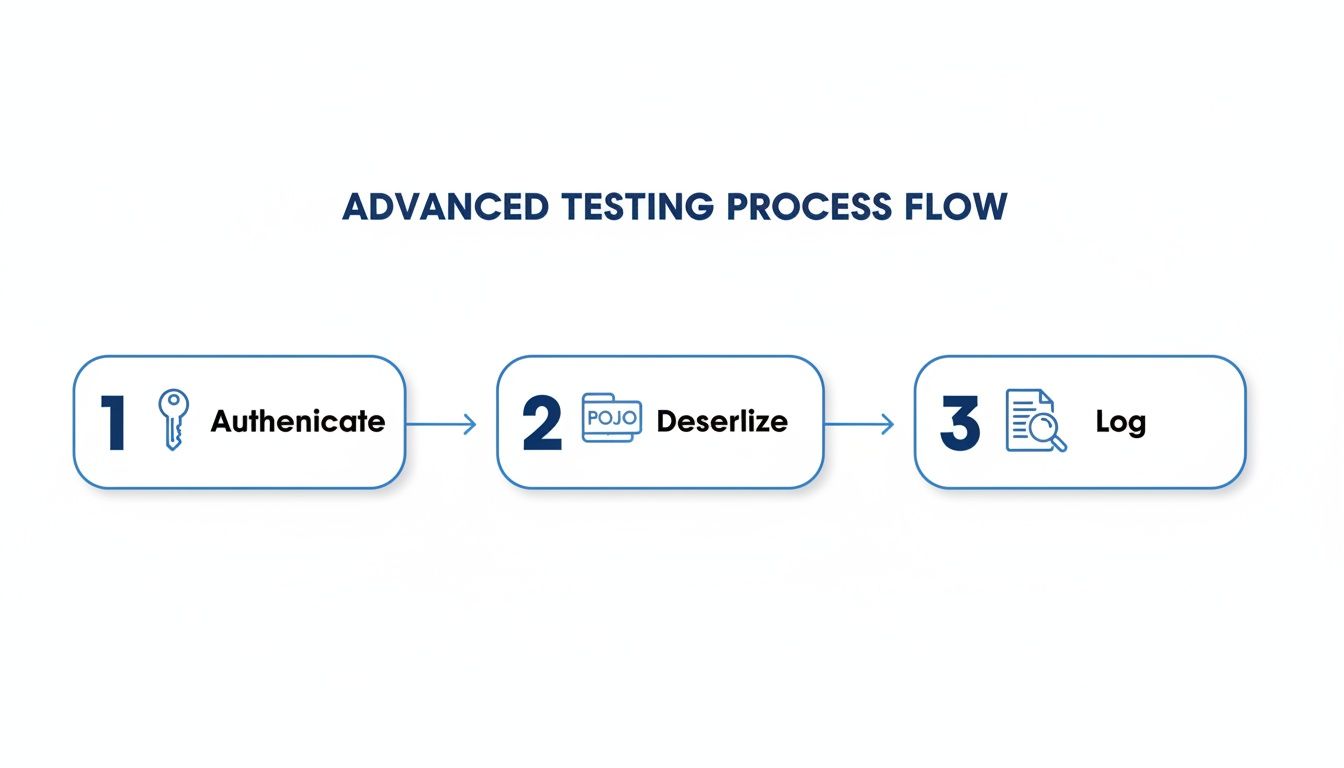 The visualization highlights the key stages in a robust test: securing access, converting the response into a usable object, and recording the results for debugging.
Any failures in your Rest Assured assertions immediately tell you that a specific feature broke under load, giving you a precise starting point for debugging. This method moves you from reactive bug fixing to proactive quality assurance, catching issues that would otherwise only pop up after a production deployment. For a more detailed breakdown, check out our guide on simplifying REST API testing with GoReplay.
Gotchas and Common Questions in Rest Assured API Testing
Once you move past the “Hello, World!” examples with Rest Assured for API testing, you’ll inevitably run into the same practical problems everyone else does. These are the little roadblocks that can turn a simple test suite into a maintenance nightmare.
Let’s cut through the frustration and tackle these common questions head-on. The answers here come from real-world experience building and maintaining robust API test suites.
How Do You Handle Dynamic Data in Responses?
This one gets everybody. You write a test to check for a specific UUID or timestamp, and it passes once. Then it fails every single time after that. The problem isn’t your API; it’s that the data is supposed to be dynamic. The trick is to test the shape and validity of the data, not the exact value.
This is where Hamcrest matchers are a game-changer. Instead of asserting a specific value, you can make your tests much smarter:
- Check for presence: Is that
createdAtfield there? Just usenotNullValue()to confirm it exists. - Validate a pattern: Need to make sure a
userIdis a valid UUID? A quick regular expression withmatchesPattern()is all you need.
For anything more complex, like verifying a timestamp is recent, your best bet is to deserialize the response into a POJO. Once you have that Java object, you can write any assertion you want, like checking if a date falls within the last five minutes. This makes your tests resilient to data that changes on every run.
The goal is to test the API’s contract, not its data on a specific run. A test that confirms an
idis a valid UUID is infinitely more valuable than one that just checks if it’s “abc-123”.
Is Rest Assured Good for Performance Testing?
Yes and no. While Rest Assured is built for functional API testing, it can absolutely play a role in performance validation. It’s incredibly easy to grab the response time with the time() method and assert that it’s under a certain threshold, like lessThan(2000L) for two seconds. This is great for catching major regressions.
But—and this is a big but—it is not a load-testing tool. It wasn’t designed to simulate the high-concurrency traffic needed for a real stress test.
The most effective strategy is a hybrid one. Use a dedicated tool like JMeter or a traffic replay tool like GoReplay to pound your application with realistic traffic. While the load is running, execute your Rest Assured suite in parallel. This approach gives you the best of both worlds: you get the performance metrics and you can verify that the API remains functionally correct even under heavy stress.
What Is the Best Way to Manage Test Data?
If you’re hardcoding JSON strings and user credentials directly in your test methods, you’re creating a maintenance headache for your future self. As your test suite grows, you’ll be hunting down and updating the same values in dozens of different places. Externalize your data from the very beginning.
Here are a few proven ways to do it:
- Simple Data Sets: Stick with what your framework provides. TestNG’s
@DataProvideror JUnit 5’s@ParameterizedTestare perfect for this. They let you feed multiple inputs into a single test method, keeping things clean. - Complex Objects: For request bodies or complex data structures, external files are your friend. Store your data in JSON or YAML files. Then, create a simple utility class to read these files and deserialize them into POJOs. Rest Assured can take that POJO and serialize it directly into the request body.
This simple separation of logic and data will make your entire test suite worlds easier to manage, update, and scale.
How Does Rest Assured Compare to Postman?
This is a classic question, but they aren’t really competitors. They solve different problems and are often used together.
Postman is a fantastic GUI-based tool for manual, exploratory testing. Its visual interface is perfect for quickly poking at an API, debugging a problem, or having non-developers (like QAs or product managers) validate an endpoint. It’s all about speed and accessibility.
Rest Assured, on the other hand, is a code library built purely for automation. Your tests live in your codebase, get version-controlled with Git, and run as part of your CI/CD pipeline. It allows you to build complex, multi-step scenarios and assertions that would be difficult or impossible in a GUI tool.
Most mature engineering teams use both. They use Postman for the initial discovery and manual debugging, then codify the important business flows into a long-term, automated Rest Assured regression suite.
By mirroring real user interactions, GoReplay enables businesses to detect and resolve issues before they reach live systems, ensuring stable and reliable application performance. Learn more at https://goreplay.org.