
Mastering rest api tests: Practical guide to robust APIs
Let’s be honest, REST API tests aren’t just about catching a few bugs anymore. They’re about protecting your business.
A single failing API can set off a chain reaction of failures—leading to broken user experiences, corrupted data, and a direct hit to your bottom line. In today’s interconnected architectures, your API is the central nervous system of your entire application. When it goes down, everything goes down with it.

This guide is about moving past simple endpoint pings. We’re going to build a comprehensive testing strategy that gives you real confidence in your system. We’ll break down the different layers of REST API tests, from the foundational unit tests all the way to advanced simulations that mimic the chaos of real-world user traffic.
A Roadmap to Building Confidence
The goal here is a proactive approach to quality. You need to ensure your system is reliable, secure, and ready to handle whatever your users throw at it. That requires a multi-layered defense to catch issues early, long before they ever reach a customer.
This isn’t about picking just one type of test. It’s about understanding how they all fit together:
- Unit & Integration Tests: These are the bedrock of your strategy. They verify individual components and their immediate interactions, giving developers fast, crucial feedback. They’re quick, cheap, and non-negotiable.
- Contract Tests: Think of these as a formal agreement between services. They make sure that when one API changes, it doesn’t unknowingly break another service that depends on it.
- End-to-End Tests: This layer simulates a complete user journey from start to finish. It confirms that all the individual pieces—UI, APIs, databases—are working together correctly in a real-world workflow.
- Performance & Load Tests: This is where you push your API to its limits. These tests find bottlenecks and prove your system can handle massive traffic spikes without melting down.
By combining these tests, you create a robust safety net. You’re strategically layering them to cover different kinds of risk at every stage of development. This section gives you a clear roadmap to each methodology so you can choose the right tool for the job.
Building a Bulletproof Foundation with Core Test Types
Theory is one thing, but a truly effective REST API test strategy is all about layering. You need different types of tests, each designed to catch specific kinds of failures. This multi-layered approach ensures you catch simple logic errors long before they can ripple out and break complex user workflows.

Let’s break down how this looks in practice. We’ll start with the fastest, most fundamental tests and work our way outward to cover the more complex interactions between different parts of your system.
Isolating Logic with Unit Tests
Unit tests are your first line of defense. Plain and simple. Their job is to verify a single chunk of business logic inside an endpoint, completely cut off from external dependencies like databases or other microservices. They’re incredibly fast, cheap to run, and give developers immediate feedback.
Think about an endpoint that calculates a user’s discount based on their membership level. A unit test for this would mock the user data, call the discount calculation function directly, and then assert that a “premium” user gets a 15% discount while a “standard” user gets 5%.
This test doesn’t care about the HTTP request or if the database is online. It only cares that the calculation logic itself is correct. By isolating the logic this way, you can pinpoint failures with surgical precision.
Verifying Service Communication with Integration Tests
Once you’re confident that your individual components work in isolation, integration tests confirm they can actually talk to each other correctly. In a microservices world where services are constantly interacting, these tests are non-negotiable. They verify that the contracts and data formats between services are properly aligned.
A classic scenario is testing the interaction between a UserService and an AuthService. An integration test would simulate a real user signup:
- It sends a request to the
UserServiceto create a new user. - The
UserServicethen has to communicate with theAuthServiceto generate authentication credentials. - The test then asserts that the user was created successfully and that valid credentials came back.
This single test validates the entire flow between these two services, catching nasty issues like network misconfigurations, mismatched data expectations, or authentication failures that a pile of unit tests would have completely missed.
An effective integration test suite is a safety net for your entire architecture. It ensures that when you deploy a change to one service, you haven’t inadvertently broken another service that depends on it.
Preventing Breakages with Contract Testing
Contract testing takes this a step further by formalizing the “agreement” between a service provider (like an API) and a service consumer. Instead of just hoping services play nice, you define a strict contract. Tools like Pact are great for this, helping you define these contracts and run tests to make sure neither side breaks the rules.
Imagine your OrderService (the consumer) needs user details from the UserService (the provider). A contract test defines exactly which fields and data types the OrderService expects in the UserService response.
If the UserService team later decides to rename the user_id field to userId, their CI/CD pipeline will immediately fail the contract test. This alerts them that they’re about to break the OrderService—long before that breaking change ever has a chance to hit production.
Putting Your Test Suite on Autopilot with CI/CD
Having a great suite of REST API tests is only half the battle. If you aren’t running them automatically, you’re missing out on their real power. The true value comes when you integrate them into a Continuous Integration/Continuous Deployment (CI/CD) pipeline, turning your test suite into an automated gatekeeper that protects your codebase.
This integration makes robust testing a seamless part of your development workflow, not some manual, time-consuming chore. Every time a developer pushes a code change, the CI/CD pipeline should automatically spin up a clean environment, run the entire test suite, and deliver immediate feedback.
Configuring Your Automated Workflow
Setting this up requires a bit of thought to make sure your tests are reliable and effective. The goal is a consistent, repeatable process that catches bugs before they get merged.
A typical workflow in a tool like GitHub Actions or GitLab CI will have a few distinct stages:
- Triggering the Run: You’ll want to configure the pipeline to kick off automatically on every
git pushto a feature branch or on every new pull request targeting your main branch. - Environment Setup: The first job should build your application and spin up any services it needs, like a clean database instance. Docker containers are perfect for this.
- Secret Management: Never, ever hard-code API keys, tokens, or database credentials. Use your CI/CD platform’s built-in secret management tools to securely inject these into the test environment at runtime.
Optimizing for Speed and Feedback
Once the basic workflow is humming along, the focus shifts to efficiency. A slow pipeline creates a bottleneck and just frustrates developers.
To get faster feedback, configure your test runner to execute tests in parallel. This simple change can split your test suite across multiple runners, slashing the total execution time from minutes down to seconds.
Your CI/CD pipeline is the guardian of your production environment. A green build should mean the code is safe to deploy. A red build instantly blocks a potentially breaking change, providing an essential safety net for your team.
You should also set up automated notifications. Configure your pipeline to send alerts straight to Slack, Microsoft Teams, or email the moment a build fails. This instant feedback loop lets your team jump on issues immediately, keeping development moving. For a deeper look into the nuts and bolts of automation, you can explore various tools and strategies for successful API test automation.
This kind of automation isn’t a niche practice anymore; it’s a core part of modern software development. The global API testing market was valued at USD 3.66 billion in 2025 and is projected to hit USD 7.22 billion by 2032, a jump driven by exactly this kind of increased automation. By making testing an invisible, automated step, you free up your team to focus on building features, confident that your pipeline will catch any regressions.
Simulating Reality by Replaying Production Traffic
Even the most carefully designed REST API tests have a blind spot: they only test for scenarios you can actually think of. But the real world? It’s chaotic. It’s unpredictable. Users will always find ways to interact with your API that you never anticipated, creating strange edge cases that can bring a perfectly good system to its knees.
If you want to build truly resilient systems, you have to go beyond theory and test against the messy reality of production traffic. This is where a tool like GoReplay changes the game. It lets you capture live user interactions and replay them in a safe staging environment, moving you from imaginary test cases to validating your API against actual, real-world user patterns.
Safely Capturing Live Traffic
The first step is grabbing requests from your production environment without slowing anything down. GoReplay does this by passively listening to network traffic, almost like a transparent proxy. It sees the HTTP requests, duplicates them, and forwards the copy to a location you choose for storage or immediate replay.
This whole process is designed to be incredibly lightweight. Your production servers won’t even know it’s happening, which means you get zero performance overhead on your live application. The original user request flows to your backend just like normal, while a perfect replica is siphoned off for your testing.
Capturing real traffic gives you an unfiltered look at how your API is actually used. It uncovers weird call sequences, malformed requests, and usage patterns that synthetic tests almost always miss. It’s an incredibly powerful and realistic dataset for validation.
Data Security and Anonymization
Of course, replaying raw production traffic immediately brings up a huge security concern. You absolutely cannot let sensitive user data—passwords, API keys, or personally identifiable information (PII)—leak into a less-secure staging environment.
This is why data masking is a non-negotiable part of the process. Before any captured traffic gets replayed, you need to set up rules to find and replace that sensitive data. GoReplay has powerful middleware features that let you rewrite parts of the request on the fly.
- Header Anonymization: You can easily strip out or replace authentication tokens (like
Authorization: Bearer ...) to make sure you aren’t replaying requests with real user credentials. - Body Masking: Using regular expressions or even custom scripts, you can find and hash sensitive fields inside a JSON payload. For instance, you could transform
"password": "user_secret"into"password": "REDACTED".
This diagram shows a typical CI/CD workflow where code changes kick off automated tests and generate feedback.
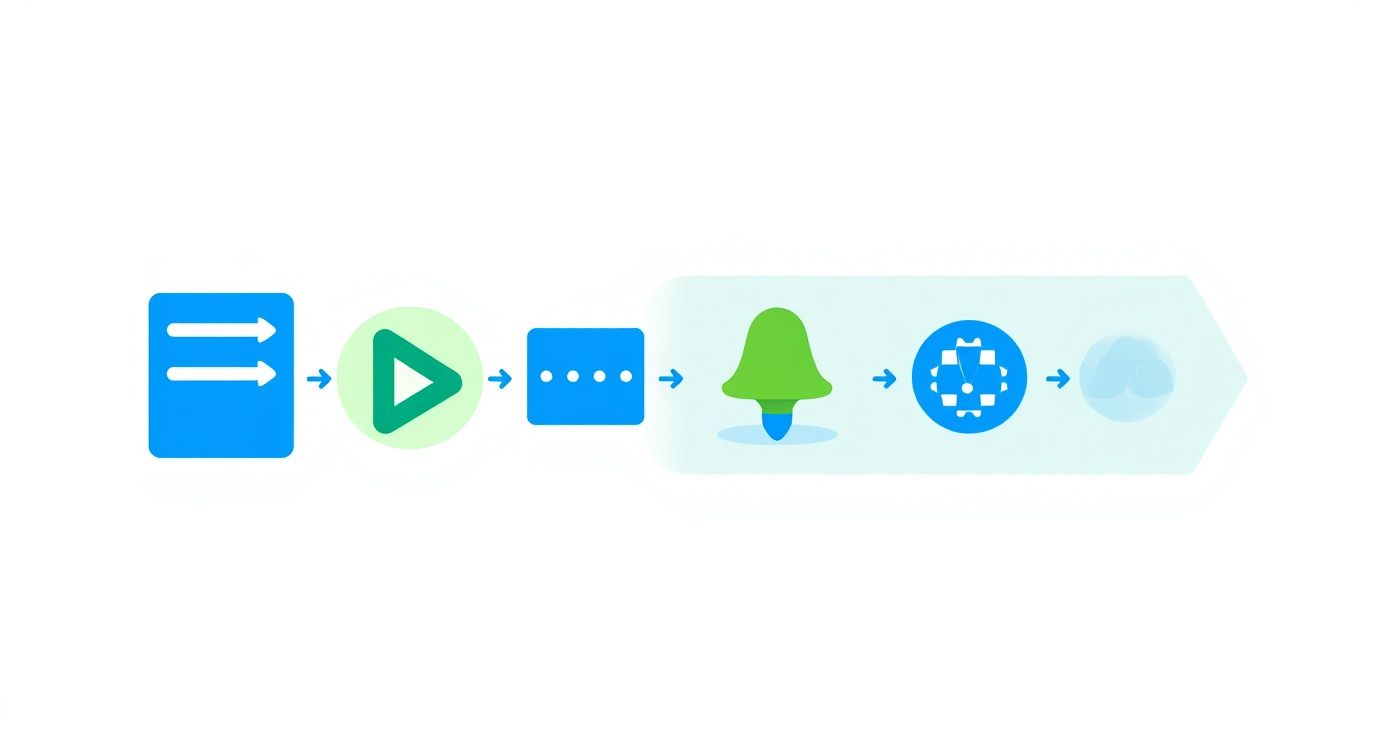
When you integrate traffic replay into a pipeline like this, that feedback loop gets powered by real-world scenarios instead of just predefined test cases.
Uncovering Bottlenecks with Load Scenarios
One of the most powerful uses for traffic replay is performance testing. Instead of just guessing what a realistic load looks like, you can use your actual production traffic patterns to create one. GoReplay even lets you amplify this traffic, replaying it at a much faster rate to simulate high-load events.
For example, you could take an hour’s worth of traffic and replay it in just six minutes by setting the tool to run at 10x speed. This kind of controlled stress test will quickly expose hidden bottlenecks, database connection pool limits, and inefficient queries that only surface under heavy pressure.
It’s an invaluable way to find and fix performance issues before they impact your users during a real traffic spike. For a deeper dive, check out this guide on how to replay production traffic for realistic load testing. By simulating these intense scenarios, you can confidently prep your infrastructure for a big product launch or marketing campaign, ensuring your API stays stable when it matters most.
Diagnosing Failures and Keeping Your Tests Healthy
An automated test suite that constantly cries wolf is worse than having no tests at all. The moment your team starts shrugging off red builds because of “flaky tests,” you’ve lost the single most important thing automation gives you: trust.
Keeping your REST API tests healthy and reliable isn’t a one-and-done setup; it’s an ongoing discipline.
When a test fails, the first question is always the same: is this a real bug, a temporary hiccup in the environment, or just a badly written test? How quickly you can answer that question determines whether your test suite is a productivity booster or a frustrating time sink. The goal is to make every single failure a clear, actionable signal.
This is where your failure messages become absolutely critical. A generic AssertionError: Expected 200 but got 500 is next to useless. Sure, it tells you something broke, but it gives you zero context. What was the test even trying to do? Which endpoint was it hitting? What data was it sending?
Writing Failure Messages That Actually Help
Your test failures should read like a well-written bug report right out of the box. They need to arm any developer on the team with enough context to understand the intent and the failure point without having to dig through mountains of log files.
For example, a much more descriptive failure message would look something like this: Failed to create a new user with an admin role. Expected status 201 Created but received 500 Internal Server Error for POST /users. Request body: {"username": "test_admin", "role": "admin"}.
This instantly tells you:
- What was being tested: User creation with an admin role.
- The exact endpoint:
POST /users. - The data used: The JSON payload that was sent.
- The discrepancy: The expected versus actual outcomes.
Think of your test suite as a communication tool for your future self and your team. Clear, context-rich failure messages are the difference between a five-minute fix and a five-hour debugging session. Make every failure report tell a complete story.
Building a Foundation of Trustworthy Data
Inconsistent test data is another classic culprit behind flaky tests. If one test messes with a piece of data that another test relies on, you’re just setting yourself up for random, inexplicable failures that are a nightmare to track down. Every test needs to operate in its own clean, isolated state.
This growing need for solid testing practices is something we’re seeing across the entire industry. The API testing market was valued at USD 1.36 billion and is projected to explode, reaching an estimated USD 6.05 billion by 2032. You can check out more insights on this market trend over at maximizemarketresearch.com. Getting your test maintenance practices right is essential if you want to keep your systems dependable and capitalize on that growth.
Taking Your API Testing Strategy to the Next Level
Once you’ve got a solid foundation of REST API tests running and automated, it’s time to think bigger. You need to shift your mindset from just checking for quality to actively building resilience. This is about getting ahead of problems, not just reacting to them after they’ve already happened.
This evolution almost always starts with security. A lot of teams treat security testing as a separate, final step before a release, but that’s a huge mistake. Instead, you should embed security scans right into your CI/CD pipeline. Every time you push a build, automated tools can hammer your endpoints, checking for common vulnerabilities like SQL injection, XSS, and broken access control. This way, you catch security flaws with the same speed and process as any other functional bug.
Scaling Up with Performance Metrics and Modern Tooling
Next, you need to get serious about performance testing. Basic load tests are a good start, but you need to go deeper to understand how your API behaves under real-world pressure. Start tracking your p99 latency—that’s the response time for the slowest 1% of requests—and your API’s maximum throughput, which is the point where performance starts to tank. This data gives you a concrete baseline, making it easy to spot performance regressions before they sneak into production.
The industry is also moving fast toward more dynamic, cloud-based solutions. In 2023, cloud deployments made up over 68.5% of the API testing market, with North America alone accounting for roughly USD 0.5 billion in revenue. This isn’t just a fad; it’s a clear signal that teams need scalable, flexible tools that traditional, on-prem setups just can’t provide. You can dig into the numbers yourself by checking out the full report on the API testing market.
This is how you transform your testing from a simple quality gate into a genuine strategic asset. By embedding security checks, defining hardcore performance metrics, and adopting modern cloud tooling, you’re not just ensuring quality—you’re hardening your system against the chaos of the real world.
Your Top Questions About REST API Tests, Answered
Jumping into the world of API testing can definitely bring up a few questions, especially when you’re trying to figure out where one type of testing ends and another begins. Let’s clear up some of the most common points of confusion I see out there.
API Testing vs. UI Testing
So, what’s the real difference between testing an API and testing the user interface? I like to think of it as checking a car’s engine versus testing its dashboard.
REST API tests get right to the heart of the matter, directly hitting the business logic layer. You’re checking if the core functionality, performance, and security hold up without ever touching the UI. This makes them way faster and a lot less fragile than UI tests, which just simulate a user clicking around on buttons and forms. Those UI tests are notorious for breaking with even the smallest visual tweak.
Best Starter Tools for API Tests
If you’re just dipping your toes in, tools like Postman or Insomnia are fantastic. They let you manually poke around, send your first requests, and get a feel for how the API responds.
Once you’re ready to automate, the best tool really depends on what your team is already using. Some of my go-to recommendations are:
- REST Assured: A solid choice for any Java-based project.
- Pytest: Combined with the
requestslibrary, it’s a powerhouse for Python shops. - Supertest: Perfect if you’re working in a JavaScript or Node.js environment.
The real key is to start simple. Don’t overcomplicate things. A tool that lets you quickly fire off requests and see what comes back is worth its weight in gold when you’re learning how an API actually behaves in the wild. Get that down first, then worry about writing the complex automation scripts.
Ready to validate your API against real-world chaos? GoReplay lets you capture and replay live production traffic, uncovering issues that synthetic tests miss. See how it works at https://goreplay.org.