
Maven Build Process: Lifecycles, Commands, and CI
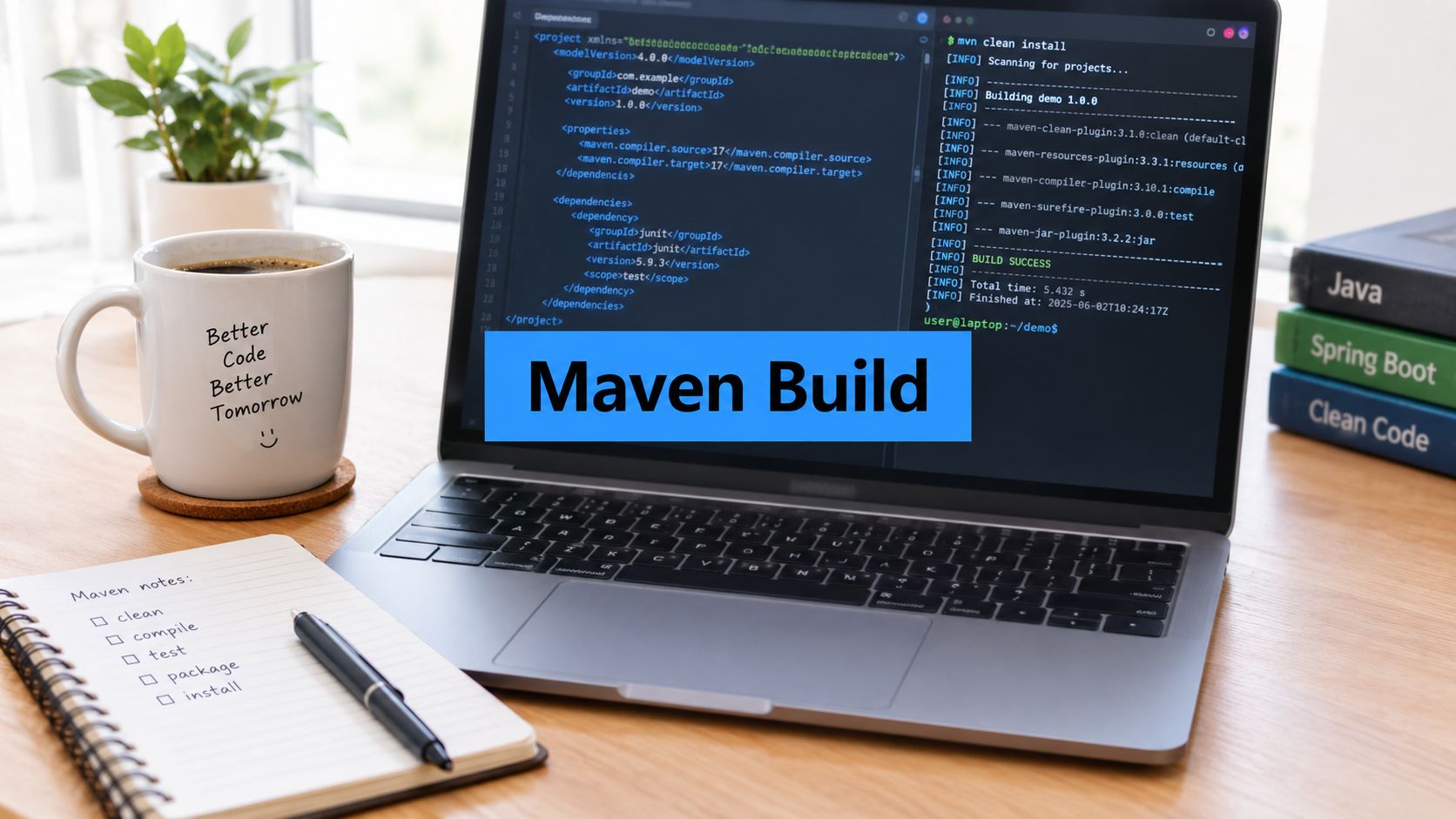
The Maven build process is the way Maven turns a project’s POM and source files into a tested, packaged artifact. Maven organizes that work into lifecycles, each made of ordered phases. Plugins supply the goals that do the work at those phases. Packaging and POM configuration determine which goals run.
A senior developer inherits a Java service that builds cleanly on a laptop, then fails in CI before the test report appears. After two days of investigation, the cause turns out to be a combination of the wrong Maven profile, an unexpected plugin execution, and a phase that was assumed to run but never did.
That kind of failure is not unusual. The Maven build process can look like a simple sequence of commands, but Maven coordinates lifecycles, phases, goals, plugins, profiles, dependencies, and module relationships. Once you understand how those parts fit together, you stop guessing which command might help and start tracing the build deliberately.
Why the Maven Build Process Still Matters in 2026
A developer who knows only mvn package may be able to produce an artifact. A developer who understands what happens inside that command can explain why compilation ran, which tests executed, which plugin created the JAR, why a profile changed the result, and why CI behaved differently from a local shell.
That distinction matters during onboarding and incident response. When a build breaks, the important question isn’t just “which command should I rerun?” It’s “which phase was reached, which goal was bound to it, and which project configuration changed its inputs?”
The difference between guessing and diagnosing
Maven’s design is lifecycle-driven. The default lifecycle proceeds from validate through deploy, and invoking a later phase automatically runs the earlier phases in order. The Apache Maven lifecycle documentation describes why a command such as package performs more than archiving compiled output. It reaches the earlier compilation and test work first.
That behavior gives teams a predictable foundation, but predictability depends on understanding the configuration around it. A plugin can attach a goal to a phase, a profile can alter properties or activate extra executions, and a multi-module reactor can determine which projects run first.
Practical rule: Treat every Maven command as an entry point into a lifecycle or a direct plugin goal, not as an isolated script.
By the end of this guide, you’ll be able to:
- Read lifecycle diagrams: Separate the ordered phase sequence from the plugin goals that perform the work.
- Trace execution: Follow a phase back to the plugin and goal responsible for it.
- Review profiles: Recognize how CI-specific properties and plugin executions can change a local build.
- Reason about Maven 4: Understand why the lifecycle model is moving beyond a simple linear list.
- Connect builds to release checks: Decide where integration tests, artifact verification, and traffic replay belong in CI.
The useful mindset is simple: the POM declares intent, the lifecycle supplies ordering, plugins perform operations, and the reactor coordinates related projects.
The Default Lifecycle, Phases, and Goals Explained
Use a restaurant to separate the three terms. The lifecycle is the entire dinner service, from preparing the kitchen to closing it. A phase is a station in that service, such as preparation, cooking, plating, or cleanup. A goal is one specific task performed by a cook at a station.
In Maven terms, a lifecycle defines a broad process, a phase defines an ordered point in that process, and a goal is an operation supplied by a plugin. Phases provide ordering. Goals do the actual work.
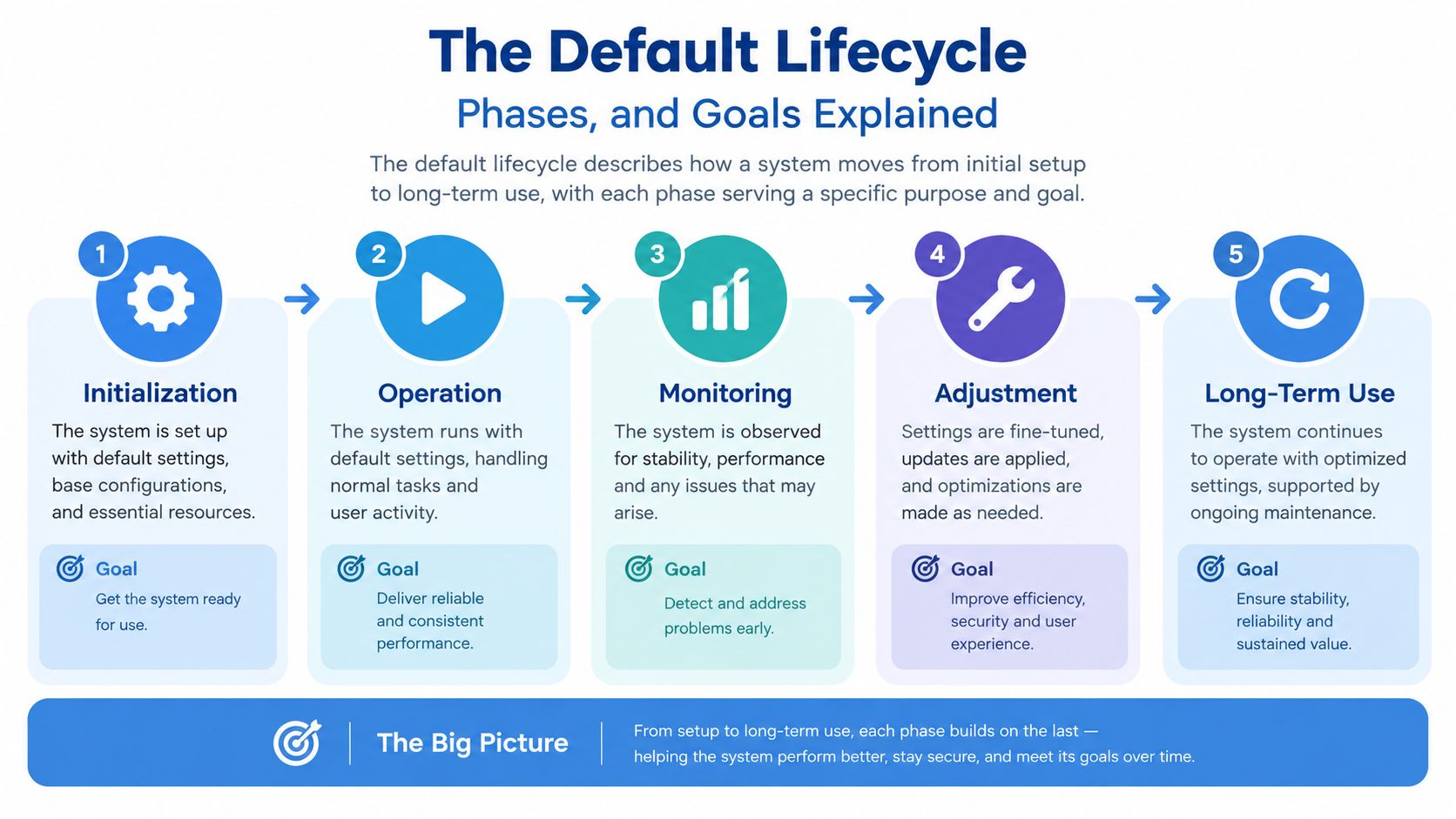
The three built-in lifecycles
Maven has three built-in lifecycles. They address different jobs; clean is not a phase that precedes validate in the default lifecycle.
| Lifecycle | Purpose | Key phases in order |
|---|---|---|
default | Build, test, package, and publish the project | validate → compile → test → package → verify → install → deploy |
clean | Remove output from previous builds | pre-clean → clean → post-clean |
site | Generate and publish project documentation | site → site-deploy |
These are the key phases, not a complete phase listing. mvn clean install requests the clean phase from the clean lifecycle, followed by the install phase from the default lifecycle. The bound goals through each requested phase run in order.
Walking through the default lifecycle
The default lifecycle is the one most Java projects use for compiling, testing, and packaging application code. Its phases form an ordered path:
validatechecks whether the project is structurally ready for the build.initializeprepares build state and properties.generate-sourcescreates source files when a project uses code generation.process-sourceshandles source processing before compilation.generate-resourcescreates resources required later in the build.process-resourcescopies or transforms resources into the build output.compilecompiles the main source set.process-classesallows post-compilation processing.generate-test-sourcescreates test source files where configured.process-test-sourcesprepares generated or existing test sources.generate-test-resourcescreates test resources.process-test-resourcesprepares those resources for test execution.test-compilecompiles test sources.process-test-classesperforms post-test-compilation processing.testruns the unit-test layer.prepare-packageperforms work needed immediately before packaging.packagecreates the project artifact, such as a JAR.verifyperforms checks intended to validate the package.installplaces the artifact in the local repository for other local builds.deploypublishes the artifact to a remote repository when configured.
The names above are phases, not individual commands implemented directly by Maven. Packaging type and plugin bindings determine which goals execute at those points.
Why a later phase runs earlier work
If you run mvn install, Maven doesn’t jump directly to the local repository. It enters the lifecycle at install, then executes the preceding phases and their bound goals in order. A configuration change in an early phase can therefore affect compilation, tests, packaging, and installation.
Maven also provides the clean and site lifecycles. Clean removes generated build output, while site produces project documentation. They are separate lifecycle concerns, so clean isn’t an earlier phase in the default lifecycle.
Phases vs goals vs plugins
A plugin groups related operations, and each operation is a goal. A phase is a point in an ordered lifecycle at which one or more goals may be bound. For example, mvn package names a phase; mvn dependency:copy-dependencies invokes a plugin goal directly, without asking Maven to run every preceding default-lifecycle phase. That goal copies resolved project dependencies to target/dependencies by default.
A goal can instead be bound to a phase in pom.xml. This example runs the dependency-copy goal when a build reaches package:
<build>
  <plugins>
    <plugin>
      <groupId>org.apache.maven.plugins</groupId>
      <artifactId>maven-dependency-plugin</artifactId>
      <version>3.10.0</version>
      <executions>
        <execution>
          <id>copy-dependencies</id>
          <phase>package</phase>
          <goals>
            <goal>copy-dependencies</goal>
          </goals>
        </execution>
      </executions>
    </plugin>
  </plugins>
</build>
Choose a plugin version approved by your project. With this execution configured, mvn package reaches package and runs the goal; without the binding, mentioning a plugin in a POM does not by itself mean this goal runs at package.
Built-in lifecycle bindings by packaging
The POM’s <packaging> value selects default lifecycle bindings. This is why the same mvn package command creates a JAR for one module, a WAR for another, and no compiled archive for an aggregator with pom packaging.
| Packaging | compile | test | package | install | deploy |
|---|---|---|---|---|---|
jar | compiler:compile | surefire:test | jar:jar | install:install | deploy:deploy |
war | compiler:compile | surefire:test | war:war | install:install | deploy:deploy |
pom | No default goal | No default goal | No default goal | install:install | deploy:deploy |
This table shows the requested phases, not every bound phase. For example, jar and war projects also use resource-processing and test-compilation goals. POM executions and profiles can add goals, so inspect the effective configuration when a build behaves differently from these defaults.
Common Maven build commands
| Command | When to use it |
|---|---|
mvn clean install | Remove previous build output, then build, test, package, verify, and put the artifact in the local repository. |
mvn package | Compile and test, then produce an artifact without installing it locally. |
mvn verify | Run checks through the verification phase, including integration-test checks when configured, without installing the artifact. |
mvn -DskipTests package | Package while skipping test execution when there is a deliberate reason; test sources generally still compile. Do not use it to conceal a failing CI test. |
mvn -pl web -am verify | Verify a selected module and its required upstream reactor modules. Use -pl to select and -am to also make dependencies. |
mvn -o package | Build offline using artifacts already available locally; missing plugins or dependencies cause resolution failures. |
mvn -T 1C verify | Run a multi-module reactor with one build thread per CPU core when the participating plugins support parallel builds. |
The Maven CLI reference documents flags such as -o, -T, -pl, and -am. A single-module project does not gain a parallel reactor merely by adding -T.
Reading a POM and How Plugins Bind to Phases
A POM is a declaration of build intent. It doesn’t read like a shell script because it describes the project, its relationships, and the plugin behavior Maven should compose into lifecycle execution.
The main POM building blocks
A small project commonly contains these sections:
| POM Section | Controls | Example |
|---|---|---|
| Project coordinates | Identifies the project and its artifact | groupId, artifactId, version |
| Parent | Supplies inherited configuration | Shared company POM |
| Properties | Defines reusable values | Java release or plugin version |
| Dependencies | Declares libraries needed by the project | Test and runtime libraries |
| Build | Configures plugins and executions | Compiler or test plugins |
| Modules | Lists child projects in an aggregator | api, core, web |
A parent can provide defaults without necessarily building child modules. An aggregator POM, by contrast, lists modules so Maven can coordinate them. Those roles often appear together, but they solve different problems.
Inside build/plugins, you declare a plugin and can configure one or more executions. An execution can specify a phase and a goal. The phase acts as a composition point where Maven inserts that goal into the lifecycle.
Declaring a plugin is not the same as binding it
A plugin declaration tells Maven which plugin is available and how it should be configured. An execution tells Maven when a particular goal should run, while packaging can supply a default binding without an explicit execution. That distinction prevents a common debugging mistake: finding a plugin in the POM and assuming its goal runs during every build.
For example, a compiler configuration can define a Java release through properties and configure the compiler goal that jar packaging binds to compile. When a developer runs mvn test, Maven reaches compile first, so the compiler goal runs before test compilation and test execution. The Maven Failsafe plugin guide is useful when separating integration-test behavior from the unit-test phase, because test-related plugin executions don’t all belong to the same lifecycle point.
A project might express the relevant intent with properties conceptually like this:
- Source level: The language level accepted by the compiler.
- Target or release level: The bytecode or platform level the build should produce.
- Compiler execution: The plugin goal that runs at the compile phase, through a default or explicit binding.
If you change those Java-level properties, the next mvn test reaches the same compile phase, but the compiler goal uses the new values. Maven hasn’t changed the meaning of test. It has applied the updated configuration when the lifecycle reached its composition point.
A phase is a hook. The plugin goal attached to that hook determines the work.
Multi-Module Builds and the Reactor
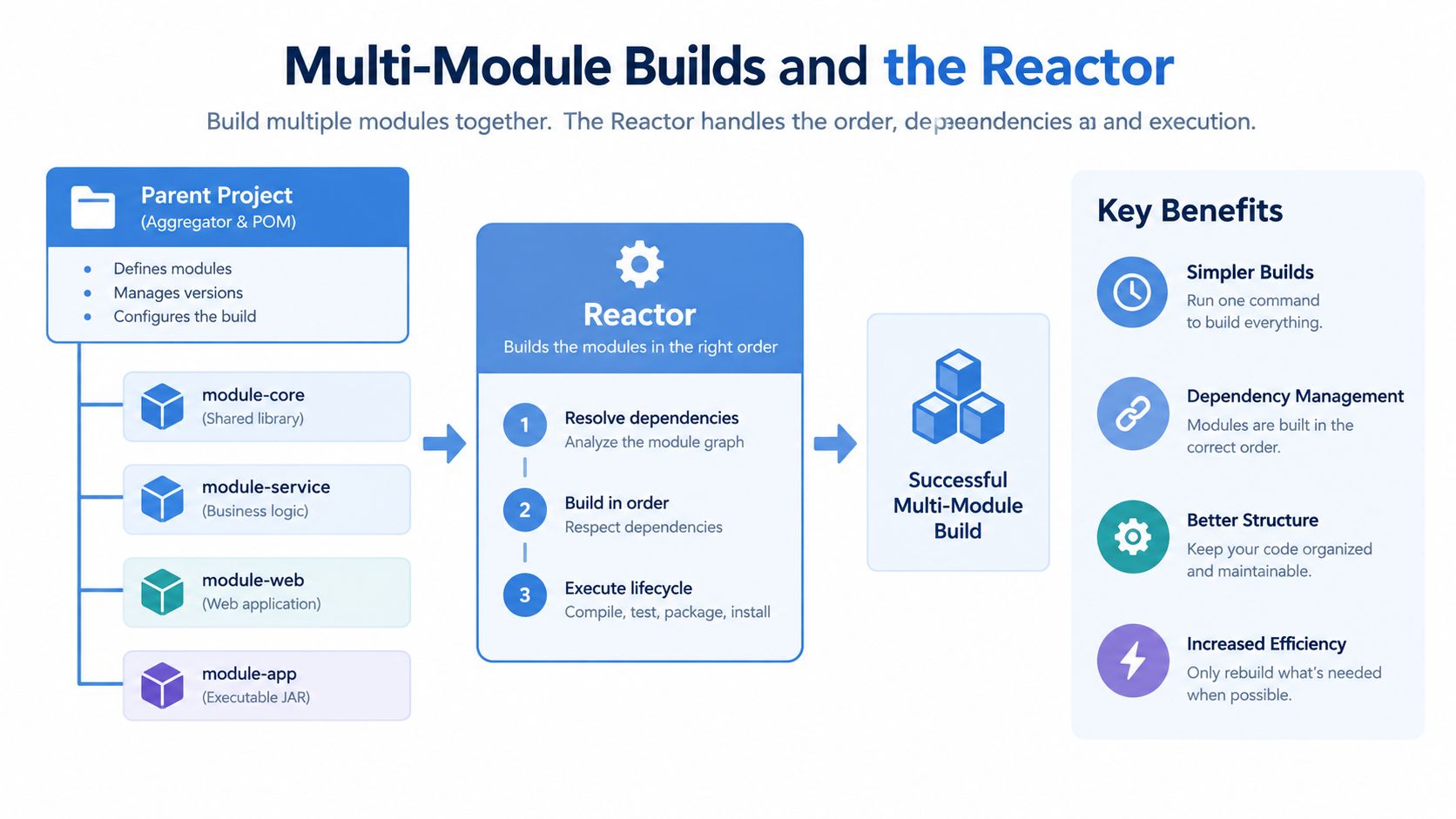
Consider a service split into three projects: api contains contracts, core contains business logic, and web exposes HTTP endpoints. A parent POM can list all three modules and hold shared properties, while each child retains its own artifact and dependencies.
A typical relationship looks like this:
- Parent project: Aggregates
api,core, andweb, and may provide inherited configuration. api: Publishes interfaces or data contracts.core: Depends onapi.web: Depends oncoreand possiblyapi.
The reactor is Maven’s internal coordinator for such a build. It reads the module relationships, determines a dependency-aware order, and runs the requested lifecycle across the selected projects. If web depends on core, Maven must build the required upstream project before it can compile or test web.
Aggregation and inheritance are different
Aggregation answers, “Which projects should this Maven invocation coordinate?” The <modules> list answers that question.
Inheritance answers, “Which configuration should a child receive from a parent?” A child can inherit properties, dependency management, plugin management, and other defaults from a parent even when the parent isn’t being used as an aggregator in the current command.
Keeping those concepts separate makes POM reviews easier. A parent may aggregate modules and provide shared configuration, but the module list and inherited values still have distinct responsibilities.
Selecting a focused reactor build
Suppose you want to verify only the web service and the modules it needs. This command expresses that intent:
mvn -pl web -am verify
Here, -pl selects the project list, while -am also makes Maven build required upstream modules. The reactor can therefore include web, core, and api without treating unrelated modules as part of the focused run.
The related -amd option selects projects that depend on the chosen project, which is useful when a change in a shared library needs downstream validation. These flags help developers shorten feedback loops without abandoning dependency-aware ordering.
A sibling module can consume another module from the reactor during the same invocation. If you build modules separately, the dependency may need to exist in the local repository, which is why teams sometimes use mvn install before running an isolated sibling build. That approach is convenient, but it can also hide whether the current source tree builds coherently as one reactor.
Profiles, Properties, and the Move to a Lifecycle Graph
Profiles are conditional configuration. Properties are named values. Together, they let a project keep one POM while adapting plugin behavior for local development, CI, and release work.
A profile can activate in several ways:
- Default activation: The profile is active unless another configuration changes that behavior.
- Explicit selection: A developer runs Maven with
-Pci. - Property activation: A property such as
-Drelease=trueturns the profile on. - Operating-system activation: Maven activates the profile when the build runs on a matching environment.
Once active, a profile can supply or override properties and can add plugin executions. For example, a CI profile might define a reproducibility-related output timestamp, while a release profile can configure artifact signing. The important question is always, “Which profile was active when Maven evaluated this POM?”
Maven 4 changes the shape of execution
Traditional Maven explanations present the lifecycle as a linear list. Current Maven 4 documentation describes a different model, where the lifecycle becomes a tree of phases. The documentation also discusses the POM 4.1.0 namespace, more fine-grained execution of dependent phases, and more flexible phase skipping.
That shift changes the way build engineers think about optimization. The question is no longer only which phase comes first. It also becomes whether independent work can be represented without duplicate execution, whether plugin goals have compatible inputs, and how a multi-module pipeline preserves deterministic results.
Practical environment patterns
| Profile ID | Activation Trigger | Key Properties | Plugin Behavior |
|---|---|---|---|
dev | Default or explicit local activation | Fast feedback settings | Keeps local checks focused |
ci | -Pci or a CI property | Reproducibility and reporting values | Enables verification and reporting goals |
prod | Explicit release selection | Deployment and signing values | Adds controlled publication behavior |
release | Explicit property or command selection | Release metadata | Signs and publishes approved artifacts |
A profile shouldn’t become a hidden second build system. Keep environment differences visible, name activation clearly, and avoid changing compilation semantics between local and CI environments unless that difference is intentional.
The following video provides another way to visualize Maven configuration and lifecycle behavior.
Wiring the Maven Build Process Into CI Pipelines
A reliable CI design separates rapid feedback from expensive confidence checks. The fast lane should give developers an answer quickly on every push. The heavier lane should protect merges and releases with broader verification.
Two lanes, two purposes
A practical fast lane can run:
- Validation: Check the POM and basic project structure.
- Compilation: Confirm that the source tree compiles in the controlled runner.
- Unit tests: Catch focused behavioral regressions.
- Static checks: Run the project’s configured quality and coverage rules.
A merge or release lane can add integration tests, packaging, artifact verification, signing, and deployment preparation. This division isn’t permission to weaken quality. It places the most time-sensitive checks earlier and reserves resource-intensive checks for changes that are closer to integration or release.
For a GitHub Actions implementation, commit the Maven Wrapper, invoke ./mvnw rather than relying on the runner’s Maven installation, and cache the local Maven repository at ~/.m2. Use batch mode with -B so logs remain suitable for automation. A JaCoCo rule can enforce the coverage policy already chosen by the team, but the threshold should be treated as project policy rather than as a universal number.
Add traffic replay before promotion
Unit and integration tests exercise scenarios that developers chose. Traffic replay exercises requests captured from real service behavior against a candidate artifact in a staging or shadow environment. The pipeline can compare errors, response behavior, and operational metrics before promoting the build.
A useful sequence is:
- Build and package the candidate with Maven.
- Deploy the candidate beside the existing service.
- Mirror captured requests to the candidate without sending its responses to users.
- Compare failures and relevant service metrics.
- Stop promotion when the candidate violates the release policy.
Teams looking for broader pipeline design principles can consult this continuous integration guide for 2026. For Maven-focused CI details, this continuous integration best practices resource provides additional context.
Common pipeline failures are usually configuration failures, not mysterious Maven behavior:
| Failure | Why it causes trouble | Better control |
|---|---|---|
| Missing Maven Wrapper | Local and CI Maven versions can differ | Commit .mvn/ and the wrapper files |
| No batch mode | Interactive output complicates automation | Use -B in CI |
-DskipTests used as a fix | A failing test disappears from the signal | Separate test selection from failure concealment |
| Unpinned plugins | Plugin behavior can drift | Manage plugin versions explicitly |
Troubleshooting common Maven build failures
- Dependency resolution failed: Check the repository URL, credentials, network access, and the requested artifact coordinates. If you used
-o, retry online or first make sure the required dependencies and plugins are cached. - Tests failed: Find the failing test in the Surefire or Failsafe reports under
target/, then compare the active profiles, JDK, and test configuration between local and CI. Avoid treating-DskipTestsas a repair. - A plugin behaves differently in CI: Compare effective plugin versions, inherited
pluginManagement, active profiles, and the Maven Wrapper version. Pin intended plugin versions rather than relying on an accidental default.
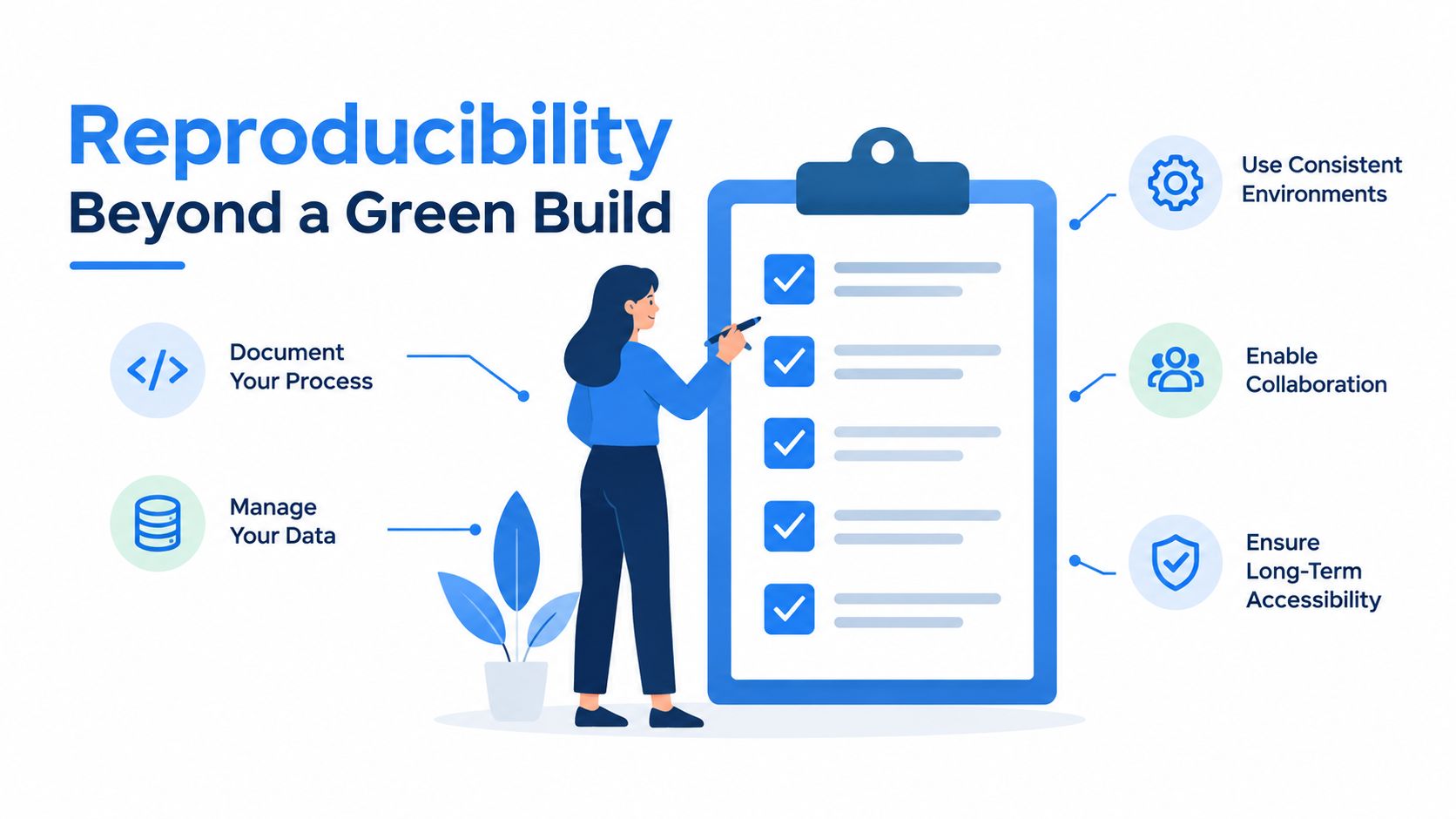
Reproducibility Beyond a Green Build
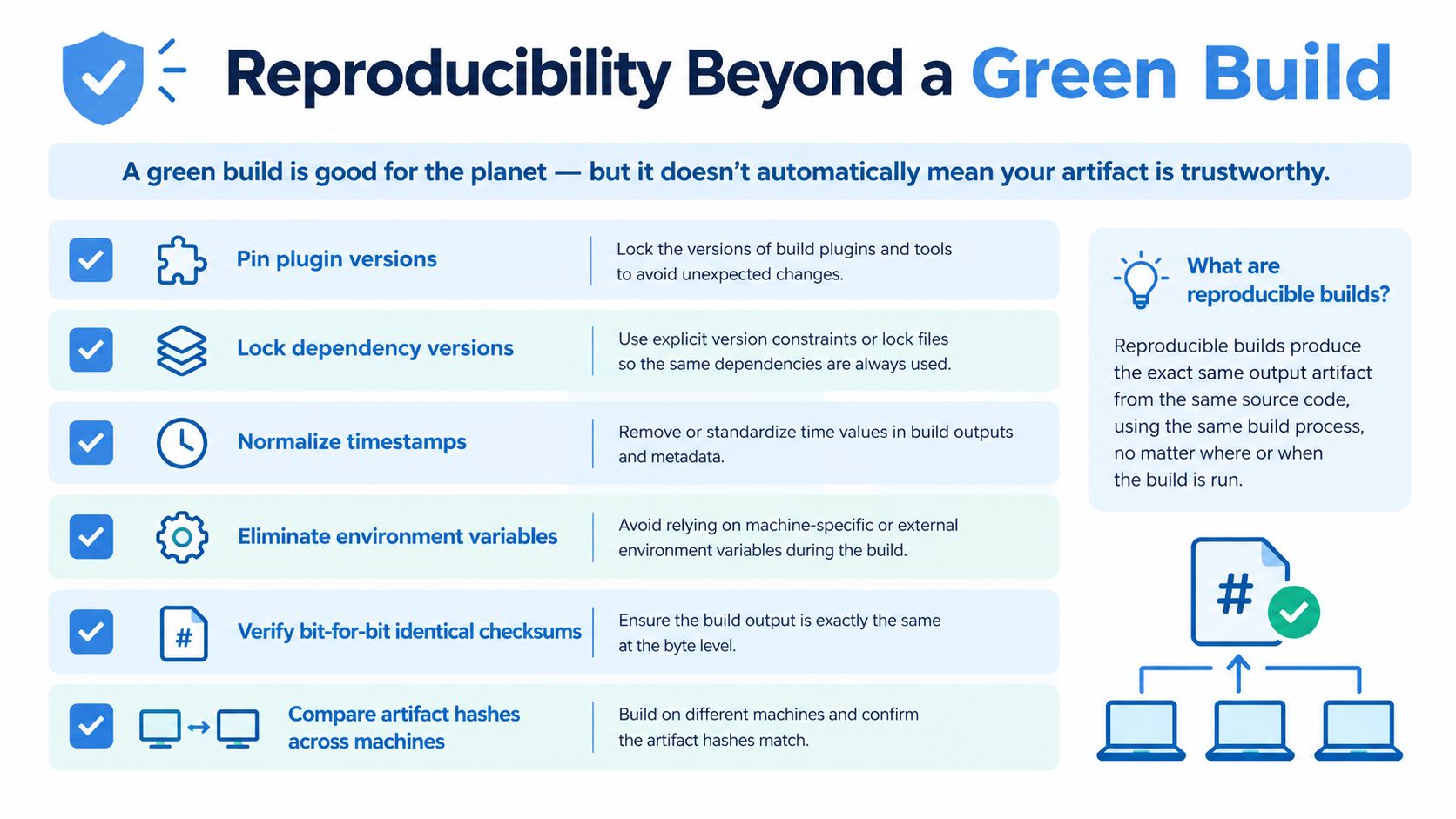
A green build proves that one execution completed its configured checks. It doesn’t automatically prove that another controlled execution will create the same artifact.
A reproducible build produces bit-for-bit identical output from the same source and controlled inputs. The Apache Maven reproducible-build guidance frames this as an independently verifiable path from source to binary. That distinction matters for release engineering, supply-chain security, and regulated environments.
Independent research shows how far the ecosystem is from that ideal. In AROMA+, a 2026 study of Maven Central, automated reproduction could be attempted for only about 32% of packages, and of the 600 packages the researchers tried to rebuild, 12% were fully reproducible and 39% at least partially reproducible. The useful lesson isn’t to treat one green pipeline as proof of trust. It is to measure whether independent rebuilds match.
Sources of drift
A rebuild can differ because the project includes:
- Timestamped archive entries: Files receive build-time metadata rather than a stable value.
- Uncontrolled plugin versions: A plugin upgrade changes output or execution behavior.
- Floating dependencies: Snapshot or otherwise changing inputs produce different classpaths.
- Environment values: Paths, locale, operating system details, or generated metadata enter the artifact.
- Ordering differences: Files or generated content are assembled in a different order.
- Local cache state: A developer and a CI runner resolve different available inputs.
The verification plan should expose those differences instead of assuming they don’t exist.
A practical verification path
Start by pinning the Maven and JDK versions used by the project. Keep the Maven Wrapper configuration in .mvn/, define project.build.outputTimestamp for archive-producing builds, and create a reproducible-build profile that makes the intended settings visible.
Then compare artifacts rather than only exit codes. A team can use Maven artifact checks, dependency-locking mechanisms such as maven-dependency-plugin with dependencyLock, and a verification invocation such as mvn verify -Dreproducible when those options are supported by its project configuration. For binary comparison, tools such as diffoscope can reveal which entries differ, while a Maven build-plan comparison can help identify execution changes.
Green is a status. Reproducible is evidence.
Use CI logs and artifact storage to monitor:
- Resolved versions: Confirm that dependency and plugin inputs are explicit.
- Build metadata: Check timestamps and generated manifest values.
- Execution plans: Detect unexpected profile or plugin executions.
- Artifact hashes: Compare outputs produced on separate controlled runners.
- Diff reports: Record why two artifacts differ instead of discarding the evidence.
Putting It All Together and What Comes Next
The Maven build process is best understood as a set of composable layers. The POM declares project intent. A lifecycle supplies ordered execution points. Plugin goals perform operations at those points. Profiles change selected behavior, and the reactor coordinates related modules.
That model gives you a practical debugging path. If compilation didn’t happen, inspect the phase reached and the compiler execution. If a plugin ran unexpectedly, inspect its binding and active profiles. If a module used stale output, determine whether it came from the reactor or the local repository. If two artifacts differ, compare controlled inputs and build metadata instead of relying on the success status.
A practitioner checklist
Use this checklist when reviewing an existing project:
- Pin the Maven Wrapper: Make the build tool version part of the repository.
- Control the JDK: Ensure local and CI builds use an intentional Java version.
- Manage dependency versions: Avoid hidden changes in the resolved graph.
- Declare an output timestamp: Give archive metadata a stable value.
- Define profiles clearly: Make default, CI, and release behavior easy to identify.
- Use the reactor deliberately: Select upstream and downstream modules with the appropriate project-list options.
- Run
mvn verifyin CI: Let the build reach verification rather than stopping at packaging. - Compare artifacts: Add a diff or hash check when release trust matters.
- Replay representative traffic: Validate Java services with realistic requests before promotion.
Maven 4 makes the lifecycle model more expressive by moving beyond a simple ordered list. That can support finer-grained execution, but it also raises the bar for plugin compatibility, multi-module reasoning, and pipeline determinism. Teams upgrading should review lifecycle assumptions, plugin bindings, dependency management, and incremental-build behavior together.
The next era of Java build engineering won’t be defined only by whether Maven reaches package. It will be defined by whether teams can explain what ran, reproduce what they produced, verify the supply-chain inputs, and test a candidate service against behavior that resembles real production use.
Maven build process FAQ
What are the steps of the Maven build process?
In the default lifecycle, the main milestones are validate, compile, test, package, verify, install, and deploy, with additional phases between them. Maven runs phases through the one you request; plugin goals bound to those phases perform the actual work.
What is the difference between mvn install and mvn package?
mvn package builds and tests through the packaging phase. mvn install also reaches verify and puts the artifact in your local Maven repository, making it available to other local builds.
What does mvn clean install do?
It runs the clean lifecycle through clean to remove previous build output, then runs the default lifecycle through install. That includes compilation, configured tests and checks, packaging, and local installation.
Use GoReplay to capture and replay HTTP traffic against a Maven-built Java service in a test or staging environment. Add that replay step after artifact creation so CI can detect behavioral errors before the candidate reaches users.