
A QA Leader’s Guide to Expertly Manage Test Cases

To really get a handle on test cases, your team needs to move beyond scattered spreadsheets and adopt a strategy that actually keeps up. This boils down to a four-part cycle: documenting clear and reusable tests, prioritizing them based on real-world risk, automating the grunt work, and consistently maintaining the entire test suite.
Getting this right isn’t just an administrative chore anymore. It’s a core function that directly speeds up development and improves the quality of your product.
Why You Need a Modern Approach to Manage Test Cases
Let’s be honest: outdated trackers and disorganized spreadsheets are holding your QA team back. In the fast-paced development cycles we live in today, mastering how to manage test cases is a strategic necessity. It impacts your speed, your quality, and ultimately, your bottom line.
Simply writing tests isn’t enough. You need a system.
A powerful, modern strategy is built on a few core pillars. It all starts with crystal-clear documentation so every test is understandable and reusable. From there, you move to intelligent prioritization, focusing your limited resources on the parts of your application that carry the most risk.
Before we dive into the “how-to,” let’s quickly frame the core components of a solid test case management strategy. Think of these as the foundational principles that guide every action we’ll cover later in this guide.
Core Pillars of Modern Test Case Management
| Pillar | Objective | Key Action |
|---|---|---|
| Documentation | Create clear, reusable, and easily understandable test cases for anyone on the team. | Standardize test case formats and store them in a centralized, accessible system. |
| Prioritization | Focus testing efforts on high-risk, high-impact features to maximize QA value. | Use risk-based analysis and business impact to rank test cases for each release cycle. |
| Automation | Reduce manual effort, accelerate feedback loops, and increase test coverage. | Identify and automate repetitive, critical-path, and regression tests. |
| Maintenance | Keep the test suite relevant, accurate, and aligned with the evolving product. | Regularly review, update, and retire obsolete test cases as part of the development workflow. |
This framework transforms testing from a final-gate chore into an integrated, continuous part of development.
The visual below breaks down this essential four-step process for modern test management.
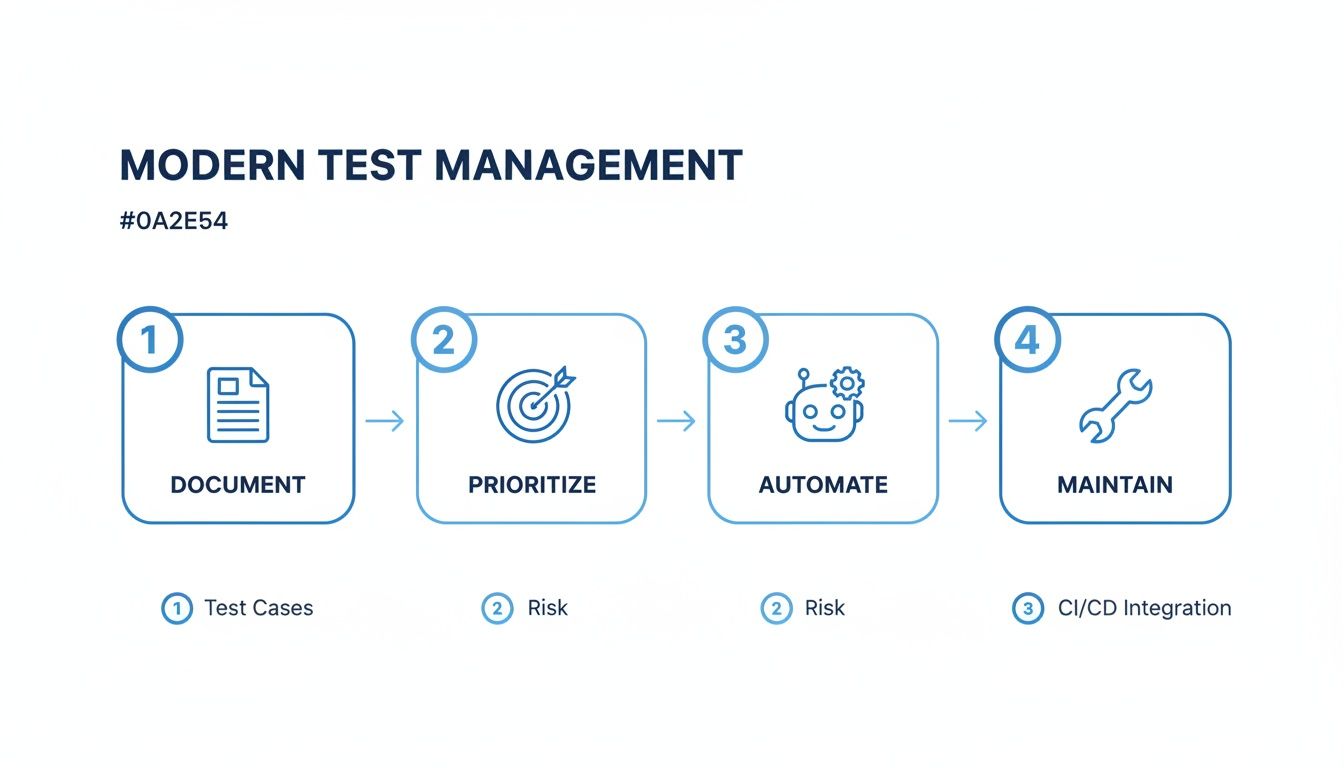
This flow shows that a robust strategy to manage test cases is a living process, not a one-time setup. Each stage feeds into the next, creating a loop of refinement that keeps your testing efforts locked in with how your product evolves.
The industry’s rapid adoption of this mindset is reflected in some serious market growth. The global test case management market exploded from USD 1.2 billion in 2023 to a projected USD 2.8 billion by 2032. This surge makes it clear: businesses are investing heavily in tools that streamline test planning and execution. You can read more about the test case management market to see the full scope of this shift.
The real goal isn’t just to find bugs; it’s to build confidence. A well-managed test suite gives your entire team—from developers to product managers—the confidence to ship features faster and with fewer surprises.
High-performing organizations get this. They’ve stopped seeing QA as a bottleneck and now see it as a competitive edge. By implementing a battle-tested framework for managing tests, they pull away from teams stuck in a reactive cycle of missed bugs and delayed releases. This guide will give you that framework, helping you turn your process into a powerful asset.
Crafting Test Cases That Actually Work

Forget the generic templates. The real art lies in writing tests that are clear, reusable, and built for the long haul. A great test case isn’t just a list of instructions; it’s a precise blueprint for quality that anyone on the team can pick up and execute flawlessly.
This means getting past vague descriptions and focusing on the core pieces that make a test effective. Without a solid structure, your test suite can quickly devolve into a source of frustration, full of flaky results and ambiguous steps that just waste time.
The Anatomy of a High-Impact Test Case
Every truly effective test case is built on a foundation of absolute clarity. It should leave zero room for interpretation. When another engineer—or even a developer—grabs it, they need to know exactly what to do and what success looks like.
A rock-solid test case always includes these key elements:
- A Unique Identifier: A simple ID like
TC-LOGIN-001makes it dead simple to reference in reports, bug tickets, and team discussions. - Clear Prerequisites: What conditions must be met before the test even starts? Think “User must be logged out,” or “An admin account with ‘editor’ permissions must exist.”
- Precise Test Steps: Each action should be atomic and unambiguous. Instead of “Test checkout,” break it down: “Navigate to product page,” “Click ‘Add to Cart’,” and “Proceed to checkout.”
- Unambiguous Expected Results: This is the most critical part. It defines success. Don’t just write “Page loads.” Be specific: “User is redirected to the
/order-confirmationpage, and a success message ‘Your order is complete!’ is displayed.”
I’ve seen teams spend hours debating a bug simply because the original test case’s expected result was unclear. Being hyper-specific here saves countless hours down the line. A test case that fails should immediately point you toward the problem.
Organizing Your Test Suite for Scalability
As your application grows, your test suite will explode in size. Without a logical organization system, you’ll drown in a sea of unstructured tests. This is where so many teams hit a wall. The key is to build an intuitive and scalable repository from day one.
I recommend organizing your test suites with a hierarchical structure that mirrors your product. Here are a few battle-tested approaches:
- By Feature or Module: Group all tests related to a specific part of your app, like “User Authentication,” “Payment Processing,” or “Profile Management.”
- By User Story: Aligning test suites directly with your Agile user stories creates fantastic traceability from requirements all the way to validation.
- By Risk Level: Create separate suites for critical-path regression tests (P0), high-priority feature tests (P1), and lower-priority checks (P2). This helps immensely when you need to prioritize.
A well-organized structure prevents chaos and makes it easy for anyone to find, update, and run the right tests for any given release. It also helps new team members get up to speed much faster.
Naming Conventions and Versioning Best Practices
Consistent naming is the secret sauce to a manageable test repository. A chaotic naming scheme makes it nearly impossible to quickly figure out what a test actually does.
Establish a clear, descriptive convention that everyone on the team follows. A good format might be: [Module][Functionality][Specific Scenario]
For example:
Auth_Login_ValidCredentialsCheckout_ApplyDiscount_PercentageCouponProfile_UpdateAvatar_InvalidFileType
This structure immediately tells you what each test covers without you even having to open it.
On top of that, implement a simple versioning system. When a test case is updated because of a feature change, just increment its version (e.g., v1.1, v1.2). This history is invaluable for understanding why a test was modified and ensures you’re always running the most current version.
For a deeper dive into the fundamentals, our guide on how to create a test case offers more detailed examples. By combining a solid structure with smart organization, you build a test suite that becomes a reliable asset instead of a maintenance nightmare.
Prioritizing Tests to Maximize Impact and Minimize Risk
With deadlines always looming, your team can’t afford to test everything with the same level of intensity. The hard truth is that not all tests are created equal. The key to effective QA isn’t just running tests—it’s prioritizing your test suite to catch the most critical bugs first. This ensures your limited time and resources are spent where they matter most.
It’s time to move beyond a simple first-in, first-out queue and adopt a risk-based mindset. A smart prioritization strategy focuses your team’s energy on functionalities that could cause the most damage if they fail, maximizing impact and actively minimizing business risk with every test cycle.
Apply a Risk-Based Testing Framework
The core idea here is simple: the higher the risk associated with a feature, the higher its testing priority. Think about it. A bug in the color of a button is an inconvenience; a bug in the payment gateway is a catastrophe. High-risk areas are typically those that directly impact revenue, security, or core user workflows.
To put this into practice, start by categorizing your application’s features based on two main factors:
- Likelihood of Failure: How complex is the code? Has this feature been a source of bugs in the past? Are there tons of dependencies that could break it?
- Business Impact: What happens if this feature goes down? Does it block a core user journey? Does it expose sensitive data? Could it lead to financial loss?
For example, user authentication and payment processing are almost always P0 (highest priority) test candidates. They’re complex, critical to business operations, and a failure has severe consequences. On the other hand, a feature for updating a user’s profile picture, while important, would likely be a lower priority.
A great way to visualize this is with a simple risk matrix. Plot impact on one axis and likelihood on the other. Anything falling into the “High Impact, High Likelihood” quadrant is your top priority, no questions asked.
This approach transforms test case management from a reactive checklist into a proactive risk-management strategy.
Let User Data Guide Your Focus
While risk analysis provides a strong foundation, real-world user data offers the next level of insight. Your analytics can tell you exactly which features your customers use most frequently. Focusing your most rigorous testing efforts on these high-traffic user journeys ensures the most valuable parts of your application are rock-solid.
Dive into your product usage data to identify the most common paths users take. Is there a specific sequence of actions that 90% of users perform during a session? That sequence just became a prime candidate for thorough regression testing. If a new feature is seeing low adoption, its test priority might be lower than that of an older, more established workflow that everyone depends on.
This data-driven approach helps you avoid spending excessive time on edge cases that almost no one encounters. Instead, you can double down on ensuring a flawless experience for the majority of your user base, which directly contributes to customer satisfaction and retention.
Keep Your Test Suite Lean and Effective
A bloated test suite filled with obsolete or redundant tests is a massive drain on resources. Regularly pruning your test cases is just as important as writing new ones. Why? A lean test suite is faster to run, easier to maintain, and focuses your team on what’s actually relevant today.
Set a recurring calendar reminder—maybe quarterly—to review and clean up your test repository. During this review, ask these critical questions:
- Is this feature still active? If not, archive any tests related to it. Deprecated features don’t need active testing.
- Is this test redundant? If two tests validate the same outcome, merge them or get rid of one.
- Has this test ever failed for a legitimate reason? If a test has been passing for years and covers a low-risk area, it’s worth questioning its value.
This process of identifying and archiving obsolete test cases keeps your testing efforts aligned with your product’s current state. It ensures every test you run provides genuine value, making your entire QA process more efficient.
Integrating Automation to Scale Your QA Efforts

Let’s be clear: automation isn’t here to replace your manual testers. It’s here to empower them. It’s about letting them focus on what they do best—exploratory testing, finding weird edge cases, and applying human intuition where a script just can’t.
Instead of burning hours on repetitive regression checks, they can dig into the complex stuff. This makes automation a massive force multiplier, letting you scale your QA without having to scale your headcount at the same rate.
The entire industry is shifting this way. The global test automation market is set to jump from $25.4 billion in 2024 to $29.29 billion in 2025. And 46% of teams say automation has already taken over 50% or more of their manual test cases. That’s a pretty clear signal of where things are headed.
When you offload the right tasks to machines, you create a tighter, more reliable feedback loop. Devs catch bugs faster and ship with way more confidence. Your whole approach to how you manage test cases shifts from a slow, manual bottleneck to a high-speed quality engine.
Identifying the Perfect Candidates for Automation
The first rule of automation is not to automate everything. That’s a classic mistake that leads to brittle tests and a maintenance headache you’ll regret. The real trick is to strategically pick the test cases that give you the biggest bang for your buck.
So, where do you start? Look for tests that are:
- Repetitive and Tedious: Think full regression suites that need to run on every single build. Automating these frees up your team for far more interesting work.
- Data-Driven: Got scenarios that need to be tested with dozens of different inputs? A user login form with various credential combos is a perfect example. A script can churn through those variations in a fraction of the time.
- Critical-Path Workflows: Your core user journeys—like the e-commerce checkout flow or user registration—absolutely cannot break. Automate them to ensure they’re rock-solid with every release.
- Cross-Browser and Cross-Device: Manually checking your app on every browser and device combination is a soul-crushing task. Automation frameworks can run these checks in parallel, saving you a ridiculous amount of time.
On the flip side, some tests are just better left to humans. Usability checks, complex exploratory testing, or anything requiring subjective feedback is tough to automate well.
Automation should handle the predictable and repeatable, freeing up human testers to explore the unpredictable. This balance is the hallmark of a mature testing strategy.
Turning Production Traffic into Automated Tests
One of the most powerful moves you can make is to stop guessing what your users do and start using their actual behavior to build your tests. Tools like GoReplay let you capture real interactions from your production environment and replay them against a staging server.
This completely changes the game. You move beyond sterile, hypothetical test cases and start validating your system against the chaos of real-world use.
Here’s how it transforms the way you manage test cases:
- Capture Live Traffic: GoReplay sits quietly on your production servers, capturing HTTP requests without slowing anything down. It records the exact API calls, user journeys, and data payloads that your application is handling.
- Replay in a Test Environment: You then point that captured traffic at a staging or test server. This isn’t a simulation; it’s a replay. It uncovers issues that your scripted, “perfect world” tests would never find.
- Build a Dynamic Regression Suite: The replayed traffic becomes your living, breathing regression suite. Before you deploy, you can run the last 24 hours of production traffic against the new build to see if you broke anything.
You’re no longer guessing how users behave—you’re using their actual clicks and requests to build an ironclad safety net. For a deeper dive, check out our guide on building a resilient test automation strategy.
Integrating Automation into Your CI/CD Pipeline
Ultimately, you want automated testing to be a seamless, almost invisible part of your development process. The way to do that is by wiring it directly into your CI/CD pipeline. This is what creates a true continuous testing culture.
Once integrated, tests kick off automatically every time a developer commits code. If a test fails, the build stops dead in its tracks. The developer gets instant feedback, right then and there.
This prevents regressions from ever sneaking into the main branch, let alone making their way to production. This tight feedback loop turns testing from a slow, separate phase into an integral part of writing code, ensuring quality is baked in from the start.
Maintaining Your Test Suite for Long-Term Value

A test suite is a living asset, not a write-once artifact. Building the tests is only half the battle; the real work lies in keeping them relevant, reliable, and effective as your application evolves.
Without a solid maintenance strategy, even the best-designed test suite decays into a pile of irrelevant, failing, and untrustworthy checks. This “test rot” is a silent killer of QA productivity. It slowly erodes confidence in your testing process and grinds release cycles to a halt.
To properly manage test cases for the long haul, you have to treat maintenance as a core, ongoing activity—not just an occasional cleanup task.
The Periodic Test Suite Health Check
Proactive maintenance starts with regular, scheduled reviews. Think of it like a tune-up for your car; your test suite needs the same consistent care to keep running smoothly. This isn’t some massive, week-long undertaking. It’s about building small, consistent habits.
A simple review checklist can help your team spot common problems before they spiral out of control. During these checks, be on the lookout for a few key culprits:
- Flaky Tests: These are the tests that randomly pass and fail without any code changes. They’re incredibly damaging because they train developers to ignore red builds. Hunt them down, find the root cause (it’s often timing or dependencies), and either refactor them for stability or quarantine them.
- Outdated UI Selectors: A UI redesign can instantly break dozens of tests when element IDs or class names change. A quick review lets you update these selectors, keeping your UI automation scripts synced up with the current codebase.
- Tests for Deprecated Features: If a feature has been sunset, its tests are just creating noise. Archive them. This keeps your suite lean and focused on what actually matters to users right now.
My rule of thumb is simple: if a test fails and the team’s first reaction is, “Oh, it’s probably just that flaky login test again,” you have a serious maintenance problem. Every single failure should be treated as a potential bug.
Proving Value With The Right Metrics
Keeping a test suite healthy is non-negotiable, but how do you prove its value to the rest of the business? You do it by tracking and sharing the right metrics. Good reporting shows stakeholders that your efforts to manage test cases are directly boosting product quality and hitting business goals.
Forget vanity metrics like “total tests executed.” You need to focus on KPIs that actually tell a story about efficiency, reliability, and impact.
Key Metrics for Evaluating Test Case Management
Tracking the right numbers provides a clear, objective look at how well your testing strategy is performing. These KPIs are a great place to start.
| Metric | What It Measures | Formula / How to Calculate | Target Goal |
|---|---|---|---|
| Defect Escape Rate | The percentage of bugs missed by QA that made it into production. | (Bugs Found in Prod / (Bugs Found in QA + Bugs Found in Prod)) * 100 | < 5% |
| Test Reliability | The consistency of your suite, measuring the percentage of non-flaky test runs. | (Number of Stable Passing Tests / Total Tests Executed) * 100 | > 98% |
| Mean Time to Resolution (MTTR) | The average time it takes to fix a bug after a test failure reports it. | Total Time from Bug Report to Fix / Number of Bugs | < 24 hours for critical bugs |
These numbers give you concrete evidence of your QA program’s health. A low Defect Escape Rate proves you’re catching bugs before customers do. High Test Reliability builds trust in your automation. And a low MTTR shows that your test reports are clear enough to help developers fix issues fast.
This data-driven approach shifts the conversation from “QA is a cost center” to “QA is a value driver.” When you can draw a direct line between your maintenance efforts and a drop in production issues, you’re not just managing test cases—you’re proving the ROI of your entire quality program. That’s how you get buy-in and resources for the long haul.
Common Questions About Managing Test Cases
Even with a perfect playbook, hitting the ground running with strategic test case management brings its own set of challenges. Moving from theory to practice means dealing with real-world team dynamics, picking the right tools, and handling the messy reality of imperfect tests.
This is where the rubber meets the road. I’ve pulled together answers to some of the most common questions and sticking points teams run into, all based on what actually works in the trenches.
How Do I Choose The Right Test Management Tool?
Picking a tool is a huge decision that will shape your team’s entire workflow for years. It’s easy to get wowed by a long list of features, but the truth is, the best tool is the one your team will actually use every single day. The real choice is always a trade-off between powerful features and genuine usability.
First, figure out your non-negotiables. What are the absolute deal-breakers?
- Integration Capabilities: Does it play nicely with the tools you already rely on, like Jira or Jenkins? If it doesn’t plug into your existing ecosystem, you’re just creating friction that will kill adoption.
- Reporting and Analytics: Can you quickly pull up the metrics that matter, like the Defect Escape Rate we talked about earlier? The tool needs to help you prove the value of your testing efforts, not just be a digital filing cabinet.
- Scalability: Will it perform just as well when you have 50,000 test cases as it does with 500? You need to think about how it will hold up as your team and your test suites grow.
- Ease of Use: Is the interface intuitive, or does it feel like a chore to use? If it’s clunky, people will inevitably find workarounds, and your dream of a centralized, single source of truth will fall apart.
Don’t ever just trust the sales pitch. Set up a pilot program with a small, cross-functional group and let them test drive your top two or three contenders. Their hands-on experience is worth more than any marketing slick.
A tool is only as good as the process it supports. Before you even look at vendors, make sure you have a clear, documented process for how your team will write, review, and maintain test cases. The tool should fit your process, not the other way around.
What Is The Best Way To Handle Flaky Tests?
Flaky tests are the silent killer of engineering productivity. They pass one minute, fail the next for no apparent reason, and slowly chip away at the team’s trust in your entire automation suite. When a developer sees a red build, their first thought should be “I broke something,” not “Oh, it’s probably just that flaky UI test again.”
You have to adopt a zero-tolerance policy. Here’s a simple, practical system for dealing with them:
- Quarantine Immediately: The second a test is flagged as flaky, pull it out of your main regression pipeline. Move it to a separate “quarantine” suite where it can’t block deployments or create noise.
- Investigate the Root Cause: Open a ticket to figure out why it’s flaky. The usual suspects are timing issues (like not waiting for an element to load), fragile test data, or an unstable test environment.
- Refactor or Remove: If the test can be stabilized, great—refactor it. But if it’s inherently unreliable or tests something of low value, don’t be afraid to just delete it. A smaller, rock-solid test suite is infinitely more valuable than a huge, unreliable one.
Treating flaky tests like high-priority bugs is non-negotiable. If you let them pile up, you foster a culture of ignoring test failures, which is one of the fastest ways to let real regressions slip right into production.
How Do I Get Developer Buy-In For New Processes?
Trying to roll out a new way of managing tests often feels like you’re asking developers to take on more work. The secret is to frame it as something that directly benefits them. After all, developers hate getting bogged down with rework from bugs that slipped through the cracks just as much as anyone.
You need to show them how a structured testing process helps them ship code with more confidence and fewer headaches.
- Make Them Part of the Solution: Get developers involved in writing and reviewing the test cases for their own features. When they have a hand in building the safety net, they develop a sense of shared ownership over quality.
- Demonstrate the Payoff: The next time a well-written test case catches a critical bug before it hits production, make a big deal out of it. Share it in Slack or the team meeting. Draw a clear, public line between the process and that awesome outcome.
- Provide Clear, Actionable Reports: When a test fails, the report should be a developer’s best friend. It needs to give them everything they need—logs, screenshots, environment details, and exact steps—to reproduce and crush the bug fast. This turns the test suite from an annoying gatekeeper into a genuinely helpful tool.
When developers see that the testing process makes their job easier, not harder, they’ll stop being skeptics and start being your biggest advocates.
Stop guessing what your users do and start testing with their actual behavior. GoReplay captures and replays your production traffic, turning real user interactions into a powerful, automated regression suite that finds bugs before your customers do. Ensure every deployment is rock-solid by visiting https://goreplay.org to learn more.