
Load Test and Stress Test A Complete Comparison
Load testing and stress testing are both essential for building resilient applications, but they answer very different questions. A load test is all about making sure your system can handle the traffic you expect to get, while a stress test is about finding out what happens when you push it way past its limits.
Knowing which one to use, and when, is the key to preventing downtime and keeping users happy.
Understanding Load and Stress Test Fundamentals

Think of it this way: load testing validates performance for your everyday, expected scenarios. Stress testing, on the other hand, is about discovering what happens during your worst-case, extreme scenarios. For any developer, QA engineer, or product manager, having a clear mental model for both is the first step toward building a truly robust system.
- Load testing is your sanity check. It confirms your system meets performance goals under the user loads you’ve forecasted.
- Stress testing is your breaking point analysis. It reveals your system’s absolute thresholds and how gracefully (or not) it fails when pushed too far.
- Using both gives you complete coverage—you’re prepared for both normal operations and unexpected traffic spikes.
Load Test vs Stress Test At a Glance
To quickly see the differences, this table breaks down the core purpose and approach of each testing method.
| Aspect | Load Testing | Stress Testing |
|---|---|---|
| Objective | Validate performance under expected load | Identify the breaking point and observe failure modes |
| Traffic | Simulate a realistic ramp-up to peak normal usage | Apply aggressive load far beyond normal capacity |
| Metrics | Avg. response time, throughput, error rate | Max resource usage, peak user capacity, recovery time |
| Outcome | Baseline performance data and bottleneck identification | System limits, degradation patterns, and resilience insights |
It’s clear that these two approaches are designed to uncover different kinds of problems, which is why a comprehensive performance strategy needs both.
The demand for these practices is growing fast. The global Load Testing System market is booming as applications get more complex. In 2023, the market was valued at USD 1.5 billion and is on track to hit USD 2.7 billion by 2032, growing at a 6.5% CAGR. You can dive deeper into these market growth findings on DataIntelo.
An effective performance testing strategy isn’t about choosing one or the other—it’s about blending load and stress tests to create a perfect balance between everyday reliability and extreme resilience.
Any good testing plan starts with clear goals. You need to define your objectives, pick the right metrics, and map out your scenarios before you even think about running a test. This foundational work is what turns raw data into actionable insights, whether you’re simulating normal traffic or pushing your system to the edge.
The Basic Workflow
A typical testing cycle, whether for load or stress, often follows a similar path:
- First, record your baseline metrics under the loads you anticipate.
- Then, begin to gradually increase the load so you can monitor how the system behaves as it approaches its thresholds.
- Analyze how the system degrades and, just as importantly, how it recovers after the peak load or failure point.
- Finally, document everything you found and use those insights to refine your application and your test scenarios for the next round.
At their core, load tests are about meeting your Service Level Agreements (SLAs) by simulating real user journeys. Stress tests, in contrast, are designed to deliberately saturate the system to uncover hidden weak points and see how well it can bounce back.
With these fundamentals in place, we can start to dig into the specific objectives and metrics that truly separate load testing from stress testing in real-world situations.
Comparing Core Objectives and Key Metrics
While both load and stress tests throw user traffic at your system, their goals are worlds apart. This difference in purpose completely changes what you measure and why. Think of it this way: a load test is built to confirm and validate, while a stress test is designed to probe and break.
A load test’s main job is to prove your system can handle its expected daily traffic without breaking a sweat, all while hitting your performance goals. It answers a simple but critical question: “Can our application stay fast and reliable under its normal, anticipated peak load?” This is non-negotiable for meeting Service Level Agreements (SLAs) and keeping users happy.
Load Test Objectives and Key Metrics
Load testing is all about measuring stability and efficiency within known limits. Success here is defined by how well the system performs under a specific, controlled amount of traffic.
Its key objectives are to:
- Validate performance against concrete business requirements and SLAs.
- Find performance bottlenecks before they ambush real users in production.
- Set a performance baseline to make sure future updates don’t cause regressions.
To get this done, you need to track metrics that directly reflect user experience and system throughput. We cover this in-depth in our essential performance testing metrics guide, but the big ones are average response time, throughput (usually as requests per second), and error rates.
Stress Test Objectives and Key Metrics
Now, flip that on its head. A stress test isn’t concerned with normal conditions at all. The entire point is to find your system’s absolute breaking point by pushing it way past its operational capacity. It’s built to answer a different set of questions: “Where does our system fail, how does it fail, and how fast can it get back up?”
A stress test isn’t about measuring performance; it’s about observing behavior under extreme duress. The goal is to understand failure modes, not to meet performance targets.
The focus instantly shifts from performance to pure resilience. You’re watching for signs of graceful degradation—where the system slows down but stays functional—rather than a catastrophic, all-out crash.
The main goals for a stress test are:
- Pinpoint the system’s maximum capacity and identify the very first component to give out.
- Analyze failure behavior to ensure the system degrades gracefully instead of just collapsing.
- Measure recovery time to verify that the system can automatically heal itself once the overwhelming load is gone.
The metrics here have less to do with user experience and more to do with raw system limits. You’ll be tracking maximum resource utilization (CPU, memory), the peak user load your system handled before it broke, and the time-to-recovery (TTR). This is the data that prepares you for the unexpected, like a viral traffic spike or even a denial-of-service attack, and helps you build a truly fault-tolerant application.
Choosing the Right Testing Approach
Choosing between a Load Test and a Stress Test often comes down to one question: do you need to validate normal peak traffic, or hunt for the point of failure? One confirms you can meet expected demand. The other drags your system to its limits and beyond.
Practical experience shows that the right test aligns closely with your business priorities. If you want confidence ahead of a big event, reach for a load test. If you’re focused on resilience in chaos, a stress test is your go-to.
When To Run A Load Test
A Load Test checks how your application performs under predictable spikes. It measures response times, throughput, and resource consumption at levels you expect to see in production.
Consider these scenarios:
| Scenario | Objective |
|---|---|
| Major Sales Event | Confirm handling of anticipated peak traffic |
| Feature Rollout | Validate that normal user loads remain stable |
| Routine Benchmarking | Establish baselines and catch regressions after changes |
You might schedule a load test before Black Friday, after deploying a critical feature, or as part of your quarterly performance checks.
“A load test proves you can meet your busiest day, while a stress test finds out how much further you can push before everything breaks.”
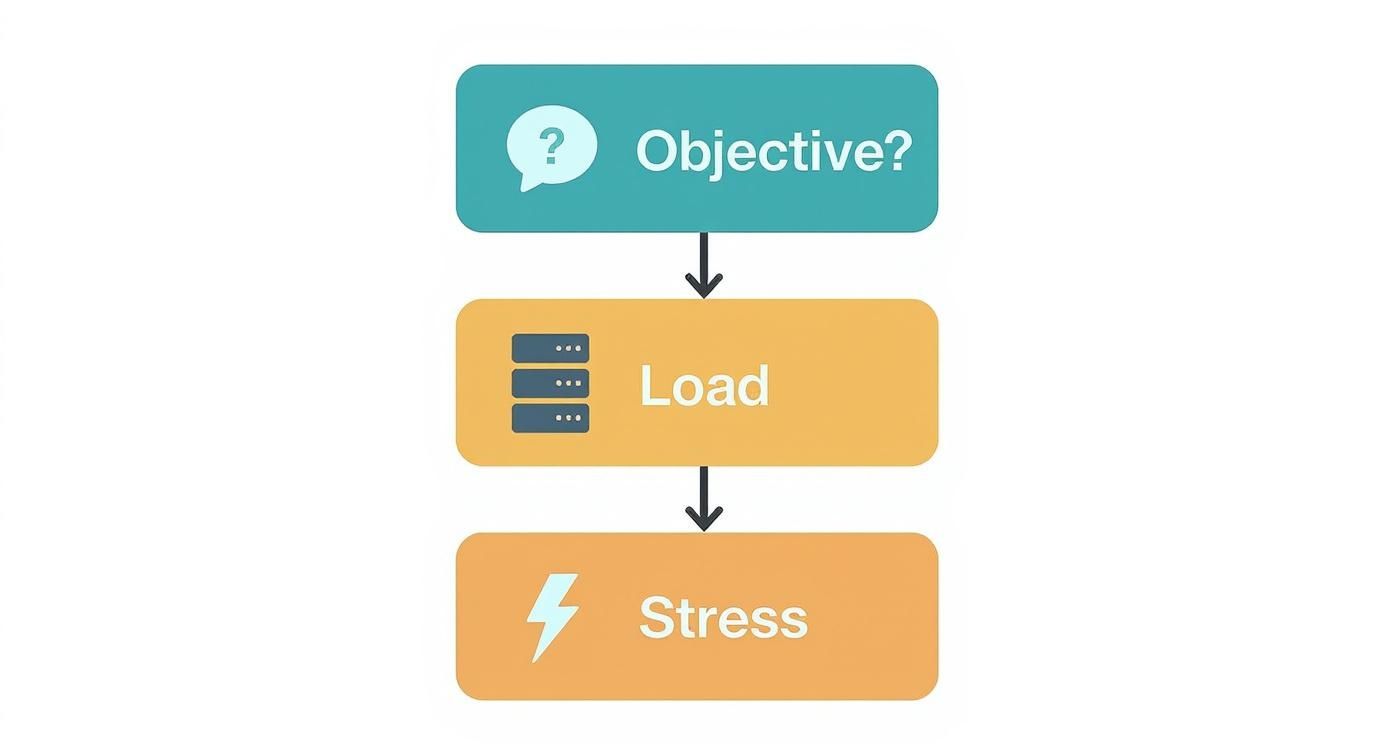
This infographic shows that if you need to measure performance against a known user volume, choose a load test. If you want to discover breaking points, opt for a stress test.
When To Run A Stress Test
A Stress Test deliberately pushes your system past normal limits to expose weaknesses. It’s less about user experience and more about understanding failure behavior.
The global Stress Test Equipment market, valued at USD 2.45 billion in 2024, is projected to hit USD 4.3 billion by 2035, highlighting the growing need for system robustness in industries like banking, healthcare, and tech. For a deeper dive, check the growth of stress testing solutions on Market Research Future.
Here’s when to consider a stress test:
- Viral Traffic Spikes: Simulate 50× normal peak traffic to gauge system recovery.
- Cloud Auto-Scaling: Verify that scaling rules fire correctly when resources max out.
- Data Integrity Under Duress: Ensure database failures don’t corrupt or lose data.
“Stress testing isn’t about performance metrics. It’s a controlled crash test for your software.”
Grounding your testing plan in these concrete scenarios bridges the gap between theory and real-world preparedness.
How They Run: A Nuanced Analysis
Beyond just their goals, load tests and stress tests follow completely different playbooks. One is a controlled experiment to validate what you think you know, while the other is a brute-force mission to discover what you don’t. Getting this methodological distinction right is absolutely critical for running each test correctly and actually understanding the results.
Running a load test is a methodical, almost predictable process. You start by defining a realistic peak user load, maybe based on last year’s holiday traffic or your marketing team’s projections for a big launch. The test then spins up simulated traffic, gradually ramping up to that specific number, holding it steady for a while, and then ramping back down.
A stress test, on the other hand, is intentionally aggressive and open-ended. It’s not about hitting a target; it’s about blowing past it until something cracks. The traffic starts at normal levels but is relentlessly cranked up far beyond any expected peak, and it keeps going until the system starts to seriously degrade or fails completely.
Test Environments and What to Measure
For a load test, your environment needs to be a near-perfect clone of production. Since the entire point is to gather accurate performance data like response time and throughput, the test setup has to mirror the real thing as closely as possible. If it doesn’t, the numbers you collect are basically useless. Here, you’re laser-focused on user-experience metrics.
The environment for a stress test still needs to be solid, but the focus shifts entirely. The main goal is to watch how the system behaves under extreme pressure. This means your monitoring and logging for infrastructure-level metrics—like CPU getting pegged at 100%, memory leaks, or running out of database connections—have to be top-notch. You’re collecting data on failure modes, not just performance.
The real difference in execution comes down to intent. A load test methodically applies a controlled, known amount of pressure to measure a predictable outcome. A stress test applies an overwhelming, escalating amount of pressure to provoke an unknown outcome.
Making Sense of the Results
The outcomes from these two tests spark entirely different conversations and trigger different actions. One informs capacity planning, while the other drives your resilience engineering strategy.
| Aspect | Load Test Interpretation | Stress Test Interpretation |
|---|---|---|
| Primary Question | ”Did we meet our performance SLAs under expected load?" | "Where and how did the system break?” |
| Key Insights | Performance baselines, identifying bottlenecks under normal conditions. | System capacity limits, failure behavior (does it crash gracefully or go down in flames?). |
| Business Impact | Confidence to handle a big product launch or seasonal traffic spike. | A clear picture of system resilience and what’s needed for auto-scaling to work. |
| Technical Actions | Optimize slow database queries, fine-tune application code. | Reconfigure load balancers, implement circuit breakers, improve disaster recovery plans. |
A successful load test confirms your application is ready for its audience, giving you the green light for deployment. But a successful stress test, ironically, is one where you actually manage to break the system. It hands you priceless intel on your application’s true breaking points and how it acts when pushed to the edge, letting you build a much more robust, fault-tolerant architecture. This deeper understanding of how to run a load test and stress test is what lets you move past simple comparisons and pick the right tool for the job.
How to Run Your Tests with GoReplay

The image above gets right to the heart of what makes GoReplay so effective: it uses real production traffic to drive your tests. This closes the gap between clean, synthetic benchmarks and the messy reality of actual user behavior, making both your load and stress tests far more insightful.
Moving from theory to practice is where a tool like GoReplay really proves its worth. As an open-source tool, it captures live HTTP traffic and replays it in a test environment, giving you an authentic baseline for performance analysis without the guesswork of writing artificial scripts.
The demand for practical tools like this is surging. The Load Testing Tools market, valued at USD 1.2 billion in 2024, is on track to more than double to USD 2.5 billion by 2033. This isn’t surprising—reliable application performance is no longer a luxury. You can dig into the numbers yourself in this performance testing market report from Verified Market Reports.
Setting Up a Load Test
With GoReplay, a load test is all about simulating expected traffic levels to make sure your system can handle business as usual and meet its SLAs. The process is straightforward: capture a slice of production traffic and replay it at its original speed (1x) or maybe a bit faster (like 2x) to model near-term growth.
First, you’ll capture live traffic from your production server and save it to a file. This is as simple as running a command on your server to listen to a specific port and record all the incoming requests.
Next, you replay that captured traffic against your staging or test environment. A basic command tells the tool to send the recorded requests at the exact same rate they were captured, which is perfect for simulating a real-world load and establishing a solid performance baseline.
The real magic of a traffic-shadowing load test is its authenticity. You’re testing your system against the complex, unpredictable patterns of real humans, not just what you think they do. This makes finding subtle bottlenecks much, much easier.
Configuring a Stress Test
To flip the switch from a load test to a stress test, you change your goal from validation to finding the breaking point. In GoReplay, this is as simple as cranking up the traffic multiplier. Instead of replaying at 1x or 2x, you might push it to 10x, 20x, or even 50x the original rate.
The setup starts the same way—you use the same captured traffic file. But this time, you modify the replay command with a rate-limiting flag to blast your system with a volume of traffic it would never normally see. This is an intentionally aggressive move designed to overwhelm your system.
For a deep dive into building these test environments, check out our guide on GoReplay setup for testing environments.
This method pushes your application and its entire infrastructure to their absolute limits. By watching what fails first—whether it’s the database, an API gateway, or the application server—you get a crystal-clear picture of your system’s true resilience and can start planning for graceful degradation.
Putting It All Together: Building a Resilient Performance Strategy
So, how do you combine these two powerful testing methods into a single, cohesive strategy? It’s simpler than you might think. Load tests and stress tests aren’t competing for the same spot; they’re two sides of the same coin, working together to ensure your application is both performant and resilient.
Think of it this way: you start with a baseline load test. This is your sanity check. It confirms your system can handle the daily grind, meet user expectations, and stay within your SLA commitments. Once that’s validated, you bring in a stress test to see what happens when things get chaotic. You’re purposefully pushing the system to its breaking point to understand its limits and, more importantly, how it recovers.

This dual approach gives you the data you need for smart capacity planning and robust fault tolerance design. Instead of guessing, your team can prioritize improvements based on real, measurable insights from both tests.
How to Integrate Them
Getting this process up and running is straightforward. Here’s a high-level look:
- Capture real traffic: Start by recording production traffic to create a test environment that mirrors actual user behavior.
- Validate the baseline: Run a load test with expected traffic levels to confirm everything operates smoothly under normal conditions.
- Find the breaking point: Gradually ramp up the traffic in a stress test until the system fails. This maps out your absolute limits.
- Analyze the aftermath: Study how the system degraded and how quickly it recovered. This is where you’ll find the gold for resilience engineering.
Making the Right Call: When to Use Each Test
The context of your application will always guide which test to prioritize at any given moment.
For an e-commerce platform gearing up for a Black Friday sale, a load test is non-negotiable. You need to know with certainty that the site can handle the forecasted surge. But for a social media app, a stress test is invaluable for understanding what happens when a post goes viral and traffic explodes unexpectedly.
A quick cheat sheet:
- Load Test: Use it to measure baseline throughput and average response times under your forecasted, everyday demand.
- Stress Test: Use it to discover peak capacity and analyze how gracefully your system degrades under extreme pressure.
“A true performance strategy doesn’t stop at meeting expectations. It anticipates failure and designs recovery.”
The real magic happens when you integrate this thinking into your development lifecycle early. Automate both load and stress tests in your CI pipeline to catch performance regressions and weaknesses before they ever reach production. This turns performance from a last-minute chore into a core value.
By weaving load tests and stress tests together, you’re not just building an application—you’re engineering a scalable and reliable architecture ready for routine spikes and whatever unforeseen challenges come its way.
Your Next Steps
Ready to get started? Here’s a practical plan:
- Schedule regular load tests: Run them after each sprint to catch regressions immediately.
- Plan quarterly stress tests: Use these to validate system upgrades and major infrastructure changes.
- Create a shared dashboard: Document all your results to keep engineering, DevOps, and product teams on the same page.
- Hold post-test reviews: Host a cross-team review after every major test cycle to discuss findings and plan improvements.
Frequently Asked Questions
When you get into the nitty-gritty of performance testing, a few common questions always pop up. Let’s tackle some of the most frequent queries about putting load and stress tests into practice.
Can I Perform a Load Test and Stress Test at the Same Time?
In short, no. Trying to run them simultaneously just doesn’t work because their goals are fundamentally at odds with each other.
A load test is about precision. You’re measuring how the system behaves under a specific, controlled amount of traffic to confirm it meets performance SLAs under expected conditions. It’s about validation.
A stress test, on the other hand, is about controlled chaos. Its entire purpose is to push the system until it breaks by deliberately overwhelming it. It’s about finding the absolute limit.
Running a load test and stress test together would only give you messy, confusing data. For clear, actionable results, you absolutely have to run them as separate, focused tests.
What Is the Main Difference Between Stress Testing and Spike Testing?
This is a great question because both push your system hard, but they do it in very different ways.
Stress testing is a slow burn. You gradually and steadily increase the load, pushing far beyond normal capacity to see where things finally fall apart. The goal here is to find the system’s breaking point and, just as importantly, see how it recovers after being pushed to the edge.
Spike testing is more like a lightning strike. It hits the system with a sudden, massive burst of traffic that’s very short-lived. This test is designed specifically to see how your system handles abrupt surges and how quickly it can return to normal once the spike is over.
How Often Should I Run These Tests?
There’s no single right answer here—it really depends on your development pace and business goals. Your testing frequency should line up with your release schedule.
- Load Testing: This should be a regular part of your routine. You’ll want to run a load test before any major release or when you deploy a significant new feature. It’s the best way to catch performance regressions before they impact your users.
- Stress Testing: This is something you’ll do less often. A stress test is usually reserved for big moments: major architectural changes, preparing for a huge surge in users, or as a periodic check-up to make sure your failure and recovery plans actually work.
Ready to build a solid testing strategy using real user traffic? GoReplay makes it easy to capture your production traffic and replay it for both load and stress tests. Start building more resilient applications today at https://goreplay.org.