
Mastering the Life Cycle in Testing from Start to Finish
The life cycle in testing, more formally known as the Software Testing Life Cycle (STLC), is the strategic playbook that guides every testing activity from start to finish. It’s a structured framework that helps teams validate software methodically, catch defects early, and ultimately deliver a product they can be proud of.
What Is the Life Cycle in Testing and Why It Matters
Ever tried to build a house without a blueprint? You might get four walls and a roof, but the foundation will be shaky, the plumbing will be a mess, and you’ll spend a fortune on fixes. It’s the same story with software. Without a structured process, testing devolves into a chaotic, last-minute hunt for bugs right before a release.
The life cycle in testing is that essential blueprint. It elevates testing from a single, panicked activity into a proactive, multi-phase process that’s woven into the entire development cycle. It’s about building quality in from the start, not just trying to tack it on at the end.
This methodical approach pays off in some huge ways:
- Early Defect Detection: The STLC helps you find bugs when they’re cheap and easy to fix—not when they’re buried deep in the codebase.
- Improved Clarity and Consistency: It lays out a clear roadmap with defined goals for each phase, so everyone on the team is on the same page.
- Enhanced Efficiency: A well-defined process stops you from wasting time on redundant efforts and ensures testing resources are put to good use.
- Greater Confidence in Releases: Following the STLC means you can release with confidence, knowing that all requirements have been thoroughly tested and the risk of production failures is low.
The Phases of the STLC
Over the years, the software testing life cycle has matured into a structured, multi-phase process that’s now a non-negotiable for delivering quality software. It’s typically broken down into seven key phases, moving from big-picture strategy all the way to hands-on execution and final review. For more insights on the STLC’s role in modern development, you can check out this overview on DesignRush.
The core idea behind the STLC is simple but incredibly powerful: you can’t just “test quality in” at the end. It has to be planned, designed, and built into every single stage of the software’s creation.
To give you a quick lay of the land, here’s a snapshot of what each phase of the STLC involves.
The Seven Phases of the Software Testing Life Cycle at a Glance
This table breaks down each phase, its main goal, and the key artifact you’ll have at the end of it.
| STLC Phase | Primary Objective | Key Deliverable |
|---|---|---|
| Requirement Analysis | Understand and analyze software requirements from a testing perspective. | Requirement Traceability Matrix (RTM) |
| Test Planning | Define the test strategy, scope, objectives, and resources. | Test Plan Document |
| Test Case Development | Create detailed, step-by-step test cases and scripts. | Test Cases & Test Scripts |
| Environment Setup | Prepare the necessary hardware, software, and data for testing. | Ready Test Environment |
| Test Execution | Run the prepared test cases and log the results. | Defect Reports & Execution Logs |
| Test Cycle Closure | Evaluate test completion criteria and document key learnings. | Test Closure Report |
| Maintenance | Re-test and validate fixes for any defects found post-release. | Updated Regression Suite |
Think of these seven phases as the building blocks for a robust quality assurance strategy, each one setting the stage for the next.
A Phase-by-Phase Breakdown of the STLC
Think of the Software Testing Life Cycle (STLC) as the detailed choreography behind a flawless performance. Every phase has its own rhythm and purpose, and they all need to flow together perfectly. If you miss a step or rush a movement, the whole show can fall apart.
Let’s walk through the seven critical phases that guide a concept from a simple requirement to a rock-solid, high-quality product.
This diagram breaks down the STLC into three core activities: planning, building, and running tests.
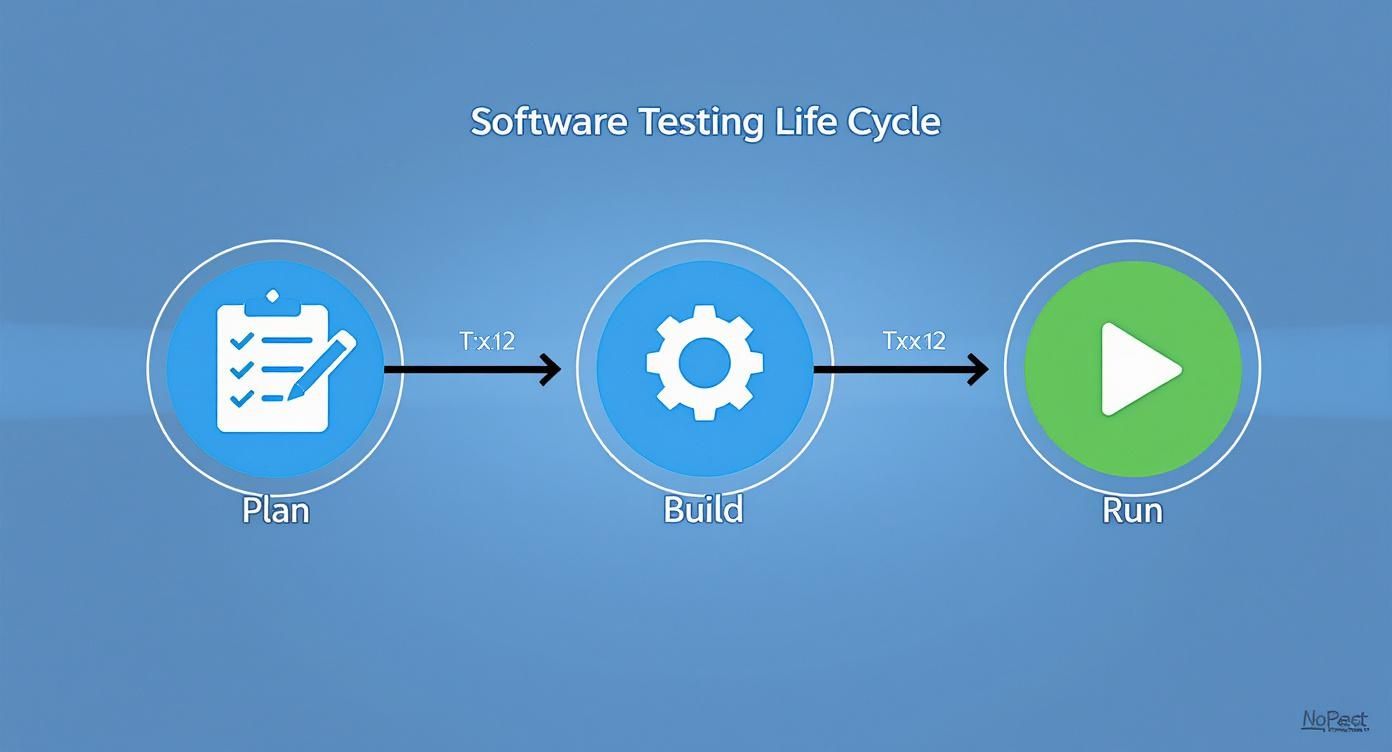
It’s a great visual reminder that testing isn’t a single event. It’s a continuous process that demands careful preparation before you ever execute a single line of code.
Phase 1: Requirement Analysis
This is where the entire life cycle in testing truly begins. It’s a deep dive to understand what the software is actually supposed to do. You have to put on your detective hat here and scrutinize every detail. You’re not just reading requirements; you’re interrogating them.
For instance, a requirement might say, “The application must be fast.” That’s completely untestable. A good tester pushes back, asking for specifics until it becomes, “The homepage must load in under 2 seconds on a standard connection.” Now you have something you can actually measure.
This phase is all about preventing misunderstandings down the road.
Key Activities:
- Analyzing business requirements, system specs, and user stories.
- Brainstorming with developers, BAs, and product managers to clear up any confusion.
- Identifying and categorizing all testable requirements (functional, performance, security, etc.).
- Defining the acceptance criteria for every feature.
The main output here is the Requirement Traceability Matrix (RTM), which links every single requirement to its corresponding test cases. It’s your guarantee that nothing gets missed.
Phase 2: Test Planning
Once you know what to test, you have to figure out how. The Test Planning phase is where the test lead or manager maps out the entire strategy. It’s like a general planning a military campaign—you define your objectives, allocate your resources, set your timelines, and prepare for potential risks.
This phase produces the Test Plan, arguably the most critical document in the whole STLC. It’s the single source of truth for the entire testing effort, outlining the scope, approach, resources, schedule, and the criteria for starting and stopping.
A solid test plan is the bedrock of any successful testing effort. It provides clear direction, gets all stakeholders on the same page, and prevents the dreaded scope creep that can derail a project.
Without a plan, you’re just inviting chaos. A thorough Test Plan provides the structure you need to navigate the complexities ahead.
Phase 3: Test Case Development
Now it’s time to turn those high-level plans into concrete, actionable steps. The testing team rolls up their sleeves and starts writing detailed test cases and test scripts. A test case is simply a set of instructions for validating a specific function, complete with steps, input data, and the expected outcome.
Let’s say you’re testing a login feature. A basic test case would look something like this:
- Navigate to the login page.
- Enter a valid username.
- Enter a valid password.
- Click the “Login” button.
- Expected Result: The user is successfully redirected to the dashboard.
The team writes both positive cases (testing expected behavior) and negative cases (seeing how the system handles bad data). This is also when automation scripts are developed. For a deeper look at the different kinds of testing, check out our guide on the core testing phases in software testing.
Phase 4: Test Environment Setup
You can’t rehearse a play without a stage, and you can’t test software without the right environment. This phase is all about configuring the necessary hardware, software, and network conditions to execute your test cases. It’s a critical step that, if mismanaged, can become a huge bottleneck.
The main goal is to build a test environment that mirrors the production environment as closely as possible. This is the only way to ensure your test results are reliable and that bugs you find can actually be reproduced in the wild.
Common activities include:
- Setting up servers and network configurations.
- Installing the application build you need to test.
- Preparing test data, like creating dummy user accounts or populating databases.
A dedicated test environment isn’t a luxury; it’s a necessity. Testing on a dev machine—or worse, in production—is asking for trouble.
Phase 5: Test Execution
This is showtime. The environment is prepped, the test cases are written, and it’s finally time to run the tests. The team systematically executes each test case, carefully comparing the actual results to the expected ones.
Every single result is documented. If a test passes, it’s marked “Passed.” If the actual result doesn’t match what was expected, it’s marked “Failed,” and a defect report is created. This report gives developers everything they need to find and fix the bug: screenshots, logs, and a clear description of the problem.
This phase continues until every planned test case has been run, with all defects logged in a tracking tool like Jira.
Phase 6: Test Cycle Closure
Once testing is done and the exit criteria from the test plan are met (e.g., 95% of tests passed, no critical bugs remain), it’s time for the Test Cycle Closure. This isn’t just about stopping; it’s about stepping back to analyze the results and reflect on the process.
The team prepares a Test Closure Report, which summarizes the entire effort.
This report typically includes:
- Total Test Cases Executed: The raw number of tests run.
- Pass/Fail Metrics: The percentage of tests that passed versus failed.
- Defect Summary: A breakdown of bugs found by severity and status.
- Key Learnings: Insights that can help improve the testing process next time.
This document gives stakeholders a clear picture of the product’s quality and its readiness for release.
Phase 7: Maintenance
The life cycle in testing doesn’t just stop at launch. Once the software is live and in the hands of real users, new bugs will inevitably surface, or new features will be added. This kicks off the Maintenance phase, where testing becomes an ongoing activity.
A huge part of this is regression testing—rerunning old test cases to make sure new code changes haven’t accidentally broken something that used to work. As the software evolves, this suite of regression tests grows, becoming an invaluable asset for maintaining quality over the long haul and ensuring the product stays stable for its entire life.
Essential Tools and Metrics for Each STLC Phase
Knowing the phases of the testing life cycle is one thing, but actually equipping your team for success is another. Each stage needs specific tools to keep workflows smooth and powerful metrics to track quality and efficiency. Without them, your STLC is just a map with no compass.
Let’s move from theory to practice and look at the tools and metrics that bring the life cycle in testing to life, making sure every phase delivers real value.

Tools for Planning and Design
The early phases are all about getting organized and building a solid strategy. The right tools here make sure planning is collaborative, transparent, and tied directly to what you’re trying to build.
- Test Management Tools: Platforms like Jira (with add-ons like Zephyr), TestRail, and Azure DevOps act as your central command center. They help you lay out test plans, write test cases, and—most importantly—link every single test back to a requirement with a Requirement Traceability Matrix (RTM). This is how you ensure nothing gets missed.
- Collaboration Tools: Simple but essential tools like Confluence or Slack keep communication lines open. They create a space for your team to hammer out requirements, clear up confusion, and document decisions before a single line of test code is written.
These tools turn planning from a stale document into a living, traceable process. They provide the backbone you need to manage even the most complex testing efforts.
Tools for Environment Setup and Execution
When it’s time to set the stage and run the show, you need a completely different toolkit focused on automation, execution, and realism.
- Automation Frameworks: Selenium for web UIs, Appium for mobile, and Cypress for modern web apps are the real workhorses here. They automate all those repetitive regression tests, freeing up your team to focus on the tricky exploratory testing where human intuition shines.
- Performance Testing Tools: Tools like JMeter or LoadRunner simulate user traffic to see how your application holds up under pressure. Finding performance bottlenecks here is far better than letting your users find them for you.
- Traffic Replay Tools: For the most realistic testing possible, nothing beats a tool like GoReplay. Instead of trying to guess what users will do, GoReplay captures actual production traffic and replays it in your test environment. This uncovers the kind of weird, edge-case issues that scripted tests almost always miss.
The goal isn’t just to run tests faster; it’s to run smarter tests. By simulating real-world conditions with tools like GoReplay, teams gain the confidence that their application is truly ready for production.
Metrics That Tell the Real Story
Anyone can count bugs, but that number doesn’t really tell you about quality. Real insight comes from metrics that measure efficiency, coverage, and effectiveness across the entire testing life cycle. For a much deeper look, check out our guide on essential metrics for software testing.
Key Metrics Across the Software Testing Life Cycle
The table below breaks down some of the most important metrics, showing where they apply and what they reveal about your testing process.
| Metric | Applicable Phase(s) | What It Measures |
|---|---|---|
| Test Coverage | Test Design, Execution | The percentage of requirements or code covered by test cases. A low score here screams “testing gap.” |
| Defect Density | Execution, Closure | The number of confirmed defects per unit of code (e.g., per 1,000 lines). Helps you benchmark code quality over time. |
| Defect Removal Efficiency (DRE) | Execution, Closure | The percentage of bugs your internal team finds versus those found by actual users. A high DRE means your testing is working. |
| Test Case Pass Rate | Execution | The percentage of test cases that passed out of the total executed. A sudden drop is a major red flag for a new build. |
These metrics give you data you can act on, not just numbers for a report. A low DRE, for instance, tells you your current strategy isn’t catching critical bugs, signaling it’s time for a change. By keeping an eye on these KPIs, you can constantly improve your life cycle in testing and turn it into a true engine for quality.
Integrating Automation into Your Testing Life Cycle
In today’s fast-paced development world, relying on manual testing alone can feel like trying to catch every raindrop in a thunderstorm with a thimble. It’s slow, prone to human mistakes, and just can’t keep up with the demands of Agile and DevOps. This is where automation comes in—not to replace your skilled testers, but to act as a powerful force multiplier within the life cycle in testing.
Think of automation as a strategic amplifier for all your repetitive, time-sucking tasks. It delivers quick, consistent feedback, helping teams squash bugs almost as soon as they’re written. Suddenly, testing isn’t a bottleneck anymore; it’s an accelerator.
The industry has taken notice. The automation testing market is on track to hit an incredible $68 billion by 2025, a huge leap from $25.4 billion in 2024. This isn’t just a trend; it’s a fundamental shift. As you can see from these software testing statistics from TestGrid, weaving automation into the software testing life cycle is no longer a luxury—it’s table stakes for staying competitive.

Where Automation Fits Best
While you can sprinkle automation throughout the lifecycle, its true sweet spot is the Test Execution phase. This is where you get the biggest bang for your buck by automating the tedious, repetitive tasks that have to be done over and over again.
Here are the prime candidates for automation:
- Regression Testing: Every time a developer pushes a change, you need to make sure existing features didn’t break. Automating this safety net saves countless hours and prevents embarrassing, “how did we miss that?” bugs from ever reaching users.
- Load and Performance Testing: Let’s be honest, you can’t manually pretend to be a thousand users all at once. Automation is essential for pushing your application to its breaking point and finding performance bottlenecks before your customers do.
- Data-Driven Testing: Need to check if a login form works with hundreds of different usernames and passwords? An automated script can rip through that list in seconds, something that would take a human tester all day.
By targeting these areas, you free up your team to focus on what humans do best: exploratory testing, usability checks, and digging into complex scenarios that demand genuine creativity and critical thought.
A Practical Application Using GoReplay
Most automated tests are scripted. A developer writes code that instructs a browser to click a button, type some text, and check if the right thing happens. These scripts are great, but they’re only as good as the scenarios a developer can dream up. They often completely miss the chaotic, unpredictable ways real people actually use an application.
This is where a tool like GoReplay completely changes the game. Instead of simulating user behavior, it captures and replays real traffic from your production environment.
GoReplay offers a fundamentally different approach to automation. It closes the gap between scripted test scenarios and real-world user behavior, creating a level of test realism that’s nearly impossible to achieve with traditional frameworks.
This gives you a hyper-realistic way to validate software quality right in the Test Execution phase. By using the real thing, you test for what will happen, not just what you think might happen.
How GoReplay Enhances the Testing Life Cycle
When you bring a tool like GoReplay into your workflow, you can supercharge several key testing activities without writing a single line of test script.
- Realistic Regression Testing: Before a big release, capture a baseline of your production traffic. Once the new code is on a staging server, replay that exact traffic against it. If the new version’s responses don’t match the old ones, you’ve found a regression. This technique uncovers subtle bugs caused by weird user journeys that your scripted tests would never catch.
- Accurate Load Testing: Worried if your new infrastructure can handle the Tuesday morning rush? Capture that traffic and replay it at 1x, 5x, or even 10x speed. You get a true-to-life load test based on actual user patterns, not just a barrage of generic, repetitive HTTP requests.
- Safer Environment Setup: As you’re spinning up a new test environment, you can immediately replay production traffic to it. This is a fantastic way to validate that the new environment is configured correctly and behaves just like production before you even start any formal testing.
This traffic-mirroring approach adds a powerful layer of confidence to your life cycle in testing. When you sign off on a release, you’re not just confident it passed your scripted tests—you’re confident it can handle the messy reality of your users.
Common STLC Pitfalls and How to Avoid Them
Even the most buttoned-up testing life cycle can run into trouble. Knowing where the common traps are is the first step to sidestepping them and keeping your project on the rails. Think of this as your field guide to building a more resilient and effective testing process.
https://www.youtube.com/embed/Jkfrd77MVOM
Ignoring these pitfalls is a fast track to blown budgets, missed deadlines, and a final product that’s riddled with bugs. Let’s break down the most frequent mistakes and, more importantly, how to steer clear of them.
Vague Requirements and Useless Tests
One of the biggest failures in the testing life cycle happens before a single line of test code is even written: unclear requirements.
If a feature is simply described as “user-friendly” or “fast,” what exactly is a tester supposed to validate? This kind of ambiguity leads directly to vague, ineffective test cases that can’t actually confirm if the software meets the real business needs.
The solution? Get specific, right from the start.
- Embrace BDD: Use Behavior-Driven Development (BDD) to frame requirements as concrete, testable user stories. Instead of “fast login,” define it as, “When a user enters valid credentials, they are logged in within 1.5 seconds.” Now you have something real to test against.
- Empower Testers to Push Back: Your testing team should feel comfortable challenging vague requirements during the analysis phase. A simple question like, “How are we going to measure that?” can save hundreds of hours down the line.
A test case is only as good as the requirement it’s based on. Vague requirements guarantee vague, unreliable testing results, undermining the entire purpose of the STLC.
By insisting on clear, measurable acceptance criteria, you lay a solid foundation for the entire process. It’s a proactive step that gets everyone on the same page and focuses your testing efforts on what truly matters.
Poor Planning and Unrealistic Timelines
Another all-too-common pitfall is rushing the test planning phase. An inadequate test plan almost always leads to a poor estimation of the time, resources, and budget you’ll need. This puts everyone under pressure, forcing teams to cut corners, skip vital regression tests, and ultimately ship a lower-quality product.
Proper planning isn’t just bureaucracy; it’s a strategic necessity. It’s about creating a detailed roadmap that outlines the scope, objectives, schedule, and resources required to get the job done right.
To avoid this trap:
- Plan as a Team: Planning shouldn’t happen in a silo. Get testers, developers, and product managers in a room together to ensure the estimates are grounded in reality.
- Account for Risks: A good plan anticipates roadblocks. What happens if the test environment goes down or a stable build is delayed? Plan for it.
- Use Historical Data: Look at past projects to make better predictions. Your own data is often the most accurate source for estimating how long testing will actually take.
Last-Minute Environment Setup
Waiting until the Test Execution phase to spin up your test environment is a recipe for disaster. This last-minute scramble almost always leads to configuration errors, missing test data, and major delays. The result? The testing team is left sitting on their hands while developers scramble to fix a broken setup.
Your test environment should be treated like any other critical project deliverable.
Kick off the setup process in parallel with your development work, not after it’s done. This gives you plenty of time to configure servers, load up realistic test data, and validate that the environment is a true mirror of production. Running environment setup concurrently prevents it from becoming a bottleneck in the life cycle in testing and keeps the whole project moving smoothly.
Common Questions About the Testing Life Cycle
Even with a solid plan, putting the testing life cycle into practice brings up a lot of questions. Let’s tackle some of the most common ones to help you connect the dots and get it right.
What’s the Difference Between STLC and SDLC?
It’s really easy to mix up the Software Testing Life Cycle (STLC) and the Software Development Life Cycle (SDLC), but they play two very different—yet deeply connected—roles.
Think of the SDLC as the master blueprint for the entire project. It covers everything from the initial idea and requirements gathering, through design and coding, all the way to deployment and maintenance.
The STLC, on the other hand, is a focused mini-cycle that lives inside the SDLC. Its one and only job is to guide all testing activities. Every phase in the STLC lines up with a phase in the SDLC. For instance, when the development team is in the “Requirement Gathering” phase of the SDLC, the testing team is right there with them, doing the “Requirement Analysis” phase of the STLC.
The SDLC is the plan for building the product. The STLC is the specialized plan for making sure that product is built right. You can’t have one without the other.
This parallel approach ensures testing isn’t just a final step tacked on at the end but a core part of the development process from day one.
How Does the STLC Work in Agile and Scrum?
In old-school Waterfall projects, each STLC phase could drag on for weeks or months. Agile and Scrum flip that script entirely, demanding a much faster, more dynamic approach.
Here, the entire testing life cycle is squeezed into short sprints, often just one or two weeks long.
Instead of one giant test plan for the whole project, teams create bite-sized test plans for each user story. All the STLC phases—from analyzing requirements to closing out tests—happen right alongside development within that single sprint. This tight integration creates a continuous feedback loop, so bugs are found and squashed almost as soon as they’re created. It’s this rapid, iterative cycle that makes Agile work so well.
Why Do Entry and Exit Criteria Matter So Much?
Think of entry and exit criteria as the bouncers for each phase of the testing life cycle. They are clear, specific rules that must be met before a phase can start (entry) or be considered finished (exit).
-
Entry Criteria: These are the “must-haves” to get started. For example, an entry criterion for the Test Execution phase might be: “The test environment is fully configured and stable.” You can’t start testing if the environment is broken.
-
Exit Criteria: These define what “done” looks like. An exit criterion for that same phase could be: “95% of all critical test cases passed.”
Without these ground rules, phases start to blur together, leading to chaos and wasted effort. They bring discipline to the process, stop teams from rushing ahead with unresolved problems, and give everyone clear, objective milestones to track progress and guarantee quality every step of the way.
Ready to make your testing life cycle more realistic and effective? With GoReplay, you can capture and replay real production traffic, ensuring your application is ready for anything. Discover a smarter way to test.