
Understanding the Hidden Impact of Performance Bottlenecks
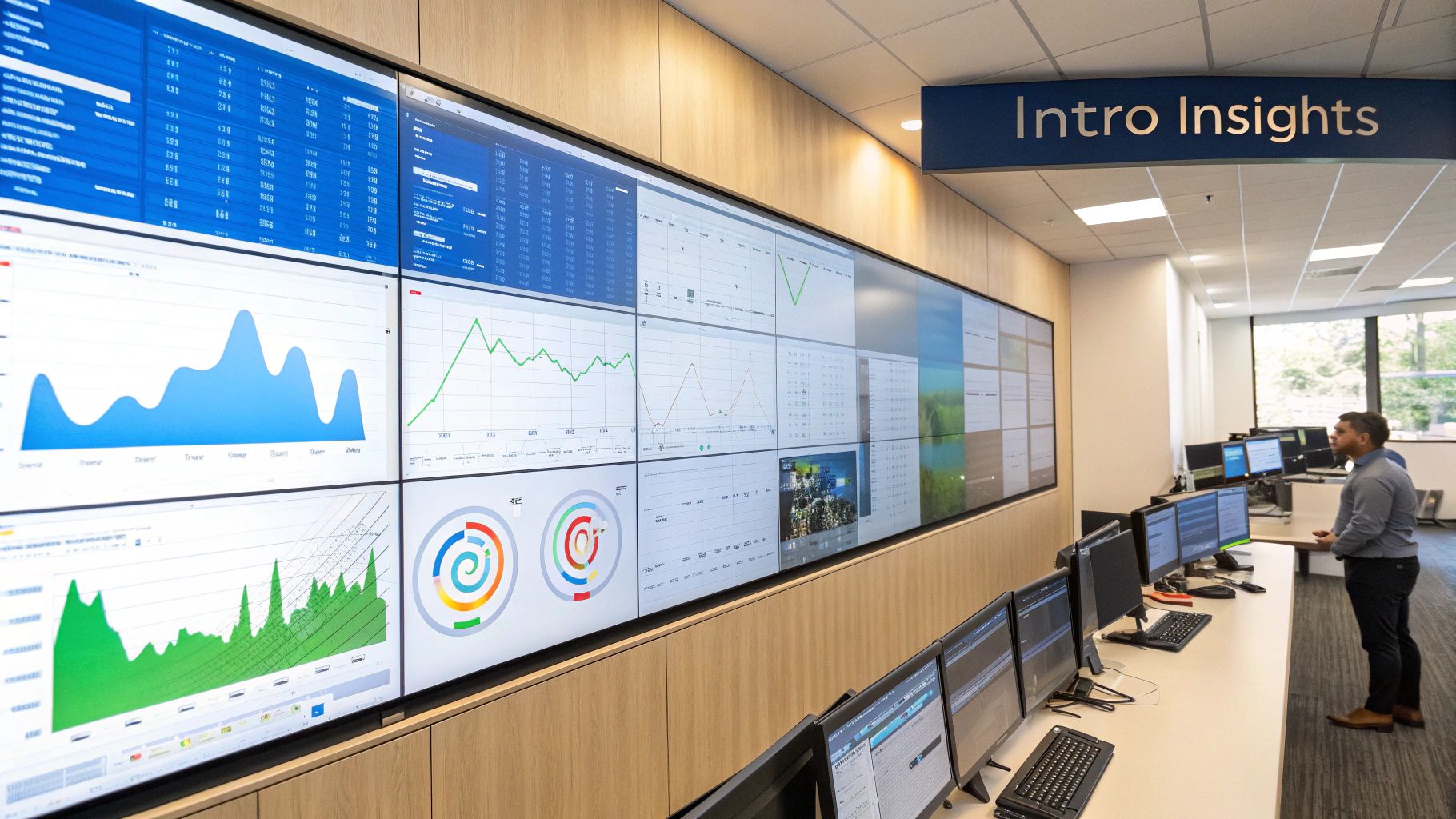
System slowdowns are a common source of frustration, affecting everything from individual users to large-scale business operations. Identifying performance bottlenecks is the key to addressing these slowdowns and ensuring optimal system performance. These bottlenecks can be elusive, hiding within various system components and quietly hindering efficiency. This makes understanding their nature and impact critically important.
The Nature of Bottlenecks
A performance bottleneck is any constraint within a system that restricts its overall throughput. Think of a highway narrowing from four lanes down to one. That single lane restricts the flow of traffic, no matter how fast cars can travel on the wider sections.
Similarly, a software bottleneck might reside in the CPU, memory, network, database, or even the application code itself. Pinpointing the exact location requires careful analysis and diagnostic tools. Identifying the source of the bottleneck is rarely straightforward.
The Business Cost of Bottlenecks
The impact of performance bottlenecks goes far beyond mere inconvenience. They have direct and measurable financial consequences for businesses. Slow application response times can lead to lost productivity, reduced user engagement, and ultimately, lower revenue.
Furthermore, unresolved bottlenecks can erode user trust and negatively affect team morale. Engineers often find themselves constantly struggling to keep systems running smoothly. This reactive approach can be both costly and inefficient.
Real-World Examples of Bottleneck Impact
Imagine a slow database query causing an e-commerce website to load slowly during a peak shopping period. This seemingly small issue can lead to frustrated customers abandoning their shopping carts, resulting in lost sales and damage to the company’s reputation.
Another example is a memory leak in a mission-critical application. This leak gradually consumes available resources until the entire system crashes, causing substantial downtime and financial losses. These scenarios highlight the importance of proactive performance management.
Shifting to a Proactive Mindset
Organizations that only react to performance problems are always one step behind. Truly effective organizations adopt a proactive strategy. They invest in tools and strategies to identify performance bottlenecks before they impact users.
This proactive approach involves implementing comprehensive monitoring systems, performing regular performance bottleneck load testing, and cultivating a culture of continuous improvement. One key indicator to watch is high CPU utilization. If a server consistently runs above 80% CPU usage, it might indicate an overloaded processor leading to slower response times. A 2020 study showed that servers with high CPU utilization experienced a 30% decrease in response time. Regularly monitoring this metric enables timely optimization and a smoother user experience.
By prioritizing bottleneck identification, organizations minimize downtime, improve user satisfaction, and contribute to a healthier bottom line. This proactive stance allows systems to operate efficiently and scale to meet future demands.
Mastering CPU and Memory Bottleneck Detection
Identifying performance bottlenecks can be a daunting task. However, by focusing on the two most common culprits – CPU and memory bottlenecks – you can simplify the process considerably. This section offers practical strategies for differentiating between typical resource usage and real problems that require immediate action.
Recognizing the Signs: Key Metrics and Thresholds
Effective bottleneck detection starts with understanding the most relevant metrics. While a large amount of data is available, certain indicators offer more practical insights. The table below highlights key metrics and their typical thresholds.
To help you quickly identify potential bottlenecks, we’ve compiled a table summarizing key metrics, their normal ranges, and critical thresholds.
| Metric | Normal Range | Warning Threshold | Critical Threshold | Potential Impact |
|---|---|---|---|---|
| CPU Utilization | <70% | 70-85% | >85% | Slow response times, application crashes |
| Memory Utilization | <80% | 80-95% | >95% | Increased swapping, application instability, OutOfMemory errors |
| Swap Usage | Minimal | Moderate | High | Significant performance degradation, system instability |
| Context Switching | Low | Moderate | High | Reduced CPU efficiency due to excessive task switching |
These thresholds serve as a general guideline. Optimal values can vary depending on the specific application and infrastructure. A high-performance computing application, for example, might tolerate higher CPU utilization than a web server. Establishing baselines for your system is crucial to understand its normal operating conditions.
Targeted Stress Testing: Unveiling Hidden Weaknesses
After establishing normal operating parameters, stress testing becomes vital for uncovering potential breaking points. Unlike general load testing, stress testing pushes your system beyond its usual limits to reveal its behavior under pressure.
- Gradual Increase: Begin by incrementally increasing the load to observe how resource utilization changes.
- Targeted Components: Focus your stress tests on specific components suspected of being bottlenecks, like the CPU or memory.
- Monitor Key Metrics: Diligently monitor the metrics from the table above during testing. This will pinpoint the resource that saturates first, revealing the primary bottleneck.
- Analyze Results: Post-testing, thoroughly examine the results to pinpoint where performance degradation becomes unacceptable. This data informs capacity planning and guides resource allocation decisions.
For a more in-depth understanding of performance testing strategies, check out our guide on complete performance testing.
Building Actionable Monitoring Dashboards
While stress testing helps identify potential future bottlenecks, continuous monitoring allows you to quickly detect and address issues in real-time. Effective monitoring dashboards provide more than just raw data; they deliver actionable insights.
- Visualizations: Employ clear and concise visualizations, such as graphs and charts, for tracking key metrics over time.
- Alerting: Implement automated alerts that trigger when metrics surpass predefined thresholds, enabling proactive intervention.
- Correlation: Correlate different metrics to discover relationships between them. For instance, a simultaneous spike in CPU utilization and memory usage could point to a memory leak.
- Trend Analysis: Analyze trends in resource utilization over time to anticipate potential bottlenecks before they arise.
By integrating these strategies – analyzing key metrics, conducting targeted stress testing, and building actionable monitoring dashboards – you can gain a thorough understanding of your system’s performance characteristics. This proactive approach empowers you to address CPU and memory bottlenecks before they negatively impact users and business operations, ultimately leading to more stable, responsive applications and a better user experience.
Uncovering Network Bottlenecks That Cripple Performance

Network issues can often be mistaken for application problems, leading teams down unproductive paths. This section explores how to pinpoint real network constraints, especially within complex distributed systems, saving valuable time and resources.
Distinguishing Internal and External Network Bottlenecks
One of the biggest challenges in identifying network bottlenecks is figuring out whether the issue is within your internal network or with an external provider. Internal bottlenecks can include overloaded network links, incorrectly configured routers, or even firewalls working beyond their capacity. External bottlenecks, however, might stem from issues with your internet service provider, slow DNS resolution, or problems with a third-party API.
-
Check Internal Resources: Begin by examining your internal network devices. Look for high utilization on routers and switches, and check if any internal links are close to their bandwidth capacity.
-
Test External Connections: Next, test the connections to external services. Measure the latency to important endpoints, watching for any unusual spikes or fluctuations. Tools like
pingandtraceroutecan be helpful in identifying the source of external delays. -
Isolate the Problem: By methodically checking both internal and external connections, you can start to narrow down the source of the bottleneck. If the problem occurs with all external connections, it might point to your internet service provider. If the problem only affects specific endpoints, it might indicate an issue with a particular third-party service. This focused approach ensures your troubleshooting efforts are directed at the real problem.
Establishing Network Performance Baselines
To effectively identify bottlenecks, you need to know what “normal” network performance looks like for your systems. Establishing useful baselines is crucial. These baselines should take into account your typical traffic patterns, anticipated growth, and any seasonal changes.
-
Monitor Key Metrics: Consistently monitor key metrics like bandwidth usage, latency, packet loss, and error rates. Tracking these over time provides an understanding of your system’s typical behavior.
-
Consider Traffic Patterns: Factor in any regular variations in your network traffic. Does usage increase during certain times of the day or week? Adjust your baselines to reflect these patterns.
-
Plan for Growth: As your systems grow and traffic increases, your baselines should also evolve to reflect these changes. This helps ensure that your monitoring stays relevant and effective. Having adaptable baselines will help you proactively identify deviations and potential network bottlenecks.
Beyond Bandwidth: Overlooked Network Metrics
While bandwidth is often the first metric considered when troubleshooting, other crucial factors can contribute to degraded network performance. High network latency is one significant indicator, slowing the exchange of data between system components. For example, an Akamai study from 2017 showed that a one-second delay in page load times can cause a 7% drop in conversions, highlighting the importance of addressing latency. Learn more about identifying bottlenecks here. Packet loss and high error rates also indicate underlying network problems, even if bandwidth usage seems normal. These often-overlooked metrics provide valuable insights.
Isolating Bottlenecks in Multi-Cloud Environments
Identifying bottlenecks gets even trickier in multi-cloud environments. With traffic flowing between different cloud providers and on-premise infrastructure, locating the cause of slowdowns can be a significant challenge.
-
Visualize Network Flows: Employ network monitoring tools that provide visibility into traffic patterns across your entire infrastructure, including all cloud providers.
-
Segment Your Network: Divide your network logically to isolate traffic between different services and environments. This narrows down the scope of potential bottlenecks.
-
Test Inter-Cloud Connectivity: Directly test network performance between your cloud providers. Look for any latency or bandwidth limitations on the connections between your environments.
By applying these strategies, you can methodically identify bottlenecks, even in the most complex systems, ensuring optimal performance and a positive user experience.
Database Performance Analysis That Actually Works
Moving beyond basic query optimization reveals a wealth of information about database performance, which can drastically improve your application’s speed. By learning from database optimization experts, we can discover methods that consistently pinpoint the real bottlenecks in data-heavy applications. This involves shifting from analyzing individual queries to understanding larger, more problematic access patterns and fundamental architectural issues.
Analyzing Query Execution Plans
One powerful technique is analyzing query execution plans. These plans provide a step-by-step guide to how the database will execute a query. They expose hidden inefficiencies, like full table scans, which often indicate missing or ineffective indexes. For instance, a query expected to return results in milliseconds might take seconds if the database scans every single row in a large table. Identifying these slowdowns allows developers to optimize queries and indexes, leading to significant performance gains.
Monitoring Transaction Throughput
Beyond individual queries, monitoring transaction throughput is crucial for uncovering concurrency issues. Throughput measures how many transactions the database can process per unit of time. A drop in throughput, especially under heavy load, can indicate that transactions are blocking each other, resulting in performance degradation. Think of multiple users trying to update the same record at the same time. Without proper concurrency control, this can cause lock contention and substantial slowdowns.
Assessing Index Effectiveness
Effective indexing is vital for database performance, but too many indexes can become a problem. Regularly assessing index effectiveness is key. Analyze index usage statistics to see if queries are actually using the indexes. Unused indexes add overhead without any benefit and can even hinder write operations. This analysis ensures your indexes optimize performance without adding extra strain on the database.
To help choose the right tool for identifying database performance bottlenecks, the following table summarizes some popular options:
Before diving into specific tools, it’s important to understand that selecting the right tool depends on the specific needs of your database environment. Consider factors like the type of database you’re using, the scale of your operations, and your budget when making your decision.
| Tool Name | Best For | Key Features | Limitations | Pricing Model |
|---|---|---|---|---|
| SolarWinds Database Performance Analyzer | Large, complex databases | Deep dive into wait statistics, comprehensive performance monitoring, cross-platform support | Can be expensive, complex setup | Subscription-based |
| Datadog | Cloud-native applications, real-time monitoring | Integrates with various cloud platforms, customizable dashboards, alerting | Requires integration with your existing monitoring setup | Usage-based |
| New Relic | Application performance monitoring, including database performance | Traces requests across the entire stack, identifies bottlenecks, and provides code-level insights | Can be resource-intensive | Subscription and usage-based options |
| pgAdmin | PostgreSQL databases | Open-source, easy to use, provides query plan analysis | Limited features compared to commercial tools | Open Source (Free) |
| MySQL Workbench | MySQL databases | Visual performance schema analysis, SQL development, server administration | Primarily focused on MySQL | Open Source (Free) |
This table highlights the strengths and weaknesses of different database bottleneck identification tools, allowing you to choose the best fit for your specific situation. Consider the features, limitations, and pricing models when making your decision.
Real-World Case Studies: Learning from Mistakes
Examining real-world scenarios where seemingly minor database issues led to significant performance problems offers invaluable lessons. One common scenario is inefficient indexing resulting in long query execution times. Another might involve flawed database connection pooling, depleting resources and slowing the entire application. A 2019 Redgate survey revealed that 60% of developers identified database performance as a major challenge. Profiling tools like SQL Profiler help pinpoint slow queries and facilitate optimization. Strategies such as implementing proper indexes and caching can drastically boost performance by reducing repetitive queries. Query result caching, for example, can cut database load by up to 50%, leading to faster response times and greater user satisfaction. Learn more about addressing performance bottlenecks here. You might also be interested in learning more about load testing in 2024: How to master load testing in 2024. By studying these cases, we learn how a systematic approach solves immediate problems and prevents future occurrences. This involves implementing robust monitoring, establishing performance benchmarks, and developing strong troubleshooting procedures. Adopting these methods enables organizations to shift from reactive problem-solving to proactive performance management, ensuring their databases can handle even the heaviest workloads.
Finding Hidden App-Level Bottlenecks Your Team Missed

While infrastructure problems often top the list when troubleshooting performance, your application code itself can harbor hidden bottlenecks. These often go undetected by standard monitoring tools and can severely impact performance, especially as your user base grows. This section explores practical techniques to identify and resolve these performance pitfalls.
Application Profiling: Tracing the Request Path
Application profiling traces a request’s journey through your application. This powerful technique pinpoints the methods and functions consuming the most time and resources. It’s like following a map, revealing each step and the time spent at each location, allowing you to identify bottlenecks within specific code segments, even in complex systems.
- Identify Hotspots: Profiling highlights the “hotspots,” or the sections of your code where the application spends the most time. These hotspots are the primary targets for optimization.
- Distributed Tracing: In a microservice architecture, tracing requests across different services is crucial. Profiling tools provide this end-to-end visibility, making it easier to locate bottlenecks across service boundaries.
Memory Leaks: Silent Performance Killers
Memory leaks are insidious. They gradually degrade performance over time, eventually causing crashes or system instability. They occur when allocated memory isn’t released when no longer needed. Profiling helps identify these leaks by tracking memory allocation and deallocation.
- Early Detection: Regularly monitoring memory usage and using profiling tools helps detect memory leaks early. This proactive approach minimizes downtime and keeps your application stable.
- Garbage Collection Optimization: Profiling data can also uncover ways to optimize garbage collection, reducing overhead and improving overall application responsiveness.
Performance-Focused Code Reviews: Catching Issues Early
Catching performance bottlenecks early is key. Integrating performance considerations into your code review process is a cost-effective way to do this. This involves actively looking for potential performance issues, rather than just focusing on functionality and style.
- Establish Performance Guidelines: Clear performance guidelines and best practices help your team understand good performance and identify potential problems. These should address database access, algorithm efficiency, and memory management.
- Automated Analysis Tools: Integrating automated performance analysis tools into your CI/CD pipeline flags potential bottlenecks before code merges. Tools like GoReplay can be invaluable, simulating real-world traffic to identify performance issues under realistic conditions.
Logging Strategies: Insights Without Overhead
Logging is essential for troubleshooting and performance analysis. However, excessive logging can itself become a bottleneck. The goal is to capture enough information for debugging without impacting performance.
- Targeted Logging: Focus on logging essential events and metrics that offer actionable insights, rather than logging everything. This minimizes performance overhead.
- Asynchronous Logging: Decoupling logging from the main application thread using asynchronous logging prevents logging from blocking the application and impacting the user experience.
By focusing on these techniques—application profiling, memory leak detection, performance-focused code reviews, and strategic logging—you can tackle hidden app-level bottlenecks, ensuring your applications perform efficiently, scale smoothly, and deliver a positive user experience. These strategies, combined with appropriate tools, empower your team to move from reactive problem-solving to proactive performance management, strengthening application resilience and fostering continuous improvement.
End-to-End Testing Strategies That Reveal True Bottlenecks
Moving beyond simple load tests is crucial for effective performance testing. This means creating tests that mimic real-world scenarios and expose bottlenecks across your entire system, not just individual parts. Think of it like testing a car – you wouldn’t just test its engine on a stand; you’d also want to see how it performs in real traffic conditions.
Designing Realistic Test Scenarios
Effective performance testing relies on realistic scenarios. This means replicating actual user behavior, including diverse actions and traffic patterns, to uncover hidden issues.
-
Analyze Production Data: Examine real production data, including user behavior, traffic patterns, and data volume. This provides valuable insight into the typical demands on your system.
-
Simulate Real User Journeys: Don’t just test individual components in isolation. Instead, create test scenarios that mimic how users actually interact with your application. For example, in an e-commerce setting, simulate a user browsing products, adding items to a cart, and completing the checkout process.
-
Vary User Behavior: Include a variety of user actions and behaviors. This ensures a comprehensive test that covers various scenarios and potential bottlenecks.
-
Use Tools Like GoReplay: GoReplay allows you to capture and replay real production traffic, providing a practical and accurate way to simulate real-world conditions.
Different Types of Performance Testing
Just as an athlete’s performance encompasses different aspects like speed and endurance, performance testing requires various strategies to evaluate system behavior under diverse conditions.
-
Load Testing: Simulates typical user traffic to see how the system performs under normal conditions. This provides a baseline performance measurement and helps identify bottlenecks that occur even under regular load.
-
Stress Testing: Pushes the system beyond its normal capacity to determine its breaking point. This reveals how the system behaves under pressure and helps identify its limits.
-
Spike Testing: Simulates sudden bursts of traffic to understand how the system responds to unexpected demand surges. This is critical for applications with unpredictable traffic.
-
Endurance Testing: Measures how the system performs over an extended period with sustained load. This helps identify problems like memory leaks or resource exhaustion.
Interpreting Test Results: Symptoms vs. Root Causes
Analyzing test results effectively requires understanding the difference between symptoms and their root causes. For example, slow response times are a symptom, while a slow database query might be the root cause.
-
Analyze Performance Metrics: Examine metrics like response times, error rates, and resource utilization. Look for patterns and connections between different metrics to pinpoint potential bottlenecks.
-
Use Profiling Tools: Profiling tools offer detailed insights into application performance, helping to identify optimization opportunities, such as slow database queries or inefficient code segments.
-
Isolate Components: Techniques like mocking dependencies allow you to isolate parts of your system and pinpoint the source of a bottleneck. This helps determine if the issue is in the application code, the database, or another external service.
Establishing Meaningful Performance Baselines
Defining relevant performance baselines is essential for measuring improvement and tracking progress. These should align with business goals, not just arbitrary technical metrics.
-
Define Key Performance Indicators (KPIs): Choose KPIs that reflect your business objectives, such as average order processing time or user conversion rates.
-
Measure Baseline Performance: Establish a starting point for each KPI by measuring performance under typical conditions.
-
Set Performance Goals: Define specific, measurable, achievable, relevant, and time-bound (SMART) goals for improvement.
-
Track Progress and Iterate: Continuously monitor performance against your baselines and goals, adjusting your optimization strategies as needed.
By adopting these end-to-end testing strategies, you can effectively identify and address performance bottlenecks, optimize your system for real-world demands, ensure a positive user experience, and support your business objectives.
Building Your Continuous Bottleneck Monitoring System

Proactive prevention is key for effective performance management. This involves creating a continuous bottleneck monitoring system integrated into your daily operations, catching problems before they impact users.
Establishing Meaningful Alerting Thresholds
Effective alerting is a balancing act. Too many alerts lead to alert fatigue, causing teams to ignore warnings. Thresholds set too high let problems grow unnoticed. The goal is to trigger alerts only for real issues.
How can we achieve this balance?
-
Baseline Analysis: Establish baselines for your key performance indicators (KPIs) under normal conditions. These baselines serve as the foundation for your alert thresholds.
-
Gradual Adjustment: Begin with conservative thresholds. Adjust them based on historical data and observed system behavior.
-
Contextual Awareness: Consider the context. A traffic spike during a promotion might be expected. The same spike during off-peak hours could signal a problem.
Automating Performance Testing in CI/CD
Integrating automated performance testing into your CI/CD pipeline catches regressions early. Efficiency is key to avoid slowing down development.
Here’s how to approach it:
-
Targeted Testing: Focus on crucial user flows and critical system components.
-
Performance Budgets: Set performance budgets for each key metric, triggering alerts if a build exceeds them.
-
GoReplay Integration: GoReplay simplifies capturing and replaying real production traffic in your testing environment. This allows you to simulate realistic loads and uncover potential bottlenecks.
Creating Dashboards That Provide Genuine Visibility
Data visualization clarifies complex system behavior. Effective dashboards offer at-a-glance insights into key performance metrics and historical trends.
Here’s how to build effective dashboards:
-
Prioritize Key Metrics: Focus on the most vital metrics. Avoid overwhelming dashboards with too much data.
-
Visualize Trends: Display historical data to spot trends and identify potential issues early.
-
Correlation and Context: Link different metrics to reveal hidden relationships and add context to alerts.
Fostering a Performance-Focused Culture
Bottleneck identification is a team effort.
Here’s how to build a performance-focused culture:
-
Shared Ownership: Encourage shared responsibility for performance monitoring and optimization between developers and operations.
-
Training and Education: Equip your team with the skills and tools to identify and address performance bottlenecks.
-
Regular Performance Reviews: Conduct regular reviews to discuss potential issues and identify areas for improvement. This fosters a proactive approach.
Building a Bottleneck Response Playbook
A defined response playbook ensures consistent and efficient problem resolution.
Here’s what your playbook should include:
-
Standardized Procedures: Outline clear steps for diagnosing and resolving common performance issues.
-
Escalation Paths: Define clear escalation paths for critical problems.
-
Post-Incident Analysis: Conduct thorough post-incident analyses to learn from mistakes and prevent future issues.
By following these strategies, you can shift from reactive to proactive bottleneck identification, creating a continuous improvement cycle. This results in more stable applications, satisfied users, and improved business outcomes.
Ready to improve your performance testing? Explore GoReplay and unlock the power of real-world traffic replay.