
How to Generate Test Data That Mirrors Reality
Let’s be honest: most test data is just too perfect. It follows the “happy path” and rarely accounts for the messy, unpredictable ways actual users interact with an application. This is a huge problem, because that gap between theory and reality is exactly where critical bugs love to hide.
When you generate test data by hand or with simple scripts, you’re building in your own biases. You’re testing for what you think users will do, not what they actually do. This approach completely misses the “unknown unknowns”—that strange combination of actions, unexpected payloads, or concurrent requests that only ever happens in a live environment.
Why Your Synthetic Test Data Falls Short

Manually crafted data creates a false sense of security. To really prepare your application for the real world, you have to move beyond clean, predictable inputs and embrace the chaotic reality of production traffic. Using sanitized production data isn’t just a good idea; it’s the gold standard.
The Limits of Predictable Data
The fundamental flaw with purely synthetic data is its predictability. It’s clean, structured, and always follows the rules you define. That’s fine for basic unit tests or verifying a specific piece of business logic, but it completely fails to simulate the complex, overlapping user journeys that truly stress a system.
Think about these common shortcomings:
- No Realistic Concurrency: A synthetic test might simulate 1,000 users logging in, but it won’t replicate the real-world chaos where those same users are also searching, adding items to a cart, and checking out all at once.
- Ignoring Weird Edge Cases: Real users do strange things. They input data in weird formats, use ancient browsers, and abandon carts halfway through a transaction. Synthetic data generators almost never account for this level of randomness.
- Misleading Load Profiles: A simple load test sending uniform traffic is a lie. Actual user traffic ebbs and flows, creating unique performance bottlenecks that clean data will never expose.
The core issue is that synthetic data tests your system against an idealized version of reality. Production traffic, on the other hand, tests it against reality itself—warts and all.
Real-World Consequences of Flawed Testing
This disconnect isn’t just a theoretical problem. It has tangible consequences that hit your revenue and reputation hard. When your test data is too clean, you’re basically flying blind.
Performance bottlenecks stay hidden until a real traffic spike brings the entire system to its knees. A subtle memory leak might only surface after a specific, unusual sequence of API calls that nobody thought to script. These are the kinds of issues that cause outages during Black Friday, not during a controlled staging deployment.
The goal isn’t to ditch synthetic data entirely—it still has a place for targeted validation. But to truly battle-test your application, you need to inject the chaos of the real world. This is where capturing and replaying sanitized production traffic becomes absolutely essential. It’s the single most effective way to generate test data that mirrors actual user behavior, ensuring your system is ready for whatever your users throw at it.
You end up shifting your entire mindset from just testing for perfection to truly building for resilience.
Capturing Production Traffic with GoReplay

This is where things get real. Forget about flawed synthetic data. It’s time to generate test data by capturing the genuine, unfiltered user interactions happening right now in your production environment. The trick is doing it without hurting performance.
That’s what GoReplay was built for. It’s an open-source tool that passively listens to your network traffic. Think of it as a silent observer, not a bottleneck. You can grab every API call and user request as it happens, all without adding a single millisecond of latency to your live app.
With automation testing now at 70% adoption globally, the pain of bad test data is more obvious than ever. In fact, 47% of organizations say they struggle with regression testing specifically because their synthetic data just doesn’t capture the chaos of live traffic. This is why replaying real HTTP streams into safe environments is no longer a luxury—it’s a necessity.
Kicking Off Your First Traffic Capture
Getting started with GoReplay is refreshingly simple. It’s incredibly lightweight, so you can install and run it with minimal fuss. Your first move is to install the binary on the production server where your application traffic is flowing.
Let’s say your app listens on port 8080. To start capturing that traffic and saving it, you just need a single command. This tells GoReplay to listen for incoming requests on that port and dump everything it sees into a file called traffic.gor.
Here’s the command in action:
gor —input-raw :8080 —output-file traffic.gor
And that’s it—you’re capturing. The --input-raw flag points to the source (port 8080), and --output-file tells GoReplay where to save the data.
Refining Your Capture Strategy
Grabbing all traffic is a good start, but a smarter approach will save you a lot of headaches later. Production traffic is noisy. It’s full of requests for static assets like CSS files, images, or JavaScript, plus constant health checks from your load balancer. None of that is very useful for testing your application logic, and it will bloat your capture files.
Luckily, GoReplay has powerful filtering built right in. You can use regular expressions to filter requests by path, method, or even specific headers.
- Filter by Path: Use
--http-allow-urlor--http-disallow-urlto zero in on specific endpoints. - Filter by Header: Use
--http-allow-headerto grab only requests with a certain header, likeContent-Type: application/json. - Filter by Method: If you’re only testing write operations, you can use
--http-allow-methodto capture justPOSTorPUTrequests.
For example, if you want to ignore all requests for static assets, you could tweak the command like this:
gor —input-raw :8080
—output-file traffic.gor
—http-disallow-url ’.(css|js|png)$’
This one change cleans up your captured data significantly, letting you focus on the dynamic parts of your application that actually need testing.
Pro Tip: I always recommend running GoReplay as a background service using
systemdorsupervisor. This ensures it’s always on, capturing fresh traffic, and will even restart automatically if the server reboots. Set it and forget it.
Managing and Storing Your Captured Data
As you capture traffic continuously, those output files can get pretty big. You need a solid strategy for managing them. GoReplay helps here, too, with built-in support for file rotation and size limits.
The --output-file-size-limit flag lets you set a max size for each file. Once that limit is hit, GoReplay automatically starts a new one.
Check out this setup:
gor —input-raw :8080
—output-file “requests-%Y%m%d.gor”
—output-file-size-limit 100mb
This command creates neatly timestamped files (like requests-20241026.gor) and splits them into manageable 100MB chunks. This makes the data way easier to store, transfer, and replay later.
For a deeper dive into different setups, check out our guide on setting up GoReplay for testing environments. A smart capture strategy is the first step in turning raw production noise into a high-fidelity asset for generating truly realistic test data.
Anonymizing and Masking Sensitive User Data

Grabbing production traffic is a powerful way to generate test data because it mirrors exactly how people use your app. But with great power comes great responsibility. You absolutely cannot use raw production data in your staging or development environments. Doing so isn’t just a bad habit—it’s a surefire way to violate privacy laws like GDPR and CCPA, leading to massive legal and financial headaches.
This is where data masking and anonymization come into play, and they’re non-negotiable. The goal isn’t just to strip out sensitive info. You have to replace it intelligently to keep the data’s structure and format intact. Simply deleting a user’s email might break your application in ways that have nothing to do with what you’re trying to test. But replacing it with a realistic fake email? That lets you run proper end-to-end tests.
Rewriting Sensitive Data in Real Time
GoReplay is built for this. It lets you modify traffic as it’s being captured or replayed, right on the fly. Its middleware acts as a transformation layer, intercepting requests and responses to scrub sensitive data before it ever gets written to a file or hits your staging server. This real-time processing is a critical part of a secure testing workflow.
You can set up powerful regular expressions to find and replace personally identifiable information (PII), API keys, auth tokens, or any other private strings. This is a far safer approach than running a script on a saved file later because the raw, sensitive data never touches the disk. Integrating these practices is a core part of building a modern secure software development life cycle.
Practical Examples of Data Masking with GoReplay
Let’s walk through a common scenario: you need to mask an Authorization header and a user’s email address from a JSON payload. You definitely don’t want real credentials floating around in your test environment.
Here’s a simple GoReplay command to hash a bearer token and swap out an email:
gor --input-raw :8080 --output-file-append "requests.gor" --middleware "go-re-writer" --http-rewrite-header "Authorization: ^Bearer .*$" "Authorization: Bearer [REDACTED]" --http-rewrite-body email="[^"]+" "email="[email protected]""
Breaking that down:
--http-rewrite-headerfinds anyAuthorizationheader starting withBearerand replaces the entire token.--http-rewrite-bodyhunts for theemailfield in the request body and replaces its value with a safe, static one.
This kind of targeted replacement keeps the request’s structure perfectly valid. Your app gets a header and an email that look real enough to process the request, but you haven’t exposed a single piece of actual user data.
The key to smart data masking is keeping it real without compromising privacy. Your test data needs to look and feel like production traffic. This ensures your system behaves as it would under authentic conditions, all while sensitive user info stays completely locked down.
Choosing the Right Masking Technique
Not all data is the same, so a one-size-fits-all approach to anonymization rarely works. You’ll either fail to protect the data properly or mangle it so badly that it becomes useless for testing. The right technique always depends on what the data is and how your application uses it.
For a deeper dive into the options, you can explore some more advanced data anonymization techniques.
Data Masking Techniques Compared
Here’s a quick rundown of common methods to help you decide which one fits your needs.
| Technique | Description | Best For | Example |
|---|---|---|---|
| Replacement | Swapping sensitive data with a static, fictional value. | PII like names, emails, and addresses where the actual value doesn’t matter, only its presence and format. | [email protected] becomes [email protected] |
| Hashing | Converting a value into a fixed-length string using a one-way algorithm (e.g., SHA-256). | Session IDs or user identifiers where you need a consistent but anonymized representation of a specific user across multiple requests. | session_id: 12345 becomes session_id: a1b2c3d4... |
| Redaction | Completely removing the data or replacing it with a placeholder like [REDACTED]. | Data that isn’t required for the test logic to function, such as free-text comments or descriptive fields. | user_comment: "..." becomes user_comment: "[REDACTED]" |
Choosing the right combination of these techniques is essential.
By putting a solid data masking strategy in place, you can leverage the power of production traffic to build incredibly high-fidelity test data. You’ll catch bugs and performance bottlenecks that synthetic data would never find, all while keeping your users’ privacy and your company’s compliance front and center.
Alright, now that you’ve got a clean, anonymized stream of production traffic, the real fun begins. It’s time to unleash this data on your staging or testing environment and see how your system really behaves under pressure. This is way more than just throwing random requests at a server; it’s about re-enacting the complex, unpredictable dance of user interactions to uncover weaknesses you never knew you had.
When you generate test data this way, you graduate from simple “does it work?” checks to the far more critical question of “how does it perform at scale?” This is where you unearth the nasty concurrency bugs, subtle memory leaks, and inefficient database queries that purely synthetic data will almost always miss. The goal is to simulate reality so faithfully that you can squash bugs long before they ever get a chance to ruin a real user’s day.
In today’s fast-moving development cycles, this approach is a genuine game-changer. Tools like GoReplay are built to bridge the gap between artificial test data and actual user behavior. Think about it: a staggering 55% of companies struggle with test environment availability, often because their mocked-up data fails to mirror the chaos of live HTTP traffic. This leads to painful release delays and embarrassing post-launch bugs. You can dig into more of these software testing statistics to see the broader impact.
Firing Up a Basic Traffic Replay
Getting started is surprisingly simple. With GoReplay, you just take the .gor file you captured earlier and point it at your staging application. This tells the tool to start firing off the saved requests to your new target.
Let’s say your staging environment is humming along at localhost:8000 and you’ve got your sanitized capture file named traffic-masked.gor. The command to kick things off is beautifully straightforward:
gor --input-file "traffic-masked.gor" --output-http "http://localhost:8000"
That’s it. This command reads every single request from the file and sends it to your staging server, preserving the original timing and order. It’s the most basic form of replay, but it’s perfect for an initial validation to see if your staging environment can handle the same kind of traffic as production.
Turning Up the Heat and Controlling the Flow
A one-to-one replay is great for a baseline, but the real magic happens when you start manipulating the traffic. You can speed it up, slow it down, or multiply it to simulate all sorts of load profiles. This is how you truly stress-test your system and find its breaking point.
GoReplay lets you control the playback speed with a simple percentage multiplier. For instance, to replay the traffic at twice the original speed, you just add a 200% argument to the output:
gor --input-file "traffic-masked.gor" --output-http "http://localhost:8000|200%"
You can also slow it down to 50% to analyze how things behave under a lighter load. This flexibility is incredibly powerful for a few key scenarios:
- Stress Testing: Crank the traffic up to 500% or even 1000% to see what happens during a massive traffic spike, like the one you’d expect during a Black Friday sale.
- Capacity Planning: By gradually increasing the load, you can pinpoint the exact moment your application’s performance starts to degrade. This gives you concrete data to make smart scaling decisions.
- Soak Testing: Let the replay run at a normal or slightly elevated rate for hours—or even days. This is a classic technique for uncovering sneaky memory leaks or resource exhaustion problems that only surface over a long period.
A Tip from the Trenches: When you’re stress testing, don’t just jump from zero to 1000%. I’ve found it’s much more insightful to ramp up incrementally. Start at 100%, watch your metrics, then bump it to 200%, 400%, and so on. By monitoring response times and error rates at each stage, you get a much clearer picture of exactly how and where performance degrades under pressure.
Advanced Replay for Next-Level Realism
Just blasting a server with requests isn’t a perfect simulation. Real user journeys are session-based, where a sequence of requests from a single user needs to be handled in order. Think about an e-commerce shopping cart or a multi-step checkout form. GoReplay supports session-aware replay, which is absolutely critical for testing applications with any kind of complex state management.
On top of that, managing thousands of simultaneous connections can be a bottleneck in itself. To mimic how modern clients and servers interact more accurately, GoReplay offers connection pooling to reuse TCP connections. This little feature drastically reduces the overhead of spinning up a new connection for every single request, making your load test both more efficient and far more realistic.
By weaving these advanced features together, you can create a test environment that’s a near-perfect replica of your production world. You’re no longer just testing isolated endpoints; you’re testing your entire system’s ability to handle the tangled, interwoven patterns of real, live user traffic. This is how you build applications that aren’t just functional, but genuinely resilient.
Integrating Traffic Replay into Your CI/CD Pipeline
One-off tests are great, but the real magic happens when you automate traffic replay. By embedding this process directly into your CI/CD pipeline, you turn production-driven testing into a continuous, automated quality gate. Just think: every single build can be automatically validated against a realistic, high-volume stream of real user behavior.
This simple change shifts your team’s posture from reactive to proactive. Instead of crossing your fingers and hoping a new deployment doesn’t break something, you’ll know it can handle real-world pressure before it ever goes live. This is the whole point when you generate test data—to make testing a seamless, reliable part of every single commit.
Automating the Capture and Replay Cycle
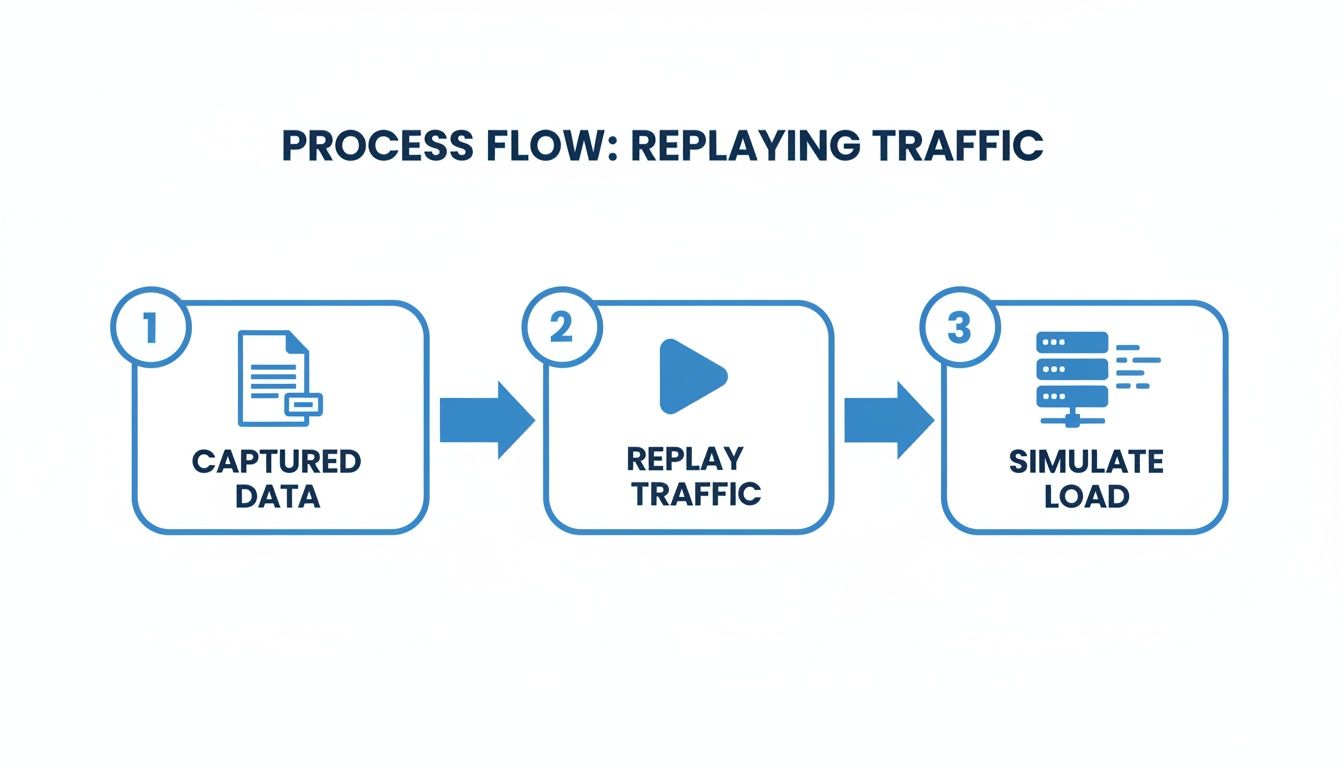
The goal here is a scriptable, repeatable process. You want to automate the entire lifecycle: capturing fresh traffic, masking sensitive data, storing it centrally, and then replaying it against a freshly deployed environment as a standard part of your pipeline.
In a tool like Jenkins, GitLab CI, or GitHub Actions, this breaks down into a few distinct stages:
- Capture: A scheduled job on your production server snags a few hours of peak traffic each day. It then automatically anonymizes it and pushes the
.gorfile to an artifact repository like an S3 bucket. - Deploy: Your pipeline does its thing, deploying the latest build to a clean staging or pre-production environment.
- Replay: Once the new environment is up, the pipeline pulls the latest traffic file from your artifact store. It then kicks off a GoReplay command to fire all that captured traffic at the new deployment.
- Validate: During the replay, the pipeline keeps an eye on key performance indicators (KPIs)—things like error rates, response latency, and CPU usage.
This flow is simple but incredibly powerful. You’re turning raw production interactions into a standardized, reusable asset for performance and regression testing.
Validating Test Outcomes and Spotting Regressions
Automating the replay is only half the job; you have to automate the validation, too. Nobody has time to manually watch logs or dashboards for every build. Your CI/CD pipeline needs to be smart enough to programmatically decide if the test is a pass or a fail.
This is where response diffing becomes your best friend. You can run the exact same traffic against your current production release (the control) and your new staging build (the candidate). By comparing everything—status codes, headers, even response bodies—you can pinpoint regressions with surgical precision.
A failed test might show up as a sudden spike in 500 errors on the new build, or maybe a 20% jump in average response time for a critical endpoint. These hard numbers allow you to set clear pass/fail criteria. For instance, if the error rate climbs above 1%, the pipeline can automatically fail the build and notify the team.
A mature CI/CD integration for traffic replay doesn’t just run tests—it makes a judgment. It acts as an unbiased gatekeeper, preventing faulty code from ever reaching production by holding every build to the same high standard of real-world performance.
A Conceptual Script for Pipeline Integration
The exact code will depend on your CI tool, but the core logic is always the same. Here’s a quick conceptual outline of what a replay script in your pipeline might look like.
1. Fetch the latest anonymized traffic data
aws s3 cp s3://my-traffic-artifacts/latest.gor .
2. Run the replay against the new deployment
We’ll capture the exit code to check for any GoReplay errors
gor —input-file “latest.gor” —output-http “http://staging-app:8080”
3. Analyze the results (this is pseudo-code)
In reality, this would be a separate script that queries logs or a monitoring tool
ERROR_RATE=$(get_error_rate_from_prometheus) LATENCY=$(get_p95_latency)
4. Fail the build if our metrics breach the thresholds
if (( $(echo “$ERROR_RATE > 0.01” | bc -l) )); then echo “Error rate exceeds 1%! Failing build.” exit 1 fi
This automated loop ensures every change you make is truly battle-tested. Test data generation has come a long way, with 68% of organizations now using generative AI to improve their testing. These tools are helping teams accelerate automation by 72% and create data that is 34.7% more realistic. You can read the full research about these testing trends to learn more. Integrating traffic replay is a powerful, practical way to bring that exact same level of realism into your own pipeline.
Still Have Questions About Production Data Testing?
Making the jump to using production traffic for testing is a big move, and it’s smart to have questions. It’s a very different beast from traditional synthetic methods, so let’s tackle some of the most common concerns about safety, performance, and how it fits into your current workflow.
Isn’t Using Production Data for Testing a Huge Risk?
It is—if you do it wrong. But let’s be crystal clear: using raw production data is never an option. That would open you up to massive compliance headaches under regulations like GDPR and CCPA.
The right way involves robust, non-negotiable anonymization and masking before that data ever touches a non-production environment. The key is to use tools that can rewrite, hash, or completely replace sensitive information like PII, API keys, and session tokens. This way, you preserve the complex structure and quirky behavior of real traffic while ensuring all sensitive user data is scrubbed clean and stays secure.
We Already Use Synthetic Data. Isn’t That Enough?
Synthetic data is fantastic for what it does. It’s predictable, controllable, and perfect for hammering known edge cases or validating a specific function in isolation. You can algorithmically create the exact scenario you need to test a single piece of logic. But that’s also its biggest blind spot.
Synthetic data often misses the “unknown unknowns” of real user behavior. It can’t replicate the unpredictable sequences of actions, unusual payloads, or concurrent request patterns that only occur in a live environment.
Think of replayed production traffic as the perfect partner to your synthetic tests. It shows you how your system holds up against the messy, unpredictable reality of how users actually use your application, not just how you think they do. You get the targeted precision of synthetic data combined with the chaotic realism of production traffic—the best of both worlds.
Will Capturing Live Traffic Tank My Application’s Performance?
That’s a totally valid concern. Nobody wants their testing tools to become the source of an outage. Fortunately, modern traffic capture tools like GoReplay are engineered to be incredibly lightweight.
These tools don’t sit inline like a proxy, forcing all your traffic through a bottleneck. Instead, they operate by passively listening to network traffic on a specific port or network interface. Because the capture process is observational and not in the critical request path, it doesn’t add latency or slow down your live application. Your production performance remains untouched while you collect the invaluable data needed to build a truly resilient system.
This approach gives you the confidence to generate test data from your most valuable source—your users—without compromising their experience. Once your team understands these key differences, you can adopt production-driven testing safely and effectively, leading to far more reliable applications.
Ready to stop guessing and start testing with real-world traffic? With GoReplay, you can capture, anonymize, and replay production traffic to uncover critical issues before they impact your users. Start building more resilient applications today. Learn more at goreplay.org.