
What Is Reliability Testing Your Guide to Stable Software

Think about the software you rely on every day. What makes you trust it? It’s not just that it works the first time you use it—it’s that it keeps working, day in and day out, without a hitch. That’s the core of reliability testing.
Reliability testing is all about answering one simple question: can your application perform its job consistently over a long period, under real-world conditions? It’s the difference between software that works and software that’s dependable. This is how you build user trust and keep them coming back.
What is Reliability Testing, Really? An Analogy

Imagine you’re building a bridge. You wouldn’t just test if it can hold a single car once. You need to know it will withstand years of heavy traffic, unpredictable weather, and the general wear and tear of time without failing.
Software is no different. Reliability testing is the engineering discipline that stress-tests your application over the long haul. It’s designed to ensure your software doesn’t degrade, crash, or start spitting out errors after hours, days, or weeks of continuous use.
The Real Goal: Finding Problems Before Your Users Do
The main objective here is to hunt down and fix potential failures before they ever have a chance to ruin a user’s experience. By simulating real-world usage over extended periods, your team can uncover those sneaky weak points that just don’t show up in quick, five-minute tests.
This proactive approach is what guarantees:
- Consistency: The software behaves exactly as expected, session after session.
- Stability: The application handles its workload without crashing or slowing down over time.
- Fault Tolerance: The system can manage unexpected errors or bad inputs gracefully instead of just falling over.
Believe it or not, this idea of measuring dependability has been around for a while. The roots of reliability engineering actually trace back to efforts in the early 20th century to make aircraft safer. During World War II, the concept was proven critical when early V-1 missiles in Germany failed completely, showing that high-quality parts meant nothing without rigorous, system-level testing. You can dive deeper into the history of reliability engineering here.
In short, reliability testing shifts the focus from, “Does it work right now?” to “Will it keep working tomorrow, next week, and next year?” It’s the ultimate measure of your product’s trustworthiness.
How Reliability Testing Compares to Other Methods
It’s easy to get testing types mixed up, but reliability testing has a very specific job. While other methods check features, speed, or security, reliability is all about long-term endurance.
Here’s a quick breakdown to see where it fits in.
| Testing Type | Primary Goal | What It Measures | Example Question Answered |
|---|---|---|---|
| Reliability Testing | Ensure long-term stability | Failure rate, uptime, fault tolerance | Will the app crash if left running for 72 hours? |
| Functional Testing | Validate specific features | Correctness of functions, UI behavior | Does the “Add to Cart” button work correctly? |
| Performance Testing | Measure speed and responsiveness | Latency, throughput, resource usage | How fast does the homepage load with 1,000 users? |
| Usability Testing | Evaluate user-friendliness | Ease of use, user satisfaction | Is the checkout process intuitive for a new customer? |
As you can see, they all work together to create a quality product, but only reliability testing is laser-focused on whether your software can stand the test of time.
Why Dependable Software Is a Business Imperative
 Software that just works isn’t just a nice-to-have technical goal; it’s the bedrock of a healthy business. In a world where your app is your storefront, your service counter, and your brand ambassador all rolled into one, its dependability directly shapes how customers see you. An unreliable system is more than a technical glitch—it’s a direct threat to your reputation and your revenue.
Think about an e-commerce site crashing during a Black Friday sale. Every single minute of downtime is a direct hit to the bottom line, leaving behind a trail of frustrated customers and a brand image that could take months to repair. Or imagine a banking app freezing right when a user is trying to make a critical transfer. That single failure erodes the one thing a financial institution can’t afford to lose: trust.
These aren’t just hypotheticals. Software failures carry steep, real-world costs.
The True Cost of Unreliable Systems
When things go wrong, the impact isn’t just about the immediate lost sales. It sends ripples across the entire business, creating expensive, long-term problems that are much harder to fix.
The moment an application fails, the hidden costs start piling up.
- Emergency Fixes: Dragging senior engineers off their planned work to fight fires is chaos. This kind of reactive, high-pressure bug-fixing is way more expensive than proactive testing and often leads to rushed, sloppy code that introduces even more bugs.
- Customer Churn: Unhappy users don’t stick around. A single bad experience is often all it takes to send a customer straight to your competitor, wiping out future revenue.
- Brand Erosion: Your software is the face of your company. Frequent outages and glitches quickly tell the world you’re unprofessional and untrustworthy, making it incredibly difficult to attract new customers.
Investing in proactive reliability testing isn’t an expense—it’s a form of insurance. It safeguards your revenue, protects your brand reputation, and ensures you’re building a product that customers can count on.
A Legacy of Dependability
The push for dependable systems isn’t new. The formal discipline of reliability testing really took off back in the 1960s, as industries grew more dependent on complex electronic systems. A major turning point was the creation of the military standard MIL-STD-781, which set strict testing protocols for components.
This marked a crucial shift in thinking—from just reacting to failures to proactively engineering systems that could withstand them. You can explore more on the evolution of reliability engineering to see how these foundational principles came to be.
Ultimately, dependable software is a business imperative because it creates the foundation for sustainable growth. By making reliability a priority, you break the cycle of constant firefighting and move into a mode of strategic innovation, confident that your application can deliver a consistently great experience for every single user.
To make sure your software is actually dependable, you can’t just cross your fingers and hope for the best. Engineering teams use specific, structured methods to push, probe, and ultimately verify an application’s stability. These core reliability testing methods are like a quality control toolkit, with each tool designed to inspect a different part of the system’s behavior.
It’s a bit like a comprehensive vehicle inspection. You wouldn’t just check the engine; you’d also test the brakes, look over the electrical system, and take it for a spin on the highway. In the same way, a solid reliability strategy combines several types of tests to build a complete picture of your system’s health.
Feature Testing Correctness and Stability
The most fundamental method is feature testing. Its goal is simple but absolutely critical: confirm that every single function in the software works exactly as it should, without errors, under normal conditions. This is your first line of defense against bugs.
For example, in an e-commerce app, feature testing would make sure a user can add an item to their cart, go to checkout, enter their payment details, and complete the purchase. The test ensures this whole sequence runs flawlessly every time, which is the bedrock of a reliable user experience.
If even one feature is shaky, the entire system’s reliability is at risk.
Load Testing Performance Under Pressure
Once you know the individual features work, the next big question is: what happens when thousands of users try to use them all at once? That’s where load testing comes in. This method simulates both expected and peak user traffic to see how the system holds up under pressure.
Think of a restaurant kitchen. It might run perfectly with a few orders trickling in, but can it handle a full house on a Saturday night without grinding to a halt? Load testing is that Saturday night rush. It measures response times, resource consumption, and overall stability to make sure your app doesn’t slow down or crash right when it gets popular.
A system that is functionally correct but falls over under a realistic load is, by definition, unreliable. Load testing uncovers performance bottlenecks before they hit real customers during crunch time.
Regression Testing Protecting Against New Bugs
Software is never finished; it’s always evolving with new features, patches, and fixes. Regression testing is the safety net that ensures these updates don’t accidentally break something that was already working. Every single time the code changes, regression tests are run to verify that what worked before still works now.
It’s like making sure that when a mechanic fixes your car’s transmission, they don’t inadvertently mess up the brakes in the process. It confirms that progress doesn’t come at the cost of stability. For a deeper look at these strategies, you can explore various software reliability testing methods that teams use to keep their systems in one piece.
Together, these three methods—feature, load, and regression testing—form a powerful trio. By combining them, teams can build a true understanding of their software’s dependability, making sure it’s not only correct but also resilient and consistent over time.
The Key Metrics That Define Software Reliability
You can’t improve what you can’t measure. That’s where reliability metrics come in. To truly get a handle on what is reliability testing, you need a way to quantify its results. These metrics give you a clear, data-driven language to talk about how dependable your software actually is.
Think of it like a mechanic checking your car. They don’t just say it’s “running well.” They look at concrete numbers—miles per gallon, oil pressure, tire tread. We use key metrics in software to get that same level of precise insight into a system’s stability.
Core Reliability Metrics You Need to Know
Three big metrics form the bedrock of most reliability assessments: Mean Time Between Failures (MTBF), Mean Time To Repair (MTTR), and Availability. Together, they paint a complete picture of your system’s health.
-
Mean Time Between Failures (MTBF): This is the average time your system runs smoothly before something breaks. A higher MTBF is always better—it means your application is stable and robust.
-
Mean Time To Repair (MTTR): When a failure inevitably happens, this metric tracks the average time it takes your team to fix it and get things back online. The goal is a low MTTR, which shows you can respond to incidents fast.
-
Availability: This is the big one—the percentage of time your system is up and running for users. It’s calculated using MTBF and MTTR and is often expressed as a percentage, like the famous “five nines” (99.999%) availability target.
This infographic breaks down how different tests—like feature, load, and regression testing—all contribute to improving these core numbers.
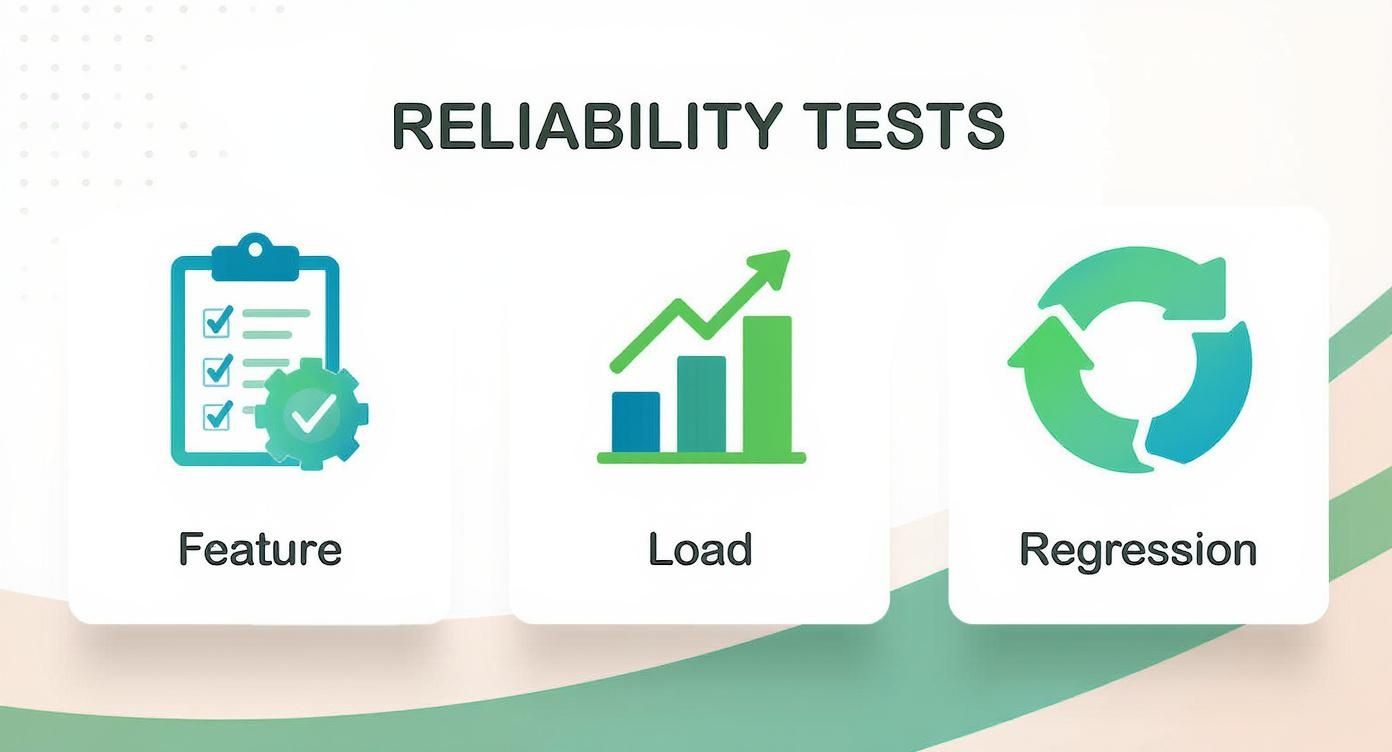
Every one of these tests is designed to find weak spots that could drag down your MTBF, inflate your MTTR, or hurt your overall system availability.
To make these concepts even clearer, here’s a quick rundown of the essential metrics in one place.
Essential Reliability Testing Metrics at a Glance
| Metric | Formula | What It Measures | Ideal Outcome |
|---|---|---|---|
| MTBF | Total Uptime / Number of Failures | The average operational time between system failures. | As high as possible |
| MTTR | Total Downtime / Number of Failures | The average time taken to repair a system after a failure. | As low as possible |
| Availability | MTBF / (MTBF + MTTR) | The percentage of time a system is operational. | As high as possible (e.g., 99.999%) |
| Failure Rate (λ) | 1 / MTBF | The frequency with which a system or component fails. | As low as possible |
Tracking these gives you a solid baseline for understanding your system’s performance and setting clear improvement goals.
Moving Beyond the Basics
While MTBF and MTTR are a great start, you can get an even sharper picture with deeper statistical analysis. Metrics like the coefficient of variation, intraclass correlation coefficients, and the kappa statistic help you understand the consistency and reproducibility of your test results.
As a rule of thumb, many industry standards recommend aiming for a coefficient of variation below 5% to ensure your testing protocol is reliably consistent. You can discover more about these statistical approaches to see how they refine the entire process.
By tracking these metrics, you move reliability from a vague idea to a tangible, measurable goal. It gives your team the power to set clear targets, pinpoint areas for improvement, and prove the direct impact of their work on software dependability.
Practical Best Practices for Effective Reliability Testing
Knowing the theory behind reliability testing is one thing. Actually putting it into practice is a completely different ballgame. A solid strategy isn’t just about running tests; it’s about building a proactive habit of creating quality software.
These principles help you move from fighting fires to preventing them in the first place, ensuring your testing efforts are efficient, realistic, and truly make a difference. The best teams don’t just test for reliability—they build a culture around it from day one.
Start With Clear Reliability Goals
Before you write a single line of test code, your team needs to agree on what “reliable” actually means for your specific application. Is it hitting 99.99% availability for a critical e-commerce platform? Or is it just making sure an internal dashboard can run for 48 hours straight without a hiccup?
Without a clear target, you’re just testing in the dark. Setting specific, measurable, achievable, relevant, and time-bound (SMART) goals gives everyone a shared definition of success. It’s the north star that guides your entire testing effort.
Shift Left by Testing Early and Often
One of the most expensive mistakes you can make is saving reliability testing for the last minute, right before a release. The “shift left” philosophy flips this on its head by pushing testing as early as possible into the development cycle.
The idea is simple: find and squash stability bugs when they’re small and cheap to fix, not after they’ve wormed their way deep into your codebase.
This approach looks like:
- Unit Tests: Developers write tests that check for resilience and proper error handling, not just basic functionality.
- Integration Tests: As different parts of the system come together, you test how they interact under stress to spot early warning signs of instability.
- Code Reviews: Peer reviews should explicitly look for potential reliability killers, like memory leaks or race conditions.
By making reliability a shared responsibility from the very beginning, you build quality into the product instead of trying to bolt it on at the end. This proactive mindset is what separates okay software from truly dependable software.
Use Realistic Production-Like Environments
Testing on a tricked-out developer laptop tells you almost nothing about how your application will behave in the real world. Things like network lag, limited server memory, and quirky user hardware can expose flaws that you’d otherwise never see.
Your testing environment has to be a close mirror of production. This means using staging servers that replicate your live setup—load balancers, databases, third-party APIs, and all.
This is where a tool like GoReplay becomes a game-changer. It lets you capture and replay actual user traffic, ensuring your tests reflect how people really use your system. For more on this, check out our guide on how to improve system reliability.
When you embrace these practices, reliability testing stops being a chore and becomes your most powerful tool for building software that users can count on.
Frequently Asked Questions About Reliability Testing
Even when you’ve got a handle on the methods and metrics, real-world questions always pop up. Let’s tackle some of the most common points of confusion to help you build a smarter, more effective testing strategy.
What Is the Difference Between Reliability and Availability?
It’s easy to use these terms interchangeably, but they measure two very different things about your system. Getting the distinction right is crucial for setting clear engineering goals.
Reliability is all about how long your system can run without failing. Think of it as durability. It’s measured by Mean Time Between Failures (MTBF). A car that never breaks down has high reliability.
Availability, on the other hand, is the percentage of time your system is actually up and working for users. A system can be highly available even if it isn’t perfectly reliable—as long as it recovers from failures incredibly fast (meaning a low Mean Time To Repair, or MTTR).
A system that fails once a month but is fixed in two minutes has much higher availability than a system that fails only once a year but takes a week to repair. Reliability focuses on preventing failure, while availability focuses on minimizing downtime.
When Should You Start Reliability Testing?
The single biggest mistake teams make is saving reliability testing for the last minute, like it’s just another box to check before launch. That approach is a recipe for disaster.
Reliability isn’t a final step; it’s a mindset that needs to be baked into your entire development lifecycle. The right time to start is day one. This means:
- Writing stable unit tests that consider edge cases and potential failure points.
- Performing integration tests to see how components behave together under stress.
- Conducting code reviews with a sharp eye for fault tolerance and resource handling.
When you build reliability in from the start, you create a solid foundation instead of trying to patch up a shaky one later.
Can Reliability Testing Be Fully Automated?
Automation is absolutely essential for a modern reliability strategy, but it’s not a silver bullet. Some tests, like regression suites and load tests, are perfect candidates for automation. They’re great at hammering your system with predictable stress and repeatedly checking for known issues.
But if you only rely on scripts, you’ll end up with massive blind spots. Automated tests can only find the problems you’ve already thought to look for. This is where skilled manual and exploratory testing are irreplaceable. A human tester can spot weird behavior, uncover complex bugs, and investigate scenarios that an automated script would simply miss.
The most effective strategy is a hybrid one, combining the raw efficiency of automation with the critical thinking and creativity of human engineers.
How Is Reliability Testing Different From Performance Testing?
This is another common mix-up, and for good reason—the two are closely linked. They often use similar tools, but their core goals are completely different.
Performance testing measures how your system responds under a specific load at a specific moment. It answers questions like, “How fast does our homepage load with 1,000 concurrent users?” or “What’s the API’s response time during our peak traffic hour?”
Reliability testing, in contrast, asks if the system can sustain that performance over a long period without degrading or crashing. It answers the question, “Can the system maintain its speed and stability if we leave it running with those same 1,000 users for 48 hours straight?”
Think of it like a sprinter versus a marathon runner. Performance testing is timing a sprinter’s 100-meter dash—it’s about maximum speed in a short burst. Reliability testing is making sure a marathoner can finish the entire 26.2-mile race without collapsing. Both are about performance, but one measures short-term speed while the other measures long-term endurance.
Ready to stop guessing and start knowing how your application behaves under real-world stress? GoReplay lets you capture and replay actual production traffic in your test environment, giving you the most realistic reliability insights possible. See how it works at https://goreplay.org.