
What Is Performance Testing in Software Testing Explained
Ever wonder what separates a good application from a great one? It’s not just about cool features. It’s about how the application holds up when things get busy.
Performance testing is a type of non-functional software testing that measures how an application’s speed, stability, and responsiveness perform under a specific workload. It’s not about checking if a button works, but how well it works when a thousand people are all clicking it at once. This whole process is critical for keeping users happy and, frankly, protecting your revenue.
Defining Performance Testing Beyond Just Speed

Think of your application as a popular restaurant. On a slow Tuesday, the kitchen staff handles every order perfectly. Food comes out fast, and customers are happy. Easy.
But what happens during a surprise holiday rush when the dining room suddenly triples in size? That’s the exact question performance testing answers. It simulates that chaotic “holiday rush” to see if your system can actually handle the pressure.
Will the kitchen (your servers) get buried in tickets? Will orders (user requests) get lost or hopelessly delayed? Or will the whole operation just grind to a halt?
More Than a Technical Checkup
This isn’t just a technical checkup; it’s more like a business continuity plan. Performance testing looks beyond simple speed checks to see how the entire user experience degrades—or holds up—when it matters most. A slow or buggy application leads directly to abandoned shopping carts, frustrated users, and a damaged brand reputation.
The real goal here is to find and squash bottlenecks before your actual customers run into them. This ensures your app delivers a solid experience, whether it’s serving ten users or ten thousand during a Black Friday sale.
The Three Pillars of Application Performance
To get a real grip on what is performance testing in software testing, you need to look at its three core goals. These pillars work together to define what a high-quality user experience really feels like under load.
A well-rounded performance testing strategy focuses on more than just raw speed. It ensures the application is not only fast but also reliable and ready for future growth.
| Pillar | What It Measures | Why It Matters for Business |
|---|---|---|
| Speed & Responsiveness | How quickly the system responds to user actions, such as page loads or transaction processing. | A fast application keeps users engaged and directly impacts conversion rates and customer satisfaction. |
| Stability & Reliability | The application’s ability to remain functional and avoid crashes under sustained or heavy load. | A stable system prevents costly downtime, protects revenue, and builds user trust. |
| Scalability | The system’s capacity to handle an increasing number of users or transactions without degrading performance. | Scalability ensures the application can support business growth without requiring a complete re-architecture. |
These three pillars are the foundation of a resilient system that can handle the real world.
This intense focus on user experience has made performance testing a non-negotiable part of modern software development. It’s no surprise that the global software performance testing market is projected to hit $1,068.4 million by 2025. This growth reflects just how critical it is for businesses to deliver seamless digital services. You can read the full research about the software performance testing market growth for more details.
The Different Flavors of Performance Testing

Performance testing isn’t a single, one-size-fits-all activity. It’s more like a specialized toolkit. You wouldn’t use a hammer to turn a screw, and you shouldn’t use a stress test when you really need a load test. Picking the right approach is the first step to getting results that actually protect your user experience.
Each “flavor” of performance testing is designed to answer a different question, simulating everything from a normal Tuesday afternoon to a Black Friday sales frenzy. Understanding the differences helps you move past simply asking, “Is it fast?” to answering critical business questions like, “Will our site crash during the biggest sale of the year?”
Load Testing: Simulating a Busy Day
Load testing is your bread and butter. Its whole purpose is to make sure your application can handle its expected, normal workload without breaking a sweat. Think of it as a scheduled fire drill for your servers—you’re just confirming everything works as planned under predictable pressure.
This test answers the fundamental question: “Can our system handle a typical peak hour on a busy Friday?” You’re not trying to break anything. You’re just validating that it meets your performance benchmarks under the load you anticipate every single day.
For an e-commerce site, this might mean simulating 1,000 concurrent users browsing products and checking out. The goal is to prove that page load times stay under three seconds and the transaction success rate remains above 99.9%.
Stress Testing: Finding the Breaking Point
While load testing checks for expected conditions, stress testing is all about finding the absolute limit. You intentionally push the system way beyond its designed capacity to see exactly when, how, and where it breaks. It’s like an engineer testing a bridge by adding more and more weight until it finally buckles.
Stress testing isn’t about passing or failing; it’s about discovery. The primary goal is to understand the system’s failure modes and ensure it recovers gracefully once the extreme pressure is removed.
This test helps you answer: “At what point does our application’s performance start to tank or fail completely?” By finding that breaking point, you can set up better alerts, plan for scaling, or fix the root bottleneck before it causes a real-world outage. A classic example is pushing an application built for 5,000 users to handle 15,000 users just to see what fails first—the database, the web server, or the API gateway.
Endurance Testing: Running a Marathon
Also known as soak testing, this one is all about longevity. It evaluates how your application holds up under a sustained, moderate load over a long period. This is the marathon of performance testing, designed to uncover sneaky issues like memory leaks or resource degradation that only show up after hours or even days of continuous operation.
An endurance test answers the question: “Will our application remain stable and performant if we leave it running for 48 hours straight?”
Common issues uncovered by this test include:
- Memory Leaks: A gradual creep in memory consumption that eventually crashes the server.
- Database Connection Issues: Exhausting the pool of available database connections over time.
- Performance Degradation: Response times that get progressively slower the longer the system runs.
Spike Testing: Handling Sudden Surges
A spike test is exactly what it sounds like: you simulate a sudden, massive, and short-lived increase in traffic. It’s different from a stress test because the focus is on the system’s ability to react to an abrupt surge and then recover quickly once it’s over. Imagine your product gets a shout-out on a viral video—spike testing prepares you for that instant flood of visitors.
The key questions here are: “Can our system survive a sudden 10x traffic increase?” and “How quickly does it return to normal after the surge dies down?” This is crucial for applications with unpredictable traffic, like a ticket-selling site when a popular concert goes on sale. A successful spike test proves your auto-scaling kicks in fast enough to handle the load without dropping users.
Choosing the Right Performance Test for Your Goal
Not sure which test to run? It all comes down to the question you’re trying to answer. Each test type serves a specific purpose, from validating daily capacity to preparing for unexpected viral events.
This table breaks down which test to use based on your primary goal.
| Test Type | Primary Goal | Common Scenario | Key Question Answered |
|---|---|---|---|
| Load Testing | Validate normal performance | A typical busy afternoon for an e-commerce store | Can we handle our expected daily peak traffic? |
| Stress Testing | Find the system’s breaking point | Pushing a system beyond its stated capacity | How many users will it take to crash the application? |
| Spike Testing | Test recovery from sudden surges | A product feature going viral on social media | Can we handle a massive, unexpected burst of traffic? |
| Endurance Testing | Identify long-term stability issues | A system running continuously over a weekend | Will performance degrade after 24+ hours of use? |
By matching the test to your goal, you ensure the results you get are relevant, actionable, and directly contribute to building a more robust and reliable application for your users.
Measuring What Matters: Key Performance Metrics
Gut feelings don’t fix bottlenecks—data does. If you want to really understand how your application holds up, you have to move past subjective observations and get into the hard numbers. Key performance metrics are the vital signs of your software, telling you the true story of how it behaves under pressure.
Think of it like a barista at a busy coffee shop. It’s not enough to say they’re “fast.” To know for sure, you’d measure specific things: How long does each customer wait for their coffee? How many coffees can they make in an hour? How often do they mess up an order? These are the exact kinds of questions performance metrics answer for your application.
Latency and Throughput: The Two Pillars of Performance
The two most fundamental metrics you’ll hear about are latency and throughput. They’re often mentioned in the same breath, but they measure two very different, and equally important, aspects of your system’s performance.
-
Latency (Response Time): This is the total time it takes for a user to get a response after making a request. In our coffee shop, this is the time from when a customer orders a latte to the moment it’s in their hand. Low latency is everything for a good user experience; slow response times are the number one reason people get frustrated and leave.
-
Throughput: This measures how many requests your system can handle over a set period. It’s often tracked in requests per second (RPS). For our barista, this is the number of coffees they successfully serve per hour. High throughput means you have an efficient, capable system.
You absolutely have to look at these two together. A system might have fantastic latency but terrible throughput, meaning it’s quick for a few users but falls over as soon as traffic picks up. The reverse is just as bad: high throughput with high latency means it’s churning through a lot of requests, but every single user is having a painfully slow experience. The goal is to find that sweet spot: low latency and high throughput.
Beyond Speed: Monitoring Errors and System Health
Speed and capacity are only part of the story. You also have to track stability and efficiency, which is where error rates and resource utilization come in.
The Error Rate is simply the percentage of requests that fail during a test. A high error rate, even with great latency, signals a major problem. If our barista makes a coffee in 30 seconds but spills every third cup, that speed doesn’t count for much. Any error rate creeping above 1-2% is usually a red flag pointing to code bugs, database timeouts, or server misconfigurations.
Monitoring error rates isn’t just about squashing bugs. It’s about protecting the user experience. A system that frequently fails—even if it’s fast when it works—destroys user trust and can hit your revenue directly.
Another critical piece of the puzzle is Resource Utilization. This tracks how much CPU, memory, and network bandwidth your servers are burning through. It tells you how hard your system is working to deliver its performance. Sky-high CPU usage with low throughput could point to inefficient code. On the other hand, high latency with low CPU might suggest a bottleneck somewhere else, like a slow database query. You can dive deeper into these critical measurements by checking out our essential performance testing metrics guide.
The entire software testing services industry is built on making sure these metrics meet business goals. It’s a massive market—the United States alone is projected to be worth around $5.7 billion in 2025, which shows just how seriously companies take this. The financial hit from slow load times or system failures can be immediate, making solid testing a non-negotiable. To get a sense of the industry’s scale, you can discover more insights about the software testing services industry on ibisworld.com.
How to Test with Realistic Production Traffic
Let’s be honest: a lot of performance tests are doomed from the start. Why? Because they’re built on fake, synthetic traffic that looks nothing like the messy, unpredictable ways real people use an application. Most simulated user scripts follow a neat, straight line—click A, then B, then C—completely missing the chaotic journeys your actual customers take every single day.
This gap between a clean simulation and messy reality is where crucial performance insights get lost. Real users are unpredictable. They abandon carts, click back to pages out of order, and poke at features in ways you never saw coming. Testing your system with synthetic traffic is like stress-testing a bridge by sending identical cars over it in a single file line. It tells you something, but it completely misses the dynamic, real-world chaos of a traffic jam.
To get results you can actually trust, you have to test with the genuine chaos of your production environment.
The Power of Capturing and Replaying Traffic
The most effective way to test is to stop guessing and start using real data. By capturing live traffic directly from your production servers, you can create a perfect replica of your users’ behavior. This captured data isn’t a simulation; it’s the real deal, containing every API call, user action, and complex interaction, preserving the exact timing and sequences that define your application’s true workload.
Once you have this traffic, you can “replay” it against a staging or test environment. This process turns your real user activity into the ultimate load test, putting your new code or infrastructure under the exact same pressures it will face the moment it goes live.
This traffic replay method isn’t just about generating load; it’s about validating performance with an authentic representation of user behavior. It ensures your tests are based on ground truth, not on assumptions about how users should act.
When you test this way, your core metrics—Latency, Throughput, and Errors—suddenly become much more meaningful because they’re measured against realistic traffic.
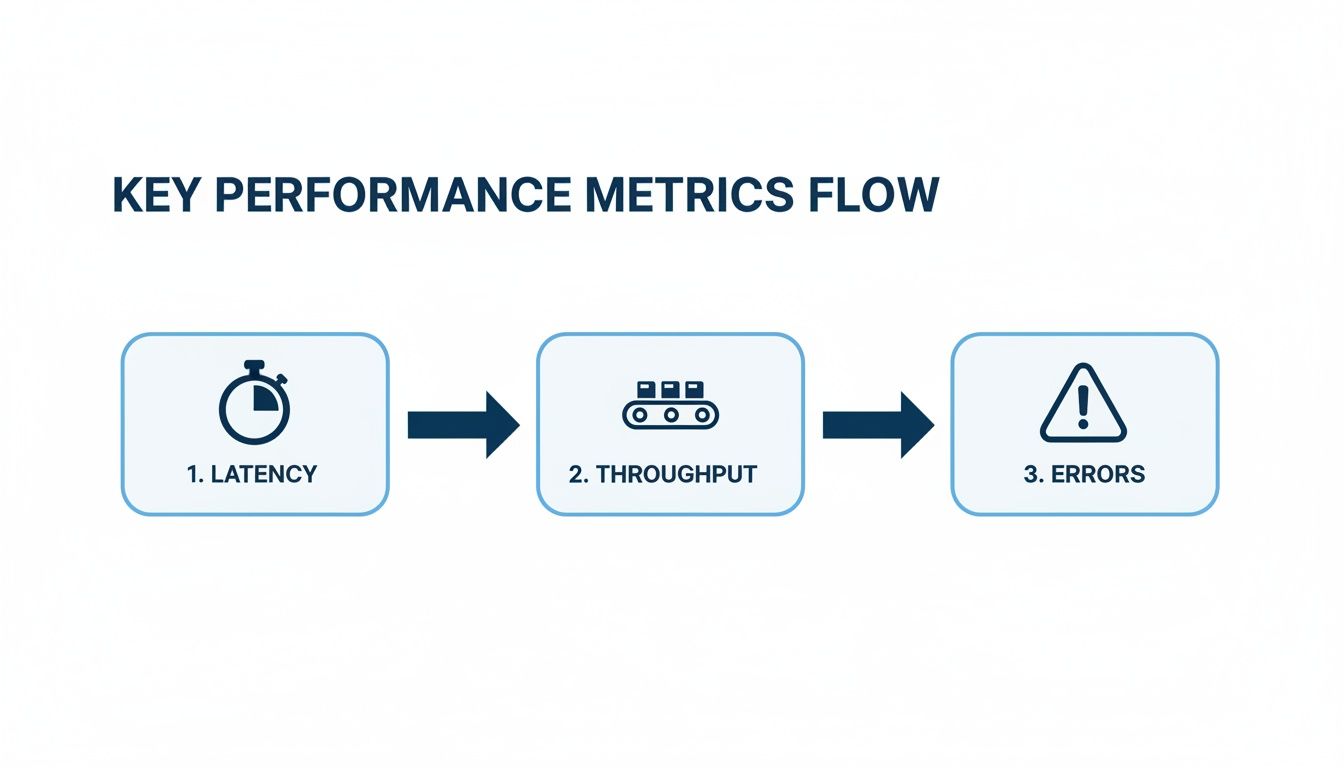
By replaying real traffic, the numbers you see for these metrics directly reflect how your system will actually hold up under production conditions.
Using GoReplay for Session-Aware Load Testing
This is exactly what tools like GoReplay were built for. It works by listening to the network traffic on your production server and recording HTTP requests and responses without getting in the way or slowing anything down. It can then redirect this captured traffic to a test environment, giving you a perfect mirror of your production load.
One of its most critical features is session-aware replay. GoReplay gets that a user’s journey is a series of connected actions, not just a bunch of random, isolated requests. It keeps user sessions intact, making sure that multi-step workflows like adding items to a cart, logging in, and checking out are replayed as one coherent sequence.
This level of realism delivers a few huge benefits:
- True-to-Life Scenarios: You’re testing against real user journeys, with all their quirks and unexpected turns.
- Accurate Load Simulation: You can dial up the traffic (10x, 100x, or more) while keeping the patterns realistic.
- Early Issue Detection: You’ll uncover bugs and bottlenecks that only show up under specific, real-world conditions.
This approach helps you pinpoint performance problems with incredible accuracy. You can finally answer the question, “Will this new feature survive our Black Friday rush?” because you’ve already tested it against that exact scenario. You can explore how to replay production traffic for realistic load testing to dive deeper into this technique.
Navigating the world of performance testing means learning to sidestep common traps while embracing strategies that actually deliver reliable results. So many teams stumble, not because the tools are complex, but because their entire approach is flawed from the get-go.
Understanding these pitfalls is the first real step toward building a testing process you can trust.
Common Testing Traps to Avoid
One of the biggest mistakes we see is waiting until the last minute. Treating performance testing like a final pre-launch checkbox is a recipe for absolute disaster. When you discover major bottlenecks just days before a release, you’re stuck choosing between delaying the launch or deploying a fragile application. Neither is a good look.
Another classic trap is testing in an environment that looks nothing like production. Running a load test on a developer’s laptop or a scaled-down staging server gives you data that is, at best, misleading. Those numbers simply don’t reflect how your application will behave under the pressure of real infrastructure and network conditions.
Flawed test data is another critical error. Using simplistic, repetitive data fails to mimic the complexity of real user inputs and can completely miss deep database-level bottlenecks. To get meaningful insights, your tests must challenge the system with the same kind of varied, unpredictable data your production environment handles every single day.
To get ahead of these issues, lock in on these key areas:
- Unrealistic Environments: Always test on a production-like replica. This is non-negotiable if you want accurate metrics on latency, throughput, and resource use.
- Last-Minute Testing: Integrate performance checks early and often. Don’t wait until the end of the development cycle to find a show-stopping issue.
- Ignoring Baselines: Without a performance baseline, you have no idea if you’re getting better or worse. Establish clear benchmarks from the very start.
The goal isn’t just to find problems; it’s to build confidence. A well-executed performance test should give you a clear “yes” or “no” on whether the application is ready for its users.
Building a Foundation with Best Practices
Shifting from avoiding pitfalls to adopting best practices really just means adopting a proactive mindset. The most successful teams embed performance into their culture, making it a shared responsibility between developers, QA, and operations. You’ll often hear this called “shifting left.”
By integrating automated performance tests directly into your CI/CD pipeline, you can catch performance regressions with every single code commit. This continuous validation loop ensures that performance is never an afterthought. It becomes a core, non-negotiable part of the development process, just like unit or integration testing.
A key part of this is making smart decisions about foundational components from the start, like choosing performant React Native UI libraries, which directly influence the app’s overall speed and responsiveness. Fostering collaboration is just as critical. Developers need to understand performance implications, and QA engineers can provide invaluable insights into user behavior and potential failure points.
This teamwork transforms performance testing from a gatekeeping chore into a collaborative effort to build better, faster, and more reliable software for everyone.
Got Questions About Performance Testing?
When teams first dip their toes into performance testing, a few common questions always seem to pop up. Let’s clear the air on some of the big ones so you can get started on the right foot.
Performance Testing vs. Functional Testing: What’s the Difference?
This is probably the most frequent point of confusion. Think of it this way: functional testing is all about correctness. Does the login button work? Yes or no.
Performance testing, on the other hand, asks a much tougher question: “How well does that same login button work when 1,000 users all slam it at once?”
Functional testing verifies if a feature works. Performance testing validates how well it holds up under real-world pressure. One checks for correctness, the other for resilience.
When Is the Right Time to Start Performance Testing?
Another big question. For years, the standard practice was to save performance testing for the very end, right before a big launch. This is a recipe for disaster—it leads to last-minute panic, high-stress delays, and incredibly risky deployments.
A much smarter approach is to “shift-left,” integrating performance testing as early and as often as you can. This means running small, automated performance checks with every single code commit. You catch performance regressions the moment they happen, when they’re still cheap and easy to fix. Performance stops being a final hurdle and becomes just another part of your quality baseline.
Isn’t Performance Testing Just for Big Companies?
It used to be. Not long ago, running proper performance tests required a ton of expensive, specialized tools and a dedicated infrastructure team to manage it all. That world is long gone.
Today, powerful open-source tools and affordable cloud services have completely leveled the playing field. Tools like GoReplay empower teams of any size to capture real production traffic and replay it for incredibly realistic load tests, all without breaking the bank. Startups and global enterprises alike can now build sophisticated testing strategies to make sure their apps are fast, solid, and ready for anything.
Ready to test your application with real-world traffic? GoReplay makes it easy to capture and replay user sessions, so you can run load tests that truly reflect reality. Get started with GoReplay for free.