
What Is in a Test Plan An Essential Guide

Think of a test plan as the blueprint for your entire quality assurance effort. It’s the strategic document that lays out the scope, objectives, approach, resources, and timeline for every single testing activity.
It’s your team’s single source of truth for quality, making sure everyone—from developers to stakeholders—is on the same page about what gets tested, how it gets tested, and what “done” actually looks like.
Your Blueprint for Software Quality
Before an architect builds a skyscraper, they draft a detailed blueprint. It’s the master plan that aligns everyone, from the construction crew to the investors, on the final vision. A test plan does the exact same thing for a software project.
It transforms testing from a chaotic, reactive scramble into a predictable, managed process. Without one, teams end up wasting time, missing critical bugs, and ultimately shipping a product that falls flat with users.
Why a Test Plan Is Non-Negotiable
The financial sting of software defects really puts the need for planning into perspective. The global cost to find and fix software bugs is estimated at a jaw-dropping $312 billion every year. A solid test plan is your first and best defense, helping you catch those expensive issues early on. You can dig into the numbers in the full research on software defect costs.
But a well-crafted plan does more than just find bugs. It brings a ton of other benefits to the table:
- Gets Everyone on the Same Page: It ensures developers, testers, and product managers all share a common understanding of the quality goals.
- Draws a Clear Line in the Sand: It defines exactly what’s in-scope (to be tested) and what’s out-of-scope, which kills confusion before it starts.
- Manages Your Resources: It outlines the people, tools, and environments you’ll need, which makes getting budget and staffing approvals much easier.
- Makes Testing Predictable: It lays out a clear schedule with real deliverables, making the whole process transparent for everyone involved.
To give you a quick fly-by of what goes into one of these documents, the table below breaks down the core components we’ll be exploring.
Core Components of a Test Plan at a Glance
This table offers a high-level summary of the essential sections you’ll find in just about every software test plan and what each one is for.
| Component | Purpose |
|---|---|
| Scope | Defines the boundaries of what will and will not be tested. |
| Strategy | Outlines the overall approach, including testing types and tools. |
| Environment | Specifies the required hardware, software, and network configurations. |
| Schedule | Sets the timeline, milestones, and key deadlines for testing activities. |
| Resources | Identifies the team members involved and their specific responsibilities. |
| Deliverables | Lists the tangible outcomes, such as test reports and bug summaries. |
Think of these components as the foundational pillars of your testing strategy. Getting them right from the start is what separates a smooth testing cycle from a stressful, chaotic one.
Deconstructing the Key Elements of a Test Plan
A great test plan is so much more than a checklist. It’s a blueprint that breaks down a project’s quality goals into clear, actionable pieces. Each section has a specific job, turning fuzzy ideas about “making it work” into a concrete strategy. If you’ve ever wondered, “what’s actually in a test plan?”, this is where we peel back the layers.
Think of it like building a house. You don’t just show up with a pile of bricks and hope for the best. You need a solid foundation (the scope), a structural design (the strategy), a detailed list of materials (test items), and a final inspection checklist (pass/fail criteria). Every part depends on the others to make sure the final structure is sound.
This diagram shows how a test plan answers the big questions: what to test, how to test it, and who’s on the hook.
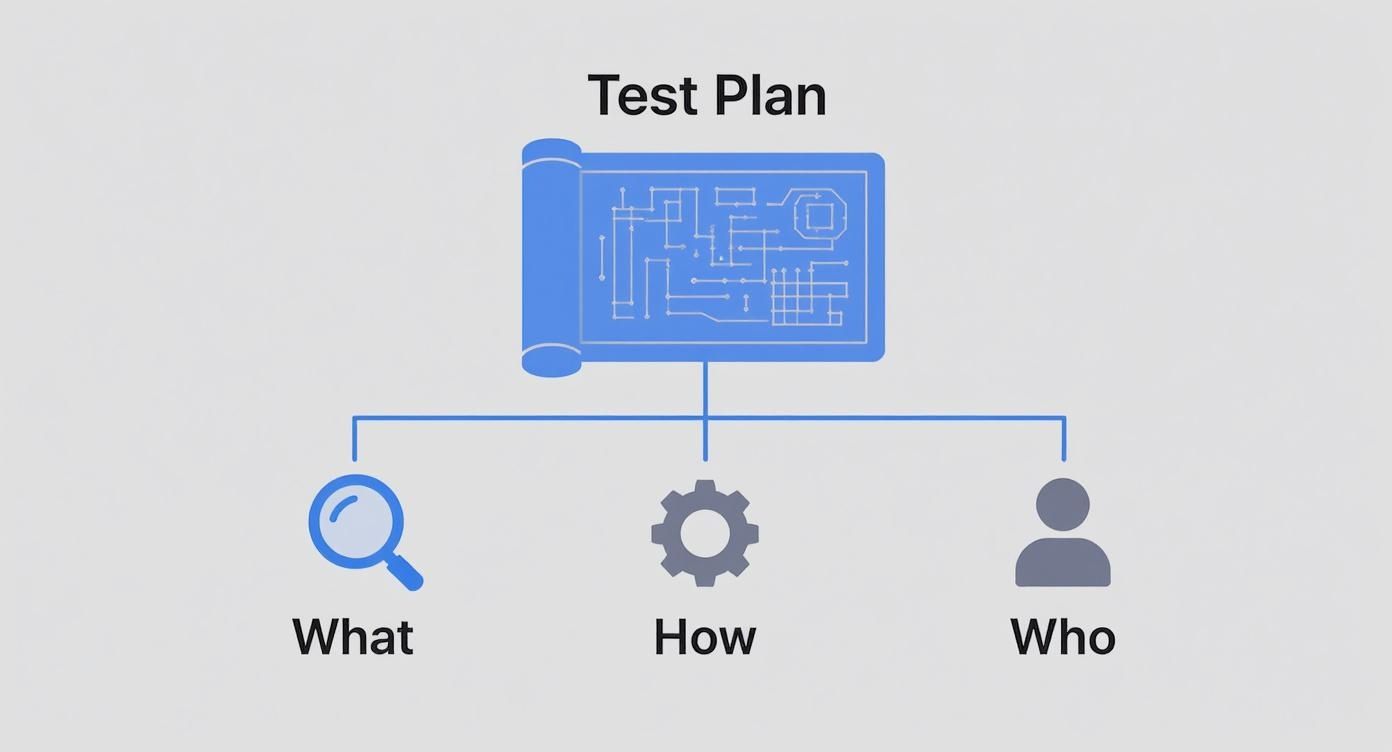
As you can see, the plan is the central document that branches out into all the key pillars of planning and execution.
Defining the Testing Scope
The scope is your line in the sand. It draws a hard boundary around your testing effort, spelling out exactly what will be tested (in-scope) and, just as crucially, what won’t be (out-of-scope). This is your best defense against “scope creep,” where last-minute feature requests throw your entire schedule into chaos.
For instance, if you’re testing a new e-commerce checkout flow, your in-scope items might be:
- Processing credit card payments
- Applying discount codes
- Functionality for guest checkout
On the flip side, your out-of-scope items could include:
- The user account creation page
- The product recommendation engine
- Password recovery emails
Getting this down on paper ensures everyone—from developers to project managers—is on the same page. It’s no surprise that a 2021 global survey found 92% of QA teams consider a clearly defined scope essential to their test plans.
Crafting a Winning Test Strategy
If the scope is the what, the test strategy is the how. This is your high-level game plan for hitting your testing goals. It outlines the kinds of testing you’ll perform, the tools you’ll need, and your overall approach to finding bugs.
Will you rely on manual exploratory testing to uncover usability quirks? Or will you use automated scripts to hammer away at regression tests? The strategy answers these big-picture questions. For example, your strategy might specify using GoReplay for load testing to see how the system holds up against real production traffic during a holiday shopping rush.
A test strategy doesn’t list out every single click and keystroke. It provides the guiding principles and methods that will shape the detailed test cases, making sure the whole team is pulling in the same direction.
This section is the bridge between high-level goals and the nitty-gritty of test execution. For a look at that next level of detail, check out our guide on how to write effective test cases.
Identifying the Test Items
Test items are the specific software components, features, or modules that are going under the microscope. Think of it as a more granular breakdown of what you defined in the scope. It’s a tangible inventory of everything that needs to be validated.
Sticking with our e-commerce example, your list of test items might look something like this:
- Feature: Payment Gateway Integration
- Software Module:
PaymentProcessor.dll - User Story: “As a customer, I want to save my shipping address for future orders.”
This list serves as a practical checklist, making sure no critical piece of the application gets forgotten during the testing cycle.
Establishing Pass and Fail Criteria
How do you know when you’re actually done testing? That’s where Pass/Fail Criteria, often called exit criteria, come in. These are the objective, measurable conditions that have to be met before you can declare a test cycle complete.
Having clear criteria stops the endless “one more test” cycle and takes the guesswork out of the equation. Success is defined in black-and-white terms everyone can agree on.
- Example Pass Criteria: “98% of all critical-path test cases must pass.”
- Example Fail Criteria: “No showstopper or critical bugs can remain open.”
- Another Pass Criterion: “The application’s response time must be under 2 seconds for 95% of transactions.”
Setting these rules upfront ensures the final decision to ship the software is backed by data, not just a gut feeling.
Defining Your Testing Logistics and Resources
A brilliant testing strategy is just a theory without the right people, tools, and time to make it happen. This is where the test plan gets down to business, shifting from the what to the how. Think of it like planning a major expedition—you wouldn’t set off to climb a mountain without a map, the right gear, and a clear timeline.
This section nails down the practical resources needed to bring your test strategy to life. It answers the tough questions: What hardware do we need? Who’s doing the testing? And when does it all need to be done? Getting these logistics right is how you avoid common project-killers like under-resourced teams and impossible deadlines.

Specifying the Test Environment
The test environment is the stage where your software will perform. It’s the specific mix of hardware, software, and network configurations your team will use for every test. If this environment is poorly defined, you’ll get unreliable results—you might miss critical bugs or chase “phantom” issues that don’t even exist in production.
A detailed plan ensures every test is consistent and trustworthy. It should pin down:
- Hardware: Server types, CPU specs, memory, and any storage requirements.
- Software: Operating systems, specific browser versions, database versions, and any other third-party tools.
- Network: Bandwidth limits, firewall settings, and any special network protocols needed to run the application.
The goal is to mirror the production environment as closely as possible. This alignment makes sure that what you test is what your users will actually get, preventing those nasty last-minute surprises after launch.
Properly setting up this stage is a discipline in itself. For a much deeper dive, you should explore these test environment best practices to build a setup that’s rock-solid from day one.
Assembling Your Testing Team
Once the stage is set, you need the right actors. The staffing and training part of a test plan identifies who is responsible for what and what skills they’ll need to pull it off. This isn’t just a list of names; it’s your human resources battle plan.
This section lays out clear roles and responsibilities. For instance, you might assign a Senior QA Engineer to hammer on performance testing while a Junior Tester methodically works through manual regression checks. It also flags skill gaps early. If your plan calls for advanced security testing but nobody on the team has that expertise, this is where you highlight the need for training or outside help—long before the deadline is staring you down.
Creating a Realistic Schedule
Finally, every logistical plan needs a timeline. The schedule is probably the most scrutinized part of any test plan, and for good reason. It provides a detailed breakdown of all testing activities, how long they should take, and the major milestones along the way. A good schedule avoids vague timelines and gives everyone concrete dates to work toward.
It usually includes:
- Effort Estimation: A realistic calculation of the time required for each major testing task.
- Deadlines: Hard end dates for key phases like test case creation, execution, and bug verification.
- Milestones: Major checkpoints, like “Completion of regression testing,” that let stakeholders see real progress.
A schedule that’s well-researched and backed by data from past projects builds confidence and sets expectations. It turns testing from an open-ended chore into a managed, predictable part of the project, making sure everyone is on the same page.
Managing Risks and Measuring Success
A test plan isn’t just a roadmap to a successful launch; it’s also your playbook for when things get messy. Let’s be honest, they always do. The best plans anticipate the bumps in the road and define what “done” actually looks like for everyone involved. This is where a simple checklist evolves into a true strategic tool.
This section is all about building that resilience. We’ll cover how to spot and handle risks, track bugs without letting anything fall through the cracks, and define the tangible outcomes—the deliverables—that prove your testing did its job. It’s about preparing for the worst while clearly defining the best.

Identifying and Managing Risks
Every single project has potential roadblocks. Risk management is simply the process of spotting these problems ahead of time and figuring out how you’ll handle them. It’s the difference between reacting to a fire and having a fire extinguisher ready. Skipping this step is one of the fastest ways to derail a project.
Risks pop up from all sorts of places:
- Technical Risks: The test server is unstable, or that critical third-party API just isn’t ready when they promised.
- Resource Risks: Your lead QA engineer gets the flu for a week, or the budget for a necessary testing tool gets slashed.
- Schedule Risks: Development runs late, squeezing your testing window from two weeks down to two days. Sound familiar?
Once you’ve brainstormed a list of what could go wrong, you can map out a simple response plan. This is often done with a risk matrix, where you weigh the likelihood and impact of each risk to decide which ones need your immediate attention.
Think of risk management as buying insurance for your project timeline. You hope you never need it, but having a contingency plan in place provides immense peace of mind and keeps small hiccups from turning into project-derailing disasters.
This isn’t about being pessimistic; it’s about being prepared. A little foresight here prevents a whole lot of panic later.
Here’s a simplified look at how you might structure a risk assessment. The goal is to get these potential issues out of your head and onto paper where the whole team can see and plan for them.
Example Risk Assessment Matrix
| Risk Description | Likelihood (Low/Medium/High) | Impact (Low/Medium/High) | Mitigation Plan |
|---|---|---|---|
| Key API integration is delayed by third-party vendor | Medium | High | Develop mock API endpoints for initial testing; establish daily check-ins with the vendor. |
| Performance testing environment is not ready on time | Medium | Medium | Schedule a backup environment on a cloud provider as a contingency. |
| Unexpected resignation of a key QA team member | Low | High | Document all critical test processes; ensure knowledge is shared across at least two team members. |
| High number of critical bugs found late in the cycle | High | High | Implement earlier integration testing; allocate a buffer in the schedule for late-stage bug fixing. |
This matrix helps you prioritize. A high-impact, high-likelihood risk needs a rock-solid mitigation plan, while a low-impact, low-likelihood one might just need to be monitored.
Tracking Defects and Reporting Issues
So, you found a bug. Now what? A clear defect tracking process ensures that bug gets the attention it deserves. It’s a defined workflow for how a bug gets reported, assigned, prioritized, fixed, and, crucially, retested. Without it, critical issues get lost in Slack channels, buried in email threads, or just plain forgotten.
A solid test plan will name the tools you’re using—like Jira or TestRail—and lay out the exact procedure. This includes defining severity and priority levels so developers know what to tackle first. A “showstopper” bug that crashes the entire app obviously trumps a minor typo on the contact page.
Defining Your Test Deliverables
At the end of the day, how do you prove you did your job? Test deliverables are the tangible artifacts you produce during the testing cycle. They are the hard evidence of your team’s efforts and give stakeholders the information they need to make the final call.
These deliverables are what executives and product managers will review to make that final go/no-go decision for a release. Your test plan should state exactly what you’ll provide, which typically includes things like:
- Test Cases: The detailed, step-by-step scripts used to validate functionality.
- Defect Reports: A comprehensive log of every bug found, including its status and steps to reproduce.
- Test Summary Report: The big picture. This high-level document summarizes the entire testing effort, including tests passed/failed and a list of any outstanding critical issues.
By defining these outputs upfront, you set crystal-clear expectations for what “done” looks like. No ambiguity, no confusion—just a shared understanding of the product’s quality.
Your Test Plan Needs to Keep Up With Modern Development
Let’s be honest: the hundred-page test plan gathering dust on a shelf is an artifact of a bygone era. Modern software development moves way too fast for that. Your test plan can’t be a rigid document carved in stone; it needs to be a flexible, living guide that adapts as quickly as your codebase does.
This shift is most obvious when you look at how we build software today versus a decade ago. In a traditional Waterfall project, the test plan was a massive, comprehensive contract. It tried to detail every possible step before a single test was ever run because the process was slow, sequential, and built for predictability.
Now, think about Agile and DevOps. Teams working in sprints need lean, dynamic plans that focus on immediate goals. These plans are constantly updated as requirements change and new information pops up. In this world, flexibility isn’t just a nice-to-have—it’s the core principle that makes the whole thing work.
From a Single Blueprint to Specialized Plans
Just like a construction project has separate blueprints for plumbing, electrical, and structural work, modern software testing requires different plans for different needs. You wouldn’t use the same approach to test security as you would for performance, so a one-size-fits-all document just doesn’t cut it for complex projects.
This has pushed teams toward a more specialized approach. In fact, a recent study found that 60% of large enterprises now use multiple types of test plans to cover all their bases, which really highlights how complex software has become. You can learn more about how test plan components have evolved over time.
Here are a few of the specialized plans you’ll run into:
- Master Test Plan: Think of this as the high-level umbrella document. It coordinates all testing activities across a large project, outlining the overall strategy, resources, and timelines.
- Phase Test Plan: This plan zeros in on a specific stage of testing. You might have one for Integration Testing and another, critically important one for User Acceptance Testing (UAT).
- Specific Test Plan: This type gets even more granular, drilling down into a particular testing discipline. You’ll often see a dedicated Performance Test Plan or a Security Test Plan, each with its own unique goals, tools, and methods.
Matching the Plan to the Project
So, which type of plan do you actually need? The answer, as always, is: it depends entirely on your project’s context.
A small team building a simple mobile app might get by with a lightweight, sprint-level test plan that lives in a shared Confluence page or Google Doc. It’s quick, easy to update, and gets the job done.
But if you’re a large financial institution building a new trading platform, you’ll absolutely need a Master Test Plan. Under that, you’d have separate, highly detailed plans for security, performance, and regulatory compliance testing. Each one is a project in itself.
The key takeaway is that the modern answer to “what is in a test plan” is adaptive. The best test plan is one that is perfectly scaled to your project’s size, methodology, and risk profile—serving as a useful tool rather than a bureaucratic hurdle.
Frequently Asked Questions About Test Plans
Even the best guides leave a few questions unanswered. When you’re in the trenches creating and managing test plans, practical issues always pop up. Here are some quick, clear answers to the questions we hear most often, designed to help you handle real-world challenges with confidence.
How Detailed Should a Test Plan Be?
The honest answer? It depends entirely on your project’s context.
A small, agile team building an internal tool can probably get by with a lightweight plan that lives in a shared doc. The goal is just to keep everyone aligned without drowning in paperwork.
On the other hand, if you’re part of a large, distributed team building mission-critical financial software, you’ll need a much more detailed, formal plan. This isn’t just for you—it’s often a hard requirement for meeting strict regulatory and compliance standards.
The real goal is clarity and alignment. Your test plan should give a new team member enough information to understand the testing goals, scope, and process. Always prioritize usefulness over sheer volume.
Who Is Responsible for Writing the Test Plan?
Typically, a Test Lead or QA Manager owns the document. But writing a test plan should never be a solo mission—it’s a fundamentally collaborative effort.
To build a plan that’s both ambitious and realistic, the author absolutely needs input from a few key players:
- Project Managers help align the plan with timelines and major milestones.
- Developers can point out technical risks and tricky areas in the code.
- Business Analysts ensure the acceptance criteria truly reflect what users need.
This teamwork ensures the final document is grounded in both business goals and technical reality. In smaller teams where there isn’t a dedicated manager, a senior QA engineer often steps up to lead the charge.
Can a Test Plan Change During the Project?
Absolutely. In fact, it should. A great test plan is a living document, not some static artifact that gets signed off and then forgotten. It has to adapt to the realities of the project as they unfold.
This is especially true in Agile environments where plans must evolve to handle changing requirements, new discoveries, and shifting priorities. When a big change in scope happens or a new risk emerges, the test plan needs to be updated right away.
The crucial part? Make sure these changes are communicated clearly to all stakeholders. This flexibility is what keeps the testing effort relevant and effective from the first sprint to the final release, ensuring your plan remains a useful guide instead of an outdated relic.
Ready to supercharge your testing with real-world traffic? With GoReplay, you can capture and replay production traffic to validate your application’s performance and stability under realistic conditions. Stop guessing and start testing with data you can trust. Learn more about GoReplay and see how it can transform your QA process.