
7 Essential Types of Performance Testing for 2025
In modern software development, an application’s success hinges not just on its features but on its ability to perform reliably under real-world conditions. A slow, unresponsive, or unstable system can lead to user frustration, lost revenue, and damage to your brand’s reputation. This is where a strategic approach to performance testing becomes non-negotiable for any serious engineering team. It’s the critical practice that validates an application’s speed, scalability, and stability, ensuring it can handle expected and unexpected user traffic without faltering.
This comprehensive guide moves beyond surface-level definitions to provide a deep, actionable overview of the essential types of performance testing. We will explore seven distinct methodologies that every developer, QA engineer, and DevOps professional should understand. For each type, you will gain practical insights into its specific purpose, ideal use cases, and key metrics to monitor. More importantly, we’ll provide concrete implementation details and recommended tools, including powerful open-source solutions like GoReplay, to help you integrate these practices into your development lifecycle effectively.
By the end of this article, you will have a clear framework for selecting and executing the right tests to uncover performance bottlenecks, validate infrastructure limits, and ultimately build more resilient and robust applications. You’ll learn not just what each test is, but precisely when and how to apply it to safeguard your system’s stability and deliver a superior user experience. This guide is your roadmap to transforming performance testing from a routine checklist item into a strategic advantage.
1. Load Testing: Validating Performance Under Expected Conditions
Load testing is a foundational discipline within the broader category of performance testing. Its primary purpose is to simulate and measure how a system, application, or network behaves under a specific, expected load. This isn’t about breaking the system; it’s about verifying that it can gracefully handle its anticipated day-to-day and peak-hour traffic without performance degradation.
This method answers the crucial question: “Can our application support the expected number of users during normal and peak business hours?” By simulating real-world user activity, teams can establish performance baselines, measure response times, and identify potential bottlenecks before they affect actual customers. As one of the most common types of performance testing, it provides the critical data needed to ensure a stable user experience.
When and Why to Use Load Testing
Load testing is essential in several key scenarios:
- Before a New Launch: To ensure a new application or feature can handle its projected user base from day one.
- Preparing for High-Traffic Events: For an e-commerce site anticipating a Black Friday sale or a streaming service preparing for a major live event.
- After Major Code Changes: To verify that recent updates haven’t introduced performance regressions.
- Capacity Planning: To understand current infrastructure limits and make informed decisions about scaling resources.
The primary benefit is proactive problem-solving. It helps you find and fix issues like slow database queries, inefficient code, or insufficient server resources under controlled conditions, rather than during a live service outage.
Key Insight: Load testing is not just about servers and infrastructure. It often reveals application-level issues, such as memory leaks, poor caching strategies, or inefficient algorithms that only become apparent under sustained user traffic.
How to Implement Load Testing Effectively
A successful load test requires careful planning and execution.
- Define Clear Objectives: Start by defining what you want to measure. Key metrics often include response time, throughput (transactions per second), CPU utilization, and memory usage. Establish clear success criteria, such as “95% of API calls must have a response time under 500ms with 1,000 concurrent users.”
- Create Realistic Scenarios: User behavior is rarely uniform. Your test scripts should mimic actual user journeys, including logging in, browsing products, adding items to a cart, and checking out. Don’t just hit a single API endpoint repeatedly.
- Use Appropriate Tools: Tools like Apache JMeter and Gatling are excellent for generating synthetic user load. For tests that require mirroring real production traffic patterns, a tool like GoReplay is invaluable. GoReplay can capture and replay actual HTTP traffic from your production environment to a staging server, providing a highly realistic load profile without complex scripting. This is a powerful way to validate performance against true user behavior.
2. Stress Testing: Discovering Your System’s Breaking Point
Where load testing confirms performance under expected conditions, stress testing pushes a system beyond its normal operational capacity to find its breaking point. Its primary goal is to determine the maximum load the system can handle before performance degrades unacceptably or it fails completely. It’s a controlled experiment in failure designed to understand system limits and ensure graceful degradation under extreme pressure.

This method answers the critical question: “How and when will our system fail, and how will it recover?” By deliberately overloading the system, teams can observe failure modes, measure recovery time, and identify the weakest links in the architecture. As one of the more intense types of performance testing, it is essential for building resilient and fault-tolerant applications that can withstand unexpected surges in traffic.
When and Why to Use Stress Testing
Stress testing is crucial for systems where high availability and reliability are non-negotiable:
- Preparing for Extreme Events: A financial trading platform must prepare for massive market volatility, or a gaming server must be ready for a worldwide launch day surge.
- Validating System Resilience: To ensure that one component’s failure does not cause a cascading failure across the entire system.
- Understanding Maximum Capacity: To determine the absolute upper limit of users or transactions a system can support before requiring significant architectural changes.
- Planning for Disaster Recovery: To see how the system behaves upon failure and to validate that recovery and failover mechanisms work as expected.
The main benefit is building confidence in your system’s robustness. It exposes vulnerabilities related to resource exhaustion, such as memory leaks, CPU limitations, and database connection pool exhaustion, that may not surface during standard load tests.
Key Insight: Stress testing is not about pass or fail; it’s about observation and learning. The goal is to understand how your system breaks so you can make it more resilient. A “successful” stress test is one that provides clear data on failure points and recovery behavior.
How to Implement Stress Testing Effectively
A productive stress test is a destructive process that demands a highly controlled environment.
- Isolate the Test Environment: Never run stress tests on a production environment. Use a dedicated, isolated staging environment that mirrors production as closely as possible to prevent impacting real users and services.
- Define Failure Conditions: Clearly define what constitutes a “failure.” This could be response times exceeding a 10-second threshold, error rates surpassing 20%, or a complete server crash.
- Monitor Recovery (Autoscaling): Just as important as finding the breaking point is observing how the system recovers. Measure the time it takes for the system to return to a stable state after the extreme load is removed. This tests the effectiveness of your autoscaling and self-healing mechanisms.
- Use Realistic Traffic Patterns: While the load is extreme, the traffic patterns should still be realistic. Using a tool like GoReplay allows you to capture real production traffic and replay it at an amplified rate. This provides a much more authentic stress scenario than simply hitting one endpoint with an unrealistic number of requests. If you want a deeper dive, you can learn more about this in our ultimate blueprint for API stress testing.
3. Volume Testing: Assessing Performance with Large Data Sets
Volume testing, sometimes called flood testing, is a specialized discipline within performance testing that focuses on a system’s ability to handle massive quantities of data. Unlike load testing, which centers on user concurrency, volume testing evaluates how the application, database, and infrastructure perform when subjected to a large volume of information. The goal is to identify performance bottlenecks, data processing errors, and storage limitations before they impact the system in a production environment.
This method answers the critical question: “Can our system efficiently process, store, and retrieve large data sets without crashing or slowing down?” It’s essential for data-intensive applications, ensuring that database queries, file transfers, and data manipulation operations remain performant as data scales. As one of the more data-centric types of performance testing, it is vital for building robust systems that can grow with their data requirements.
When and Why to Use Volume Testing
Volume testing is indispensable in specific, data-heavy scenarios:
- For Big Data Systems: To validate the performance of ETL (Extract, Transform, Load) processes in data warehouses or the processing capabilities of a big data platform like Hadoop or Spark.
- Before Data Migration: To ensure the system can handle a large-scale data import from a legacy system without failures or significant downtime.
- For Applications with Archiving: To test the performance of data archiving and purging mechanisms, which are crucial for long-term system health.
- Validating Scalability: To understand how the system behaves as the database grows over months or years, helping teams plan for future storage and processing needs.
The main benefit is ensuring data integrity and system stability under high-data conditions. It helps uncover issues like slow database indexing, inefficient query performance on large tables, or I/O bottlenecks that only manifest when dealing with substantial data volumes.
Key Insight: Volume testing is not just about the database. It can reveal performance issues in the application layer, such as high memory consumption when processing large result sets or inefficient serialization/deserialization of large data objects.
How to Implement Volume Testing Effectively
A successful volume test requires a focus on data realism and system-wide monitoring.
- Define Data-Centric Objectives: Your goals should be tied to data operations. Establish clear success criteria like, “The daily batch import of 10 million records must complete within the 2-hour maintenance window,” or “Queries on the primary transactions table must return in under 2 seconds, even with 500 million rows.”
- Generate Realistic, Large-Scale Data: The quality and structure of your test data are paramount. Don’t just insert millions of identical rows. Use data generation tools to create large datasets that mirror the distribution, variety, and complexity of real production data.
- Monitor Key System Resources: While application metrics are important, volume testing demands a close watch on data-related resources. Key metrics include database CPU and memory usage, disk I/O wait times, and network throughput during data transfers. Tools like GoReplay can be instrumental here. While primarily used for traffic, its ability to capture and replay production database traffic (for supported databases like PostgreSQL and MySQL) allows you to test database performance under realistic query loads, which is a core component of validating volume-handling capabilities.
4. Spike Testing: Preparing for Sudden Traffic Surges
Spike testing is a specialized subset of performance testing designed to evaluate how a system behaves when subjected to sudden, extreme, and unexpected increases in user load. Unlike load or stress testing, which often involves a gradual ramp-up, spike testing simulates the volatile conditions of a viral social media post, a flash sale announcement, or a breaking news story. The goal is to see if the system can handle the abrupt surge and, just as importantly, recover gracefully once the traffic subsides.
This method directly answers the question: “Will our system crash if traffic instantly multiplies by 10x or 100x?” It is one of the most critical types of performance testing for businesses operating in highly dynamic environments. By intentionally overwhelming the system for short bursts, teams can validate auto-scaling mechanisms, identify recovery protocols, and ensure that a sudden rush of success doesn’t lead to a catastrophic failure.

When and Why to Use Spike Testing
Spike testing is not a daily routine but is vital for specific business contexts:
- Viral Content Readiness: For social media platforms, content sites, or any application where a piece of content could suddenly go viral.
- Promotional Events: For e-commerce and retail sites launching flash sales, limited-time offers, or dropping exclusive products that attract massive, simultaneous interest.
- Breaking News Scenarios: For news and media outlets that must remain stable when a major global event drives unprecedented traffic to their site.
- System Recovery Validation: To verify that auto-scaling rules trigger correctly and that the system returns to a normal operational state without manual intervention after the spike.
The primary benefit is building resilience against volatility. It helps you understand how your system’s components, from the load balancer and web servers to the database, react under extreme pressure and ensures that your recovery procedures are effective.
Key Insight: A successful spike test isn’t just about surviving the surge. It’s also about analyzing the recovery period. A system that scales up quickly but fails to scale down efficiently can lead to exorbitant and unnecessary infrastructure costs after the event is over.
How to Implement Spike Testing Effectively
Effective spike testing requires precision and a focus on both the surge and its aftermath.
- Define Spike Conditions: Determine the expected baseline load and the anticipated spike load. For instance, go from 100 concurrent users to 2,000 concurrent users in less than one second, hold for one minute, and then drop back to 100.
- Monitor Key Recovery Metrics: Focus on more than just response time during the spike. Monitor the time it takes for new cloud instances to spin up (auto-scaling), database connection pool behavior, and the time it takes for CPU and memory usage to return to baseline levels after the load is removed.
- Use Tools Capable of Sudden Bursts: Not all testing tools are good at creating sharp spikes. Apache JMeter can be configured for this with its Synchronizing Timer, and Gatling’s closed workload model can simulate these scenarios well. For a more authentic test, you can use GoReplay to capture a period of normal traffic and then replay it at a massively accelerated rate (e.g., 10x speed) to simulate a sudden influx of real user actions.
5. Endurance Testing: Ensuring Stability Over the Long Haul
Endurance testing, often called soak testing, is a specialized discipline that evaluates how a system performs under a sustained, moderate load over an extended period. Unlike other tests that focus on peak capacity or breaking points, its primary goal is to uncover time-dependent issues like memory leaks, resource exhaustion, or performance degradation that only surface after hours or even days of continuous operation.
This method answers the critical question: “Can our system run reliably for a long time without crashing or slowing down?” By simulating prolonged, realistic usage, teams can identify subtle bugs and stability problems that shorter tests would miss. As one of the most crucial types of performance testing for mission-critical applications, it provides the confidence needed to ensure long-term operational health and prevent unexpected outages.
When and Why to Use Endurance Testing
Endurance testing is indispensable for systems that require high availability and consistent performance over time. Key scenarios include:
- Mission-Critical Systems: For applications where downtime is not an option, like 24/7 monitoring systems or manufacturing control software.
- Before Deploying Long-Running Services: To ensure a new microservice or background process can operate for weeks or months without manual restarts.
- Investigating Gradual Degradation: When users report that an application gets progressively slower over the course of a day or week.
- Validating Resource Management: To confirm that the system properly handles resources like database connections, file handles, and memory allocation without leaks.
The primary benefit is discovering “slow-burn” defects. Issues like a gradual increase in response time, a creeping memory footprint, or database connection pool exhaustion are almost impossible to detect with short-duration tests but are easily caught with a proper endurance test.
Key Insight: Endurance testing is not just about server stability; it’s a deep dive into the application’s resource lifecycle. It uncovers flaws in how the application manages memory, handles database connections over time, and cleans up temporary files and logs, which are vital for long-term health.
How to Implement Endurance Testing Effectively
A successful endurance test requires patience and meticulous monitoring.
- Define Test Duration and Load: The test duration should mirror a realistic operational cycle, such as 8, 24, or even 72 hours. The load should represent a typical, sustained level of traffic, not a peak spike. The goal is consistency, not intensity.
- Establish Performance Baselines: Before starting the long run, capture baseline metrics for memory usage, CPU, response time, and error rates. The key success criterion is that these metrics remain stable and do not degrade beyond an acceptable threshold over the entire test duration.
- Monitor Key System Resources: Continuous monitoring is the core of endurance testing. Track memory consumption to spot leaks, CPU utilization to identify processing bottlenecks, disk I/O to check for logging issues, and network sockets to find connection leaks.
- Use Realistic, Continuous Traffic: To ensure the test is valid, the load must be continuous and mimic real-world patterns. Tools like GoReplay are highly effective here, as they can capture production traffic and replay it in a continuous loop against your test environment. This provides a constant, realistic load that accurately exercises the system’s long-term behavior without requiring complex script maintenance.
6. Scalability Testing: Ensuring Performance as Demand Grows
Scalability testing is a critical discipline that evaluates a system’s ability to handle an increasing workload by scaling its resources. It determines how effectively an application can grow to meet user demand, focusing on either “scaling up” (vertical scaling) by adding more power (CPU, RAM) to an existing server, or “scaling out” (horizontal scaling) by adding more servers to the resource pool. The goal is to ensure performance remains consistent and acceptable as the load increases.
This method answers the vital business question: “How will our system perform when the user load doubles, and can it do so cost-effectively?” By progressively increasing the load beyond normal operational capacity while monitoring scaling mechanisms, teams can validate their architecture’s elasticity. As one of the most important types of performance testing for modern, cloud-native applications, it provides the confidence that a system won’t just survive growth but thrive on it.
When and Why to Use Scalability Testing
Scalability testing is indispensable for dynamic environments:
- For Cloud-Native Applications: To validate auto-scaling policies in cloud environments like AWS or Azure, ensuring new instances are provisioned or de-provisioned correctly.
- In Microservices Architectures: To test if individual services can scale independently without creating downstream bottlenecks for other services.
- Validating Container Orchestration: To ensure platforms like Kubernetes can effectively scale pods up and down based on defined triggers like CPU or memory usage.
- Planning Future Growth: To understand the upper limits of the current architecture and make data-driven decisions about long-term infrastructure investments.
The primary benefit is ensuring both performance and cost-efficiency. It helps you find the sweet spot where your system can handle more users without a linear increase in operational costs, preventing over-provisioning and underperformance.
Key Insight: Effective scalability testing isn’t just about scaling up; it’s also about scaling down. Testing the system’s ability to release resources when demand subsides is crucial for controlling costs and ensuring operational efficiency in cloud-based models.
How to Implement Scalability Testing Effectively
A successful scalability test is methodical and focused on both performance and resource management.
- Define Scaling Triggers and Thresholds: Clearly define what will initiate a scaling event. This could be CPU utilization exceeding 75%, memory pressure, or a growing request queue. Set clear performance goals for each scaled level, such as “response times must remain under 1 second even after adding three new web servers.”
- Test Both Vertical and Horizontal Scaling: Design tests that evaluate both scaling dimensions if your architecture supports them. Determine which approach provides better performance and cost-effectiveness for your specific application workloads.
- Use Realistic, Incremental Load: Don’t just jump to a massive load. Incrementally increase the user traffic in steps, allowing the system time to trigger its scaling mechanisms at each stage. This helps identify the exact point where performance degrades or scaling fails. Tools like Apache JMeter can generate this incremental load, while a tool like GoReplay can provide the realistic traffic patterns needed to test how well complex auto-scaling rules respond to true user behavior. If your system relies on Kubernetes, understanding how to test its scaling capabilities is paramount; optimizing Kubernetes scalability requires specific strategies to be effective.
7. Capacity Testing: Determining the Upper Limits of Your System
Capacity testing is a forward-looking discipline within performance engineering that focuses on determining the maximum capacity of a system. Its purpose is to find the upper limit, the point at which performance starts to degrade unacceptably, by measuring the maximum number of users or transactions the system can handle. This isn’t about simulating normal traffic; it’s about pushing the system to its limits to understand its breaking point.
This method answers the critical business question: “How much can our system handle before it fails, and when will we need to scale?” By incrementally increasing the load beyond normal operational levels, teams can identify the ultimate capacity of their infrastructure and software. As one of the most strategic types of performance testing, it provides the data needed for long-term capacity planning and ensures the system can support future business growth.
When and Why to Use Capacity Testing
Capacity testing is crucial for strategic planning and risk management in several scenarios:
- Future Growth Planning: To determine how many more users or customers a system can support before requiring a significant infrastructure upgrade.
- Budgeting for Scalability: To provide concrete data that justifies investment in new hardware, cloud resources, or architectural redesigns.
- Evaluating Service Level Agreements (SLAs): To ensure that the system’s physical or virtual infrastructure can meet the performance guarantees promised to customers.
- Identifying the Weakest Link: To pinpoint which component (database, application server, network) is the first to fail under extreme load, guiding optimization efforts.
The primary benefit is proactive resource management. It allows organizations to make informed, data-driven decisions about scaling, preventing them from over-provisioning and wasting money or under-provisioning and risking system failure during periods of high growth.
Key Insight: Capacity testing results are not permanent. They are a snapshot in time. As the application evolves, new code is deployed, and user behavior changes, the system’s capacity will also change. Regular, periodic capacity testing is essential to keep plans current.
The following infographic highlights the core metrics that capacity testing aims to establish.
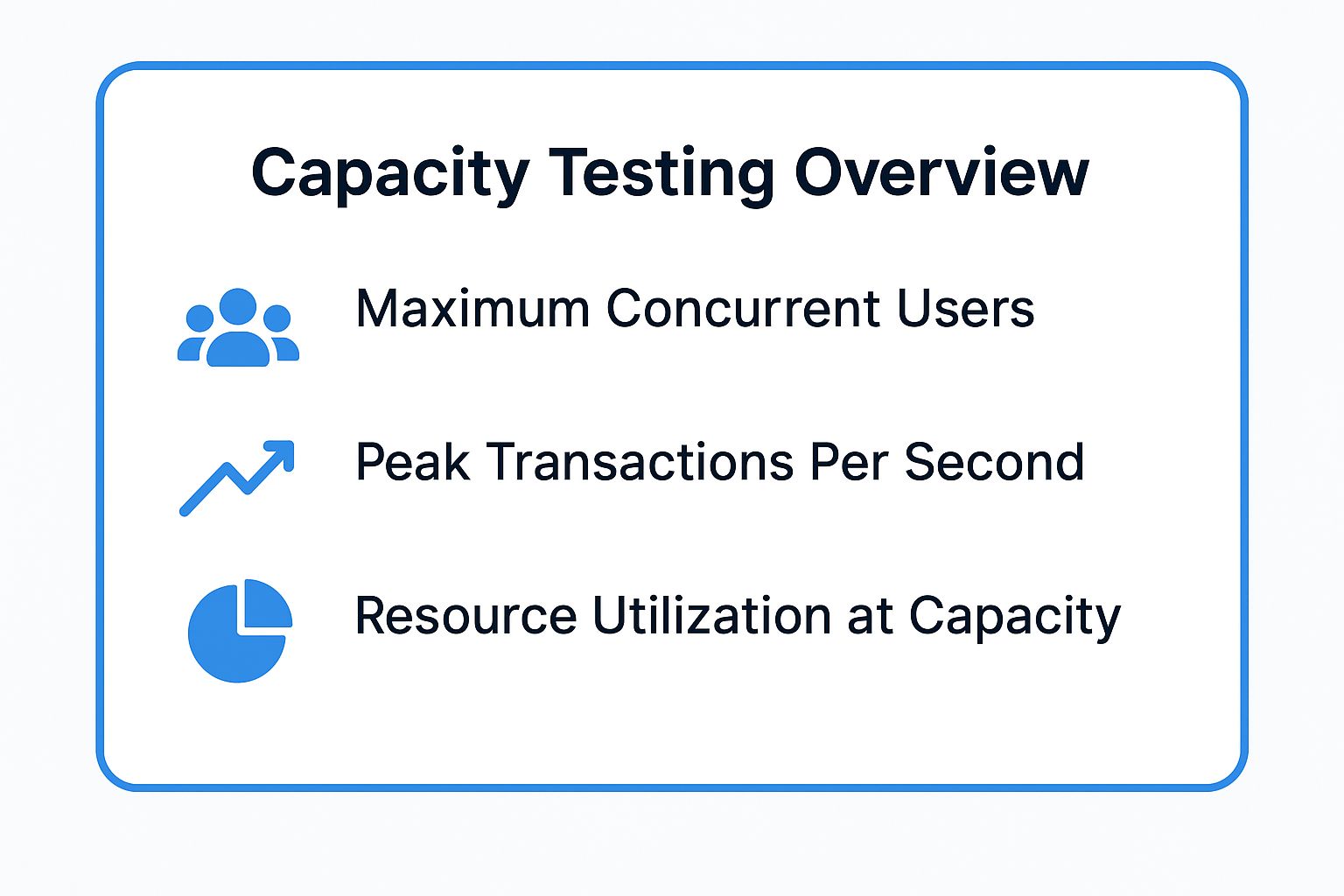
These visualized metrics represent the ceiling of your system’s capabilities, providing a clear baseline for all future scaling decisions.
How to Implement Capacity Testing Effectively
A successful capacity test requires a methodical and incremental approach.
- Define Performance Thresholds: Establish clear, non-negotiable performance acceptance criteria. For example, “System capacity is reached when the average response time for the checkout API exceeds 3 seconds, or when CPU utilization on the database server surpasses 90% for a sustained period.”
- Incrementally Increase the Load: Unlike a stress test that hits the system hard, a capacity test gradually increases the user load in controlled steps. This allows you to carefully observe at what specific user count or transaction volume the performance metrics begin to breach your defined thresholds.
- Monitor All System Tiers: True capacity is often limited by a single component. Monitor everything from the web server and application server CPU/memory to database I/O and network throughput. The goal is to find the bottleneck that defines your system’s maximum capacity.
- Leverage Realistic Traffic Replay: To ensure your capacity test is meaningful, the load must reflect real-world complexity. Using a tool like GoReplay is highly effective here. By capturing production traffic, you can replay it against a staging environment at increasing multiples (e.g., 2x, 5x, 10x traffic) to find the precise point of failure under realistic conditions, without writing complex test scripts.
Types of Performance Testing Compared
| Testing Type | Implementation Complexity 🔄 | Resource Requirements ⚡ | Expected Outcomes 📊 | Ideal Use Cases 💡 | Key Advantages ⭐ |
|---|---|---|---|---|---|
| Load Testing | Moderate - requires realistic scenarios and load modeling | Moderate - load generators, monitoring tools | Baseline performance metrics; bottleneck identification | Normal and peak load validation for web, e-commerce, banks | Reliable system performance under expected conditions; cost-effective early detection |
| Stress Testing | High - pushes system beyond limits, risk of crashes | High - isolated environment, careful monitoring | System limits and breaking points; failure modes analysis | Systems needing robustness under extreme conditions | Reveals breakpoints; improves error handling and resilience |
| Volume Testing | Moderate to High - requires large data sets and setup | High - significant storage and processing | Performance under heavy data volumes; data integrity validation | Data-intensive applications, databases, big data | Identifies data-related bottlenecks; validates scalability and storage |
| Spike Testing | Moderate - sudden load jumps, unpredictable patterns | Moderate - requires fast load injection and monitoring | System responsiveness and recovery from sudden spikes | Viral content, flash sales, breaking news scenarios | Tests auto-scaling; improves system resilience to abrupt load changes |
| Endurance Testing | High - long duration, continuous monitoring | High - sustained resource usage over time | Long-term stability; detects memory leaks and resource degradation | Systems needing continuous operation without degradation | Identifies stability issues and resource leaks over time |
| Scalability Testing | High - involves multiple scaling scenarios and infrastructure | High - needs scalable environment with auto-scaling | System capability to scale vertically/horizontally | Cloud apps, microservices, containerized platforms | Validates scaling architecture; optimizes resource and cost efficiency |
| Capacity Testing | Moderate - requires defining thresholds and multiple scenarios | Moderate to High - varying user/transaction loads | Maximum capacity limits; SLA boundaries; growth recommendations | Capacity planning for growing applications and infrastructure | Clear capacity limits; supports business growth planning and resource optimization |
Building a Resilient Future with a Comprehensive Testing Strategy
Navigating the landscape of modern software development requires more than just innovative features and elegant code. It demands a steadfast commitment to reliability, speed, and user satisfaction. As we’ve explored, the various types of performance testing are not isolated exercises but interconnected components of a holistic strategy designed to build and maintain digital resilience. From the steady pressure of Load Testing to the intentional chaos of Stress and Spike Testing, each discipline offers a unique lens through which to view your application’s behavior under duress.
The journey through Endurance, Volume, Scalability, and Capacity Testing further illuminates this principle. You are no longer just asking “Does it work?” but are posing more sophisticated, business-critical questions:
- How long can it sustain peak performance? (Endurance)
- How does it behave with massive data sets? (Volume)
- Can it grow efficiently with our user base? (Scalability)
- What is the absolute maximum it can handle? (Capacity)
Understanding these distinct testing types moves your team from a reactive, break-fix cycle to a proactive, predictive one. You gain the foresight to anticipate bottlenecks before they impact users, make informed infrastructure decisions, and confidently scale your services to meet market demand.
The Synergy of a Multi-Faceted Approach
The true power of performance testing is unlocked not by choosing one “best” type, but by integrating them into a cohesive continuous testing pipeline. A single performance test provides a snapshot in time, but a comprehensive strategy creates a living, breathing profile of your application’s health.
Consider this practical sequence:
- Establish a Baseline: Begin with Load Testing to understand how your system behaves under expected, everyday traffic. This forms your performance benchmark.
- Find the Breaking Point: Use Stress Testing to push beyond normal operational limits, identifying the weakest links in your architecture.
- Plan for Growth: Employ Scalability Testing to validate that your system can handle a 3x, 5x, or 10x increase in load, ensuring your architecture can support future business goals.
- Test for Longevity: Run Endurance Testing over extended periods to uncover subtle memory leaks or performance degradation issues that only appear over time.
This layered approach transforms testing from a pre-release checkbox into an ongoing strategic advantage. It builds confidence not just in your code, but in the entire system’s ability to deliver a flawless user experience, even during unexpected traffic surges or rapid growth phases.
Key Takeaway: The goal is not just to find bugs. The goal is to build a robust, scalable, and resilient system. Mastering the different types of performance testing is the most direct path to achieving that, providing empirical data to guide architectural improvements and capacity planning.
Your Actionable Path Forward
To translate this knowledge into action, start small but think strategically. Don’t feel obligated to implement all seven testing types at once. Instead, identify your most significant business risk and choose the test that best addresses it.
- Is a major marketing campaign on the horizon? Prioritize Spike Testing.
- Are you migrating to a new cloud provider? Focus on Scalability and Load Testing to compare performance.
- Are users complaining about slowdowns during peak hours? Begin with Load and Endurance Testing.
By aligning your testing efforts with specific business objectives, you demonstrate immediate value and build momentum for a more mature performance engineering culture. This strategic application ensures that every test cycle delivers actionable insights that directly contribute to a stronger, more reliable product and a happier user base. Ultimately, a well-executed performance testing strategy is an investment in your brand’s reputation and long-term success.
Ready to implement a more realistic and effective testing strategy? GoReplay empowers you to move beyond synthetic scripts by capturing and replaying real user traffic, making it an invaluable tool across many types of performance testing. Discover how you can easily set up shadow testing, load testing, and regression analysis using your actual production workload at GoReplay.