
The Ultimate 2025 Guide to Every Type of Performance Testing You Need to Know
In today’s competitive landscape, application performance is a direct reflection of business health. It’s not just about how fast a page loads; it’s about reliability under pressure, scalability during growth, and resilience in the face of unexpected events. A minor bottleneck can escalate into major user frustration, leading to lost revenue and significant brand damage. How do you guarantee your system can handle the predictable rhythm of a normal business day just as well as an unpredictable, viral traffic surge?
The solution is a robust, multi-faceted performance testing strategy. A one-size-fits-all approach is insufficient. To truly understand your system’s capabilities and breaking points, you must deploy a specific type of performance testing tailored to answer distinct questions. For example, knowing your application can handle 1,000 concurrent users (load testing) is different from knowing what happens when it’s hit with 10,000 users instantaneously (spike testing).
This comprehensive guide moves beyond generic definitions to provide actionable insights for building unbreakable applications. We will break down the most critical types of performance testing, including:
- Load Testing
- Stress Testing
- Spike Testing
- Endurance (Soak) Testing
- Ramp-up (Gradual Load) Testing
- Volume Testing
- Scalability Testing
- Baseline Testing
For each type, you will learn not just what it is, but when to use it, what success looks like, and how to design and execute tests effectively. We’ll explore real-world scenarios, common tools, and practical techniques, including how to simulate realistic user traffic. This listicle is your blueprint for identifying the right test for the right situation, ensuring your system is prepared for any challenge it might face in production.
1. Load Testing: Validating Performance Under Normal Conditions
Load testing is a fundamental type of performance testing that simulates expected, real-world user traffic to measure how an application behaves under normal and peak operating conditions. The primary goal isn’t to break the system, but rather to confirm it can gracefully handle its anticipated daily workload. This process is essential for establishing performance baselines, identifying potential bottlenecks before they impact users, and validating that infrastructure is correctly sized.

This foundational testing practice ensures that your application delivers a smooth, consistent, and responsive user experience under its typical traffic patterns. It directly answers the critical question: “Can our system handle the load we expect it to?”
When to Use Load Testing
Load testing is not a one-time event; it should be integrated throughout the development lifecycle. It is most critical:
- Before a new release: To verify that recent code changes or feature additions have not introduced performance regressions.
- Before a marketing campaign or event: To prepare for an anticipated surge in traffic, like a Black Friday sale for an e-commerce site.
- For capacity planning: To determine if the current infrastructure can support projected user growth and to make informed scaling decisions.
- To establish a baseline: Creating a performance benchmark against which all future tests can be compared.
Key Metrics and Test Design
Success in load testing is measured by monitoring key performance indicators (KPIs) against predefined service-level agreements (SLAs).
- Success Metrics: Average response time, peak response time, error rate (e.g., HTTP 5xx errors), throughput (transactions per second), and resource utilization (CPU, memory, network I/O).
- Test Design: A common approach is a gradual “ramp-up” test, where the number of virtual users increases incrementally over time. This helps pinpoint the exact load level where performance starts to degrade. The test should run for a sustained period at the expected peak load to ensure stability.
Key Insight: The most effective load tests are those that closely mimic real user behavior. Using analytics data to model user journeys, think times, and geographic distribution creates a far more realistic simulation than simply hammering a single API endpoint. Discover more insights by learning about boosting application performance with load testing.
2. Stress Testing: Discovering the Breaking Point
Stress testing is an aggressive type of performance testing designed to push a system beyond its normal operational capacity to find its breaking point. The goal is to observe how the application behaves under extreme load, identify the maximum capacity of its components, and ensure the system fails gracefully and recovers effectively. This process is crucial for understanding system robustness and verifying that failure-handling mechanisms work as expected.
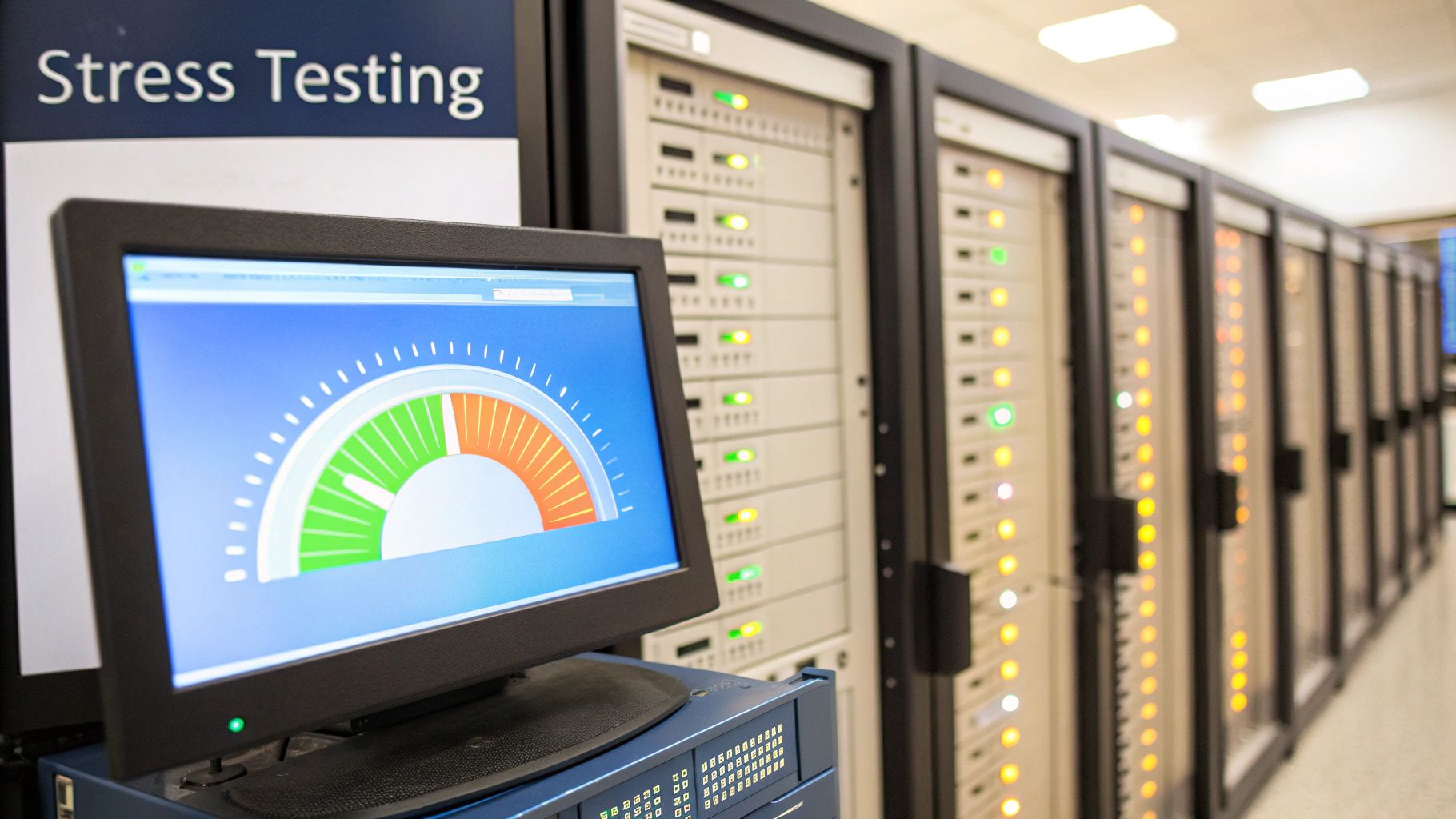
This vital testing method reveals how your system reacts when subjected to intense pressure, far exceeding peak load. It directly answers the critical question: “At what point will our system fail, and how will it handle that failure?”
When to Use Stress Testing
Stress testing should be performed in a controlled, non-production environment to avoid impacting real users. It is most valuable:
- To determine hardware limits: To find the absolute maximum capacity of the current infrastructure and identify the weakest link in the system.
- Before high-traffic events: For an e-commerce site expecting a Black Friday surge, stress testing reveals the true ceiling, well beyond anticipated peak load.
- To validate scalability and recovery: To test if auto-scaling mechanisms trigger correctly and to confirm that the system can be restored quickly after a crash.
- To check for security vulnerabilities: Extreme load can sometimes expose security flaws, such as denial-of-service vulnerabilities, that are not apparent under normal conditions.
Key Metrics and Test Design
Success in stress testing isn’t about avoiding failure; it’s about understanding it. The focus shifts from performance KPIs to system stability and recoverability.
- Success Metrics: The load level at which the system breaks (the breaking point), error types generated during failure, resource utilization at the breaking point, and Mean Time To Recovery (MTTR).
- Test Design: A typical stress test involves progressively increasing the load on the system in steps, well past the expected peak, until key components fail. The load is then held at this breaking point to observe system behavior before being removed to test the recovery process.
Key Insight: A successful stress test ends in a controlled failure. The real value comes from documenting the failure point, analyzing the root cause (e.g., database connection pool exhaustion, memory leak), and verifying that the system recovers without manual intervention or data corruption. Learn how to replicate complex production scenarios for realistic stress tests.
3. Spike Testing: Assessing Resilience to Sudden Traffic Surges
Spike testing is a specialized type of performance testing that evaluates how a system responds to sudden, extreme, and short-lived increases in user load. Unlike the gradual ramp-up of a load test, a spike test deliberately floods the system with an overwhelming number of users instantly. The goal is to determine if the system can handle the abrupt surge without crashing and, just as importantly, how gracefully it recovers once the traffic returns to normal levels.
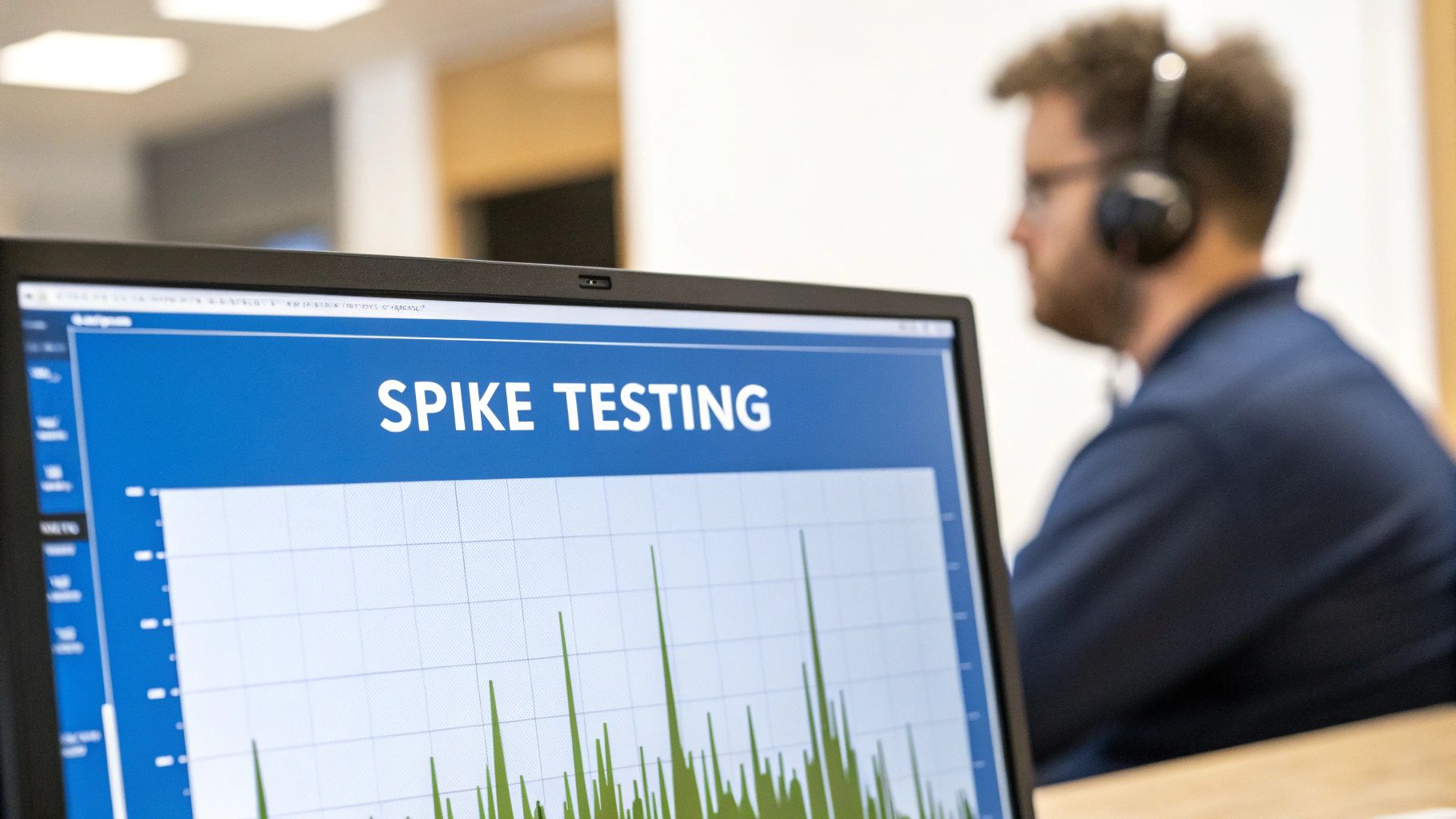
This testing is crucial for applications that experience unpredictable traffic patterns, such as an e-commerce site during a flash sale or a news website during a breaking story. It directly answers the question: “Will our system survive an unexpected viral event and recover quickly afterward?”
When to Use Spike Testing
Spike testing is essential for any system that could face rapid, unforeseen bursts of activity. It should be performed:
- Before a known high-traffic event: To prepare for product launches, ticket sales for a major concert, or limited-time “flash sale” promotions.
- For systems with viral potential: Social media features, engaging content platforms, or any service that could be featured on a major news outlet need to be ready for instant popularity.
- To validate autoscaling configurations: To ensure that cloud-based infrastructure can provision and de-provision resources fast enough to handle both the spike and the subsequent drop in traffic.
- To test system recovery mechanisms: Verifying that circuit breakers, load balancers, and caching strategies function correctly under extreme duress and allow the system to return to a stable state.
Key Metrics and Test Design
Success in spike testing is less about maintaining low response times during the spike and more about system survival and recovery.
- Success Metrics: Recovery time (how long it takes for response times and resource utilization to return to baseline after the spike), error rate during and immediately after the spike, and maximum resource utilization (CPU, memory, database connections). The key is observing whether the system crashes or becomes permanently unresponsive.
- Test Design: The test profile involves rapidly increasing the number of virtual users from a low baseline to an extreme peak in a matter of seconds, holding that peak for a short duration (a few minutes), and then dropping the load back to the baseline just as quickly. This cycle may be repeated to check for performance degradation over multiple spikes.
Key Insight: A critical aspect of spike testing is to monitor for cascading failures. A single overwhelmed microservice can trigger a chain reaction that brings down the entire application. Test your system’s fault tolerance, such as how it behaves when a database connection pool is exhausted or a third-party API becomes unresponsive during the surge.
4. Endurance Testing (Soak Testing): Uncovering Issues Over Time
Endurance testing, often called soak testing, is a type of performance testing designed to evaluate an application’s stability and reliability over a prolonged period. While load testing verifies performance under expected traffic, endurance testing subjects the system to a sustained, moderate load for an extended duration, such as 24, 48, or even 72 hours. The primary goal is to uncover elusive issues like memory leaks, resource exhaustion, database connection pool fatigue, or performance degradation that only manifest after hours of continuous operation.
This long-run validation is crucial for mission-critical systems where downtime is unacceptable. It answers the key question: “Will our system remain stable and performant after running continuously for days or weeks?”
When to Use Endurance Testing
Endurance testing is essential for ensuring long-term system health and is particularly valuable in these scenarios:
- Before deploying mission-critical applications: To validate that systems like 24/7 monitoring services or telecommunication platforms can operate without degradation.
- After major infrastructure or architecture changes: To ensure that new components do not introduce subtle, slow-building resource leaks.
- To verify cleanup processes: To confirm that the application correctly releases memory, closes connections, and handles garbage collection during prolonged use.
- For systems with high uptime requirements: Such as streaming services expected to perform flawlessly during weekend-long user marathons or e-commerce sites during multi-day sales events.
Key Metrics and Test Design
Success in endurance testing is less about peak response times and more about stability and consistency over the long haul.
- Success Metrics: Memory utilization (looking for gradual increases), CPU usage (checking for sustained high levels), response time consistency (ensuring it doesn’t degrade over time), error rate trends, and database connection counts.
- Test Design: An endurance test typically involves applying a steady, production-like load (around 70-80% of peak capacity) and letting it run for many hours or days. Continuous monitoring is the most critical aspect, with automated alerts set up to flag any anomalous behavior or resource consumption trends. The system’s state before and after the test is carefully compared to identify any unreleased resources.
Key Insight: The true value of endurance testing is in the details found in long-term monitoring. Setting up comprehensive application performance monitoring (APM) dashboards and detailed logging is not optional; it’s the only way to correlate subtle performance drops with specific events like garbage collection cycles or resource pool timeouts that occur deep into the test run.
5. Ramp-up Testing: Pinpointing Performance Thresholds
Ramp-up testing, often considered a specific design within load testing, is a type of performance testing that incrementally increases the number of virtual users or load on a system over a defined period. The core objective is to precisely observe how performance metrics change as the load grows, identifying the exact point at which performance begins to degrade or fail. This method is crucial for understanding the system’s scalability limits and behavior during periods of gradual growth.
This incremental approach helps teams pinpoint performance thresholds and resource utilization ceilings with high accuracy. It answers the critical question: “At what specific load level do our response times start to miss SLAs, and which component is the first to falter?”
When to Use Ramp-up Testing
Ramp-up testing is particularly valuable for understanding how a system handles a gradual increase in demand, which is a common real-world scenario. It is most effective:
- To identify performance breakpoints: To determine the exact number of users or transactions per second where key metrics like response time or error rate cross acceptable thresholds.
- For autoscaling validation: To verify that cloud-based infrastructure correctly provisions new resources as the load increases and to observe the performance impact during these scaling events.
- Before a product launch: To simulate the gradual adoption of a new mobile app or SaaS platform as user acquisition grows over the first few days or weeks.
- To detect memory leaks: By observing resource utilization at each increment, a slow, steady increase in memory that doesn’t level off can indicate a potential leak under growing load.
Key Metrics and Test Design
The success of a ramp-up test hinges on careful monitoring at each stage of the load increase. The test design must be systematic to produce clear, actionable results.
- Success Metrics: The primary focus is on response time, throughput, and resource utilization (CPU, memory) at each load increment. Tracking the error rate is also critical to see when the system starts returning failures.
- Test Design: The test starts at a baseline, often zero or a very low load, and increases the user count in defined steps (e.g., adding 50 users every 2 minutes). This continues until performance goals are no longer met or the system fails. This “stair-step” pattern allows engineers to correlate specific load levels with specific performance characteristics.
Key Insight: The speed of the ramp-up is a critical variable. A slow, gradual ramp-up is excellent for identifying resource leaks and subtle degradation, while a faster ramp-up can better simulate a rapid-growth event. Testing with multiple ramp-up speeds can provide a more comprehensive understanding of the system’s dynamic behavior.
6. Volume Testing: Assessing Performance with Large Data Sets
Volume testing is a specialized type of performance testing designed to analyze how an application performs when subjected to a massive volume of data. Unlike load testing, which focuses on user concurrency, volume testing’s primary goal is to assess the system’s database, file systems, and storage capacity. It ensures the application can process, store, and retrieve large data sets efficiently without performance degradation, data corruption, or instability.
This testing practice is critical for data-intensive applications, directly answering the question: “Can our system handle the sheer quantity of data it will encounter in production?” It identifies bottlenecks related to data processing and storage, preventing issues like slow queries, disk space exhaustion, and data integrity failures.
When to Use Volume Testing
Volume testing is essential for applications where data accumulation is a core function. It should be performed:
- Before deploying data-heavy features: To verify that new functionalities, like bulk import/export or a new analytics module, can handle large data sets.
- During data migration projects: To ensure the system remains performant after migrating a significant amount of historical data into it.
- For capacity planning and scalability assessment: To forecast storage needs and understand how database performance will change as data grows over time.
- To test archiving and purging mechanisms: To validate that processes for managing old data work correctly and don’t negatively impact the live system.
Key Metrics and Test Design
Success in volume testing hinges on monitoring data-centric KPIs and ensuring the system remains stable and responsive.
- Success Metrics: Database query response times, time taken for data import/export jobs, resource utilization (especially disk I/O and memory), error rates related to data processing, and data integrity checks (ensuring no data is lost or corrupted).
- Test Design: A common approach is to incrementally increase the volume of data in the system. Testers start with a baseline data set and gradually add more, running performance tests at each stage. This helps identify the specific data volume at which performance begins to degrade, allowing teams to optimize database indexing, queries, or hardware.
Key Insight: The realism of your data set is paramount in volume testing. Simply generating millions of identical records is insufficient. Effective tests use data that mirrors the distribution, complexity, and relationships of real production data to accurately stress database indexes, query planners, and storage subsystems.
7. Scalability Testing: Ensuring Graceful Growth and Contraction
Scalability testing is a crucial type of performance testing that evaluates an application’s ability to “scale” to meet increasing user load. This involves measuring how effectively the system’s performance improves when more resources like CPU, memory, or servers are added. The goal is to verify that the architecture can grow efficiently without bottlenecks and also contract gracefully when the load decreases, optimizing costs.
This testing practice is vital for modern, dynamic applications, especially those built on cloud infrastructure. It directly answers the critical question: “Can our system handle future growth, and will adding more resources give us the expected performance boost?”
When to Use Scalability Testing
Scalability testing is essential for systems designed for growth and variable demand. It is most critical:
- During architectural design: To validate that the chosen architecture (e.g., microservices vs. monolith) and infrastructure can support future scaling objectives.
- For cloud migration projects: To ensure that cloud-based auto-scaling policies function correctly and deliver cost-effective performance.
- When planning for future growth: To forecast infrastructure needs and budget requirements based on business projections, ensuring the system can handle a 10x or 100x increase in users.
- Before launching in new markets: To prepare the system for a significant and sustained increase in user base and transaction volume.
Key Metrics and Test Design
Success in scalability testing is measured by analyzing the relationship between added resources and performance improvements.
- Success Metrics: Performance improvement per resource unit (e.g., throughput increase per added CPU core), scale-up/scale-down time, resource utilization efficiency, response time stability during scaling events, and cost-per-transaction at different scale levels.
- Test Design: Tests are typically conducted by incrementally adding resources to the system while applying a consistent or gradually increasing load. For example, you might run a load test with two application servers, then repeat the exact same test with four, and then eight, comparing the results at each stage. This helps validate that performance scales linearly (or close to it) and uncovers any diminishing returns.
Key Insight: Effective scalability testing must validate both “scaling up” (adding more resources to a single machine) and “scaling out” (adding more machines to a cluster). It is equally important to test “scaling in,” ensuring the system can release resources correctly when demand drops to avoid unnecessary costs and orphaned instances.
8. Baseline Testing: Establishing Your Performance Benchmark
Baseline testing is a crucial type of performance testing that creates a formal benchmark of an application’s behavior under specific, known conditions. The primary goal is not to find the breaking point but to document and validate performance metrics, creating a “golden record” or a performance standard. This baseline serves as a definitive reference point against which all future test results are compared, making it essential for detecting performance regressions over time.
This foundational practice provides the objective data needed to quantify the impact of code changes, infrastructure updates, or configuration adjustments. It directly answers the critical question: “What is our system’s normal performance, and how can we ensure it doesn’t degrade?”
When to Use Baseline Testing
Baseline testing is a proactive measure that should be performed at key moments in the development and operational lifecycle. It is most critical:
- After a major release: To establish a new performance standard for the current version of the application before further development begins.
- Before a major system change: To capture “before” metrics prior to a hardware upgrade, cloud migration, or database optimization project.
- On a periodic schedule: To track performance drift and identify subtle degradation that might occur gradually over weeks or months.
- As the first step in a testing cycle: To create a stable comparison point for subsequent load, stress, or scalability tests.
Key Metrics and Test Design
The success of baseline testing hinges on consistency and meticulous documentation. The goal is to create a repeatable experiment that produces reliable data.
- Success Metrics: Core metrics include response time, throughput, CPU and memory usage, and error rates. The key is not the values themselves, but their consistency across multiple runs.
- Test Design: A baseline test typically involves a predefined, moderate load that reflects a typical usage scenario. The test environment, from hardware specifications to database state, must be precisely controlled and documented. The test should be run multiple times (e.g., three to five times) to ensure the results are statistically stable and to average out minor fluctuations. Any significant variance between runs indicates an unstable system that needs investigation before a baseline can be formally established.
Key Insight: A baseline is only as valuable as the metrics it tracks. Choosing the right KPIs is fundamental to understanding system health and pinpointing the root cause of future regressions. A well-defined set of metrics ensures you are measuring what truly matters to your users and business. To understand what to measure, review this essential performance testing metrics guide.
8 Performance Testing Types Compared
| Test Type | Implementation Complexity 🔄 | Resource Requirements ⚡ | Expected Outcomes ⭐📊 | Ideal Use Cases 💡 | Key Advantages ⭐ |
|---|---|---|---|---|---|
| Load Testing | Moderate — realistic scenario design 🔄 | Moderate — production-like env & tooling ⚡ | Validates capacity, response times, stability 📊 ⭐ | E‑commerce, banking, social platforms under normal load 💡 | Realistic performance validation; aids capacity planning ⭐ |
| Stress Testing | High — destructive scenarios, careful planning 🔄 | High — isolated/stable infra; rollback plans ⚡ | Identifies breaking points, failure modes, recovery behavior 📊 ⭐ | Black Friday, major events, autoscaling limit tests 💡 | Reveals worst‑case failures and error handling gaps ⭐ |
| Spike Testing | Moderate — precise timing & profiles 🔄 | Variable — short high‑scale bursts; autoscaling costs ⚡ | Tests sudden surge handling, autoscale and recovery effectiveness 📊 ⭐ | Viral content, ticket releases, breaking news spikes 💡 | Validates autoscaling responsiveness and queue handling ⭐ |
| Endurance (Soak) Testing | Moderate — long duration monitoring & maintenance 🔄 | High — prolonged resource use and 24/7 monitoring ⚡ | Detects memory leaks, resource growth, long‑term degradation 📊 ⭐ | Streaming, telecoms, continuous transaction systems 💡 | Finds leaks/accumulations; validates long‑run stability ⭐ |
| Ramp‑up Testing | Low–Moderate — controlled incremental increases 🔄 | Moderate — steady resource growth during test ⚡ | Finds degradation thresholds and safe scaling points 📊 ⭐ | SaaS growth, app launches, API adoption phases 💡 | Safer identification of breaking points; repeatable ⭐ |
| Volume Testing | Moderate — large realistic datasets & ETL setup 🔄 | High — storage, compute, and long runtimes ⚡ | Validates DB/query performance and data handling efficiency 📊 ⭐ | Data warehouses, analytics, bulk transaction systems 💡 | Exposes data‑related bottlenecks and indexing issues ⭐ |
| Scalability Testing | High — multiple configs and orchestration tests 🔄 | Very high — varied resource configurations and cost ⚡ | Measures performance vs. added resources; scaling overhead 📊 ⭐ | Cloud autoscaling, Kubernetes, DB clustering validations 💡 | Confirms scaling strategy ROI and identifies scale bottlenecks ⭐ |
| Baseline Testing | Moderate — repeatable, controlled runs 🔄 | Low–Moderate — consistent environment & tooling ⚡ | Establishes reference metrics for regression and trends 📊 ⭐ | Release benchmarks, monitoring baselines, regression checks 💡 | Provides benchmark for comparisons and alerts; trend tracking ⭐ |
Building a Resilient System: Choosing the Right Test for the Job
We have navigated the diverse landscape of performance testing, exploring a full spectrum of methodologies from establishing fundamental baselines to pushing systems to their absolute limits. It’s clear that a one-size-fits-all approach is insufficient for building genuinely robust applications. Each type of performance testing serves a unique, critical purpose, acting as a specialized diagnostic tool to reveal different facets of your system’s behavior under pressure.
Load testing sets your performance baseline, stress testing reveals your breaking points, and spike testing prepares you for sudden, dramatic surges in user activity. Meanwhile, endurance testing confirms your system’s long-term stability, volume testing validates your data handling capabilities, and scalability testing provides a clear roadmap for future growth. Together, they form a comprehensive diagnostic toolkit.
From Siloed Tests to a Holistic Strategy
The real power of performance testing is unlocked when these individual methods are integrated into a cohesive, continuous strategy. Viewing them as isolated, pre-release checks is a missed opportunity. A mature performance engineering practice embeds these tests throughout the development lifecycle, creating a culture of performance awareness.
The key takeaway is that these tests are not mutually exclusive; they are complementary. A complete picture of system health emerges only when you combine their insights:
- Load Test + Endurance Test: You know how your system performs under expected traffic, and you can be confident it will maintain that performance over a long weekend or a full business week without memory leaks or resource degradation.
- Stress Test + Scalability Test: You understand the absolute upper limit of your current architecture and have a data-driven plan for how to effectively scale your resources, whether vertically or horizontally, when you start approaching that limit.
- Spike Test + Baseline Test: You can measure the precise impact of a sudden traffic spike against your established performance baseline, allowing you to quantify the user experience degradation and the system’s recovery time.
This strategic combination transforms performance testing from a simple pass/fail exercise into a proactive tool for risk mitigation, capacity planning, and architectural improvement.
The Decisive Factor: Realistic Traffic Simulation
Perhaps the most critical thread connecting every type of performance testing is the need for realism. The value of your test results is directly proportional to how accurately your test environment simulates real-world user behavior. Abstract, synthetic user scripts can only tell you so much; they often miss the complex, unpredictable, and sometimes illogical ways that real users interact with your application.
This is where modern techniques like production traffic replay, using tools such as GoReplay, become indispensable. By capturing and replaying real user sessions, you elevate your testing from an approximation to a high-fidelity simulation. This approach ensures your load profiles, API call sequences, and data payloads are not just guesswork but are rooted in the reality of how your system is actually used.
Ultimately, mastering each type of performance testing is about more than just finding bugs or preventing outages. It’s about building user trust. It is a commitment to delivering a consistently fast, reliable, and seamless experience, regardless of the conditions. By strategically selecting and combining the right tests for the job, and powering them with realistic traffic, you are not just testing software, you are engineering resilience and building a foundation for sustainable success.
Ready to move beyond synthetic scripts and test your application with the full complexity of real user traffic? GoReplay allows you to capture and replay your production traffic to perform any type of performance testing with unparalleled realism. Discover how to build truly resilient systems by visiting GoReplay today.