
Why Real-World Data Transforms Your Testing Approach

While creating test data from scratch has its place, especially in controlled environments, it often misses the messy reality of how people actually use software. Smart engineering teams know that authentic user data uncovers problems that carefully designed, artificial data just can’t predict. This understanding is why more teams are testing with production data to build better, more reliable applications.
Unveiling Hidden Realities
Production data holds the key to understanding the complex, sometimes strange, ways users interact with your application. It naturally includes the edge cases and unique behavioral patterns that developers often overlook during design. Think of synthetic data as a predictable, mapped-out journey, whereas production data is more like navigating unexpected city traffic – it shows you the real-world roadblocks and conditions.
Testing with this real data helps find bugs caused by things like:
- User actions that don’t follow the expected path
- Odd combinations of data leading to errors
- Performance issues that only show up under real user load
Efficiency and Defect Detection Advantages
Using production data can seriously cut down on test preparation cycles. Building synthetic data that truly mimics reality takes a lot of time and effort, and it might still fall short. Grabbing a sample or an anonymized version of production data gives you instant realism. Industry findings show noticeable cost savings and efficiency improvements when testing with production data. Explore production data testing insights further to see how using real-world data lowers costs compared to manual creation, partly because it captures actual complexity. This often means fewer test runs are needed to achieve reliability goals, especially when you consider some teams keep 8-10 copies of test data for synthetic testing alone.
By testing against data that reflects how your application is actually used, teams spot and fix critical defects much sooner. These are often the kinds of problems that pass standard tests but cause headaches for customers after release. The best approach usually involves mixing synthetic and production data smartly, using each where it makes the most sense, rather than strictly choosing one over the other.
The Hidden Economics of Testing with Production Data
While we’ve touched on how using production data improves finding defects, the financial side makes a powerful argument too. The technical benefits are solid, but understanding the costs and savings helps make smart decisions and get everyone on board. It’s not just about testing better; it’s about using resources wisely.
Unpacking the Visible Costs
Getting started with testing with production data does mean spending money upfront and over time. Common costs include:
- Infrastructure: You need enough storage and computing power in your test environments to handle large amounts of production data.
- Specialized Tooling: Tools are often needed to capture, anonymize, mask, subset, and replay data. Solutions like GoReplay are useful for managing traffic replay effectively.
- Security and Compliance Measures: Protecting data privacy (meeting standards like GDPR or HIPAA) adds complexity. This requires strong security practices and maybe data masking tools.
These expenses are real and need to be part of the budget. But they’re only half the story financially.
Revealing the Overlooked Savings
The less obvious financial wins often come from avoiding costs and boosting efficiency. Using production data leads to:
- Fewer Escaped Defects: Catching critical bugs before users find them prevents expensive emergency fixes, protects your reputation, and keeps customers happy. The realism of production data is vital here.
- Reduced Test Creation Time: Creating good synthetic data takes a lot of time and might still miss important real-world situations. Using actual production data cuts down this prep work significantly.
- Faster Time-to-Market: More effective and trustworthy testing cycles mean you can release features and fixes quicker and feel more certain about them.
Over time, these savings often add up to more than the initial costs of setting up testing with production data.
Here’s a comparison of the financial aspects involved in using production versus synthetic data for testing:
Production vs. Synthetic Data Testing: Real-World Cost Analysis This table compares the financial aspects of using production data versus synthetic data for testing environments across different organizational sizes.
| Cost Factor | Production Data Testing | Synthetic Data Testing | Key Considerations |
|---|---|---|---|
| Infrastructure | Higher initial storage/processing needs for large datasets. | Generally lower initial needs, but depends on generation complexity. | Scalability costs differ based on data volume vs. generation compute power. |
| Tooling | Requires tools for capture, anonymization, masking, replay. | Requires tools for data generation, modeling, and validation. | Both require specialized tools; costs vary by vendor and features (e.g., GoReplay). |
| Security & Compliance | Higher overhead due to handling real sensitive data (PII). | Lower overhead as no real PII is involved. | Compliance risks (GDPR, HIPAA) are significant with production data. |
| Data Preparation | Minimal generation time; focus on masking/subsetting. | Significant time/effort required to generate realistic data. | Developer time spent on data prep is a major hidden cost for synthetic data. |
| Escaped Defect Costs | Lower costs due to higher realism catching more bugs early. | Higher potential costs as synthetic data may miss edge cases. | Cost of fixing bugs in production is far greater than in testing. |
| Time-to-Market | Potentially faster due to reduced test data prep time. | Potentially slower due to complex data generation cycles. | Efficient testing cycles accelerate feature delivery. |
Using production data often involves higher setup costs, especially around security, but can lead to significant long-term savings through more accurate testing and fewer costly bugs reaching users. Synthetic data, while safer from a privacy perspective, demands considerable effort to create realistic scenarios and carries a higher risk of missing critical defects.
Calculating Realistic ROI
To see the real value, teams need to measure the return on investment (ROI). Track key performance indicators (KPIs) before and after you start using production data. Look at things like:
- Defect escape rates (how many bugs reach users)
- Testing cycle times
- Infrastructure costs tied to test data
- Developer hours spent making test data
You can find more details in our article about Essential Metrics for Software Testing: A Comprehensive Guide. Calculating these numbers builds a strong, data-backed case that shows decision-makers how testing with production data directly improves the bottom line. Framing it as a way to reduce risk and increase efficiency helps overcome resistance.
Catching the Defects Synthetic Testing Always Misses

Beyond the budget advantages, the real strength of testing with production data is how it reveals problems that meticulously planned synthetic tests often fail to catch. While test data created in a lab is orderly, actual user activity is anything but. It’s this messy reality that uncovers the kinds of flaws leading to major user headaches.
The Limits of Perfectly Crafted Tests
Synthetic test data, by design, sticks to expected routes and known scenarios. It seldom captures the wide range or sheer randomness of how real people use software or the complex interactions happening live. This means synthetic tests frequently miss:
- Subtle edge cases caused by strange data combinations or unusual sequences of user actions.
- Intermittent bugs that only show up under specific, hard-to-recreate conditions seen in production traffic.
- Performance slowdowns that occur under realistic user loads and simultaneous activity levels.
These shortcomings show why depending only on synthetic data can give a misleading impression of stability.
Uncovering Real-World Problems
Using actual production data (even if anonymized or sampled) injects the unpredictability of the real world into your testing process. This method excels at finding issues related to:
- Complex Data States: Real data holds accumulated history and intricate connections that are almost impossible to fake convincingly.
- Unexpected User Flows: People don’t always follow the script. Production data shows how applications react to illogical or unforeseen interactions.
- Load-Dependent Failures: Problems like race conditions, running out of resources, or database deadlocks often only appear under the specific loads generated by real users. You might find this helpful: How to Replay Production Traffic for Realistic Load Testing to better mimic these situations.
Looking for patterns in this real-world information helps teams focus their testing efforts more effectively. For example, concepts like Pareto analysis (the 80/20 rule), which is used successfully in manufacturing quality control with live production data, can be applied to software testing. By examining production error logs or usage data, teams can identify the 20% of scenarios responsible for 80% of the problems, directing more focused testing with production data. Discover more insights about using data for quality improvement.
In the end, bringing production data into your testing gives a far more thorough and truthful picture of application quality, catching important defects before they affect your users.
Balancing Compliance Requirements with Testing Needs

Using realistic production data for testing offers clear advantages for finding defects, but it comes with serious responsibilities. Understanding data privacy rules is essential when testing with production data. Failing to comply can lead to significant fines and damage to your company’s reputation.
Navigating the Regulatory Maze
Different industries and locations have specific data protection laws. Key regulations that affect how you can use production data include:
- GDPR (General Data Protection Regulation): This protects the data privacy of people in the EU. It requires clear consent and careful handling of personal information.
- HIPAA (Health Insurance Portability and Accountability Act): This governs how protected health information (PHI) is secured and kept private in the United States.
- PCI-DSS (Payment Card Industry Data Security Standard): This sets standards for organizations that process credit cards from major brands.
Successfully testing with production data means finding ways to follow these rules without making the data useless for testing purposes.
Protecting Data While Preserving Testing Value
The main difficulty is removing or hiding sensitive information while keeping the data’s structure intact and representative of real situations. Useful methods include:
- Data Anonymization: This involves permanently removing personally identifiable information (PII) so individuals cannot be identified again. While best for privacy, it can sometimes alter important data relationships.
- Data Masking: This technique replaces sensitive data with realistic but fake data. It maintains the data’s format and type, which is crucial for many tests.
- Data Subsetting: This means creating smaller, focused datasets from the production environment. It limits the amount of sensitive data exposed and can make testing faster.
Achieving the right balance is important. Strict compliance can sometimes conflict with the goal of accurately mimicking production environments. For example, cloning production systems requires synchronizing many details, which adds complexity. However, anonymized production data often keeps the crucial relational details and edge cases that purely synthetic data might miss. This approach helps bridge the gap between compliance rules and effective testing. You can explore more about balancing test systems and production realities on IBM’s documentation site.
Establishing Clear Governance and Access Controls
Solid governance procedures are vital. This means setting clear policies about who can access production data for testing, when they can access it, and how they must handle it. Using role-based access controls (RBAC) helps ensure only authorized staff can work with sensitive datasets.
Good documentation is also key, both for internal clarity and for proving compliance during audits. The aim is accountability without excessive bureaucracy. Automated logging and reporting tools can help simplify this process. Careful management allows testing with production data to effectively support development needs while adhering to strict legal and ethical standards.
Building Your Production Data Testing Roadmap
Making the switch to testing with production data isn’t just about knowing the benefits; you need a solid, practical plan. Creating a roadmap helps turn those theoretical pluses into reality. It guides your team through the essential steps while carefully managing risks, like the compliance concerns we just covered. This strategic approach makes adoption smoother and fits your specific situation.
Successfully putting this method into practice means following connected stages, ideally managed with a clear process. The process flow diagram below illustrates a common workflow for bringing production data testing into your organization.
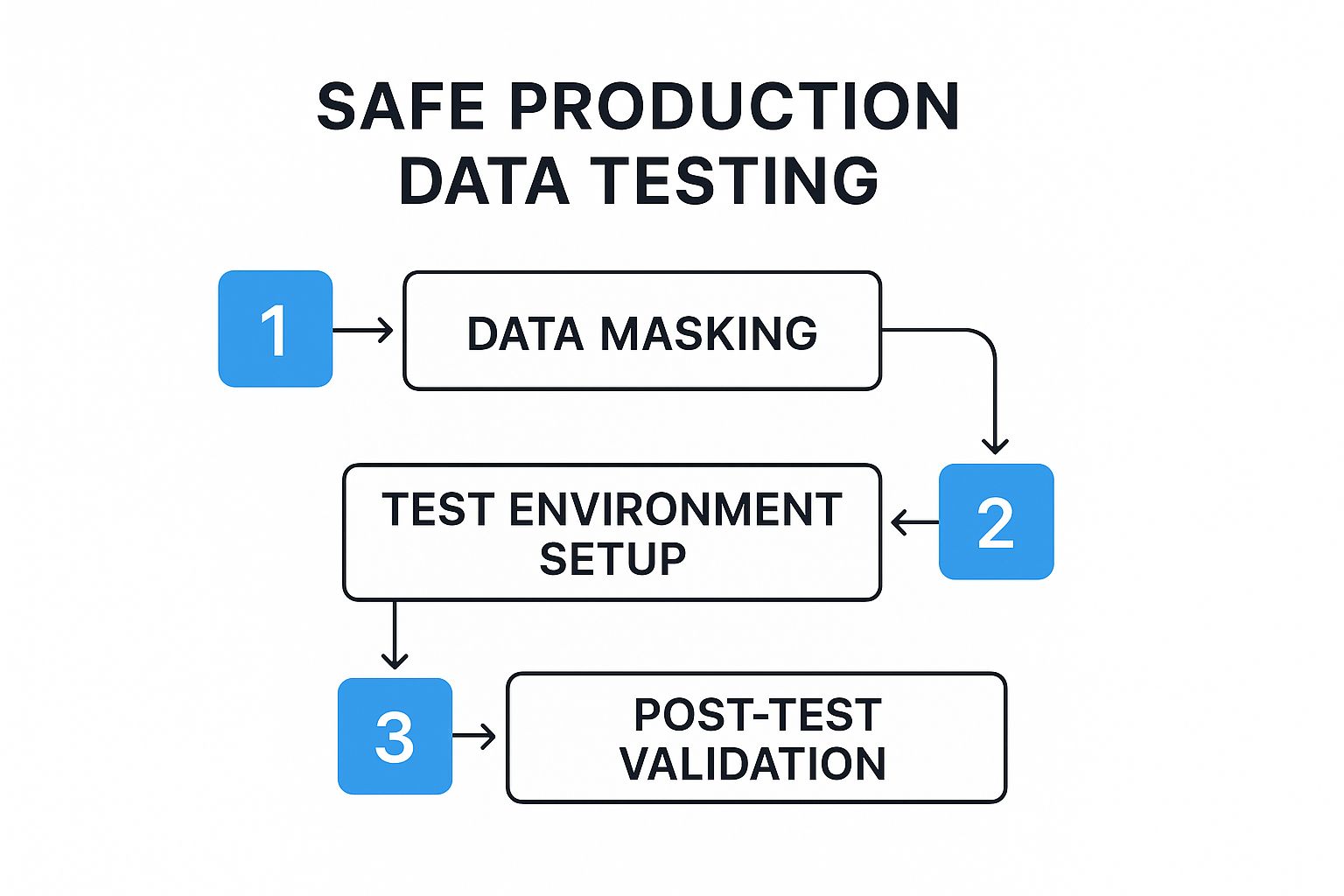
This visual guide shows key steps like the first assessment, handling the data (which includes extracting, securely transforming, and loading it), setting up environments, and running tests repeatedly. Following a structured workflow like this is vital because it makes sure everything from security needs to getting everyone on the same page is handled methodically.
To help map out this journey, the table below provides a blueprint for implementation.
Production Data Testing Implementation Blueprint This table outlines the key phases, activities, and deliverables required to successfully implement testing with production data in your organization
| Implementation Phase | Key Activities | Common Challenges | Success Metrics |
|---|---|---|---|
| 1. Planning & Assessment | Assess current testing gaps, define objectives for using production data, identify target applications. | Resistance to change, unclear goals, underestimating complexity. | Clearly defined objectives, identified scope, documented current state analysis. |
| 2. Stakeholder Alignment | Engage Dev, Ops, Security, Legal teams; agree on goals, risks, responsibilities; address privacy concerns. | Conflicting priorities, lack of buy-in, disagreements on risk tolerance. | Documented agreement on roles/responsibilities, risk mitigation plan approved. |
| 3. Data Management Setup | Define data extraction methods (clone, sample), implement masking/anonymization, establish secure data loading. | Ensuring complete data privacy, maintaining data integrity, automating the pipeline. | Documented data handling workflow, validated masking effectiveness, automated data load. |
| 4. Environment Setup | Create isolated test environments mirroring production, implement strict security controls & access management. | Achieving true isolation, replicating production complexity, high setup costs. | Verified environment isolation, documented security controls, environment parity check. |
| 5. Gradual Rollout | Start with non-critical apps/tests, introduce production data incrementally, gather feedback, refine process. | Unexpected issues in early phases, disruption to existing workflows, slow adoption rate. | Successful pilot tests completed, feedback loop established, refined process documented. |
| 6. Team Enablement | Provide training on new tools (masking, replay), security protocols, workflows; empower teams. | Skill gaps, lack of tool proficiency, resistance to new processes. | Training completion rates, positive team feedback, demonstrated proficiency with tools. |
This blueprint emphasizes a phased approach, ensuring that critical aspects like security, compliance, and team readiness are addressed systematically throughout the implementation process.
Initial Assessment and Stakeholder Alignment
Before you jump in, take a good look at how you currently test things. Pinpoint where synthetic data isn’t cutting it and set clear goals for using production data. What kinds of bugs are you aiming to find? Which applications stand to gain the most?
Getting everyone on board (stakeholder alignment) is just as crucial. This means getting development, operations, security, and legal teams together. You need to agree on the objectives, potential risks, and who is responsible for what. Tackle concerns directly, especially around data privacy and how setting up new processes for testing with production data might affect daily operations.
Crafting the Data Management Workflow
The heart of your plan is figuring out how to handle production data safely and effectively. This workflow usually covers:
- Data Extraction: Deciding how to pick and copy the right data from your live system. This could mean full copies, taking samples, or focusing on specific data pieces.
- Data Transformation: Using strong anonymization or masking methods is absolutely necessary to meet rules like GDPR or HIPAA. The aim is to shield sensitive info while keeping the data’s structure and critical relationships intact for useful testing.
- Data Loading: Setting up secure ways to move the transformed data into separate test environments. Automating this part is essential for efficiency.
These steps form the backbone of the data pipeline visualized in the process flow diagram mentioned earlier.
Establishing Secure Testing Environments
Using production data means you need specialized test environments. These should closely resemble your live setup but must be totally isolated. This separation is key to stopping accidental data exposure or messing with live systems.
Strict security controls, managing who gets access, and network separation are must-haves. The closer the test environment is to production, the more trustworthy your results from testing with production data will be.
Gradual Rollout and Team Enablement
Don’t try to change everything at once with a risky “big bang” approach. Go for a gradual transition instead:
- Begin with applications that aren’t mission-critical or specific test types, like performance testing.
- Slowly introduce production data alongside your current synthetic data methods.
- Collect feedback and adjust the process based on what you learn early on.
Lastly, make sure your teams are ready for this change. Provide training on any new tools (like data masking software or replay tools such as GoReplay), updated security rules, and the specific workflows laid out in your roadmap. Giving your team the right knowledge and tools is fundamental to successfully adopting and keeping up with testing with production data.
Selecting the Right Tools for Your Testing Strategy
Choosing the right software is crucial when you’re following a roadmap that involves testing with production data. There are many tools out there, and picking the best fit requires understanding your specific testing needs and what different solutions offer. The choices you make directly affect how efficient, secure, and useful your testing process will be.
Key Tool Categories for Production Data Testing
Successfully testing with production data often means using tools designed to handle this data safely and effectively. Here are the main categories:
- Data Subsetting Tools: These tools help you pull smaller, relevant chunks of data from massive production databases. Good subsetting keeps referential integrity intact, meaning the relationships within the data still make sense, providing realistic data for specific tests without copying everything.
- Data Masking and Anonymization Tools: Absolutely vital for compliance, these tools hide or change sensitive details (like personal info or health records). They keep the data’s structure and statistical usefulness while protecting privacy, allowing for realistic testing without risk.
- Data Synchronization Tools: Keeping test environments supplied with fresh, relevant (and masked) production data is key. These tools automate the job of updating test datasets from your production sources.
- Environment Management and Replay Tools: You need ways to set up and manage isolated test environments that act like your production setup. Tools like the open-source GoReplay can capture real production traffic and replay it against your test systems, simulating genuine user activity with production-like data.
Evaluating Your Options
When looking at different tools, think about more than just their basic functions:
- Commercial vs. Open-Source: Commercial tools usually come with support and lots of features but cost money. Open-source options like GoReplay are flexible and cheaper upfront but might need more technical skill internally to set up and manage.
- Scalability: Can the tool cope with the size and complexity of your production data, both now and as you grow? Slow tools can become a major roadblock.
- Integration Capabilities: Does the tool work smoothly with your current development pipeline (CI/CD), databases, and monitoring setup? Good integration is essential for automation.
- True Cost of Ownership: Consider the full cost, not just the purchase price. Include time for setup, training, required infrastructure, and ongoing maintenance.
Emerging Technologies in Production Data Testing
This area is always developing. Pay attention to AI-assisted data management, where machine learning helps automate and improve data masking and subsetting accuracy. Also, cloud-native testing platforms are appearing, built specifically for the scale and flexibility needed when testing with production data in modern cloud setups.
Picking the right set of tools is fundamental. Base your decision on a careful look at your team’s requirements, your technical setup, compliance rules, and budget.
Ready to harness the power of real user traffic in your testing? Explore how GoReplay can capture and replay production traffic to validate your applications under realistic conditions.