
A Modern Guide to Testing Web Service

Testing your web services isn’t just a QA checkbox—it’s a fundamental part of keeping your business running. It’s how you verify that your APIs can handle requests correctly, return the right responses, and do so securely and reliably.
Think of it this way: if your services are the digital backbone of your application, testing is the regular check-up that prevents a catastrophic failure down the line. Without it, you’re just waiting for a single broken component to bring everything crashing down.
Why Web Service Testing Is a Business Imperative

In a world where apps are built from dozens of interconnected services, the stability of each one is everything. Web service testing has moved far beyond a simple QA task; it’s now a core business function. When one service fumbles, it can set off a domino effect, leading to system-wide outages, corrupted data, and a flood of angry customer support tickets.
I like to think of web services as the invisible couriers moving data between different parts of your system and the outside world. If those couriers are unreliable, packages get lost, delayed, or dropped off at the wrong address. This isn’t a technical problem—it’s a business problem. A buggy payment API halts revenue. A faulty authentication service locks users out.
The Rise of Microservices and Its Impact
The huge shift toward microservices has only raised the stakes. Instead of one big, monolithic application, we now have systems composed of tens or even hundreds of small, independent services. This gives us incredible flexibility and scalability, but it also creates an explosion of potential failure points.
This distributed setup makes it absolutely essential to validate each service in isolation. You can’t just look at the UI and assume everything is working. Real, effective testing has to happen at the service layer to find bugs long before a customer ever sees them.
The idea is simple: if every individual service is solid, the entire system becomes stronger and more resilient. Proactive testing is what stops a tiny bug from spiraling into a major incident that wrecks your brand’s reputation.
More Than Just Functionality
A solid testing strategy needs to look beyond just “does this endpoint return the correct JSON?” You have to dig into the non-functional requirements that are just as critical to your business’s success.
- Performance: How does the service hold up when it’s getting hammered with traffic? A slow service can be just as bad as a broken one.
- Security: Are there vulnerabilities that could expose customer data? A security breach is the fastest way to lose trust forever.
- Reliability: Does the service handle errors gracefully, or does it just fall over?
This growing focus is obvious in market trends. The global web service testing tool market is expected to grow at a compound annual rate of around 15% between 2025 and 2033, mostly because businesses need scalable, cloud-based tools to keep up. This isn’t just about finding bugs; it’s about safeguarding business operations.
If you want to dig deeper into the basics, check out our complete guide on understanding API testing and why it matters.
Building Your Web Service Testing Strategy
Jumping straight into scripting without a plan is a classic mistake. It’s a surefire way to end up with flaky tests that miss critical bugs. An effective approach to testing web service functionality demands a deliberate strategy, not just a flurry of code.
The foundation of any solid plan is translating your service specifications—whether it’s an OpenAPI document or a WSDL file—into clear, measurable test objectives. This goes deeper than just listing endpoints. For every single endpoint, you need to define the expected behavior. What exactly should happen when a valid request is sent? What specific error code and message should the API return for an invalid one?
A structured plan ensures you cover not just the “happy path” but also the tricky edge cases and failure scenarios that cause the most headaches in production.
This simple flow breaks down the key stages for building a robust web service testing strategy.
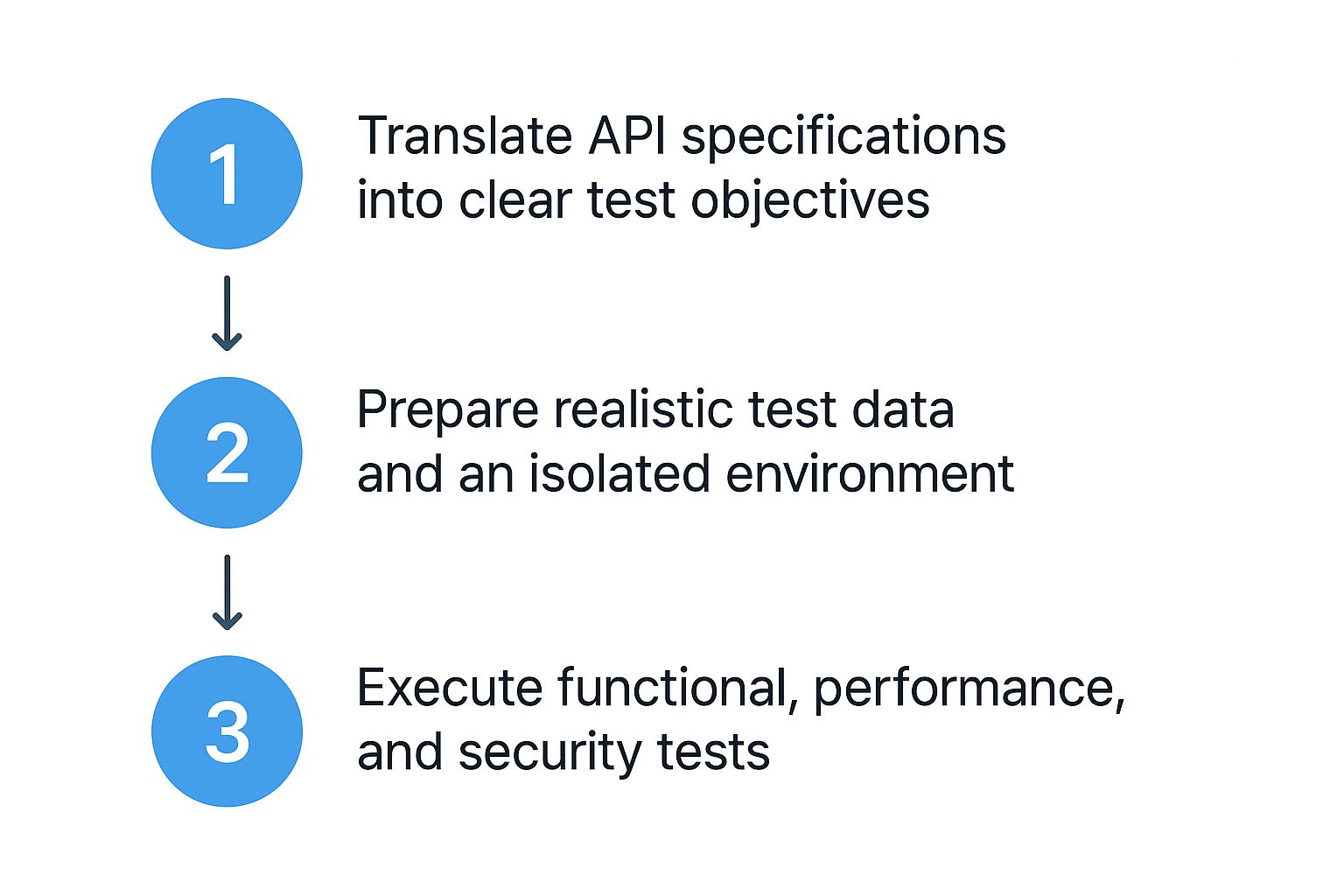
As you can see, successful testing isn’t random. It moves from clear planning to thorough preparation and finally to multi-faceted execution. This structured approach prevents wasted effort and makes sure you’re actually covering what matters.
Defining Your Test Scope
Once your objectives are clear, it’s time to decide which types of tests will give you the most bang for your buck. A truly comprehensive strategy mixes functional, performance, and security testing.
Not every service needs the same level of scrutiny, so you have to align your efforts with business risk. For example, a mission-critical payment API demands far more rigorous performance and security validation than a low-traffic internal service.
Key test categories to consider include:
- Functional & Integration Tests: These verify that the service does what it’s supposed to do and plays nicely with other services it depends on.
- Performance & Load Tests: This is where you check how the service behaves under stress. You’ll measure response times and error rates as you crank up the request volume.
- Security Tests: These tests actively probe for vulnerabilities like injection flaws, broken authentication, or sensitive data exposure.
The growing importance of these areas is reflected in market trends. The software testing market is projected to hit USD 93.94 billion by 2030, with security testing showing a massive 18.90% CAGR thanks to rising cyber threats. You can read the full research on software testing market trends to get a better sense of these shifting priorities.
Here’s a quick breakdown to help you map out which tests to run and when.
Choosing the Right Web Service Test
This table outlines the essential web service test types, their primary goals, and where they fit into your testing lifecycle.
| Test Type | Primary Goal | Example Scenario |
|---|---|---|
| Functional Test | Verify that each API endpoint behaves as expected according to its specifications. | Sending a POST request to /users with valid data and asserting that a 201 Created response is returned. |
| Integration Test | Ensure that different services or components communicate and work together correctly. | Verifying that after a new user signs up (Service A), their profile is correctly created in the CRM (Service B). |
| Load Test | Measure system performance and behavior under a specific, expected load. | Simulating 500 concurrent users browsing products for 30 minutes to ensure response times stay under 2s. |
| Stress Test | Identify the system’s breaking point by pushing it beyond its normal operational capacity. | Gradually increasing the number of virtual users until the API starts returning 5xx errors. |
| Security Test | Uncover vulnerabilities like SQL injection, cross-site scripting (XSS), and improper access control. | Attempting to access a user’s private data by manipulating an API token or sending a malicious payload. |
Choosing the right mix of these tests is crucial for building a comprehensive strategy that protects your services from all angles.
Preparing Your Test Environment and Data
A stable, isolated test environment is completely non-negotiable. Seriously. Testing against a production database is a dangerous game that can lead to data corruption and totally unreliable results. Your environment should be a clean, controlled replica of production, letting you run tests without impacting real users or tripping over other developers’ work.
Equally important is your test data. Good test data is realistic and covers a wide range of scenarios, both good and bad.
The goal is to create data that is predictable and repeatable. Hardcoding values directly into tests makes them brittle; instead, generate test data dynamically or pull it from a version-controlled source before each run.
This intentional approach to data management makes debugging failures so much faster. You can always trace the exact inputs that caused a problem.
By combining a clear plan, the right mix of tests, and a solid environment, you build a testing strategy that actually finds issues and builds confidence in your releases.
Choosing the Right Tools for the Job

Picking the right tool for testing web service functionality is one of the most important decisions you’ll make. Get it right, and you’ll accelerate your workflow and ship with confidence. Get it wrong, and you’re in for a world of friction and clunky workarounds.
The market is absolutely flooded with options, each with its own philosophy and sweet spot. Your decision can’t just be about what’s popular—it has to be about what fits. You need to consider your team’s skills, the complexity of your services, and your real-world automation goals. A tool that’s brilliant for a quick manual check might be a nightmare to integrate into a serious CI/CD pipeline.
Comparing the Industry Favorites
Let’s cut through the noise and look at some of the heavy hitters you’ll run into. Each one shines in different situations, so understanding their core strengths is the key to making a smart choice.
-
Postman: This is often the first tool developers and QAs grab, and for good reason. It’s fantastic for manual, exploratory testing and validating API endpoints on the fly. Its friendly interface makes it a breeze to build requests, poke around at responses, and organize everything into collections. While you can automate with it, that’s not really its main game when compared to code-native solutions.
-
SoapUI: A long-standing powerhouse, especially in enterprise shops that still have a lot of SOAP services. SoapUI is incredibly comprehensive for both SOAP and REST testing. Its data-driven testing features are seriously powerful, but let’s be honest—the interface can feel a bit dated and less intuitive than the newer kids on the block.
-
Katalon Studio: This tool takes a low-code approach, bridging the gap between clicking around manually and writing automation from scratch. It’s a great option for teams that want to get into automation but don’t have deep programming expertise across the board. The graphical interface lets you build and manage test cases visually.
The real question is, what are you trying to do today? Are you just debugging a new endpoint, or are you building a bulletproof regression suite that will run a hundred times a day?
Don’t just pick a tool; pick a workflow. The best tool is one that seamlessly integrates into how your team already builds, tests, and deploys software, rather than forcing you into a completely new process.
Key Factors for Your Decision
It’s easy to get distracted by a massive feature list, but if you focus on these core areas, you’ll land on a much better choice.
Ask yourself these questions:
- Automation Power: How easily can you script complex logic? Does the tool lock you into a GUI, or can you drop down into a real programming language like Java, Python, or JavaScript for maximum control?
- CI/CD Integration: Can it run headlessly from a command line? A tool that needs a GUI to run is a complete non-starter for a modern DevOps pipeline.
- Protocol Support: Are you a REST and JSON shop, or do you need rock-solid support for SOAP, GraphQL, or gRPC? Make sure the tool was built for the protocols you actually depend on.
- Team Skillset: Play to your team’s strengths. If your team is packed with developers, a code-based library like REST Assured could be a perfect, flexible fit. If not, a low-code platform might get you up and running much faster.
The world of testing tools is always changing. To help you dig deeper, we put together a more detailed comparison in our ultimate guide to API testing tools. It’ll give you a much broader view of the current market leaders and some of the up-and-coming challengers.
Kicking Off Your First Web Service Tests

Strategy and planning are great, but the real learning happens the moment you fire off your first request. Actually testing web service functionality is where theory meets reality, turning abstract plans into concrete results. We’ll get our hands dirty with a manual approach first before we dive into the fun of automation.
The simplest way to get started is with a tool like Postman. It offers a clean, visual interface to interact with an API without writing a single line of code. It’s the perfect sandbox for exploring endpoints, debugging issues, and just getting a feel for how a service responds.
This screenshot shows the classic Postman layout, where you can build and send a GET request.
The beauty is its simplicity. You can set the HTTP method, plug in the URL, add any headers, and hit “Send” to see the raw response, status code, and headers in an instant.
Starting with a Manual Request
Let’s walk through a quick manual test. Imagine we’re testing an endpoint that’s supposed to fetch user data, something like GET /api/users/123.
Here’s how you’d tackle it in Postman:
- Build the Request: Select
GETfrom the dropdown, paste the full URL into the address bar, and then head over to the “Authorization” tab to add your API key or Bearer Token if the endpoint is protected. - Send and Watch: Click that big blue “Send” button. The service will do its thing and shoot back a response, which pops up in the lower panel.
- Validate What You Got Back: This is the most important part. You’re not just checking if you got anything back; you need to verify you got the right thing back.
Your validation checklist should cover these three fundamentals:
- HTTP Status Code: Did you get the
200 OKyou were hoping for? Or maybe a404 Not Foundif that user ID doesn’t exist, which is also a valid outcome. - Response Body: Is the JSON payload structured correctly? Does it have the fields you expect, like
id,name, andemail? - Headers: Are key headers like
Content-Typeset correctly toapplication/json?
The whole point of this first manual test is to establish a baseline. You’re confirming the API’s basic promise: when I ask for X, I get back Y in the correct format.
Leveling Up with a Simple Automated Test
Once you’ve confirmed an endpoint works manually, it’s time to automate that check. This ensures it gets tested consistently every time someone pushes new code. A fantastic starting point is using a language like Python with the incredibly popular requests library.
Let’s automate the exact same test for GET /api/users/123:
import requests import json
Define the API endpoint and your auth token
API_URL = “https://api.example.com/api/users/123” AUTH_TOKEN = “your-secret-api-token” headers = { “Authorization”: f”Bearer {AUTH_TOKEN}” }
Fire off the GET request
response = requests.get(API_URL, headers=headers)
Checkpoint 1: Make sure we got a successful status code
assert response.status_code == 200, f”Expected 200, but got {response.status_code}“
Checkpoint 2: Validate the actual content of the response
user_data = response.json() assert user_data[“id”] == 123 assert user_data[“email”] == “[email protected]”
print(“Test passed successfully!”)
This script does precisely what we did in Postman, but now it’s repeatable and can be dropped right into a larger test suite. Those assert statements are the magic here—they are checkpoints that will immediately fail the test if the API’s response isn’t exactly what we expect. This little script is the first building block for a really solid, automated testing strategy.
Scaling Your Testing with Automation and CI/CD
Manual testing is a great way to get started, but it simply doesn’t scale. If you want to build truly reliable web services, the real power comes from automating your checks and weaving them directly into your development lifecycle. This is how you move from just spot-checking to building a genuine safety net around your code.
The end goal is to integrate your automated test suites into a Continuous Integration/Continuous Deployment (CI/CD) pipeline. You can configure tools like GitHub Actions, Jenkins, or GitLab CI to automatically run your entire test suite every single time a developer commits new code.
This creates a super-fast feedback loop, catching bugs in minutes instead of days or weeks. When a build passes, your team gains immediate confidence that the core functionality of your services hasn’t been accidentally broken. Testing transforms from a tedious chore into a core part of the daily workflow.
Building an Effective Automation Framework
A successful automation strategy is so much more than a simple script. It requires a well-architected framework built from day one for maintainability and growth. A classic mistake I see all the time is hardcoding URLs, credentials, or test data directly into test scripts. This makes them incredibly brittle and a nightmare to run in different environments.
To sidestep this common pitfall, you need to prioritize a couple of key things:
- Configuration Management: Keep environment-specific details like base URLs and API keys out of your code. Store them in configuration files or as environment variables. This simple change allows you to run the exact same test suite against your local, staging, and production environments with zero code changes.
- Test Suite Organization: Group your tests logically. You might create separate suites for authentication endpoints, user profile management, and payment processing. This structure makes it much easier to run targeted tests and quickly pinpoint the source of a failure when something does go wrong.
Think of your test automation code as a first-class citizen, just like your application code. It needs to be version-controlled, reviewed, and maintained with the same level of discipline to remain valuable over time.
This disciplined approach is what ensures your tests stay reliable, are easy to debug, and can scale as your application inevitably grows more complex.
The Emerging Role of AI in Test Automation
The future of efficient web service testing is undeniably tied to artificial intelligence. AI is quickly shifting from a marketing buzzword to a practical tool that can significantly accelerate testing efforts and improve coverage. It’s not about replacing testers, but about empowering them to focus on more complex, high-value problems that require human intuition.
AI is already enhancing test automation in some powerful ways. In fact, AI is projected to see a 37.3% growth in usage within the testing field by 2030. We’re already seeing this trend take hold—over 42% of large companies have deployed AI in their business, with another 40% actively exploring it. You can dig into more of these stats on AI’s impact on software testing from Global App Testing.
For example, some AI-powered tools can analyze your OpenAPI specification to automatically generate a baseline set of test cases, covering all your endpoints and parameters. Others can analyze test results to identify flaky tests or spot patterns in failures, making it faster to diagnose the root cause of an issue and improve the overall health of your test suite.
Frequently Asked Questions About Web Service Testing
As teams get their hands dirty with API testing, the same questions and roadblocks tend to surface over and over. Getting a handle on these common challenges is the key to building a test suite that’s actually effective and won’t become a maintenance nightmare.
Let’s dive into some of the most common queries that stump developers and QA engineers. Nailing these fundamentals will save you countless hours of debugging and prevent massive headaches down the line.
REST vs. SOAP: What’s the Real Difference?
One of the first points of confusion is often the difference between testing a RESTful service and a SOAP service. They both help systems talk to each other, but their philosophies are miles apart, and that changes how you approach testing them.
It really boils down to protocol and data format.
SOAP is a highly structured, rigid protocol that lives and breathes XML. Everything is defined by a formal contract file called a WSDL (Web Services Description Language). Because of this, testing SOAP is all about validating that strict structure and making sure every single call adheres perfectly to the WSDL contract.
REST, on the other hand, is a much more flexible architectural style. It operates over standard HTTP methods (GET, POST, PUT, DELETE) and almost always speaks JSON. When you’re testing a REST API, you’re focused on validating HTTP status codes, checking the JSON response structure, and confirming the behavior of each endpoint.
How Do I Handle Authentication in Automated Tests?
Authentication is usually the first big wall you hit when trying to automate tests. The absolute worst thing you can do is hardcode API keys or bearer tokens directly into your test scripts. They expire, they change across environments, and frankly, it’s a huge security risk.
The professional way is to manage authentication programmatically every time your tests run.
- Build a reusable login helper: Write a dedicated function that calls your auth endpoint (like
/login) with valid credentials. - Grab the token from the response: Once the login is successful, parse the response to extract the access token.
- Store it as a variable: Save this token in a global or environment variable that your entire test suite can access.
- Inject it into request headers: For every subsequent API call in your tests, simply pass this token variable in the
Authorizationheader.
This simple workflow makes your test suite secure, portable, and immune to token expirations. Every time a test run kicks off, it grabs a fresh token.
Your test suite should never need a manual update just because a credential changed. By fetching tokens dynamically at the start of a run, you build self-sufficient tests that can run completely unattended in any CI/CD pipeline.
What Are the Common Mistakes to Avoid?
Finally, let’s talk about the classic blunders that even experienced teams make. Just being aware of these common pitfalls can dramatically improve the quality of your API testing.
- Forgetting the “unhappy path”: It’s a huge blind spot to only test for successful outcomes (the
200 OKs). You absolutely have to test how your API handles errors. Send bad data, use invalid inputs, and try expired tokens to make sure it responds with the correct4xxor5xxerror codes. - Shallow response validation: A test that only checks the status code isn’t finished. You need to validate the entire response, including important HTTP headers and the actual data structure and values inside the JSON body.
- Testing against the production database: Never, ever point automated tests at a live production database. You risk corrupting data and directly impacting real users. Always use a dedicated, isolated test environment with a clean, predictable data set.
Ready to transform your testing strategy with real user traffic? GoReplay is an open-source tool that lets you capture and replay production traffic into your test environments, ensuring your services are resilient enough for the real world. Check out GoReplay to get started.