
A Modern Guide to Testing REST API
At its core, testing a REST API is pretty straightforward: you send HTTP requests to different endpoints and check if the responses make sense. You’re looking at status codes, the data in the response body, and even the headers to confirm everything is behaving as expected. It’s the essential process for making sure your API’s ability to create, read, update, and delete data is reliable, secure, and performant.
Why Robust API Testing Is Your Biggest Safety Net

Before we get into the “how,” it’s crucial to understand the “why.” It’s a common and costly mistake to view API testing as just another box to check on the QA list. In reality, it’s a fundamental business safeguard. Think of it as an invisible layer of infrastructure that protects your revenue, user trust, and the stability of your entire system.
Without it, you’re basically flying blind, just hoping the backbone of your application holds up when it matters most. A single faulty endpoint can set off a domino effect, leading to consequences that ripple across your entire platform.
The Real-World Impact of Untested APIs
Imagine you have a payment processing API with a subtle bug in its error handling. Most of the time, everything seems fine. But then a high-traffic sales event hits, and an unexpected server response causes transactions to start failing silently. Customers see confusing error messages, abandon their carts, and suddenly your company is losing thousands in revenue by the minute.
This isn’t some far-fetched hypothetical. I’ve seen situations just like it lead to serious problems:
- Data Leaks: An improperly secured endpoint can become an open door for exposing sensitive user data.
- Service Failures: A performance bottleneck in just one API can slow down or completely crash multiple dependent services.
- Financial Losses: Simple bugs in transactional APIs can lead to incorrect billing, failed payments, or worse.
The core principle is simple: An API is a promise you make to your users and other services. Rigorous testing is how you ensure that promise is kept, no matter what gets thrown at it.
This growing reliance on APIs is clearly reflected in market trends. The API testing market was valued at USD 3.66 billion in 2025 and is projected to hit USD 7.22 billion by 2032. This isn’t just a niche—it’s a massive strategic investment across the industry. You can dig into more data on this market growth to see just how critical it’s become.
Ultimately, when you frame comprehensive API testing as a strategic investment rather than a cost, you set yourself up to build scalable and dependable products. It’s the foundation that lets you innovate with confidence, knowing your services are built to last.
Building Your API Testing Framework
A rock-solid API testing strategy isn’t about finding one “magic bullet” test. It’s about building a multi-layered defense where each layer checks a different piece of your API’s behavior. Relying on just one type of test is like checking only one tire before a long road trip—it leaves you wide open to problems you should have seen coming. To get real coverage, you have to think in layers.
This approach ensures your API isn’t just functional, but also resilient, fast, and secure. Each test type is a specialist, and together they create a comprehensive quality gate. Let’s break down the five essential layers you need for a robust REST API testing framework.

To make sense of how these layers fit together, here’s a quick cheat sheet.
Key API Test Types and Their Primary Focus
This table breaks down the five essential API testing types, what they verify, and when they come into play during the development lifecycle.
| Test Type | Primary Goal | Typical Tools |
|---|---|---|
| Unit | Verify the logic of a single function or component in isolation. | Jest, Pytest, JUnit |
| Integration | Ensure different parts of the system work together (e.g., API + database). | REST Assured, Postman, Supertest |
| Contract | Confirm the API’s structure (request/response) meets consumer expectations. | Pact, Swagger Inspector |
| Performance | Measure API responsiveness and stability under heavy load. | JMeter, Gatling, GoReplay |
| Security | Find and fix vulnerabilities like injection attacks or improper access control. | OWASP ZAP, Burp Suite, Postman |
Each test type has a distinct job, from validating a single line of code to stress-testing the entire system against potential attacks.
Unit and Integration Testing
At the ground level, unit tests focus on the smallest, most isolated pieces of your application. For a REST API, this usually means testing individual controller methods or service functions. You’ll mock things like database calls and external services to prove that a specific function processes inputs correctly and returns what you expect—all without ever hitting a live HTTP server.
Moving up a level, integration tests make sure that different components play nicely together. This is where you actually test an HTTP endpoint’s connection to a real (but usually test) database. For instance, you’d fire off a POST request to /users and then query the database to confirm a new user record was created as expected.
A well-structured test suite starts with a wide base of fast unit tests, complemented by a smaller, more targeted set of integration tests. This combination catches the vast majority of logic and data interaction bugs early on, long before they ever make it to a staging environment.
Contract and Performance Testing
In modern microservices architectures, APIs are the contracts that bind different services together. Contract testing is all about making sure those contracts are honored. It verifies that a consumer service can interact correctly with a provider service without needing to spin up a full end-to-end environment. Tools like Pact are great for capturing these interactions, preventing breaking changes when one service is updated and another is left behind.
Next up, performance testing (or load testing) answers a vital question: how does your API hold up under pressure? This involves simulating real-world traffic to measure response times, error rates, and resource usage as concurrent users climb. API reliability is a massive deal for any business. Unfortunately, recent data shows a 60% increase in global API downtime in Q1 2025 compared to the previous year, with weekly average downtime jumping from 34 to 55 minutes. You can discover more about these API uptime trends to see why you can’t afford to skip performance testing.
Security Testing
Finally, security testing is where you actively try to break your API’s defenses to find vulnerabilities. This goes beyond simple functionality checks. Common security tests include:
- Penetration Testing: Simulating attacks to find exploits like SQL injection or cross-site scripting (XSS).
- Authentication and Authorization Checks: Making sure your endpoints are properly locked down and users can only access the data they’re supposed to.
- Input Validation: Fuzz testing your endpoints with weird, unexpected, or malicious data to see how the API handles it (or if it crashes).
By layering these five types of tests, you build a powerful, comprehensive framework that validates every critical aspect of your REST API, from single functions to its ability to withstand a real-world onslaught.
Choosing the Right Tools for the Job
https://www.youtube.com/embed/VywxIQ2ZXw4
Having the right tool for testing your REST API makes all the difference. It can turn a daunting, complex task into something totally manageable. Your choice really boils down to what you need at the moment—from a quick command-line sanity check to a full-blown, automated test suite that lives inside your codebase.
The secret is matching the tool to the job at hand.
Quick Checks with curl
For quick, one-off checks, you really can’t beat the simplicity of curl. It’s a command-line workhorse that comes pre-installed on just about every system, making it perfect for firing off a request and seeing the raw response. Think of it as the API tester’s Swiss Army knife for getting immediate answers.
Let’s say you just deployed a new /users/{id} endpoint and need to confirm it’s actually live. Instead of spinning up a whole test script, you can find out in seconds.
A simple GET request is dead simple:
curl -X GET https://api.example.com/users/123
Need to send some JSON in a POST request to create a new user? curl handles that just as easily. You just have to tell it the Content-Type header and pass in the data.
curl -X POST https://api.example.com/users
-H “Content-Type: application/json”
-d ’{“name”: “Jane Doe”, “email”: “[email protected]”}’
While curl is fantastic for these simple pokes, it starts to feel pretty clunky when you’re managing complex workflows, saving requests for later, or writing actual assertions. That’s where more specialized tools start to shine.
Full-Featured Testing with Postman
When your testing needs grow beyond what a single command can handle, Postman is the go-to graphical tool for a reason. It gives you a user-friendly interface to create, organize, and fire off API requests. You can group related requests into collections, which basically become living, executable documentation for your API.
But where Postman really comes alive is its built-in test runner. Using a bit of JavaScript, you can write powerful assertions to validate every single part of an API response.
With Postman, you’re not just blindly sending requests; you’re building a repeatable, reliable testing process. You can verify status codes, dig into the response body to check for specific values, and even chain requests together to simulate a real user’s journey through your API.
For example, after a POST request creates a new user, you could write a test to make sure the status code is 201 Created and that the response body actually contains the new user’s ID.
// Example Postman Test Script pm.test(“Status code is 201 Created”, function () { pm.response.to.have.status(201); });
pm.test(“Response has a user ID”, function () { const responseData = pm.response.json(); pm.expect(responseData.id).to.not.be.empty; });
Postman is also a champion at managing different environments. You can set up variables for staging and production—things like base URLs and API keys—and swap between them with a single click. This ensures you’re running the exact same tests against different environments without any manual changes.
For a deeper dive into other great tools, check out our guide on the ultimate API testing tools in 2024.
Code-Based Testing Frameworks
For teams that want to treat their tests like code—storing them in the same repository as the application and running them in a CI/CD pipeline—code-based frameworks are the way to go. This “tests-as-code” approach makes your API tests a first-class citizen of your project.
The right framework almost always depends on your tech stack.
- Node.js (JavaScript/TypeScript): The combo of Jest and Supertest is incredibly popular. Jest gives you a fantastic test runner and assertion library, while Supertest provides a clean, high-level way to test your HTTP endpoints.
- Java: REST Assured is the standard-bearer here. It offers a slick, domain-specific language (DSL) for writing API tests that are both expressive and highly readable.
Here’s what a quick test might look like using Jest and Supertest to hit a /users endpoint.
// users.test.js const request = require(‘supertest’); const app = require(’../app’); // Your Express app
describe(‘GET /users’, () => { it(‘should return a 200 OK status code’, async () => { const response = await request(app).get(‘/users’); expect(response.statusCode).toBe(200); });
it(‘should return an array of users’, async () => { const response = await request(app).get(‘/users’); expect(Array.isArray(response.body)).toBe(true); }); });
Adopting this approach tightly integrates your API tests right into your development workflow. It enables full automation and gives you confidence that every code change is validated before it ever has a chance to reach production.
Weaving API Tests into Your CI/CD Pipeline
Manual API testing is fine for a quick check, but it’s a huge bottleneck in the long run. If you want to move fast and not break things, you have to automate. That means weaving your REST API tests directly into your Continuous Integration/Continuous Deployment (CI/CD) pipeline.
This turns your tests from a periodic chore into a quality gate that’s always on. Every single code change gets validated automatically, catching regressions long before they have a chance to sneak into production. It’s a fundamental part of a modern DevOps workflow.
Setting Up Your Automated Workflow
Let’s look at a classic setup using GitHub Actions. The mission is simple: automatically run a full suite of Postman tests every time a developer opens a pull request. This gives them instant feedback on whether their changes broke anything.
To pull this off, you’ll need Newman, Postman’s command-line collection runner. It’s a nifty tool that lets you run any Postman collection straight from the terminal—or in our case, from a CI server.
The workflow itself is pretty straightforward:
- Trigger: The whole thing kicks off whenever a
pull_requestis opened against your main branch. - Environment Setup: The CI runner spins up a clean virtual environment and pulls down your code.
- Run Tests: Next, it runs your Postman collection using a simple Newman command, pointing to your exported collection and environment files.
- Report Results: If a single test fails, Newman exits with a non-zero status code, which automatically fails the CI build. Done.
This immediate feedback loop is priceless. The API management market is booming—jumping from $4.5 billion in 2022 to $5.76 billion in 2023—precisely because teams need this kind of reliable, automated quality control. You can dig deeper into the rapid growth of API tooling to see just how critical this has become across the industry.
Best Practices for CI Integration
As you get your pipeline running, a few best practices will make the difference between a noisy, ignored process and a truly reliable one.
Integrating tests into CI isn’t just about running scripts; it’s about building a system of trust. The pipeline becomes your team’s objective source of truth, confirming that new code meets quality standards without manual intervention.
To build that trust, zero in on a few key things:
- Handle Secrets Securely: Never, ever commit API keys, tokens, or other credentials directly into your Git repository. Use your CI provider’s built-in secrets management, like GitHub Actions Secrets, to store them safely.
- Generate Clear Reports: Tell Newman to create easy-to-read reports, like an HTML or JUnit XML file. You can attach these to the build artifacts so anyone can see exactly which tests passed or failed without digging through logs.
- Set Up Smart Notifications: Hook your CI pipeline into tools like Slack or Microsoft Teams. Create alerts that notify the right channel when a build fails. This makes sure problems get seen—and fixed—right away.
Testing with Real-World Traffic Replays
Synthetic tests are great for checking the logic you know about, but they have a massive blind spot: the sheer unpredictability of real users. People will send bizarre headers, malformed payloads, or hit your endpoints in a sequence you never anticipated. This is where you move from theory to reality with real-world traffic replays.
Instead of just guessing what your users might do, this advanced technique lets you capture actual production traffic and play it back against a staging environment. It’s the ultimate way to validate performance tweaks, hunt down those frustrating edge cases, and guarantee backward compatibility before a single line of new code sees the light of day.
Introducing GoReplay for Realistic Load Testing
For this job, the open-source tool GoReplay is your best friend. It works by “shadowing” or mirroring your production traffic, letting you safely hammer new deployments with an exact copy of real-world load without ever affecting a live customer.
Think of it like having thousands of beta testers who behave exactly like your actual users, giving your API a final, brutal stress test before it goes live.
This process slots perfectly into a modern CI/CD workflow, turning quality checks into an automated, integral part of development instead of a last-minute scramble.
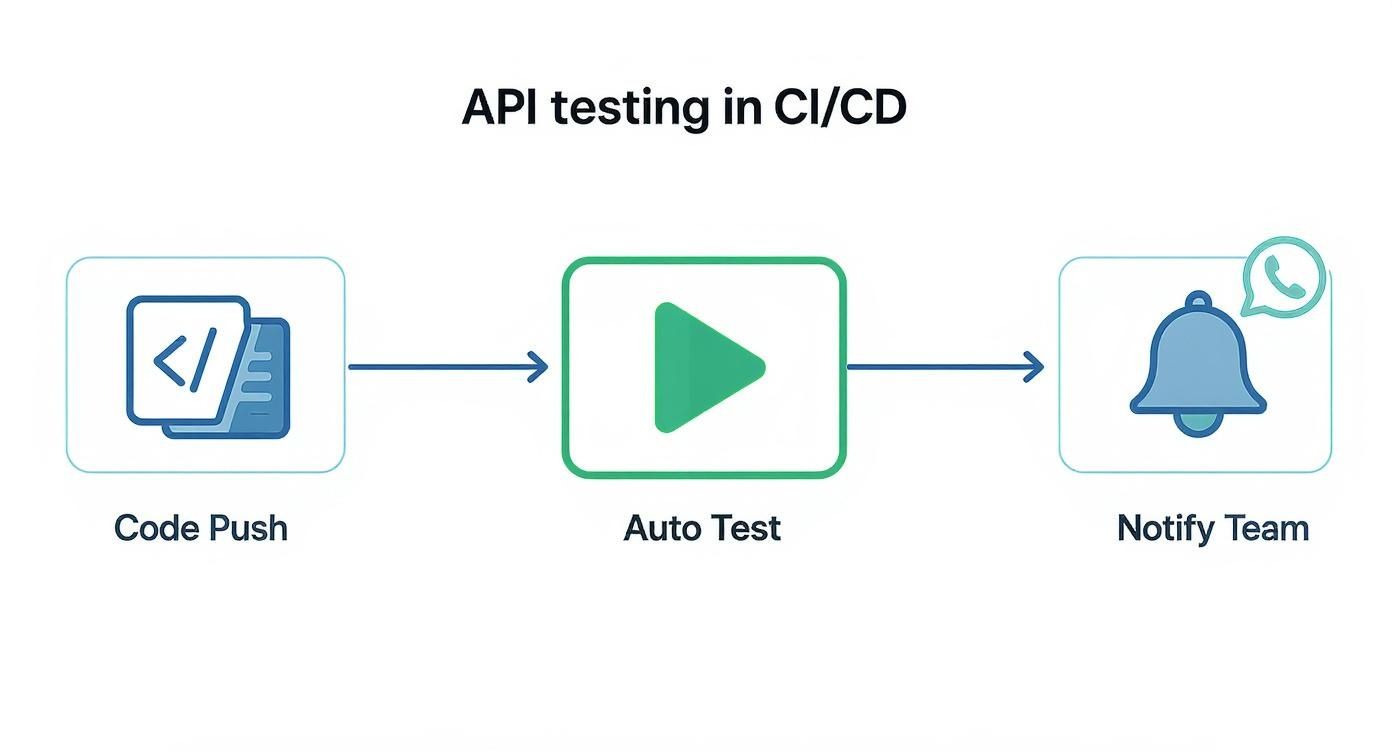
When you weave traffic replays into this pipeline, you elevate its effectiveness from good to indispensable.
How to Implement Traffic Shadowing
Setting up GoReplay is straightforward. You configure it to listen to traffic on your production server and forward a copy over to your staging environment. The real power, though, lies in the control it gives you over that replayed traffic.
You can, for instance:
- Filter traffic to zero in on specific endpoints or user behaviors you want to scrutinize.
- Transform requests on the fly, which is perfect for masking sensitive data like passwords or PII before it ever touches your test environment.
- Amplify traffic by replaying it at 2x or even 10x speed. This is an incredible way to simulate sudden traffic spikes and find your system’s true breaking points.
By replaying genuine user interactions, you move beyond simply checking for a
200 OKand start validating true resilience. You find out how your system behaves under the messy, imperfect conditions of the real world—something synthetic tests alone can never fully replicate.
This approach is especially powerful for performance validation. Let’s say you’ve just rolled out a new optimization. You can replay the exact same traffic load against both the old and new versions of your application to get a direct, apples-to-apples comparison of the performance gains.
It’s the closest you can get to a perfect dress rehearsal before deployment. To dive deeper, check out this guide on how to replay production traffic for realistic load testing and see how to integrate this technique into your own workflow.
Common Questions About REST API Testing
As you start getting serious about testing your REST APIs, a few common questions always pop up. Let’s tackle them head-on, based on what we see teams wrestling with every day.
What’s the Real Difference Between PUT and PATCH?
This is a classic. Both PUT and PATCH are for updating resources, but they have fundamentally different intentions.
Think of a PUT request as a complete replacement. You send the entire resource representation, and whatever you send becomes the new state of that resource. If you leave a field out of your PUT payload, that field gets wiped out or set to null. It’s an all-or-nothing update.
On the other hand, a PATCH request is for partial updates. You only send the specific fields you want to change, and the server applies just those modifications, leaving everything else alone. Use PUT when you need to replace an object entirely and PATCH for making smaller, targeted tweaks.
Should I Mock Dependencies in My API Tests?
The short answer is: it depends entirely on what you’re trying to test.
For unit tests, absolutely. The goal of a unit test is to check a small, isolated piece of code. You should definitely mock external dependencies like databases, message queues, or third-party APIs. This keeps your tests fast, predictable, and focused on the logic you actually wrote.
But for integration tests, mocking defeats the purpose. The whole point is to see how different parts of your system work together. In this case, you’ll want to connect to a real (but separate, test-only) database to make sure your API’s queries and data handling work as expected. You can’t verify an integration by faking it.
What’s the Best Way to Version My REST API?
Versioning is non-negotiable if you want to evolve your API without breaking things for your existing users. There are a few well-trodden paths here:
- URL Versioning: This is the most common and arguably the clearest approach. The version is right there in the URL (e.g.,
/api/v1/users). It’s explicit and simple for developers to understand. - Header Versioning: Here, the version is sent in a custom request header, like
Accept: application/vnd.company.v1+json. This keeps your URLs clean and is a favorite for API purists, though it’s less visible to the end user. - Query Parameter Versioning: You can also pass the version as a query parameter (e.g.,
/api/users?version=1). This is generally the least popular option, as it can make URLs feel messy and less permanent.
The most important thing isn’t which one you choose, but that you choose one and apply it consistently. A predictable API is a developer-friendly API.
Which HTTP Status Codes Are Most Important to Test For?
You don’t need to test for every single status code, but there’s a core set you absolutely must cover to ensure your API communicates its state clearly and correctly.
Make sure your test suite validates these key responses:
200 OK: The go-to for a successfulGETrequest.201 Created: Your signal that aPOSTrequest successfully created a new resource.204 No Content: Used for successful requests that don’t need to return a body, like aDELETE.400 Bad Request: Critical for validating user input. This should fire for things like malformed JSON or missing required fields.401 Unauthorized: For when a request is missing a valid API key or auth token.404 Not Found: Happens when a client requests a resource that simply doesn’t exist.
Ready to test your API with real-world traffic? GoReplay lets you capture and replay production traffic to uncover hidden bugs and performance bottlenecks before they impact your users. Get started for free at https://goreplay.org.