
A Guide to the Testing of Web Services

Web services testing isn’t just another box to check on your QA list. It’s the essential process of verifying that your APIs—the invisible backbone of almost every modern application—are functional, fast, and secure.
Think of it as the quality control department for the digital conversations happening between different software systems. Without it, you’re flying blind, and your applications are vulnerable to crashes, data breaches, and frustrating user experiences.
Why Web Service Testing Is No Longer Optional

Imagine a busy restaurant. The waiters (client apps) take orders and send them to the kitchen (the web service). What happens if the kitchen gets an order wrong, moves too slowly, or sends out the wrong dish? The whole dining experience falls apart.
That’s exactly what happens when a web service fails. Web services testing is what ensures the kitchen gets every order right, cooks it correctly, and sends it out fast. It prevents chaos and keeps your customers happy.
Today, nearly every app relies on web services for something. A mobile banking app needs them to fetch your balance. An e-commerce site needs them to process a payment. A single broken web service can create a domino effect, taking down multiple user-facing features at once.
The Shift from Afterthought to Essential Practice
Not long ago, testing was often a frantic, last-minute check before a big release. But in a world of Agile and DevOps, that’s a recipe for disaster. Development cycles are short and continuous, which means testing has to be a constant, integrated part of the process.
Waiting until the end is like building a skyscraper and only then checking the foundation. By the time you find a problem, it’s catastrophic and wildly expensive to fix. Smart teams test continuously, validating every new component as soon as it’s built.
Web service testing isn’t just about finding bugs; it’s about building user trust. A reliable service forms the foundation of a positive user experience, directly impacting customer retention and business reputation. Every successful transaction and seamless interaction reinforces that trust.
This proactive approach pays off in several huge ways:
- Prevents Costly Failures: Catching a bug early is exponentially cheaper than fixing it after launch when real customers are impacted.
- Enhances System Reliability: Rigorous testing ensures your service can handle real-world loads and weird inputs without falling over. The result is a more stable application.
- Improves User Experience: When the backend just works, the user gets a fast, responsive, and error-free experience. They don’t know why, but they know it feels good.
- Protects Business Reputation: A major service outage or data breach can do irreversible damage to your brand. Solid testing is your first and best line of defense.
At the end of the day, web services testing has evolved from a simple quality check into a core business strategy. It’s a direct investment in reliability and customer satisfaction—an investment that prevents disasters and builds a foundation of trust.
Understanding Core Web Service Concepts
Before you can really get your hands dirty with web service testing, you have to know what you’re working with. At its core, a web service is just a way for different software applications to talk to each other over a network, usually the internet. Think of them as the universal translators of the digital world, allowing your weather app to get data from a meteorological server, or a travel site to book a flight with an airline.
This conversation follows a simple, predictable pattern: the request-response cycle. One application, the client, sends a request for information or an action. The web service on the server then processes that request and sends back a response. It’s the digital equivalent of asking, “What’s the temperature in London?” and getting back, “15°C and cloudy.”
And just like a phone number, every web service has a specific address where it listens for these requests. This address is called an endpoint. You have to send your request to the right endpoint to get the right response.
SOAP vs. REST: The Two Main Architectures
For applications to communicate effectively, they need a shared set of rules—a common language. In the world of web services, the two most dominant styles for this are SOAP and REST. Knowing the difference isn’t just trivia; it’s fundamental to building a solid testing strategy.
Let’s use an analogy. SOAP (Simple Object Access Protocol) is like ordering from a formal, multi-course dinner menu. There’s a strict protocol. You follow a specific order, the rules are rigid, and everything is documented in detail. It’s highly structured and comes with built-in standards for complex operations like security and transactions.
REST (Representational State Transfer), on the other hand, is like hitting up a build-your-own-meal buffet. It’s flexible, efficient, and you only take what you need. You combine different resources using simple, standard actions (like GET, POST, PUT, DELETE). This lightweight approach is why it’s become the go-to for modern web and mobile apps.
The choice between SOAP and REST isn’t just a technical detail; it fundamentally impacts how you design your testing strategy. SOAP’s strict contract demands precise validation against a formal schema, while REST’s flexibility requires more exploratory testing to cover various states and interactions.
This difference also shows up in the data formats they use. SOAP is almost exclusively tied to XML (eXtensible Markup Language), which is powerful but verbose—think of a legal document. REST is more adaptable and most often uses JSON (JavaScript Object Notation), which is lightweight and looks more like a simple shopping list, making it much easier for web browsers and apps to handle.
SOAP vs. REST: A Quick Comparison
To really nail down the differences, a side-by-side comparison is incredibly helpful. This table breaks down their core characteristics, showing why you might choose one over the other and how that choice directly influences your approach to the testing of web services.
| Feature | SOAP | REST |
|---|---|---|
| Protocol | Operates over HTTP, SMTP, TCP, and others. It’s a protocol with strict standards. | Operates primarily over HTTP. It’s an architectural style, not a rigid protocol. |
| Data Format | Almost exclusively uses XML. | Commonly uses JSON, but can also use XML, HTML, or plain text. |
| Structure | Highly structured and standardized with a formal contract (WSDL file). | Less structured, using simple URIs to expose resources and standard HTTP methods. |
| Performance | Generally slower and consumes more bandwidth due to the verbosity of XML. | Typically faster and more lightweight, making it ideal for mobile and web apps. |
| Security | Has built-in, enterprise-grade security standards like WS-Security. | Relies on standard transport-level security like HTTPS. |
| Use Cases | Often used in enterprise environments, financial services, and systems requiring high reliability and transactional integrity. | Widely used for public-facing APIs, mobile applications, and social networks where speed and scalability are key. |
With a solid grasp of these concepts—endpoints, the request-response cycle, and the architectural flavors of SOAP and REST—you now have the foundation you need. This groundwork is essential for diving into the specific types of tests that will ensure your services are robust, reliable, and secure.
The Three Pillars of Effective Web Service Testing
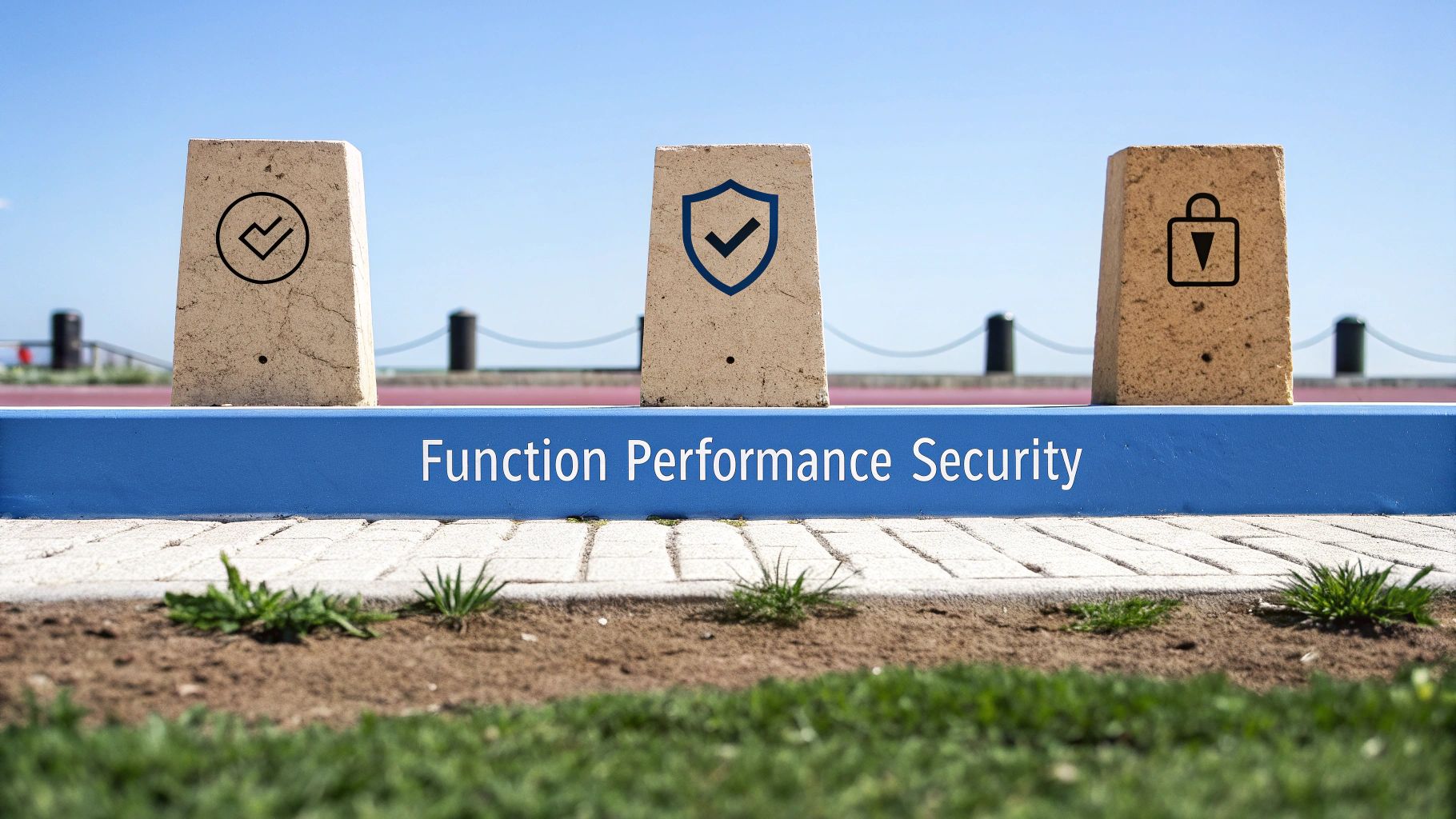
A solid web service testing strategy isn’t about finding one magic bullet. It’s built on three distinct but connected pillars, each answering a totally different—but equally critical—question about your service’s quality.
Think of it like checking out a new car. You need to know if the engine actually starts and the wheels turn (functional), if it can handle highway speeds without shaking itself to pieces (performance), and if the doors lock to keep thieves out (security). If you skip any one of these, you end up with a car that’s unreliable, unsafe, or both.
It’s the exact same story with web services. A truly robust testing plan has to cover all three bases—functionality, performance, and security—to deliver a high-quality service. These aren’t just buzzwords; they’re the foundation of modern QA.
And the industry gets it. The global Software Testing and QA Services market is on track to hit around USD 50.67 billion by 2025 and is expected to more than double to USD 107.25 billion by 2032. That explosion in spending tells you everything you need to know about the demand for reliable, secure, and fast digital services. You can dig into the numbers and drivers behind this growth in this detailed industry report.
Pillar 1: Functional Testing
The first and most fundamental pillar is Functional Testing. It’s all about answering one simple question: “Does this thing actually do what it’s supposed to do?” This is where you verify the core business logic and make sure the service behaves exactly as designed.
Imagine a web service for an ATM. Functional testing is like making a withdrawal to confirm that if you ask for $100, you get exactly $100, and your account balance updates correctly. It doesn’t care how fast it happened, just that it was right.
This pillar breaks down into a few key activities:
- Unit Testing: Developers test tiny, individual pieces of code—like a single function—in isolation to make sure each one works perfectly.
- Integration Testing: This is where you check if different parts of the service, or even different microservices, can talk to each other and work together without any drama.
- Regression Testing: After you push a new feature or a bug fix, these tests run to make sure you didn’t accidentally break something that was already working.
Honestly, if your functional tests fail, nothing else matters. A service that’s lightning-fast and super-secure but gives the wrong answers is fundamentally broken.
Pillar 2: Performance Testing
Once you know your service works correctly, the next question is: “Can it work correctly when things get busy?” This is the world of Performance Testing, where you measure the speed, responsiveness, and stability of your service under all kinds of traffic.
Let’s go back to that ATM. Performance testing is like finding out how many people can withdraw cash at the same time before the whole system grinds to a halt. Can it handle the lunchtime rush on a payday Friday?
Performance testing is the bridge between “it works” and “it works for everyone, all the time.” It’s about ensuring a smooth user experience even during peak demand, preventing the slowdowns and crashes that drive users away.
Performance testing isn’t just one test; it’s a whole category of them:
- Load Testing: Simulates a normal, expected amount of user traffic to see how the system holds up.
- Stress Testing: Pushes the system beyond its limits to find the breaking point and see how gracefully it recovers.
- Spike Testing: Hits the service with a sudden, massive surge in traffic to see if it can handle unexpected events.
- Endurance Testing: Runs a steady, normal load over a long period to sniff out problems like memory leaks that only show up over time.
Good performance testing is what separates a professional service from an amateur one. It prevents those frustrating lags and catastrophic outages that kill user satisfaction.
Pillar 3: Security Testing
The final pillar tackles what is arguably the most important question in today’s world: “Is this service safe from bad actors?” Security Testing is the art of actively trying to break into your own service to find and fix vulnerabilities before criminals do.
For our ATM, security testing is like hiring a team of ethical hackers to try every dirty trick they know to get free cash, steal card data, or just shut the machine down. You find the holes so you can patch them.
This requires a completely different, almost adversarial, mindset. Testers are on the hunt for common weak points, including:
- Injection Flaws: Things like SQL injection, where an attacker tricks your service into running malicious commands by sending it bad data.
- Broken Authentication: Weaknesses in how you handle logins, sessions, and user credentials that could let an attacker slip through.
- Data Exposure: Making sure sensitive info like passwords, API keys, or personal details are never accidentally sent back in a response.
- Denial-of-Service (DoS) Attacks: Bombarding the service with so many requests that it gets overwhelmed and becomes unavailable for real users.
By systematically probing for these weaknesses, security testing hardens your service, protecting your data, your users, and your company’s reputation. Together, these three pillars give you a complete framework for the proper testing of web services.
Choosing the Right Tools for the Job
Picking the right tool for web service testing is a bit like a mechanic choosing the right wrench. Sure, an adjustable wrench might get you by on simple jobs, but for the critical stuff, you need a specialized torque wrench. The tool you choose will have a direct impact on the efficiency, depth, and reliability of your entire testing process.
The world of software testing has changed a lot. It’s no longer just a final checkpoint before a release; it’s now a core part of the development pipeline, thanks to Agile, DevOps, and a whole lot of automation. The numbers back this up—the global software testing market is expected to hit a staggering USD 97.3 billion by 2032. Big companies are dedicating huge chunks of their IT budgets to quality, with 40% of large enterprises spending over a quarter of their entire IT budget on testing alone.
Tools for Manual and Exploratory Testing
When you’re first exploring an API or need to quickly validate a fix, you need tools with a friendly interface. These let developers and QA engineers send requests, poke around at the responses, and debug issues on the fly without writing a line of code.
Postman is the undisputed king here. Think of it as the Swiss Army knife for anyone working with APIs. You can manually build any kind of HTTP request (GET, POST, PUT, DELETE), toss in authentication headers, and send different data payloads to see how your web service reacts. Its clean UI makes it perfect for a quick sanity check on a new endpoint or for tracking down a bug a user just reported.
Tools for Comprehensive Automated Testing
But when it’s time to build a serious, repeatable testing suite—especially for complex systems juggling both SOAP and REST services—you need something with more muscle. These tools are built for creating solid, automated test cases that can be plugged right into a CI/CD pipeline.
SoapUI has been a favorite in enterprise circles for years. While Postman is great for those quick, informal checks, SoapUI shines when you need to construct comprehensive test suites. It lets you chain multiple requests together into complex test scenarios, make specific assertions on the responses (like checking for a certain value or ensuring the latency is below a threshold), and run data-driven tests. This makes it ideal for the kind of rigorous functional and regression testing that keeps a system stable long-term.
The choice between Postman and SoapUI really boils down to scope. Postman is for agile, exploratory work. SoapUI is for building deep, structured test suites that guarantee stability and contract adherence over time.
For a deeper look at the strengths and weaknesses of various tools, check out our guide on the ultimate API testing tools in 2024.
A Modern Approach: Traffic Shadowing with GoReplay
Traditional tools are great at testing for what you expect to happen using synthetic data. But what about the unexpected? What about the chaos that only real-world user traffic can create? That’s where a technique like traffic shadowing comes in.
GoReplay flips the script entirely. It lets you use your actual production traffic as your ultimate test suite. It works by capturing live HTTP traffic from your production environment and replaying it against a staging or test environment. It’s like having a perfect clone of your user base hammering away at every new deployment, but without any risk to your real users.
Here’s a look at the GoReplay interface, where teams can set up and monitor their traffic shadowing sessions.
This gives you a safe way to see exactly how new code will behave under real-world conditions, catching those tricky edge cases and performance bottlenecks that synthetic tests almost always miss.
By shadowing traffic, teams can finally get answers to critical pre-release questions:
- Will this change break anything for our actual users?
- Does the new version handle the same traffic load better, worse, or about the same?
- Are there any weird side effects when we process the messy, unpredictable data from production?
This method closes the gap between traditional testing and production reality. It offers a level of confidence that’s incredibly hard to achieve with older tools alone and represents a major step forward in the testing of web services.
Applying Traffic Shadowing with GoReplay
Alright, let’s move from theory to action. How do we actually implement a modern, powerful strategy for testing web services?
The technique is called traffic shadowing, and it’s a game-changer. It lets you test new code against the messy, unpredictable reality of production traffic—but without any of the risk. Think of it like a dress rehearsal for your code where you use the script from a live audience, but the audience has no idea you’re even there.
This is all made possible with tools like GoReplay, which captures live user requests from your production environment and replays them against a staging or test version of your app. This gives you a crystal-clear preview of how your new code will hold up under real-world pressure. The payoff is immediate: your team can de-risk deployments with a level of confidence that old-school synthetic tests just can’t match.
The Power of Real-World Scenarios
The real magic of traffic shadowing is its knack for uncovering the “unknown unknowns.” These are the bizarre edge cases and performance bottlenecks that are almost impossible to dream up in a scripted test. Real user traffic is chaotic and full of unexpected inputs that can easily break even the most carefully tested code.
By using GoReplay to shadow that traffic, you can:
- Catch Breaking Changes Before They Go Live: See exactly how a new feature or refactor holds up against your actual users’ request patterns.
- Validate Performance Improvements: Get objective proof that a change made your service faster or more efficient under a real-world load.
- Migrate Services with Confidence: Moving from a monolith to microservices? Run both versions in parallel with the same traffic to make sure the new service is truly ready for primetime.
The diagram below shows how testing methods evolve, starting from simple manual checks and moving toward comprehensive, automated approaches like traffic shadowing.
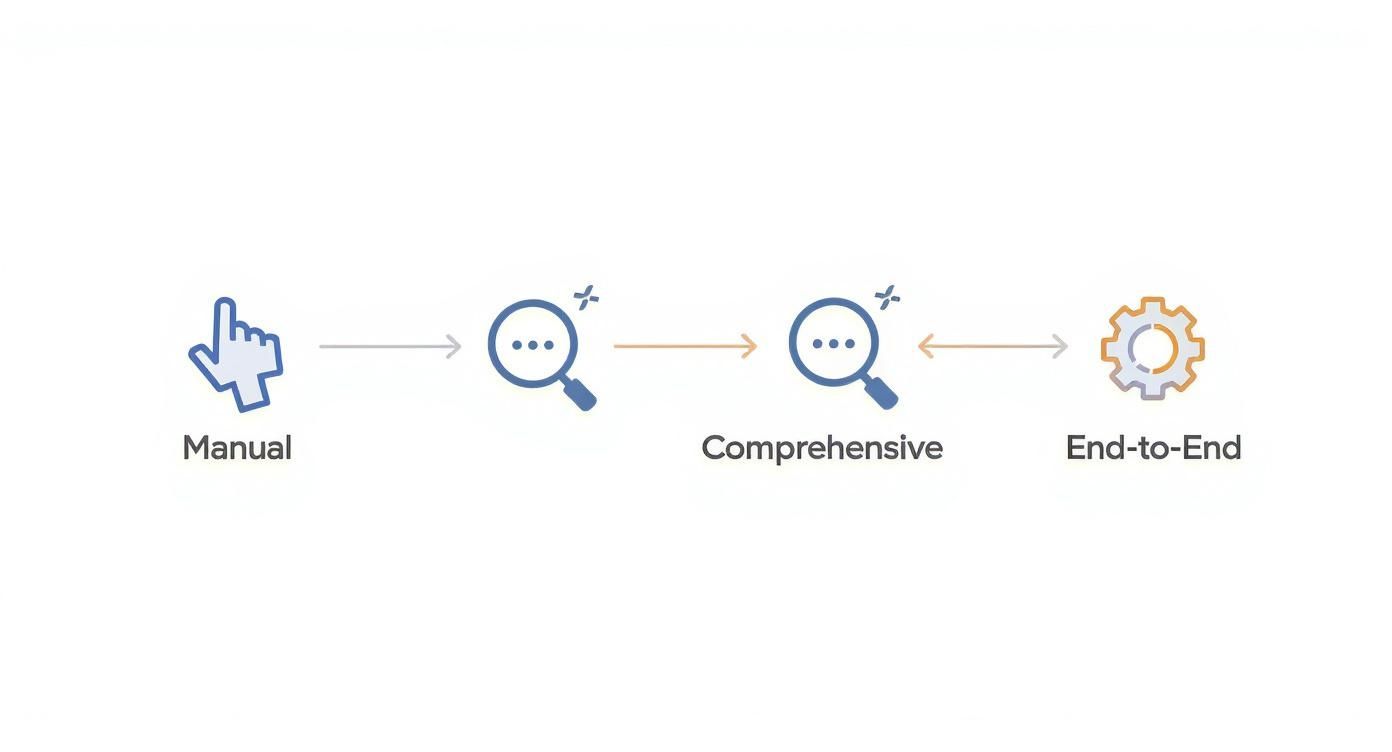
As you can see, as testing needs grow, relying on automated, end-to-end solutions becomes non-negotiable for achieving solid coverage and reliability.
How GoReplay De-Risks Deployments
Setting up GoReplay for traffic shadowing is surprisingly straightforward. It works by placing a listener on your production server that passively copies HTTP traffic without adding any noticeable latency. This captured traffic is then fired off to your staging environment to be replayed.
Here’s the high-level flow:
- Capture Traffic: The GoReplay listener is installed on the production server (or a network tap) to copy incoming requests.
- Replay Traffic: These copied requests get sent to a test or staging environment where your new code is waiting.
- Compare Results: GoReplay analyzes the responses from both your production and staging environments, flagging any differences in status codes, response bodies, or performance metrics.
This method gives you an incredible safety net. By comparing the behavior of the old and new systems side-by-side with identical, real-world inputs, you’re essentially eliminating guesswork from your releases. You no longer have to hope your tests were good enough; you can prove it.
This move toward realistic, automated testing is a huge trend in the industry. Test automation is quickly taking over from manual testing as the go-to strategy for web service testing. In fact, research shows that around 46% of development teams have already automated 50% or more of their manual testing. The global test automation market is even projected to hit nearly $49.9 billion by 2025.
Ultimately, traffic shadowing is more than just a testing tactic—it’s a fundamental shift in how teams think about quality. To dive deeper into how this works in the real world, check out this guide on implementing shadow testing. By embracing real traffic as your ultimate test suite, you can build services that are more resilient, reliable, and performant.
Answering Your Top Web Service Testing Questions
As your team gets deeper into web service testing, you’re bound to run into some practical questions. It’s easy for the lines between concepts to get a little blurry, and figuring out where to focus your energy—especially on crucial areas like security and automation—can be a real challenge. Let’s clear up some of the most common questions to help you build a smarter testing strategy.
Getting these fundamentals right is the first step toward a more effective, realistic, and secure quality assurance process for your web services.
What Is the Difference Between API Testing and Web Service Testing?
This is easily one of the most common points of confusion, but the answer really comes down to scope. A good way to think about it is like the relationship between squares and rectangles: all web services are APIs, but not all APIs are web services.
API (Application Programming Interface) testing is the big-picture category. An API is just any set of rules that lets different pieces of software talk to each other. That could be anything from a local code library on your machine to a massive, web-based system.
Web service testing, on the other hand, is a specific type of API testing. It deals only with APIs that communicate over a network, usually with standard web protocols like HTTP. These are the services built on architectures like REST and SOAP that we talked about earlier.
So, when you’re doing web service testing, you’re automatically doing API testing. But if you were testing the interface of a local software library, that would be API testing, but not web service testing. The real difference-maker is the network.
How Do You Test for Web Service Security Vulnerabilities?
Securing your web services is absolutely non-negotiable, and testing is your first line of defense. A solid security testing strategy means thinking like an attacker to find weaknesses before they do. This isn’t just a single check-box item; it’s a multi-layered approach.
Here are the key practices you should have in place:
- Penetration Testing (Pen Testing): This is where ethical hackers actively try to break through your web service’s defenses. They’ll probe for well-known vulnerabilities like SQL injection, cross-site scripting (XSS), and broken authentication to find any exploitable gaps.
- Fuzz Testing (Fuzzing): With fuzzing, you use automation to hammer your API endpoints with a massive volume of random, messed-up, or just plain weird data. The idea is to see if the service crashes, leaks sensitive info, or behaves strangely when it gets hit with invalid inputs.
- Authentication and Authorization Checks: Testers need to be relentless in verifying that the service enforces access rules correctly. Can a regular user get to an admin-only endpoint? Can one user see or change another user’s data? These tests make sure your permission models actually work.
- Data Exposure Validation: This involves digging through the responses from your web service to make sure nothing sensitive is accidentally being sent back to the client. We’re talking user passwords, internal system paths, API keys—anything that shouldn’t see the light of day.
A strong security posture comes from combining these methods. You can’t just rely on one.
Can You Automate 100% of Web Service Tests?
While it’s tempting to want to automate everything, aiming for 100% automation is usually a bad idea. It’s often impractical and can actually make your testing less effective. Automation is a beast at tasks that are repetitive, predictable, and need precise validation—which makes it perfect for regression tests, load tests, and data-driven functional checks.
But some parts of testing just really need a human brain.
Full automation is a tempting goal, but it overlooks the unique value of human intuition. Exploratory testing, where a skilled tester creatively probes the system, often uncovers the most subtle and unexpected bugs that a rigid script would miss.
Here’s where automation just can’t keep up:
- Exploratory Testing: This is where a human engineer explores the web service without a script, trying weird workflows and unconventional inputs. It takes curiosity and intuition that you just can’t program into a tool.
- Usability Testing: This is less common for pure web services, but if your API is meant for other developers to use, you need a person to tell you if the developer experience is intuitive or a total nightmare.
- Complex Security Scenarios: You can automate some security checks, but a sophisticated penetration test often requires a human expert who can think on their feet and adapt their attack based on how the system responds.
The best strategy for web service testing is a hybrid one. Use automation for all the heavy lifting and repetitive work, but save your team’s brainpower for targeted manual testing where creativity and critical thinking really matter. For most teams, the sweet spot is automating the vast majority of tests while reserving manual effort for high-impact exploratory and security deep-dives.
Ready to de-risk your deployments and catch bugs before they hit production? GoReplay empowers your team to use real production traffic as your ultimate test suite. By safely replaying live user requests in your staging environment, you can validate new code with unmatched realism. Discover how traffic shadowing can transform your QA process.