
A practical guide: testing life cycle in software testing
The testing life cycle in software testing, or STLC for short, is the roadmap QA teams follow to make sure a software product actually works as intended. It’s a series of well-defined steps designed to methodically check the software against its requirements before it ever sees the light of day.
Why a Structured Testing Life Cycle Matters
Before we jump into the six specific phases, let’s get one thing straight: why does this structured process even matter?
Think of the Software Testing Life Cycle (STLC) less like a rigid checklist and more like the architectural blueprint for a skyscraper. You wouldn’t just start throwing up beams and hoping for the best. Builders need a detailed plan to create a stable structure, and in the same way, software teams need the STLC to build reliable, high-performing applications. Without it, testing devolves into a chaotic fire-drill, leading to missed bugs and blown deadlines.
This structured approach elevates testing from a simple bug hunt to a proactive quality assurance strategy. It forces teams to think critically about what they’re building, plan their attack, and systematically validate every piece of the puzzle. The result? A process that’s more predictable, efficient, and—most importantly—effective.
The Strategic Value of a Methodical Approach
A well-defined STLC gives everyone a clear roadmap to follow, aligning developers, testers, and project managers. Each stage has specific “entry” and “exit” criteria. That means you can’t start a phase until certain conditions are met, and you can’t finish it until specific goals are achieved. This methodical flow prevents crucial steps from getting skipped in the mad dash to the finish line.
Adopting this framework pays off in a few key ways:
- Catch Bugs Earlier: A systematic process ensures you’re testing everything you should be. This makes it much easier to find defects early on, when they are way cheaper and simpler to fix.
- A Better Final Product: By constantly checking the software against its requirements, the STLC ensures the end product is reliable, functional, and actually does what users expect it to.
- Stop Wasting Time: When everyone knows their role and what needs to be delivered at each phase, you cut down on confusion and rework. Teams can use their time and resources on what really matters.
- Build Stakeholder Confidence: A transparent, documented testing process gives stakeholders a clear view of the product’s quality. This helps them make smart, informed decisions about when it’s truly ready for launch.
A bug found in production can be up to 30 times more expensive to fix than one caught during the design phase. A solid STLC is how you shift that discovery process to the left, saving a massive amount of time and money down the road.
Ultimately, the testing life cycle isn’t just about finding errors. It’s a strategic framework that brings discipline and predictability to the quality assurance game. It makes sure every feature is thoroughly vetted, from the initial idea all the way to the final sign-off, setting you up for a successful release.
Exploring The Six Phases Of The Testing Life Cycle
The Software Testing Life Cycle (STLC) isn’t just a series of steps; it’s a structured philosophy for building quality directly into your product. Instead of treating testing as a final checkpoint, the STLC breaks down the massive task of validation into six manageable phases. Each phase has clear goals, entry criteria (what you need to start), and exit criteria (what you need to finish).
Think of it like building custom furniture. You wouldn’t just grab some wood and start sawing. You’d analyze the blueprints (Requirement Analysis), gather your tools (Test Planning), write down assembly instructions (Test Case Development), clear your workshop (Test Environment Setup), build the piece (Test Execution), and finally, clean up and admire your work (Test Cycle Closure).
This methodical flow isn’t just for organization’s sake—it’s a direct path to preventing bugs, building user trust, and ultimately, shipping better products faster.
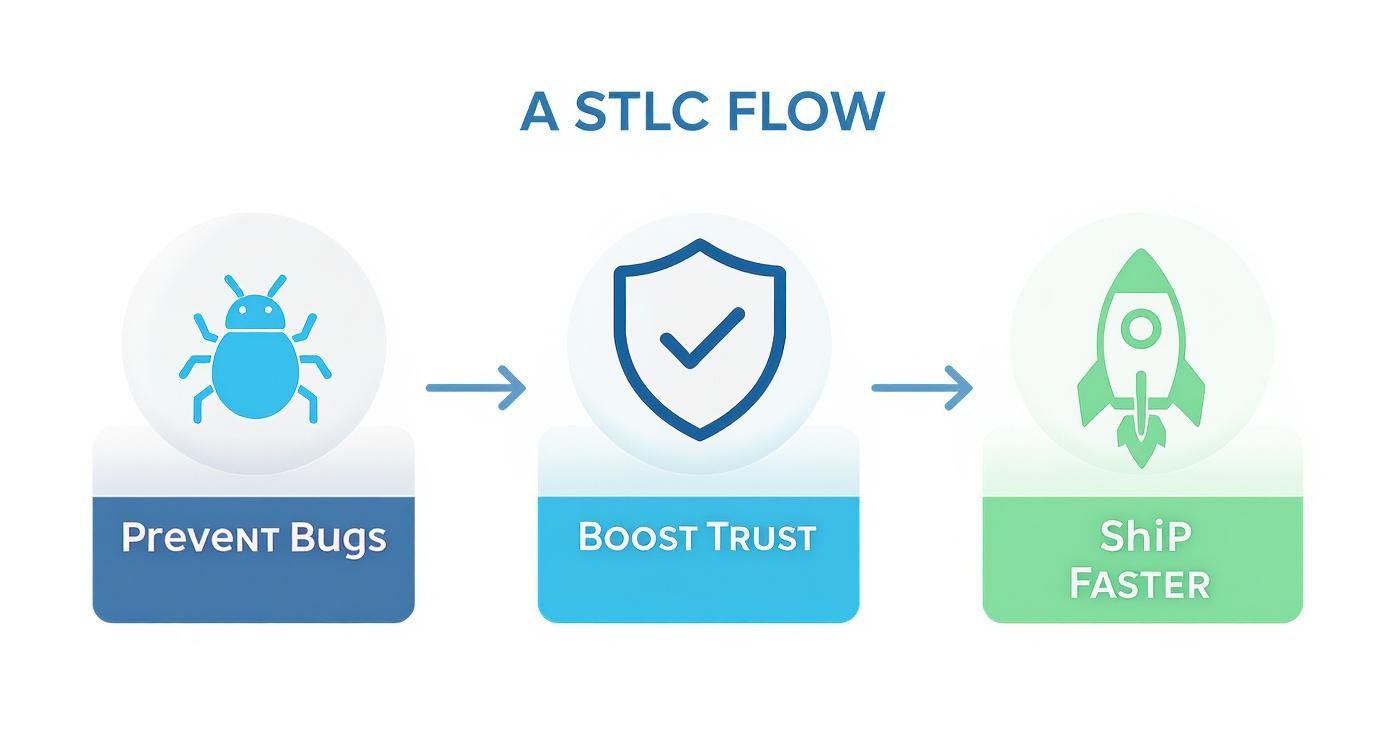
This process shows that a disciplined approach to testing is a strategic advantage that directly impacts a product’s success in the real world.
To give you a quick overview, here’s how the different pieces of the STLC fit together.
Overview of STLC Phases and Key Deliverables
| STLC Phase | Primary Objective | Key Deliverable |
|---|---|---|
| Requirement Analysis | Understand and identify all testable requirements. | Requirement Traceability Matrix (RTM) and a list of testable requirements. |
| Test Planning | Define the testing strategy, scope, resources, and schedule. | Test Plan document and effort estimation report. |
| Test Case Development | Create detailed, step-by-step test cases and scripts. | Test cases, automation scripts, and test data. |
| Test Environment Setup | Prepare the hardware, software, and network for testing. | A stable and ready test environment with test data loaded. |
| Test Execution | Run the tests and document the results and defects. | Defect reports and test execution logs. |
| Test Cycle Closure | Evaluate the testing process and report the final outcomes. | Test Summary Report. |
This table maps out the journey, but let’s dive into what actually happens at each stage.
Phase 1: Requirement Analysis
Every solid testing effort begins long before anyone writes a single test. In the Requirement Analysis phase, the Quality Assurance (QA) team digs into the software requirements to figure out exactly what needs to be tested. The goal here is simple but critical: identify every testable requirement and clear up any confusion from the start.
This isn’t just about reading documents. It’s an active investigation where QA pros collaborate with business analysts, developers, and other stakeholders. They ask the tough questions—What are the functional needs? What about non-functional requirements like performance and security? Getting these answers early prevents massive headaches and incorrect testing later on.
Key Activities:
- Analyzing the business, system, and architectural requirements documents.
- Pinpointing exactly which requirements are testable and defining their boundaries.
- Brainstorming the different kinds of tests required, like functional, security, or usability testing.
- Creating a Requirement Traceability Matrix (RTM) to map every requirement to its corresponding test cases.
The main takeaway from this phase is a crystal-clear understanding of the testing scope and a solid list of requirements ready for testing.
Phase 2: Test Planning
Once you know what you’re testing, you need a plan for how you’re going to test it. The Test Planning phase is where the test manager or lead lays out the entire strategy, including the objectives, resources, and timeline. This is easily one of the most important stages in the whole life cycle.
A good test plan becomes the team’s single source of truth. It defines the resources, sets the scope and deadlines, and specifies which tools to use. In fact, many large companies allocate over 25% of their total software budget just to testing. You can find more stats on enterprise testing budgets on testgrid.io.
The Test Plan isn’t just a document; it’s the strategic compass for the entire QA process. It ensures everyone is aligned on the goals, scope, and methods, preventing the testing effort from drifting off course.
This document also defines the entry and exit criteria for each phase and includes a risk management plan for when things inevitably go wrong.
Phase 3: Test Case Development
With the strategy in place, it’s time to get tactical. During Test Case Development, the team writes the detailed, step-by-step instructions that testers will follow to verify the software. Each test case is designed to check a specific requirement or user scenario.
A well-written test case typically includes:
- Test Case ID: A unique identifier for tracking.
- Description: A quick summary of what’s being tested.
- Preconditions: What needs to be true before the test begins.
- Test Steps: The specific actions the tester needs to perform.
- Expected Results: What should happen if the software is working correctly.
The team also prepares the necessary test data during this phase. If automation is part of the plan, this is when those scripts are written.
Phase 4: Test Environment Setup
You can’t test software in a vacuum. The Test Environment Setup phase is all about preparing the specific hardware, software, and network configurations needed to execute the tests. A stable and accurate environment is non-negotiable if you want reliable results.
This setup should mirror the live production environment as closely as possible to make the tests realistic. This means configuring servers, installing the right software frameworks, creating user accounts, and loading up the test data prepared in the last phase. A quick “smoke test” is usually run to make sure everything is stable and ready to go.
Phase 5: Test Execution
This is where the rubber meets the road. In the Test Execution phase, testers finally run the test cases in the environment they just set up. They meticulously follow each step and compare the actual results to the expected ones.
Every single outcome is recorded.
- If the actual result matches the expected one, the test case is marked as Passed.
- If they don’t match, it’s marked as Failed, and a defect report is logged in a bug tracking system. This report contains all the details developers need to find and fix the problem.
- Sometimes, an issue prevents a test from running at all. In that case, it’s marked as Blocked.
After the development team fixes a bug, the QA team performs re-testing to confirm the fix and regression testing to make sure the fix didn’t accidentally break something else.
Phase 6: Test Cycle Closure
The final lap is Test Cycle Closure. This phase marks the official end of the testing process for a given cycle. The QA team gets together to review the entire effort, analyze the results, and prepare a final report.
This isn’t just about packing up and going home. It’s a chance to reflect, learn, and improve for next time.
Key activities include:
- Confirming that all planned tests have been executed.
- Making sure all critical bugs are resolved.
- Preparing the Test Summary Report, which details all testing activities, outcomes, and key metrics like test coverage and defect density.
- Archiving the test plan, test cases, and other artifacts for future reference.
This final report gives stakeholders the crucial information they need to make a confident go/no-go decision for the software’s release.
Overcoming Common Hurdles in the STLC
Even the most well-defined testing life cycle in software testing is going to hit some turbulence. A perfect plan on paper rarely survives contact with reality. Projects get messy, priorities shift, deadlines loom, and unexpected technical glitches can throw the whole process off track.
Navigating these bumps is what separates a good QA team from a great one. The trick isn’t to avoid problems entirely—that’s a fantasy. It’s about anticipating them and having a solid game plan. When you know the common pitfalls, you can build a more resilient testing process that keeps quality front and center, even when things get chaotic.
Let’s break down the most frequent hurdles and how to clear them.
Dealing with Ambiguous Requirements
One of the biggest headaches pops up right at the start: vague or incomplete requirements. If the QA team doesn’t have a crystal-clear picture of what the software is supposed to do, how can they design tests that actually mean anything? It’s a recipe for wasted effort, missed bugs, and frustrating back-and-forth arguments down the line.
The fix is to get involved and be proactive during the Requirement Analysis phase.
- Hold Collaborative Workshops: Get business analysts, developers, and testers in the same room. Go through the requirements together. This forces everyone to get on the same page and clarifies confusion on the spot.
- Use a Requirement Traceability Matrix (RTM): This simple document connects every single requirement to its test cases. It’s a fantastic way to force clarity and immediately spot any requirements that don’t have test coverage.
- Ask “What If” Questions: Good testers are great at poking holes in things. Challenge the requirements by thinking about edge cases and negative scenarios. This helps expose fuzzy logic before a single line of code gets written.
Managing Unrealistic Deadlines
The pressure to ship features fast is relentless, and it often means testing timelines get squeezed. When deadlines are a fantasy, teams have no choice but to cut corners. That’s how critical bugs sneak into production, creating a vicious cycle of technical debt where developers spend more time fixing old problems than building new features.
Smart time management and risk assessment are your best friends here.
Risk-based testing is a powerful strategy for fighting the clock. It’s all about prioritizing your tests based on the real-world business impact of a failure. Instead of trying to test every little thing, you pour your energy into the features that matter most to your users and the bottom line.
This approach ensures that even with limited time, you’re covering the most critical parts of the application. It also helps to have honest, regular conversations with project managers about what’s truly achievable, which helps set realistic expectations for everyone.
Stabilizing the Test Environment
An unstable test environment is the enemy of productivity. When the environment is flaky, tests fail for reasons that have nothing to do with the application’s code. This generates false alarms, wastes hours investigating non-existent bugs, and completely erodes the team’s trust in the test results.
Keeping the environment clean and stable has to be a shared responsibility.
- Establish Clear Ownership: Assign a specific person or team to own the test environment. Their job is to manage deployments, handle data refreshes, and keep configurations in check.
- Isolate Your Test Data: Make sure your test data is clean and isolated for every single test run. Contaminated data left over from previous tests is one of the most common culprits behind bizarre, unexplainable failures.
- Run Smoke Tests First: Before kicking off a full regression cycle, run a quick suite of basic tests (a “smoke test”). This simple step confirms the environment is up and the core application is stable enough to even begin testing.
By tackling these all-too-common hurdles with practical strategies, you can shift your testing life cycle in software testing from a reactive fire-drill into a proactive, quality-building machine.
Enhancing Test Execution with Real-World Traffic

The Test Execution phase is where the rubber meets the road. But even the most carefully written test cases have a blind spot: they’re predictable. Scripted tests march down a predetermined path, which is great for confirming known requirements but terrible at catching the chaotic, messy reality of how real people use your software.
This is where shadow testing changes the game. Imagine you could safely throw your application updates against the exact behavior of your actual customers, without them ever knowing. That’s the whole idea. You capture live production traffic and replay it against a staging environment. It’s a technique that goes way beyond scripted scenarios to see how your system really holds up.
For any team serious about quality, this approach is a massive leap forward in their testing life cycle in software testing. It’s how you find those nasty, elusive bugs, performance bottlenecks, and bizarre edge cases that traditional testing almost always misses.
Bridging the Gap Between Staging and Production
The biggest headache in any test environment is making it a perfect mirror of production. You can match the hardware and software configs, sure, but faking the pure randomness of user traffic with scripts alone? Nearly impossible. Real users click in weird places, submit junk data, and create traffic patterns you’d never dream of scripting.
This is exactly the problem tools like GoReplay were built to solve. Think of it like a DVR for your production environment. It records live HTTP requests without slowing anything down. Then, you can “replay” that captured traffic in your isolated test environment, giving your new code a genuine stress test.
This method delivers some serious advantages:
- Realistic Load Testing: Stop guessing at user numbers and hit your app with genuine peak traffic loads.
- Uncovering Edge Cases: Real traffic is full of malformed requests and strange user journeys that are perfect for exposing hidden flaws.
- Validating Performance: See exactly how your application behaves under the pressure of real-world request volumes.
When you bake this step into your test execution phase, you gain a level of confidence that just isn’t possible otherwise. You know your system can handle what your actual users will throw at it.
Implementing Traffic Replay in Your STLC
Let’s be clear: traffic replay doesn’t replace your traditional tests. It makes them stronger. You absolutely still need your scripted test cases to check off specific functional requirements and acceptance criteria. Shadow testing simply adds a crucial layer of real-world validation on top.
The goal of traffic replay is not just to find bugs, but to gain confidence. When your application successfully handles a full day’s worth of real production traffic in a test environment, you can deploy to production with a much higher degree of certainty.
Getting started is pretty straightforward. First, you set up the tool to listen to your production traffic. Next, you point that recorded traffic to your staging or pre-production environment. As the replayed requests flood your system, you just watch the logs, performance metrics, and error rates to see what breaks.
For teams ready to dive in, learning how to replay production traffic for realistic load testing is the next step. It transforms your Test Execution phase from a simple checklist into a robust, real-world simulation, ensuring your software isn’t just functional—it’s truly production-ready.
How AI and Automation Are Reshaping the STLC

The traditional testing life cycle in software testing isn’t some dusty artifact sitting on a shelf; it’s a living process that’s constantly evolving. Right now, two major forces are shaking up every phase of that cycle: Artificial Intelligence (AI) and automation. This isn’t just about running tests faster. It’s about making testing smarter, more predictive, and woven directly into the fabric of the development workflow.
The shift is already well underway. By 2025, it’s expected that 42% of large enterprise companies will have actively deployed AI in their testing processes, with another 40% already experimenting with AI models. This massive adoption reflects a fundamental change in how we think about and achieve quality.
We’re moving past simple script execution into an era of intelligent, self-optimizing quality assurance that touches every single stage of the STLC.
AI in Test Planning and Case Development
Think of AI as a brilliant co-pilot for your QA team in the early stages. Instead of someone manually poring over requirements docs to design tests, AI algorithms can analyze user stories and design specs to generate a solid first draft of test cases. This doesn’t just save a ton of time; it also cuts down on simple human error.
Better yet, AI is incredible at sniffing out high-risk areas. By analyzing past bug reports and recent code changes, predictive models can flag which parts of the application are most likely to break. This lets teams focus their firepower where it truly matters—the very heart of risk-based testing.
Intelligent Test Execution and Optimization
When it’s time to run the tests, AI’s role becomes even more obvious. Old-school automation plows through every single test in a suite, which can take ages. AI-driven platforms, on the other hand, can intelligently prioritize which tests to run based on recent code changes, making sure the most relevant checks happen first.
This smart selection process pays off in a few big ways:
- Faster Feedback: Developers get critical test results in minutes, not hours.
- Efficient Resource Use: You stop wasting compute cycles running tests that aren’t needed.
- Smarter Regression Testing: AI pinpoints the exact subset of tests required to validate a fix, shrinking massive regression suites down to a manageable size.
The real goal of AI in testing isn’t to replace human testers. It’s to augment their skills. AI takes over the repetitive, data-crunching tasks, freeing up QA pros to focus on exploratory testing, user experience, and complex problem-solving—the stuff where human intuition is still king.
Self-Healing Tests and the Future of Maintenance
One of the biggest time-sinks in QA is test maintenance. A developer changes a button ID or a field name, and suddenly, a dozen automated tests break. Self-healing automation uses AI to spot these changes and update the test script on the fly, dramatically cutting down the time spent on tedious repairs.
This move toward intelligent automation is a core part of modern software development. As teams embrace these tools, the testing life cycle in software testing becomes less of a rigid, step-by-step process and more of a continuous, intelligent quality loop.
To build a solid foundation for this future, check out our guide on automated testing best practices. Adopting that strategic mindset is essential for any team looking to build better software, faster.
The People Behind the Process
A successful testing life cycle isn’t just a series of steps and documents; it’s powered by a global community of skilled professionals. While the process itself is a universal standard, its real-world application is shaped by a diverse talent pool spread across the entire globe. Understanding this human element is key to seeing the bigger picture of quality assurance.
The global distribution of this talent is fascinating. Certain regions have emerged as serious powerhouses for software quality. Ireland, for instance, stands out with the highest density of testers in the world, boasting an impressive 61.2 testers per 100,000 people. That kind of concentration really highlights the country’s central role in the European tech scene.
Meanwhile, North America is still a massive driver, responsible for 37% of the global software testing market’s growth. This is especially true in fast-moving industries like finance, retail, and media. If you want to dig deeper, you can explore more data on these software testing trends to see the full picture.
A Look at the Workforce Demographics
Beyond just where testers work, who they are is just as important. The profession is always evolving, but like much of tech, there’s a visible gender gap. Right now, the workforce is made up of about 37.9% female testers and 62.1% male testers. While there’s clearly work to be done, this data fuels the ongoing, critical conversations about diversity and inclusion in our industry.
Knowing these global dynamics isn’t just an academic exercise. It helps companies appreciate the vast pool of talent out there, recognize the universal importance of quality assurance, and see how the STLC acts as a critical standard in a diverse and growing field.
When you recognize the people behind the process, the STLC stops being a dry technical framework. It becomes a shared language spoken by experts across continents. This human network is what truly powers the creation of high-quality, reliable software that users can trust—no matter where it was built or tested. Quality is, and always will be, a collaborative, worldwide effort.
Frequently Asked Questions
Even with a detailed guide, a few questions always pop up around the testing life cycle in software testing. Let’s clear up some of the most common points of confusion so you can put these ideas into practice.
What’s the Difference Between STLC and SDLC?
It’s easy to mix these two up, but their relationship is actually pretty simple. Think of the Software Development Life Cycle (SDLC) as the entire blueprint for building a car—from the first sketch to the final factory rollout and ongoing maintenance.
The Software Testing Life Cycle (STLC) is a specialized process that lives inside the SDLC. It’s the detailed checklist for all the safety inspections, crash tests, and performance trials that happen before that car ever hits the showroom. One is the master plan for the whole build; the other is the focused quality control process within it.
Can STLC Phases Be Skipped in Agile?
In Agile, the STLC phases aren’t really skipped—they’re just compressed and run in incredibly fast, repetitive cycles, usually called sprints. For a single new feature, all the key activities like analyzing requirements, planning tests, and running them might happen within a single two-week sprint.
The core principles of the STLC are still vital in an Agile world. The focus just shifts from heavy upfront documentation to getting rapid, continuous feedback. The goal—quality software—is the same, but the execution is much faster and more iterative.
The whole process feels less formal and a lot more dynamic, but the fundamental work of planning, designing, and executing tests is still absolutely happening.
What Are the Most Critical STLC Deliverables?
While every document serves a purpose, three deliverables are the absolute backbone of a successful testing project. Without them, the entire QA effort can quickly lose its way and fail to make an impact.
These are the non-negotiables:
- The Test Plan: This is your strategic roadmap. It lays out the scope, objectives, resources, and risks, acting as the single source of truth for the whole testing effort.
- Test Cases: These are your tactical, step-by-step instructions. They make sure every requirement is systematically checked and that testing is consistent and repeatable.
- The Test Summary Report: Pulled together at the very end, this report is crucial for stakeholders. It gives a clear, data-backed picture of the test results, calls out any remaining risks, and helps leadership make an informed call on whether to release the software.
These three documents give you the strategy, the execution plan, and the final verdict for the entire testing process.
Ready to validate your updates against real-world chaos? GoReplay captures your live production traffic and replays it in a safe test environment, allowing you to uncover critical issues before they impact your customers. Start testing with real traffic today.