
A Practical Guide to Software Testing Management

Software testing management is the strategic brain behind making sure your software actually works. It’s the whole process of organizing, controlling, and keeping an eye on every testing activity to guarantee quality. Think of it as the master plan that ensures every test runs smoothly, defects get tracked down, and the final product is solid, secure, and ready for your users.
Understanding the Heart of Quality Assurance
Imagine trying to conduct a symphony orchestra without a conductor. Each musician might be a virtuoso, playing their part perfectly, but the end result would be absolute chaos. The conductor is the one who unifies every section, sets the tempo, and makes sure all the instruments play in harmony.
Software testing management is the conductor of the quality assurance process.
It orchestrates everything from the initial planning and resource allocation to the final test execution and reporting. Its real purpose isn’t just about finding bugs; it’s a strategic function built to cut down on business risks, use resources wisely, and give stakeholders clear, data-driven answers. It’s the structured approach that confidently answers the big question: “Is this software ready to go live?”
From Final Checkpoint to Continuous Process
Not too long ago, testing was often treated as the last, isolated step before a product shipped. That model is now completely obsolete. With the rise of Agile and DevOps, testing has morphed into a continuous, integrated activity that’s woven into the entire development lifecycle.
This shift is crucial for shipping high-quality software at speed. Instead of being a gatekeeper at the very end, testing is now a collaborative effort that brings developers, QA engineers, and operations teams together from day one.
Software testing management provides the framework that makes this integration click. It transforms testing from a simple bug hunt into a proactive, value-driven discipline that protects your brand and keeps customers happy.
Here’s a quick look at the core components that make up a strong software testing management strategy.
Core Components of Software Testing Management
| Component | Objective | Key Activities |
|---|---|---|
| Test Planning | Define the scope, strategy, and resources needed for testing. | Risk analysis, resource allocation, defining test environments, scheduling. |
| Test Design | Create detailed test cases and scripts to validate software functionality. | Writing test scenarios, creating test data, defining expected outcomes. |
| Test Execution | Run the planned tests and log the results. | Manual testing, automated script execution, regression testing. |
| Defect Management | Track, prioritize, and resolve bugs found during testing. | Logging defects, assigning them to developers, retesting fixes. |
| Reporting & Metrics | Provide clear insights into testing progress and product quality. | Creating dashboards, tracking KPIs, communicating status to stakeholders. |
Each of these pillars works together to create a cohesive system that ensures nothing slips through the cracks.
Why Structured Management Is Critical
The need for a formal management approach is obvious when you look at market trends. The global software testing market is expected to rocket from $48.17 billion in 2025 to $93.94 billion by 2030. This explosion is fueled by the need to deliver flawless applications in an increasingly complex tech world, especially with the growth of cloud architectures and microservices.
Without a solid strategy, testing efforts can become a messy, inefficient scramble. This leads to blown deadlines, busted budgets, and critical bugs slipping into production. A well-defined management process ensures that:
- Resources are used effectively: Teams can focus their energy on the most critical parts of the application.
- Risks are identified early: Potential problems get caught before they turn into expensive disasters.
- Communication is clear: Everyone, from developers to executives, is on the same page about the product’s quality.
Ultimately, effective software testing management is a vital part of overall software development process improvement. It provides the governance and control you need to build reliable products, time and time again.
Key Processes and Roles in a Modern Testing Team
Good software testing management isn’t just about finding bugs; it’s about having a solid workflow and a team that moves in sync. Think of it like a professional kitchen—each station and every chef has a critical role in turning raw ingredients into a finished dish. Without that structure, you get chaos, missed orders, and unhappy customers, no matter how talented the individuals are.
Let’s say a fintech company is rolling out a new two-factor authentication feature. The stakes are high. One slip-up could compromise user data. Its success depends entirely on a robust, well-managed testing process that leaves no stone unturned. This process breaks down into a few core stages, each with a clear job to do.
The Five Core Stages of the Testing Lifecycle
The testing lifecycle isn’t just a checklist; it’s a systematic game plan for validating software. It makes sure every angle is covered before you ship.
- Test Planning and Analysis: This is where you draw the map. The team figures out the scope, objectives, and potential risks. For our fintech app, that means deciding exactly what to test—login flows, code delivery, recovery options—and what resources (people, tools, time) are needed to do it right.
- Test Design: Now, the team writes the actual test cases. This isn’t just “test the login.” It’s creating specific scenarios like, “What happens on a successful login?” or “What about a failed login with the wrong code?” or “What if the code expires before the user enters it?”
- Environment Setup: You can’t test properly in a vacuum. Testers need a stable environment that mimics production as closely as possible. This stage is all about configuring the right hardware, software, and network settings to create a realistic playground.
- Test Execution: Time to put the plan into action. QA engineers start running the test cases they designed, logging every outcome with precision. They’ll run both manual checks and kick off automated scripts to spot any deviations from what’s expected. A deep understanding of different testing phases, like alpha and beta testing, is essential here for modern teams.
- Defect Management and Reporting: Finding a bug is just the beginning. It enters a formal defect lifecycle: it gets logged, prioritized, and assigned to a developer. Once fixed, it comes back to QA for re-testing to confirm the fix works and hasn’t broken something else. Rinse and repeat.
This diagram gives a great high-level view of how these activities are organized, controlled, and monitored.
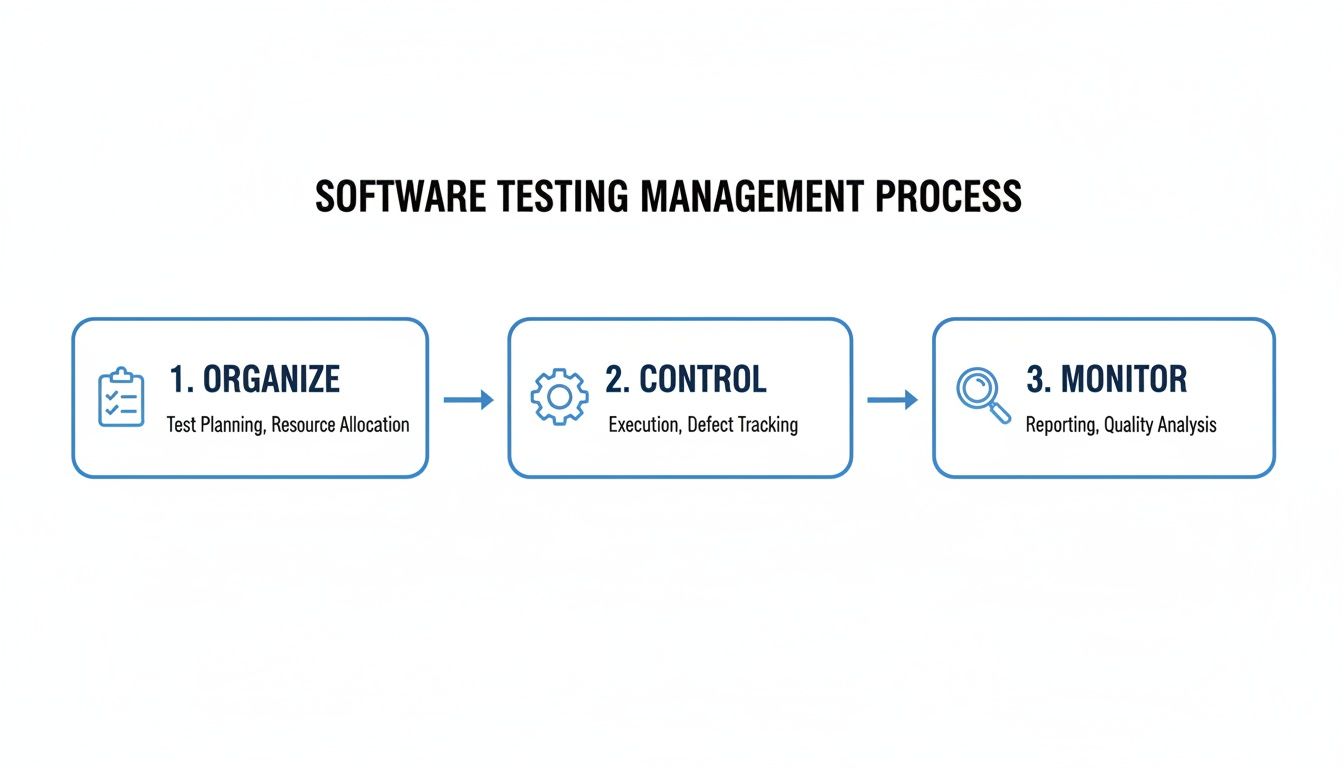
As you can see, software testing management is a continuous cycle. You plan (organize), you execute (control), and you evaluate (monitor). It’s a feedback loop designed to constantly push quality forward.
The Collaborative Quality Team
These days, testing isn’t an isolated department tucked away in a corner. It’s a team sport that demands tight collaboration across different specialties. Job titles can vary, but the functions are what really matter for a healthy quality pipeline.
“Quality is a team responsibility. The success of software testing management relies on how well different roles collaborate to own the end-to-end quality of the product, not just pass bugs over the fence.”
Here are the key players you’ll find on the field:
- Test Manager/QA Lead: The conductor of the orchestra. They oversee the entire testing process, manage the team and resources, set the high-level strategy, and keep stakeholders in the loop on progress and risks.
- QA Engineer (Manual/Functional Tester): The hands-on detective. These engineers dive deep, executing test cases, exploring the user experience, and finding the tricky bugs that automated scripts might miss. Their domain knowledge is pure gold.
- Automation Engineer (SDET): The efficiency engine. A Software Development Engineer in Test (SDET) is the one writing the automated scripts that handle all the repetitive regression tests. By building and maintaining the automation framework, they free up the rest of the QA team to focus on more complex, exploratory testing.
Of course, these folks don’t operate in a bubble. They’re plugged into the wider team:
- Developers: Work hand-in-hand with testers to understand bug reports and push fixes. In a great “shift-left” culture, they’re also writing their own unit tests from the get-go.
- DevOps Engineers: They’re the masters of the CI/CD pipeline and the test environments, making sure automated tests can run smoothly every time new code is committed.
- Product Managers: They provide the “why.” By defining user stories and requirements, they give the QA team the context needed to prioritize tests based on what matters most to the business and the user.
When these processes and roles come together, they create a powerful system that ensures software isn’t just working—it’s reliable, secure, and ready to deliver a great experience.
Measuring Success with KPIs and Governance
“If you can’t measure it, you can’t improve it.”
That old business mantra is the very soul of effective software testing management. Without clear metrics, testing becomes a guessing game—you feel like you’re making progress, but you have no real data to back it up. This is where Key Performance Indicators (KPIs) and governance come in, transforming testing from a series of disjointed tasks into a measurable, data-driven strategy.
Think of your testing process like a high-performance engine. KPIs are the gauges on your dashboard—oil pressure, temperature, RPMs. They give you a real-time, objective view of how well that engine is running. Ignoring them is like flying blind, and you’ll only spot a problem when smoke is pouring from under the hood.
Key Performance Indicators That Matter
Not all metrics are created equal. It’s easy to get caught up chasing “vanity metrics,” like the sheer number of tests you run, which can be seriously misleading. Instead, strong software testing management focuses on KPIs that offer actionable insights into your team’s efficiency, quality, and speed. They help you answer the questions that actually matter.
So, which ones should you be watching? Here are a few of the most important ones:
- Defect Density: This measures the number of confirmed bugs found in a specific feature or component, usually divided by its size (like lines of code). A high defect density in a new module might be a huge red flag, signaling deeper architectural problems.
- Test Coverage: This tells you what percentage of your app’s code is actually being checked by your automated test suites. While hitting 100% coverage isn’t always practical or necessary, having low coverage in critical business areas is a risk you don’t want to take.
- Mean Time to Detect (MTTD): How long does it take for your team to find a bug after it’s been introduced into the codebase? A short MTTD is a great sign that your continuous testing and integration pipelines are catching issues right away.
- Mean Time to Resolve (MTTR): Once a bug is found, how long does it take to get it fixed, test the fix, and push it to production? A high MTTR can point to bottlenecks in your development workflow or deployment pipeline.
To get a more complete picture, you can learn more about these essential metrics for software testing in our comprehensive guide. Getting a handle on these numbers is the first step in moving from a reactive, bug-squashing mentality to one of proactive quality improvement.
Here’s a quick breakdown of some essential KPIs.
Essential Software Testing KPIs
This table defines key performance indicators (KPIs) used in software testing management to measure efficiency, effectiveness, and overall quality.
| KPI | What It Measures | Why It’s Important |
|---|---|---|
| Defect Density | The number of confirmed defects per unit of code size (e.g., per 1,000 lines). | Highlights which parts of your application are most fragile and need attention. |
| Test Coverage | The percentage of the codebase exercised by automated tests. | Indicates how much of your application is protected from regressions by your test suite. |
| Mean Time to Detect (MTTD) | The average time it takes from when a defect is introduced to when it’s found. | A low MTTD shows your feedback loops are fast and effective at catching issues early. |
| Mean Time to Resolve (MTTR) | The average time it takes to fix a bug after it has been reported. | Reveals bottlenecks in your development, testing, and deployment processes. |
| Test Pass Rate | The percentage of tests that pass out of the total number of tests run. | A sudden drop can signal a major regression or a problem with the test environment itself. |
Tracking these metrics gives you the data you need to spot trends, identify bottlenecks, and make informed decisions.
Establishing Strong Testing Governance
While KPIs give you the numbers, governance provides the rules of the road. It’s the framework of standards, processes, and policies that ensures everyone on the team is working toward the same quality goals in a consistent and efficient way. Without it, you get chaos, with every team following its own process and producing unpredictable results.
Governance isn’t about rigid bureaucracy; it’s about creating a shared understanding of “what good looks like.” It ensures that every test, every bug report, and every release decision is made according to a clear, agreed-upon standard.
Effective governance usually boils down to two key components:
- A Clear Test Policy: This is a document that lays out the organization’s commitment to quality. It defines the scope of testing, what types of testing are required for different levels of risk, and the specific criteria for signing off on a release.
- A Central Source of Truth: All testing artifacts—from plans and test cases to results and reports—should live in a single, centralized tool or repository. This breaks down information silos and guarantees everyone is working from the same, up-to-date information.
From Data to Decisions with Reporting
The final piece of the puzzle is turning all this raw data into something useful. A spreadsheet full of numbers is meaningless to most stakeholders. The goal of reporting in software testing management is to tell a clear story about quality, progress, and risk.
Great dashboards don’t just display numbers; they visualize trends. For instance, a chart showing MTTR slowly creeping up over the last few sprints is far more powerful than a single number. It tells a story that can spark a crucial conversation about what’s slowing the team down.
By combining powerful KPIs with a solid governance framework and clear reporting, you create a system that not only measures success but actively drives it. This data-backed approach gives your team the confidence it needs to build better software, faster.
Making Your Testing Workflow Actually Work
Knowing the theory is one thing, but putting it into practice is how you build software that doesn’t fall over. A solid software testing management strategy isn’t just a collection of processes and roles on a chart. It’s about building smart habits that make your entire workflow faster and more effective. These are the practices that help teams find bugs early, focus on what’s critical, and ship products they can stand behind.

Think of these habits as the bedrock of a healthy testing culture. They bring the discipline you need to handle the chaos of modern development without letting quality slip through the cracks.
Embrace the Shift-Left Approach
If you make only one change, make it this one: shift testing left. Start testing as early as humanly possible in the development cycle. For decades, testing was the final gate before a release, which made fixing bugs a nightmare of expense and delays. The shift-left idea turns that entire model on its head.
When you bring testing into the conversation from day one—during requirements and design—you can stop bugs from ever being written in the first place. This simple change transforms testing from a final exam into a collaborative partner in building quality from the ground up.
Implement Continuous Testing in CI/CD
In any modern DevOps shop, code is always in motion. Continuous Testing is what keeps it all from breaking. It means running automated tests as a core part of your software delivery pipeline. Every time a developer commits code, a suite of tests kicks off automatically to check their work.
This creates a tight feedback loop that catches regressions almost immediately. It’s the safety net that lets your team move fast without fear, ensuring the codebase is always stable and ready to go.
A core principle of modern software testing management is automation. By letting machines handle the repetitive checks inside a CI/CD pipeline, you free up your human testers to do what they do best: complex, high-value exploratory and usability testing.
Automation isn’t just for speed. It’s about creating a reliable, consistent signal of quality that everyone on the team can trust.
Adopt a Risk-Based Testing Strategy
Let’s be honest, not all features are created equal. Some parts of your application are way more important to your users and your business than others. A risk-based testing strategy simply acknowledges this fact and prioritizes testing based on what would happen if something failed.
Instead of trying to test every single thing with the same intensity, you identify the high-risk areas—like your payment gateway or login system—and throw your most rigorous tests at them. It’s a pragmatic approach that puts your limited testing resources where they can prevent the biggest disasters.
Here’s a simple way to get started:
- Identify Critical Paths: What are the absolute essential user journeys? Map them out.
- Analyze Failure Impact: For each feature, ask, “What’s the worst-case scenario if this breaks?”
- Prioritize Accordingly: Spend more time, money, and in-depth testing on the features with the scariest answers.
This way, you’re making smart trade-offs that deliver the most value to the business.
Maintain Clear and Concise Documentation
It might not sound as cool as automation, but clear documentation is a secret weapon for any testing team. Well-documented test cases, test plans, and especially bug reports cut through the confusion and get everyone aligned.
A truly great bug report, for instance, needs to have:
- A clear, descriptive title. No mysteries.
- Precise steps to reproduce the issue. Every single click.
- The expected result vs. the actual result. What should’ve happened? What did?
- Relevant logs, screenshots, or environment details. Give the developer all the clues.
This level of detail slashes the back-and-forth between developers and testers, which dramatically speeds up the whole fix cycle. Good documentation is the oil that keeps the entire software testing management machine running without friction.
Integrating Traffic Replay for Realistic Testing
Let’s be honest: traditional software testing often uses scripted, synthetic data. While it has its place, this approach has a massive blind spot—it can never truly replicate the chaotic, unpredictable nature of real users. It’s this gap between a clean, controlled test environment and the messy reality of production where the worst bugs love to hide.
This is where a different technique completely changes the game for software testing management. It’s called traffic replay, and it works by capturing actual HTTP requests from your live, production environment and replaying them against your test environment. Instead of guessing what users might do, you’re using what they actually did.
Think of it like this: scripted tests are like a dress rehearsal where actors follow a precise script. Traffic replay, on the other hand, is like filming a day in a busy city square and rewatching the footage to understand how crowds really behave. One is predictable; the other is authentic.
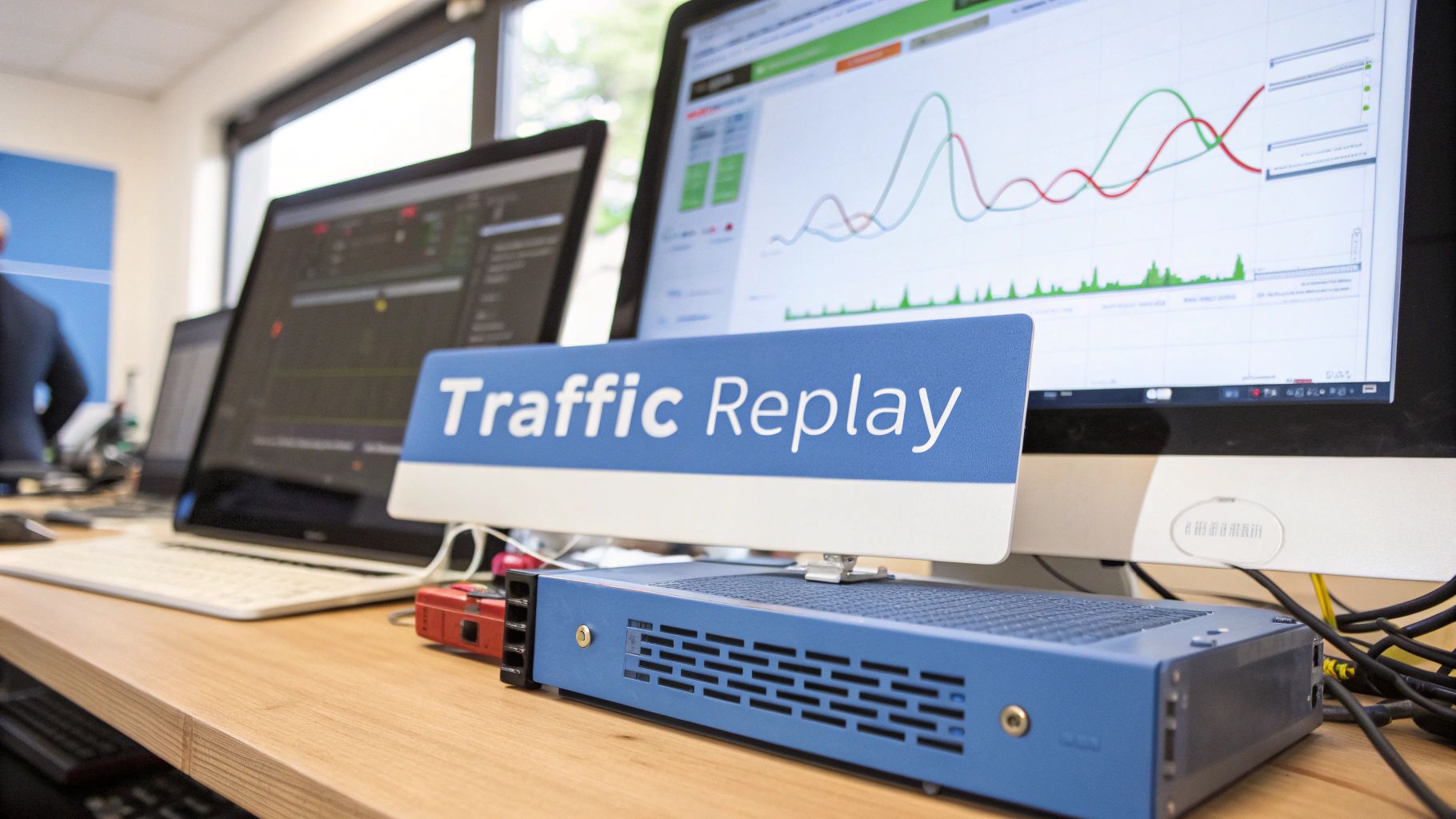
This method gives you a far more realistic simulation of user load, helping your team uncover performance bottlenecks and nasty bugs that simple, scripted tests would almost certainly miss.
How Traffic Replay Tools Like GoReplay Work
Open-source tools like GoReplay make this process surprisingly straightforward. It acts as a proxy, sitting silently between your users and your application server. GoReplay listens to and records incoming HTTP traffic without affecting performance, then redirects a copy of that traffic to your staging or test environment.
This mirrored traffic brings an incredible level of realism to your testing. It includes all the strange edge cases, unexpected user inputs, and concurrent request patterns that are nearly impossible to script by hand. This lets you see exactly how new code will hold up under the genuine pressures of real-world use. You can learn more about how traffic replay improves load testing accuracy and see just how much confidence it can build before a big deployment.
By simulating authentic user load, traffic replay moves testing from a theoretical exercise to a practical validation. It answers the most critical question for any DevOps or QA engineer: “Will this new code break when real users interact with it?”
This approach is especially powerful in today’s cloud-heavy development world. The growth of cloud computing is supercharging software testing management, with cloud app revenues projected to hit $168.6 billion by 2025. This, in turn, is pushing the testing software market from $57.95 billion in 2025 to $85.9 billion by 2029, as more teams adopt DevOps and test automation. You can find more details in the testing software market report on ResearchAndMarkets.com.
Tools like GoReplay are a perfect fit here, enabling real-time monitoring of user patterns in cloud setups while offering features like data masking to keep you compliant.
Benefits of Integrating Traffic Replay
Bringing traffic replay into your software testing management workflow offers some very clear advantages that directly boost quality and stability.
- Uncover Hidden Bugs: It exposes concurrency issues, race conditions, and performance regressions that are invisible to traditional testing. These are often the most damaging bugs because they only surface under specific, high-load conditions.
- Build Deployment Confidence: When a new build successfully withstands a replay of your peak production traffic, you can deploy it with a much higher degree of certainty. It dramatically cuts down on post-launch failures and emergency rollbacks.
- Realistic Performance Testing: Instead of using synthetic load generators that send uniform requests, you can test your system’s capacity against the actual variety and rhythm of your user base.
- Accelerate Debugging: Because you’re replaying the exact scenarios that caused issues, you can reliably reproduce complex bugs that were previously intermittent or a nightmare to track down.
By closing the gap between your test environment and production, traffic replay provides an essential layer of validation. It ensures your application isn’t just functionally correct according to a script, but is truly resilient and ready for the unpredictable demands of your users.
Common Questions in Software Testing Management
When you’re trying to wrangle software testing, a few questions always pop up. It doesn’t matter if you’re formalizing a process from scratch or just trying to tune up an existing one. While there’s no single “right” answer for every team, understanding the core ideas will help you find what works for you.
Let’s break down some of the most common hurdles teams face.
How Can a Small Team Start a Formal Testing Process?
For a small team, “formal process” sounds big and scary. Don’t let it be. The trick is to start small and aim for high-impact changes, not to roll out a massive corporate framework overnight.
Begin with something simple, like a shared checklist for every feature before it goes live. This little step ensures the basics are never skipped. From there, introduce a lightweight bug-tracking system—even a dedicated board in your project management tool is a huge leap forward. It creates a single source of truth so bugs stop vanishing into old emails and chat threads.
The best testing management for a small team isn’t about rigid bureaucracy. It’s about building clear communication habits and a consistent foundation for quality.
How Do You Balance Manual and Automated Testing?
Finding the right mix of manual and automated testing is a classic challenge. The key is to play to each one’s strengths. Automation is a workhorse for repetitive, predictable tasks, while manual testing shines when it comes to exploratory work and seeing things through a user’s eyes.
A great rule of thumb is to automate your regression suite. These are the tests you run over and over to make sure new code hasn’t accidentally broken something that used to work. They’re tedious for humans but perfect for a machine.
That frees up your team’s time for high-value manual work like:
- Exploratory Testing: This is where testers get creative, using their intuition to uncover weird edge cases and bugs a script would never dream of.
- Usability Testing: You need a human to tell you if the application feels right. Is it intuitive? Is it frustrating to use?
- New Feature Validation: The first pass on a brand-new feature needs human judgment to confirm it actually solves the user’s problem.
What Is the Best Way to Choose a Testing Tool?
There is no single “best” testing management tool. There is only the best tool for your team. Your choice depends entirely on your specific needs, your budget, and the tools you’re already using.
Start by figuring out your biggest headaches. Are you drowning in disorganized test cases? Is defect tracking a mess? Are reports impossible to generate? List out your absolute must-have features.
As you evaluate your options, keep these factors in mind:
- Integration: How well does it play with your existing world? Think CI/CD pipelines, issue trackers, and anything else in your workflow.
- Scalability: Will this tool still work for you in six months? Or will your team’s growth leave it in the dust?
- Ease of Use: A tool with a million features is useless if no one wants to use it because it’s too complicated.
Always, always take advantage of free trials. Getting your hands on a tool and using it with your actual workflow is the only way to know for sure if it’s the right fit.
Ready to bridge the gap between your test and production environments? With GoReplay, you can capture and replay real user traffic to uncover hidden bugs and deploy with confidence. Learn how to make your testing more realistic.