
The Software Testing Life Cycle Explained
The software testing life cycle (STLC) is a structured process that quality assurance teams follow to check, test, and validate a software product. Think of it as the official playbook for quality control, making sure every step is methodical, repeatable, and thorough from the very beginning to the final release.
What Defines the Software Testing Life Cycle
Imagine trying to build a house without a blueprint. You wouldn’t install windows before the frame is secure, or paint walls before the electrical wiring is in. Each step depends on the one before it. The STLC applies that same structured logic to quality assurance, preventing chaos and ensuring nothing falls through the cracks.
This approach provides a clear sequence of activities designed to catch bugs early, manage resources smartly, and reliably deliver software that actually works the way it’s supposed to.
Without it, testing turns into a disorganized scramble. This leads to missed defects, wasted effort, and expensive fixes after the product has already gone live. Following the STLC turns quality assurance from a reactive, last-minute headache into a proactive, integrated part of the development workflow. For a deeper dive into how this fits into a bigger strategy, check out our guide on software testing best practices for modern quality assurance.

The Core Phases of the STLC
As software became more complex, the need for a standardized framework was obvious. The STLC is now widely accepted as a cycle of six essential phases, guiding the entire process from initial requirements to the final sign-off.
At its heart, the STLC is about building confidence. Each completed phase acts as a quality gate, confirming the software is solid enough for the next stage of development or testing.
This framework ensures that testing activities are both systematic and perfectly aligned with the overall project goals. To give you a bird’s-eye view, here’s a quick summary of the six phases we’ll be exploring.
A High-Level Look at the Six STLC Phases
| Phase | Primary Objective | Key Deliverable |
|---|---|---|
| Requirement Analysis | Understand what to test by analyzing functional and non-functional requirements. | A Requirements Traceability Matrix (RTM) and a list of testable requirements. |
| Test Planning | Define the testing strategy, scope, resources, and schedule. | A detailed Test Plan and Effort Estimation document. |
| Test Case Development | Create the specific, step-by-step test cases needed to validate the software. | Test Cases, Test Scripts, and Test Data. |
| Test Environment Setup | Prepare the hardware, software, and network configurations needed for testing. | A fully configured and ready test environment. |
| Test Execution | Run the prepared test cases, find bugs, and log the results. | Defect Reports and completed Test Execution Reports. |
| Test Cycle Closure | Finalize testing, analyze the results, and document key learnings from the cycle. | Test Closure Report and Test Metrics analysis. |
This table gives you the general idea, but the real value is in the details. In the following sections, we’ll break down each of these phases, turning this high-level overview into a practical, actionable guide you can start using right away.
A Deep Dive Into Each Phase of the STLC
Understanding the software testing life cycle at a high level is one thing, but actually putting it to work is another. It’s time to move from the “what” to the “how” by unpacking each of the six phases. Think of this as turning theory into a practical playbook for quality assurance.
Each stage has its own clear goals, entry criteria (what you need to get started), and exit criteria (what tells you you’re done). To make this real, we’ll follow a simple example throughout: testing a new checkout flow for an e-commerce website. This will show how these abstract concepts translate into concrete actions.
Phase 1: Requirement Analysis
This is the foundation. Before a single test is run, the quality assurance (QA) team has to figure out what exactly needs to be tested. It’s not about execution yet; it’s about understanding the software’s purpose by digging into all the requirements. This includes both functional requirements (what the software does) and non-functional ones (how it performs).
For our e-commerce checkout, the QA team would pore over documents detailing features like adding items to a cart, applying discount codes, and processing payments. They’d also have to consider non-functional aspects, like how quickly the payment page must load under pressure.
Key activities here usually involve:
- Brainstorming with stakeholders: This is a crucial collaboration. QA talks with business analysts, developers, and product managers to iron out any vague or confusing requirements.
- Identifying testable requirements: The goal is to separate fuzzy business goals from specific, measurable functionalities that can actually be proven with a test.
- Assessing automation feasibility: Right from the start, the team looks for opportunities to automate. Repetitive tasks in the checkout flow, like logging in over and over, are prime candidates.
The main output from this phase is a Requirements Traceability Matrix (RTM). It’s a simple but powerful document that maps every single requirement to its corresponding test cases, making sure nothing falls through the cracks.
Phase 2: Test Planning
Once you know what to test, you need a strategy for how you’re going to test it. That’s where the test planning phase comes in. The test lead or manager maps out the scope, objectives, resources, and schedule for the entire testing effort. A solid plan is what separates a coordinated effort from pure chaos.
This infographic breaks down the core steps for building a test plan that actually works, moving from defining the scope all the way to setting the final schedule.
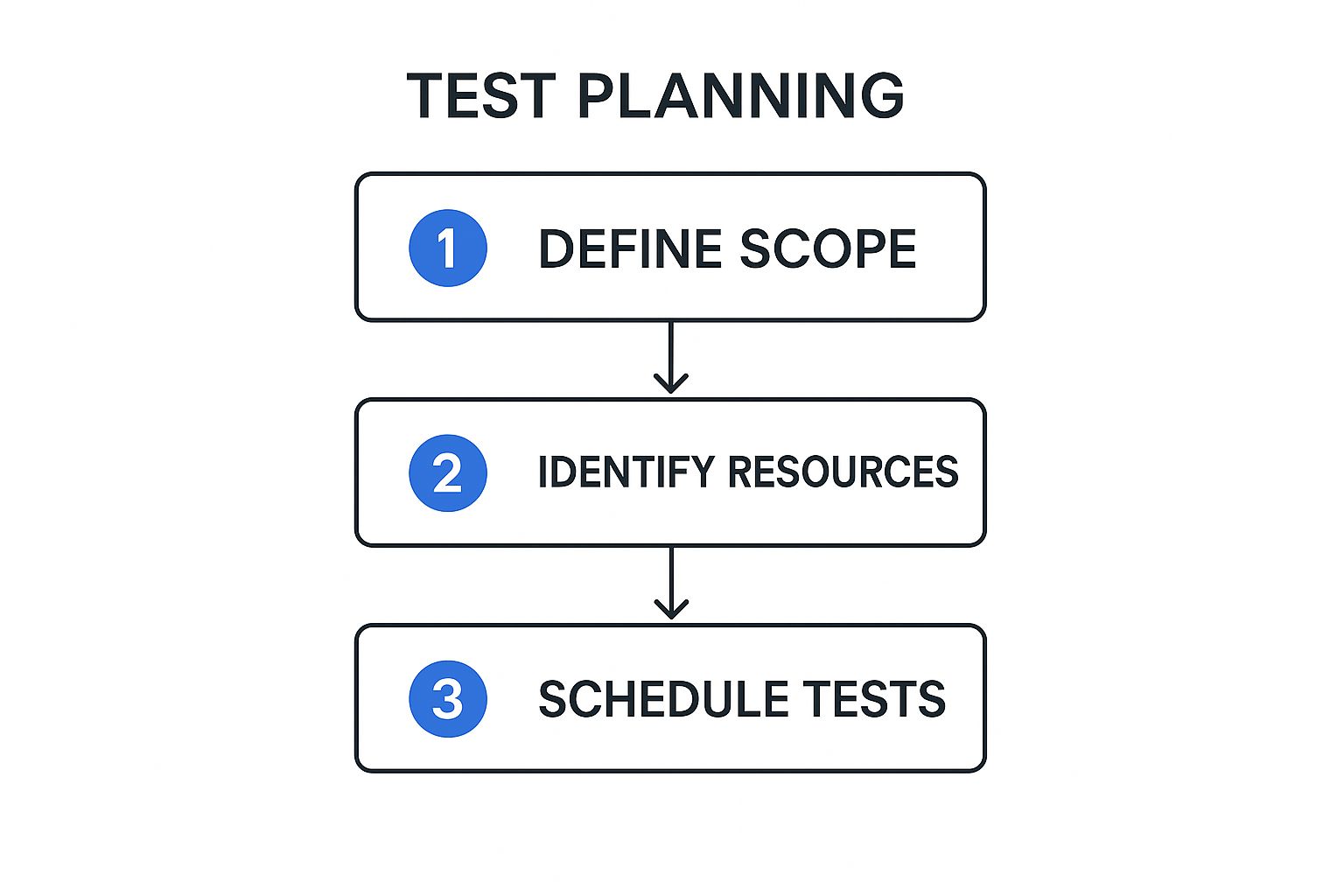
Following this sequence ensures that you’re only assigning resources and building schedules based on a clearly defined and agreed-upon scope. No more wasted effort.
For our e-commerce site, the test plan would nail down specifics like:
- Scope: We will test the entire checkout flow from start to finish, but we’ll deliberately exclude the product search functionality.
- Resources: Two QA engineers will be assigned to manual testing, with one dedicated to writing automation scripts.
- Schedule: We’ll block out five days for writing test cases and another three days for running them.
- Tools: All defects will be reported and tracked using a specific bug-tracking tool.
A common mistake is to write a test plan and then stick it in a drawer. The best test plans are living documents. They have to be updated when project requirements or timelines inevitably shift. This kind of flexibility is a hallmark of a healthy software testing life cycle.
Phase 3: Test Case Development
Alright, now we get granular. The test case development phase is where QA engineers roll up their sleeves and write the step-by-step instructions for validating the software. Drawing from the RTM and the test plan, the team creates detailed test cases, automation scripts, and all the test data needed to run them.
A great test case is crystal clear and leaves no room for interpretation. It should always include:
- A unique ID for easy tracking.
- Any preconditions that must be true before the test begins.
- A clear series of steps for the tester to follow.
- The exact expected result for each step.
Here’s what that looks like in practice.
Example Test Case: Applying a Discount Code
| Component | Details |
|---|---|
| Test Case ID | TC-Checkout-005 |
| Description | Verify a valid discount code correctly reduces the total cart price. |
| Preconditions | User is logged in and has at least one item in their cart. |
| Test Steps | 1. Navigate to the cart. 2. Enter “SAVE20” into the discount code field. 3. Click “Apply”. |
| Expected Result | The cart total is reduced by 20%, and a success message appears. |
This phase isn’t just about writing steps. It’s also about creating the necessary data, like lists of valid and invalid credit card numbers, dummy user accounts, and product information to populate the test environment.
Phase 4: Test Environment Setup
You can’t test software in a vacuum. The test environment setup phase is all about preparing the specific hardware, software, and network configuration needed to run the tests. This is a critical step. If your test environment doesn’t accurately mimic the live production server, your results will be misleading at best and completely wrong at worst.
This work is often handled by a dedicated DevOps team or system administrators, but the QA team is responsible for providing the detailed requirements. For our e-commerce site, this would involve spinning up a staging server with the latest application build, a cloned database, and connections to sandbox versions of payment gateways.
Once the environment is believed to be ready, the QA team performs a quick smoke test. This is a high-level check to make sure the most critical features (like logging in or adding an item to the cart) are working. If the smoke test passes, the environment is considered stable enough for formal testing to begin.
Phase 5: Test Execution
This is where the rubber meets the road. During the test execution phase, the QA team finally runs the test cases they developed earlier. Testers meticulously follow the documented steps, compare the actual results to the expected ones, and log everything.
When a test fails—meaning the actual result doesn’t match what was expected—a defect has been found. The tester immediately logs a detailed bug report, which must include:
- A clear, concise title.
- The exact steps to reproduce the bug.
- Screenshots or, even better, a video of the issue.
- The severity and priority of the defect.
Once developers push a fix, the work isn’t over. The QA team then performs regression testing. This means re-running a suite of existing tests to ensure the new fix didn’t accidentally break something else. It happens more often than you’d think. A fix for the discount code feature, for example, absolutely should not break the “add to cart” button.
Phase 6: Test Cycle Closure
The final phase, test cycle closure, marks the official end of the testing process for a given cycle. It’s not about just stopping; it’s about reflecting on the work and formalizing the results. To do this, the QA team prepares a Test Closure Report that summarizes all testing activities.
This report is a vital communication tool for stakeholders and includes key metrics such as:
- Total number of test cases executed.
- The percentage of tests that passed vs. failed.
- Total defects found, broken down by severity.
- A final assessment of the software’s overall quality.
The team also holds a retrospective meeting. This is a chance to discuss what went well, what challenges came up, and how the entire process can be improved for the next release cycle. These lessons are invaluable for making the software testing life cycle more efficient over time.
How Automation Supercharges the STLC
Bringing automation into the software testing life cycle is like swapping out a standard engine for a high-performance one. It turns a methodical, often manual, process into a high-speed feedback loop for ensuring quality.
There’s a common myth that automation is here to replace human testers. The reality is far more interesting: automation’s real job is to take over the repetitive, soul-crushing tasks. This move frees up QA pros to do what they do best—apply their creativity and intuition to exploratory testing, usability analysis, and hunting down those tricky, high-impact bugs that a script would blissfully ignore.
In short, automation handles the predictable, so humans can master the unpredictable.
Where Automation Makes the Biggest Impact
You can’t just throw automation at every phase of the STLC and expect magic. The trick is to be strategic. The best targets are tasks that are done over and over again and have clear, predictable outcomes. The goal is a high return on the time you invest in building and maintaining those automation scripts.
Here are the areas where automation truly shines:
- Regression Testing: This is the undisputed champion of automation. Instead of a human manually re-running hundreds of tests after every tiny code change, automated scripts can confirm that existing features are still working. You get feedback in minutes, not days.
- Load and Performance Testing: Trying to manually simulate thousands of users hitting your app at once is, to put it mildly, impossible. Automation is essential for putting your application under realistic stress to see where it bends and breaks.
- Data-Driven Testing: Need to check a login form with a thousand different username and password combinations? Or test a calculation with a massive dataset? Automation can chew through that data effortlessly while a human tester grabs a coffee.
- Smoke Testing: Think of this as a quick health check. Every time a new build is deployed, a small suite of automated tests can run to give a simple pass/fail. If it fails, you know the build isn’t even stable enough for more serious testing.
By focusing on these areas, teams build an automated safety net that catches common problems on its own. This lets the manual testers focus their skills where they deliver the most value.
The Real-World Benefits and Challenges
Implementing automation brings a ton of advantages, but it’s no silver bullet. You have to go in with your eyes open, ready for both the perks and the hurdles. The benefits are massive, and we cover them in detail in our guide on the game-changing benefits of automated testing.
On the flip side, the challenges are real but completely manageable with some planning. The initial setup requires a serious investment of time and resources. You need to pick the right tools and write the first batch of scripts. And as your application changes, those scripts need love and maintenance to keep them from becoming obsolete.
Still, the data shows a clear trend: 46% of software teams have successfully replaced at least half of their manual testing with automation. This shift isn’t happening by accident. It’s driven by real results like shorter test cycles and fewer human errors, which ultimately save money and make the whole STLC more efficient. For a deeper dive into these numbers, you can explore the full test automation statistics.
The true power of automation in the STLC isn’t just speed; it’s the creation of a rapid feedback loop. When developers get near-instant reports on whether their changes broke something, they can fix it while the context is still fresh in their minds. This accelerates the entire development process.
Tools That Make Automation Possible
There’s a whole ecosystem of tools out there to help you automate across the STLC. Some, like Selenium or Cypress, are fantastic for automating how users interact with your web application’s interface. Others, like JMeter, are built specifically for hammering your servers with performance and load tests.
Then there are innovative tools like GoReplay, which take a completely different approach. It works by capturing the real user traffic from your live production environment and replaying it against your test environment. This lets you test your app using authentic user journeys, providing a level of realism that’s incredibly difficult to fake with manually written scripts.
By using actual traffic, you can uncover bizarre edge cases and performance bottlenecks that traditional automation would miss, making sure your application is truly ready for whatever the real world throws at it.
The Future of Testing with AI and ML

While automation is great for speeding up the software testing life cycle by taking over repetitive tasks, Artificial Intelligence (AI) and Machine Learning (ML) are here to completely change the game. We’re not just talking about running tests faster; we’re talking about making them smarter, more adaptive, and even predictive.
AI is pushing testing beyond simply running pre-written scripts. It’s adding a layer of intelligence that can spot patterns, make smart decisions, and learn from past results—things that standard automation just can’t do.
This shift is happening fast. AI adoption in testing more than doubled in just one year, jumping from 7% in 2023 to 16%. This explosion shows just how eager teams are for AI-powered defect prediction and smarter test creation to boost their speed and resilience. You can dive deeper into how AI is shaking up QA by reading the full report on recent software testing trends.
The Rise of Intelligent and Self-Healing Tests
One of the most practical ways AI is impacting the STLC is through self-healing tests. Every QA team knows the pain: a developer makes a small UI tweak—like renaming an element ID or moving a button—and suddenly, a chunk of your automated test suite breaks.
Traditionally, a QA engineer has to dive in and manually fix each broken script. But self-healing tests, powered by AI, flip this script entirely. When a test fails because it can’t find a UI element, the AI doesn’t just throw an error. It intelligently scans the page for other clues, like nearby text or different attributes, and automatically updates the script to get it working again.
This self-healing ability turns test maintenance from a reactive, time-sucking chore into a proactive, automated process. It helps your test suite stay solid and dependable, even when the application is changing quickly.
Predictive Analytics: Finding Bugs Before They Even Happen
Beyond just fixing what’s broken, AI and ML are bringing powerful predictive skills to the software testing life cycle. Instead of just waiting for tests to fail, these systems dig through historical data to predict where future bugs are most likely to pop up.
How does it work? By training ML models on a ton of project data, including:
- Code Complexity: Pinpointing which parts of the codebase are tangled and tough to maintain.
- Defect History: Identifying modules or features that have been bug magnets in the past.
- Developer Activity: Linking recent code commits to new issues that arise.
By pulling all this information together, the ML model can assign a risk score to different parts of the application. The QA team can then use this insight to aim their testing efforts where they’ll make the biggest difference, focusing on high-risk features. This makes sure that limited testing resources are used with surgical precision for a much more efficient and effective QA process.
This predictive power helps teams shift left even further. It moves them from just finding bugs early to preventing them from ever getting to users. This proactive approach is the future of quality assurance, where the STLC is less about reaction and more about smart anticipation.
Integrating The STLC In Agile And DevOps

When teams start adopting modern development practices, a common question pops up: how does a structured framework like the software testing life cycle fit into fast-paced Agile sprints and continuous DevOps pipelines? It might feel like trying to fit a square peg in a round hole, but they’re actually surprisingly compatible.
The secret is to stop thinking of the STLC as a rigid, one-and-done sequence.
In an Agile or DevOps world, the STLC doesn’t just disappear—it evolves. Instead of one massive cycle that happens at the end of a project, it becomes a condensed mini-cycle that repeats with every single sprint or release. Each phase, from requirement analysis to test closure, is executed within these short development windows. This makes quality a continuous, iterative activity, not a final gatekeeper.
Shifting Left To Catch Bugs Sooner
One of the most powerful concepts in modern quality assurance is “Shift-Left” testing. The idea is brilliantly simple: move testing activities as early as possible in the development process. Don’t wait for a feature to be “complete”—start testing almost as soon as development begins.
This means QA professionals get involved right from the start. They join requirement analysis meetings and design discussions, helping to spot potential flaws before a single line of code is ever written. This proactive approach delivers some serious benefits:
- Early Defect Detection: Finding a bug during the design phase is exponentially cheaper to fix than finding it after it’s been coded, merged, and deployed.
- Improved Collaboration: It demolishes the traditional walls between developers and testers, creating a shared sense of ownership over quality.
- Faster Feedback: Developers get immediate input on their work, letting them make corrections while the context is still fresh in their minds.
By shifting left, the STLC becomes a parallel track to development, not a roadblock at the end of it.
Shifting Right To Test In The Real World
While shifting left is critical, it’s only half of the story. The other, equally important half is “Shift-Right” testing, which means testing your application after it’s been deployed to the live production environment. This might sound backward. Aren’t you supposed to find bugs before a release?
Well, yes, but the hard reality is that no staging environment can ever perfectly replicate the chaos of production. Shift-right testing accepts this truth. It uses techniques like canary releases, A/B testing, and production monitoring to see how the software really behaves with real users and real traffic.
This is where tools like GoReplay become indispensable. They allow teams to capture real production traffic and replay it against a test environment, effectively bridging the gap between shift-left and shift-right.
Shift-right isn’t about skipping pre-release testing. It’s about continuing the software testing life cycle into production to validate performance, identify unexpected usage patterns, and ensure reliability under real-world conditions.
Comparing STLC In Waterfall vs Agile Environments
The way the STLC is put into practice looks fundamentally different in a traditional Waterfall model versus a modern Agile one. Seeing these differences side-by-side really highlights why the cycle had to adapt to stay effective.
Here’s a clear breakdown of how the two approaches stack up:
Comparing STLC in Waterfall vs Agile Environments
| Aspect | Waterfall Model | Agile Model |
|---|---|---|
| Timing | Testing is a distinct phase that begins only after all development is complete. | Testing is a continuous activity performed in parallel with development throughout each sprint. |
| Scope | The entire application is tested in one large block at the end of the project. | Small, incremental features are tested within each short sprint or iteration. |
| Feedback Loop | Feedback is slow; defects are found late, making them expensive and difficult to fix. | Feedback is rapid and constant, allowing for quick fixes and adjustments. |
| Documentation | Relies on extensive, formal documentation like detailed test plans and closure reports. | Emphasizes lightweight, functional test cases and direct communication over heavy documentation. |
| Team Role | Testers and developers work in separate, siloed teams with a formal hand-off process. | Developers and testers are part of a single, cross-functional team with shared responsibility for quality. |
Ultimately, slotting the STLC into an Agile and DevOps workflow is all about making it more dynamic and responsive. By compressing the cycle, shifting both left and right, and encouraging true collaboration, teams can maintain incredibly high standards of quality without ever sacrificing the speed that modern development demands.
Frequently Asked Questions About the STLC
Even with a solid understanding of the software testing life cycle, theory and reality don’t always line up. When your team starts putting these phases into practice, real-world questions are bound to pop up.
Let’s clear up some of the most common points of confusion that teams run into.
What’s The Difference Between The STLC And The SDLC?
This is easily the question I hear most. The easiest way to think about it is to picture building a house.
The Software Development Life Cycle (SDLC) is the entire project blueprint. It covers everything from the architect’s initial sketches and securing permits to pouring the foundation, framing the walls, and installing the plumbing. It’s the full A-to-Z plan for constructing the house.
The Software Testing Life Cycle (STLC), on the other hand, is the home inspector’s checklist. It’s a specialized process focused exclusively on quality control—checking the foundation for cracks, making sure the electrical wiring is up to code, and ensuring the roof doesn’t leak.
In short, the SDLC is the whole process of building the software. The STLC is a critical, parallel process within the SDLC that is laser-focused on one thing: making sure that software works correctly.
While the SDLC’s goal is to ship a feature, the STLC’s goal is to ensure the feature being shipped is stable, reliable, and bug-free. The two cycles are deeply connected and run side-by-side, especially in modern development, but they have very different objectives.
Can You Use The STLC For Small Projects?
Absolutely. There’s a common myth that the STLC is some heavy, bureaucratic process meant only for giant, enterprise-level projects. The truth is, the principles are incredibly scalable and just as useful for a two-person team building a simple mobile app.
On a smaller project, you won’t be writing massive, formal documents for every phase. Your “Test Plan” might just be a checklist in a shared doc, and your “Test Cases” could be a few bullet points. But you’re still following the same logical flow:
- Figure out what needs testing (Requirement Analysis)
- Sketch out a quick plan (Test Planning)
- Jot down the test steps (Test Case Development)
- Run the tests (Test Execution)
- Decide if it’s good to go (Test Cycle Closure)
The key is to adapt the formality of the STLC to fit the project’s size, not to ditch the structured approach entirely. A lightweight STLC ensures you’re still methodical about quality, which brings immense value no matter how big or small the project is.
What Are The Most Common STLC Challenges?
Even with the best planning, any STLC can hit a few speed bumps. Knowing what to watch out for helps your team get ahead of problems before they derail a release. Here are the hurdles we see most often:
- Vague or Changing Requirements: This is the big one. It’s almost impossible to build a solid test plan when the project’s goals are a moving target.
- Squeezed Timelines: Testing often happens at the very end of the cycle. Any delays in development get passed down to the QA team, forcing them to rush or even skip critical tests to meet a deadline.
- Unrealistic Test Environments: This is a silent killer. When your test environment doesn’t perfectly match production, you get tests that pass but fail for real users. It creates a dangerous sense of false confidence.
- Poor Communication: Gaps between developers, testers, and product owners lead to misunderstandings, badly written bug reports, and a ton of wasted time on rework.
- Test Script Maintenance: For teams using automation, keeping test scripts in sync with an evolving application is a significant, ongoing effort that’s very easy to underestimate.
Overcoming these challenges takes more than just a good QA team. It requires sharp project management, open communication, and a commitment to quality from every single person involved.
Are you tired of test environments that don’t reflect reality? GoReplay helps you bridge that gap by capturing and replaying real production traffic, allowing you to test with authentic user behavior. Find bugs that traditional testing misses and deploy with confidence. Learn more at goreplay.org.