
Why Software Scalability Testing Matters Now More Than Ever
Today’s software applications face incredible demands. User bases can grow rapidly, data volumes increase exponentially, and peak traffic can overload systems instantly. This means ensuring your software can handle growth is not just a technical detail; it’s essential for your business. Software scalability testing evaluates your application’s ability to adapt to increasing workloads, ensuring it remains performant and reliable as demands increase.
This prevents costly downtime, keeps users happy, and protects your bottom line.
The Real Cost of Poor Scalability
Imagine your e-commerce platform crashing during a big sale, or your online game freezing at peak hours. These scenarios can lead to lost revenue, a damaged reputation, and frustrated users. A short outage for a major online retailer, for example, can mean millions of dollars in lost sales.
Negative user experiences can also cause customers to leave and create long-term damage to your brand. This is why prioritizing software scalability testing is a necessity, not a luxury.
Why Scalability Testing Is Different
Other performance tests focus on speed and efficiency under normal conditions. Scalability testing, however, pushes the limits. It simulates extreme scenarios to find breaking points and uncover hidden bottlenecks that could cripple your application under pressure. Scalability testing isn’t just about speed; it’s about resilience.
It focuses on how your system responds to large increases in user load, data volume, and transaction rates. This lets you fix weaknesses proactively before they affect your users.
The Growing Importance of Scalability Testing
The importance of software scalability testing continues to grow. The global software testing market, which includes scalability testing, is projected to reach $97.3 billion by 2032, growing at a 7% CAGR. This growth reflects the increasing need for robust testing in complex software environments that require high scalability.
Large enterprises are investing heavily in testing. 40% allocate over 25% of their IT budget to testing, and nearly 10% dedicate over half their budget to these efforts. Find more detailed statistics here. This investment shows the critical role of testing, especially scalability testing, in ensuring software quality and reliability.
Therefore, implementing robust software scalability testing is crucial for staying competitive and meeting the demands of modern software applications.

Proven Methodologies That Deliver Reliable Scalability Results
Building upon the foundation of basic load testing, robust software scalability testing relies on a suite of sophisticated methodologies. These methods provide key insights into how your application behaves under pressure. Instead of treating load testing, stress testing, volume testing, and soak testing as separate activities, successful teams integrate them into a coordinated strategy. This builds a complete understanding of your application’s scalability.
Understanding Key Scalability Testing Methodologies
-
Load Testing: Simulates real-world user traffic to assess performance under normal operating conditions. This helps create a baseline for comparison with other tests and identifies initial performance bottlenecks.
-
Stress Testing: Pushes the system past its limits to find breaking points and understand how it fails. This shows how gracefully (or not) the application degrades under extreme conditions.
-
Volume Testing: Focuses on the impact of large amounts of data on application performance. This is critical for applications handling significant data, such as databases or big data platforms.
-
Soak Testing: Evaluates performance over extended periods under sustained load. This reveals problems like memory leaks or resource exhaustion that might not appear in shorter tests. You might be interested in: How to master load testing to improve application performance.
Designing Realistic Test Scenarios
Effective software scalability testing depends on realistic test scenarios. Simulating real user behavior is essential for accurate and useful results. This means going beyond basic load generation and incorporating diverse user actions, realistic pauses between actions (think times), and variations in the data used. Avoid the trap of artificial test conditions, which can lead to inaccurate conclusions.
For example, an e-commerce platform should be tested with a mix of browsing, searching, adding items to the cart, and completing checkouts, mirroring how real users interact with the site. This provides a far more accurate performance picture than simply simulating many users accessing the same page.
Establishing Benchmarks and Scaling Thresholds
Establishing meaningful baseline performance benchmarks is crucial for understanding scalability test results. These benchmarks give you a starting point to measure improvements or regressions after making changes. Also, defining the right scaling thresholds—thresholds that match your business goals—ensures your application meets your organization’s specific needs. This means understanding your expected user growth, typical traffic patterns, and required performance levels.
The following infographic compares vertical and horizontal scaling across three key metrics: throughput increase per unit, additional infrastructure cost per unit, and complexity level.
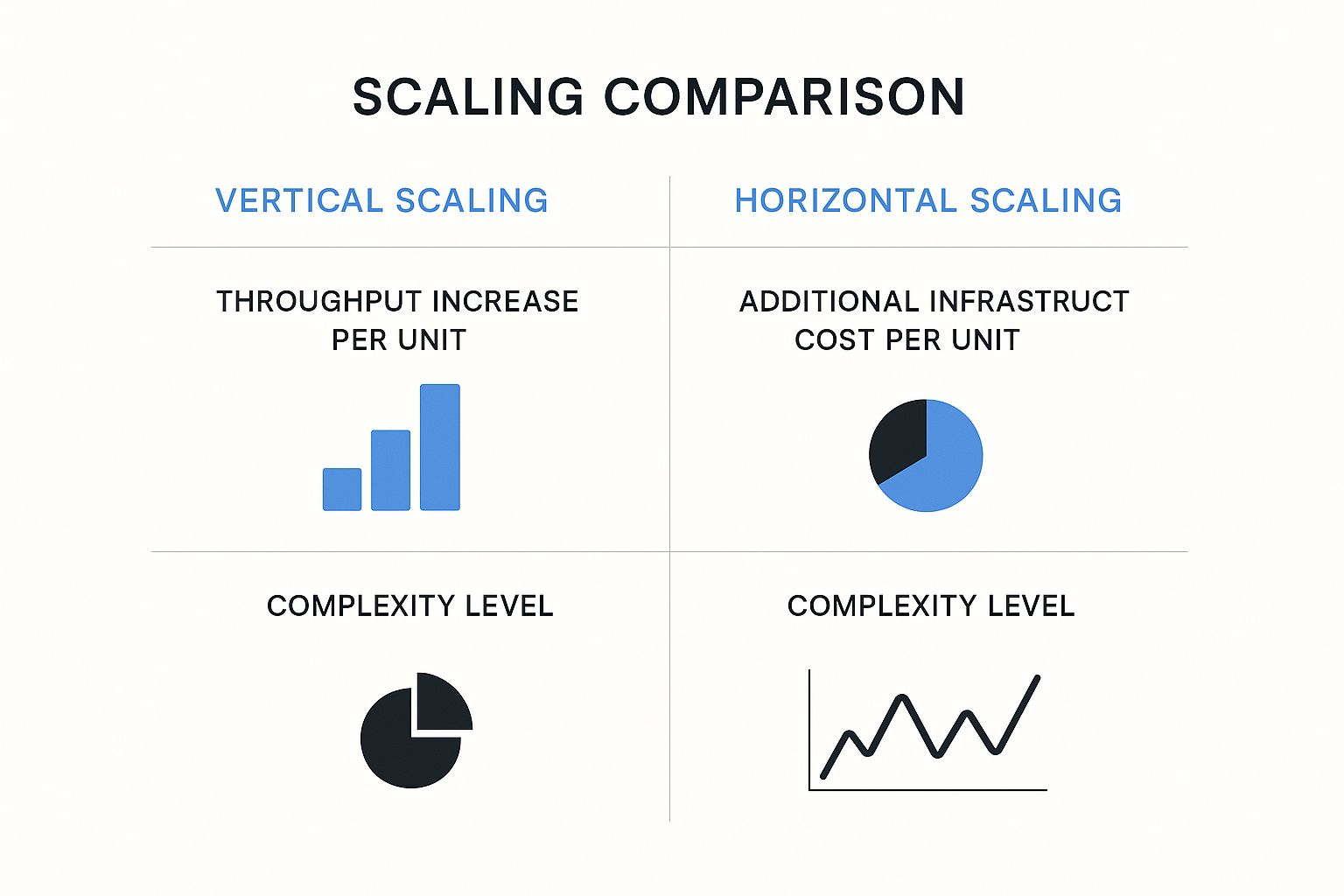
As the infographic shows, horizontal scaling often provides a greater throughput increase per unit but is more complex than vertical scaling. The infrastructure cost per unit depends on the implementation and requires careful consideration.
The following table summarizes the different scalability testing methodologies:
| Scalability Testing Methodologies Comparison | Methodology | Primary Focus | Ideal Scenarios | Key Metrics | Test Duration |
|---|---|---|---|---|---|
| Load Testing | Simulating real-world user load | Assessing performance under normal operating conditions | Determining baseline performance, identifying bottlenecks | Response time, throughput, error rate | Short (minutes to hours) |
| Stress Testing | Pushing the system beyond its limits | Identifying breaking points and failure modes | Maximum load capacity, recovery time | Error rate, throughput degradation | Short (minutes to hours) |
| Volume Testing | Evaluating the impact of large data volumes | Assessing performance with large datasets | Response time, resource utilization | Medium (hours to days) | |
| Soak Testing | Evaluating performance over extended periods | Identifying long-term issues like memory leaks | Resource utilization, error rate | Long (days to weeks) |
Software testing is constantly changing. The use of artificial intelligence (AI) and machine learning (ML) is growing in scalability testing. These technologies automate complex test scenarios, provide useful insights, and help identify scalability problems faster. Learn more about AI in software testing. This leads to shorter development cycles and faster time-to-market for scalable applications. By using these advanced methodologies, companies can ensure their software thrives under pressure, providing seamless user experiences and driving business success.
Battle-Tested Tools That Make Scalability Testing Manageable
Choosing the right tools is crucial for successful software scalability testing. With so many options, selecting reliable tools that perform well in real-world scenarios is essential. This section explores popular open-source and enterprise tools, drawing insights from performance engineering leaders. We’ll examine how these tools handle various testing scenarios, uncover potential limitations, and integrate with modern CI/CD pipelines.
Open-Source Champions: JMeter and Gatling
JMeter and Gatling are two widely used open-source tools for scalability testing. JMeter is known for its broad protocol support and distributed testing capabilities, offering a user-friendly interface. This allows testers to simulate complex scenarios involving diverse user actions and data inputs. However, JMeter can consume significant resources, especially under extremely high loads.
Gatling excels in performance with minimal resource usage. Its elegant domain-specific language (DSL) streamlines test script creation, making it easier to design and maintain complex test scenarios. Compared to JMeter, however, Gatling’s protocol support is somewhat limited.
Enterprise Powerhouses: LoadRunner and Azure Load Testing
For large-scale enterprise testing, LoadRunner and Azure Load Testing offer robust solutions. LoadRunner supports a wide range of protocols and applications, providing in-depth analysis and reporting features. Its advanced scripting capabilities enable the creation of highly realistic test scenarios, closely mirroring complex user behavior patterns. However, LoadRunner comes with a substantial price tag.
Azure Load Testing offers a cloud-based platform for enterprise-scale tests without requiring massive infrastructure investments. This fully managed service simplifies load testing by integrating with other Azure services and supporting popular open-source tools like JMeter. Azure Load Testing fits seamlessly into CI/CD pipelines, facilitating continuous scalability testing.
Key Considerations for Tool Selection
Choosing the right tool requires a clear understanding of your specific needs and priorities. Consider factors like:
- Protocol Support: Does the tool support your application’s protocols?
- Scripting Capabilities: Can the tool realistically simulate user behavior?
- Reporting and Analysis: Are detailed reports and insightful analysis provided to pinpoint bottlenecks?
- Cloud Support: Do cloud-based tools offer scalability and cost-effectiveness?
- Integration with CI/CD: Does the tool seamlessly integrate with your existing workflows to promote continuous testing?
To help you compare these tools, we’ve compiled the following table:
Scalability Testing Tools Comparison: A detailed comparison of popular scalability testing tools showing their features, pricing models, and best use cases
| Tool Name | Type | Key Features | Cloud Support | Pricing Model | Best For |
|---|---|---|---|---|---|
| JMeter | Open-Source | Extensive protocol support, distributed testing | Partial | Free | Budget-conscious teams |
| Gatling | Open-Source | High performance, easy scripting | Partial | Free | Performance-focused teams |
| LoadRunner | Enterprise | Comprehensive features, detailed analysis | Yes | Paid | Large-scale testing |
| Azure Load Testing | Enterprise | Cloud-based, CI/CD integration | Yes | Paid | Azure environments |
Key takeaways from the table include the cost-effectiveness of open-source tools like JMeter and Gatling and the comprehensive features offered by enterprise solutions like LoadRunner. Azure Load Testing stands out for its cloud integration, making it ideal for teams already leveraging the Azure ecosystem.
Choosing The Right Tool for the Job
Software testing methodologies constantly evolve. As of 2025, software scalability testing increasingly incorporates advanced tools with a focus on real-time analytics and automated testing on real devices. Modern tools like AWS Device Farm and Azure Load Testing allow for realistic load and server-side testing across cloud environments. This is essential for assessing scalability under diverse traffic patterns. The software testing services market is projected to grow by 40% in 2024, underscoring the rising importance of performance and scalability validation. Explore this topic further. Choosing and effectively using the right tools is paramount to ensuring your applications can handle real-world demands.

By carefully considering these factors, you can select the best tool to maximize your scalability testing efforts.
Breaking Through Common Scalability Bottlenecks
Software scalability testing is crucial for ensuring your application can handle growth. However, even experienced teams frequently encounter obstacles. This section explores identifying and resolving these common scalability bottlenecks before they impact your users. We’ll examine practical debugging workflows, architectural decisions, and optimization techniques.
Database Query Optimization: A Critical First Step
Database queries frequently become a major bottleneck as data volume and user requests increase. Slow queries can ripple through the system, impacting overall performance. Optimizing these queries can dramatically improve application responsiveness. This includes techniques like adding indexes to frequently accessed columns, rewriting complex queries for efficiency, and implementing effective caching strategies.
For example, adding an index to a user ID column can dramatically speed up lookups, preventing delays during login or profile access. Proper indexing ensures quick data retrieval, contributing significantly to a smooth user experience.
Memory Management Strategies: Preventing Resource Exhaustion
Memory leaks and inefficient memory management can lead to resource exhaustion, causing instability or crashes. This is especially critical under heavy load when resource demands are amplified. Employing robust memory management techniques, like connection pooling and optimizing garbage collection, is essential.
Connection pooling, for instance, reduces the overhead of repeatedly establishing database connections. Efficient garbage collection ensures unused objects don’t consume valuable memory, keeping your application running smoothly under pressure.
Network Configuration: Maintaining Throughput Under Pressure
Network limitations can also create scalability bottlenecks. Insufficient bandwidth, high latency, and poorly configured network components can restrict data flow and impact performance. Optimizing network configurations and implementing techniques like load balancing is essential for maintaining throughput.
Load balancing distributes traffic across multiple servers, preventing overload on any single server. This ensures consistent performance for users, even during peak periods.
Architectural Decisions: Microservices vs. Monolithic Architectures
Architectural choices significantly influence scalability. Microservices architectures offer benefits like flexibility and independent scaling but can introduce complexities in inter-service communication. Monolithic architectures, conversely, can be simpler to manage initially but may be more difficult to scale horizontally.
Understanding these trade-offs is crucial for making informed decisions. Stateless design patterns further enhance scalability by removing dependencies on server state, allowing for easier horizontal scaling and improved fault tolerance. Check out our guide on How to master realistic load testing with production traffic.

Practical Debugging: Isolating Root Causes
When scalability problems arise, isolating the root cause is crucial, rather than just addressing the symptoms. This involves analyzing logs, profiling application performance, and using debugging tools to pinpoint the problem’s origin.
For instance, profiling can reveal specific code sections consuming excessive resources. Analyzing database query logs can identify slow or inefficient queries. This targeted approach addresses the underlying issue, preventing future occurrences and improving overall system stability.
Integrating Scalability Testing Into Fast-Moving Development
Traditional software development often views thorough scalability testing as incompatible with rapid release cycles. However, this doesn’t have to be the case. Let’s explore how organizations can successfully integrate scalability testing into Agile and DevOps workflows, demonstrating that speed and scalability can indeed coexist.
Shift-Left Testing: Early Detection, Lower Costs
Shift-left testing integrates testing early in the development lifecycle. This proactive approach helps identify scalability issues early on, when they are less expensive to fix. Addressing these problems early avoids costly rework down the line.
For example, incorporating load testing during development allows developers to identify database bottlenecks early. This is far more efficient than discovering them in production, where remediation costs can be significantly higher.
Continuous Scalability Testing in CI/CD Pipelines
Implementing continuous scalability testing within your CI/CD pipeline automates the testing process. Every code change automatically triggers scalability tests, ensuring consistent evaluation as the codebase evolves.
It’s important to design tests that provide rapid feedback without slowing down the development process. For instance, automated load tests running on every code commit can immediately detect performance regressions. This prevents scalability issues from making their way into production. This quick feedback loop is essential for maintaining application performance in fast-paced development environments.
Performance Budgets: Setting Clear Expectations
Performance budgets define acceptable performance levels for various metrics. They provide clear expectations across development, testing, and operations teams. This shared understanding helps align everyone on achieving scalability goals.
For example, a performance budget for page load time ensures developers prioritize optimization to meet the established target. This reinforces the importance of performance throughout development.
Automating Scalability Testing for Consistent Evaluation
Automation is key to efficient scalability testing. Automating test execution, data generation, and report generation frees up valuable time and resources. It also ensures consistent and reproducible results, minimizing human error.
This consistency allows teams to focus on analyzing results and resolving issues, rather than managing manual test processes. Furthermore, automation simplifies the integration of scalability tests into CI/CD pipelines.
Fostering Cross-Functional Collaboration
Successful scalability initiatives require strong collaboration between development, testing, and operations teams. Breaking down silos and fostering open communication is crucial for sharing knowledge, identifying potential problems early, and resolving scalability issues quickly.
Regular meetings between developers and operations teams, for instance, can facilitate discussions about potential scalability bottlenecks and collaborative solutions.
Communicating Technical Results to Non-Technical Stakeholders
Communicating complex technical results to non-technical stakeholders can be a challenge. Using clear, concise language and focusing on the business impact of scalability issues helps stakeholders understand the importance of these tests.
Instead of focusing on technical details like specific response times, explain the potential impact in terms of lost revenue due to slow performance. This approach resonates with business-focused stakeholders and highlights the value of scalability testing.
Balancing Testing Thoroughness With Time Constraints
Finding the right balance between testing thoroughness and time constraints is crucial in fast-moving development. Prioritizing high-risk areas and focusing on the most critical user flows ensures efficient use of testing time while still uncovering potential scalability bottlenecks. This allows teams to address the most impactful issues without slowing down development velocity. By combining these strategies, organizations can integrate robust software scalability testing into their development workflows, ensuring application performance without compromising delivery speed.
The Future of Software Scalability Testing: What’s Coming Next
Software scalability testing is constantly evolving to meet the demands of modern applications. Looking beyond current best practices, several emerging trends are set to reshape how we ensure applications can handle growth. These advancements will be essential for maintaining performance and reliability in increasingly complex environments.
The Rise of AI and Machine Learning in Scalability Testing
Artificial intelligence (AI) and machine learning (ML) are transforming software testing. These technologies are automating aspects of test design and analysis, enabling more efficient and effective scalability testing. AI algorithms can analyze large volumes of performance data to identify patterns and predict potential bottlenecks before they impact users. This predictive capability allows for proactive optimization, preventing scalability issues from affecting production environments.
For instance, AI can analyze historical performance data to predict how an application will scale under future load. This foresight allows developers to proactively optimize resource allocation and prevent potential bottlenecks.
The Impact of Containerization and Serverless Architectures
Containerization and serverless architectures are fundamentally changing how applications are deployed and scaled. This shift requires new testing methodologies to accurately assess scalability in these dynamic environments. Technologies like Docker offer flexibility, but also introduce new challenges for scalability testing, demanding specialized tools and techniques to ensure consistent performance.
Containerization allows applications to be packaged and deployed consistently across different environments. This requires testing to verify that the application scales consistently regardless of the underlying infrastructure.
Edge Computing and Its Scalability Challenges
Edge computing brings computation closer to the data source, reducing latency and improving performance. However, it also presents new challenges for scalability testing. Testing must now account for the distributed nature of edge deployments, demanding specialized tools and strategies to ensure consistent performance across geographically dispersed locations.
This distributed architecture necessitates new testing approaches, including simulating traffic from various geographic locations and testing the interplay between edge devices and central servers.
Evolving Distributed Systems Testing
Modern applications increasingly rely on distributed systems, introducing complexities in scalability testing. Traditional testing methods are often insufficient when evaluating these complex interactions. Testing must evolve to effectively assess the scalability of these intricate systems, accounting for communication overhead, data consistency, and fault tolerance.
This necessitates a move beyond single-server testing and the adoption of distributed testing frameworks that can simulate interactions between multiple services and components within a distributed system.
Beyond Traditional Metrics: Holistic Scalability Indicators
Forward-thinking organizations are looking beyond traditional performance metrics like response time and throughput. They are adopting more holistic scalability indicators that consider factors like resource utilization, cost efficiency, and user experience. This comprehensive approach ensures a balanced perspective on scalability, reflecting the real-world impact on both users and the business.
This means considering factors like the cost of scaling infrastructure and the impact of performance on user engagement.
Navigating the Complexities of Multi-Cloud Environments
The increasing use of multi-cloud environments adds another layer of complexity to scalability testing. Applications deployed across multiple cloud providers must be tested to ensure consistent scalability across different platforms. This involves accounting for the unique characteristics and limitations of each provider. Consistent performance is the goal, regardless of the underlying cloud infrastructure.
Testing must account for potential differences in networking, storage, and compute resources between different cloud providers.
Sustainability Considerations in Scalability Testing
As energy consumption becomes a growing concern, sustainability is a key consideration in scalability testing. Testing methodologies now incorporate measures of energy efficiency and resource utilization. This ensures that scalability does not compromise environmental responsibility. This balanced approach considers both performance and resource efficiency, contributing to a more environmentally conscious approach to software development.
This involves measuring the energy consumption of different scaling strategies and optimizing for both performance and resource efficiency. Organizations are increasingly seeking ways to minimize their environmental impact while ensuring application scalability.
Ready to enhance your scalability testing? GoReplay helps you capture and replay real production traffic for realistic load testing, identifying bottlenecks and ensuring your application scales smoothly. Learn more about GoReplay and how it can benefit your team.