
Why a Flawless Deployment Starts Long Before ‘Deploy’
I still remember the 2 AM page that nearly cost my last company millions. It wasn’t a bug in the code; it was an environment configuration mismatch, specifically a Redis port difference between staging and production that no one had caught because no one replayed real traffic against the new release. That anxiety is common because traditional deployment checklists often treat ‘testing’ as a static gate rather than a continuous validation of how the system behaves under actual load.
A comprehensive software deployment checklist isn’t a ceremonial sign-off. It is a defensive framework designed to turn your biggest risk, the unknown variable of production behavior, into a known quantity before a single user is affected. Modern reliability engineering shows that the gap between elite performers and laggards isn’t just about speed; it’s about how well you anticipate failure. For example, DORA’s 2021 research indicates that elite software delivery teams deploy roughly 1,460 times per year, compared to low performers who deploy about 1.5 times annually. This staggering difference is driven by rigorous safeguards like automated rollbacks and continuous validation DORA 2021 State of DevOps Report.
This guide cuts through the generic playbooks. We focus on actionable, resilient steps you can implement today. You’ll learn how to protect your users during releases using advanced techniques like traffic shadowing—replaying real production data against staging to catch regressions early. For a deeper dive into the operational realities of building systems that withstand these pressures, read Server Scheduler.
The software deployment checklist
Copy this into your release ticket or runbook. The sections after it explain each area in detail. You can also download it as a Markdown file.
Pre-deployment
- Release scope is frozen and every change in it is linked to a ticket or PR
- Code is reviewed and merged; the CI build and full test suite are green on the exact commit you’ll ship
- The release artifact (image, package) is built once, versioned and stored; nothing is rebuilt for production
- Configuration and secrets for the target environment are checked against what the new version expects
- Database migrations are backward compatible with the currently running version and have been run on a staging copy
- A fresh backup or snapshot exists and a restore has been tested recently
- The rollback plan is written down: the exact command or pipeline step, who runs it, and how long it takes
- The new build has been tested against realistic traffic (load test or replayed production requests)
- Security scans (dependencies, container image, secrets) have passed or exceptions are approved
- Dashboards and alerts for error rate, latency and saturation are ready, with a baseline from before the release
- Stakeholders, support and on-call know the deployment window and the expected impact
During deployment
- Announce the start in the team channel and pause other changes to the same system
- Run migrations first (expand step), then deploy the application
- Roll out gradually: canary, a percentage of traffic, or one region or node group at a time
- Run smoke tests against the new version before widening the rollout
- Compare error rate, latency and key business metrics against the baseline at each step; stop and roll back if they cross the agreed thresholds
Post-deployment
- Confirm all instances run the new version and the old ones are drained
- Watch dashboards and logs for at least one full traffic cycle (typically an hour, longer for batch-driven systems)
- Verify critical user journeys end to end (sign-in, checkout, core API calls)
- Remove temporary feature flags or schedule their cleanup
- Run the contract step of any expand/contract migration only after the old version is gone
- Record the deployment: version, time, issues seen, and anything to change in the checklist
1. Code Review and Quality Assurance
The first and most fundamental gatekeeper in any software deployment checklist is a thorough code review and quality assurance (QA) process. Before a single line of new code is considered for deployment, it must be thoroughly vetted to ensure it meets quality standards, aligns with architectural guidelines, and is free from obvious defects. This step acts as a critical filter, preventing low-quality or incomplete work from entering the deployment pipeline and potentially destabilizing the production environment. It involves a systematic examination of code changes by peers and automated systems to validate logic, security, and adherence to best practices.

A rigorous QA process is not just about finding bugs; it is about building a foundation of reliability and fostering a culture of shared ownership. When developers know their work will be scrutinized by their peers, they are more likely to produce clean, well-documented, and performant code from the start. This collaborative review process also facilitates knowledge sharing, helping to distribute expertise across the team and reduce knowledge silos. By front-loading these quality checks, organizations significantly mitigate the risk of introducing costly regressions, security vulnerabilities, or performance bottlenecks into their live systems.
How to Implement Rigorous Code Reviews
Implementing an effective review process requires a blend of tooling, process, and culture. The goal is to make reviews consistent, efficient, and constructive.
- Automate First: Use static analysis tools like SonarQube, CodeClimate, or language-specific linters to automate the initial screening. These tools can instantly flag common issues like code smells, security vulnerabilities (e.g., SQL injection), and style violations, freeing up human reviewers to focus on more complex aspects like business logic and architecture.
- Establish Clear Standards: Create a formal, written code review checklist or contribution guide. This document should explicitly define what reviewers should look for, including coding style, error handling patterns, test coverage requirements, and documentation standards. This ensures every piece of code is evaluated against the same objective criteria.
- Use Pull/Merge Requests: Modern version control systems like Git, when paired with platforms like GitHub, GitLab, or Azure DevOps, make pull requests (PRs) the central hub for review. Enforce branch protection rules that require at least one or two approvals from designated reviewers before a PR can be merged into the main branch.
Real-World Examples
Several tech giants have pioneered review processes that set the industry standard. Google utilizes a highly structured, tool-assisted system where every change requires review, fostering a deep-seated culture of code quality. Microsoft mandates PR policies within Azure DevOps, integrating automated checks and requiring peer sign-off as a core part of its development workflow. Similarly, Atlassian’s own tools, like Bitbucket and Crucible, are designed to facilitate formal, audit-ready reviews essential for enterprise-grade software development. These examples show that at any scale, formalizing the review process is key to a reliable software deployment checklist.
2. Environment Configuration Verification
Following code validation, the next critical checkpoint in a software deployment checklist is a meticulous verification of the target environment’s configuration. This step ensures that the infrastructure where the application will run is correctly set up, secure, and perfectly matches the specifications required for a successful deployment. A mismatch between the application’s needs and the environment’s state, often called “environment drift,” is a common cause of deployment failures. This process involves validating everything from infrastructure resources and software dependencies to network permissions and environment-specific variables.
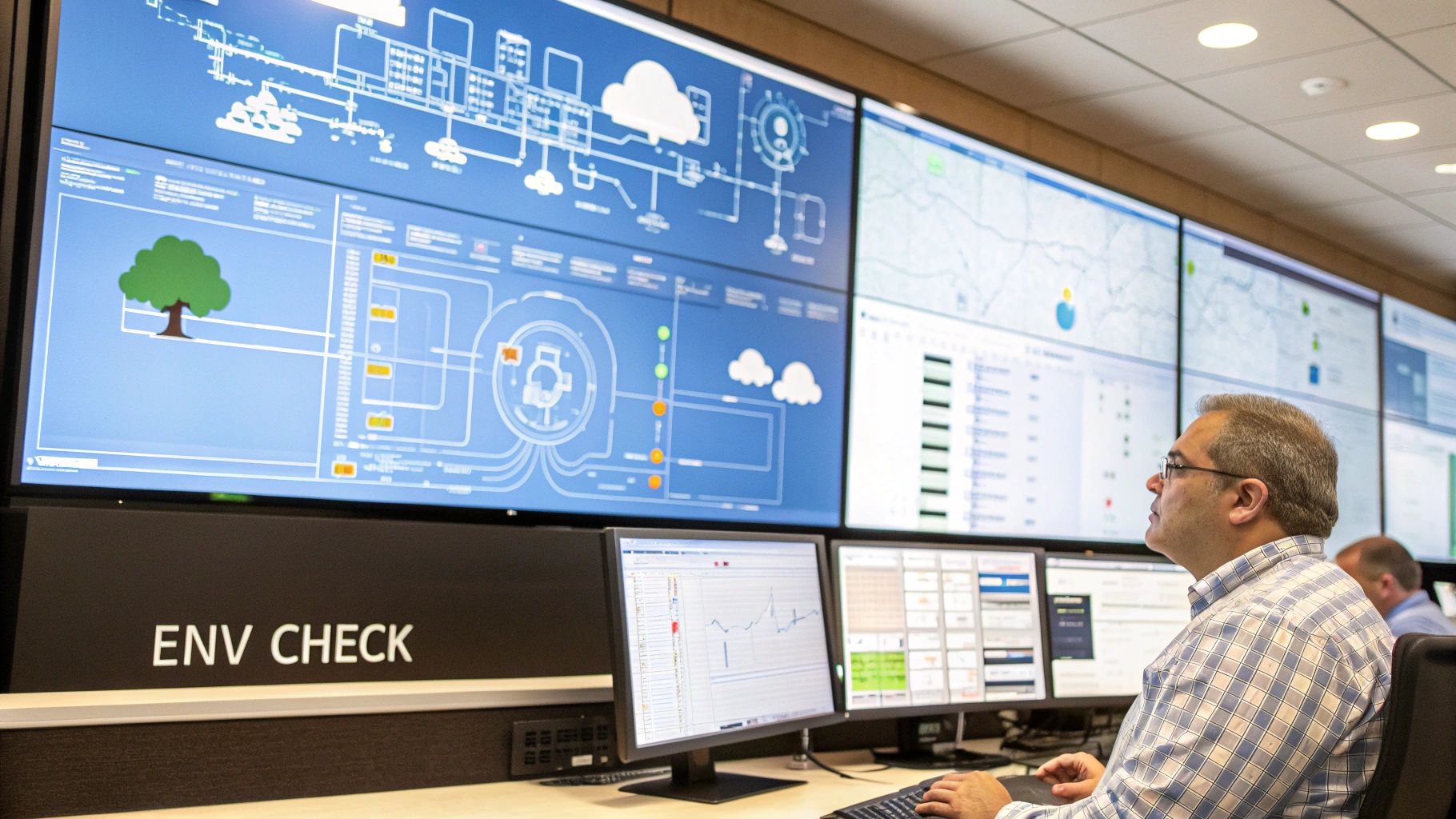
The primary goal of environment configuration verification is to eliminate surprises during deployment. An application that works flawlessly in a staging environment can fail catastrophically in production due to a seemingly minor difference, like an incorrect database connection string, a missing dependency version, or a misconfigured firewall rule. By treating environment configurations as a core, auditable part of the deployment process, teams can build predictable and repeatable deployment outcomes. This practice, popularized by leaders in cloud architecture like Adrian Cockcroft at Netflix, is fundamental to achieving the stability needed for modern, continuous delivery pipelines. For context on how companies handle the massive scale of these environments, the Netflix Engineering Blog details how Spinnaker manages complex deployments across regions.
How to Implement Environment Configuration Verification
Implementing a thorough verification process relies on automation and codified definitions to ensure consistency and prevent manual errors. The aim is to make environments as predictable as the code itself.
- Use Infrastructure as Code (IaC): Define your environment’s infrastructure (servers, networks, databases) in code using tools like HashiCorp Terraform or AWS CloudFormation. This makes configurations version-controlled, reviewable, and reproducible. Before deployment, you can run a
terraform planto see exactly what changes will be applied, preventing unintended modifications. - Automate Health and Configuration Checks: Implement automated scripts or pipeline stages that actively check the target environment’s health and configuration against a predefined manifest. These checks can verify that required services are running, correct ports are open, and all environment variables are correctly populated.
- Maintain Environment Parity: Strive to keep development, staging, and production environments as similar as possible. While some differences (like resource scale or credentials) are unavoidable, core components like operating systems, dependency versions, and network architecture should be identical. Tools like Ansible or Puppet help enforce this consistency.
Real-World Examples
The industry’s shift to the cloud has been driven by companies mastering environment management. Netflix famously leverages its open-source platform, Spinnaker, to manage complex, multi-cloud deployments, ensuring that application configurations are consistently applied across thousands of servers. Spotify has developed internal tooling to manage environment promotion, where configurations are validated and “promoted” through testing stages to production, ensuring a vetted and consistent setup. Similarly, Airbnb’s engineering teams use validation pipelines that run pre-deployment checks against their infrastructure, codifying environment requirements and preventing deployments to misconfigured targets. These examples underscore that treating infrastructure and its configuration as code is a cornerstone of a reliable software deployment checklist.
3. Backup and Rollback Strategy
Even the most thoroughly tested code can encounter unexpected issues in a live production environment. A software deployment checklist must therefore include a well-defined backup and rollback strategy. This plan is the ultimate safety net, ensuring that if a deployment fails catastrophically, the system can be quickly and safely reverted to its last known stable state. It involves more than just backing up code; it requires a comprehensive approach to preserving the state of the entire application, including databases, configuration files, and other critical artifacts, and having a tested, automated procedure to restore them.
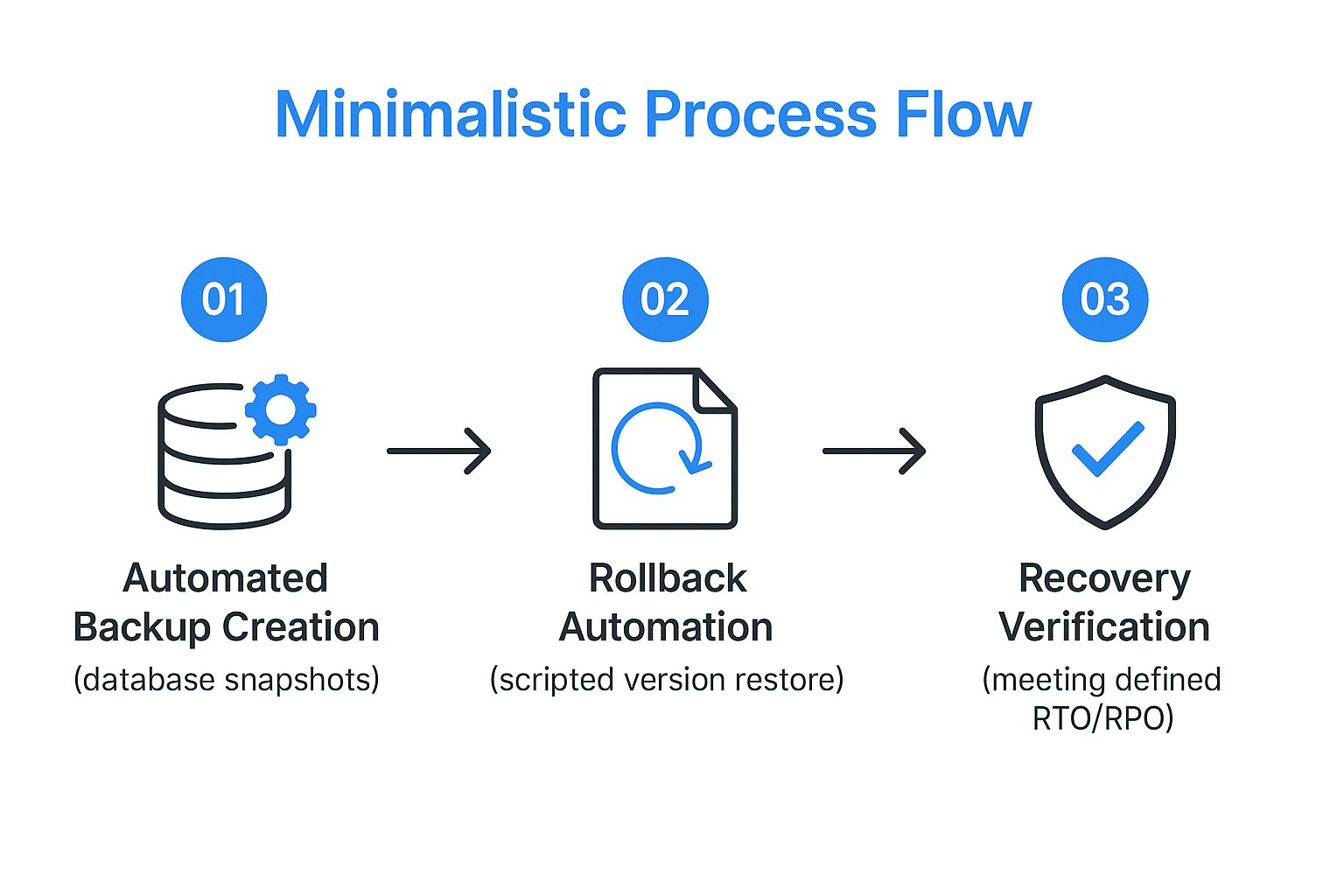
A reliable rollback plan is a cornerstone of deployment confidence and system resilience. It transforms a potential disaster into a manageable incident, minimizing downtime and protecting the user experience. By preparing for failure, teams can deploy more frequently and with less fear, accelerating the delivery of value. This proactive stance, popularized by thought leaders like Jez Humble and Gene Kim, is fundamental to modern DevOps practices, where the ability to recover quickly is just as important as preventing failures in the first place. You can learn more about building resilient systems on goreplay.org/blog/designing-resilient-systems-no-bs-guide/.
How to Implement an Effective Rollback Strategy
Building a dependable rollback mechanism requires a combination of automated tooling, modern deployment patterns, and disciplined processes. The goal is to make recovery a predictable, low-stress event.
- Automate Backups and Verification: Before any deployment begins, automate the process of creating complete, consistent backups. This includes database snapshots, persistent volume claims, and application configurations. Critically, these backups must be automatically verified to ensure they are not corrupt and can be successfully restored.
- Use Advanced Deployment Patterns: Adopt deployment strategies that support easy rollbacks. Blue-green deployments maintain two identical production environments, allowing you to switch traffic back to the old “blue” environment if the new “green” one fails. Canary releases gradually roll out changes to a small subset of users, limiting the impact of a bug and making a rollback less disruptive.
- Implement Feature Flags: Decouple deployment from release using feature flags (or toggles). This allows you to turn off a problematic new feature in production instantly without needing to redeploy the entire application. This provides a surgical, near-instantaneous rollback capability for specific functionality. For insights on how feature flags and split testing drive modern deployment safety, see resources from LaunchDarkly.
- Document and Rehearse Procedures: Create a clear, step-by-step rollback procedure and a communication plan for an incident. Regularly test these procedures in a non-production environment to ensure they work as expected and that the team is prepared to execute them under pressure.
Real-World Examples
Leading technology companies have institutionalized advanced rollback strategies. Amazon Web Services (AWS) pioneered the blue-green deployment model, which is now a standard industry practice for achieving zero-downtime deployments and instant rollbacks, as detailed in AWS documentation on blue/green deployments. GitHub leverages a “chat-driven deployment” system that includes built-in safety mechanisms, allowing engineers to halt or roll back deployments directly from their chat client. Similarly, Etsy is famous for its extensive use of feature flags, which gives them granular control to disable faulty features in seconds, completely sidestepping the need for a full code rollback in many cases. These examples demonstrate that a proactive and automated rollback plan is essential for any modern software deployment checklist.
4. Testing and Validation
A multi-layered testing and validation strategy is the guardian of a successful software deployment checklist. It ensures that the application not only functions as expected but also performs reliably under real-world conditions. This stage moves beyond isolated code checks to a comprehensive evaluation of the software, encompassing everything from individual units of logic to the complete user journey. By systematically validating functionality, performance, and integrations, this process confirms the software meets all business and technical requirements before it impacts a single customer.
In my experience, the most common failure I see in modern deployments isn’t a syntax error—it’s a behavior regression that unit tests can’t catch because they lack real-world context. This is why we need to expand our definition of testing. Traditional unit and integration tests are necessary but insufficient. We must validate the actual behavior of the application using real production traffic patterns. This technique, known as traffic shadowing or traffic replay, involves capturing live requests from production, sending them to a shadow/staging environment alongside the new code, and analyzing the responses for discrepancies without affecting real users.
How to Implement Traffic Shadowing and Replay
Traffic shadowing has moved from a niche research technique to a standard requirement in high-stakes deployment checklists. The process works by mirroring production traffic to a testing environment in real-time.
- Capture Production Traffic: Use high-performance packet capture tools to mirror network traffic. Tools like GoReplay allow you to capture live traffic from your production servers and replay it against your staging or canary environments.
- Automated Response Comparison: The replay system compares the responses from the original production server and the new version in the shadow environment. If the new code returns a different status code, a significantly different payload size, or an error where the original didn’t, the system logs a discrepancy.
- Analyze and Iterate: Engineers review these discrepancies to understand if the change in behavior is intentional or a bug. This provides empirical validation that the new deployment hasn’t broken user flows, something no amount of manual QA can guarantee.
By integrating traffic replay into your CI/CD pipeline, you gain a level of confidence that is unmatched by synthetic tests. It catches edge cases and integration issues that only emerge when real users interact with your system under real load.
Real-World Examples
Tech leaders demonstrate the power of advanced testing and validation. Netflix famously pioneered chaos engineering with its Simian Army, a suite of tools that intentionally disables production instances to test system resiliency. Google has embedded the testing pyramid concept into its engineering culture, requiring extensive automated testing at every level for all code changes. Spotify heavily relies on an A/B testing framework to validate new features with subsets of real users before a full rollout, ensuring changes deliver a positive impact. These examples prove that a strategic, multi-layered testing approach is fundamental to deploying complex software at scale with confidence.
5. Security Compliance and Vulnerability Assessment
In today’s threat environment, a software deployment checklist is incomplete without a dedicated checkpoint for security and compliance. This step involves a systematic evaluation of the application and its underlying infrastructure for vulnerabilities and adherence to security standards and regulatory requirements. It is a critical gate that ensures the software being deployed does not introduce new attack vectors or violate legal and industry mandates like GDPR, HIPAA, or PCI DSS. This process goes beyond simple bug hunting to actively probe for security weaknesses, misconfigurations, and compliance gaps before they can be exploited in a live environment.
Treating security as a final-step checkbox is a recipe for disaster. Instead, integrating security validation directly into the deployment pipeline fosters a “security-first” culture. This proactive approach, often called DevSecOps, shifts security practices to the left, making them an integral part of development rather than an afterthought. By systematically scanning for known vulnerabilities, validating security configurations, and ensuring proper access controls are in place, organizations can dramatically reduce their risk profile. This not only protects sensitive data and maintains customer trust but also prevents costly emergency patches, data breaches, and regulatory fines down the line.
How to Implement Security and Compliance Checks
Effective security validation requires a combination of automated tooling, established processes, and ongoing education. The goal is to make security an automated, enforceable part of the deployment workflow.
- Integrate Security Scanning into CI/CD: Embed automated security testing (AST) tools directly into your continuous integration and continuous delivery pipeline. Use Static Application Security Testing (SAST) tools to scan source code for vulnerabilities, Software Composition Analysis (SCA) tools to check third-party libraries for known exploits, and Dynamic Application Security Testing (DAST) tools like OWASP ZAP to probe the running application in a staging environment.
- Establish Security Gates: Create automated quality gates within your pipeline that can block a deployment if critical vulnerabilities are detected. Set clear thresholds for what constitutes a “blocker” versus a “warning.” This ensures that no software with severe, known security flaws can be deployed to production automatically.
- Manage Secrets Securely: Never hard-code secrets like API keys, database passwords, or certificates in your codebase or configuration files. Use a dedicated secrets management solution like HashiCorp Vault or cloud-native services like AWS Secrets Manager or Azure Key Vault to centrally store, manage, and dynamically inject secrets at runtime.
Real-World Examples
Leading organizations embed security into their deployment lifecycles. Microsoft’s Security Development Lifecycle (SDL) is a mandatory, company-wide process that integrates security requirements and validation at every phase of software development. Salesforce conducts a rigorous security review process for all AppExchange applications, ensuring they meet strict security and compliance standards before being published. The OWASP Foundation provides the Application Security Verification Standard (ASVS), a framework that organizations worldwide use to assess the security of their web applications, often integrating these checks as a standard part of their software deployment checklist.
6. Monitoring and Alerting Setup
Deployment is not the finish line; it is the starting point for the software’s life in a live environment. A critical component of any software deployment checklist is establishing a robust monitoring and alerting system. This setup provides the immediate visibility needed to understand application performance, track system health, and gauge user experience post-deployment. Without it, teams are flying blind, unable to proactively detect or rapidly respond to issues that arise in production, from subtle performance degradation to critical system outages. It acts as the application’s sensory nervous system, translating raw operational data into actionable intelligence.

Effective monitoring goes beyond knowing if a server is up or down. It encompasses the “three pillars of observability,” championed by experts like Google’s Site Reliability Engineering (SRE) teams and observability advocate Charity Majors. These pillars, which are metrics, logs, and traces, work together to create a rich, multi-dimensional view of the system. This approach empowers teams to not only see that a problem occurred but to quickly diagnose why it happened, drastically reducing Mean Time to Resolution (MTTR) and protecting both revenue and user trust. A seminal guide to this methodology can be found in the Google SRE Book on Service Best Practices, which emphasizes that non-emergency rollouts should proceed in stages, exposing changes to small fractions of traffic first.
How to Implement Comprehensive Monitoring
An effective monitoring strategy requires a thoughtful combination of tooling, clearly defined metrics, and well-structured response procedures. The goal is to gain deep insight without creating overwhelming noise.
- Embrace the Three Pillars: Implement tools that collect metrics (numerical data like CPU usage, request latency), logs (timestamped records of events), and traces (the end-to-end journey of a request through the system). Tools like Prometheus for metrics, the ELK Stack (Elasticsearch, Logstash, Kibana) for logs, and Jaeger or Zipkin for tracing are industry standards. Integrated platforms like DataDog or New Relic provide all three in a unified solution.
- Define SLIs and SLOs: Instead of alerting on every minor fluctuation, set Service Level Indicators (SLIs) and Service Level Objectives (SLOs). An SLI is a specific metric (e.g., latency of the login API), and an SLO is the target for that metric (e.g., 99.9% of login requests complete in under 200ms). Alerts should trigger when the SLO is at risk, focusing the team’s attention on what matters to the user experience. You can find out more by exploring this essential guide to API monitoring.
- Create Role-Based Dashboards: Build customized dashboards in a tool like Grafana or Kibana for different stakeholders. Engineers need granular system-level dashboards, while product managers might need a high-level view of user-facing features and business KPIs. This ensures everyone gets the right information without being overwhelmed by irrelevant data.
- Establish Clear Escalation Policies: An alert is useless without a clear action plan. Define who gets notified for specific alerts, what their initial response steps are, and at what point an issue should be escalated to a wider incident response team. Tools like PagerDuty or Opsgenie are designed to manage these workflows.
Real-World Examples
The world’s leading tech companies have built their success on monitoring. Netflix operates a massive monitoring infrastructure to ensure uninterrupted streaming, tracking everything from playback start time to rebuffering rates across millions of devices. Uber leverages a real-time monitoring and alerting platform to manage its global logistics network, tracking trip statuses, driver availability, and payment processing with sub-second precision. Similarly, Slack’s renowned reliability is backed by a powerful monitoring system and a well-drilled incident response culture, allowing them to rapidly resolve issues affecting millions of concurrent users. These examples show that investing in monitoring is an essential part of a modern software deployment checklist.
7. Database Migration and Data Integrity
Handling changes to the database is one of the highest-stakes activities in any software deployment checklist. A flawed database migration can lead to data corruption, service downtime, and irreversible damage. Therefore, a disciplined approach to managing database schema changes, migrating existing data, and validating the outcome is essential. This process ensures that as the application evolves, its underlying data structure remains consistent, reliable, and correct, preventing catastrophic failures that could impact user trust and business operations.
Effectively managing database changes is about more than just applying new SQL scripts. It involves a systematic methodology, often referred to as database refactoring, to make small, incremental, and reversible changes. This discipline, popularized by thought leaders like Martin Fowler and Pramod Sadalage, treats database changes with the same rigor as application code. By versioning the database schema and automating the migration process, teams can reliably deploy database updates alongside their application, ensuring perfect synchronization and minimizing risks associated with manual database administration.
How to Implement Safe Database Migrations
A well-designed migration strategy integrates tooling and process to make database changes predictable and safe. The core goal is to eliminate manual errors and ensure every environment’s database state is known and reproducible.
- Use Database Migration Tools: Adopt specialized tools like Flyway or Liquibase. These tools version-control your database schema using SQL or XML/JSON/YAML change sets. They automatically track which migrations have been applied to a given database instance and apply only the necessary new ones, preventing scripts from being run twice and ensuring a consistent state across development, staging, and production.
- Prioritize Backward Compatibility: Whenever possible, design schema changes to be backward-compatible. This means an older version of the application can still function with the new database schema. This decouples the application deployment from the database deployment, allowing you to roll out database changes first without breaking the currently running application.
- Test Migrations Vigorously: Migrations must be tested as thoroughly as application code. This includes running the migration scripts on a recent, anonymized copy of the production database in a staging environment. Post-migration, run automated data integrity checks to verify that data was transformed correctly, no data was lost, and foreign key constraints remain intact.
Real-World Examples
Tech companies managing massive datasets have perfected database migration at scale. GitHub has publicly detailed its complex, large-scale migrations from legacy MySQL infrastructure, showcasing techniques like live data proxying and phased rollouts. Stripe, which handles sensitive financial data, employs extremely careful migration strategies that often involve multiple phases to ensure zero downtime and absolute data integrity. Similarly, Shopify relies on advanced database sharding and migration processes to manage its enormous e-commerce platform, proving that even the most complex database architectures can be evolved safely with the right discipline and tooling.
5 common software deployment strategies
A checklist is only as good as the strategy it supports. In 2026, software deployment management has moved far beyond the “big bang” releases of the past. To achieve true resilience and continuous delivery, teams must select a deployment strategy that aligns with their risk tolerance and architecture. Understanding these techniques is essential for effectively applying the software deployment checklist steps outlined above.
Blue-Green Deployment
Blue-green deployment involves maintaining two identical production environments, referred to as Blue and Green. At any time, only one environment is live. When a new version is ready, it is deployed to the idle environment (e.g., Green). Once validated, traffic is switched from Blue to Green. If issues arise, traffic is instantly switched back to Blue. This strategy, heavily documented in Azure documentation on deployment patterns, offers the fastest possible rollback with zero downtime, but it requires double the infrastructure resources during the transition.
Canary Releases
Canary releases take a more gradual approach. A new version is deployed to a small, random subset of users or servers (the “canary”) while the majority of traffic continues to hit the stable version. Engineers closely monitor the canary group for errors or performance degradation. If the canary performs well, the rollout is progressively expanded to the entire fleet. If the canary fails, the impact is limited to a tiny fraction of users, making remediation much simpler. This technique reduces risk by exposing the change to reality before committing fully.
Feature Flags
Feature flags (or feature toggles) decouple the deployment of code from the release of functionality. Developers can merge code into the main branch, satisfying the deployment checklist, but keep the new feature disabled via a flag. The code is shipped, but the user doesn’t see it. This allows teams to deploy massive, untestable changes safely, gating their activation behind a kill switch. If a bug is discovered in production, the feature can be turned off immediately without requiring a rollback or a hotfix deployment. This is a cornerstone of modern software deployment techniques.
Rolling Deployment
A rolling deployment replaces instances of the old version with the new one a few at a time, while the rest keep serving traffic. It’s the default in Kubernetes Deployments (maxSurge and maxUnavailable control the pace). It needs no extra environment, but for a while both versions serve users at once, so the new version has to be compatible with the old one’s data and APIs, and a rollback is another rolling update rather than an instant switch.
Shadow Deployment (Traffic Mirroring)
In a shadow deployment the new version receives a copy of real production traffic, but its responses are thrown away; users only ever see the stable version. That makes it possible to check the new build’s errors, latency and resource use under real load with no user impact. Service meshes like Istio and Envoy can mirror traffic, and tools like GoReplay capture and replay HTTP traffic to a candidate environment. The catch is side effects: requests that write data or call third parties need to be filtered or pointed at test doubles.
How the five strategies compare
| Strategy | Users exposed to the new version | Rollback speed | Extra infrastructure | Best for |
|---|---|---|---|---|
| Blue-green | All, at switch time | Instant (switch back) | A full second environment | Critical systems that need instant rollback |
| Canary | A small, growing share | Fast (route traffic back) | Traffic routing and good metrics | Gradual, metric-driven rollouts |
| Rolling | Growing share as instances update | Slow (another rollout) | None | Stateless services on Kubernetes or VM groups |
| Shadow | None (responses discarded) | Not needed | A copy of the service plus mirroring | Validating risky changes against real traffic before any user sees them |
| Feature flags | Whoever the flag targets | Instant (turn the flag off) | Flag service and cleanup discipline | Separating deploy from release |
These combine well. A common pattern is to shadow first, then canary, with the risky feature behind a flag. For the bigger picture of where traffic replay fits next to CI/CD, canaries and rollbacks, see Replay Production Traffic Before You Ship.
Stages of software deployment
Most deployment processes, whatever tools they use, move through the same stages:
- Plan: decide what’s in the release, the strategy, the window and the rollback plan.
- Build and package: produce one versioned artifact from the release commit.
- Test and verify: run automated tests, security scans and performance checks against that artifact in a production-like environment.
- Deploy: roll the artifact out to production using the chosen strategy.
- Monitor and verify: watch metrics and user journeys, then close out or roll back.
Deployment vs release: deploying puts new code on production servers; releasing makes the new behaviour available to users. With feature flags or a shadow deployment, you can deploy days before you release.
7-Step Software Deployment Checklist Comparison
| Item | Implementation Complexity 🔄 | Resource Requirements ⚡ | Expected Outcomes 📊 | Ideal Use Cases 💡 | Key Advantages ⭐ |
|---|---|---|---|---|---|
| Code Review and Quality Assurance | High – multiple reviewers and tools needed | Significant time and skilled reviewers | Higher code quality, fewer bugs | Code quality improvement, team knowledge | Early bug detection, maintainability, consistency |
| Environment Configuration Verification | Medium to High – detailed infra and docs | Infrastructure knowledge, automation tools | Consistent and secure deployment environments | Multi-cloud deployments, infra changes | Prevents environment failures, improves security |
| Backup and Rollback Strategy | Medium – automated backups and scripts | Storage and scripting resources | Minimal downtime, quick recovery | Risky deployments, critical data systems | Reduces deployment risk, protects data |
| Testing and Validation | High – wide variety of tests across layers | Extensive test infrastructure and maintenance | Software reliability, performance validation | Feature validation, regression prevention | Confidence in release, detects issues early |
| Security Compliance and Vulnerability Assessment | High – specialized security expertise required | Security tools and expert resources | Compliance, reduced vulnerabilities | Regulated industries, sensitive data systems | Prevents breaches, ensures compliance |
| Monitoring and Alerting Setup | Medium – setup and tuning of monitoring stack | Monitoring tools and continuous maintenance | Real-time issue detection, system reliability | Production environment monitoring | Proactive detection, reduces MTTR |
| Database Migration and Data Integrity | High – coordination between app and DB | Skilled DBAs and migration tools | Data consistency, zero-downtime migrations | Schema changes, large data migrations | Prevents data loss, ensures consistency |
How to Choose Your Deployment Approach
Choosing where to focus your engineering efforts first can be daunting given the breadth of the checklist above. I recommend prioritizing based on your current risk profile. If you are still doing manual deployments with no rollback plan, Steps 3 (Backup and Rollback) and 6 (Monitoring) are your immediate survival priorities. Without visibility and a way to revert, you are flying blind.
If you have stable deployments but struggle with production bugs that vanish in staging, your bottleneck is likely Step 4 (Testing and Validation)—specifically, the lack of traffic replay. Investing in traffic shadowing here will yield a higher ROI than adding more unit tests. Finally, for teams with complex microservices architectures, Step 2 (Environment Configuration Verification) often holds the highest risk of ‘it works on my machine’ syndrome, making Infrastructure as Code a critical focal point. Evaluate your steps not just as a list to tick, but as a chain where the weakest link determines your overall delivery speed.
Frequently Asked Questions
What are the 5 stages of software deployment?
While checklists vary, the five canonical stages of software deployment are Planning, Development, Testing, Deployment (or Release), and Maintenance. Each stage feeds into the next, ensuring that changes are conceived, built, validated, delivered to users, and monitored for ongoing health.
What is the difference between deployment and release?
Deployment refers to the technical act of moving code and configuration from a repository to a live production environment. A release refers to the broader business and operational process of making that new functionality available to end-users. You can deploy code without releasing it (e.g., behind a feature flag) or release a change that was deployed previously.
How do I choose a deployment strategy?
Choose a deployment strategy based on your risk tolerance, system architecture, and business impact. Use Blue-Green for mission-critical systems requiring instant rollback. Use Canary releases for gradual exposure to minimize blast radius. Use Feature Flags to decouple code deployment from user-facing functionality, giving you a kill switch for any new feature.
What are the top 5 deployment strategies?
Blue-green, canary, rolling, shadow (traffic mirroring) and feature-flag releases. Blue-green and feature flags give the fastest rollback, canary and rolling limit how many users see a bad version at once, and shadow deployments test against real traffic without exposing any users at all.
What should be included in a deployment plan?
Scope (what’s shipping and why), the deployment strategy, the schedule and window, owners and on-call contacts, prerequisites such as migrations and config changes, the verification steps and success metrics, the rollback plan with a clear trigger, and how stakeholders will be told.
What is a list of requirements for an IT deployment?
At minimum: an approved, tested and versioned build; a prepared target environment with the right configuration and secrets; current backups; a tested rollback procedure; monitoring and alerts in place; any required security and compliance sign-offs; and the people involved knowing when it happens.
What is a software deployment checklist?
A software deployment checklist is a standardized set of steps and validations that engineering teams must complete before, during, and after releasing software to production. It ensures consistency, reduces human error, and validates that the system is ready for live traffic.
From Checklist to Culture: Embedding Reliability in Your Deployments
A detailed software deployment checklist dissects the critical stages that separate a chaotic release from a smooth, predictable one. Moving beyond a simple to-do list, this framework serves as a strategic blueprint for operational excellence. It transforms software deployment from a high-stakes gamble into a well-orchestrated, low-risk procedure. The power of an effective checklist lies not in its mere existence, but in its consistent and disciplined application.
In my observation, the most critical failure mode in deployments is not a broken feature—it is a broken feedback loop. When Step 6 (Monitoring) fails to catch an anomaly because alerts are poorly tuned, Step 3 (Rollback) is never triggered, and the team is left patching a live incident instead of reverting to a known good state. This linkage proves that reliability is systemic. As noted in Google’s Site Reliability Engineering principles, progressive rollout guidance suggests exposing changes to small fractions of traffic first to monitor behavior, reinforcing the need for these steps to work in concert rather than in isolation.
Key Takeaways for Bulletproof Deployments
To improve your deployment process, focus on these core principles:
- Shift Left on Everything: The earlier you catch an issue, the cheaper and easier it is to fix. This applies not just to code bugs but to security vulnerabilities, configuration drift, and performance bottlenecks. Integrate security scans and performance tests directly into your CI/CD pipeline, making them a prerequisite for a merge, not an afterthought before release.
- Treat Everything as Code: Your infrastructure, your configuration, your security policies, and your deployment pipeline should all be version-controlled, peer-reviewed, and automated. This Infrastructure as Code (IaC) approach, using tools like Terraform or Ansible, eliminates manual errors and makes your environments reproducible and auditable.
- Safety Nets are Not Optional: No matter how thorough your testing, the complexity of modern systems means failures are inevitable. Your goal is not to prevent 100% of failures but to minimize their blast radius and enable rapid recovery. Automated, one-click rollbacks and complete data backups are your essential safety nets, allowing you to innovate with confidence.
From Checklist to Habit: Your Actionable Next Steps
Mastering the software deployment checklist requires moving from theory to practice. It’s about building muscle memory within your team until these best practices become ingrained habits. The ultimate goal is to evolve beyond ticking boxes and foster a firmly embedded culture of reliability and quality. This cultural shift ensures that every engineer, from junior to principal, understands their role in maintaining a stable and performant system.
To begin this transformation, start by auditing your current process against the seven points covered in this article. Identify your weakest link. Is it your rollback strategy? Your monitoring and alerting setup? Focus your initial efforts there. Introduce one major improvement per release cycle, whether it’s automating your database migration validation or implementing traffic shadowing to test changes against real production workloads. This iterative approach prevents overwhelm and builds momentum, demonstrating tangible value with each step.
Ultimately, a world-class deployment process is an incredible competitive advantage. It empowers your team to deliver value to customers faster, more frequently, and with greater confidence. It reduces developer burnout caused by stressful, after-hours firefighting and frees up engineering capacity to focus on innovation and building features that drive business growth. By treating your software deployment checklist as a living document and a cornerstone of your engineering culture, you are not just shipping code; you are building a resilient, high-performing organization poised for sustained success.
Ready to de-risk your deployments by testing with real production traffic? GoReplay allows you to capture and replay user traffic to a staging environment, providing strong confidence that your changes will perform as expected under real-world load. Discover how traffic shadowing can revolutionize your deployment validation by visiting GoReplay and see it in action.