
Why Performance and Load Testing Matter
In today’s fast-paced online world, application performance is critical. Slow websites and system crashes lead to frustrated users and damage a company’s reputation. Ensuring software can handle pressure, from older client-server setups to modern cloud environments, has always been a challenge. Understanding performance and load testing is essential for everyone involved in software development, from developers to business leaders. These testing methods help predict and prevent system failures, adapting to ever-increasing user expectations and complex software.
Effective performance testing doesn’t just find bottlenecks; it reveals how to improve system architecture, infrastructure, and code. It’s about understanding how well your application performs under stress. This allows teams to proactively fix performance issues, creating a smooth user experience regardless of user traffic.
Understanding Key Performance Concepts
This article explores the core concepts of performance and load testing. We’ll examine their methodologies, key differences, and important metrics. We’ll also look at the tools and technologies used for testing.
- Methodologies: We’ll delve into the various approaches used in performance and load testing.
- Key Differences: We’ll differentiate between these two critical testing strategies.
- Metrics: We’ll discuss important metrics such as response time, throughput, and error rate.
We’ll also discuss how these practices fit into modern development processes like DevOps and CI/CD. Additionally, we’ll explore cloud-based performance testing solutions and their growing importance. Ultimately, you’ll learn how to use these testing strategies to create robust, scalable, and high-performing applications that meet today’s demands.
1. Performance Testing Definition and Scope
Performance testing is crucial for software development. It ensures a system can handle real-world usage demands. It encompasses various tests designed to evaluate system behavior under different workloads and conditions. Essentially, it asks, “Can the system handle the expected load and perform efficiently?” This makes it a fundamental part of any testing strategy.
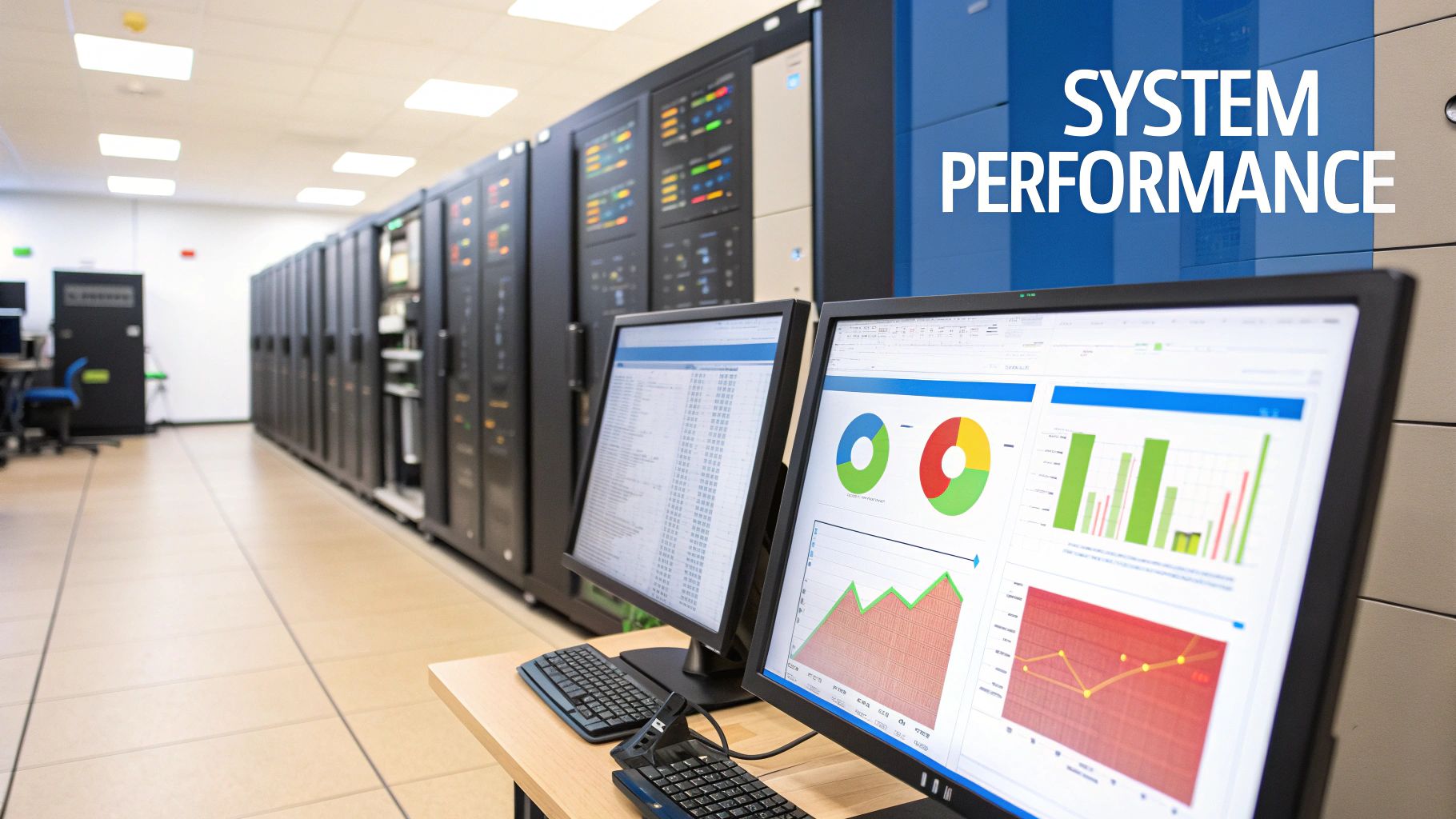
Performance testing measures key metrics like responsiveness (reaction speed to user requests), throughput (transactions processed per unit of time), reliability (consistent performance), and scalability (handling increasing loads). It’s not just about finding breaking points; it’s about understanding the system’s performance under realistic conditions. This helps identify bottlenecks and ensures the system meets requirements before launch.
Features of Performance Testing
- Evaluates overall system performance metrics: Provides a complete picture of system performance, including speed, responsiveness, stability, and resource use.
- Focuses on speed, responsiveness, stability, and scalability: Addresses core performance aspects vital for user experience and business objectives.
- Serves as an umbrella term for various performance-related testing types: Includes load testing, stress testing, endurance testing, and scalability testing, allowing for targeted evaluations.
- Can be conducted at component, service, or full-system levels: Offers flexibility in testing scope, from individual parts to the entire system.
Pros of Performance Testing
- Provides comprehensive assessment of system behavior: Offers deep insights into system performance in different scenarios.
- Helps establish performance baselines for future comparisons: Creates benchmarks to track performance changes over time.
- Identifies bottlenecks across different system components: Locates areas limiting performance that need improvement.
- Validates that system meets performance requirements: Ensures the system handles the anticipated load and meets predefined criteria.
Cons of Performance Testing
- Can be complex to design properly: Requires thorough planning, considering factors like workload models, test environments, and metrics.
- Requires significant infrastructure for testing large systems: Simulating realistic loads for large applications can demand substantial resources.
- May be difficult to simulate exact production environments: Replicating real-world production environments can be tough.
- Often requires specialized performance engineering expertise: Benefits from the skills of experienced performance engineers.
Real-World Examples of Performance Testing
- Netflix’s Chaos Engineering program: Netflix uses tests like chaos engineering to ensure service availability under stress.
- Amazon’s Prime Day preparation: Amazon uses performance testing to handle the surge in traffic and transactions during Prime Day.
- Banking applications: Banks use performance testing to ensure systems handle peak loads and maintain reliable service.
Tips for Performance Testing Implementation
- Start with clear, measurable performance requirements: Define specific performance goals before testing.
- Define appropriate metrics and KPIs before beginning tests: Identify key performance indicators aligned with business goals and track them throughout testing.
- Use a combination of testing approaches for comprehensive results: Employ a variety of testing types for a complete understanding.
- Establish performance baselines for comparison: Create a baseline for comparing future results.
Key Figures and Tools in Performance Testing
Tools like Micro Focus LoadRunner (formerly HP LoadRunner) and Apache JMeter are important in performance testing. The work of experts like Dr. Connie Smith and Scott Barber (author of ‘Performance Testing Guidance for Web Applications’) has significantly influenced the field.
Performance testing is a critical part of the software development lifecycle. Identifying performance bottlenecks early avoids costly downtime, ensures a good user experience, and helps achieve business goals. It’s a crucial first step in performance evaluation, paving the way for specialized tests and a reliable system.
2. Load Testing Methodology
Load testing is a crucial part of performance testing. It focuses on how a system performs under real-world load conditions. This means simulating the expected number of users and transactions, including peak loads, to ensure the system can handle the strain. The goal? A responsive and functional application under normal and peak usage, creating a positive user experience and meeting business needs.
This involves measuring key metrics. These include response time (how quickly the system responds), throughput rates (how many transactions are processed per unit of time), and resource utilization (how much CPU, memory, and bandwidth are used) under different load volumes. Load testing helps identify bottlenecks and performance issues before they affect real users.
Load testing is valuable because it proactively identifies performance bottlenecks before they impact users in a live environment. Simulating realistic user loads gives organizations confidence in their system’s ability to handle expected traffic. For instance, e-commerce platforms use load tests to prepare for high-traffic periods like Black Friday, ensuring smooth operations despite the surge in users.
Similarly, tax filing systems undergo rigorous load testing before the April 15th deadline to guarantee stability and responsiveness. Educational platforms also use load testing to confirm their systems can handle the influx of student enrollments at the beginning of a semester. These examples show the broad importance of load testing across various industries.
Load Testing Methodology and Benefits
The methodology focuses on simulating real-world user loads. It measures system behavior under normal and peak conditions. This process tests against predefined Service Level Agreements (SLAs) and helps determine the maximum operating capacity. The data gathered provides valuable insights into resource utilization, enabling teams to optimize their infrastructure for best performance and cost-effectiveness. For more information, check out this guide on load testing REST APIs with JMeter.
Features of Load Testing:
- Simulates real-world user loads
- Focuses on system behavior under normal and peak usage
- Measures response times, throughput, and resource usage
- Tests against predefined performance SLAs
Pros:
- Identifies performance problems before going live
- Helps determine maximum operating capacity
- Validates system behavior under expected loads
- Provides confidence in meeting business needs
Cons:
- Might not find issues occurring only under extreme loads (this is the role of stress testing)
- Usually doesn’t test system recovery
- Can be resource-intensive
- Requires careful test scenario design
Practical Tips for Load Testing
Tips for Effective Load Testing:
- Use realistic scenarios and data
- Gradually increase load
- Monitor both client-side and server-side metrics
- Include database performance
- Test regularly during development
Tools like Apache JMeter, Gatling, k6 by Grafana Labs, and LoadRunner by Micro Focus have made load testing more accessible to development teams. These tools offer robust features for simulating user activity, generating load, and analyzing performance data.
Load testing is essential for performance testing due to its focus on real-world situations. It connects theoretical performance with actual user experience, making sure the system is ready for its intended audience. By incorporating load testing into the software development lifecycle, organizations reduce performance-related risks and deliver high-quality, dependable applications.
3. Key Differences: Performance vs. Load Testing
Understanding the nuances between performance testing and load testing is crucial for building robust and scalable software systems. While the terms are often used interchangeably, these two testing methodologies have distinct objectives and applications. This understanding is essential for tailoring your testing strategy and interpreting results effectively, ultimately delivering a high-performing application that meets user expectations.

Performance testing is an umbrella term encompassing various testing types, including load testing, stress testing, endurance testing, and spike testing. It aims to evaluate the overall system behavior under various conditions, such as responsiveness, stability, scalability, and resource usage. Think of performance testing as a comprehensive health check for your application.
Load testing, on the other hand, is a specific type of performance testing. It focuses solely on determining how a system behaves under a predicted load. This involves simulating a realistic number of concurrent users accessing the application, representing expected peak usage. Load testing helps identify bottlenecks and performance degradation points under normal operating conditions.
Key Distinctions
Here’s a breakdown of the key differences between performance and load testing:
- Scope: Performance testing evaluates overall system characteristics. Load testing examines behavior under a specific anticipated load.
- Test Types: Performance testing includes various specialized tests. Load testing is one specific type.
- User Scenarios: Performance testing might involve single-user scenarios. Load testing always simulates multiple concurrent users.
- Metrics: Performance testing focuses on a wider range of metrics. Load testing emphasizes throughput and response times.
Benefits of Understanding the Difference
Understanding the distinctions offers several advantages:
- Targeted Testing: Create appropriate test strategies, ensuring the right test is used for the specific objective.
- Resource Optimization: Correctly matching testing type to objectives saves time, effort, and resources.
- Improved Communication: Proper categorization aids clear communication among stakeholders.
- Accurate Interpretation: Knowledge of the differences allows for accurate interpretation of results, leading to effective improvements.
Potential Challenges
While understanding the differences is beneficial, some challenges might arise:
- Terminology Confusion: Confusion and inconsistent use of terms can occur across teams.
- Simplified Approaches: Project constraints may lead to simplified, less thorough testing.
- Stakeholder Awareness: Some stakeholders might not fully grasp the importance of each test type.
- Specialized Skills: Effective performance testing often requires specific expertise.
Real-World Applications
Here are examples of how these tests apply to real-world scenarios:
- E-commerce websites might use performance testing for overall assessment, but specifically employ load testing before major sales events like Black Friday to ensure the system can handle increased traffic.
- Banking applications might undergo performance testing for compliance, while load testing validates transaction processing capabilities under expected user load.
- Software vendors often conduct different types of performance testing at different development stages: load testing during integration, stress testing before release, and endurance testing for long-term stability.
Practical Implementation Tips
- Define Clearly: Establish clear definitions for performance and load testing within your organization.
- Align with Requirements: Match test types to specific business requirements and performance objectives.
- Document Thoroughly: Document the performance aspects evaluated by each test.
- Educate Stakeholders: Educate stakeholders on the purpose and value of each test type.
The distinction between performance testing and load testing is increasingly important with the growing complexity of software systems and the demand for high availability and optimal user experience. By appreciating these differences and applying the correct methodology, organizations can proactively address performance bottlenecks, optimize resources, and deliver robust applications.
4. Stress Testing vs. Load Testing
Stress testing and load testing are both vital for assessing software performance, but they examine different aspects. Understanding this difference is key to developing robust and dependable applications. Load testing validates performance under anticipated conditions, while stress testing pushes the system to its limits, revealing hidden vulnerabilities. This makes stress testing essential for comprehensive performance evaluation.
Understanding the Difference
Load testing simulates real-world user behavior, examining system performance under typical and peak loads. It ensures the system meets performance benchmarks, such as response times and throughput, within normal operating conditions. Stress testing, however, intentionally goes beyond these normal parameters. It subjects the system to extreme loads and limited resources to uncover how the system performs under pressure. The goal is to identify breaking points, understand recovery mechanisms, and uncover potential problems.
Features
- Load Testing: Operates within anticipated load parameters, validates expected performance, evaluates standard operations, and centers on verifying the system’s capabilities.
- Stress Testing: Purposely exceeds normal load parameters, identifies system breaking points, examines failure responses, and concentrates on exploring system limitations.
Pros of Stress Testing
- Reveals System Behavior During Failure: Offers critical insights into how the system handles overload, including error handling, failover mechanisms, and data integrity.
- Helps Identify Maximum Capacity Limits: Pinpoints the system’s absolute capacity, providing crucial information for capacity planning and infrastructure choices.
- Tests Error Handling and Recovery Capabilities: Evaluates how effectively error handling routines and recovery procedures function under extreme duress.
- Identifies Potential Security Vulnerabilities Under Extreme Conditions: High-stress conditions can expose hidden security flaws that normal operation might miss.
Cons of Stress Testing
- May Cause Actual System Failures or Data Corruption: If not conducted in a carefully isolated environment, stress testing can disrupt production systems or corrupt data.
- Requires Significant Infrastructure to Execute Safely: Generating the necessary extreme loads often demands substantial computing resources.
- Results Can Be Difficult to Interpret or Reproduce: The intricacies of system failure under stress can make results complex to analyze and replicate.
- May Identify Theoretical Issues That Would Rarely Occur in Production: Some failure scenarios uncovered might be statistically improbable in real-world usage.
Real-World Examples
- Netflix’s Chaos Monkey: This tool simulates failures in a controlled production environment to test resilience and ensure Netflix services can withstand disruptions. This embodies the principles of Chaos Engineering.
- Cloud Providers Testing Auto-Scaling Capabilities: Cloud providers use stress tests to validate the effectiveness of their auto-scaling features under significant load changes.
- Financial Systems Testing Transaction Processing During Market Volatility Events: Financial institutions employ stress testing to simulate high-volume transactions during market fluctuations, ensuring system stability under pressure.
Tips for Implementation
- Always Conduct Stress Tests in Isolated Environments: Safeguard production systems by using separate, dedicated test environments.
- Document System Behavior at Failure Points: Meticulous documentation of system behavior during failures is vital for later analysis and remediation efforts.
- Include Recovery Time Measurements in Stress Test Metrics: Measure how long it takes the system to recover from failure as a key performance indicator.
- Test Both Gradual and Sudden Increases to Extreme Load: Simulate varied stress scenarios, including gradual increases and sudden spikes in load.
- Focus on Graceful Degradation Rather Than Complete Failure Prevention: Design systems to degrade gracefully under extreme pressure, accepting some failures are unavoidable.
Popularized By
The importance of stress testing is championed by industry leaders and best practices, including:
- Netflix’s Chaos Engineering principles: This proactive approach focuses on injecting failures into systems to bolster resilience.
- John Allspaw (Web Operations expert): A prominent advocate for resilient system design and understanding failure modes.
- Google’s Site Reliability Engineering (SRE) practices: SRE stresses building and operating reliable systems, with stress testing as a critical element.
- Amazon’s GameDay exercises: These simulated outages help prepare teams for real-world incidents.
By grasping the nuances of stress testing and integrating it into your testing strategy, you create more robust, resilient, and reliable systems equipped to handle real-world demands.
5. Performance Testing Tools and Technologies
Performance and load testing are crucial for ensuring software applications are reliable and scalable. Understanding the available tools is essential for effective performance testing. A wide variety of tools cater to different needs, from open-source solutions for smaller projects to enterprise-grade platforms designed for complex, high-traffic systems. Choosing the right tool is paramount for successful testing.

This section explores the critical features, benefits, and drawbacks of popular performance testing tools and technologies, helping you make informed decisions. This understanding is fundamental to comparing performance testing vs. load testing, as tool choice significantly impacts both.
Key Features and Benefits
-
Script Recording and Playback: Simplify test creation by recording user interactions and replaying them under load. This simulates real-world user behavior.
-
Distributed Load Generation: Simulate massive user loads by distributing the testing workload across multiple machines. This is crucial for stress testing and capacity planning.
-
Real-Time Monitoring and Analytics: Gain immediate insights into application performance under load, quickly identifying bottlenecks and performance issues.
-
Protocol Support: Compatibility with various application architectures and communication protocols (HTTP/S, WebSocket, gRPC, etc.) is key.
-
CI/CD Integration: Streamline performance testing by integrating it into the development workflow, promoting continuous performance optimization.
Pros of Using Performance Testing Tools
-
Automated Load Simulation: Simplifies creating and executing complex load tests, saving time and effort.
-
Detailed Metrics and Reporting: Offers comprehensive performance data and reports for in-depth analysis and decision-making.
-
Repeatable Testing: Ensures consistent testing environments and repeatable test executions for reliable performance comparisons.
-
Large-Scale Simulation: Simulates massive user loads (thousands or even millions of users), crucial for stress testing and capacity planning.
Cons of Using Performance Testing Tools
-
Cost: Enterprise-grade platforms can have significant licensing costs.
-
Expertise: Open-source tools may require specialized skills for setup and scripting.
-
Complexity: Configuring test environments and load generators can be complex, especially for distributed testing.
-
Infrastructure: Simulating high loads may require dedicated hardware or cloud resources.
Popular Performance Testing Tools
-
Apache JMeter: (http://jmeter.apache.org/) An open-source tool widely used for load testing web applications. Its extensibility and community support make it a popular choice.
-
Gatling: (https://gatling.io/) A Scala-based performance testing tool focused on DevOps integration and code-as-tests.
-
k6: (https://k6.io/) A modern, developer-friendly load testing tool built with JavaScript and ideal for integrating into modern development workflows. Popularized by Grafana Labs.
-
LoadRunner: (https://www.microfocus.com/en-us/products/loadrunner-professional/overview) An enterprise-grade performance testing platform from Micro Focus with comprehensive features and extensive protocol support.
Practical Tips for Implementation
-
Start Small: Explore open-source tools like JMeter for basic needs before investing in commercial platforms.
-
Consider the Cloud: Cloud-based testing environments offer excellent scalability for simulating large user loads.
-
Check Protocol Support: Ensure the tool supports the protocols used by your application.
-
Integrate with Your Toolchain: Seamless integration with your CI/CD pipeline streamlines performance testing.
-
Test-as-Code: Scripting tests as code improves maintainability and allows for version control.
Understanding the tools available for performance testing is essential for choosing the right strategy and executing tests effectively. The variety of tools caters to different needs and budgets, allowing teams to tailor their approach based on project requirements. Understanding the features, benefits, and trade-offs of different tools ensures successful performance testing efforts.
6. Performance Testing Metrics and Analysis
Performance and load testing aren’t simply about stressing a system. They’re about understanding precisely how that system responds to stress. This knowledge comes from gathering and interpreting the right performance testing metrics. Analyzing these metrics effectively is key to finding bottlenecks, improving performance, and creating a positive user experience. It’s such a critical component that it deserves special attention in our performance and load testing comparison.
Key performance indicators (KPIs) provide quantifiable data for making informed decisions about system performance. These metrics go beyond vague statements like “it’s slow.” They pinpoint exactly why it’s slow and where the bottlenecks exist.
Key Performance Testing Metrics
-
Response Time Measurements: Averages aren’t enough. Focus on percentiles like p95 (95th percentile) and p99 (99th percentile) to understand the experience of most users. Looking at the entire distribution of response times gives a complete picture of performance variability.
-
Throughput Metrics: Measure the amount of work your system handles within a specific timeframe. This is often expressed as requests per second (RPS) or transactions per minute (TPM).
-
Error Rates and Failure Analysis: Tracking error rates helps uncover breaking points and understand the failure types occurring under stress. Analyzing these failures is crucial for strengthening the system.
-
Resource Utilization: Monitor CPU usage, memory consumption, disk I/O, and network activity to identify resource bottlenecks and saturation points. This understanding helps optimize system configuration and capacity planning.
-
Saturation Points and Scalability Curves: Identifying the point where system performance begins to degrade (saturation point) and how performance scales with increased load are vital for capacity planning and ensuring future growth.
Pros of Performance Testing Metrics
- Provides a data-driven foundation for performance decisions, eliminating subjective opinions.
- Enables unbiased comparisons between different test runs and configurations.
- Pinpoints specific bottlenecks and their underlying causes.
- Supports capacity planning and scaling decisions.
Cons of Performance Testing Metrics
- The large amount of data can be overwhelming.
- Correct interpretation requires statistical understanding and experience.
- Correlation between metrics doesn’t always equal causation. Further investigation is often required.
- Environmental factors (network latency, background processes) can influence results and create inaccuracies.
Real-World Examples
- Google’s Site Reliability Engineering (SRE): Google’s SRE practices rely heavily on Service Level Indicators (SLIs) and Service Level Objectives (SLOs) based on performance metrics to ensure service reliability and performance.
- Financial Trading Platforms: These platforms rigorously analyze response time percentiles (e.g., p99.99) to ensure extremely low latency and minimize financial losses.
- E-commerce Sites: E-commerce platforms correlate performance metrics with business results like conversion rates. For instance, they may discover that decreasing page load time directly increases sales.
Evolution and Popularization
Performance analysis has evolved significantly thanks to experts like Brendan Gregg (performance tools and methodologies) and Baron Schwartz (MySQL and database performance). Tools like Grafana have simplified visualizing and monitoring performance data. Google’s SRE practices, documented in their books and online, have also heavily influenced the industry.
Practical Tips for Using Metrics
- Focus on Percentiles: Prioritize p95 and p99 over averages for a realistic view of user experience.
- Establish Baselines: Create clear baselines for performance metrics to measure improvements and declines.
- Correlate with Business Outcomes: Connect technical metrics to business goals like conversion rates or user engagement.
- Look for Patterns: Analyze multiple test runs to find recurring patterns and trends.
- Use Visualization Tools: Utilize tools like Grafana to visualize data and identify unusual findings.
By meticulously collecting, analyzing, and interpreting performance testing metrics, teams can gain invaluable insights into system behavior, identify areas for improvement, and create a high-performing and scalable application.
7. Performance Testing in DevOps and CI/CD
Performance testing isn’t a last-minute check anymore. It’s now a core part of how we build software. By integrating performance and load testing into Continuous Integration and Continuous Delivery (CI/CD) pipelines, a practice often called “shift-left performance testing,” teams can find and fix performance bottlenecks early in the development process. This proactive approach keeps performance top-of-mind, leading to better software and faster releases. In today’s fast-paced development world, this integration is essential for software quality and delivery speed, earning it a spot on this list.

How It Works
Automated performance tests are built directly into the CI/CD pipeline. Every time code changes are committed, these tests run automatically, giving immediate feedback on how those changes affect performance. This helps developers catch performance regressions early, before they make it to production. This approach relies heavily on treating “performance testing as code,” allowing for version control and smooth integration with existing CI/CD workflows. Performance budgets and thresholds are established to ensure applications consistently meet performance expectations. Integrating with monitoring and observability tools like Datadog offers deeper insights into performance data and trends.
Key Features
- Automated performance test execution in CI/CD pipelines: Performance tests are triggered with every code change for continuous validation.
- Performance testing as code: This enables version control, better collaboration, and smoother integration within CI/CD workflows.
- Immediate feedback on performance impacts of code changes: Quickly pinpoint and resolve performance regressions.
- Defined performance budgets and thresholds: Set clear performance expectations and enable automated pass/fail criteria for builds.
- Integration with monitoring and observability tools: Gain comprehensive performance insights and identify areas for optimization.
Pros
- Early detection of performance issues: Find problems early and save time and money.
- Reduced cost of fixing performance problems: Fixing issues early is much less expensive than fixing them in production.
- Consistent performance validation throughout development: Maintain a consistent focus on performance throughout the development lifecycle.
- Shared responsibility for performance across teams: Build a culture of shared ownership for performance across development, QA, and operations.
Cons
- Challenges in creating lightweight tests suitable for CI/CD: Balancing test coverage with fast execution can be tricky.
- Need for representative test environments: Accurate results require test environments that closely resemble production.
- Potential for false positives/negatives: Careful configuration and tuning are necessary to avoid inaccurate results.
- Additional complexity in CI/CD pipelines: Integrating performance tests adds another layer of complexity to manage.
Real-World Examples
- Facebook: Constantly tests the performance of its mobile app releases for a great user experience.
- Etsy: Integrates performance testing with feature deployments to prevent performance regressions.
- Financial services: Use performance gates in their deployment pipelines to ensure releases meet performance requirements.
Tips for Implementation
- Start with critical user journeys for pipeline tests: Focus on the most important user flows.
- Define clear performance thresholds for pass/fail criteria: Establish clear performance goals and corresponding thresholds.
- Use smaller, focused tests for CI and comprehensive tests for CD: Optimize execution time in CI while conducting thorough tests during CD.
- Implement performance budgets for key metrics: Track and manage key metrics against predefined budgets.
- Combine synthetic tests with real user monitoring (RUM): Get a complete view of application performance using both synthetic and real-world data.
Popularized By
Shift-left performance testing gained traction thanks to the work of people like Nicole Forsgren (DevOps researcher) and Gene Kim (author of “The Phoenix Project” and “The DevOps Handbook”). The adoption of CI/CD platforms like GitLab and GitHub Actions, with their built-in performance testing features, and cloud-based DevOps platforms like Microsoft Azure DevOps have further boosted its popularity.
8. Cloud-Based Performance and Load Testing
Cloud-based performance and load testing has changed how organizations evaluate the resilience and scalability of their applications. By using the resources of cloud infrastructure, teams can simulate large amounts of user traffic and find performance bottlenecks without large investments in on-premises hardware. This approach is especially important now, when applications often serve a global user base with changing demand.
Instead of buying and maintaining physical servers, cloud-based testing allows for on-demand provisioning of virtual machines. This enables testing at scales that were not previously possible. This flexibility means significant cost savings, especially for infrequent large-scale tests. Features like geographic distribution of load generators enable realistic simulation of global user traffic, providing important insights into application performance in different regions. For example, a company launching a new e-commerce platform can simulate traffic from multiple continents to ensure a smooth shopping experience for all users.
Key Features of Cloud-Based Load Testing
Cloud testing platforms offer a range of features, including:
- On-demand test infrastructure scaling: Quickly adapt to changing test requirements.
- Geographic distribution of load generators: Simulate real global user behavior.
- Pay-per-use pricing models: Optimize cost efficiency for occasional tests.
- Simulation of millions of virtual users: Thoroughly stress-test applications.
- Integration with cloud monitoring services: Get complete performance insights.
Several popular cloud providers offer dedicated load testing services. AWS CloudWatch Synthetics allows for continuous performance monitoring, while Microsoft Azure Load Testing Service and Google Cloud Load Testing with Locust provide robust tools for simulating large-scale user loads. Third-party platforms like BlazeMeter expand the available options, catering to diverse testing needs. For further exploration, you might be interested in: Harnessing Cloud Marketplaces for QA and Load Testing.
The growth of cloud computing has directly influenced the rise of cloud-based performance and load testing. As more organizations move their applications to the cloud, the need to test these applications under realistic cloud conditions has become essential. This approach has grown from simple load generation tools to advanced platforms that integrate with various cloud services and offer detailed performance analysis.
Potential Drawbacks
While cloud-based testing offers many advantages, it’s important to be mindful of potential drawbacks. Security and compliance concerns may arise when working with private data. Usage costs can increase unexpectedly with large or frequent tests. Network conditions between cloud providers may not accurately reflect real-world scenarios. Existing test scripts may need adjustments to work well in a cloud environment.
Pros:
- Removes the need for extensive internal test infrastructure.
- Allows testing at scales not possible with on-premises hardware.
- Offers realistic geographic distribution of traffic.
- Provides a cost-effective solution for occasional large tests.
Cons:
- Potential security and compliance issues with sensitive data.
- Usage costs can rise with large or frequent tests.
- Network conditions between cloud providers may differ from production.
- May require changes to existing test scripts.
Tips for Implementation
- Begin with small tests to understand pricing and scaling behavior.
- Use cloud regions closest to your actual users for better results.
- Utilize cloud-native monitoring services with testing for comprehensive insights.
- Consider hybrid approaches for sensitive applications, combining cloud and on-premises resources.
- Use spot instances for cost optimization when possible.
Cloud-based performance and load testing has become essential for ensuring the reliability and scalability of modern applications. By understanding the features, benefits, and potential issues, organizations can successfully use this powerful approach to deliver high-performing applications that meet the demands of today’s users.
8-Point Performance & Load Testing Matrix
| Technique | 🔄 Complexity & Resources | ⚡ Expected Outcomes | 📊 Ideal Use Cases | ⭐ Key Advantages |
|---|---|---|---|---|
| Performance Testing Definition and Scope | High design complexity; requires dedicated infrastructure | Comprehensive metrics on responsiveness, throughput, scalability, and reliability | Large systems and multi-component evaluations | Broad assessment; effective bottleneck identification |
| Load Testing Methodology | Moderate complexity; resource-intensive simulation of concurrent users | Accurate measurement of response times, throughput, and resource utilization under load | Web applications and systems with predictable, expected load patterns | Validates capacity and operational performance |
| Key Differences: Performance vs. Load Testing | Requires clear definitions and careful planning to avoid misinterpretations | Differentiates overall system performance from load-specific behavior | Organizations aiming for tailored test strategies | Guides precise planning and effective stakeholder communication |
| Stress Testing vs. Load Testing | High complexity; necessitates isolated environments and ample resources for extreme load conditions | Reveals system breaking points, error handling, and recovery behavior under stress | Critical systems where understanding failure modes is essential | Identifies capacity limits and ensures graceful degradation |
| Performance Testing Tools and Technologies | Variable complexity; commercial tools offer turnkey setups while open-source demands expertise | Automated test scripting, load generation, real-time monitoring, and detailed reporting | Teams integrating CI/CD pipelines and requiring scalable testing solutions | Enhanced automation; repeatability and comprehensive analytics |
| Performance Testing Metrics and Analysis | High data volume; requires statistical expertise and robust analysis tools | Quantitative measurement of response times, throughput, error rates, and resource utilization | Data-driven capacity planning and system optimization projects | Objective evaluation; pinpointing specific performance bottlenecks |
| Performance Testing in DevOps and CI/CD | Lightweight tests needed for rapid CI pipelines; additional complexity in maintaining realistic scenarios | Provides early detection of performance regressions and continuous performance validation | Agile development environments and fast-paced, automated deployment cycles | Continuous monitoring; integrated performance checks throughout lifecycle |
| Cloud-Based Performance and Load Testing | Leverages scalable cloud infrastructure; pay-per-use reduces internal resource strain | Simulates massive load with realistic geographic distribution and scalability | Global applications and scenarios with variable or spiky load demands | Flexible scaling; cost-effective approach for large-scale testing |
Level Up Your Website Performance
Throughout this listicle, we’ve explored the key differences between performance testing and load testing, emphasizing their distinct roles in creating a robust and dependable web application. From grasping the core methodologies and metrics to utilizing advanced tools and incorporating these tests into CI/CD pipelines, mastering these practices is vital for delivering exceptional user experiences.
Performance testing aims to optimize the overall responsiveness of your application. Load testing, on the other hand, focuses specifically on how your system behaves under heavy user traffic. Effectively using both allows you to pinpoint bottlenecks, optimize resource allocation, and ensure your website performs at its best under various conditions.
Learning and adapting are crucial in the ever-changing world of web development. Continuously analyze your performance test results to identify areas for improvement, and refine your testing strategies accordingly. Stay up-to-date on new trends, like the increasing use of cloud-based testing solutions and the growing importance of mobile performance optimization.
Future Trends in Performance Testing
Future developments will likely focus on AI-powered performance analysis and automated testing. This will further simplify the testing process and boost accuracy.
Key Takeaways:
- Performance Testing: Focuses on overall application speed and responsiveness in different situations.
- Load Testing: Examines system behavior under stress to find limits and bottlenecks.
- Integration is Key: Include both performance and load testing within your DevOps and CI/CD pipelines for continuous improvement.
- Tools and Technologies: Use the right tools to automate testing, analyze data, and simplify the process.
- Future-Proofing: Keep learning about new trends and adjust your strategies for continued website success.
To truly enhance your website’s performance and ensure it can handle real-world traffic, think about adding GoReplay to your testing toolbox. GoReplay is an open-source tool that captures and replays live HTTP traffic. This lets you use actual production traffic for effective testing.
By using GoReplay, you can find and fix performance issues before they affect your users, guaranteeing a stable and reliable application experience. From the free version for individual developers to advanced enterprise features, GoReplay provides the functionality you need to load test, analyze, and optimize your application effectively. Learn more and download GoReplay at https://goreplay.org.