
Oracle Update SQL Syntax, Examples and Pitfalls

Most Oracle update SQL write-ups stop at the happy path. Name a table, assign a column, filter with WHERE, and treat a fast execution as proof the change is correct. That advice fails in production. A statement can be syntactically valid and still be the wrong change, because isolation, lock duration, a zero-row result, or a duplicate join match decides what the application stored.
The language behind that statement is not new. The Oracle SQL language reference traces SQL to E. F. Codd’s relational model in June 1970, IBM’s Structured English Query Language (later shortened to SQL), and the 1979 commercial implementation from the company that became Oracle. Age does not make an UPDATE safe. It only means the failure modes are well known, and still easy to miss if you time the statement in one session.
Oracle Update SQL Syntax at a Glance
The statement you can type today is short. UPDATE target SET assignments WHERE predicate. The Oracle UPDATE statement modifies existing rows in a table, an updatable view, or the base table of a materialized view. The executing schema must own the object or hold the UPDATE object privilege. Column privileges can still block a single column even when the table privilege looks fine.
A production-safe shape keeps the predicate explicit and uses binds:
UPDATE orders SET status = :new_status WHERE order_id = :id;
Read the grammar in the order Oracle parses it, then refuse the shortcuts that grammar allows.
| Clause | When it applies | What it does | Copy fragment |
|---|---|---|---|
| Target | Required | Names the table, updatable view, or materialized-view base | UPDATE orders o |
| SET | Required | Assigns expressions, tuples, or scalar subqueries | SET status = :new_status |
| WHERE | Optional in grammar, required in production | Limits rows; omitting it updates every row | WHERE order_id = :id |
| FROM | 23c and 23ai direct join | Joins a source into the UPDATE | FROM customers c |
| Subquery in SET | Value comes from another query | Sets a column from a scalar subquery | SET status = (SELECT ...) |
| RETURNING | Client or PL/SQL needs values | Returns old and new column values | RETURNING order_id, old.status, new.status INTO :id, :old_st, :new_st |
| LOG ERRORS | Some rows may fail constraints | Writes failed rows instead of rolling back the statement | LOG ERRORS INTO err$_orders REJECT LIMIT UNLIMITED |
| ORDER BY and row limit | Newer grammar, ordered modification | Controls which limited rows are touched | ORDER BY order_id FETCH FIRST 100 ROWS ONLY |
| Hint | Optional | Requests parallel or other execution | /*+ PARALLEL(o 4) */ |
SET is required. It accepts one column, a parenthesized column list, an expression, or a scalar subquery. WHERE is optional in the grammar and mandatory in production unless you mean every row. Each target row may be updated only once. If a joined source matches the same target twice, Oracle raises ORA-30926, so the source has to be unique before the statement runs.
Pre-flight next to the statement
Syntax is not a release check. Run the same predicate as SELECT COUNT(*), inspect the cardinality, keep literals out of the SQL text by using binds, and COMMIT on purpose. Client tools that autocommit will hide the moment you could still roll back.
Practical rule: If you cannot say the expected row count out loud before you execute, you are not ready to run the
UPDATE.
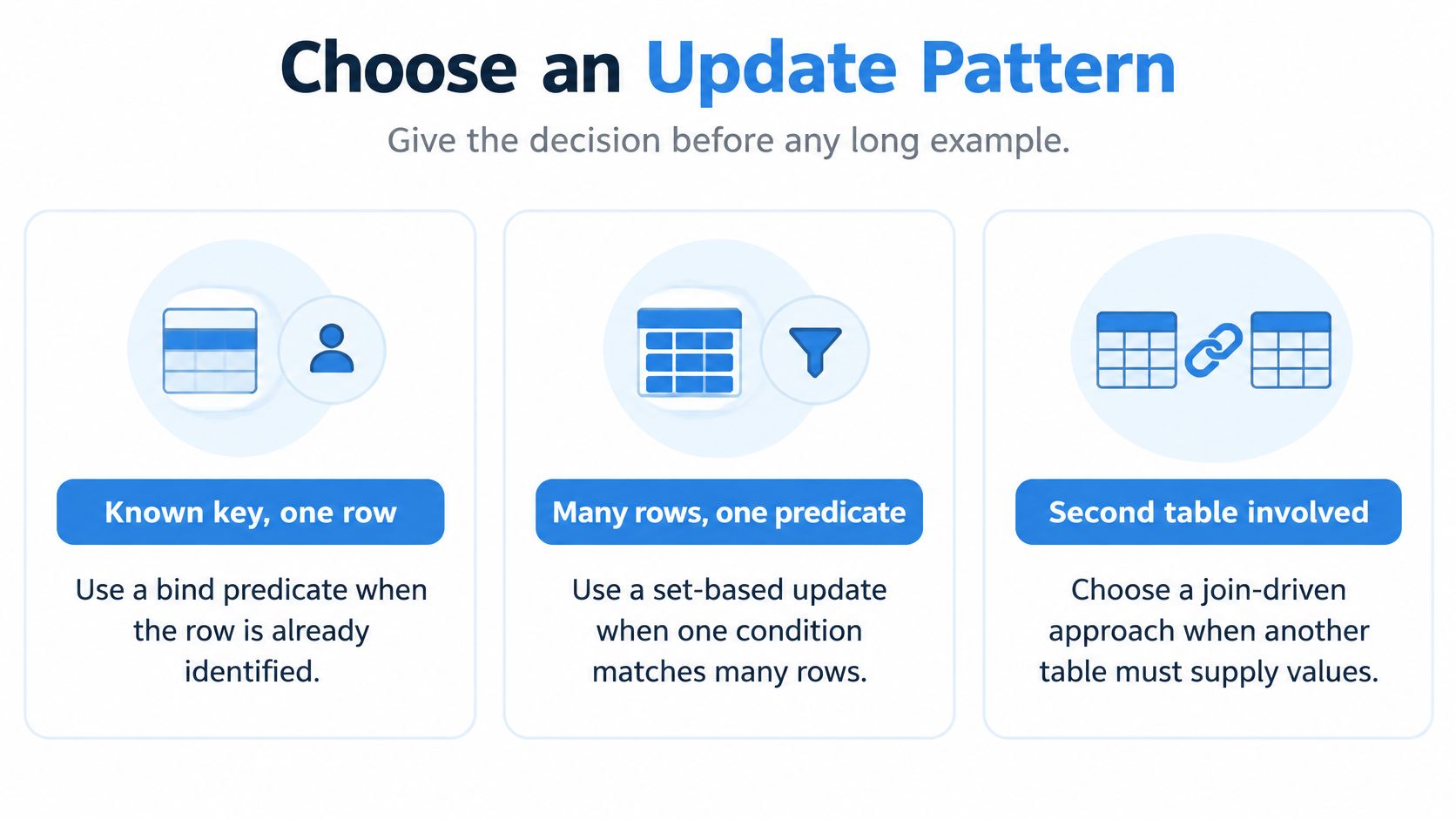
Choose an Update Pattern
Pick the pattern from cardinality and concurrency, not from whichever syntax looks shortest. A single-session statement that finishes in milliseconds is still the wrong pattern when two workers update the same order.
| Pattern | Use when | Main risk | Read next |
|---|---|---|---|
| Single-row bind | One known key | Lost update if no version check | Single-row examples |
| Multi-row set UPDATE | Many rows, one predicate | Long locks and large undo | Performance section |
| Correlated subquery | One source value per target, older releases | Repeated index lookups | Joins and subqueries |
| UPDATE with FROM | 23c or 23ai and a unique source | ORA-30926 if the source matches twice | Joins and subqueries |
| MERGE | Insert missing rows and update existing ones | Heavier plan, still needs a unique source | MERGE section |
| FORALL bulk | PL/SQL collections | Per-row exceptions need SAVE EXCEPTIONS | RETURNING and bulk section |
How to choose before you write SQL
Known key, one row. Bind the primary key. Add a version or status predicate when a stale client must fail closed.
Many rows, one predicate, no second table. Use one set-based UPDATE, and budget undo and lock time. If the count is large, split by key range.
One column from another table, at most one source row. On older releases, a correlated subquery is the conservative form. On 23c or 23ai, with a source you have already proved unique, a direct-join FROM clause is the set-based form.
Missing keys must be inserted. Stop. MERGE does that in one statement. An update-then-insert race in application code does not.
PL/SQL already holds arrays of keys. FORALL bulk binding beats a row-by-row loop. If the caller must learn what changed, add RETURNING instead of a follow-up SELECT.
Short syntax wins a code review and loses the incident. The safe pattern is the one whose failure mode you can name before it runs.
Single-Row and Multi-Row Examples
Two shapes cover most application writes. One touches a known key. The other touches a set. Joins, RETURNING syntax, and isolation theory sit in their own places. Here the job is the predicate and the affected-row count.
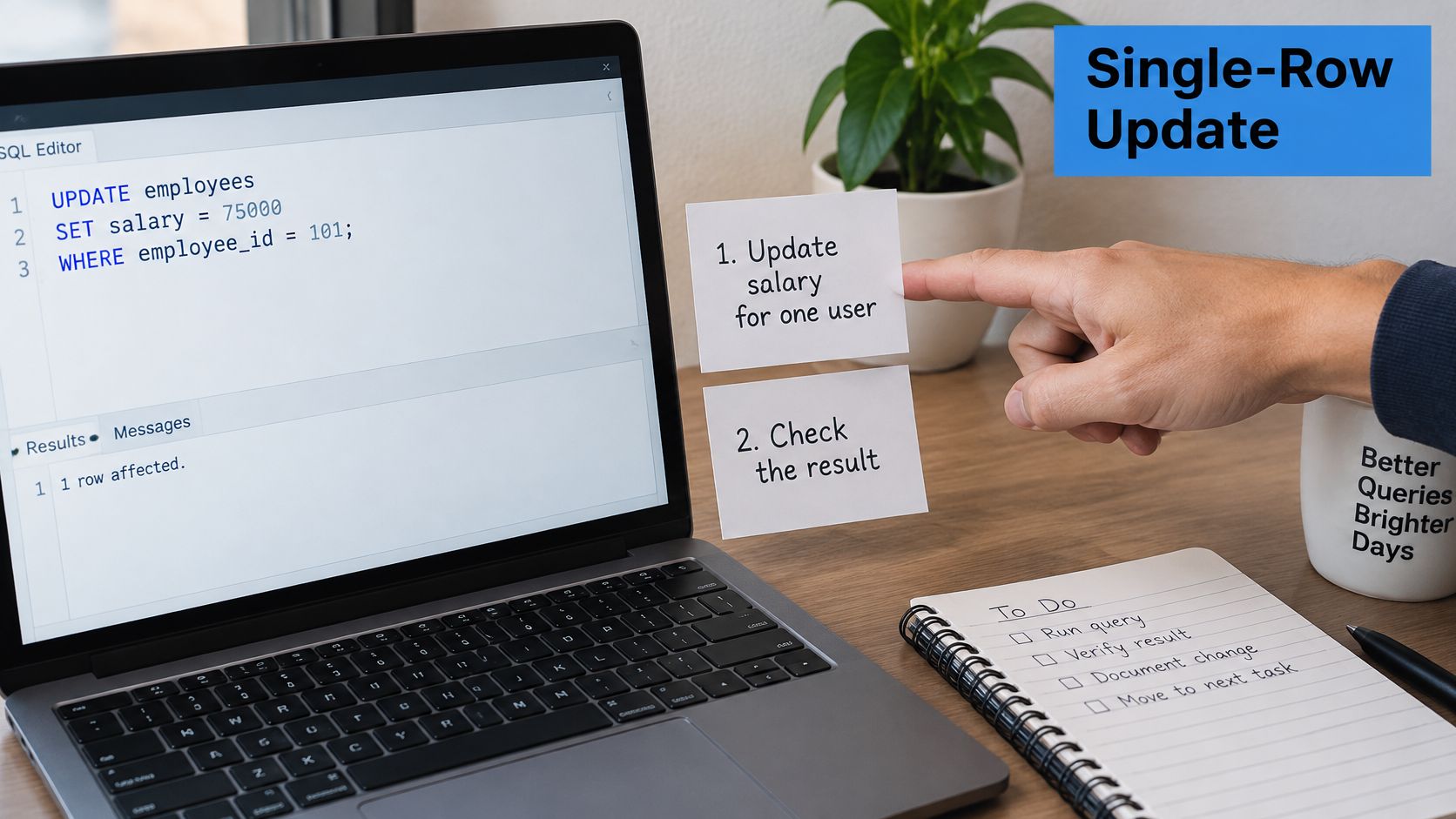
One known key
- Identify the primary or unique key and bind it. Do not concatenate the id into the SQL text.
- Assign only columns that should change.
status = :new_statusandupdated_at = SYSTIMESTAMPis enough. Leave untouched columns out ofSETso their indexes stay quiet. - Add a version or status predicate when a stale write must fail, for example
WHERE order_id = :id AND version = :old_version. - Run the matching
SELECTfirst and expect one row. Two rows means the key is not unique. Zero rows means you are about to no-op. - Execute the
UPDATEand read the affected-row count immediately. Zero rows is not success. The key or the version did not match. COMMITorROLLBACKon purpose. Do not leave the decision to the client’s implicit transaction setting.
Say an order service receives order_id = 8841 and version = 7. The SELECT returns one pending row. The UPDATE sets SHIPPED and bumps version. If another worker already stored version 8, your count is zero and you reread instead of pretending the ship succeeded.
A whole set
- Write the
WHEREthat names the whole set, such asstatus = 'PENDING' AND created_at < :cutoff. SELECT COUNT(*)and sample a few keys. The sample catches a bad bind that the count alone can hide, for example a cutoff in the wrong century.- If the count is large, update in key-range batches rather than one unbounded statement.
- Check the count after each batch. A batch that affects zero rows is a stopped range, not a finished job.
The form with no WHERE rewrites the table. That is a bug, not a convenience, unless the change really is global and you have the lock window for it.
Assign NULL only when the column is nullable. A NOT NULL column will raise ORA-01407 and abort the statement.
Watch a short walkthrough of the single-row shape, then go back to the affected-row check before you copy anything into a release script.
Joins Subqueries and Duplicate Matches
Each target row may be updated only once. That rule, not the prettiness of the join, decides whether a multi-table Oracle update SQL statement is safe.
Start with the failure. orders should take a status from payments, but two payment rows share order_id 8841. A join that expects one source row now has two. The assignment is unstable, and Oracle raises ORA-30926. The statement does not pick a winner for you.
Correlated subquery as the conservative form
When the release has no direct-join UPDATE, or you have not proved the source key unique, set the column from a scalar subquery:
UPDATE orders o
SET status = (
  SELECT p.status FROM payments p WHERE p.order_id = o.order_id
)
WHERE o.order_id = :id;
If the subquery returns two rows, you get a single-row subquery error instead of a silent overwrite. That is easier to diagnose than a join that looks set-based and is not. The cost is repeated index lookups, one per target row. That trade is worth it until the source is unique.
Copying rows into a new table is a different statement. INSERT INTO SELECT in Oracle is the pattern for that load, not a substitute for changing rows that already exist.
Direct join on 23c and 23ai
When the source is already one row per key, the direct-join form assigns in SET and names the source in FROM:
UPDATE orders o
SET o.status = p.status
FROM payments p
WHERE o.order_id = p.order_id;
Make the source unique before DML
Two fixes, used before the UPDATE, not after the error:
- Pre-aggregate.
SUMorMAXgrouped byorder_idso each key appears once. - Keep one winner.
ROW_NUMBER() OVER (PARTITION BY order_id ORDER BY paid_at DESC)in an inline view, then filterrn = 1.
A non-key-preserved view raises ORA-01732. Update the base table, or a view that preserves the key. Forcing the view does not make it updatable. An inline view used as the target still has to be updatable under the same rule.
Before the DML, run a SELECT that groups the source and looks for HAVING COUNT(*) > 1. Any row in that result is a match you have not collapsed yet.
When MERGE Replaces UPDATE
MERGE is not a faster spelling of UPDATE. It is the statement for insert-or-update against one target from a source query. Use UPDATE when every source key must already exist and a missing key should affect zero rows. Use MERGE when missing keys must be inserted in the same statement.
MERGE INTO orders o
USING source_orders s
ON (o.order_id = s.order_id)
WHEN MATCHED THEN
  UPDATE SET o.status = s.status, o.amount = s.amount
  WHERE o.status <> s.status
WHEN NOT MATCHED THEN
  INSERT (order_id, status, amount)
  VALUES (s.order_id, s.status, s.amount);
Decisions in order
- Stay with
UPDATEwhen a missing key is a data error, not a row to create. Zero rows affected is then a useful signal. - Switch to
MERGEwhen the same load must insert new keys and change existing ones. Two statements in application code, update then insert, race with each other unless a constraint serializes them. - Add
WHEREinsideWHEN MATCHEDto skip no-op updates. Rewriting a row to the value it already holds still locks it and still writes undo. - Keep the
ONkey unique. A duplicate source row is the same unstable match you already refuse in a joinedUPDATE. - Do not update the
ONcolumns. Change attributes inSET. Leave the join key alone.
DELETE inside WHEN MATCHED is an optional branch for rows that now fail a condition. Most status changes do not need it. Adding it because the clause exists turns a sync into a delete you did not review.
UPDATE never inserts. MERGE can insert. Both lock matched target rows. Neither repairs a bad predicate. If the ON clause matches the wrong key, you will update the wrong orders and insert the rest.
An upsert that lives in two round trips will eventually insert a row the other session just updated. One
MERGE, with a unique source, closes that window.
RETURNING Values and Bulk Updates
Do not mix this with join design. Here the row is already identified. The question is how the caller learns what changed, and how PL/SQL applies a collection without a cursor loop.
Return old and new values
After a single-row UPDATE, return the audit pair in the same call. Current grammar can report both old and new values, which is the pair you want in a log:
UPDATE orders
SET status = :new_status
WHERE order_id = :id
RETURNING order_id, old.status, new.status
INTO :id, :old_st, :new_st;
The caller does not SELECT the row again, so it cannot observe a third session’s write between the update and the read.
For many rows, RETURNING BULK COLLECT INTO fills collections of identifiers plus old and new values. That collection is exactly which keys this batch changed. A later query of “rows currently shipped” is a different set.
Bulk bind with FORALL
- Load keys and new values into collections. The index of the collection is your row identity for errors.
FORALL i IN INDICES OF ids(or a dense range) runsUPDATE ... WHERE order_id = ids(i)using the collection element as the bind.- Add
SAVE EXCEPTIONSso one bad row does not throw away the diagnosis for the rest of the batch. - Read
SQL%BULK_ROWCOUNT(i)per index. One global success flag hides the index that changed nothing. - Log the error index and the Oracle error from the bulk exception list, then decide whether that index is retried or skipped.
A cursor loop with one UPDATE per fetch holds the transaction open longer and pays a round trip per row. Batch size is a conscious choice, often a few hundred to a few thousand rows. Retune it from undo and lock waits, not from a fixed magic number. Commit per batch only when the business can tolerate a partial apply. If the batch must be all or nothing, one transaction and a smaller set is the honest design.
Locks Isolation and Lost Updates
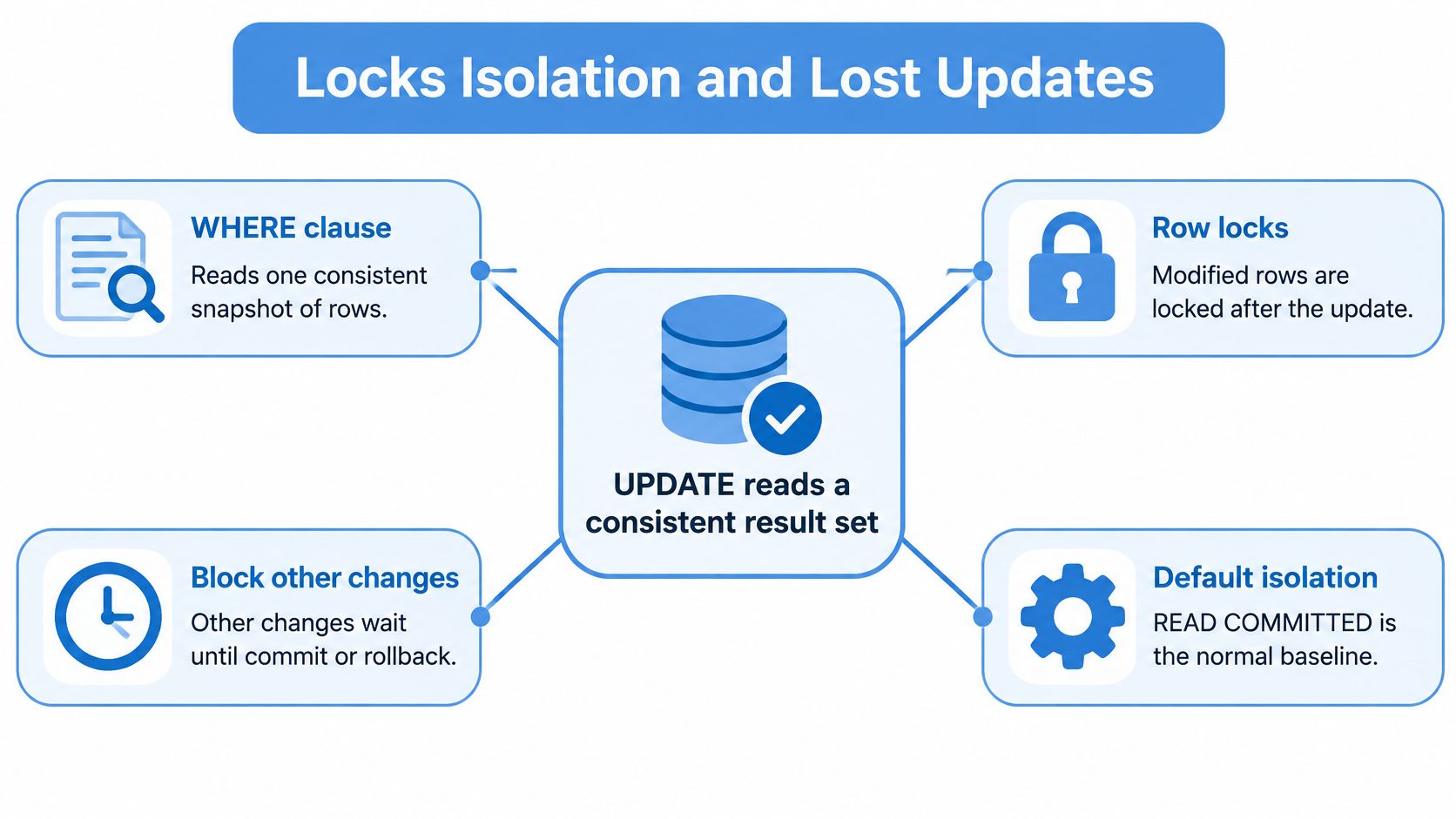
Statement success is not application correctness. Two workers can both read order 8841 as PENDING, both issue a valid UPDATE, and the last commit wins. The first worker’s status is gone, and both calls returned success.
The Oracle concurrency and consistency guide states that the implicit query behind an UPDATE’s WHERE clause uses a consistent result set, while modified rows acquire locks that stop other transactions from changing them until release. Behavior also differs between the default READ COMMITTED isolation and SERIALIZABLE.
Four races you will actually hit
Last commit wins. Both sessions read the same status. Neither checks a version. The second commit overwrites the first.
Stale client. A browser still holds version 7 after another request stored version 8. The write uses the old status and clobbers the newer one.
Blocking. The second session needs the locked row. The user request waits until the first transaction commits or rolls back. A long transaction turns that wait into a timeout.
Deadlock. Each session holds a row the other needs. Oracle picks a victim. That transaction must be retried as a whole, not resumed mid-way.
Optimistic locking makes the stale write fail:
UPDATE orders
SET status = :new_status, version = version + 1
WHERE order_id = :id AND version = :old_version;
Treat a zero-row count as a conflict. On success the version has moved. On conflict, reread and retry with the new version, or surface the conflict to the user. Do not retry the same old version in a loop.
SELECT FOR UPDATE is the pessimistic alternative. Lock the row when you read it, if this transaction will update it, and keep that window short. A lock taken at the start of a user think-time is how you manufacture blocking.
JSON duality views add a lock-free cousin. An ETag update fails when the stored document changed after it was read. Same idea as the version column, different surface.
SERIALIZABLE can fail with a serialization error the application must retry. READ COMMITTED will not raise that error for the same interleaving, and it will also not save you from a lost update if you never checked a version. Transaction isolation changes the retry contract. It does not replace the predicate.
Unit tests with one database session never see these interleavings. Replaying captured HTTP traffic does, because two real requests hit the same key in an order your script did not invent.
Undo Redo and Parallel Update Cost
A high-volume UPDATE is a concurrency event. Timed alone on an idle schema, a statement can look cheap while it is buying undo, redo, lock hold time, and waits that only appear when readers and writers share the same blocks.
The Oracle 23c SQL reference for UPDATE documents a FROM clause for direct joins, RETURNING that can report old and new values, and grammar for ORDER BY, error logging, and parallel hints. Those clauses do not change the locking fact. Oracle takes row locks before it modifies rows, then writes undo for rollback and redo for recovery. More changed rows mean more of both, and a wider change set stretches the window where other sessions queue behind you.
Levers that shrink the window
Index the predicate columns. An index range on order_id or status can reduce the number of rows the statement must examine. It does not guarantee shorter locking, because Oracle still locks every qualifying row it modifies. A full scan does not lock every row it reads, but it can keep the transaction working through more blocks and more qualifying rows for longer.
Update only dirty columns. An index on a column you did not change can stay out of the maintenance work.
Batch by key range and commit on a boundary the business accepts. One million-row transaction is a long lock and a large undo segment, even when the plan looks fine.
Do not wrap the filtered column in a function if that defeats the index. TRUNC(created_at) on the column side is a classic way to scan what you meant to seek.
Parallel DML can shorten elapsed time on a quiet warehouse load. On a busy OLTP table it can increase contention. Do not add PARALLEL because the hint exists in the grammar.
Measure the blast radius, not only elapsed time: row lock waits, undo and redo volume, p95 and p99 request latency, error rate, and rollback. For a plain-language map of what those waits are buying you, database efficiency explained helps name the cost, while this workload still decides whether the change is safe.
Trading the version predicate for a lower elapsed number buys a faster statement and a later integrity incident.
Compare before and after under a live request mix, because a replayed collision exposes cost that one session never will.
Update Errors and Pitfalls
Diagnosis starts with the symptom, then one change, then a count query. Do not retry DML until the predicate still means what you think.
| Symptom | Usual cause | Fix |
|---|---|---|
| ORA-30926 | Source join matched one target row more than once | Aggregate or use ROW_NUMBER so each key is unique |
| Success and zero rows | Predicate, schema, or version did not match | Rerun SELECT COUNT(*) and treat zero rows as a conflict |
| Implicit commit or missing WHERE | Client autocommit, or WHERE was commented out | Commit explicitly and confirm the predicate with SELECT COUNT(*) |
| Wrong SQL%ROWCOUNT | Count was read after a later statement | Read the affected-row count immediately after the UPDATE |
ORA-30926 is the duplicate-source error. Unique-ify the source, then rerun. Do not “fix” it by dropping the join and updating a hardcoded status.
Success with zero rows is the silent pitfall. Wrong bind, wrong schema, or a version that no longer matches all look like a clean call if the code ignores the count. Rerun SELECT COUNT(*) on that predicate before you touch DML again.
Privilege and constraint errors are narrower:
ORA-01031: the schema lacksUPDATEor a column privilege. Grant the missing privilege, or run as the owner. Do not broaden the grant to every column.ORA-01732: the view is not updatable. Target the base table or a key-preserved view.ORA-01407: aNOT NULLcolumn was set to null. Supply a value, or stop nulling that column.ORA-02290orORA-02291: a check or foreign key rejected the new value. Fix the value or the parent key. UseLOG ERRORSonly when the batch should continue past bad rows.ORA-00060: deadlock. Retry the whole transaction.ORA-08177: serializable conflict. Retry, or stay on read committed if that isolation was chosen by accident.
Also distrust SQL%ROWCOUNT read after a later query. That later statement replaced the count. Read it on the line after the UPDATE, before any logging SELECT.
Copy These Snippets Then Replay Traffic
A syntactically clean UPDATE can still be operationally wrong once two sessions touch the same row, a join matches twice, or the predicate returns zero rows. Confirm the release before you paste 23ai syntax onto 19c: FROM on UPDATE, ORDER BY with row limiting, and old-and-new RETURNING are not universal.
1. Single-row bind with version
UPDATE orders
SET status = :new_status, version = version + 1
WHERE order_id = :id AND version = :old_version;
2. Count before write
SELECT COUNT(*) FROM orders
WHERE order_id = :id AND version = :old_version;
3. Unique source inline view
UPDATE orders o
SET o.status = (
  SELECT s.status
  FROM (
    SELECT order_id, status,
           ROW_NUMBER() OVER (PARTITION BY order_id ORDER BY paid_at DESC) AS rn
    FROM payments
  ) s
  WHERE s.order_id = o.order_id
    AND s.rn = 1
)
WHERE EXISTS (
  SELECT 1
  FROM (
    SELECT order_id,
           ROW_NUMBER() OVER (PARTITION BY order_id ORDER BY paid_at DESC) AS rn
    FROM payments
  ) s
  WHERE s.order_id = o.order_id
    AND s.rn = 1
);
4. MERGE skeleton
MERGE INTO orders o
USING source_orders s
ON (o.order_id = s.order_id)
WHEN MATCHED THEN UPDATE SET o.status = s.status
WHEN NOT MATCHED THEN INSERT (order_id, status)
VALUES (s.order_id, s.status);
5. RETURNING old and new status
UPDATE orders SET status = :new_status WHERE order_id = :id
RETURNING old.status, new.status INTO :old_st, :new_st;
6. FORALL with SAVE EXCEPTIONS
FORALL i IN INDICES OF ids SAVE EXCEPTIONS
  UPDATE orders SET status = new_status(i)
  WHERE order_id = ids(i);
Run each fragment the way production will run it: same binds, same concurrency, same commit scope. A one-session elapsed time only proves the plan can be fast in isolation. Capture the HTTP requests that trigger the update, replay them against an isolated environment with production side effects disabled, and compare lock waits, p95 and p99 latency, error rate, zero-row conflicts, and rollbacks before and after the change. Interleavings from real sessions show up in that replay. Keep scripted tests for brand-new behavior that has no traffic yet. Ship when the conflict path retries cleanly and the latency and error bars stay acceptable.
GoReplay captures live HTTP traffic and replays it into a test environment, so the requests that fire your Oracle UPDATE statements arrive with real overlap instead of a neat serial loop. Use that replay to compare lock waits, latency, and zero-row conflicts before you ship the statement. Visit GoReplay to record a slice of traffic and run it against the candidate build.