
Manage Test Cases in Jira Like a Pro

Let’s be honest, trying to manage test cases in Jira without the right tools can feel like a real uphill battle. Jira is an absolute beast for project management, no doubt about it. But when you try to shoehorn detailed QA workflows into its native features, things can get messy—fast. You often end up with disorganized, untraceable testing efforts that cause more headaches than they solve.
Why Jira Alone Isn’t a Test Management Tool

Atlassian’s Jira is fantastic at what it does: tracking tasks, bugs, and dev progress. So, it’s a completely logical first step for teams to think, “Hey, let’s just create a new issue type called ‘Test Case’.” On the surface, it seems like a clean way to keep everything in one spot.
But this approach starts to show its cracks almost immediately.
A standard Jira issue just doesn’t have the DNA for proper test management. A real test case isn’t just a title and a description; it’s a collection of specific, ordered steps, and each one needs its own expected result. When you try to cram all that into a description field or a bunch of sub-tasks, it becomes incredibly clumsy. Tracking execution becomes a nightmare.
The Problem with Unstructured Testing
Picture a QA engineer trying to validate a new login feature. They need to check everything: valid credentials, invalid passwords, empty fields, the “forgot password” flow. In a native Jira setup, this might all get lumped into a single ticket with a massive, unmanageable checklist in the description.
This single-ticket method creates a ton of problems right away:
- No Granular Results: You can’t mark individual steps as Pass or Fail. So, if step 3 of 10 fails, how do you log that? The whole ticket is stuck in “In Progress,” which tells you nothing about the actual status.
- Poor Reusability: That same login test will definitely be needed for a regression suite next month. The only option is to clone the ticket, creating duplicates that are a pain to maintain. If the core test logic changes, you suddenly have to find and update every single copy.
- Lack of Reporting: Jira’s native reports are built for issues, not test runs. You can’t just pull up a test coverage report or a traceability matrix to see which requirements have been properly tested.
A project manager can’t get a clear picture of product quality by looking at a list of “Done” test tickets. They need to see pass/fail rates, bug linkage, and overall progress against specific user stories, which native Jira simply doesn’t provide.
At the end of the day, this approach falls apart because it goes against fundamental software testing best practices. Solid testing is built on structure, reusability, and traceability. Without these pillars, teams burn more time wrestling with their makeshift system than actually testing, which inevitably leads to missed bugs and delayed releases.
When your team hits the ceiling of what native Jira can do, you’re at a crossroads. Pushing forward with patchwork solutions just adds friction and grinds your QA process to a halt.
You really only have two ways to go from here. You can keep cobbling together creative workarounds inside Jira, or you can integrate a dedicated test management app from the Atlassian Marketplace. It’s a decision that will fundamentally change how you handle quality.
The DIY approach is free, sure, but it often means wrestling with complex custom fields and convoluted workflows that are brittle and a nightmare to maintain. On the other hand, a specialized app is purpose-built to fill the gaps in Jira’s native toolkit, giving you structure, traceability, and solid reporting right out of the box.
Why a Dedicated App Changes Everything
The Atlassian Marketplace is your first stop for turning Jira into a real test management powerhouse. These aren’t just simple add-ons; they introduce a whole new, and frankly better, way of thinking about quality assurance within the ecosystem you already use every day.
The biggest difference is how these tools treat a test case. It stops being a generic Jira issue and becomes its own unique entity with a proper, structured format.
- Preconditions: What state does the app need to be in before the test can even start?
- Numbered Steps: A clear, sequential list of actions for the tester to follow. No guesswork.
- Expected Results: A precise description of what should happen after each step.
This structured approach is an absolute game-changer for clarity and consistency across the team.
Not All Apps Are Created Equal
It’s important to know that not all Jira test management apps work the same way. By 2025, the field has narrowed to about a dozen key players, including well-known tools like Testmo, Xray, and Zephyr Squad.
They differ mainly in their core philosophy. Some are Jira-native add-ons that essentially force test cases into a special Jira issue type. Others are full-blown test management platforms that offer richer features like test automation support and more productive UIs. If you want a deeper dive, you can find more insights on the best Jira test management tools on Testmo.com.
For example, an app like Xray operates entirely inside Jira, creating a “Test” issue type. This embeds testing deeply into your native Jira workflow, making every test case a first-class citizen alongside your bugs and stories. Other tools might offer a separate, dedicated platform that syncs seamlessly with Jira, pushing defects and linking requirements back into your projects while giving your QA team a more specialized UI to work in.
Choosing an app isn’t just about a feature list. It’s about finding a workflow that actually fits how your team operates. A fully integrated, Jira-native app keeps everyone in a familiar space, while an external tool might provide a more powerful, specialized interface for dedicated QA pros.
Ultimately, the best choice hinges on your team’s size, your current processes, and your technical maturity. The goal is to find a solution that delivers the structure you desperately need without bogging everyone down in unnecessary complexity.
Jira Test Management Approaches Compared
Deciding between native workarounds and a dedicated app can be tough. The “free” option of using native Jira often comes with hidden costs in terms of maintenance, scalability, and team frustration. A dedicated app requires a budget but pays dividends in efficiency and clarity.
This table breaks down the key differences you’ll face.
| Feature | Native Jira (with Workarounds) | Dedicated Test Management App |
|---|---|---|
| Test Case Structure | Relies on sub-tasks or custom issue types. Lacks dedicated fields for steps or expected results. | Provides structured test cases with preconditions, versioning, and step-by-step instructions. |
| Test Execution | Manual status changes (e.g., “To Do” to “Done”). No dedicated “Pass/Fail” states. | Offers clear Pass, Fail, Blocked, and other statuses. Enables test runs and assignments. |
| Traceability | Limited to basic issue linking. Hard to track coverage from requirement to test to defect. | Built-in requirement-to-test traceability matrix. Automatically links defects to test runs. |
| Reporting | Depends on complex JQL queries and basic dashboard gadgets. Lacks QA-specific metrics. | Comes with pre-built, powerful reports for test coverage, execution progress, and defect rates. |
| Test Reusability | Difficult. Cloning issues is clunky and creates duplicates. | Features a centralized test case repository for easy reuse across different test cycles and releases. |
| Automation Support | Almost non-existent. Requires custom scripts and complex API integrations. | Provides direct integrations with popular automation frameworks (e.g., JUnit, TestNG, Cypress). |
| Maintenance | High. Custom fields and workflows are brittle and can break with Jira updates. | Low. The app vendor handles all updates, new features, and bug fixes. |
As you can see, while you can make native Jira work for test management, it’s a path filled with compromises. A dedicated app is designed from the ground up to solve these problems, giving your team the professional tools they need to ensure quality effectively.
Building Your First Test Case Workflow
All the theory is great, but let’s get our hands dirty. The most effective way I’ve found to manage test cases in Jira is to ditch the native setup and grab a dedicated app from the Atlassian Marketplace.
For this walkthrough, we’ll use a popular tool like Xray or Zephyr as our model. Their core setup principles are pretty similar, and the goal is the same: to turn Jira from a simple project tracker into a genuine QA hub.
The first move is installing your chosen app and telling your Jira project to recognize new, specialized issue types. Instead of just a generic “Task,” you’ll now have a dedicated “Test” issue type. This isn’t just a label change; it’s the foundation for your entire testing workflow and unlocks a ton of new capabilities.
This visual really drives home the shift from a limited, out-of-the-box Jira setup to a powerful, app-driven test management workflow.
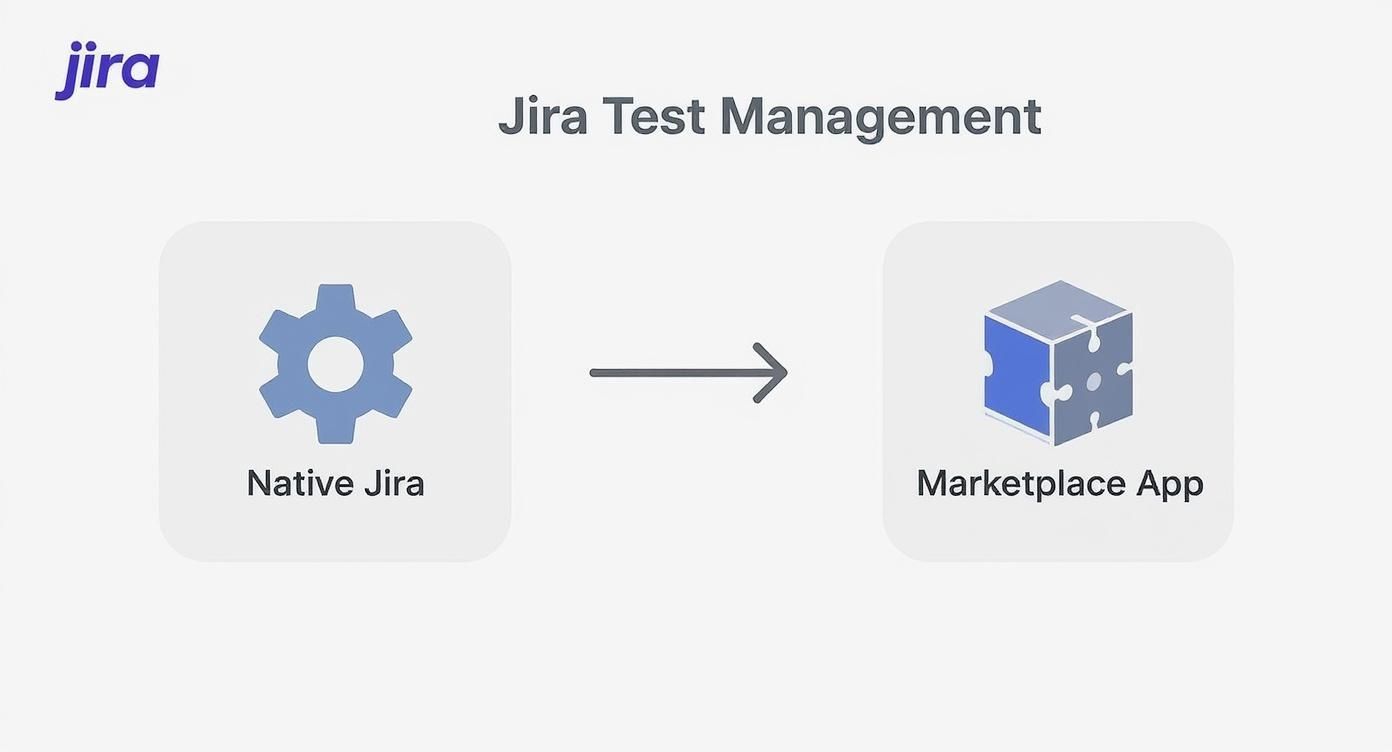
You can see how a Marketplace app introduces dedicated structures for testing that just don’t exist in a default Jira environment.
Defining a High-Quality Test Case
With your shiny new “Test” issue type ready, it’s time to create test cases that actually provide value. A well-structured test case leaves zero room for ambiguity and ensures anyone on the team—from a senior QA to a new developer—can execute it consistently.
So, what does a solid test case need?
- A Clear Title: Be descriptive but concise. Something like “Verify User Login with Valid Credentials” tells you exactly what the test does.
- Preconditions: What needs to be true before the test even starts? For example, “User must be logged out and on the main login page.”
- Structured Steps: This is the heart of the test case. Each step must be a clear, actionable instruction. Avoid vague directions at all costs.
- Expected Results: For every single step, define exactly what a successful outcome looks like. This is the only way a tester can objectively determine a pass or a fail.
Think of a test case like a recipe. If you forget an ingredient (a precondition) or a step is unclear, you’re not going to get the result you want. The whole point is to have a repeatable process with a predictable outcome.
For instance, a step like “Log in” is way too vague. A much better version would be: “Enter a valid username in the ‘Username’ field and a valid password in the ‘Password’ field, then click the ‘Login’ button.” The expected result is just as specific: “User is successfully authenticated and redirected to the account dashboard.”
Organizing Tests for Traceability
Creating individual tests is just one piece of the puzzle. If you really want to manage test cases in Jira like a pro, you need to organize them. This is where concepts like Test Plans and Test Sets come into play.
A Test Set is just a logical group of test cases. You might create one for “Login Functionality” or “Payment Processing.” This makes it dead simple to find and reuse related tests for different testing cycles.
A Test Plan is even more powerful. It represents a specific testing effort, like your “V2.1 Regression Cycle” or “New Feature X Testing.” You can bundle multiple Test Sets into a single Test Plan, giving you a complete, at-a-glance view of the testing required for a release.
But here’s the most critical part: you must link these test cases and plans directly back to your requirements or user stories. This creates an unbroken chain of traceability. It lets you instantly answer the all-important question: “Which tests verify this user story, and have they all passed?” That linkage is the key to making data-driven decisions about whether you’re ready to ship.
Executing Tests and Tracking Results

Having a neat library of test cases is a solid start, but let’s be honest—they’re just sitting there until you actually run them. The execution phase is where your careful planning smacks into reality, and you find out how your application really behaves. This is where theory becomes tangible data on quality.
The whole process kicks off with what’s usually called a Test Cycle or a Test Execution. Think of it as a bucket for a specific testing effort, like “Sprint 5 Regression” or “New User Profile Feature.” It groups together all the test cases you need to run for that goal, making it incredibly easy to see your progress at a glance.
Once your cycle is set up, you can pull in your pre-written test cases and assign them out to the QA team. This simple step is crucial. Everyone knows exactly what they’re responsible for, which cuts out the classic “I thought you were testing that” confusion and wasted effort.
Capturing Every Detail of the Test Run
As your testers start working through their assignments, their main job is to log the outcome of every single step. This is a level of detail you just can’t get by using a basic Jira issue. Every action has a clear verdict.
Typically, you’ll see these statuses:
- Pass: The feature worked exactly as expected. No surprises.
- Fail: What actually happened didn’t match the expected result.
- Blocked: The tester couldn’t proceed, maybe because the test environment is down or they’re waiting on an unfinished feature.
When a step fails, context is king. Modern test management apps let testers attach evidence right there, at the point of failure. This could be a screenshot of a messed-up UI, a snippet from a log file, or even a quick screen recording of the bug in action.
This immediate attachment of evidence is a game-changer for efficiency. Developers no longer have to chase down the QA team for more info—all the details they need are already linked directly to the failed step.
The Power of Integrated Bug Reporting
Here’s where a dedicated test management app really flexes its muscles and completely changes how you manage test cases in Jira. When a tester marks a step as Fail, they don’t just leave a comment and move on. With a single click, they can raise a bug directly from the test execution screen.
This isn’t just a time-saver; it’s about creating an unbreakable chain of traceability. The new bug ticket is automatically linked back to the failed test step, the test case, the test cycle, and most importantly, the original user story it was designed to validate.
This automatic linkage is the bedrock of an effective, integrated QA process. A developer picking up the bug report can instantly see the exact test that caught it and follow the precise steps to reproduce the issue. A product manager can look at a user story and immediately see all associated tests and any defects blocking its path to completion.
This seamless flow of information ensures nothing falls through the cracks. It gives the entire team a transparent, real-time view of product quality, allowing them to spot risks, prioritize fixes, and make smart calls about release readiness. Without this deep integration, you’re stuck manually connecting the dots—a process that’s slow, error-prone, and simply doesn’t scale.
Integrating Automation and Gaining Deeper Insights

Look, manual test execution gives you that essential, hands-on feedback you just can’t get any other way. But let’s be real—modern QA runs on automation. If you want to truly master how you manage test cases in Jira, you have to bridge the gap between your manual efforts and your automated test suites.
This integration is where a good QA process becomes a great one.
The whole point is to create a single source of truth. Your Jira test management app shouldn’t just be a dusty repository for manual tests. It needs to be a living dashboard that reflects the results from your automated frameworks like Selenium, Cypress, or Playwright. This connection almost always happens through your CI/CD pipeline.
Connecting Your CI/CD Pipeline
Picture this: your developers push new code. A CI/CD tool like Jenkins or GitHub Actions immediately kicks off a build and runs your entire automated regression suite. Instead of letting those results die in some obscure log file, you configure the pipeline to push them straight into your Jira test management tool.
Once you make that connection, you get immediate, tangible benefits:
- Unified Coverage: Suddenly, your dashboards show everything—manual and automated test results, all in one place. No more switching between tools.
- Real-Time Feedback: Stakeholders can see the quality status of any build without having to bug an engineer to decipher CI/CD logs.
- Automatic Defect Creation: Many tools can be configured to automatically create a Jira bug ticket the second an automated test fails, pre-populated with logs and links. It’s a huge time-saver.
Platforms that nail this combination of manual and automated testing coverage with slick CI/CD integrations are worth their weight in gold. They just simplify everything. For instance, some tools can automatically pull test results from repositories like GitLab and link defect tracking directly to Jira issues. This holistic view is the backbone of a mature and effective test automation strategy.
Unlocking Advanced Reporting and Insights
With all your testing data—manual and automated—flowing into one system, you can finally stop talking about simple pass/fail numbers. You can start asking bigger, more strategic questions. This is where advanced reports take your QA work from a simple checklist to a source of real business intelligence.
A traceability matrix isn’t just a technical report; it’s a risk assessment tool. It shows you exactly which user stories are fully tested and which ones have gaping holes in coverage, letting you make confident, data-backed release decisions.
These advanced reporting features are what separate basic test tracking from professional test management. They deliver the deep insights you need to not only find bugs but to proactively improve the quality of your entire development process.
Think about it. A coverage analysis report can show you which requirements have the most robust testing, while defect trend reports can pinpoint recurring problem areas in your codebase. This is the kind of data that empowers your team to make smarter decisions and, ultimately, build better software.
Got Questions About Jira Test Management? We’ve Got Answers.
Jumping into test management with Jira always kicks up a few common questions. Getting straight answers can be the difference between a smooth QA process and a headache. Let’s break down some of the most frequent things teams ask when they decide to manage test cases in Jira.
One of the first things everyone wants to know is about cost and complexity: can you really pull this off without paying for another tool?
Technically, yes, you can try to manage test cases in native Jira by creating a custom issue type. But honestly, it’s a path filled with compromises. You might create an issue called “Test Case” and use sub-tasks for steps, but you’re immediately missing the core structure needed for serious quality assurance. There’s no version control, no dedicated reporting, and reusing tests becomes a clumsy, manual process of cloning tickets over and over.
Choosing the Right Marketplace App
Once teams hit the limits of a native setup, the next question is always about picking the right tool. What’s the real difference between popular apps like Zephyr and Xray?
Zephyr Squad is often seen as the more approachable, user-friendly option. It’s a fantastic starting point for teams who are new to structured testing in Jira. Xray, on the other hand, is known for its powerful, comprehensive features. It’s built around strict traceability, making the link between requirements and tests a non-negotiable part of its workflow. It also has incredibly robust, built-in support for BDD with Gherkin.
The best choice isn’t about which tool is objectively “better,” but which one fits your team’s maturity and workflow right now. A team just starting out will probably love Zephyr’s simplicity, while a team with deep BDD practices would feel right at home with Xray.
Making It Work Day-to-Day
Beyond the setup, people get stuck on the practical, daily tasks. For instance, how do you efficiently link a bug to a failed test? With a dedicated app, this is dead simple. When a tester marks a step as “Fail,” the tool gives them a one-click option to “Create Defect.” This automatically spins up a new bug issue and links it back to the test case, the exact step that failed, and the original requirement—creating a perfect, unbreakable traceability chain.
Another common hurdle is getting your existing test suites into Jira. Can you just import test cases from a spreadsheet? Absolutely. Nearly all the major test management apps have an importer tool built for this. You just need to format your tests into a CSV file based on the app’s template, mapping columns like “Test Summary” and “Expected Result” to the right fields in Jira. It makes the migration from an old system far less painful.