
Jenkins CI GitHub Pipeline Setup
A pull request lands in GitHub, but no Jenkins check appears. The developer retries the push, Jenkins eventually starts two builds, and one of them waits in a queue behind an unrelated job. Meanwhile, the pipeline that passed unit tests has never been tested against anything resembling real application traffic.
That is the operational reality behind many Jenkins CI GitHub integrations. Installing a plugin is easy. Building a pipeline that authenticates safely, responds once to the right event, reports status reliably, and validates behavior under production-like HTTP traffic requires more deliberate engineering.
Installing Plugins and Configuring Credentials
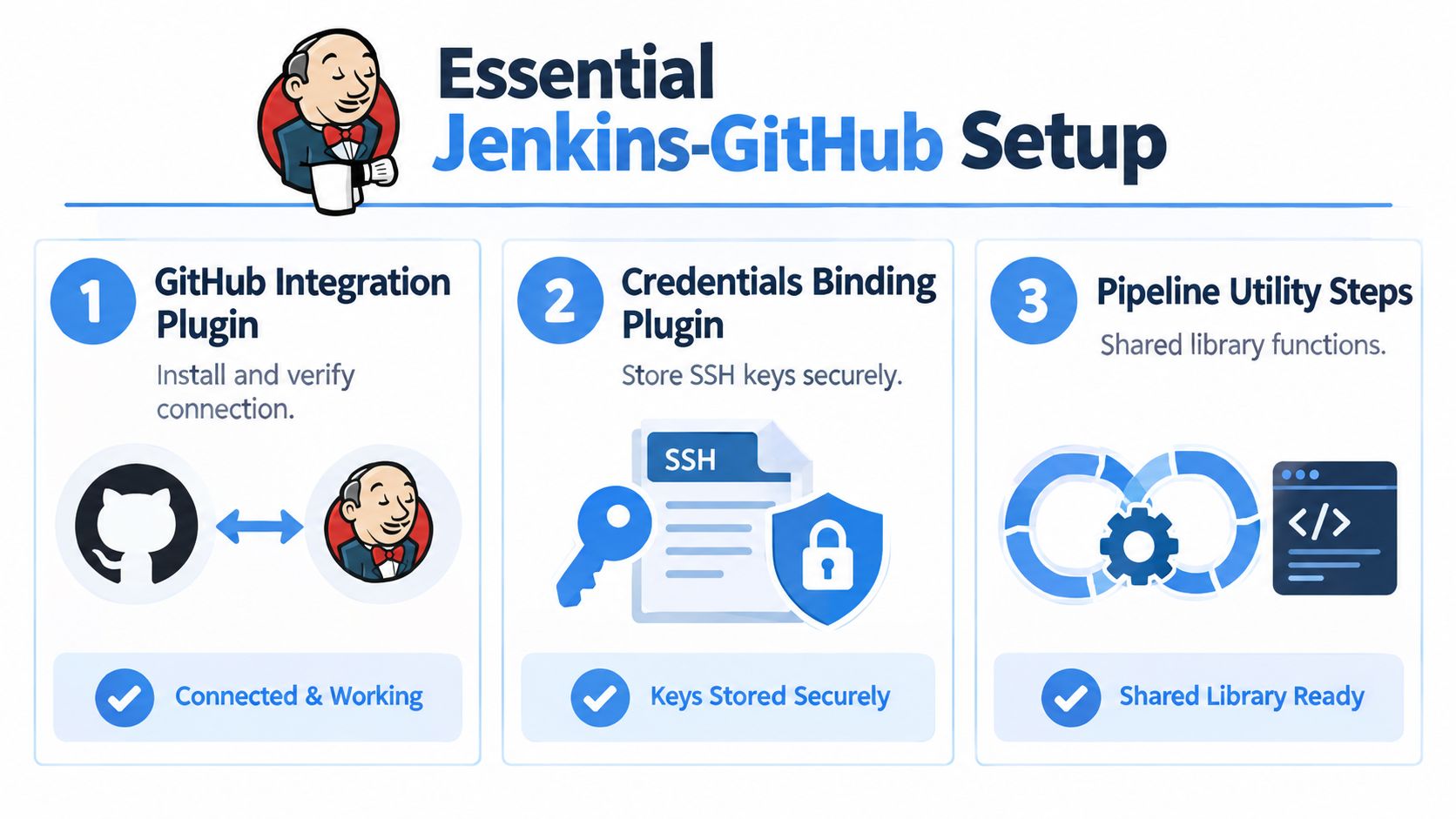
Start with a controlled Jenkins baseline. Install the GitHub Branch Source plugin, Pipeline support, credentials management, and any SCM or notification plugins your Jenkinsfile explicitly needs. Pin compatible versions rather than allowing an unattended plugin update to change the behavior of a production controller.
The GitHub Branch Source plugin matters because it understands GitHub organizations, branches, and pull requests as structured sources. A freestyle job connected to one repository can work for a small experiment, but it becomes difficult to govern when repositories and branches multiply.
Choose an identity Jenkins can defend
A GitHub App is usually the cleaner long-term choice because it provides an installation identity and lets you define repository access deliberately. A fine-grained personal access token can also work, but it ties automation to a human lifecycle and needs careful ownership, rotation, and revocation procedures.
Grant only what the integration needs:
- Repository metadata and contents read access: Jenkins must identify repositories and retrieve the Jenkinsfile and source.
- Pull request access: Jenkins needs to discover and inspect pull-request revisions.
- Commit status write access: Jenkins must publish the result back to GitHub.
- Webhook management: Grant this only when Jenkins is responsible for creating or updating hooks.
Don’t grant broad repository administration merely because it makes the first connection succeed. Excessive permissions turn a CI credential into a high-value target and make incident response harder.
Store the App credentials or token in Jenkins Credentials, not in a Jenkinsfile, job parameter, shell script, or repository secret committed as plain text. Test repository discovery with a deliberately limited installation before expanding access. The Jenkins continuous integration tutorial provides useful additional context for connecting Jenkins jobs to a broader validation workflow.
Setting Up Multibranch Pipelines and Webhooks
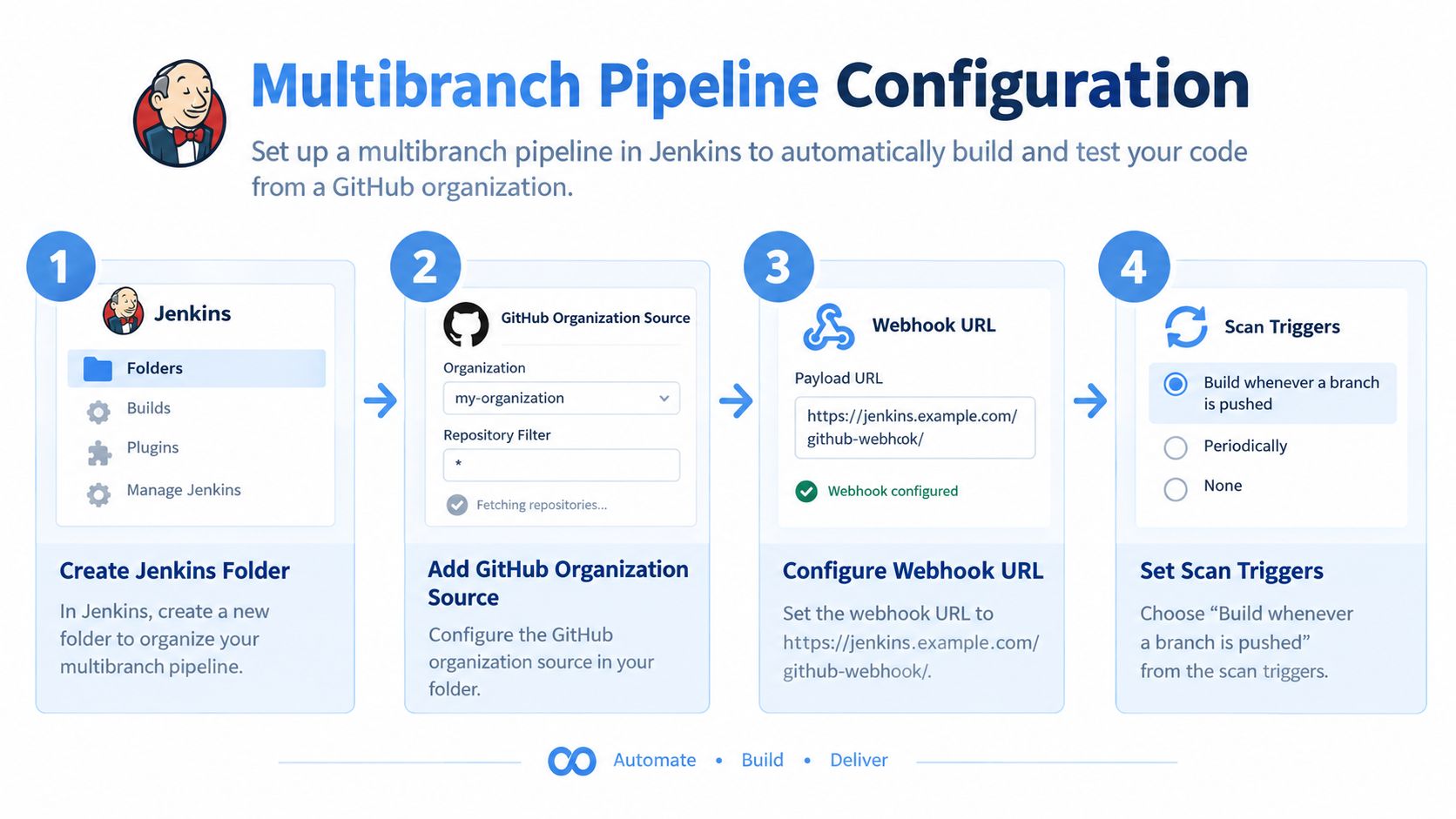
A reliable Jenkins CI GitHub integration should use the GitHub Branch Source plugin with a Multibranch Pipeline project. Jenkins discovers branches and pull requests, reads each repository’s Jenkinsfile, and creates isolated jobs for relevant revisions, as described in the GitHub Branch Source documentation.
Create a folder for the organization, add a Multibranch Pipeline or organization source, and select GitHub as the provider. Configure the repository owner, credential, branch discovery strategy, and pull-request discovery strategy. Keep the discovery rules intentional. Building every branch and every pull request can consume agents quickly, while discovering too little leaves developers without feedback.
Use events, not constant polling
Configure the GitHub webhook endpoint as /github-webhook/, exposed through the Jenkins URL that GitHub can reach. Subscribe to the push and pull-request events your discovery rules use. Validate the shared secret, use the correct content type, and check that the endpoint is reachable from GitHub without bypassing your network controls.
A webhook isn’t a direct build command. Jenkins receives the event, matches it against configured repository sources, and then invokes SCM polling for the relevant change. A wrong repository owner, missing discovery trait, malformed credential, or unreachable endpoint can therefore look like a silent build failure even though GitHub sent the event successfully.
Practical rule: Treat GitHub delivery, Jenkins event matching, queue scheduling, SCM checkout, and agent execution as separate stages of one diagnostic chain.
The old approach of polling GitHub frequently is wasteful and obscures latency. Webhooks give Jenkins an event to process immediately, while the branch source configuration decides whether that event should produce a job. For repository-level Git operations and Jenkins configuration patterns, the Git with Jenkins guide is a useful companion.
The following video offers a visual walkthrough of the Jenkins and GitHub workflow.
Structuring the Jenkinsfile for Pull Request Checks
A pull-request Jenkinsfile should spend its earliest minutes answering a narrow question: is this revision safe to test further? Linting, dependency validation, compilation, and deterministic unit tests belong before integration suites, container builds, traffic replay, or other expensive work.
Use a declarative pipeline with explicit stages and predictable cleanup. checkout scm should use the revision selected by the multibranch job, not a manually assembled branch name. Publish test reports even after failures so a red build leaves evidence instead of only a console log.
Fail early, then spend compute deliberately
A practical order looks like this:
- Validate: Check formatting, static analysis, manifest syntax, and required files.
- Test: Run unit tests with stable fixtures and collect machine-readable results.
- Package: Build the artifact or image only after the fast checks pass.
- Integrate: Exercise external services, databases, queues, or contract boundaries.
- Replay: Send controlled HTTP traffic to the candidate environment.
- Report: Publish the final status and preserve logs and artifacts.
Parallelize independent tests only after their environments are isolated. Parallel execution can shorten feedback, but it can also create hidden coupling through shared databases, ports, caches, or mutable test data.
Jenkins should publish commit status for each meaningful gate, not only a single final result. Developers need to know whether a failure came from validation, integration, replay, infrastructure, or an administrative abort. Keep status names stable, because changing them casually makes branch protection rules and dashboards harder to interpret.
Measure the pipeline at the commit level
Overall build success hides the causes that engineers need to fix. Record webhook-to-start latency, queue time, checkout duration, test duration, flaky-test reruns, first-attempt pass rate, failure category, and recovery time. Calculate pass rate from successful first attempts divided by eligible first attempts, and apply any exclusion rule consistently.
Separate dashboards for code, infrastructure, dependency, and test-flake failures are more useful than one aggregate failure chart. A large empirical study analyzed 6,854,271 builds from 3,799 open-source Java projects hosted on GitHub, providing a useful example of the scale required for serious build-failure analysis in the [continuous-integration study](https://link.springer.com/article/10.1007/s10664-025-10798-9?error=cookies_not_supported&code=71b11e45-91ef-4cc9-b619-7e GoReplayorg-c538c8be538).
Deduplicate repeated webhook deliveries and cancel obsolete pull-request builds. Otherwise, a developer can push a second revision while Jenkins continues spending agents on a superseded commit.
Adding Production Traffic Replay to Your Quality Gate
Unit tests prove that isolated code behaves as expected. They don’t prove that the candidate handles the sequence, headers, payload shapes, authentication transitions, and interaction patterns produced by real users.

A traffic replay stage should run against an isolated staging environment, never against production by accident. Capture or select a representative HTTP trace, mask sensitive headers and payload fields, and direct the replay toward a candidate deployment with production credentials removed. The point isn’t to reproduce every request blindly. The point is to expose behavior that synthetic tests routinely miss.
Put replay after deterministic checks
The pipeline should first establish that the revision builds and passes fast functional tests. Then deploy the candidate to staging, wait for health checks, run a controlled replay, and evaluate functional results, latency thresholds, and error budgets independently.
A GoReplay replay stage can sit after integration tests and before merge or deployment approval. It can capture and replay live HTTP traffic into a test environment, allowing teams to examine behavior under realistic request sequences. Keep the stage bounded with timeouts, sampled traces, cleanup steps, and clear failure ownership.
The quality gate should answer several separate questions:
- Functional behavior: Did the candidate return valid responses for the replayed interactions?
- Latency: Did response times remain within the agreed threshold?
- Errors: Did application or dependency failures exceed the allowed budget?
- Isolation: Did the test avoid production credentials and sensitive data exposure?
- Reproducibility: Can the team rerun the same trace against a fixed artifact?
A replay result is useful only when the team knows which artifact ran, which trace was used, and which environment received it.
Don’t treat one successful replay as proof of capacity. Start with deterministic smoke tests, then replay a sampled production trace, and promote only when the functional, latency, and error checks pass independently. Preserve the replay logs with the Jenkins build so a failed pull request remains diagnosable after the ephemeral environment disappears.
Troubleshooting Webhook Failures and Security Risks
The fastest way to debug a missing Jenkins check is to stop calling it a “webhook problem.” A GitHub delivery can succeed while Jenkins rejects the request, accepts it but finds no matching repository, creates a queue item that never receives an executor, or checks out the wrong revision.
Follow the event through the system
Check GitHub’s delivery record first. Confirm the endpoint response, event type, repository, delivery identifier, and signature result. Then inspect Jenkins logs for webhook receipt, repository matching, branch-source indexing, queue activity, SCM errors, and agent allocation.
Use this sequence:
- Delivery failure: Review the endpoint URL, TLS path, firewall policy, and reverse proxy behavior.
- HTTP rejection: Investigate authentication, CSRF handling, malformed payloads, or an invalid secret.
- No matching job: Check the organization source, repository ownership, discovery traits, and branch filters.
- Queued but idle: Inspect executor availability, labels, throttling, locks, and obsolete-build handling.
- Checkout failure: Verify repository permissions, revision discovery, credentials, and network access from the agent.
Duplicate builds usually come from overlapping triggers. A Multibranch Pipeline may react to a webhook while a separate polling trigger or repository job responds to the same change. Select one authoritative trigger path, deduplicate deliveries by identifier where your integration allows it, and cancel superseded pull-request builds.
Harden the endpoint, not just the token
A shared secret validates delivery, but it doesn’t make an exposed endpoint harmless. Restrict what the endpoint can invoke through job configuration, branch-source matching, permissions, and network policy. Keep credentials least-privileged and rotate them through a documented process.
Jenkins disclosed a 2026 CSRF vulnerability in its GitHub Integration Plugin that could allow attackers to trigger pull-request builds. Version 0.7.4 fixed the issue by requiring POST requests for the affected endpoint, according to the Jenkins security advisory. Plugin patching is therefore part of webhook security, not a separate maintenance task.
Security boundary: A webhook should announce an eligible repository event. It should never become an unauthenticated remote build button.
Log enough metadata to correlate a GitHub delivery with a Jenkins build, but don’t record secrets, authorization headers, or unmasked request bodies. Test replay and failure handling in a non-production environment before changing endpoint or plugin settings on the primary controller.
Deciding Between Jenkins and GitHub Actions
The Jenkins versus GitHub Actions decision shouldn’t begin with brand preference. Begin with workload placement.
Use GitHub-native automation for repository-local tasks that benefit from a short configuration path, straightforward checks, and close visibility in the pull-request interface. Use Jenkins when a workload needs specialized infrastructure, custom agents, controlled network placement, complex orchestration, or deep integration with existing systems. The right answer can differ by repository, and sometimes by stage within one delivery process.
Compare the operational shape
| Workload characteristic | Jenkins | GitHub Actions |
|---|---|---|
| Repository-native checks | Suitable, with controller and agent operations | Natural fit for GitHub-hosted workflows |
| Specialized hardware or network placement | Strong fit when agents are under team control | Possible with self-hosted runners, but requires separate runner governance |
| Complex traffic replay orchestration | Flexible for dedicated environments and staged gates | Works when runner, secrets, and environment controls are sufficient |
| Existing enterprise integrations | Often preserves established credentials and plugins | May require replacing or wrapping existing integrations |
| Maintenance burden | The team owns controller, plugins, agents, and upgrades | The team owns workflow logic and any self-hosted runners |
A 2025 CI/CD survey reported that 32% of organizations use two CI tools and 9% use three or more, which supports treating hybrid CI as a practical operating model rather than an architectural failure. The figures are reported in the CI/CD tool comparison survey.
A hybrid design still needs discipline. Define which system is authoritative for each status, artifact, deployment environment, and secret. Share immutable artifacts rather than rebuilding the same commit in different environments. Standardize test containers, dependency pinning, and report formats so a green result means the same thing regardless of the runner.
Make the ownership explicit
Jenkins is a reasonable home for an infrastructure-heavy replay gate when the team already operates controlled agents and staging environments. GitHub Actions may handle linting, unit tests, packaging, and repository metadata checks, while Jenkins receives a versioned artifact for deeper validation. The reverse can also work when Jenkins remains the central build system and GitHub Actions performs lightweight repository automation.
Teams evaluating the wider CI space may find this guide to faster software delivery with CI useful for framing process improvements beyond tool selection. The important comparison isn’t which interface looks simpler. It’s whether the chosen arrangement produces trustworthy status signals without duplicating maintenance or weakening security.
Start with a workload inventory. Mark each pipeline by environment access, hardware needs, compliance constraints, replay requirements, execution cost, and ownership. Keep Jenkins where its control and extensibility solve a real constraint, use GitHub Actions where repository-native automation removes unnecessary machinery, and measure duplicated stages before declaring the estate successful.
GoReplay captures and replays live HTTP traffic into testing environments, making it suitable for a Jenkins quality gate that checks real interaction patterns before deployment. Visit GoReplay to evaluate how controlled traffic replay, data masking, and staging validation can fit into your Jenkins CI GitHub workflow.