
Why Network Traffic Analysis Is Your Secret Weapon
Let’s be honest, most folks think network traffic analysis is just about watching data packets zip around. But anyone who’s spent some quality time wrestling with networks knows it’s way more than that. It’s about deciphering the story your network is whispering. After years in the trenches, I can tell you that proper traffic analysis is what separates the rookies from the seasoned pros. It’s like having a direct line to your infrastructure, learning its quirks and patterns.
You start to anticipate problems weeks before they even show up, catch security hiccups that would otherwise slip through, and generally get a much better feel for how everything is really working (or not working).
The smartest network admins I know use traffic analysis as a multi-tool: part early warning system, part performance optimizer, and part security detective. They leverage tools like GoReplay to not only capture and replay traffic for testing but also to really dig into its characteristics. This proactive approach lets them run simulations and see how their network behaves under stress. Think of it as a dress rehearsal for the main event.
Real-World Impact: Averting Disasters
I’ve personally witnessed how insightful analysis has saved the day. For example, at a large e-commerce site during a big sale, traffic analysis revealed a subtle pattern – a gradual increase in failed database connections. This seemingly small anomaly turned out to be a resource leak that would have brought the entire site down within hours. A quick config change averted a multi-million dollar disaster.
In another instance, seemingly random server reboots were plaguing a company. Traffic analysis pinpointed the culprit: a specific type of mobile device flooding the network with bad requests. This allowed the security team to quickly implement a fix and prevent further disruption. Speaking of mobile, did you know mobile devices now make up over 62% of web page views globally (as of January 2025)? This makes analyzing mobile traffic absolutely critical. Keeping up with these trends is essential for managing capacity and ensuring a smooth user experience. Discover more insights.
Beyond Simple Monitoring: Predicting and Preventing Issues
Today’s behavioral analysis is light years beyond simple monitoring. It’s about using data to anticipate and fix problems before users even realize anything is wrong. This means shifting from reactive troubleshooting to proactive problem-solving. Analyzing traffic patterns can uncover emerging bottlenecks or vulnerabilities before they impact performance or security.
By understanding application communication patterns, user behavior, and how your network performs under different loads, you can start anticipating issues and taking preventative action. This is where GoReplay really shines, letting you simulate these scenarios and test different solutions without touching your live environment.
To help you see how network analysis can benefit your organization, take a look at this table:
Network Analysis Benefits by Organization Size
| Organization Size | Primary Benefits | Key Challenges | Recommended Tools |
|---|---|---|---|
| Small | Improved uptime, basic security insights | Limited resources, expertise | Open-source monitoring tools, basic traffic analyzers |
| Medium | Enhanced performance, proactive problem-solving, improved security posture | Scaling analysis efforts, integrating diverse data sources | GoReplay, commercial monitoring suites |
| Large | Advanced threat detection, real-time performance optimization, predictive capacity planning | Managing complex network infrastructure, sophisticated attack vectors | Advanced security information and event management (SIEM) solutions, specialized network analysis platforms |
This table highlights how the advantages and hurdles of network analysis change based on company size, from startups to large enterprises. No matter your size, the core message is the same: understanding your traffic is key.
The Dangers of Flying Blind
In today’s complex network environment, you can’t just wing it. The sheer amount of data, the variety of devices, and the complexity of modern attacks make manual analysis next to impossible. Without the right tools and strategies, you’re constantly putting out fires instead of preventing them. This leads to expensive downtime, security breaches, and a never-ending cycle of reactive fixes.
By embracing network traffic analysis, you’re not just watching your network; you’re learning its language. You’re gaining the knowledge and insights you need to make smart decisions, optimize performance, and keep your infrastructure secure. It’s about shifting from being reactive to being in control, allowing you to stay one step ahead of problems and ensure your network remains a strong, reliable, and secure foundation for your business.
Building Your Traffic Analysis Toolkit That Actually Works
Let’s talk tools. Forget the glossy brochures and marketing buzz – I’ve battled network analysis tools in everything from cramped home offices to sprawling data centers. And here’s the thing: expensive doesn’t always mean effective. My go-to, the free and fantastic Wireshark, has bailed me out countless times, while some pricey enterprise tools I’ve used just sit there gathering dust. They’re often too complicated for day-to-day troubleshooting. The key? Build a toolkit that suits your needs and grows as you learn.
Open-Source Gems: Power Without the Price Tag
Some free tools are seriously powerful. Wireshark, for instance, is incredibly versatile. It lets you capture and dissect network packets with incredible detail, giving you a deep understanding of what’s happening on your network. Take a look:
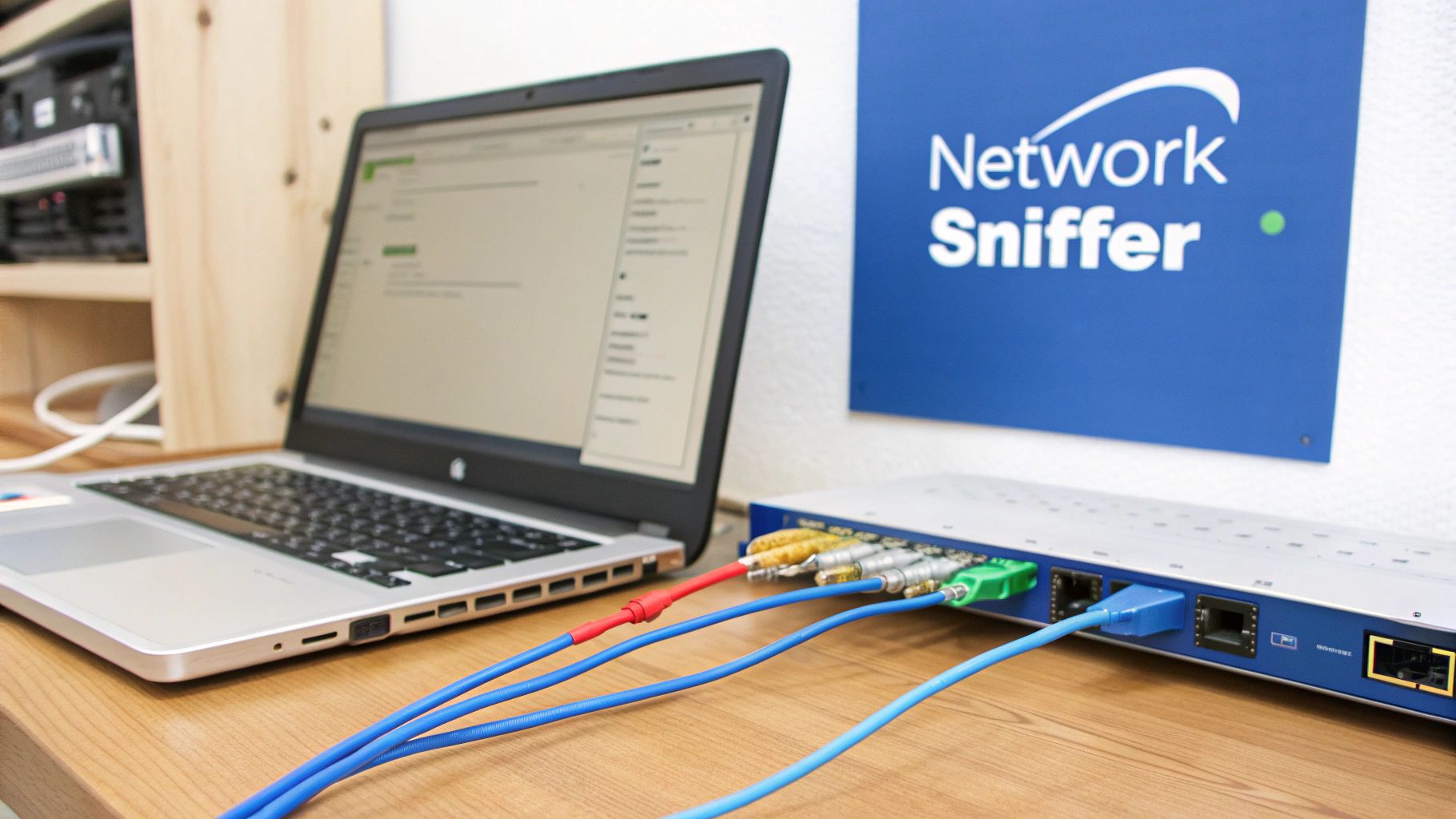
See how intuitive it is? And yet, it handles tons of data, making it useful for both quick checks and in-depth investigations. Another open-source favorite is TCPDump, perfect for command-line wizards who like getting their hands dirty. These tools provide a surprisingly solid base for analyzing network traffic, especially when you’re getting started.
Commercial Tools: When to Invest
Premium tools definitely have their place. They often boast advanced features like automated analysis, behavior anomaly detection, and impressive dashboards. But before you spend a fortune, ask yourself: do you actually need those bells and whistles? Honestly, a mix of open-source tools and some clever scripting can often get you the same results without the high cost. That being said, if you’re wrestling with huge amounts of data, complex security incidents, or need built-in reporting, then splashing out on a commercial solution might be worthwhile.
Integrating Your Toolkit: The Whole Is Greater Than the Sum of Its Parts
Here’s the important part: a bunch of separate tools is just going to cause headaches. Your tools should work together. For example, you could use TCPDump to capture the raw network traffic, pipe it into Wireshark for closer inspection, and then feed those results into a custom script for automated reporting. That’s where the real power lies. For those optimizing performance testing with GoReplay, check out the guide on accurate sessions in performance testing. This helps connect capturing, analyzing, and then actually using that analysis to improve your systems.
The Right Tool for the Right Job: Matching Tools to Tasks
Building your network traffic analysis toolkit isn’t about collecting the priciest or the trendiest tools. It’s about choosing the right tools for the specific tasks you’re facing. Start with the fundamentals, master the basics, and then gradually add more specialized tools as your needs change. This way, you avoid tool overload and ensure each tool has a purpose. This focused approach is way more effective than just piling up tools without a clear strategy. Trust me, even the best tool is useless if you don’t know how to use it or why you need it in the first place.
Capturing Traffic That Tells The Real Story
Let’s be honest, network traffic analysis can be tricky. I’ve seen so many people get excited about shiny new monitoring tools, only to find they’re collecting everything but the data they need. It’s not about how much data you capture; it’s about capturing the right data, from the right spots, with the right filters.
Strategic Capture Points: Focusing Your Efforts
After years of doing this (and making plenty of mistakes along the way!), I’ve learned that choosing strategic capture points is key to getting useful information without getting overwhelmed. It’s a bit like fishing – you wouldn’t just throw your net anywhere. You go where the fish are! You need to figure out the critical parts of your network where the most important data flows.
This could be the connection between your web servers and your database, the traffic going to and from your most important apps, or the communication between your internal network and the internet. By focusing on these key points, you’ll collect less useless data, which makes analysis way more efficient.
Real-World Capture Configurations: Examples That Work
Every network is different. A small office setup has very different needs than a huge data center. In a smaller environment, capturing traffic at the main firewall might be enough. But in a bigger, more complex network, you might need to set up capture points at different network segments. You could also use port mirroring on specific switches to isolate traffic from important servers.
And here’s something else to think about: the huge growth in content providers, especially in emerging markets. This means capturing traffic at key internet exchange points is important for understanding larger trends. This growth is driven by new internet-connected devices, faster broadband, and apps that use a lot of bandwidth. Learn more about this trend.
Filtering: Separating the Signal from the Noise
Capturing everything is a bad idea. You’ll get lost in irrelevant data. Filtering is essential. This means setting up specific criteria for the traffic you want, like IP addresses, port numbers, protocols, or even specific application signatures.
Let’s say you’re troubleshooting a performance issue with a specific web application. You can filter your capture to only include HTTP and HTTPS traffic to and from the server running that app. This significantly reduces the amount of data to analyze, letting you zero in on the problem much faster.
Balancing Comprehensiveness with Practicality
We all have limits on storage and processing power. While comprehensive monitoring is great, it has to be realistic. There’s no point capturing terabytes of data if you can’t analyze it.
One smart approach is tiered capture. This means continuously capturing a smaller amount of key data and then switching to more detailed, full-packet captures when triggered by specific events or alerts. This gives you a good balance of ongoing monitoring and the ability to dig deeper into specific issues when you need to.
GoReplay: Turning Captured Traffic into a Testing Powerhouse
This is where GoReplay is incredibly useful. Once you’ve captured your traffic, you can use GoReplay to replay it in your test environment. This lets you recreate real-world scenarios, perform load testing, and find potential bottlenecks or vulnerabilities before they hit your production systems. Being able to turn real traffic into a testing tool is invaluable for making sure your applications are stable and reliable.
Think of it as a time machine for your network traffic. You can rewind, replay, and analyze specific scenarios as many times as you need. By combining GoReplay with your traffic analysis tools, you’re not just looking at what happened—you’re proactively testing how your system will perform under different conditions in the future. This transforms network traffic analysis from reactive to proactive, ensuring better performance, stability, and security. This makes your testing much more robust and reliable, so you can be confident your applications can handle real-world traffic.
Decoding What Your Network Is Really Telling You
Raw packet data can seem like a foreign language. But once you get the hang of interpreting it, it becomes fascinating. After analyzing countless network captures, I’ve learned to pick up on the subtle hints that tell the real story of what’s happening on your network. It’s a bit like being a digital detective. You follow the flow of conversations, recognize the signatures of different applications, and develop a feel for what’s normal versus what’s a genuine issue.
Understanding the narrative hidden within the data is what separates experienced network analysts from the novices. It’s all about connecting the dots. A sudden surge in DNS requests, for example, could be completely benign, or it could indicate malware trying to phone home. Likewise, a gradual increase in TCP retransmissions might point to a growing network congestion problem. These subtle clues often go unnoticed by standard monitoring tools, but they’re invaluable for anyone who knows how to properly analyze network traffic.
Seeing the Story in the Data
To illustrate, take a look at this breakdown of network traffic by protocol:
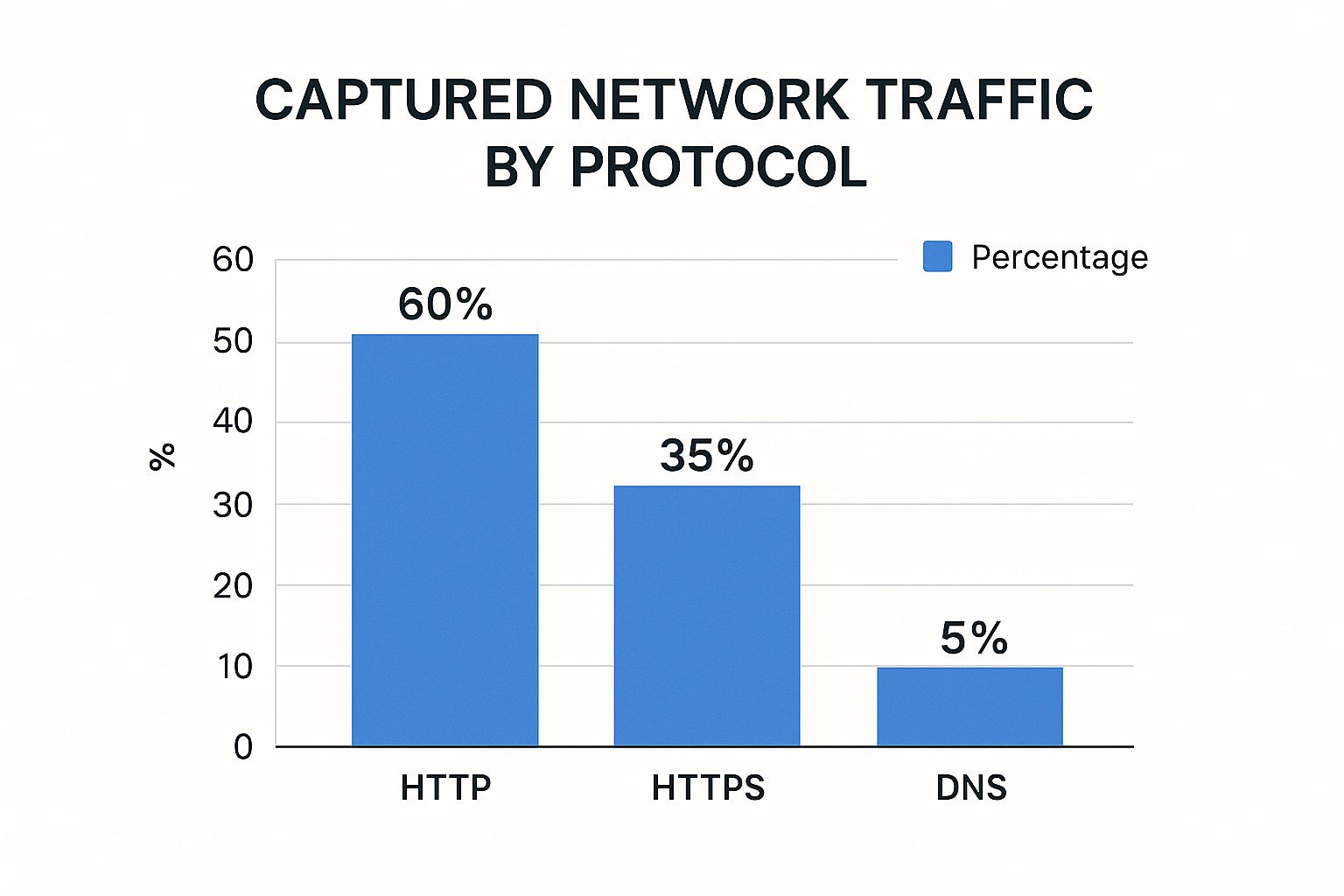
Notice how HTTPS traffic dominates, followed by HTTP and then DNS. This distribution is important for prioritizing your analysis and resource allocation. It highlights the importance of securing web traffic, as the majority of communication happens over HTTP and HTTPS.
The following table provides further insight into common traffic patterns:
Common Traffic Patterns and What They Mean Guide to interpreting different network traffic patterns and their typical causes
| Traffic Pattern | Typical Characteristics | Common Causes | Analysis Actions |
|---|---|---|---|
| High HTTPS Traffic | Large volume of encrypted data | Web browsing, API calls, secure file transfers | Check for unusual spikes or drops, examine TLS handshake patterns |
| Increased DNS Requests | Many small packets | Client resolving domain names, potential malware activity | Investigate sudden increases, correlate with other network events |
| High TCP Retransmissions | Duplicate packets, increased latency | Network congestion, packet loss, faulty hardware | Analyze network path, check for bottlenecks |
| Unusual Port Activity | Traffic on non-standard ports | Malware communication, unauthorized services | Identify open ports, investigate unusual processes |
This table summarizes some key traffic patterns and potential causes. It serves as a quick reference for common network issues and suggests further investigation steps.
Practical Packet Analysis: Getting Your Hands Dirty
Let’s talk about the practical side of packet analysis. We’ll use real-world examples to show you how to dissect network conversations, understand protocol headers, and identify red flags. It’s also helpful to understand the major applications on your network and their bandwidth consumption. For example, video streaming continues to consume the most bandwidth, with users downloading an average of 5.6GB per day. This kind of information is crucial for effective network management. Discover more insights about bandwidth usage.
Beyond the Basics: Statistical Methods and Anomaly Detection
Basic packet analysis is only the first step. To truly master network traffic analysis, you need to dig deeper. We’ll look at statistical methods that help you uncover hidden trends and anomalies not immediately visible through simple packet inspection. Baseline analysis, for instance, involves creating a normal traffic profile for your network and then looking for deviations. This helps you detect subtle shifts that could signal emerging problems or security threats.
From Packets to Prevention: Using GoReplay to Validate Your Findings
This is where GoReplay shines. Once you’ve identified potential issues through traffic analysis, GoReplay lets you replay that captured traffic in a controlled test environment. This lets you confirm your findings, test possible solutions, and make sure your fixes actually work before going live. This dramatically reduces risk and ensures your analysis leads to tangible improvements. It’s about turning analysis into action. This proactive approach prevents disruptions and gives you confidence in your changes. By the end of this section, you’ll be interpreting network traffic like a seasoned pro, ready to use tools like GoReplay to turn insights into solutions.
Making Your Analysis Drive Real Results
So, you’ve captured and decoded your traffic. Awesome! But let’s be real: a killer analysis doesn’t mean much if you can’t turn it into something actionable. I’ve been there – lost in a sea of charts and graphs that looked impressive but didn’t actually change anything. The real value comes from connecting those technical details to real-world decisions.

Communicating Your Findings: From Engineers to Executives
One size doesn’t fit all when it comes to sharing your findings. Your engineering team will likely want all the technical details, while executives are focused on the big picture. Adapt your communication. Dive deep into protocols and anomalies with your engineers. For executives, keep it high-level: how does this impact cost, performance, or risk? A clear, concise summary is often all they need.
Building a Compelling Case for Action
Data is powerful, but it needs context. Frame your findings to show why action is necessary. Here’s how:
- Quantify the Impact: Instead of just saying there’s a latency issue, show the cost. For example: “This latency issue is costing us $X per hour.”
- Visualize the Problem: A good graph can be worth a thousand words. Use visuals to show trends, anomalies, and the projected impact of your proposed solutions.
- Provide Clear Recommendations: Don’t just dump the data; offer concrete solutions.
Real-World Examples: How Analysis Led to Real Change
Here are a few stories from the trenches – both my own and others’ I’ve picked up along the way:
- Cost Savings: At one company, traffic analysis revealed a non-critical application was hogging bandwidth. Optimizing it resulted in a 15% reduction in monthly costs.
- Performance Improvements: Analyzing traffic patterns helped pinpoint a database bottleneck. A simple config tweak led to a 20% boost in application response time.
- Security Enhancements: Traffic analysis uncovered some shady activity that hinted at a potential breach. Implementing stronger security measures averted disaster.
Turning Insights into Action with GoReplay
Once you’ve identified a problem and a potential fix, GoReplay is your best friend. You might also be interested in our ultimate guide to load testing APIs. Replaying captured traffic in a test environment lets you validate your solution before going live. This not only boosts your confidence but also helps get everyone on board. Remember, analyzing network traffic isn’t just about understanding what’s happening; it’s about making things better. By focusing on actionable insights and communicating effectively, you can turn your analysis into tangible results. This makes your work more than just a technical exercise; it becomes a valuable contribution to your company’s success. And that, my friend, is a much better feeling.
Avoiding the Mistakes That Sink Most Network Analysts
I’ve been there. Staring at network traffic, convinced I’d found the smoking gun, only to realize later I was completely off base. We all have war stories about network analysis gone wrong. I’ve chased phantom problems based on sampling bias, triggered false positives that sent the whole team on a wild goose chase, and even missed glaringly obvious issues that led to outages. Ironically, these mistakes were the best teachers.
The Human Factor: Seeing What Isn’t There
The truth is, the biggest challenge in network analysis isn’t the tech; it’s us. Our brains are wired to see patterns, even where they don’t exist. We get lost in the details, missing the forest for the trees. One time, I spent days optimizing a database query because I was sure it was bottlenecking performance. Turns out, a wonky network cable was causing intermittent packet loss. Lesson learned: sometimes the simplest explanation is the right one.
Validating Your Findings: Before You Break Everything
Before you propose changes based on your analysis – especially anything that could impact the whole network – validate, validate, validate. Don’t rely on a single tool or dataset. Cross-reference your results. Use multiple tools, examine data from various points in your network, and if possible, reproduce the issue in a controlled setting. This is where GoReplay becomes invaluable. Replaying captured traffic lets you verify your analysis and test solutions without risking your live systems.
Staying Objective Under Pressure: When Everyone Wants Answers Now
When the network’s down and everyone’s panicking, it’s tough to stay calm and collected. But that’s exactly when clear thinking is most critical. Don’t let the pressure push you into jumping to conclusions. Stick to your process, validate your findings, and be upfront about what you know – and what you don’t know. Transparency builds trust, even when things are chaotic.
The Politics of Network Analysis: It’s Not Always About the Tech
Sometimes, the hardest part isn’t finding the problem; it’s convincing others to accept the solution, especially when it involves budget or challenging established practices. Learn to frame your findings in a way that resonates with your audience. For engineers, focus on the technical details. For management, highlight the business impact: cost savings, performance gains, and risk reduction. Data is your best friend, but knowing how to present it is just as important as knowing how to analyze it.
Growing Your Network Analysis Expertise Over Time
Network traffic analysis is a constantly moving target. New protocols pop up like mushrooms after a rain, attack patterns shift constantly, and analysis techniques… well, let’s just say they don’t get any simpler. The sharpest analysts I’ve worked with understand that learning is a never-ending journey. They’re always tinkering with new tools and techniques, kind of like how we’ve been exploring GoReplay throughout this guide.
Certifications That Matter (and Those That Don’t)
Let’s be honest, some certifications are worth their weight in gold, while others are just resume padding. My advice? Concentrate on the ones that actually teach you practical skills and deep knowledge. The Certified Network Defender (CND) certification, for instance, really dives into hands-on analysis and incident response. Vendor-specific certs can be useful, sure, but they sometimes lack the broad perspective a truly skilled analyst needs.
Resources That Actually Help You Grow
Staying on top of your game takes more than just a few letters after your name. Here’s what I’ve found helpful:
- Industry Blogs and Forums: Places like Packet Storm and SANS Internet Storm Center are gold mines for staying updated on the latest threats and analysis techniques. Trust me, bookmark these.
- Open-Source Communities: Getting involved with communities around tools like Wireshark and TCPDump can give you practical insights and solutions you won’t find in any textbook. It’s a bit like the GoReplay community – tons of shared knowledge on traffic capture and replay.
- Conferences and Workshops: Events like SharkFest are fantastic for connecting with fellow analysts and getting exposed to new tools and methodologies. Plus, the hallway conversations are often where the real learning happens.
Building Your Expertise Roadmap
Think of growing your network analysis skills like leveling up in a game. First, you nail the basics: networking fundamentals, common protocols, and getting comfortable with the essential analysis tools. Then, you start adding specializations:
- Deep Packet Inspection: This is where you become a master of dissecting packet headers and payloads to really understand how applications behave.
- Intrusion Detection/Prevention: Learn to spot and respond to malicious traffic before it wreaks havoc.
- Performance Analysis: Become the go-to person for identifying bottlenecks and making your network run like a well-oiled machine.
From Analyst to Expert: Advancing Your Career
Technical chops are essential, no doubt, but they’re not the whole story. Here are a few things I’ve learned along the way:
- Networking (the human kind): Connect with other professionals, share what you know, and learn from their experiences. You’d be surprised how much you can pick up from a casual conversation.
- Communication Skills: Being able to explain complex technical stuff to both techies and non-techies is a superpower. Practice this!
- Continuous Learning: Remember what I said about a moving target? The network landscape is constantly evolving, so embrace lifelong learning to stay ahead of the curve.
By combining your technical expertise with strong communication skills and a commitment to continuous learning, you’ll be well on your way to a rewarding career as a highly sought-after network analysis expert. Now, ready to put your newfound GoReplay knowledge into action? Check out the official GoReplay site.