
functional testing vs regression testing: Quick comparison
The real difference between functional and regression testing boils down to one simple question. Functional testing asks, “Does this new feature work as designed?” It’s a focused check to make sure new capabilities meet their specific requirements.
On the other hand, regression testing asks, “Did our latest change break anything that was already working?” This is purely a defensive move to protect the stability you already have.
Understanding the Core Differences
Functional and regression testing are two sides of the same quality assurance coin. Together, they ensure your software is both innovative and reliable. While functional testing is all about verifying new additions, regression testing acts as a safety net, preserving the integrity of your application as it evolves.
Think of it like building a house: functional testing makes sure the new plumbing works perfectly. Regression testing checks that installing those new pipes didn’t somehow cause a leak in the old electrical wiring.

This distinction is absolutely critical for allocating resources and managing risk. A team focused on launching a brand-new product will pour most of its energy into functional testing. In contrast, a mature application that gets updated frequently will lean heavily on a comprehensive regression suite to prevent nasty, unintended side effects.
Core Differences Between Functional and Regression Testing
To really get a feel for their distinct roles, let’s break down their fundamental attributes. This table gives a quick overview of how their purpose, timing, and scope differ within the software development lifecycle.
| Attribute | Functional Testing | Regression Testing |
|---|---|---|
| Primary Goal | To verify that new features meet specific business requirements and function correctly. | To ensure that recent code changes have not negatively impacted existing features. |
| Timing | Performed when new features are developed, before they are merged into the main codebase. | Executed after code changes, bug fixes, or system updates are made. |
| Scope | Narrow and focused on the specific functionality being tested. | Broad, covering all or a significant portion of the application’s existing functionality. |
| Driving Force | Driven by business requirements, user stories, and feature specifications. | Triggered by code modifications, bug fixes, or environment changes. |
| Test Case Source | Test cases are newly created based on the requirements of the new feature. | Uses a pre-existing suite of test cases that are re-executed repeatedly. |
| Automation Focus | Can be manual or automated, especially when features are new and unstable. | Ideally suited for automation due to its repetitive and predictable nature. |
Each serves a unique, indispensable function in shipping high-quality software. Ultimately, the goal isn’t to pick one over the other—it’s about understanding when and how to apply each discipline to build something truly solid.
What Is Functional Testing?
At its core, functional testing answers one simple question: “Does this new feature do what it’s supposed to do?” It’s the first and most fundamental quality gate, making sure every new function in your app meets its specific business requirements before a user ever sees it. This is all about targeted, proactive validation.
Think of it like building a new piece of furniture. You follow the manual step-by-step, making sure every screw, panel, and drawer works exactly as designed before you even think about putting it in your living room. Functional testing does the same for software, confirming each new component works perfectly on its own.

Catching logic errors and requirement misunderstandings early in the development cycle is crucial. By zeroing in on new code, teams build a high-quality product from the ground up, establishing a solid foundation before worrying about how these changes impact the bigger picture.
Key Types of Functional Tests
Functional testing isn’t a single action. It’s a family of methods that work at different levels of your application, with each type adding another layer of confidence to your quality checks.
These tests typically include:
- Unit Testing: The most granular level. Here, individual functions or code components are tested in complete isolation to make sure they’re correct.
- Integration Testing: Once the individual units pass, integration testing checks how well they work together. Do different modules or services communicate and pass data correctly?
- System Testing: This is the big one. The complete, fully integrated software is tested from end to end to validate that the entire system meets its requirements.
By layering these tests, development teams build and validate the application systematically. It’s a structured approach that ensures a feature’s core functionality has been rigorously confirmed before it ever goes live.
The Typical Functional Testing Workflow
The process follows a logical path, starting with business requirements and ending with a fully validated feature. This keeps testing tightly aligned with user expectations and project goals.
A standard workflow looks something like this:
- Analyze Requirements: Testers dive into the feature specs and user stories to get a crystal-clear understanding of the expected behavior.
- Create Test Cases: Based on those requirements, they design detailed test cases covering happy paths, negative paths, and weird edge cases.
- Prepare Test Data: Testers then pull together or create the data needed to run the tests effectively.
- Execute Tests: The test cases are run against the new feature, either by hand or with automation tools.
- Compare Results: Actual outcomes are stacked up against expected results to spot any bugs or discrepancies.
- Report Defects: Any failures are logged as defects, packed with enough detail for developers to find and fix the problem.
This systematic process is fundamental to building reliable software. In fact, a 2023 report shows that 78% of organizations run functional tests before any code hits production. These tests are responsible for catching 65% of all critical bugs before they ever reach a user, proving just how effective this approach is.
Key Insight: Functional testing is all about verification. It isn’t worried about what might break elsewhere—its sole job is to confirm that new code delivers on its promise.
For a deeper look into the specifics, especially in modern architectures, check out our practical guide on functional testing for APIs. Getting this right ensures the building blocks of your application are solid, leading to a much more robust product in the end.
Understanding Regression Testing’s Critical Role
While functional testing is all about validating what’s new, regression testing asks a different, but equally important, question: “Did we accidentally break anything that used to work?” It’s the essential safety net for your software.
Think of regression testing as a reactive process. It kicks in after a code change—like a bug fix, a performance tweak, or a new feature—to confirm that the update didn’t cause unintended side effects. The whole point is to preserve stability and keep the trust of your users as the application grows.
It’s like a system-wide checkup after a minor surgery. The surgeon (your developer) fixed the immediate issue, but now a team of specialists (QA engineers) needs to run a battery of tests to make sure the procedure didn’t impact the patient’s heart, lungs, or other vital systems.
Choosing Your Regression Strategy
Not all regression testing is the same. The right approach really depends on the size of the change, the risk involved, and the time you have. A smart strategy is crucial for staying efficient without compromising on quality.
Teams usually pick from three common strategies:
- Re-test All: This is the most exhaustive method, where you re-run the entire existing test suite. It’s best reserved for major releases or after big architectural changes. You get maximum confidence, but it comes at a steep cost in time and resources.
- Selective Regression: A more practical and common approach. Testers hand-pick a subset of test cases based on the specific code that was modified. It’s a targeted strike that balances coverage with efficiency, perfect for smaller, more frequent updates.
- Risk-Based Regression: This strategy is all about prioritizing. Test cases are selected based on business impact and risk. High-priority tests that cover critical user journeys and revenue-generating features get run every single time, while lower-priority tests might be run less often.
The discipline is so important that a 2021 industry survey found that 52% of developers spend at least half their time testing, and regression testing accounts for nearly 40% of that effort. With agile teams running regression tests up to 12 times per month, that safety net is getting a constant workout. You can see more in the full survey analysis on Qamadness.com.
A Practical Regression Testing Example
Let’s imagine an e-commerce platform. A developer just pushed a change to the shipping cost calculator to handle new regional taxes. It seems like a small, contained update. But that calculator is wired into multiple other systems.
A good regression test suite would immediately kick off to verify:
- Can shoppers still add items to their cart?
- Do payment gateways like Stripe and PayPal still process transactions?
- Is the customer’s order history still accurate and accessible?
- Are promotional discount codes still applying correctly at checkout?
Without regression testing, a seemingly harmless tweak to shipping costs could easily break the entire payment flow, leading to lost sales and angry customers. This is the core value of regression testing: protecting the business by keeping things stable. To learn more, check out some of our proven regression testing best practices.
Key Insight: Regression testing isn’t about finding new bugs in new features. It’s about making sure old, reliable features stay that way. Because it’s so repetitive and predictable, it’s a perfect candidate for automation—something you absolutely need to maintain speed in modern development.
Key Differences: A Detailed Comparison
While functional and regression testing both sit at the core of any solid QA strategy, the real magic happens when you understand their distinct objectives, timing, and scope. It’s not just semantics; knowing these nuances is what separates an effective testing process from a frustrating one. The core distinction is actually quite simple: functional testing validates the new, while regression testing protects the old.
Think of it this way. You’ve just added a new “Add to Wishlist” button to your e-commerce site. A functional test is a deep dive into that specific button. Does it add the right item? Does the wishlist count update correctly? Does it work for guests and logged-in users? The scope is narrow, but the investigation is incredibly thorough.
Regression testing, on the other hand, asks a much bigger question after that new button is deployed: “Did this new feature break anything else?” It isn’t as concerned with the button itself but with its ripple effects. The regression suite will run checks on the shopping cart, the checkout process, and the user account page to make sure no unexpected side effects have crept in.
Objective and Driving Force
The primary objective is easily the most important point of contrast. Each type of test is triggered by a different event and is chasing a completely different outcome.
- Functional Testing’s Goal: Its purpose is to verify that a new feature meets its specific business requirements. The driving force here is innovation—confirming the app can now do something it couldn’t do before.
- Regression Testing’s Goal: Its purpose is to preserve existing functionality and guarantee stability after code changes. The driving force is risk mitigation—making sure the app hasn’t lost any of its existing capabilities.
This infographic helps visualize the core principles of regression testing, framing it as the essential safety net for your application.
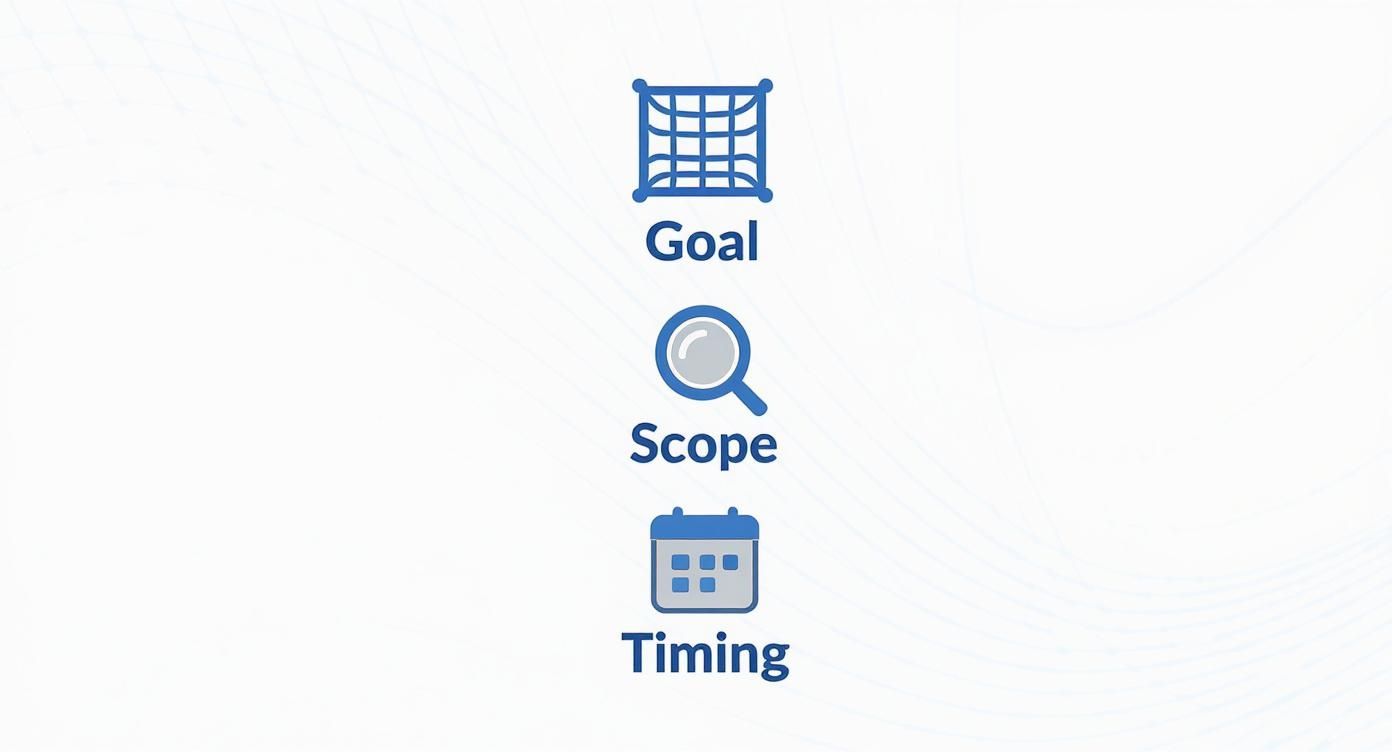
As you can see, its main job is to act as a protective layer. It has a broad scope and is triggered by any change made throughout the development lifecycle.
Scope and Depth of Testing
The scope of each testing type is a direct reflection of its objective. One goes deep and narrow; the other goes wide but often shallow.
Functional tests are deeply focused on a single piece of functionality. They involve a comprehensive set of test cases covering positive scenarios (the “happy path”), negative scenarios (how it handles errors), and all the edge cases for that one feature. The goal is to get high test coverage for the new code.
Regression tests, however, have a broad scope, often spanning a wide range of existing features across the entire application. The depth can vary. While a full regression suite can be massive, teams often use selective or risk-based regression to test only the most critical areas, making the process shallower but far more efficient.
Key Differentiator: Functional testing is all about depth over breadth, meticulously validating one new thing. Regression testing is about breadth over depth, ensuring the stability of many existing things.
Nuanced Comparison of Testing Methodologies
To make these distinctions clearer, let’s break down the strategic and operational differences side-by-side. This isn’t just a list of features; it’s about understanding the why behind each approach.
| Comparison Point | Functional Testing | Regression Testing |
|---|---|---|
| Primary Goal | Verify that new features work according to specified requirements. | Ensure that new code changes haven’t broken existing functionality. |
| Trigger | The introduction of a new feature or modification of an existing one. | Any code change: bug fix, feature addition, configuration update, or refactoring. |
| Scope | Narrow and deep. Focuses intensely on the new or changed functionality. | Broad and often shallow. Covers a wide range of existing application features. |
| Timing in SDLC | Early, during the development phase of a new feature. | Later, after code is merged but before a release. Often run continuously in CI/CD. |
| Test Cases | Based on the requirements and specifications of the new feature. | Based on existing test cases from previous releases, often prioritized by risk. |
| Automation Focus | Variable. Often manual at first, then automated once the feature is stable. | High priority. Automation is crucial for efficiency due to repetitive execution. |
| Driving Question | ”Does this new feature work as designed?" | "Did the latest change break anything that was already working?” |
| Business Impact | Ensures new capabilities deliver value and meet user expectations. | Protects existing revenue streams and user trust by preventing regressions. |
Understanding these points helps you allocate resources effectively, ensuring you’re not just testing, but testing with a clear purpose at every stage of development.
Timing Within the Development Lifecycle
When you run these tests is just as critical as what they test. Their placement is strategic, designed to maximize impact and fit naturally into development workflows.
Functional testing happens early and concurrently with feature development. As soon as a developer finishes a piece of a new feature, a tester can jump in and start validating it. This occurs before the code is ever merged into the main production branch, effectively isolating the new functionality.
Regression testing, in contrast, happens later in the cycle—specifically after new code, bug fixes, or configuration changes have been merged. It acts as a gatekeeper right before a release to confirm the entire application is stable. In modern CI/CD pipelines, automated regression suites run constantly, often with every single commit.
Approach to Automation
Automation strategies also look quite different for each, driven largely by the nature of the tests themselves.
For functional testing, the approach to automation is variable. New features are often in flux, with requirements that can shift, making it a waste of time to automate tests right away. Teams will typically perform manual functional testing first, then write automation scripts once the feature has stabilized.
For regression testing, automation is an extremely high priority. Because these tests are run over and over against stable, existing functionality, they are perfect candidates for automation. A solid automated regression suite saves a huge amount of time and effort, letting teams release quickly without sacrificing quality. In fact, solid research shows that effective regression strategies can slash post-release defects by up to 40%—a number that speaks for itself.
Choosing the Right Testing Approach for Your Project
Figuring out the theory behind functional and regression testing is one thing. Actually putting it to work effectively is a whole different ballgame.
The secret is to stop thinking of them as competing choices. They’re complementary tools in your quality assurance toolbox. Your real decision isn’t about picking one over the other, but about knowing where to aim your team’s energy and resources based on what’s happening with your project right now.
Making the right call comes down to a few key factors: your project’s maturity, the kind of release you’re shipping, and your team’s appetite for risk. A smart approach means you aren’t just testing for the sake of it. You’re testing with a clear purpose that ties directly back to business goals, which lets you balance the push for new features with the absolute need for stability.
Scenario-Based Decision Making
Let’s walk through three common development scenarios. You’ll see how the testing focus needs to shift for each one, showing just how symbiotic this relationship really is.
1. Launching a Brand-New Product
When you’re building a product from the ground up, the mission is simple: prove that it actually works. You don’t have an existing user base to protect or established features to break.
- Primary Focus: Functional Testing (90%)
- Secondary Focus: Regression Testing (10%)
Almost all of your team’s effort should be funneled into functional testing. You need to validate every single new feature against its requirements to make sure the core product delivers on its promise. That small 10% for regression testing is just a quick sanity check to ensure a feature you just built didn’t break another new feature from the same sprint.
2. Deploying a Critical Hotfix
Picture this: a critical bug has been found in production and it’s actively hurting users. The goal is all about speed and safety—fix the immediate problem without causing a bigger one.
- Primary Focus: Targeted Regression Testing (80%)
- Secondary Focus: Functional Testing (20%)
Here, the priority overwhelmingly shifts to regression testing. You have to be absolutely certain that your fix hasn’t created unintended side effects in related parts of the system. The functional testing is hyper-focused on one thing only: verifying that the specific bug has been squashed.
Key Insight: The context of a release dictates the testing balance. New products demand functional validation, while updates to mature products require a strong regression safety net to protect existing value.
3. Adding a New Module to a Mature Platform
This is the classic scenario for most established products. You’re rolling out a major new capability into an application that already has a large, active user base relying on it.
- Primary Focus: Balanced Approach (50/50 Split)
This situation demands a true partnership between both testing types, with a near-even split in effort.
- Functional Testing (50%): You need to rigorously test the new module from top to bottom. Does it meet all the business requirements? Does it work flawlessly on its own?
- Regression Testing (50%): At the same time, you need a comprehensive regression suite running against the entire application to confirm the new module plays nice with everything else and doesn’t destabilize the features your users already trust.
By really analyzing your project’s specific needs in the moment, you can build a testing strategy that shores up quality, minimizes risk, and ultimately delivers a better product every single time.
Modern Tools and Automation Strategies
Picking the right tool is a big deal in both functional and regression testing, but the automation mindset behind each is worlds apart. The real goal isn’t just to run tests; it’s to build a smart, efficient strategy that gives you maximum coverage with minimum manual work. And that starts with knowing which tools fit which discipline.
For functional testing, you’re picking tools to validate new features—fast. This usually means a blend of manual and automated approaches, especially early on when requirements might still be in flux.
Regression testing, on the other hand, is all about building a stable, comprehensive, and repeatable suite of automated tests. Since you’ll be running these tests over and over, efficiency and rock-solid reliability are everything. The focus shifts from exploring new ground to creating a durable safety net for what already works.
Tools for Functional and Regression Testing
Plenty of popular tools can pull double duty for both functional and regression testing, but how you use them changes completely based on your objective. The trick is to pick tools that mesh well with your application’s architecture and your team’s existing skills.
A few common choices that work for both include:
- Selenium: A long-standing favorite for browser automation, perfect for testing complex web UIs. It’s powerful enough for initial functional validation and scales beautifully for building out extensive regression suites.
- Cypress: Known for its fantastic developer experience and fast, reliable test execution. Cypress shines for functional testing during the development cycle and is easily scaled for regression testing inside CI/CD pipelines.
- Postman: The go-to tool for nearly all things API testing. It lets teams functionally test endpoints as they’re being built, then save those tests into collections that can be run later as a comprehensive regression suite.
Key Insight: The difference isn’t just the tool, but the strategy. Functional automation targets new code, while regression automation builds a fortress around existing, stable features.
As applications get more complex, regression suites have exploded in size. A 2022 study found that the average regression suite now contains over 1,000 test cases—a massive leap from just 600 back in 2018. The same research showed that while 75% of these tests are automated, just maintaining these huge suites is a major headache for 45% of QA teams. You can dig into the complete analysis of regression testing practices to see the full trend.
Advanced Approaches with Traffic Shadowing
While traditional tools are solid, they have one big limitation: they rely on manually scripted test cases. These scripts can’t always predict the wild, unpredictable ways real users interact with your system. This is where modern tools like GoReplay come in, offering a much more powerful approach for regression testing known as traffic shadowing.
Instead of writing scripts, GoReplay captures live production traffic and replays it against a staging or test environment. This lets you test your application with actual user behavior—without putting your production system at risk.
A GoReplay Use Case for Regression Testing
Let’s say your team is about to push a major update to your e-commerce platform’s payment processing backend. The code sailed through all the functional tests, but you’re still nervous about how it will handle the sheer variety and chaos of live traffic.
Here’s how GoReplay would provide an incredible safety net:
- Capture Production Traffic: You configure GoReplay to silently listen to and capture all incoming HTTP requests hitting your live payment service.
- Replay Against Staging: That captured traffic is then replayed in real-time against the new build, which has been deployed to a staging environment.
- Compare Responses: The tool automatically compares the responses from the new build with the responses from the old one, instantly flagging any differences in status codes, latency, or response bodies.
This approach helps you catch regressions triggered by obscure edge cases or bizarre user inputs that your scripted tests would have never thought to cover. It gives you an extremely high level of confidence that your new build is ready for prime time, essentially turning your real users into your best (and unknowing) testers.
Common Questions and Practical Answers
When you’re in the weeds, the line between functional and regression testing can get a little blurry. Let’s clear up a few of the most common questions that pop up in real-world workflows.
Can a Functional Test Become a Regression Test?
Yes, and this is exactly what you should be doing. It’s one of the most efficient ways to build a robust safety net for your application over time.
Once a new feature is built and the functional tests are consistently green, they are prime candidates for your regression suite. Think of it as graduating a test. This ensures that a feature, once confirmed to work, stays working as new code gets added or old code gets changed.
Turning today’s functional tests into tomorrow’s regression tests is how you build a powerful, compounding quality shield. Each new feature doesn’t just add value—it reinforces the entire application against future breakage.
How Often Should You Really Run Regression Tests?
There’s no magic number here—it all comes down to your team’s development speed and how much risk you’re willing to accept. The goal is always to find out something is broken as soon as possible.
- For fast-moving CI/CD teams: Regression tests often run on every single code commit or pull request. It’s all about immediate feedback.
- For more traditional release cycles: Teams on a sprint or monthly schedule usually run the full regression suite right before a big release or after a major feature merge.
A good rule of thumb? If a code change could possibly break something else (even a tiny chance), it’s time to run your regression tests.
Does Regression Testing Have to Be 100% Automated?
While full automation is the dream, in reality, it’s rarely 100%. Automation is a massive time-saver for regression testing because the tests are repetitive and broad, so it delivers huge value.
But some things are just hard to automate reliably. Complex user journeys, subtle visual checks, or flaky edge cases might still need a human eye. A smart strategy is to automate the absolute core functionality and the most critical user paths, then handle the tricky or visual stuff manually.
Ready to supercharge your regression testing with real user traffic? With GoReplay, you can capture and replay live traffic to uncover issues before they impact your customers. Learn more and get started for free at GoReplay.org.